What Is a Backlog in Project Management? Everything You Need to Know
Learn what a backlog in project management is, why it matters, and how teams use prioritization, refinement, and delivery strategies to manage work effectively.
What Is a Backlog?
A backlog is a centralized list of all the work that needs to be done for a project or product. It includes things like tasks, user stories, features, improvements, and bugs.
Think of it as the team’s to-do list, but organized, refined, and prioritized so everyone knows what matters most and what should be worked on next.
In agile frameworks like Scrum and Kanban, the backlog is a foundational element. For instance, in Scrum, the product backlog is a prioritized inventory of all deliverables, while in Kanban, the backlog visualizes tasks across various stages of completion. Regardless of the methodology, the backlog aligns teams, clarifies priorities, and drives progress.
Why Is a Backlog Important in Project Management?
The backlog is more than a list; it’s a strategic asset that fosters alignment and efficiency. Here are key reasons why backlogs are essential in project management:
- Prioritization: A well-structured backlog ensures teams tackle the most critical tasks first, optimizing resource allocation.
- Transparency: It provides visibility into all planned work, promoting collaboration and accountability.
- Adaptability: Backlogs evolve with changing requirements, allowing teams to pivot without losing focus.
- Progress Tracking: By breaking work into manageable units, backlogs simplify monitoring and measuring success.
- Stakeholder Alignment: A clear backlog keeps stakeholders, developers, and product owners aligned on project objectives.
Understanding what a backlog is and its role in project management is the first step toward leveraging it for better outcomes.
Types of Backlogs in Project Management
Backlogs vary depending on the project management methodology and the nature of the work. Below, we explore the most common types of backlogs and their unique purposes.
1. Product Backlog
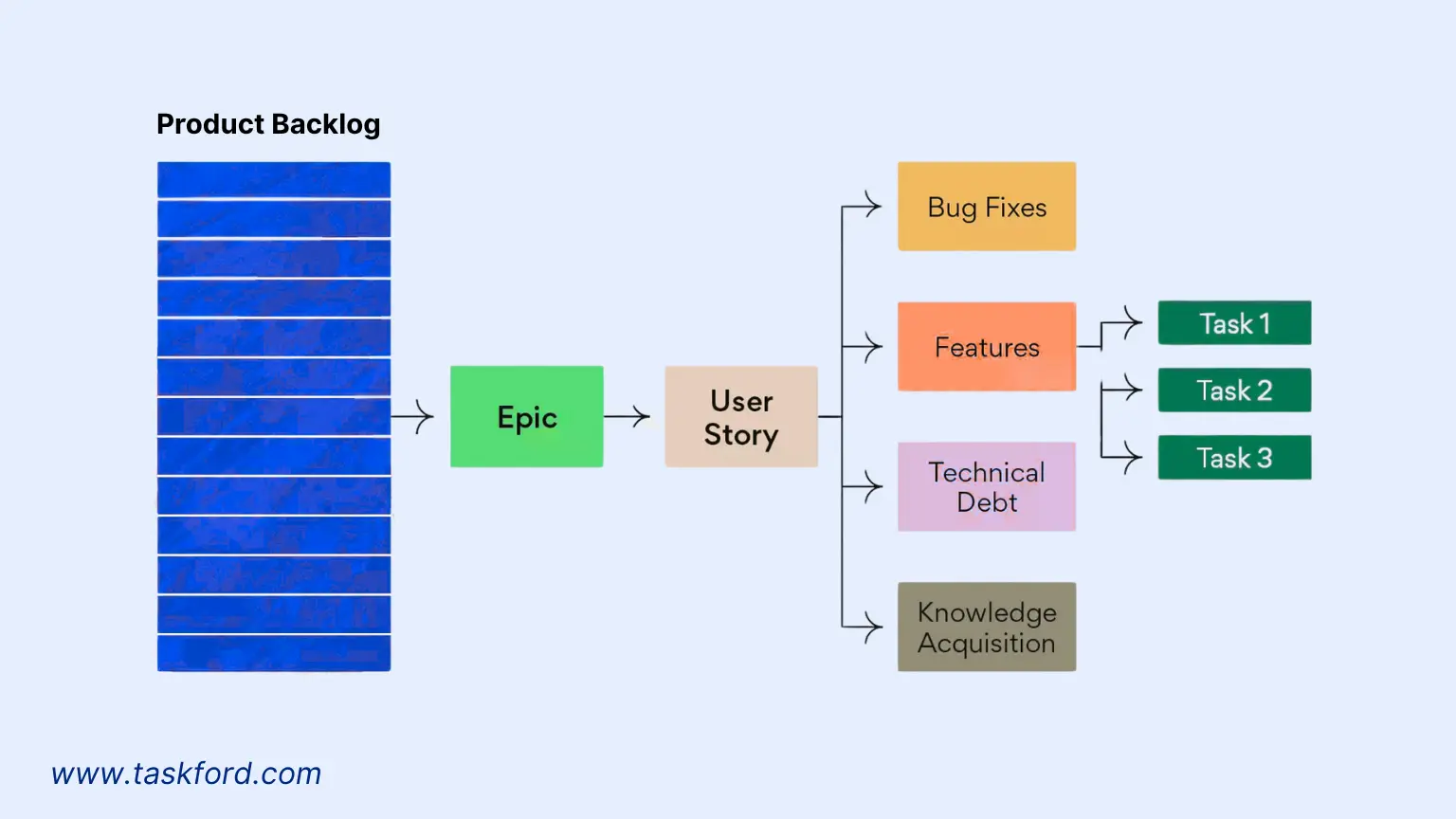
The product backlog is central to agile frameworks like Scrum, containing all work items needed to deliver a product, such as features, enhancements, bug fixes, and technical improvements. The product owner oversees its prioritization, ensuring alignment with the product vision and stakeholder needs.
Key characteristics:
- Prioritized: Items are ranked by business value, urgency, or dependencies.
- Dynamic: The backlog evolves as new requirements emerge or priorities shift.
- Detailed: High-priority items are well-defined with clear acceptance criteria, while lower-priority items may be broader.
For example, a software development team’s product backlog might include user stories like “As a user, I want to filter search results by category” or technical tasks like “Improve API response time.”
2. Sprint Backlog
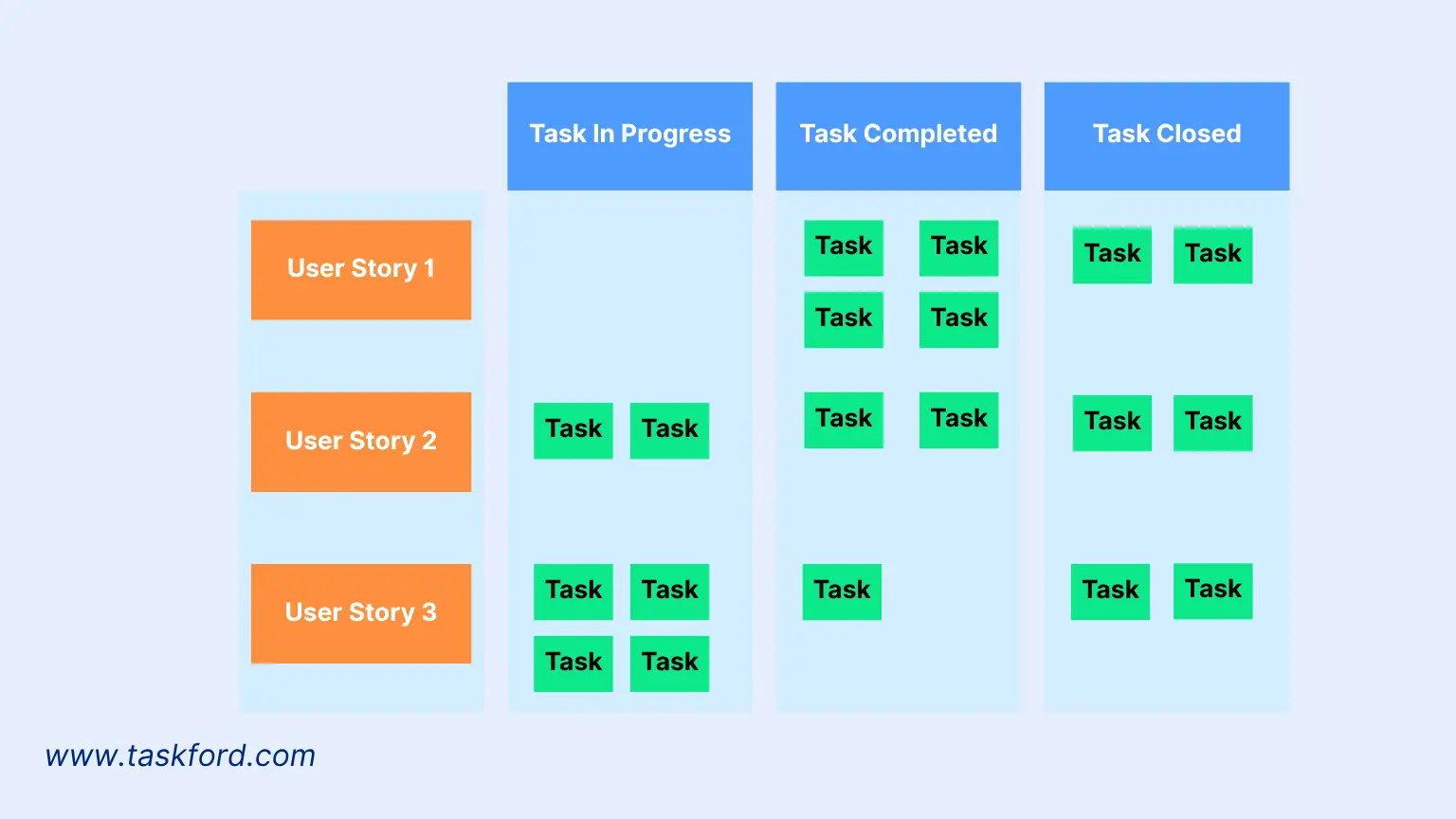
In Scrum, the sprint backlog is a subset of the product backlog, containing tasks the team commits to completing during a specific sprint (typically 2-4 weeks). It’s created during sprint planning, where the team selects high-priority items and breaks them into actionable tasks.
Key characteristics:
- Time-bound: Focused on deliverables for a single sprint.
- Team-driven: The development team decides how to complete tasks.
- Fixed Scope: Once a sprint starts, the backlog is generally locked to prevent scope creep.
For instance, a sprint backlog might include tasks like “Develop checkout page UI” or “Write integration tests for user authentication.”
3. Kanban Backlog
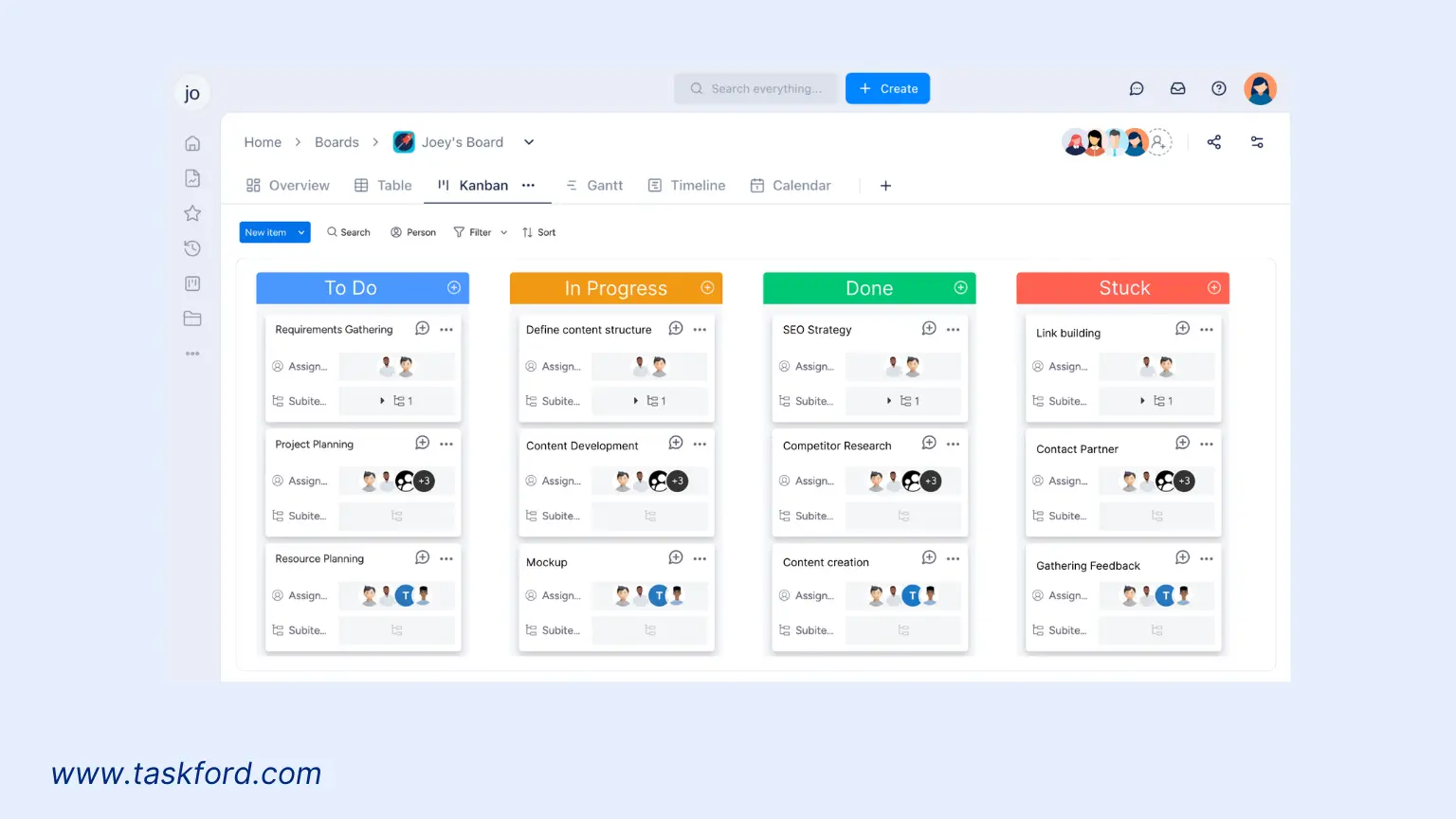
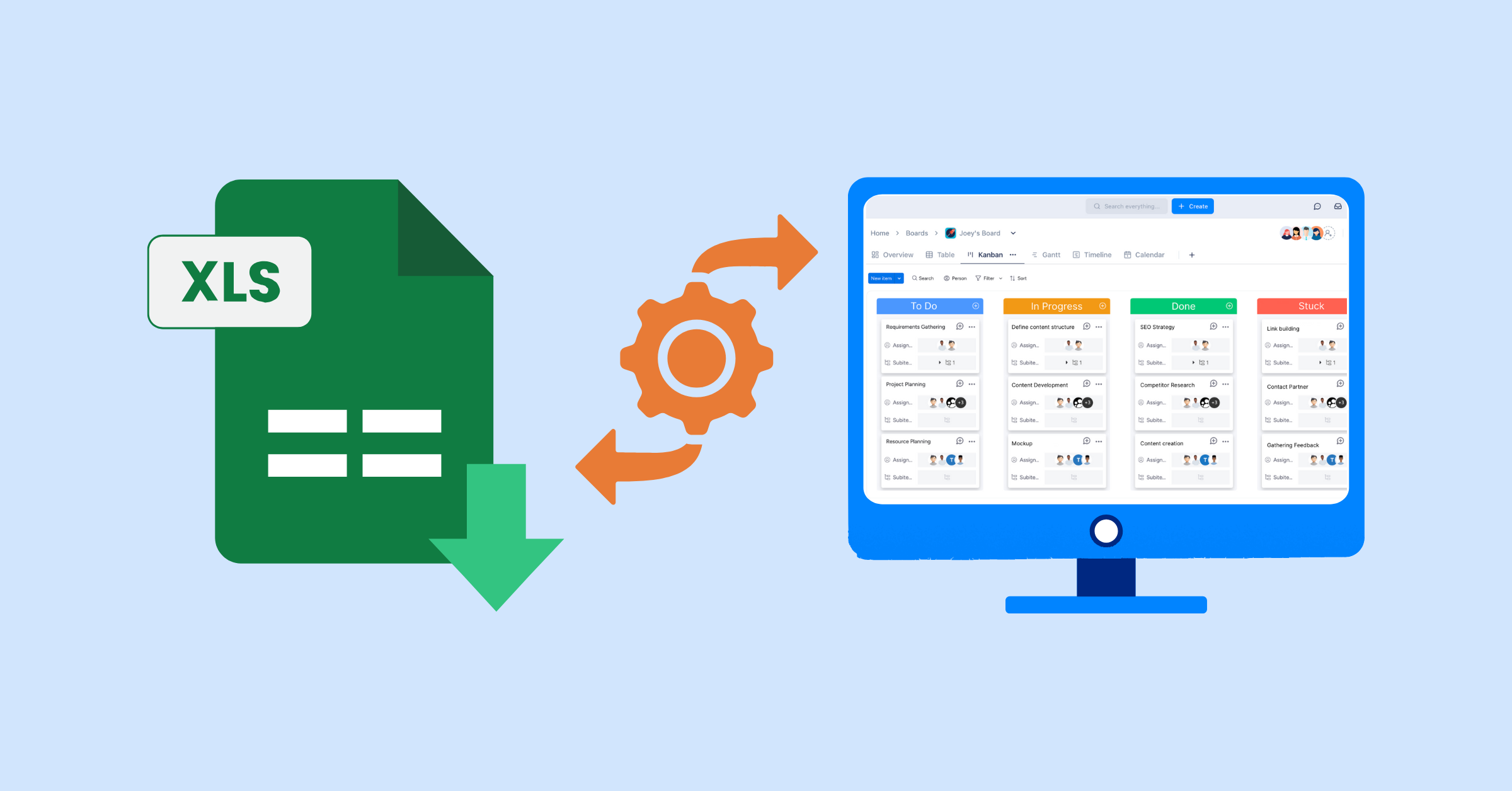
In Kanban, the backlog is part of the Kanban board, often visualized as a “To Do” or “Backlog” column. Unlike Scrum, Kanban doesn’t use time-boxed sprints, so the backlog is continuously updated as work progresses through stages like “In Progress,” “Review,” and “Done.”
Key characteristics:
- Visual: Tasks are represented as cards on a board for easy tracking.
- Flexible: New tasks can be added anytime, and priorities can shift as needed.
- WIP Limits: Kanban emphasizes limiting work in progress to maintain focus and avoid bottlenecks.
4. Technical Backlog
A technical backlog focuses on infrastructure, architecture, or technical debt tasks that support long-term project success but may not directly deliver customer value. Examples include refactoring code, upgrading databases, or enhancing system security.
Key characteristics:
- Developer-focused: Often managed by the technical team.
- Long-term focus: Prioritizes foundational improvements.
- Balanced prioritization: Competes with customer-facing tasks for resources.
5. Bug Backlog
A bug backlog is dedicated to tracking defects or issues in the product. While bugs may appear in the product backlog, a separate bug backlog helps teams prioritize and resolve issues systematically.
Key characteristics:
- Issue-focused: Contains only bug-related tasks.
- Severity-based prioritization: Critical bugs impacting users are addressed first.
- Iterative resolution: Bugs are fixed as part of regular development cycles.
Understanding these backlog types allows teams to tailor their project management approach to their specific needs and methodology.
How to Create and Manage a Backlog Effectively
Creating and maintaining an effective backlog requires strategy and discipline. A poorly managed backlog can lead to confusion, missed deadlines, and misaligned priorities, while a well-organized backlog drives clarity and efficiency. Here’s a step-by-step guide to building and managing a backlog.
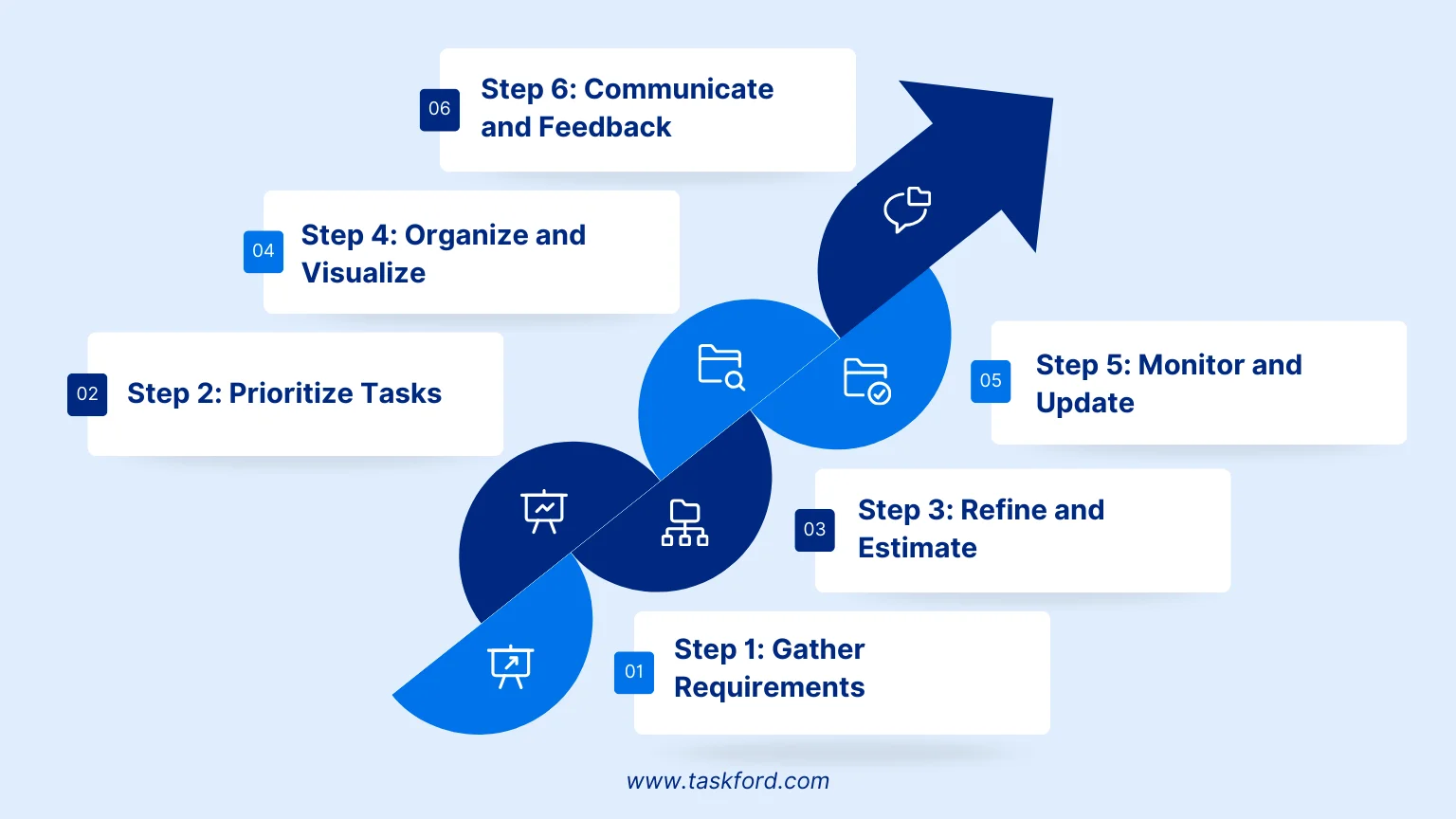
Step 1: Gather Requirements
Start by collecting all possible work items, including features, bugs, technical tasks, and stakeholder requests. Engage with stakeholders, end-users, and team members through interviews, surveys, or workshops to ensure the backlog reflects the project’s goals.
Pro Tip: Use user stories to frame requirements in a user-centric way, such as “As a [user], I want [functionality] to achieve [benefit].”
Step 2: Prioritize Tasks
Prioritization is the backbone of backlog management. Use frameworks like MoSCoW (Must have, Should have, Could have, Won’t have) or Weighted Shortest Job First (WSJF) to rank tasks based on:
- Business value
- Customer impact
- Risk reduction
- Effort required
- Dependencies
Example: A feature that drives significant user engagement might take precedence over a minor UI tweak.
Step 3: Refine and Estimate
Backlog refinement (or grooming) is an ongoing process where the team reviews, clarifies, and estimates the effort for each item. High-priority tasks should be broken into smaller, actionable units with clear acceptance criteria. Use techniques like Planning Poker to estimate complexity and foster team alignment.
Step 4: Organize and Visualize
Use project management tools to organize your backlog. For Kanban teams, a visual board with columns for each work stage is ideal. For Scrum teams, maintain clear separation between the product backlog and sprint backlogs.
Best Practice: Tag tasks with labels like “feature,” “bug,” or “technical debt” to enhance organization and searchability.
Step 5: Monitor and Update
A backlog is a living document, requiring regular updates. Schedule refinement sessions to reassess priorities, remove outdated tasks, and add new ones. Track progress with metrics like velocity (Scrum) or cycle time (Kanban) to ensure the team stays on course.
Step 6: Communicate and Feedback
Keep stakeholders informed about backlog changes and progress through sprint reviews or Kanban board walkthroughs. Transparent communication aligns expectations and gathers valuable feedback.
Turning Backlogs into Planned, Deliverable Work with TaskFord
A backlog is only useful if it leads to action. Many teams struggle with long, growing backlogs that never translate into clear plans or realistic delivery timelines. This is why TaskFord - An Integrated Work Delivery Platform helps bridge the gap between backlog and execution.
TaskFord allows teams to manage backlog items alongside active work, making it easier to move from ideas to delivery. Backlog tasks can be prioritized, broken down into actionable steps, and scheduled based on real team capacity—not assumptions. This prevents teams from committing to more work than they can handle.
With TaskFord, backlog items don’t live in isolation. They connect to:
- Projects and timelines, so teams see when work can realistically start
- Resources and workloads, helping avoid overload before tasks are pulled in
- Dependencies and milestones, so priorities reflect real constraints
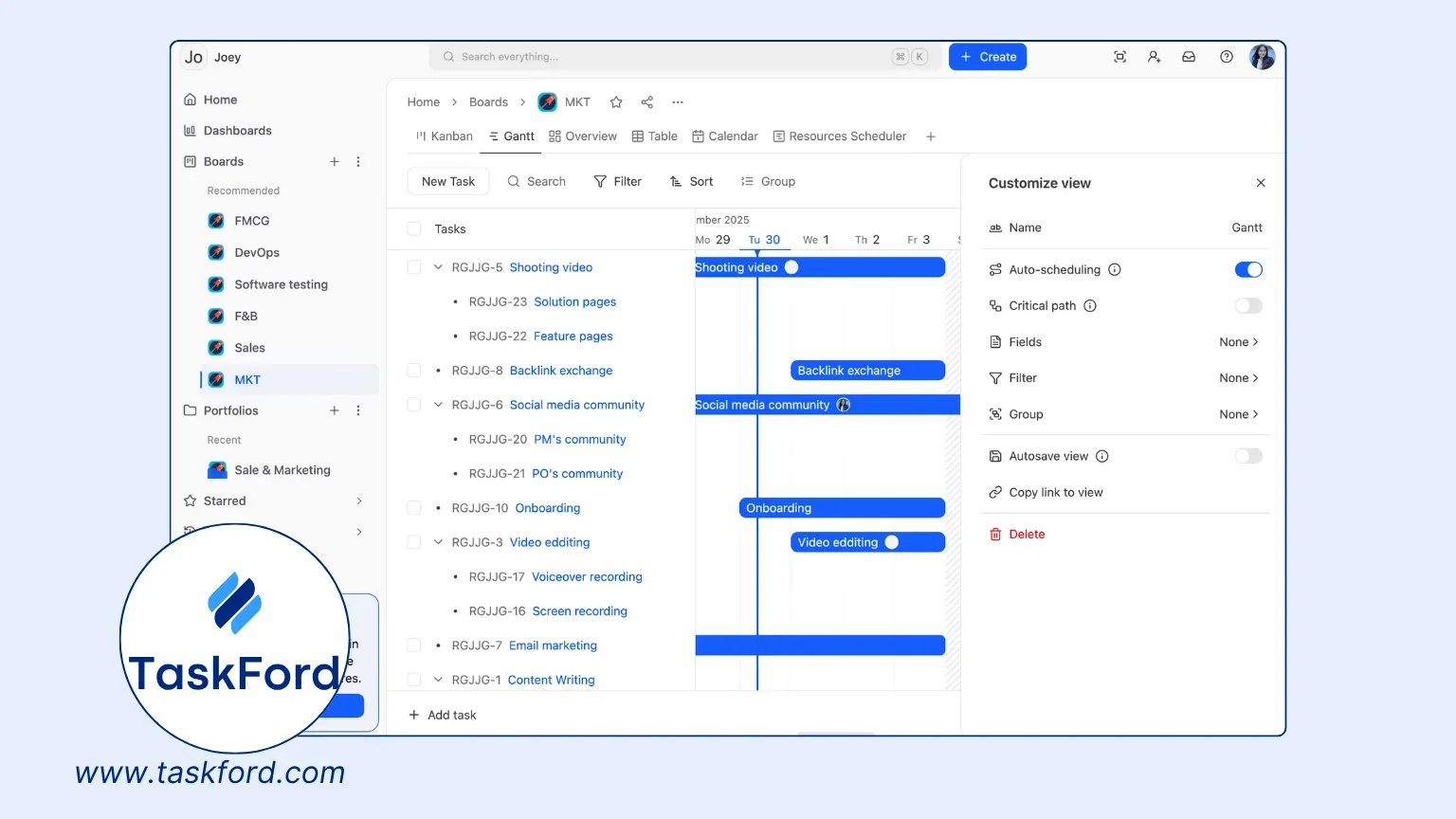
As work moves out of the backlog, teams can track progress, time, and costs in one place. This gives visibility into what’s being delivered now and what remains queued for later, helping teams keep backlogs under control instead of letting them grow unchecked.
Common Challenges in Backlog Management and How to Overcome Them
Managing a backlog effectively can be challenging, as obstacles often arise that disrupt focus and progress. Below are the most common challenges in backlog management, with concise, actionable solutions to keep your backlog productive.
1. Backlog Bloat
Challenge: A cluttered backlog with outdated or low-priority tasks obscures focus. For example, a team might struggle to prioritize critical updates among old feature requests.
Solutions:
- Refine Regularly: Hold biweekly grooming sessions to remove irrelevant tasks, like archiving outdated feature requests.
- Set Size Limits: Cap the backlog at 100-150 items, removing low-priority tasks to add new ones.
- Prioritize tasks: Filter tasks by priority or status to identify and archive bloat, keeping the backlog lean.
Example: A marketing team reduced their 200-task backlog by archiving 50 outdated items in a 30-minute session, focusing on high-impact campaigns.
2. Misaligned Priorities
Challenge: Disagreements over priorities, like stakeholders pushing for new features while developers focus on bugs, cause delays.
Solutions:
- Use a Framework: Apply MoSCoW or Value vs. Effort Matrix to prioritize objectively, shared with stakeholders.
- Involve Stakeholders: Include them in planning to align expectations, using data to justify priorities.
- Documentation: Record the reasoning behind prioritization choices in your project management tool to provide a reference point during disputes. This transparency reduces conflicts and builds trust.
3. Lack of Clarity
Challenge: Vague tasks, like “Improve user experience,” lead to confusion and rework.
Solutions:
- Define Acceptance Criteria: Specify measurable outcomes, e.g., “Reduce login page load time to under 2 seconds.”
- Break Down Tasks: Split epics into smaller user stories, like “Design payment UI” and “Test payment flow.”
- Use Visual Elements: Attach wireframes or docs to tasks for clarity.
Example: A mobile app team clarified “Add notification feature” as “Send push notifications for messages, tested on iOS,” speeding up development.
4. Scope Creep
Challenge: Mid-sprint task additions, like new feature requests, disrupt focus and delay deliverables.
Solutions:
- Lock Sprint Backlog: Fix the sprint backlog at the start, deferring new requests to the product backlog.
- Educate Stakeholders: Show scope creep’s impact using project management tool’s progress reports.
- Create a Parking Lot: Log new ideas in a “Future” section.
Example: A web team deferred a client’s mid-sprint filter request to the next sprint via a project management tool, meeting deadlines.
5. Neglecting Technical Debt
Challenge: Prioritizing features over technical tasks, like code refactoring, causes slowdowns and bugs.
Solutions:
- Allocate Time: Dedicate 20% of each sprint to technical debt, like upgrading dependencies.
- Track Separately: Tag technical tasks for visibility.
- Explain Benefits: Use analogies (e.g., “Technical debt is like car maintenance”) to gain stakeholder support.
Example: An e-commerce team used TaskFord to track technical tasks, reducing load times by 40% while delivering features.
6. Backlog Outpaces Team Capacity
Challenge: Even a perfectly refined backlog becomes a bottleneck when there simply aren’t enough people to work through it
Solutions:
- Audit Capacity: Compare velocity vs. backlog growth over recent sprints to spot gaps.
- Use EOR Providers: Hire global talent quickly while they handle payroll, tax, and compliance.
- Protect Throughput: Add capacity fast so work keeps moving, not piling up
Example: A SaaS team used EOR providers to quickly add two remote developers, helping them keep up with backlog growth and maintain sprint pace.
Backlog Best Practices for Agile Teams
To maximize your backlog’s value, follow these agile-focused best practices:
- Keep It DEEP: Ensure the backlog is Detailed, Estimated, Emergent, and Prioritized. High-priority items should be well-defined, while lower-priority ones can be broader.
- Collaborate Regularly: Involve the team in refinement to foster ownership and clarity.
- Focus on Value: Prioritize tasks that deliver maximum user or business value.
- Break Down Epics: Split large tasks into smaller user stories for clarity and delivery.
- Track Metrics: Use velocity, burndown charts, or cycle time to assess performance and backlog health.
The Role of the Backlog in Agile Methodologies
The backlog is the pulse of agile project management, bridging vision and execution. In Scrum, it drives iterative development through sprint planning and reviews. In Kanban, it visualizes work and supports continuous delivery. By providing a prioritized task list, the backlog empowers teams to deliver value incrementally while adapting to change.
For example, a team building an e-commerce platform might prioritize user-facing features like a wishlist function while balancing technical tasks like database optimization. This balance ensures immediate user value and long-term system reliability.
Conclusion: Mastering the Backlog for Project Success
Understanding backlog is the foundation for effective project management. A well-managed backlog drives clarity, alignment, and progress, transforming complex projects into achievable goals. By prioritizing tasks, refining regularly, and using tools like TaskFord, teams can turn their backlog into a roadmap for success. Whether you’re using Scrum, Kanban, or a hybrid approach, the backlog is your guide to delivering value and managing complexity.
Ready to optimize your backlog? Explore TaskFord to organize tasks, track progress, and align your team. Start prioritizing with confidence and watch your projects thrive!
Learn more
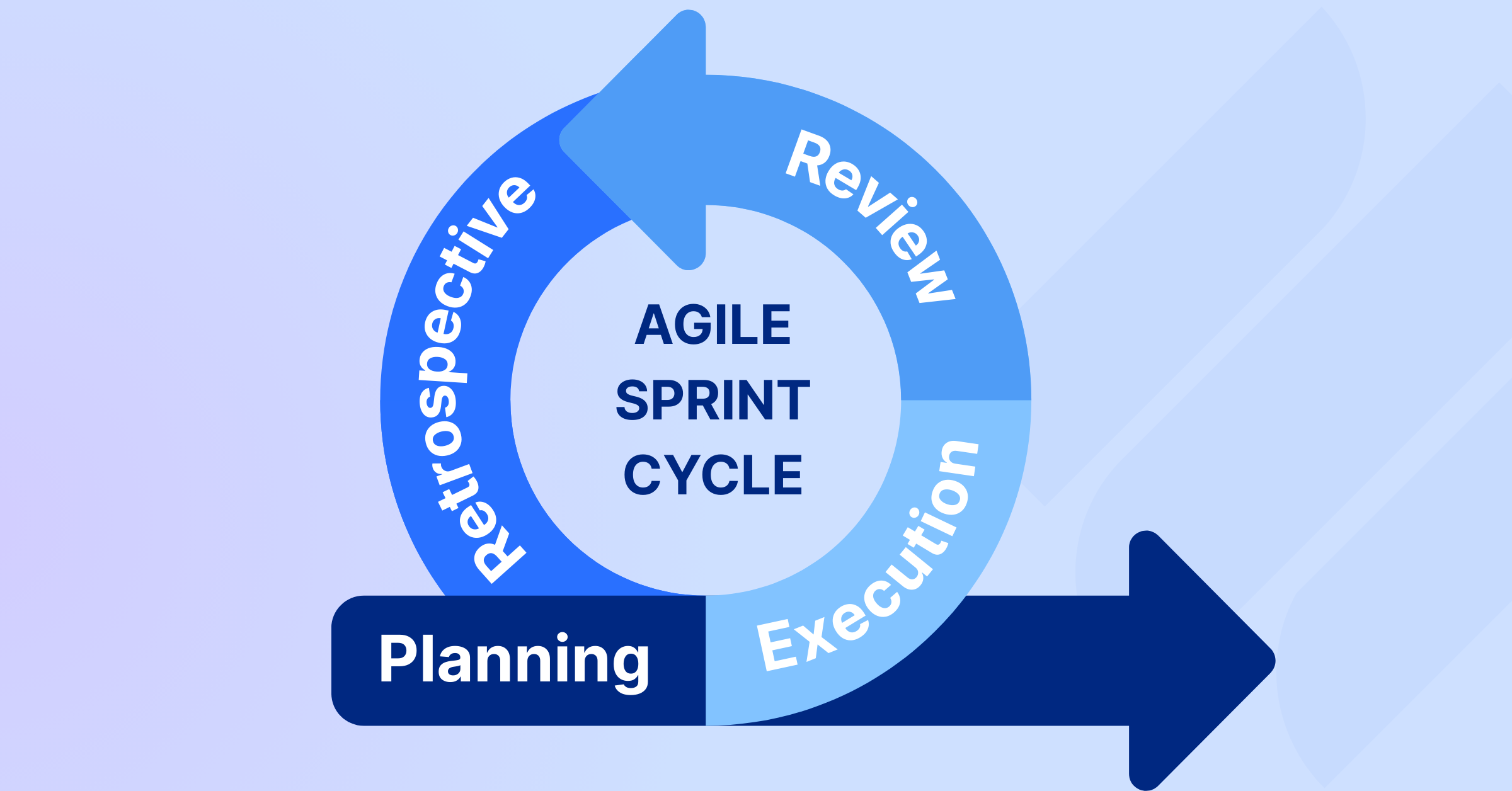
- Agile Project Management Sprint Cycle - From Planning to Retrospective
- Agile Methodologies in Project Management: A Comprehensive Guide
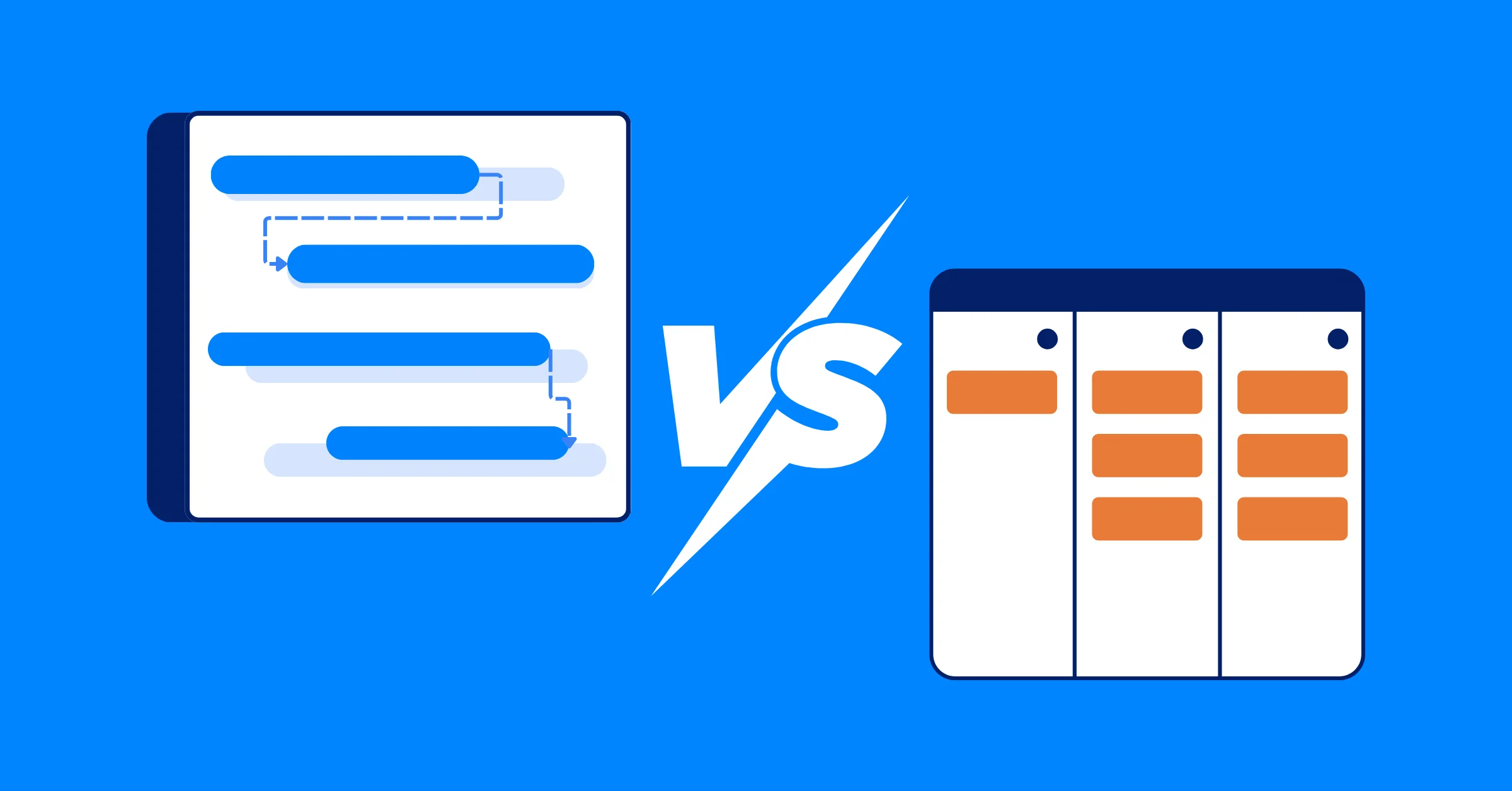
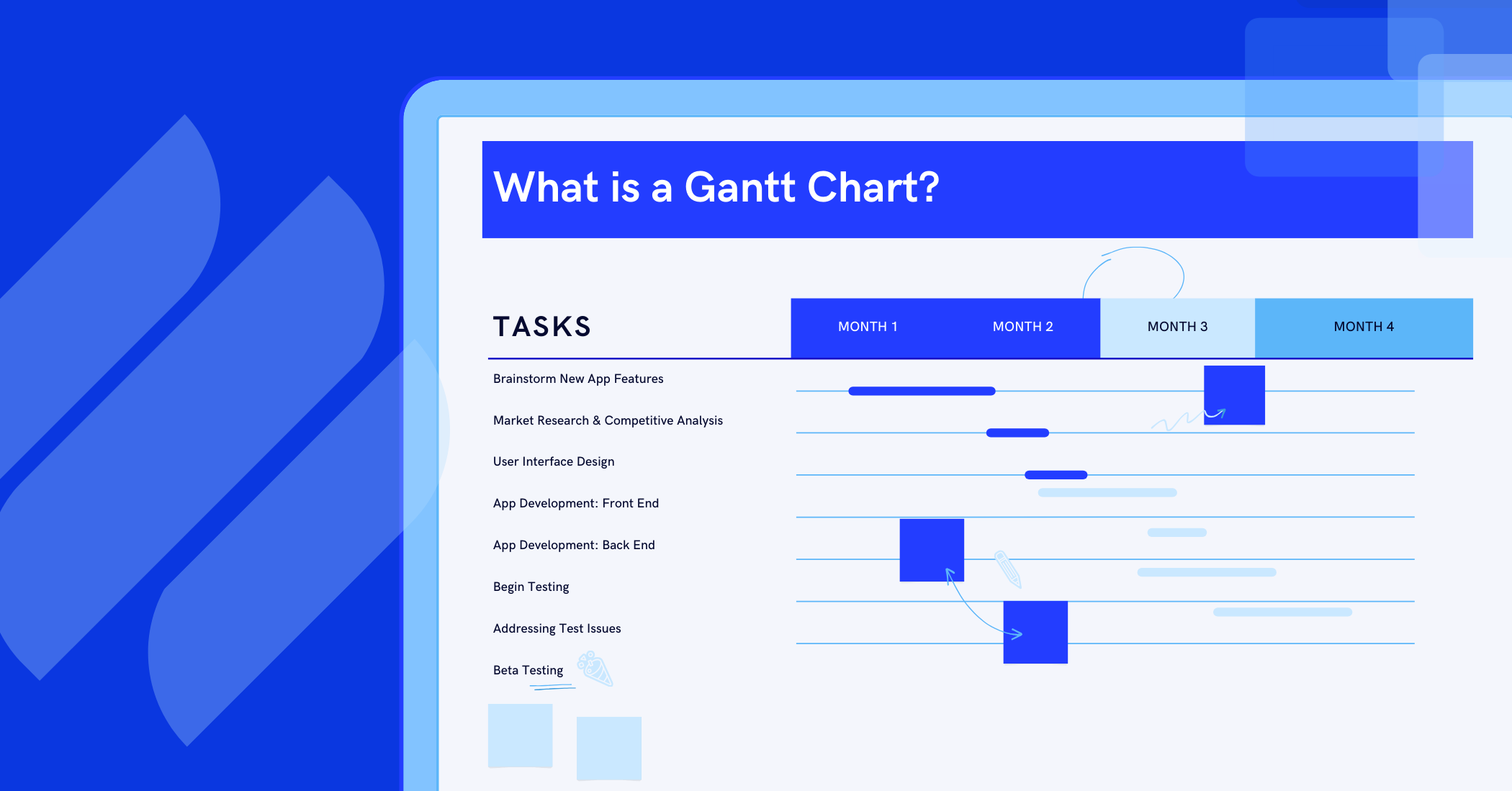
- Gantt Chart vs Kanban - Which one is better for your Team?
Related Articles













How to Build and Manage a Product Roadmap with TaskFord












How to Build a Connected Project Timeline in TaskFord










What Are the Best Jira Alternatives for Scrum Teams?
























How WBS Reveals Delivery Breakdown Before It’s Too Late








![How To Conduct a Profound Stakeholder Analysis [+ Free Template]](/marketing/blog/stakeholder-analysis.webp)

















What to Look for in Scrum Tools (Beyond Kanban Boards)


![Project Management Calendar for Teams and Managers [Free Templates]](/marketing/blog/project-management-calendar.webp)






How to Define Project Deliverables: A Step-by-Step Guide






![RACI Chart in Project Management: Rules & Examples [Free Download]](/marketing/blog/raci-chart.webp)















![7 Must-Have Project Management Documents Every PO Should Know [Free Templates]](/marketing/blog/project-management-documents.webp)











![How to Create a Winning Project Plan for IT Projects [10 Steps Included]](/marketing/blog/how-to-create-a-project-plan.webp)




![Daily Standup Best Practices: Apply AI to Organize Meetings Successfully [2026 Trends]](/marketing/blog/daily-standup.webp)







![How to Create a Project Communication Plan: Step-by-Step Guide [+Free Template]](/marketing/blog/project-communication-plan.png)


![Master Project Procurement Management in 5 Steps [Download a free plan template]](/marketing/blog/project-procurement-management.webp)




























Subscribe for Expert Tips
Unlock expert insights and stay ahead with TaskFord. Sign up now to receive valuable tips, strategies, and updates directly in your inbox.