How to Write Project Specifications? (Examples & Template)
Learn how to write clear project specifications with practical steps, examples, and templates to align teams, reduce confusion, and keep projects on track.
Project specifications are the backbone of effective project management. They give teams and stakeholders a clear view of goals, scope, and deliverables. With well-defined specifications, teams avoid miscommunication, scope creep, and delays.
This comprehensive guide explains how to craft project specifications, provides practical examples, and offers three downloadable templates for you to use straight away.
What Are Project Specifications?
Project specifications are detailed documents that define a project’s purpose, scope, objectives, deliverables, timeline, and resources. They set clear expectations from the start.
They answer the key questions every team asks early on: What is the goal? What needs to be delivered? Who is involved? What constraints need to be considered?
It’s important to distinguish specifications from a project plan. Specifications focus on what the project must achieve. A project plan focuses on how the work will be executed.
Many organizations confuse specifications with requirements documents. Requirements describe user needs (“the system must send notifications”), while specifications describe implementation outcomes (“notifications are sent within 10 seconds via email and app push”).
Why Are Project Specifications Important?
Specifications are essential for successful project management because they:
- Provide Clarity: A well-written specification gives everyone one place to look for answers. Instead of guessing or asking around, teams can refer to it to understand what needs to be done and why.
- Ensure Alignment: When everyone works from the same document, it’s easier to stay on the same page. Stakeholders, managers, and team members all share a common understanding of the goals and deliverables.
- Mitigate Risks: Clear boundaries help prevent scope creep. When what’s included and excluded is defined early, it’s easier to avoid unexpected changes or extra work later.
- Establish Accountability: Defining clear deliverables makes it obvious what needs to be completed and who is responsible. This helps teams stay accountable and track progress more effectively.
- Enhance Efficiency: When expectations are clear from the start, teams spend less time redoing work or fixing misunderstandings. This helps the project move faster and more smoothly.
Without specifications, projects can falter. For instance, a marketing campaign without defined deliverables might lead to misaligned efforts, while clear specifications keep teams focused.
According to project management statistics, poor requirements and unclear specifications are responsible for 47% of project failures. A few hours spent defining specs can save weeks of rework.
Key Components of Project Specifications
A robust specification document includes:
- Project Overview: Summarizes the project’s purpose and scope.
- Objectives: Specific, measurable goals using the SMART framework (Specific, Measurable, Achievable, Relevant, Time-bound).
- Scope and Deliverables: Defines what’s included/excluded and lists deliverables.
- Specifications Details: Covers functional (what the project must do), technical (system or platform needs), and operational (standards or compliance) aspects.
- Timeline and Milestones: Outlines key dates and phases.
- Resources: Details budget, personnel, and tools.
- Stakeholders and Roles: Identifies key players and their responsibilities.
- Constraints and Assumptions: Notes limitations and assumed conditions.
- Risk Assessment: Highlights potential issues and mitigation strategies.
- Approval Process: Specifies how deliverables or changes are approved.
These components ensure the document is comprehensive and actionable, guiding the project from start to finish.
How to Write Project Specifications: Step-by-Step Guide
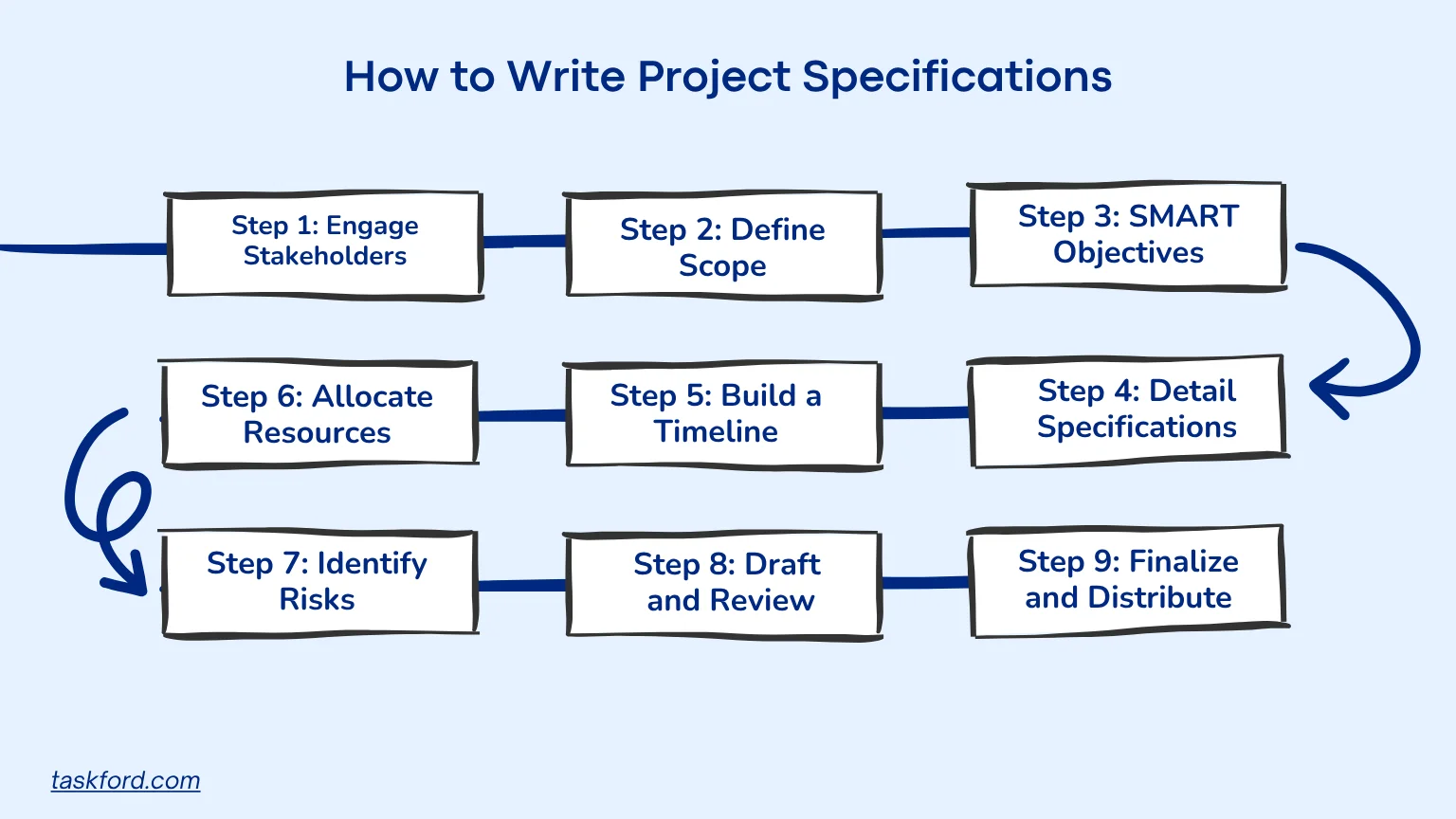
Crafting effective specifications requires a structured approach. Follow these steps, leveraging the templates described below:
Step 1: Engage Stakeholders
Start by gathering insights from everyone who will use, build, or approve the project. Don’t just ask what they want, ask why they need it. Use interviews, surveys, or workshops to uncover goals, constraints, and potential conflicts.For example, a website project might involve developers and users to specify features.
Step 2: Define Scope
Clearly state what the project includes and excludes to prevent scope creep. For instance, a renovation project might specify “upgrading the office interior but not the exterior.”
Step 3: Set SMART Objectives
Your objectives should act as the north star of the specification. Use the SMART framework (Specific, Measurable, Achievable, Relevant, Time-bound) and tie each objective to an outcome, like “Launch a mobile app with three core features by July 2026, achieving 98% uptime.”
Step 4: Detail Specifications
Categorize details:
- Functional: What the project must do (e.g., “Support user logins”).
- Technical: System needs (e.g., “Run on Android 12+”).
- Operational: Standards or processes (e.g., “Comply with data privacy laws”).
Tip: Use clear, measurable criteria.
Step 5: Build a Timeline
A timeline should balance ambition and feasibility. Break down the project into phases, milestones, and dependencies, and allow buffer time for reviews and adjustments.
Example:
- Discovery: January 2026
- Design: February–March 2026
- Development: April–June 2026
- Launch: July 2026
Step 6: Allocate Resources
List not only who is involved, but how much of their time is needed. Include the budget, tools, and external vendors. For example, a design project might need $10,000, two designers, and specific software.
Step 7: Identify Risks and Constraints
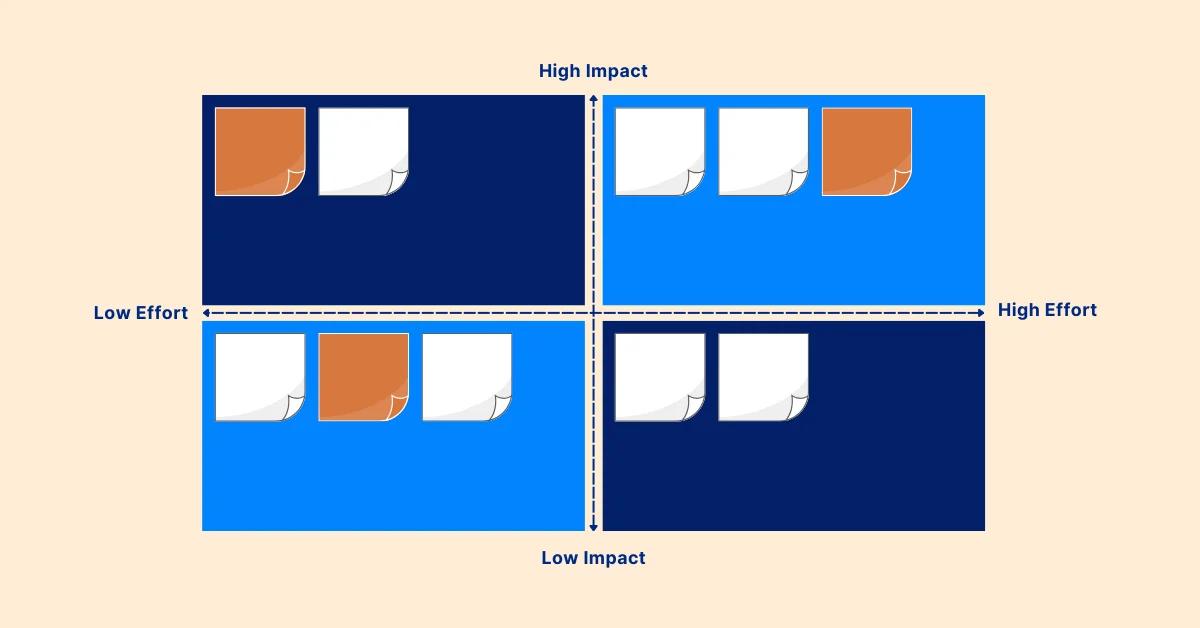
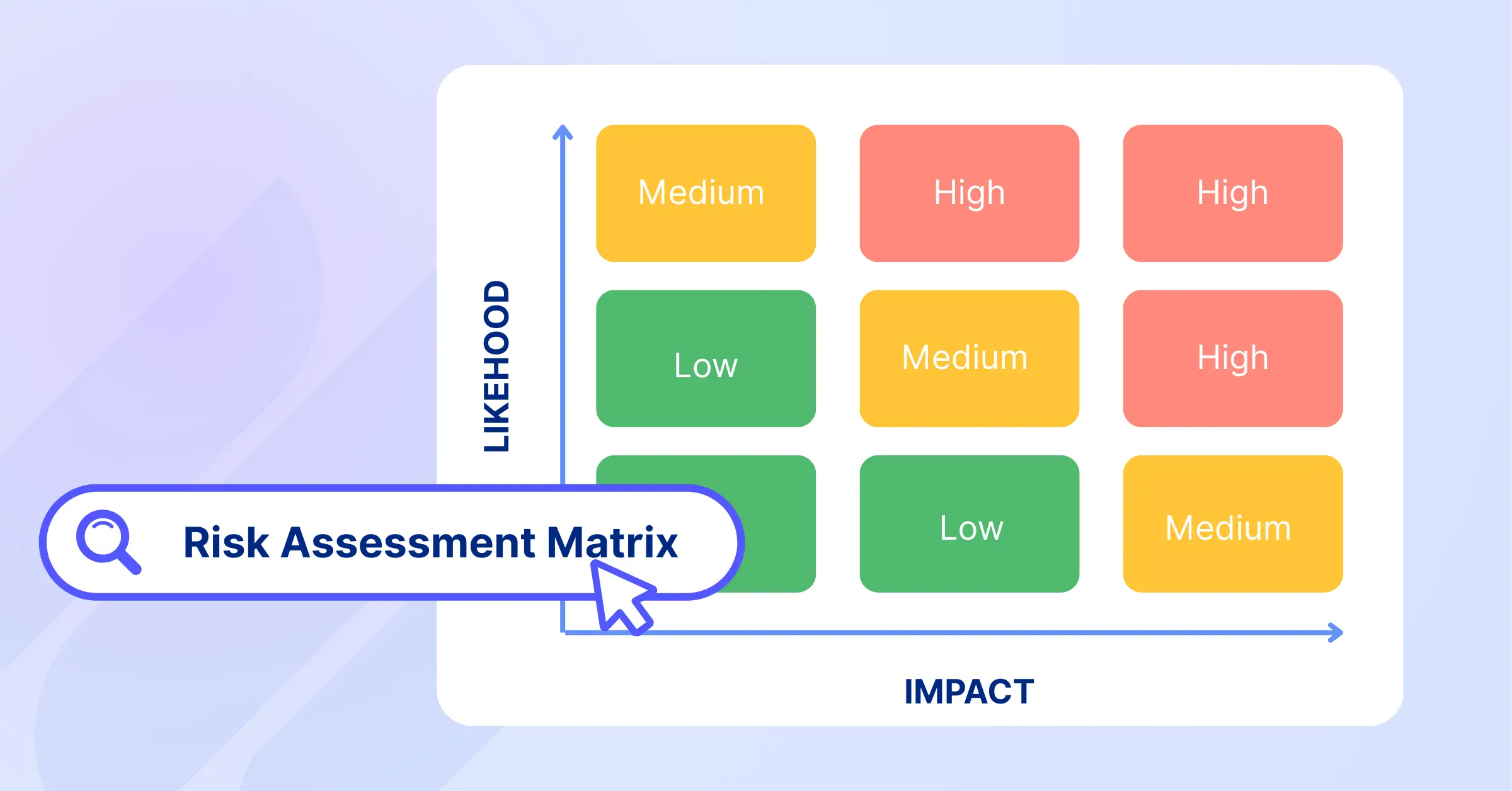
Every project faces uncertainty. List potential risks (technical, financial, scheduling) and rank them by likelihood and impact. Then, note mitigation strategies.
Example:
- Risk: Supplier delay.
- Impact: Launch postponed by 2 weeks.
- Mitigation: Identify backup supplier by March 2026.
Step 8: Draft and Review
Write clearly, avoiding unnecessary jargon. Share the draft with stakeholders for feedback, using a template to ensure all components are covered.
Tip: It’s not enough to get a “thumbs-up.” Ask reviewers to confirm that they can use the document to do their job. If they can’t, it’s not specific enough.
Step 9: Finalize and Distribute
Incorporate feedback, finalize, and share via TaskFord for accessibility and collaboration.
Best Practice: Link each section of the specification to live tasks or milestones in TaskFord. This turns your specification into a living document that evolves with the project.
Examples of Project Specifications
Here are two examples illustrating specifications using the templates described below:
Example 1: Software Development Project
- Project Title: Inventory Management System
- Overview: Build a cloud-based system to track inventory for a retail chain.
- Objectives: Deploy by August 2026, supporting 5,000 products with real-time updates.
- Scope: Includes inventory tracking and reporting; excludes accounting integration.
- Specifications Details: Web-based, compatible with Chrome, GDPR-compliant.
- Timeline: Design (January 2026), Development (February-May 2026), Launch (August 2026).
- Resources: $30,000, two developers, one project manager.
- Risks: Data migration delays. Mitigation: Pre-test migration process.
Example 2: Event Planning Project
- Project Title: Corporate Conference
- Overview: Organize a 500-attendee conference.
- Objectives: Host event by September 2026, achieving 90% attendee satisfaction.
- Scope: Includes venue, catering, and speakers; excludes travel arrangements.
- Specifications Details: Venue for 500, AV equipment, vegan catering options.
- Timeline: Planning (January-March 2026), Execution (September 2026).
- Resources: $50,000, event planner, two coordinators.
- Risks: Vendor cancellations. Mitigation: Secure backup vendors.
Project Specification Templates
Templates simplify the creation of project specifications by providing pre-structured formats that ensure all critical components are addressed. They promote consistency, save time, and reduce oversights. Below are three templates in Excel format, tailored for different project management needs, with their purpose and application:
1. Simple Project Specifications Template
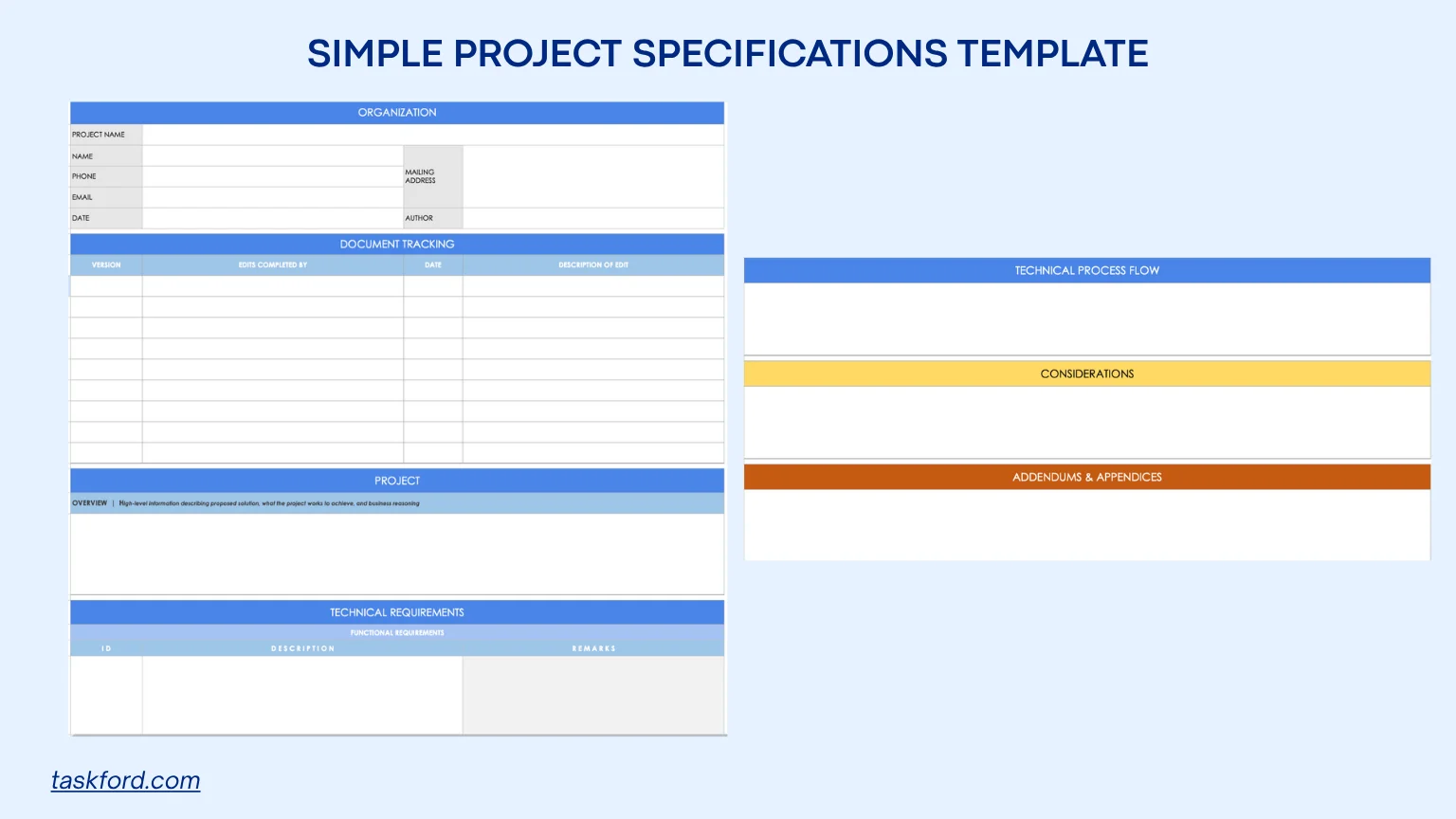
Purpose and Use: This template offers a straightforward framework for documenting the core elements of a project’s specifications. Ideal for small to medium-sized projects, such as a marketing campaign or website redesign, it ensures clarity by capturing essential details like the project overview, deliverables, and resources. It’s particularly useful for teams new to project management or projects with straightforward goals, serving as a foundation for aligning stakeholders early.
How to Use:
- Summarize the project’s goals and justification in the overview section to set the context.
- Specify functional (what the project must do), technical (system needs), and operational (standards) details.
- Include a version log to track updates, ensuring team members use the latest document.
- Share via TaskFord to facilitate collaboration and feedback.
Benefits: Provides a clear, concise format that aligns teams, reduces miscommunication, and supports project management by offering a single reference for scope and deliverables.
2. Comprehensive Project Specifications Template
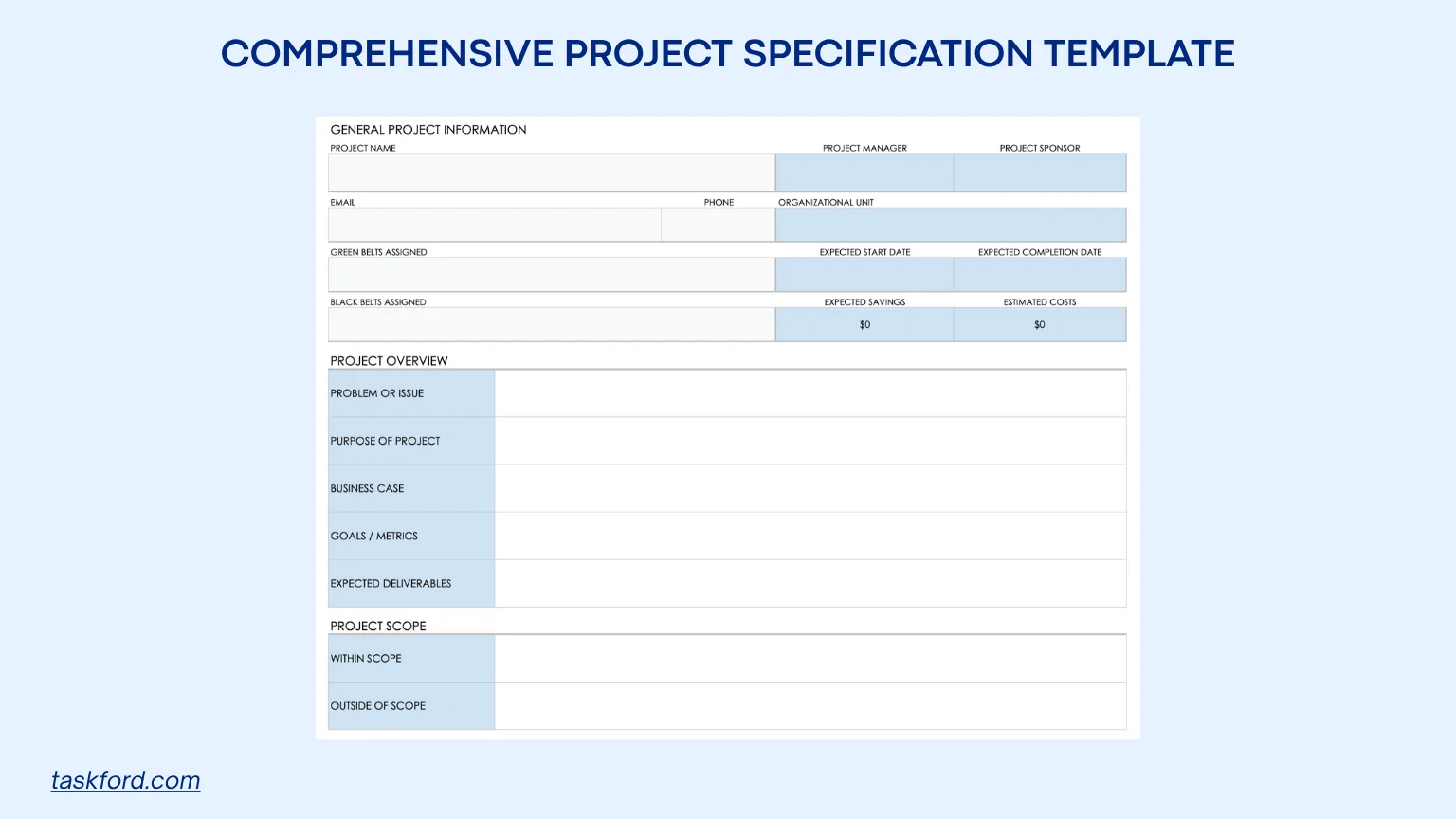
Purpose and Use: Designed for complex projects like software development or construction, this template provides a detailed structure for documenting scope, timelines, resources, and risks. It’s ideal for projects with multiple stakeholders or strict compliance needs, ensuring all aspects are thoroughly defined to prevent scope creep and ensure alignment.
How to Use:
- Define what’s included and excluded in the scope section to set clear boundaries.
- Outline key phases and deadlines to track progress.
- Note potential challenges and assumed conditions to anticipate issues.
- List stakeholders and their responsibilities for accountability.
- Use TaskFord to link specifications to tasks for real-time tracking and collaboration.
Benefits: Ensures thorough documentation, aligns diverse teams, and integrates with TaskFord for task tracking and reporting, making it valuable for complex projects.
3. Project Specification Gathering Checklist Template
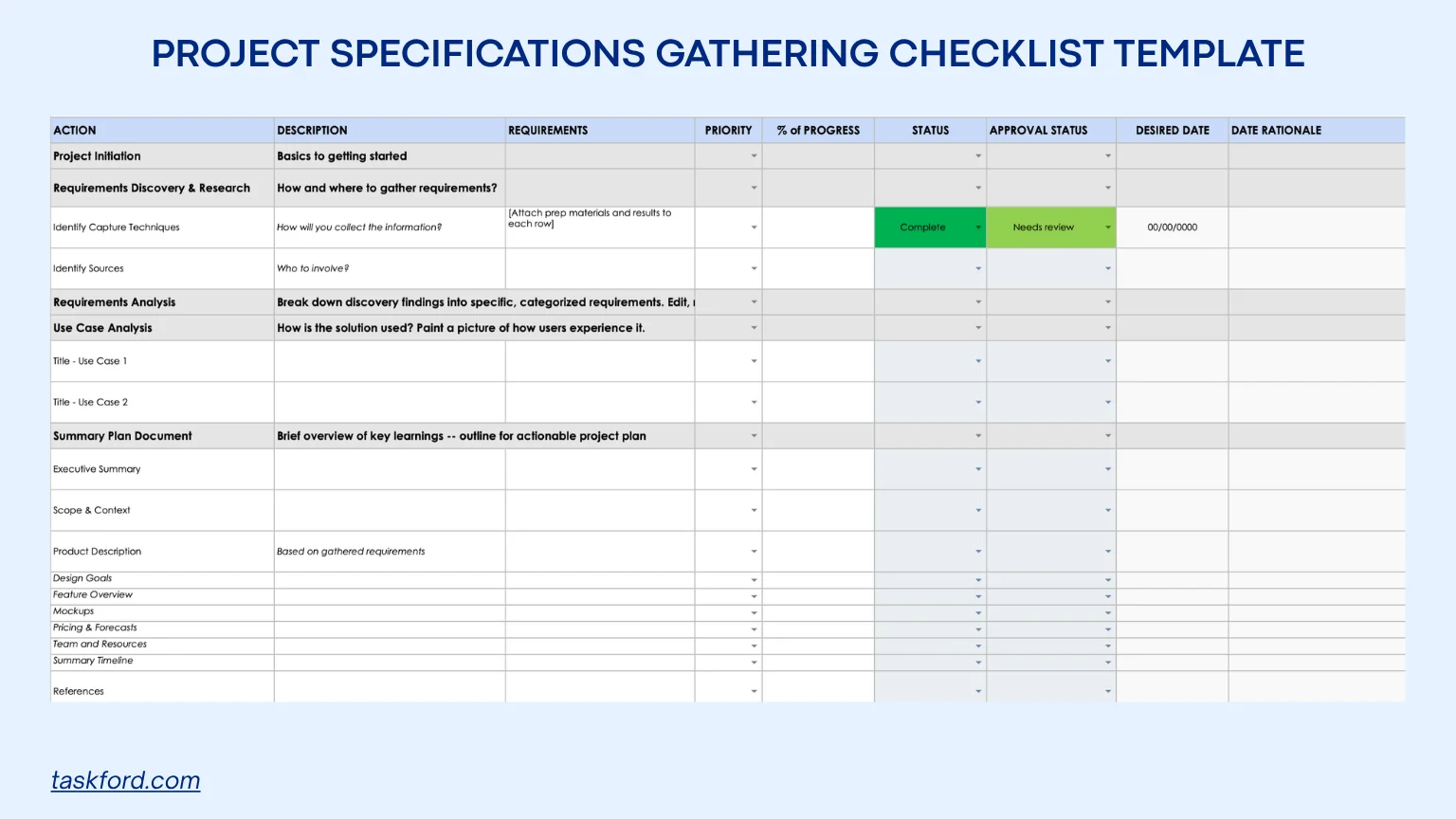
Purpose and Use: This checklist-style template guides teams through collecting and defining project specifications in the early stages. It’s ideal for projects like IT implementations or product launches, where thorough specification gathering is critical to avoid missing key details. The checklist ensures systematic input from stakeholders, making it a vital tool for project management planning.
How to Use:
- Break down specification gathering into tasks, such as stakeholder interviews or research.
- Assign priority levels to focus on critical specifications first.
- Track task completion to ensure all specifications are addressed.
- Note approvals to maintain accountability.
- Use TaskFord to assign tasks, set deadlines, and collaborate.
Benefits: Promotes thoroughness, reduces oversights, and enhances project management by structuring the specification process, ensuring all voices are heard before finalizing.
Applying TaskFord for Project Specifications
Project specifications define what needs to be delivered, but they often stay as static documents. In TaskFord, you can map each part of your specification directly to how your team plans, executes, and tracks work.
1. Define Objectives, Scope, and Deliverables
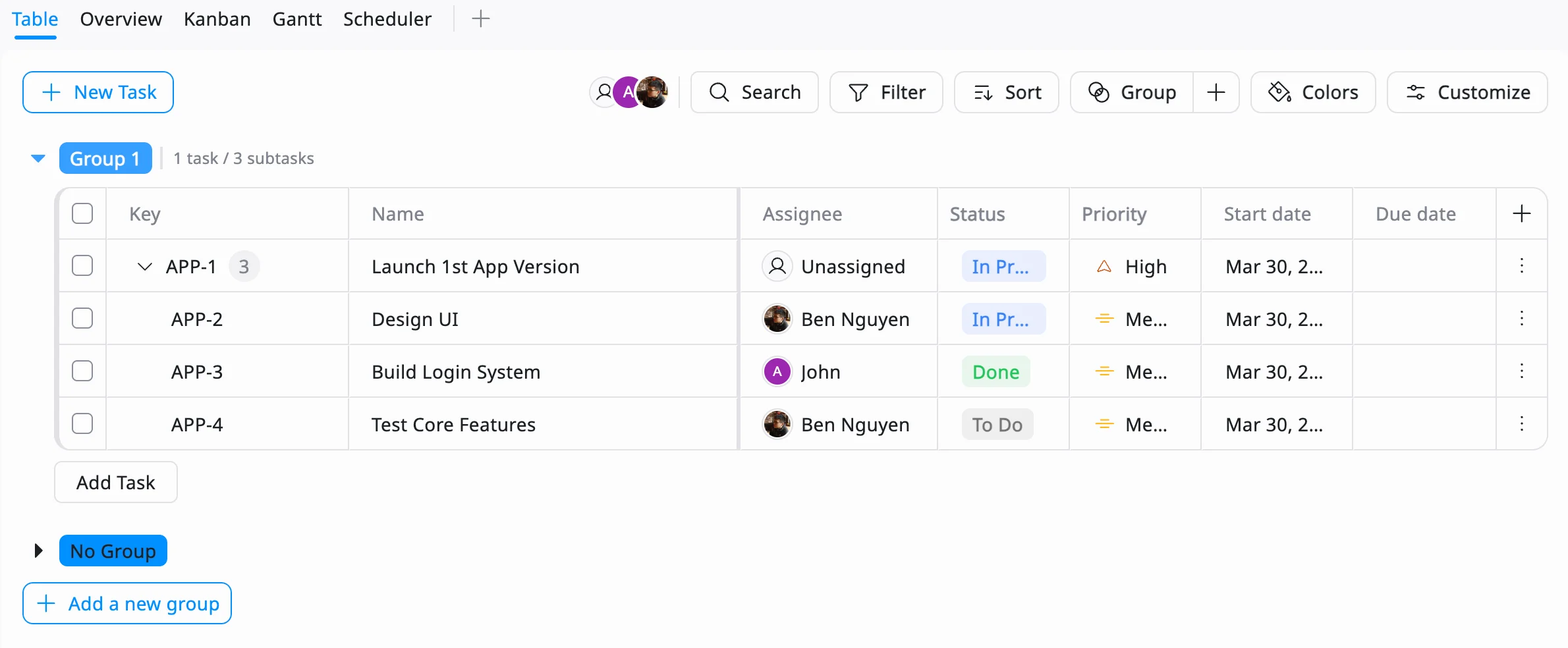
Use Table View to turn your specification into structured tasks.Break objectives into actionable deliverables Example: “Launch mobile app” → “Design UI,” “Build login system,” “Test core features”
Use Schedule Board to assign tasks and add scope and requirements directly into task descriptions. Example: “Support user login with email and Google OAuth”.
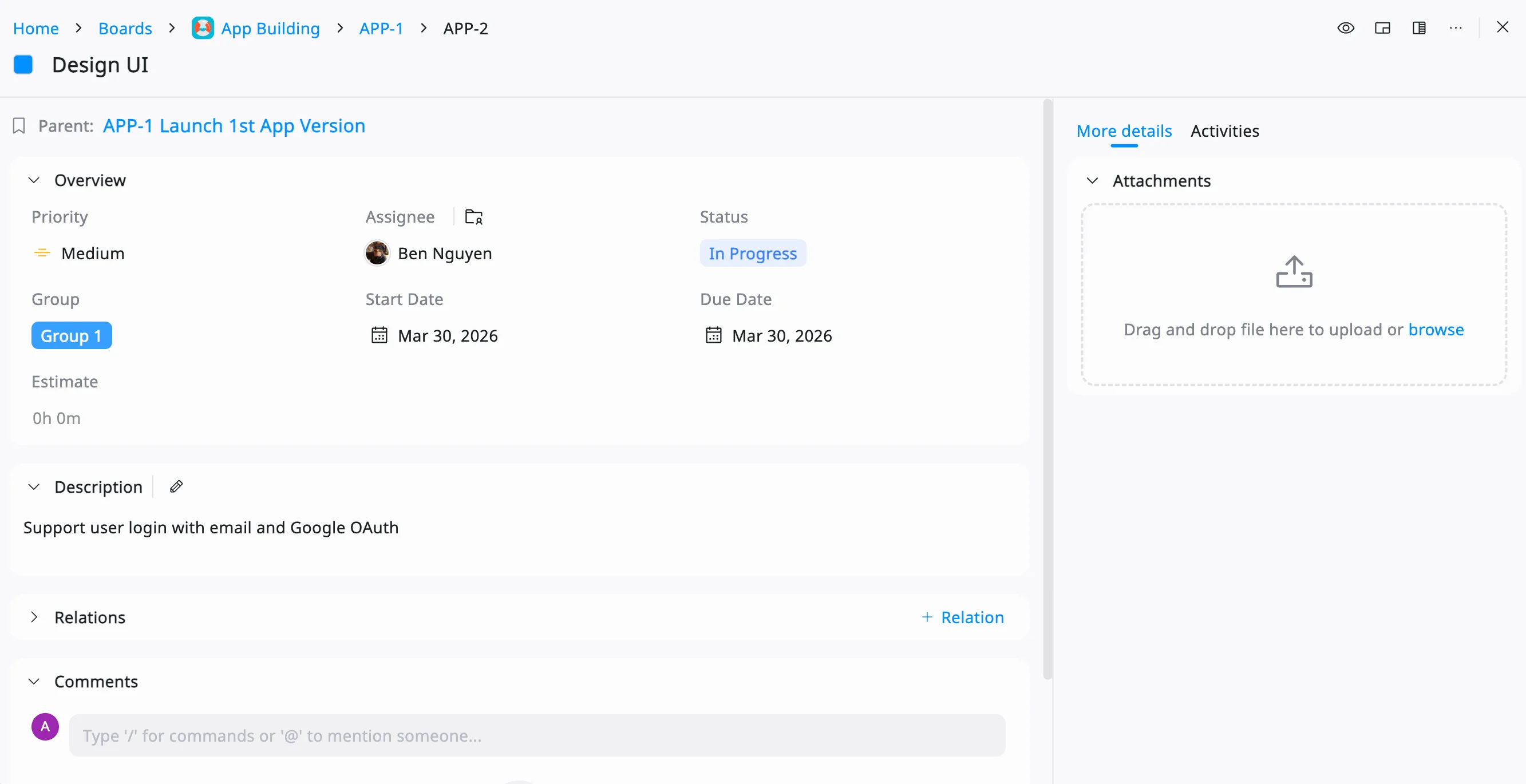
After that, set priorities to reflect what matters most. This ensures your specification is clear, structured, and ready for execution.
2. Map Milestones and Dependencies
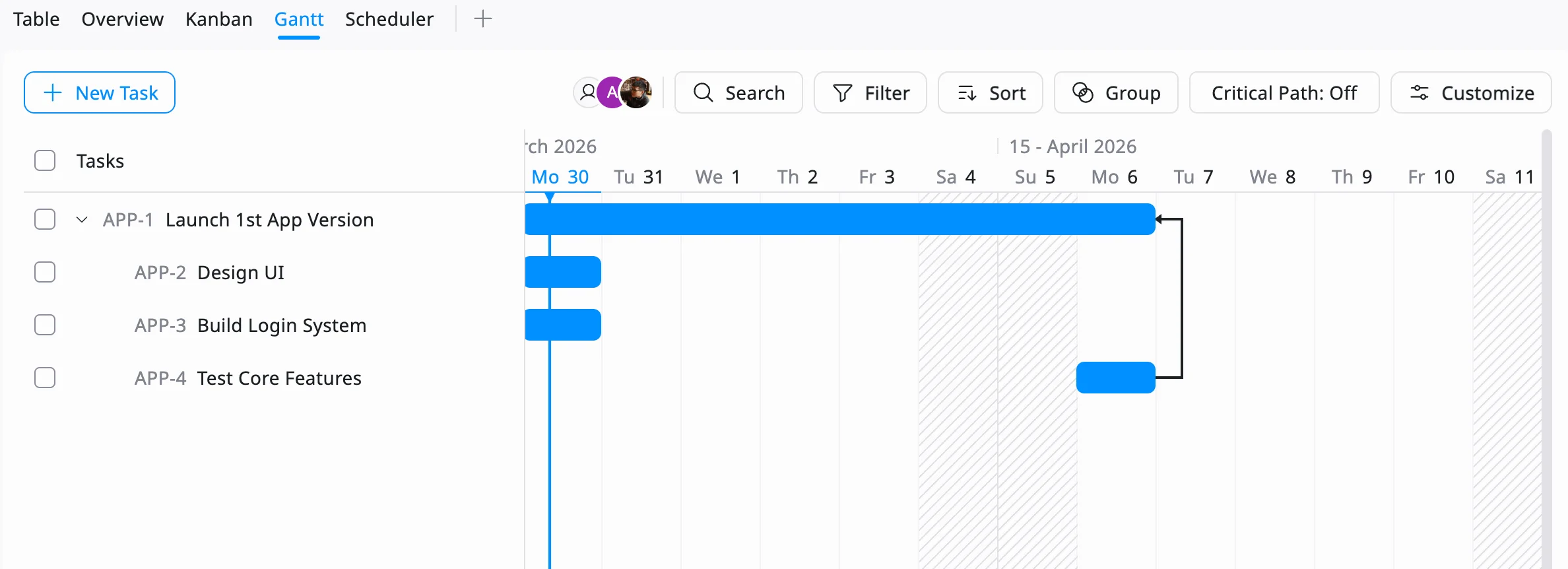
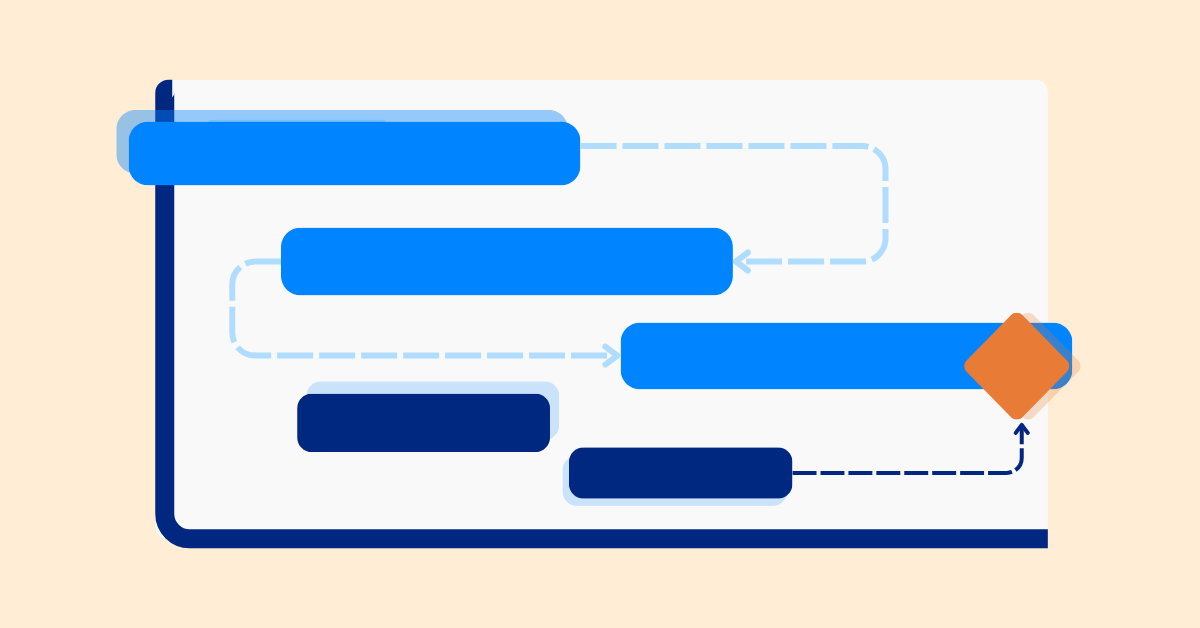
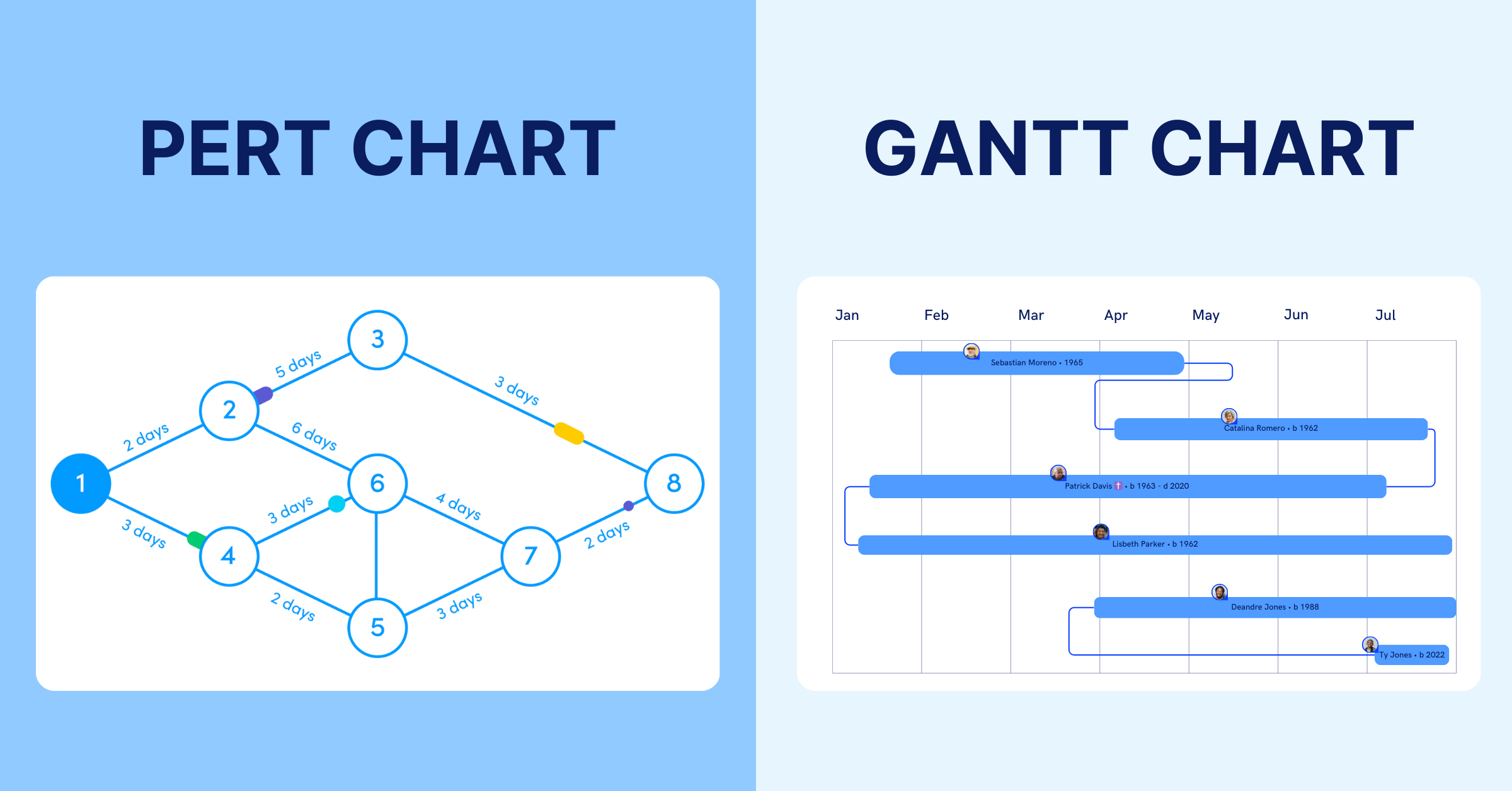
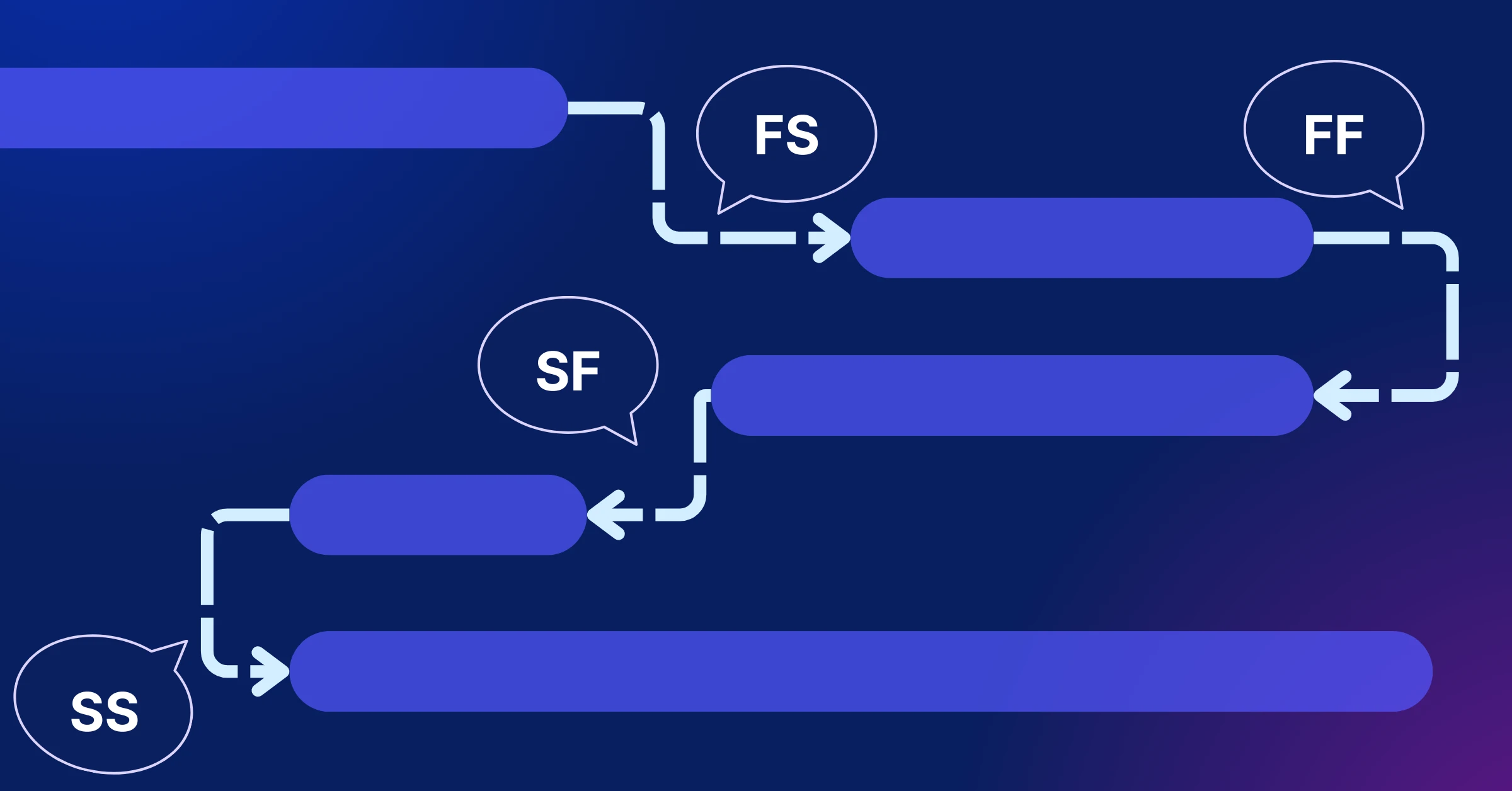
Use Gantt Chart to translate your specification timeline into real scheduling. Assign start and due dates to tasks. Visualize dependencies between tasks and identify the milestones for your project.
Your timeline becomes a live representation of your specification, not just a planned outline.
3. Track Progress Against Specifications
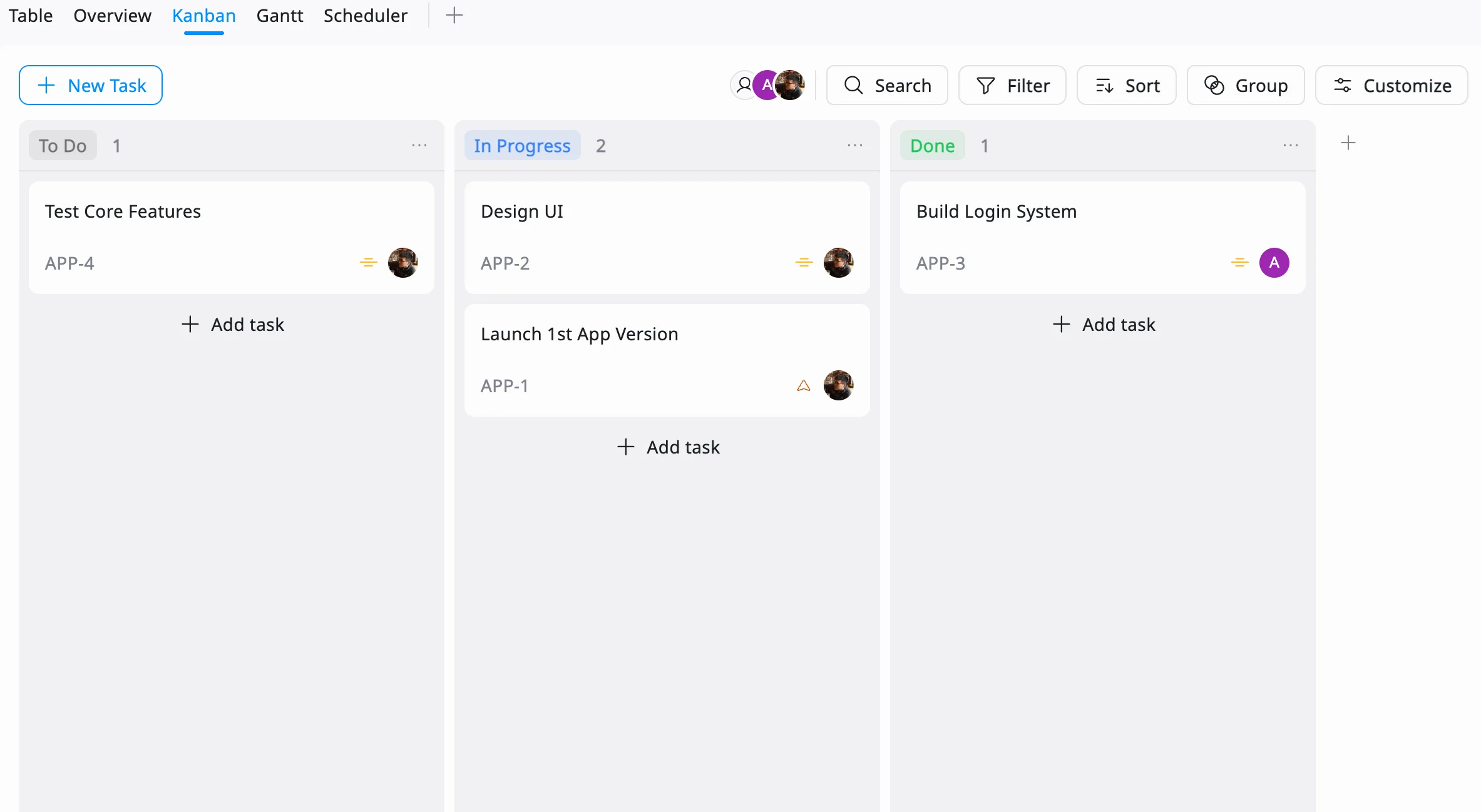
Use Kanban View to monitor how work moves toward completion.
- Move tasks across stages like To Do → In Progress → Done
- Check if completed tasks actually meet the defined requirements
- Identify bottlenecks when tasks stay too long in one stage
This helps ensure work is not just completed, but completed according to the specification.
4. Measure Delivery and Identify Gaps
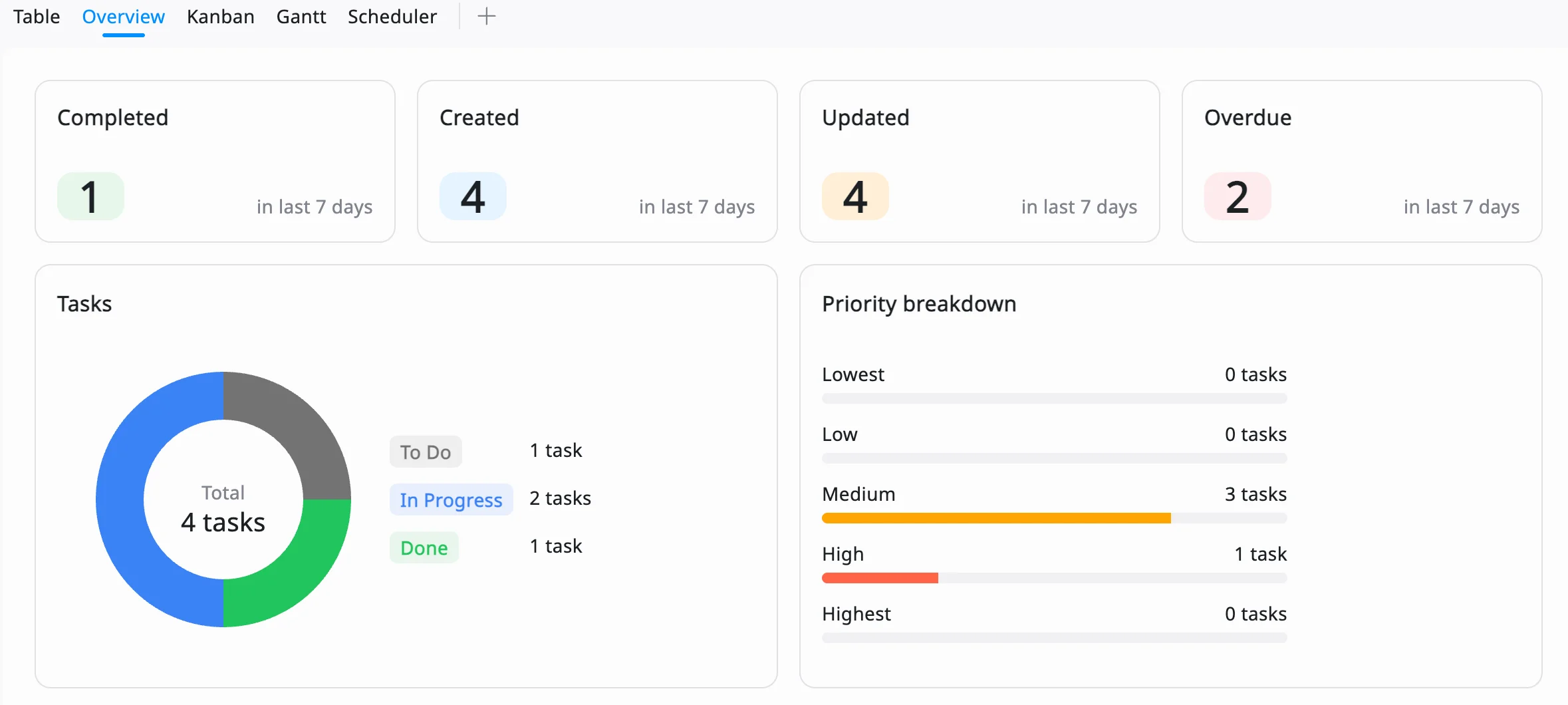
Use the Reporting Dashboard to evaluate whether the project is staying aligned with its specifications. This gives you a clear view of whether the project is delivering what was originally defined.
- Track completion rates of deliverables
- Monitor delays in key tasks or milestones
- Identify workload imbalances across the team
Example: If critical tasks are delayed or incomplete, it may indicate unclear specifications or unrealistic scope.
Common Mistakes to Avoid
- Vague Goals: Avoid unclear goals like “improve performance.” Teams won’t know what that actually means. Instead, make goals specific and measurable, like “reduce page load time to under 2 seconds” or “increase signups by 15%.” This makes it easier to track progress and know when the goal is achieved.
- Excluding Stakeholders: If you don’t involve the right people early, you may miss important requirements. This often leads to changes later and wasted effort. Get input from stakeholders at the start so everyone agrees on what needs to be delivered.
- Ignoring Risks: Projects rarely go exactly as planned. If you don’t think about risks early, small issues can turn into bigger delays. List possible risks like tight deadlines or dependency on vendors, and have a simple backup plan.
- Skipping Feedback: Don’t finalize specifications too quickly. If the team doesn’t review them, important details can be missed. Share the document, collect feedback, and make updates before work begins. Using tools like TaskFord makes it easier for everyone to review and stay aligned.
Frequently Asked Questions (FAQs)
What is the purpose of project specifications?
Project specifications define what a project is expected to deliver by outlining requirements, objectives, and quality standards. They provide a shared understanding among stakeholders, reduce ambiguity, and serve as a reference throughout the project lifecycle to keep everyone aligned.
How are project specifications different from a project plan?
Project specifications describe what needs to be delivered, including requirements and expected outcomes, while a project plan explains how the work will be completed. The project plan covers schedules, resources, budgets, milestones, and workflows needed to deliver the specifications.
Who is responsible for creating project specifications?
Project specifications are usually developed by the project manager in collaboration with clients, stakeholders, subject matter experts, and technical teams. Gathering input from all key parties helps ensure the specifications are complete, accurate, and aligned with project objectives.
When should project specifications be created?
Project specifications should be created during the project initiation phase, before detailed planning and execution begin. Establishing clear specifications early reduces misunderstandings, supports accurate planning, and minimizes the risk of costly changes later in the project.
Can project specifications change during a project?
Yes. Project specifications can be updated when business needs, customer requirements, or project conditions change. However, any modifications should follow a formal change management process to assess their impact on scope, budget, timeline, and project objectives before implementation.
Conclusion
Project specifications are critical for successful project management, ensuring clarity, alignment, and accountability. By using templates like the Simple, Comprehensive, and Checklist versions, you can create specifications that guide your team to success. TaskFord enhances this process with its dashboard, collaboration, and task management features. Start your next project with confidence by leveraging TaskFord’s tools and resources.
Related Articles
















How to Build and Manage a Product Roadmap with TaskFord
















How to Build a Connected Project Timeline in TaskFord












What Are the Best Jira Alternatives for Scrum Teams?

























How WBS Reveals Delivery Breakdown Before It’s Too Late











![How To Conduct a Profound Stakeholder Analysis [+ Free Template]](/marketing/blog/stakeholder-analysis.webp)


















What to Look for in Scrum Tools (Beyond Kanban Boards)



![Project Management Calendar for Teams and Managers [Free Templates]](/marketing/blog/project-management-calendar.webp)







How to Define Project Deliverables: A Step-by-Step Guide











![RACI Chart in Project Management: Rules & Examples [Free Download]](/marketing/blog/raci-chart.webp)



















![7 Must-Have Project Management Documents Every PO Should Know [Free Templates]](/marketing/blog/project-management-documents.webp)












![How to Create a Winning Project Plan for IT Projects [10 Steps Included]](/marketing/blog/how-to-create-a-project-plan.webp)




![Daily Standup Best Practices: Apply AI to Organize Meetings Successfully [2026 Trends]](/marketing/blog/daily-standup.webp)







![How to Create a Project Communication Plan: Step-by-Step Guide [+Free Template]](/marketing/blog/project-communication-plan.png)


![Master Project Procurement Management in 5 Steps [Download a free plan template]](/marketing/blog/project-procurement-management.webp)







































Subscribe for Expert Tips
Unlock expert insights and stay ahead with TaskFord. Sign up now to receive valuable tips, strategies, and updates directly in your inbox.