Scrum for First-Timers: A Step-by-Step Guide to Running Your First Sprint
Discover how to run your first Scrum sprint with this beginner-friendly guide, packed with clear steps and industry-specific benefits to boost your project.
What Is Scrum?
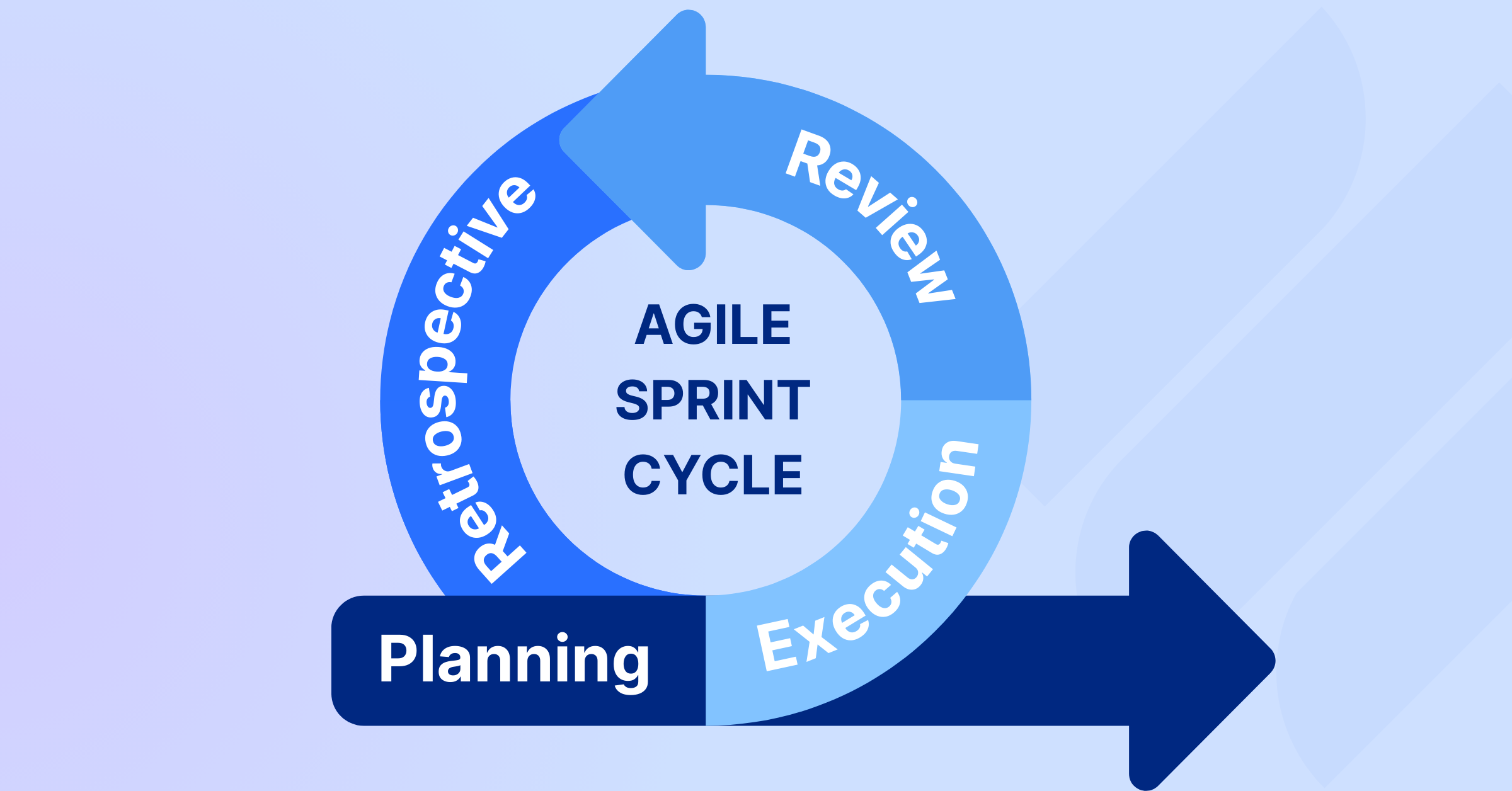
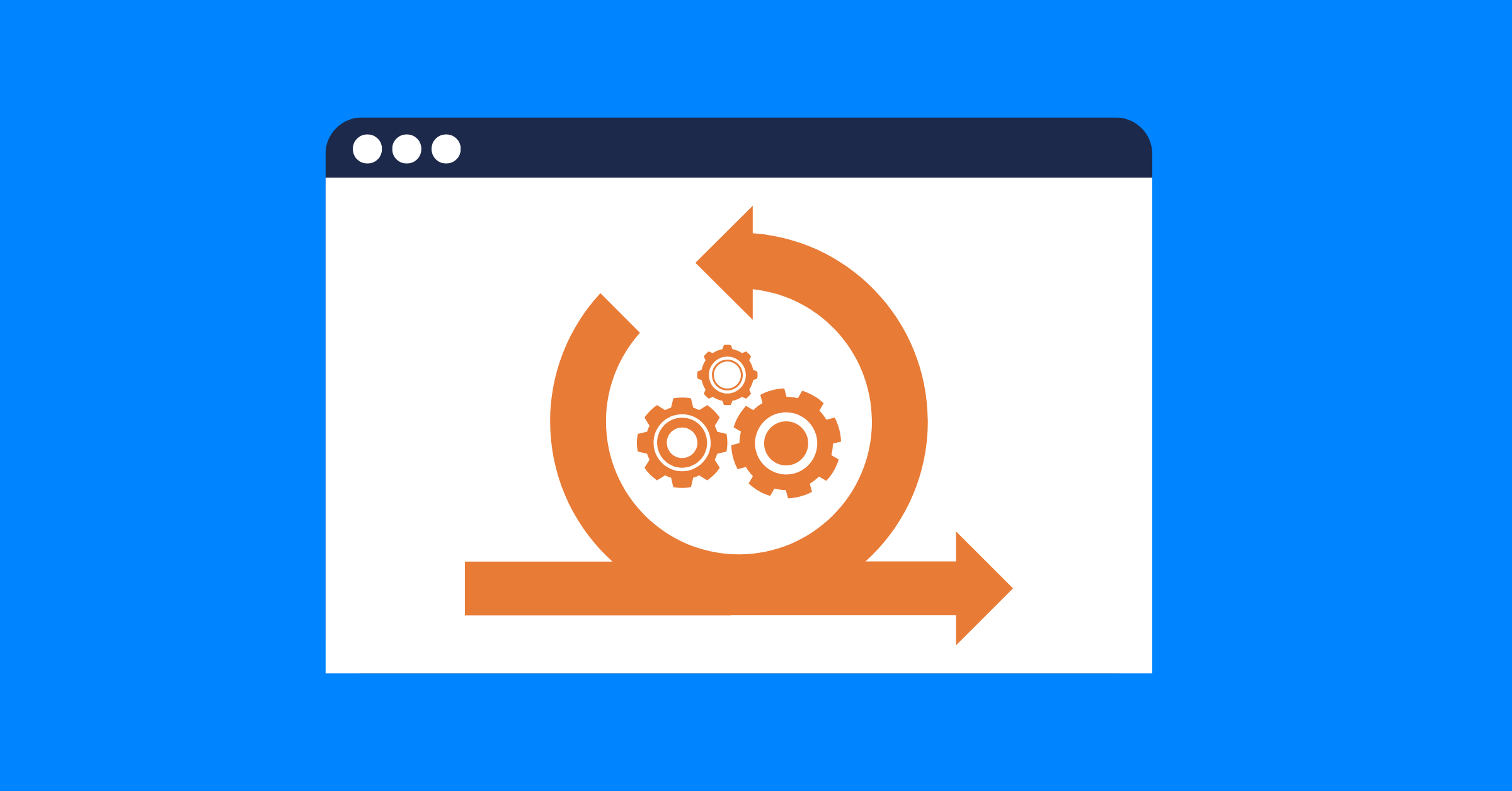
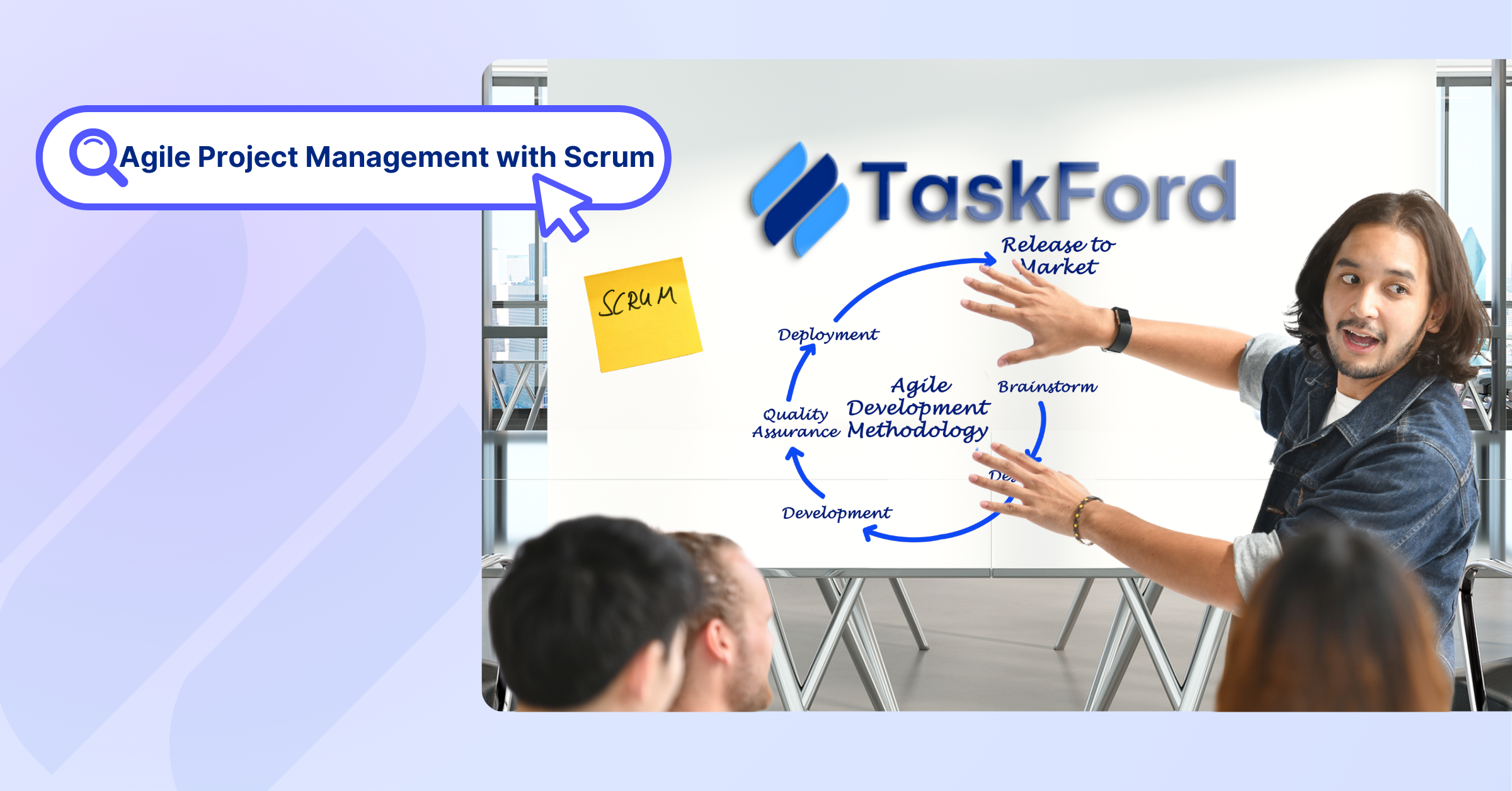
Scrum is an agile framework where teams deliver value through short sprints (2–4 weeks), each producing a usable result like a feature or prototype.
It’s built on three principles: transparency (clear progress), inspection (regular check-ins), and adaptation (adjusting based on feedback).
Ideal for evolving project management environments, Scrum breaks work into manageable pieces while providing structure through defined roles, ceremonies, and artifacts.
Benefits of Scrum in Many Industries
Scrum doesn’t apply just to software development, but also to many other industries. Its flexible and iterative approach allows teams in my fields to manage work effectively and deliver better results.
Software Development
- Faster Feature Delivery: Sprints produce working features every 2-4 weeks, letting you test and refine quickly. For example, a team can deliver a login system in one sprint, get user feedback, and improve it in the next.
- Reduced Bugs: Regular testing and feedback catch issues early, improving code quality. A team might spot a glitch in a payment module during a Sprint Review, fixing it before launch.
- Team Alignment: Daily Scrums keep developers, testers, and designers in sync, ensuring cohesive features like a user dashboard.
Marketing
- Quick Campaign Launches: Sprints enable incremental campaign rollouts, like launching a social media ad in one sprint and tweaking it based on analytics in the next.
- Customer-Centric Content: Feedback loops ensure campaigns resonate. A team might test a landing page and adjust its messaging based on user engagement.
- Cross-Functional Collaboration: Scrum unites writers, designers, and analysts, ensuring cohesive campaigns, like a targeted email series.
Product Manufacturing
- Product Testing: Sprints allow rapid prototyping, letting teams test designs early. A manufacturer might create a prototype for a new gadget in one sprint and refine it based on testing.
- Supply Chain Alignment: Regular feedback keeps production aligned with demand. A retrospective might reveal a material sourcing issue, prompting a fix.
- Quality Focus: Frequent reviews ensure products meet standards, reducing rework. A team could catch a design flaw in a component before mass production.
Construction
- Gradual Progress: Sprints break large projects into phases, like completing a building’s foundation in one sprint and getting approval before framing.
- Risk Mitigation: Regular reviews catch issues early, like identifying a design flaw in a structural plan during a Sprint Review, saving costly rework.
- Stakeholder Alignment: Scrum keeps architects, contractors, and clients in sync, ensuring milestones like plumbing installation meet expectations.
These benefits show how Scrum drives faster, higher-quality results across diverse industries.
How to Run Your First Scrum Sprint: 6 Clear Steps
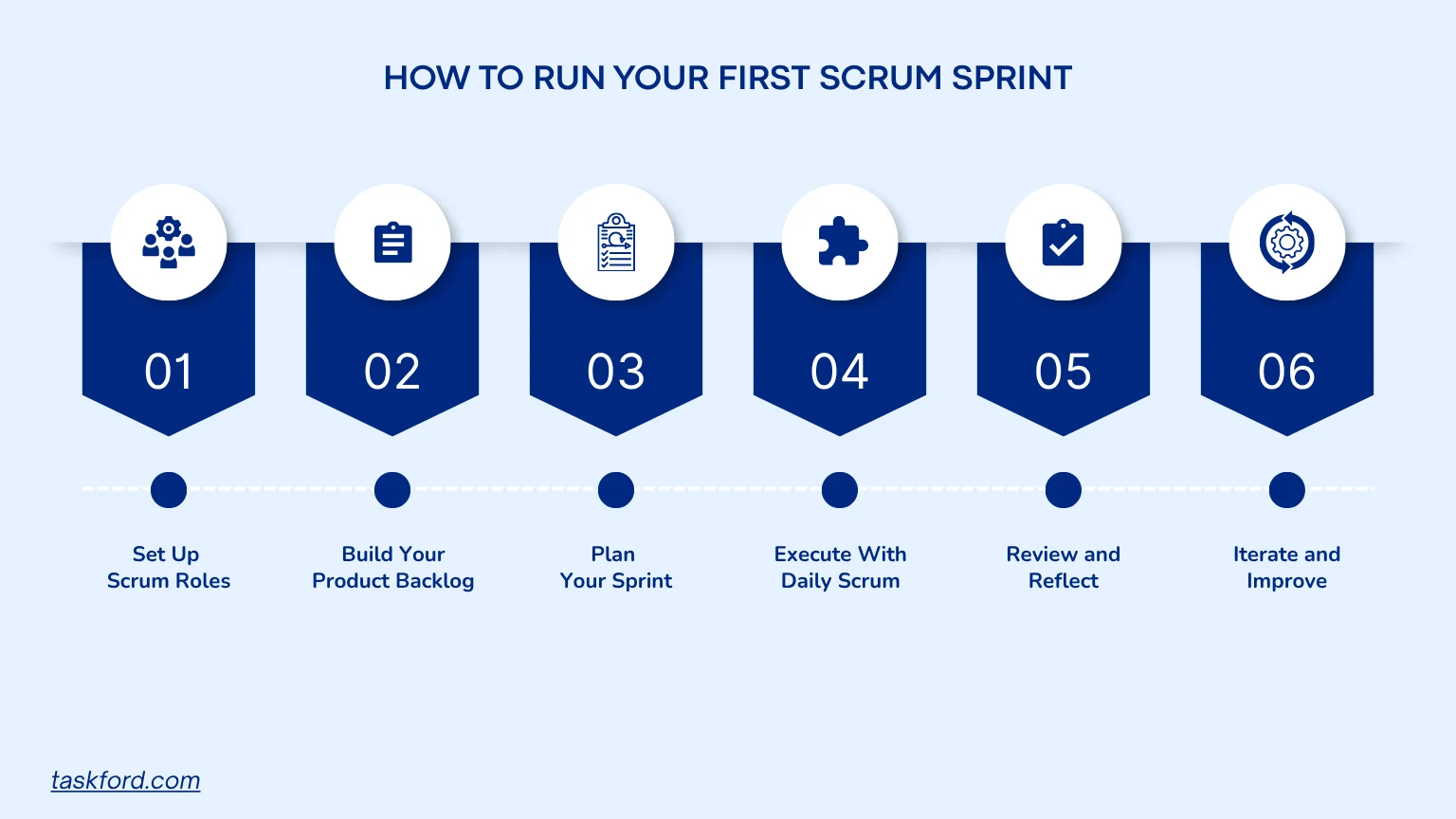
Running your first sprint is like learning a new recipe: follow the steps, tweak as needed, and you’ll soon be cooking with confidence. Here’s a beginner-friendly guide to get your team through your first Scrum sprint.
1. Set Up Scrum Roles
Every Scrum team needs three core roles to succeed. Assign these roles when you plan a Scrum sprint:
- Product Owner: The visionary who represents stakeholders and prioritizes the product backlog, a list of tasks or features. They decide what’s most important, like prioritizing a patient portal feature for a healthcare app.
- Scrum Master: The coach who keeps the team on track, removes roadblocks, and runs Scrum ceremonies. They’re vital for new teams, helping solve issues like unclear tasks.
- Development Team: The hands-on crew, including developers, designers, marketers, or engineers, who do the work. They’re self-organizing, deciding how to tackle tasks within the sprint.
Tip: Hold a kickoff meeting to assign roles and clarify responsibilities. In small teams, roles can overlap, but keep the Product Owner and Scrum Master separate to avoid conflicts.
2. Build Your Product Backlog
The product backlog is your project’s prioritized to-do list, covering tasks, features, or fixes. Here’s how to create it:
- Collect Requirements: Work with stakeholders to define project goals. Turn these into user stories, like “As a patient, I want to book appointments online to manage my healthcare easily.”
- Prioritize Tasks: Use a framework like MoSCoW (Must-have, Should-have, Could-have, Won’t-have) to rank user stories. Focus on high-value items first.
- Estimate Effort: Assign story points based on complexity, such as 1 for simple tasks or 8 for complex ones, with team input.
- Keep It Fresh: Spend 5-10% of sprint time refining the backlog, clarifying stories, adjusting priorities, or removing outdated tasks.
Tip: Start with a lean backlog to avoid overwhelm. Schedule a refinement session before the sprint to polish it.
3. Plan Your Sprint
Sprint planning is where the team maps out the sprint’s work. The process includes:
- Set a Goal: Define a clear objective, like “Build the appointment booking feature for the healthcare app.”
- Pick Tasks: The Product Owner shares top-priority user stories, and the Development Team selects what they can handle. Go easy for your first sprint.
- Break It Down: Split user stories into smaller tasks, like “Design booking UI” or “Test booking functionality.”
- Estimate Time: Assign time estimates to tasks for scheduling, using tools like Planning Poker for team agreement.
- Define "Done": Agree on what “done” means, like “Code is tested, reviewed, and deployed.”
Tip: Keep planning to 2-4 hours and document the plan to align the team.
4. Execute with Daily Scrums
During the sprint, the team works on tasks. Daily Scrums, 15-minute stand-ups, keep everyone in sync.
- Meet Daily: Gather in person or virtually. Standing keeps in-person meetings quick.
- Answer Three Questions: Each team member shares: What did I do yesterday? What’s today’s focus? Any blockers?
- Clear Roadblocks: The Scrum Master resolves issues like technical glitches outside the meeting.
Tip: Use a timer to keep Daily Scrums to 15 minutes and focus on coordination.
5. Review and Reflect
At the sprint’s end, there are two ceremonies you have to do to wrap things up:
- Sprint Review: Show completed work, such as a new feature, to stakeholders, gather feedback, and update the backlog based on their input.
- Sprint Retrospective: The team discusses what went well, what didn’t, and how to improve. For example, if tasks were unclear, plan to write better user stories next time.
Tip: Invite key stakeholders to the Review and ensure a safe space for honest Retrospective discussions. Document action items for the next sprint.
6. Iterate and Improve
Scrum is about getting better each time. After your sprint, you can:
- Track Velocity: Measure completed story points to gauge team capacity.
- Refine Processes: Try tweaks like shorter sprints or better refinement sessions.
- Strengthen Teamwork: Build trust and open communication to boost morale.
Tip: Use velocity and retrospective insights to plan a stronger next sprint.
TaskFord: Your Partner for Scrum Success
TaskFord is an integrated work delivery platform designed to support agile teams, making it ideal for first-time Scrum users. Its core features enhance the Scrum process, keeping your sprints organized and efficient.
When you’re already in a sprint, success comes down to three things: clear tasks, visible progress, and real performance insights. In TaskFord, you can manage all three using Table View, Kanban, and the Reporting Dashboard.
1. Get Your Sprint Tasks Clear in Table View
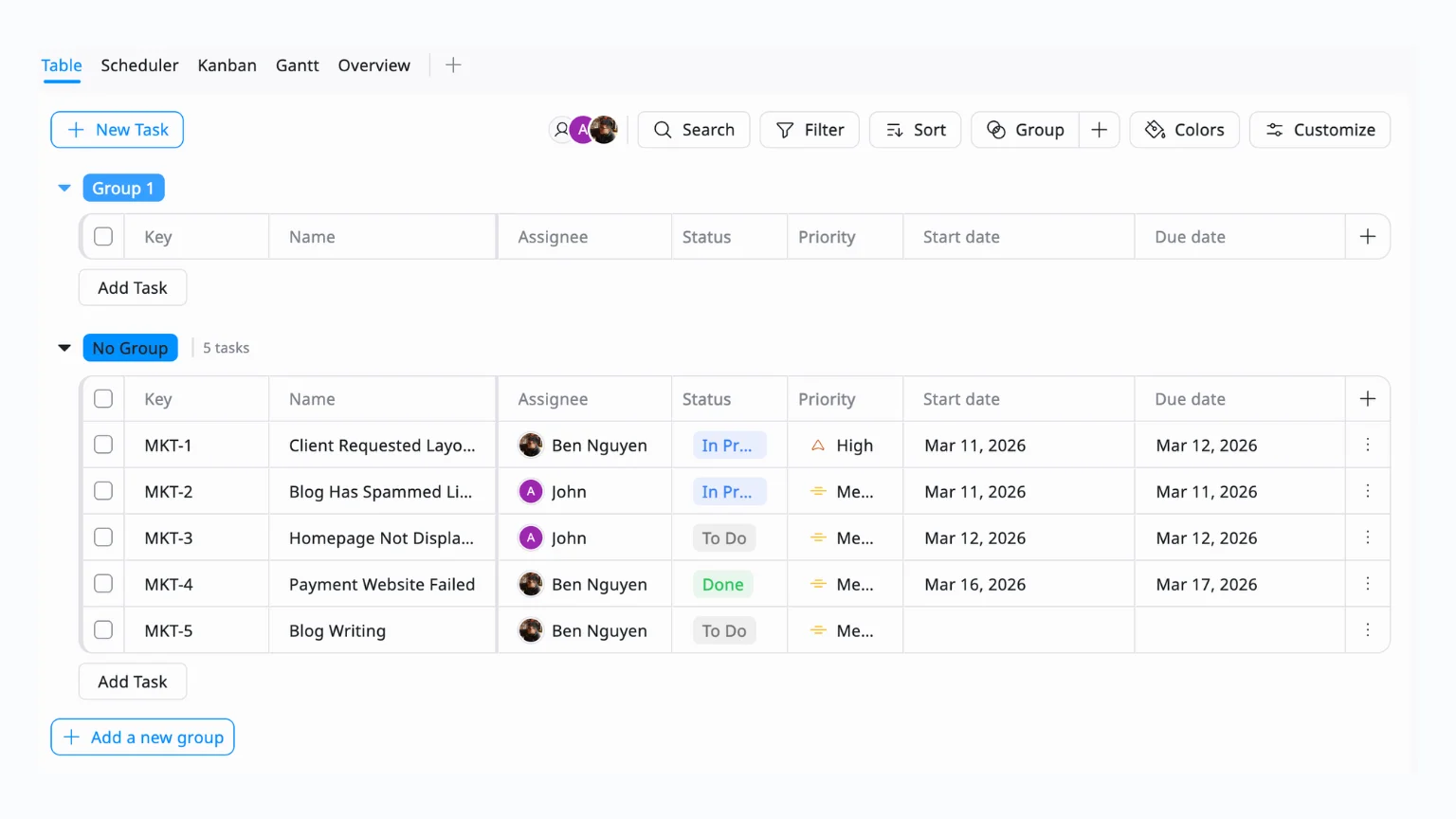
The Goal: Make sure every task is actionable before work begins.
Start in Table View. This is where your sprint is defined and maintained. For each task:
- Write a clear task name (e.g., “Writing Blog”)
- Assign one owner
- Set a Status (To Do / In Progress / Review / Done)
- Add priority or due dates if needed
Then clean things up by removing or clarifying vague tasks, breaking large tasks into smaller ones.
👉 If your Table View is messy, your sprint execution will be messy too.
2. Execute Daily Work in Kanban
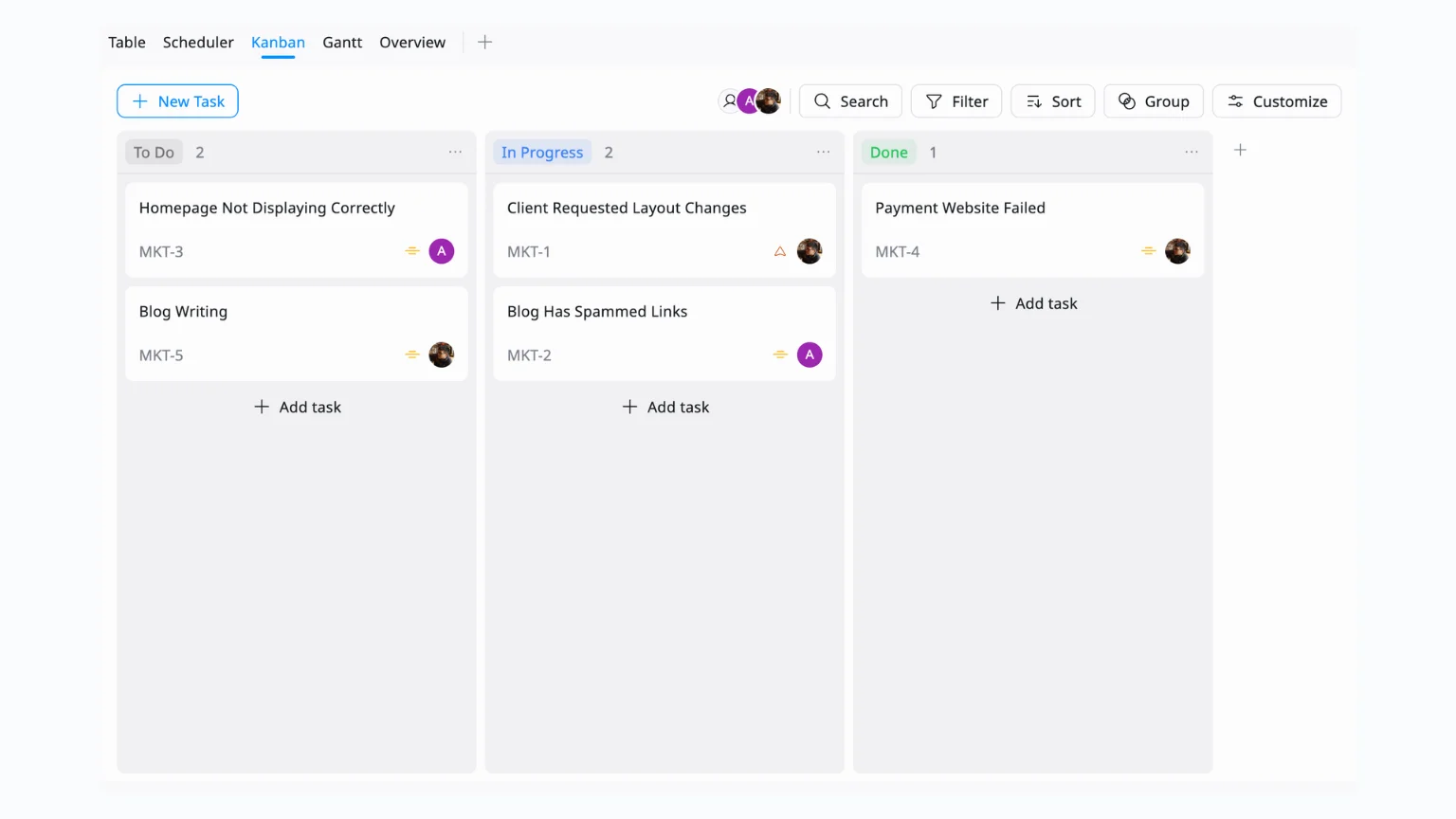
The Goal: Track progress without constant check-ins.
Switch to Kanban View, grouped by Status. Your columns should reflect your workflow (To Do, In Progress, Done). During the sprint:
- Move tasks as work progresses
- Update statuses during daily check-ins
- Keep everything flowing left → right
👉 This becomes your live sprint board, no need to ask for updates.
3. Monitor Sprint Health with Reporting Dashboard
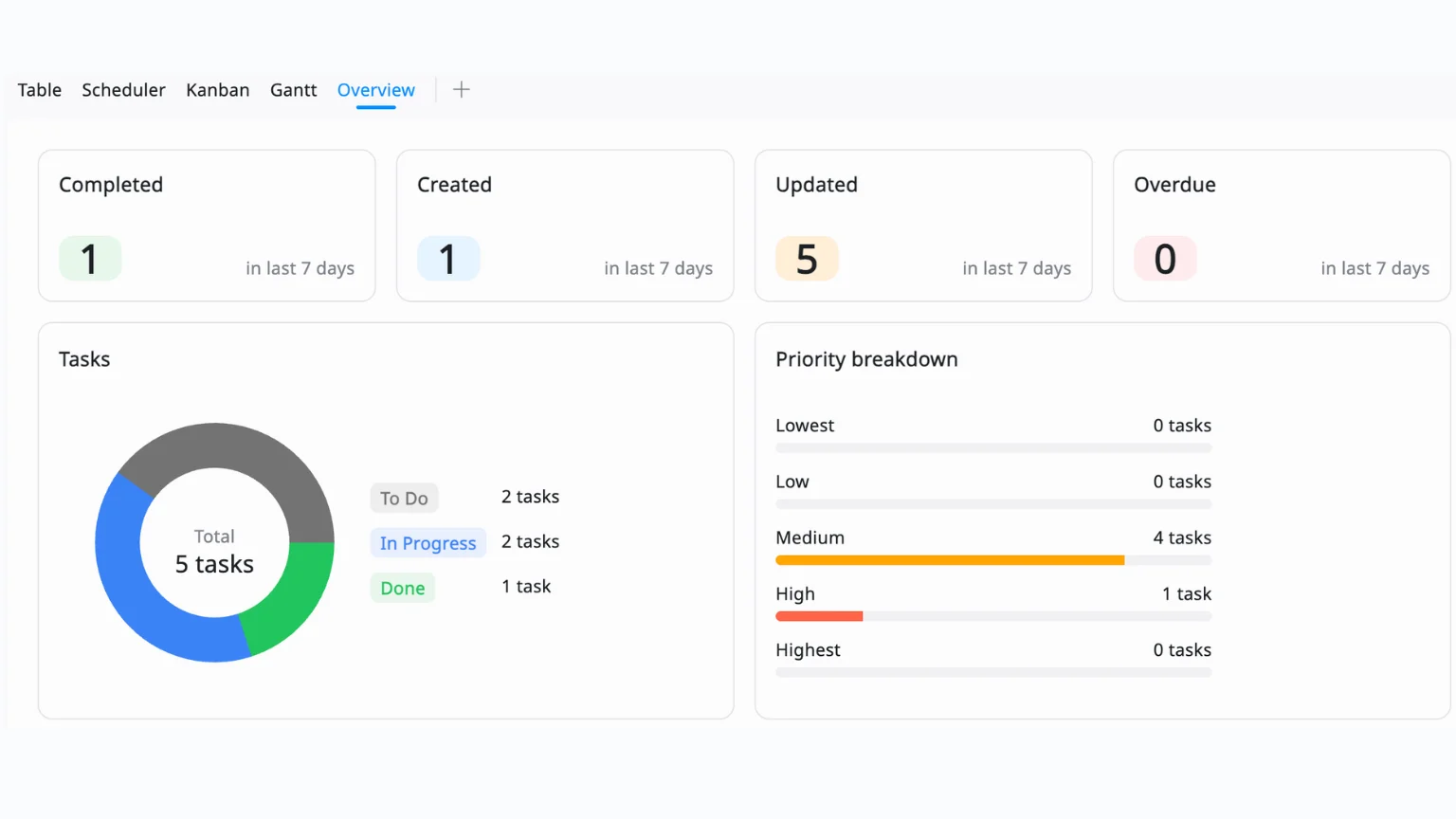
The Goal: Understand progress beyond just moving cards.
Use the Reporting Dashboard to track:
- Tasks completed vs remaining
- Progress over time
- Work distribution across team members
Look for signals like:
- Too many tasks stuck in In Progress
- Low completion rate mid-sprint
- One person overloaded while others are idle
👉 This helps you adjust early instead of realizing problems at the end.
4. Wrap Up with Real Data
At sprint end:
- Use Kanban → review all Done tasks
- Use Dashboard → evaluate performance (what was completed vs planned)
- Identify what slowed the team down and where work got stuck
Turn insights into action by adding improvement tasks for the next sprint and adjusting how you scope or assign work
👉 This makes each sprint better than the last, not just “done.”
Common Challenges and How to Overcome Them
Scrum isn’t without challenges, but with the right approach, teams can overcome them and improve over time.
- Overcommitting: Teams often take on too many tasks in a sprint, thinking they can handle more. This usually leads to unfinished work and rushed results. Start with a smaller number of tasks and focus on completing them fully. As you run more sprints, you will better understand how much your team can realistically deliver.
- Role Confusion: When roles are not clear, work slows down. People may duplicate efforts or wait for direction before taking action. For example, priorities may keep changing because too many people are making decisions. Make sure everyone understands their responsibilities so work can move forward without delays.
- Skipping Ceremonies: It is common to skip Sprint Reviews or Retrospectives when the team is busy. However, these moments are important for feedback and improvement. Without them, the same problems tend to repeat. Keep these meetings short and focused, but make sure they happen every sprint.
- Messy Backlog: A backlog with unclear or outdated tasks makes planning difficult. Teams spend time figuring out what tasks mean instead of doing the work. Keep tasks clear and simple, update priorities regularly, and remove anything that is no longer needed. If the backlog becomes too cluttered, it’s important to eliminate it.
Frequently Asked Questions (FAQs)
1. What is Scrum?
Scrum is an agile framework used to manage projects through short, iterative cycles called sprints.
2. How is Scrum different from Agile?
Agile is a broad philosophy; Scrum is a specific framework within Agile.
3. Can Scrum be used outside software development?
Yes, Scrum can be applied to marketing, design, education, and other fields.
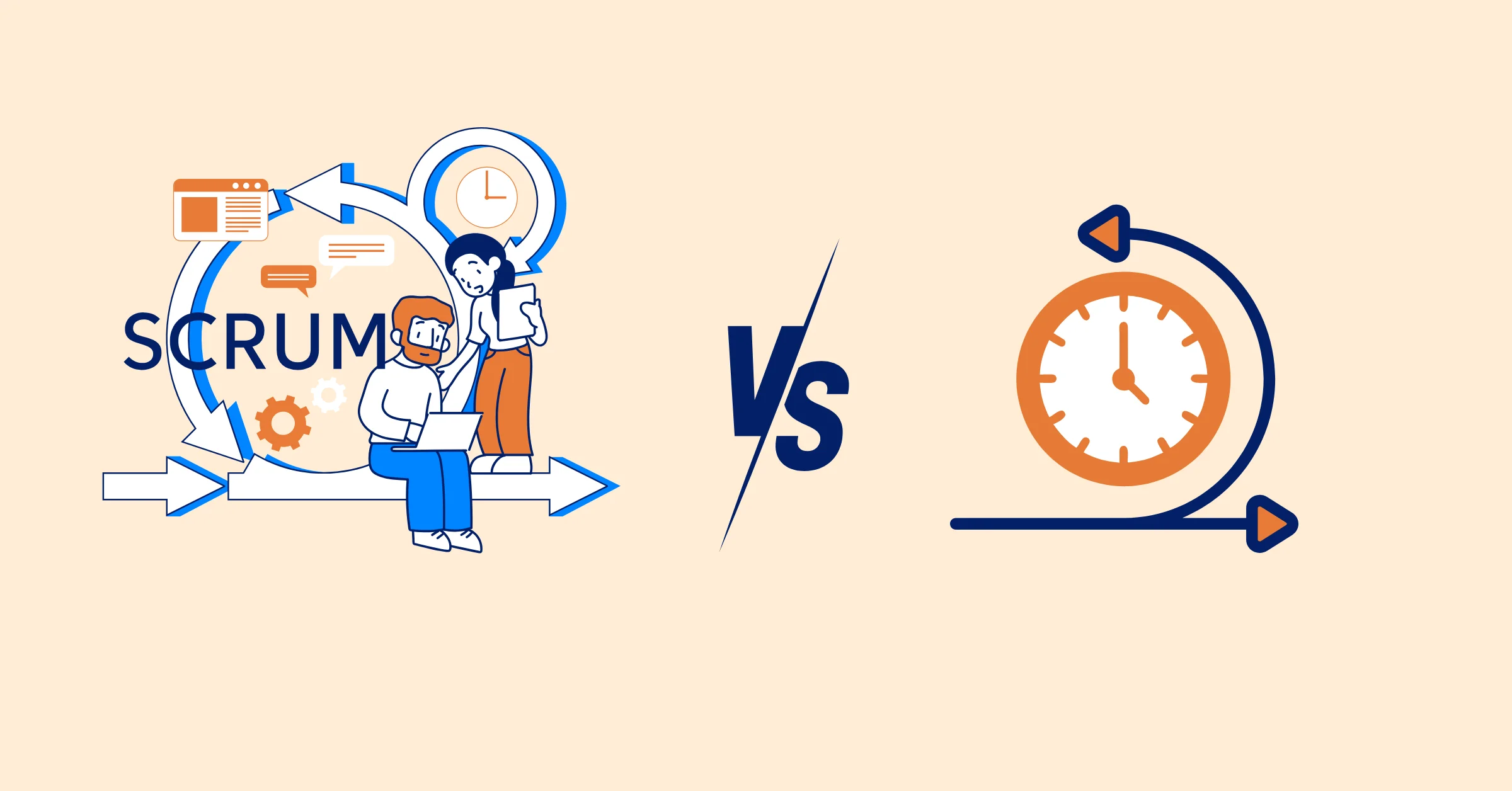
4. What is the difference between Scrum and a Sprint?
Scrum is a framework used to manage and organize work, while a Sprint is a time-boxed iteration within Scrum where the team completes specific tasks.
5. Can you use Sprints without Scrum?
Yes, Sprints can be used in other agile approaches, but they are most commonly associated with Scrum.
Wrapping Up: Your First Sprint Awaits
Your first Scrum sprint is an exciting step into agile project management. By understanding project management and Scrum, following clear steps to set up roles, build a backlog, plan, execute, review, and iterate, you’ll deliver results while building a collaborative team. With benefits tailored to multiple industries, Scrum adapts to your needs. Tools like TaskFord can keep you organized and focused.
Ready to dive in? Sign up for TaskFord and start your Scrum journey with confidence. Here’s to your first sprint and many more wins to come!
Related Articles









How to Build and Manage a Product Roadmap with TaskFord







How to Build a Connected Project Timeline in TaskFord








What Are the Best Jira Alternatives for Scrum Teams?



















How WBS Reveals Delivery Breakdown Before It’s Too Late







![How To Conduct a Profound Stakeholder Analysis [+ Free Template]](/marketing/blog/stakeholder-analysis.webp)











What to Look for in Scrum Tools (Beyond Kanban Boards)

![Project Management Calendar for Teams and Managers [Free Templates]](/marketing/blog/project-management-calendar.webp)




How to Define Project Deliverables: A Step-by-Step Guide


![RACI Chart in Project Management: Rules & Examples [Free Download]](/marketing/blog/raci-chart.webp)










![7 Must-Have Project Management Documents Every PO Should Know [Free Templates]](/marketing/blog/project-management-documents.webp)







![How to Create a Winning Project Plan for IT Projects [10 Steps Included]](/marketing/blog/how-to-create-a-project-plan.webp)




![Daily Standup Best Practices: Apply AI to Organize Meetings Successfully [2026 Trends]](/marketing/blog/daily-standup.webp)





![How to Create a Project Communication Plan: Step-by-Step Guide [+Free Template]](/marketing/blog/project-communication-plan.png)


![Master Project Procurement Management in 5 Steps [Download a free plan template]](/marketing/blog/project-procurement-management.webp)





















Subscribe for Expert Tips
Unlock expert insights and stay ahead with TaskFord. Sign up now to receive valuable tips, strategies, and updates directly in your inbox.