What Is Resource Loading in Project Management? (Clear Explanation with Examples)
Discover how resource loading in project management can optimize and enhance your projects, with practical examples and insights using TaskFord’s powerful tool.
Resource loading is a critical concept in project management that can make or break a project’s success. It involves allocating resources like people, equipment, and materials to specific tasks to ensure everything runs smoothly and on schedule. But what exactly does it mean? How does it work in practice? And why should project managers prioritize it?
In this blog, we’ll dive deep into resource loading, explore its importance, provide real-world examples, and show how tools like a resource loading chart and resource-loaded schedule can transform your project outcomes. We’ll also touch on resource management to give you a well-rounded understanding of how these concepts connect.
What Is Resource Loading?
Resource loading refers to the process of assigning resources to project tasks based on their availability, capacity, and the project’s timeline. It’s about figuring out who or what is needed, when, and for how long to complete each task effectively. Think of it as a balancing act: you’re matching the right resources to the right tasks while avoiding overloading your team or underutilizing equipment.
Unlike resource allocation, which is a broader term for distributing resources across a project, resource loading focuses on the granular details. It considers the specific timeframes and workloads for each resource. This ensures that no one is stretched too thin, and no machine sits idle when it could be productive.
For example, imagine you’re managing a construction project. You have three cranes, five workers, and a tight deadline to pour concrete for a building’s foundation. Resource loading helps you decide which workers operate the cranes, when they start, and how long they’ll work each day to meet the deadline without causing burnout or equipment overuse.
Why Resource Loading Matters
Proper resource loading keeps projects on track. Here’s why it’s so important:
- Prevents Overloading: Assigning too many tasks to a single resource can lead to burnout, mistakes, or delays. Resource loading helps you spot potential overuse before it becomes a problem.
- Maximizes Efficiency: By aligning resources with tasks based on availability and skill sets, you ensure that every hour of work counts.
- Improves Cost Management: Over-allocating or under-allocating resources can inflate costs. Resource loading helps you optimize resource use, reducing waste.
- Enhances Planning: A clear resource-loaded schedule shows when resources are needed, helping you plan for hiring, equipment rentals, or material deliveries.
Without resource loading, you risk missed deadlines, frustrated teams, and budget overruns. It’s the backbone of effective project execution.
How To Do Resource Planning
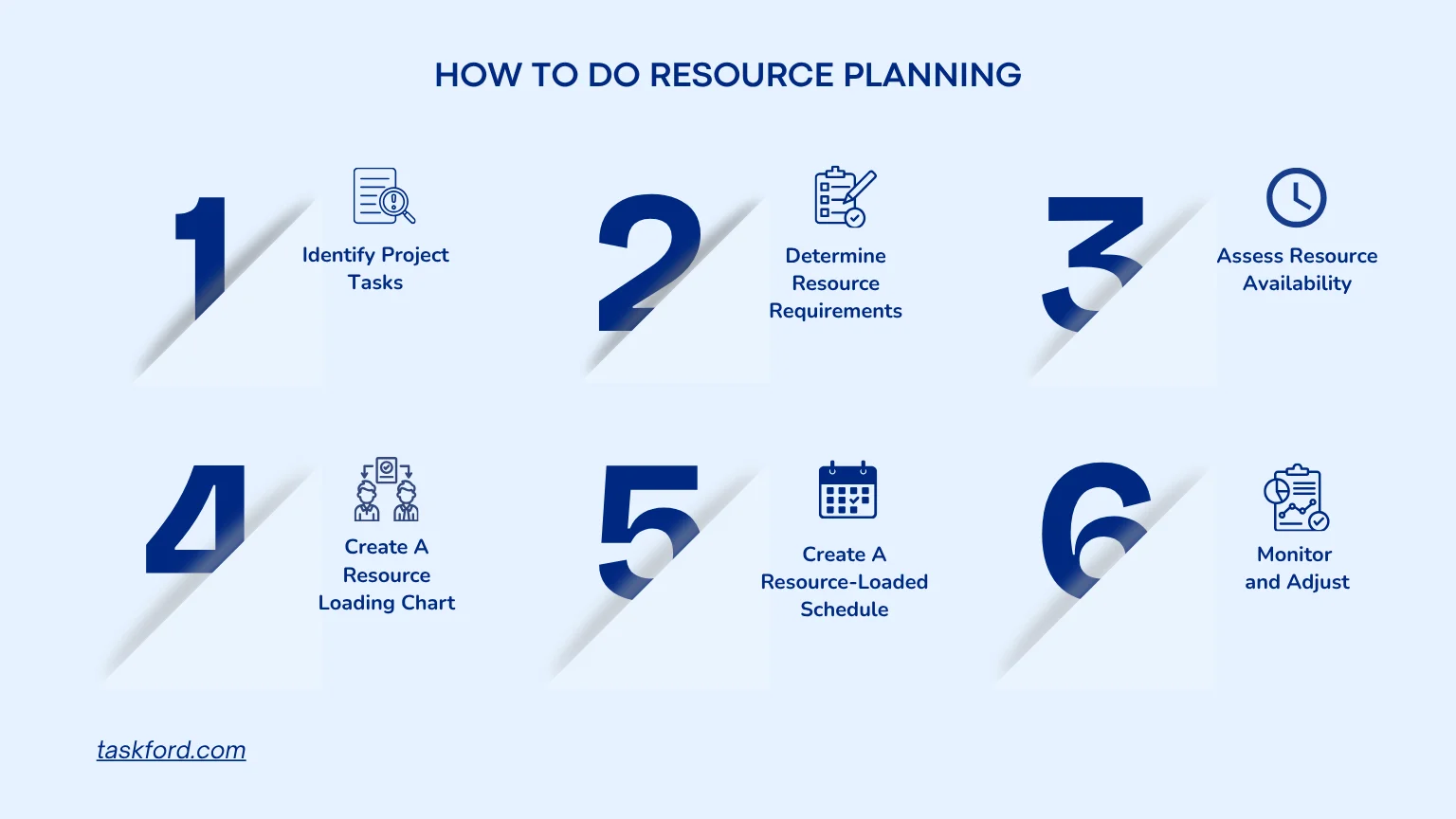
To understand resource loading, let’s break it down into steps. These steps help project managers create a resource-loaded schedule that aligns with the project’s goals.
Step 1: Identify Project Tasks
Start by listing all the work needed to complete the project. Break large goals into smaller, manageable tasks so they’re easier to assign, estimate, and track.
For example, instead of one task like “Build Website,” divide it into:
- Planning
- Design
- Development
- Testing
- Deployment
You should also identify task dependencies and estimate how long each task may take. A clear task breakdown helps create a realistic project timeline and prevents important work from being overlooked.
Step 2: Determine Resource Requirements
For each task, identify what resources you need. This includes:
- Human Resources: Identify who has the right skills for the task, such as developers, designers, marketers, or testers. Estimate how much time each person is expected to contribute.
- Equipment: Some tasks require shared tools or systems like computers, design software, servers, or machinery. Make sure these are available when needed.
- Materials: Projects may also require materials, software licenses, advertising spend, or third-party services. Planning these early helps avoid delays later.
Step 3: Assess Resource Availability
Next, check whether your resources are actually available during the project timeline. Team members may already be assigned to other projects, and equipment may be shared across departments.
Review:
- Current workloads
- Team schedules and time off
- Existing project commitments
- Equipment availability
This step helps identify overloaded resources, scheduling conflicts, or skill gaps before work begins. If necessary, managers can adjust deadlines, reassign tasks, or bring in additional support.
Step 4: Create a Resource Loading Chart
A resource loading chart visually maps out resource allocation over time. It shows which resources are assigned to which tasks and highlights potential conflicts. For example, a chart might reveal that a key developer is assigned to two tasks simultaneously, signaling a need for adjustment.
Here’s a simplified example of a resource loading chart for a marketing campaign:
| Task | Resource | Week 1 | Week 2 | Week 3 | Week 4 |
|---|---|---|---|---|---|
| Content Creation | Writer A | 20 hrs | 15 hrs | 10 hrs | 5 hrs |
| Graphic Design | Designer B | 10 hrs | 20 hrs | 15 hrs | 10 hrs |
| Social Media Ads | Marketer C | 5 hrs | 10 hrs | 15 hrs | 20 hrs |
This chart shows how hours are distributed across team members, helping you spot over- or under-allocation.
Step 5: Build a Resource-Loaded Schedule
A resource-loaded schedule takes the chart a step further by integrating resource assignments into the project timeline. It shows when tasks start and finish, who’s working on them, and how resources are spread out. Below is a simplified resource-loaded schedule for a four-week website project:
| Task | Resource | Start Date | End Date | Duration | Hours Assigned |
|---|---|---|---|---|---|
| Wireframing | Designer A | 01-Nov-25 | 07-Nov-25 | 5 days | 30 hrs |
| Coding | Developer B | 05-Nov-25 | 14-Nov-25 | 8 days | 60 hrs |
| Content Creation | Writer C | 08-Nov-25 | 12-Nov-25 | 5 days | 20 hrs |
| Testing | Tester D | 15-Nov-25 | 20-Nov-25 | 4 days | 25 hrs |
Step 6: Monitor and Adjust
Resource planning is not a one-time activity. As projects progress, timelines, workloads, and priorities can change, making it important to regularly review resource allocation and project progress.
If a task falls behind schedule or a resource becomes unavailable, project managers may need to reassign work, adjust deadlines, or redistribute workloads. Continuous monitoring helps prevent bottlenecks, maintain team productivity, and keep the project on track.
Real-World Examples of Resource Loading
Let’s look at two practical examples to see resource loading in action.
Example 1: Construction Project
A project manager oversees the construction of a new office building. The project includes tasks like foundation work, framing, and electrical installation. Using a resource loading chart, the manager assigns workers and equipment to each task:
- Foundation Work: Two workers and one concrete mixer for 10 days.
- Framing: Four carpenters and a crane for 15 days.
- Electrical Installation: Three electricians for 12 days.
The resource-loaded schedule reveals that the crane is needed for both framing and foundation work at the same time. To resolve this conflict, the manager adjusts the schedule, prioritizing foundation work in week one and shifting framing to week two. This prevents delays and ensures the crane is used efficiently.
(Learn more: What Construction Project Managers Actually Do)
Example 2: Software Development
A tech company is building a mobile app. The project manager creates a resource loading chart to assign developers, designers, and testers. The chart shows that the lead developer is overloaded during the coding phase, with 50 hours of work in one week. To balance this, the manager brings in a freelance developer to share the load, updating the resource-loaded schedule to reflect the change. This keeps the project on time and prevents burnout.
These examples show how resource loading helps identify and resolve issues before they derail a project.
How TaskFord Helps With Resource Planning
Effective resource planning requires visibility into workloads, schedules, and team capacity. TaskFord helps teams manage resources more efficiently by giving managers a centralized view of tasks, workloads, and project progress.
Use Table View as a Resource Loading Chart
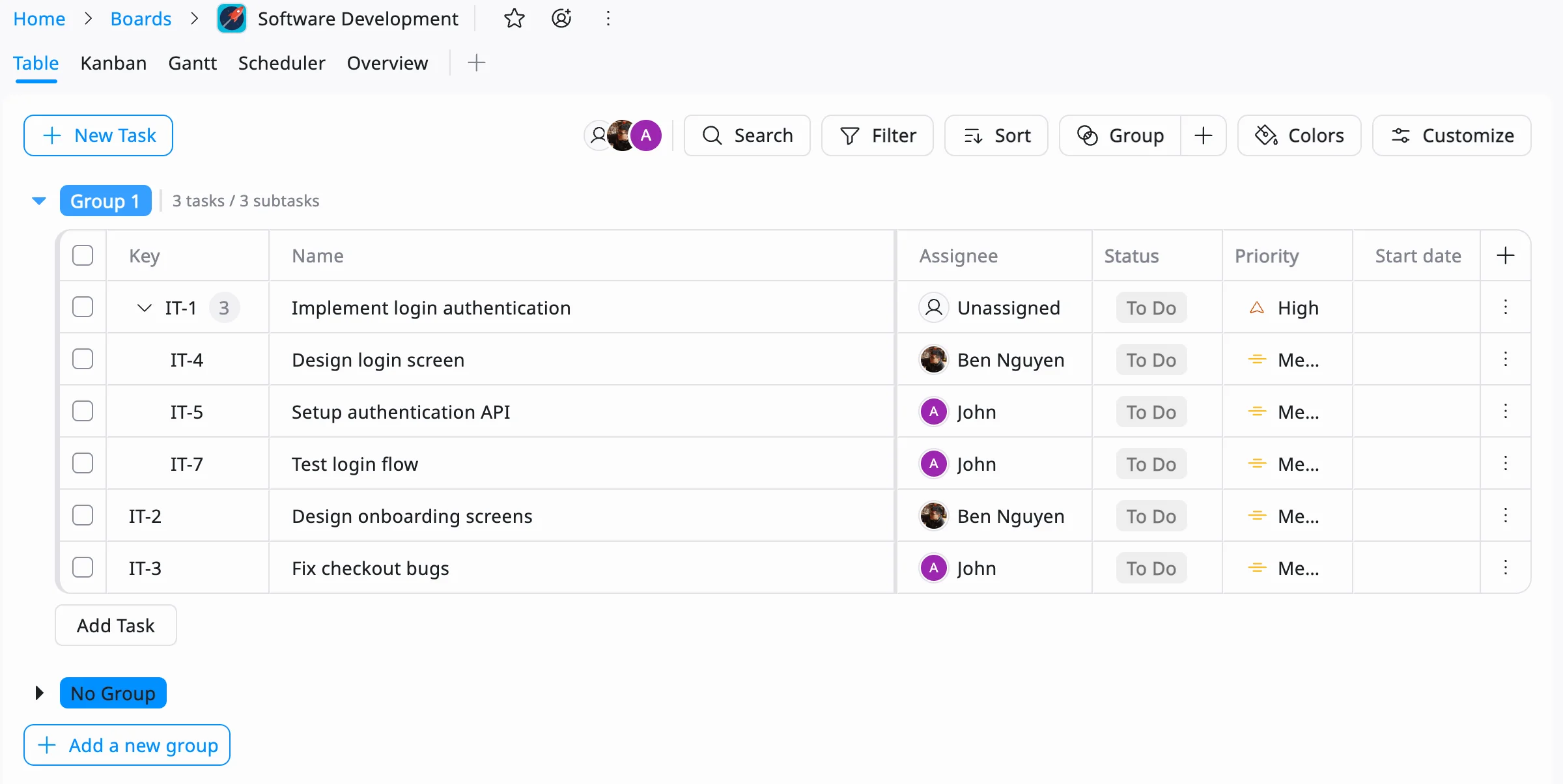
TaskFord’s Table View helps teams organize tasks with key details like assignees, deadlines, priorities, and task status in one structured workspace. By viewing assignments and deadlines together, managers can quickly understand workload distribution, identify scheduling conflicts, and monitor how resources are allocated across projects.
Use Resource Scheduler as a Resource-Loaded Schedule
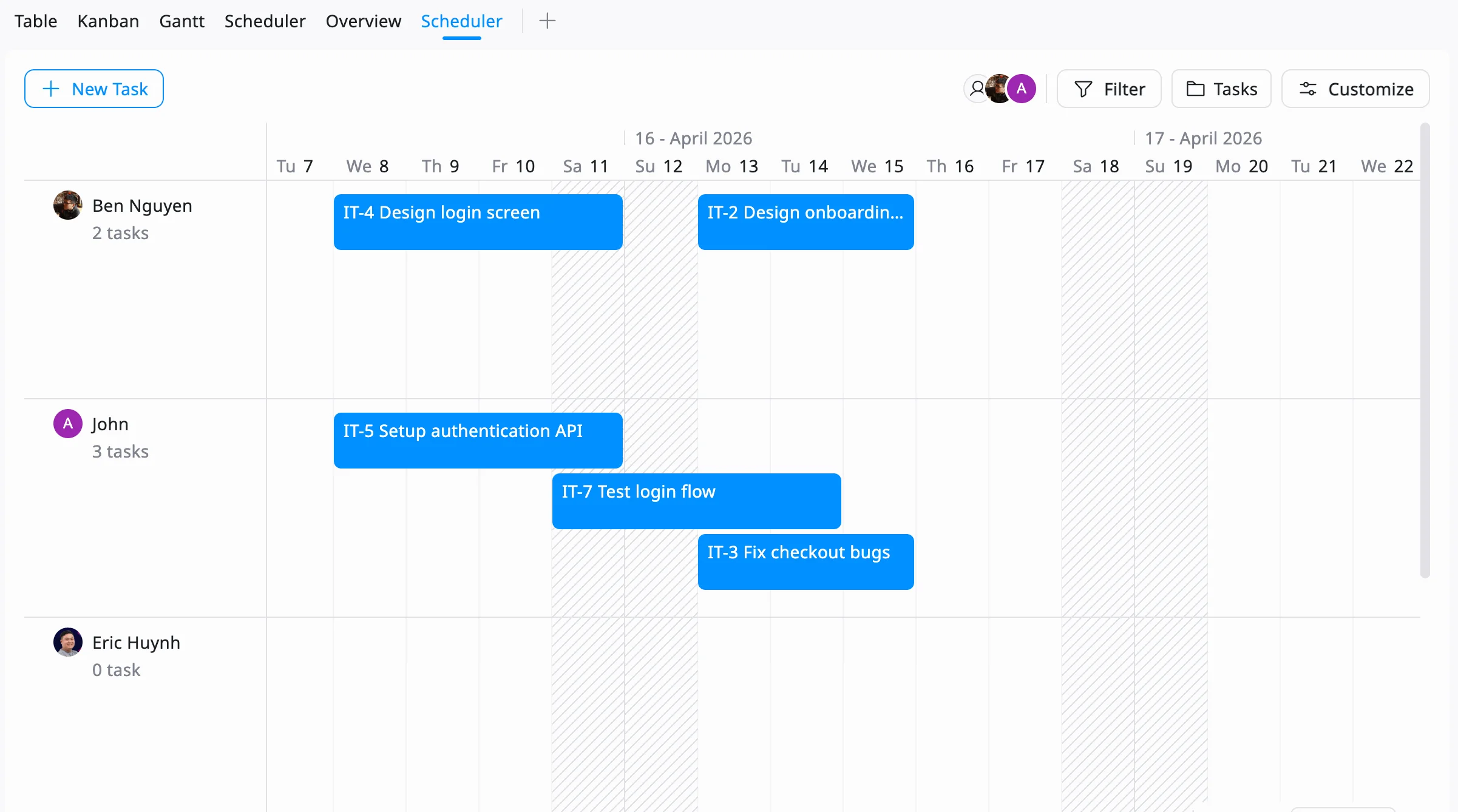
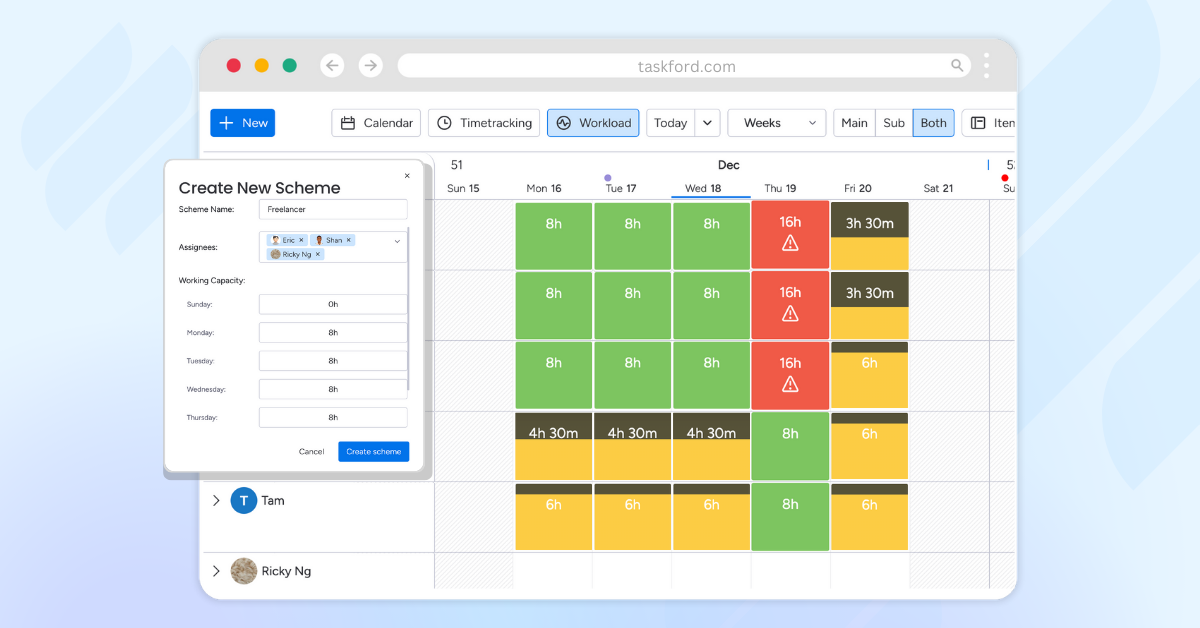
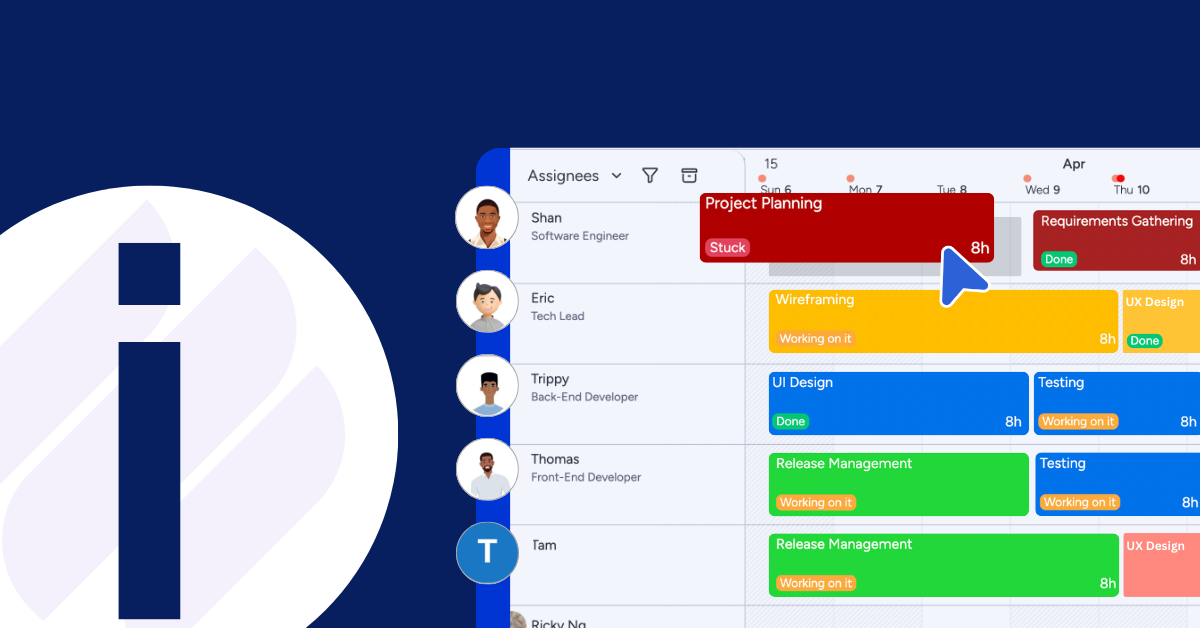
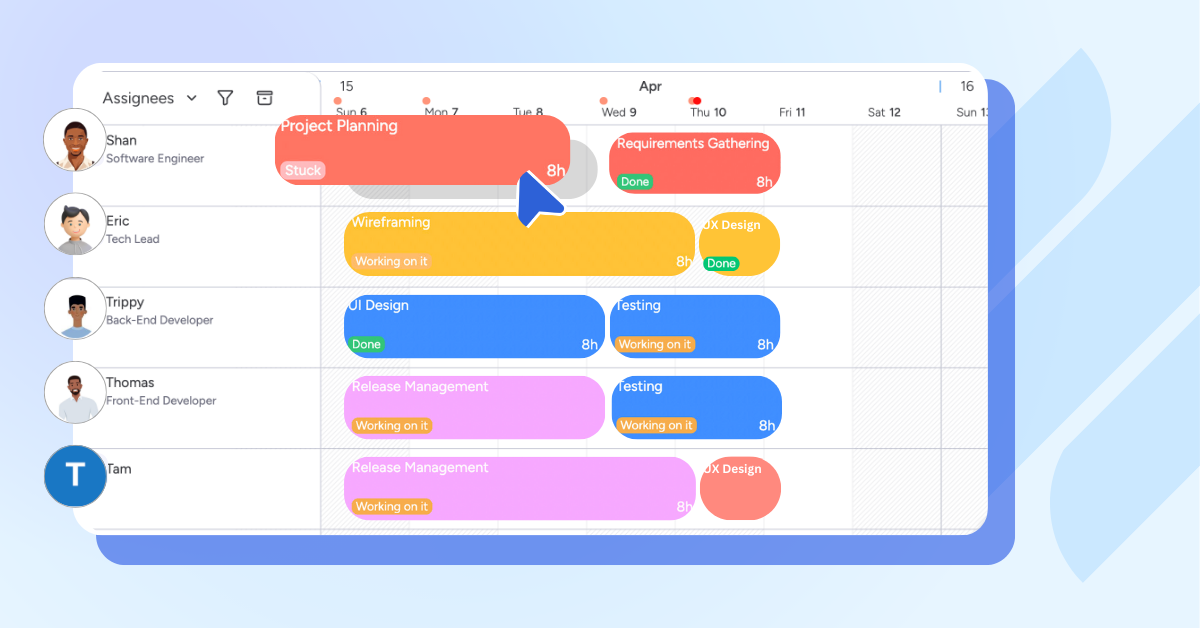
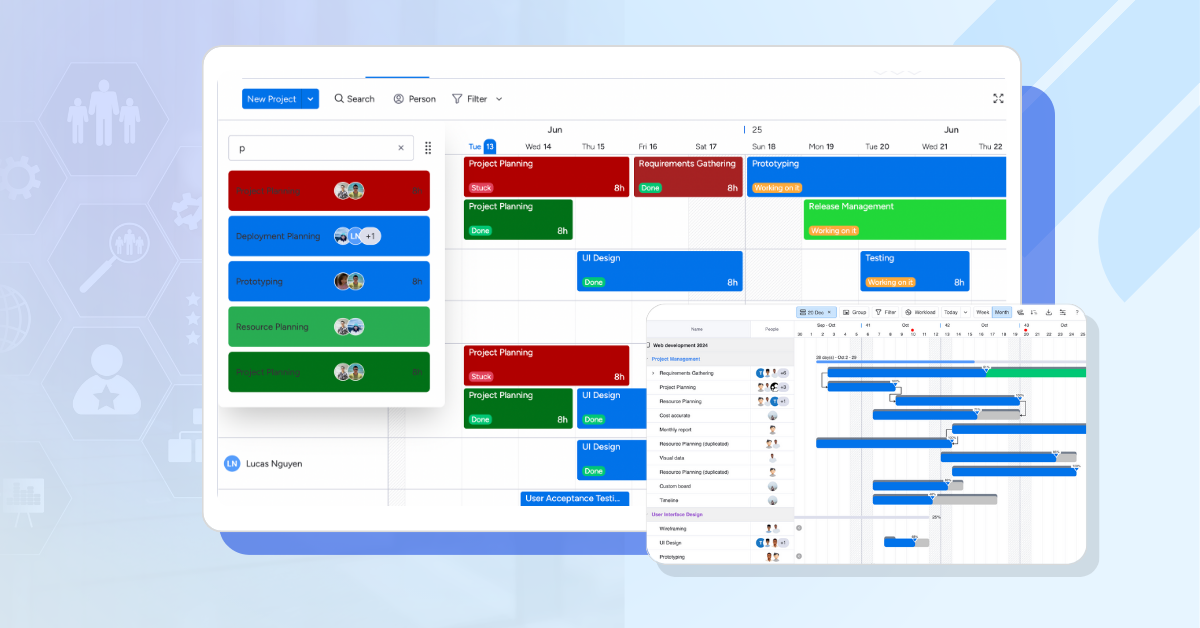
The Resource Scheduler gives teams a timeline-based view of tasks, resource assignments, and availability. Managers can see who is working on what and when, making it easier to balance workloads, adjust schedules, and keep projects on track.
Use Overview Dashboard for Workload Visibility
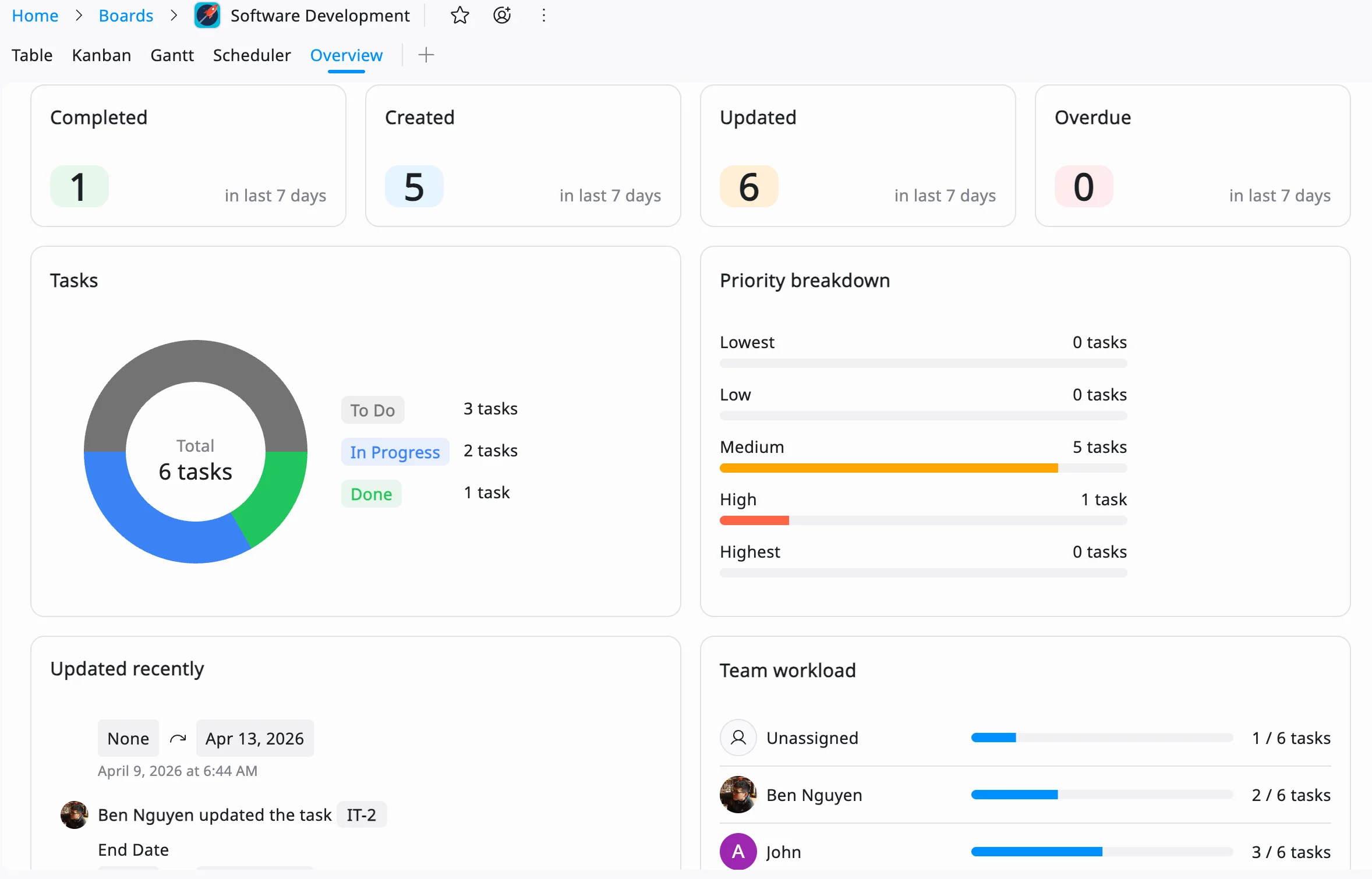
TaskFord’s Overview dashboard provides real-time visibility into project progress, team workload, and active assignments. Managers can quickly identify overloaded team members, monitor resource utilization, and make adjustments before bottlenecks impact delivery timelines.
Use Time Tracking to Monitor Actual Work Hours
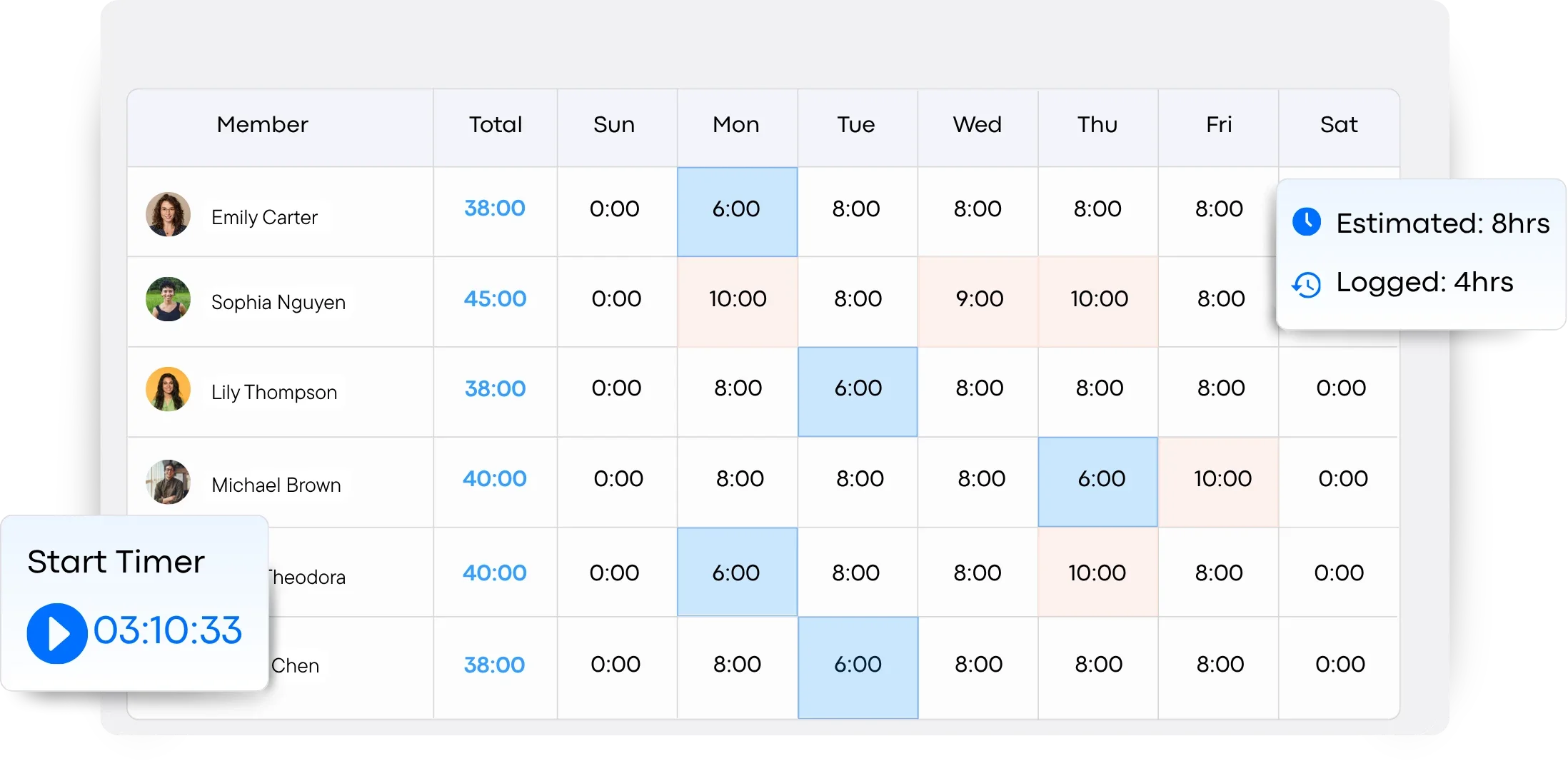
Teams can log hours through timesheets or track work in real time using a stopwatch timer. This helps managers compare planned effort against actual hours worked, improving future resource planning and workload estimation.
Common Challenges in Resource Loading
Even with the best tools, resource loading comes with challenges. Here’s how to tackle them:
- Resource Conflicts: Multiple tasks may compete for the same team member, equipment, or budget at the same time. When this happens, managers should prioritize high-impact or time-sensitive tasks, redistribute workloads, or adjust project timelines to reduce scheduling conflicts.
- Uncertain Availability: Resource availability can change unexpectedly due to sick leave, urgent tasks, vacations, or equipment issues. Building buffer time into the schedule and maintaining backup plans helps teams adapt quickly without heavily impacting project deadlines.
- Over-Optimism: Project timelines often become unrealistic when task durations or workloads are underestimated. Using historical project data, reviewing past performance, and consulting team members during planning can help create more accurate time and resource estimates.
- Data Overload: Resource-loaded schedules can become difficult to manage when too much information is tracked at once. Instead of monitoring every detail, focus on the most important metrics such as workload distribution, assigned hours, deadlines, and task dependencies to keep planning manageable and actionable.
By anticipating these issues, teams can build a more realistic and resilient resource-loaded schedule.
Resource Loading vs Resource Leveling
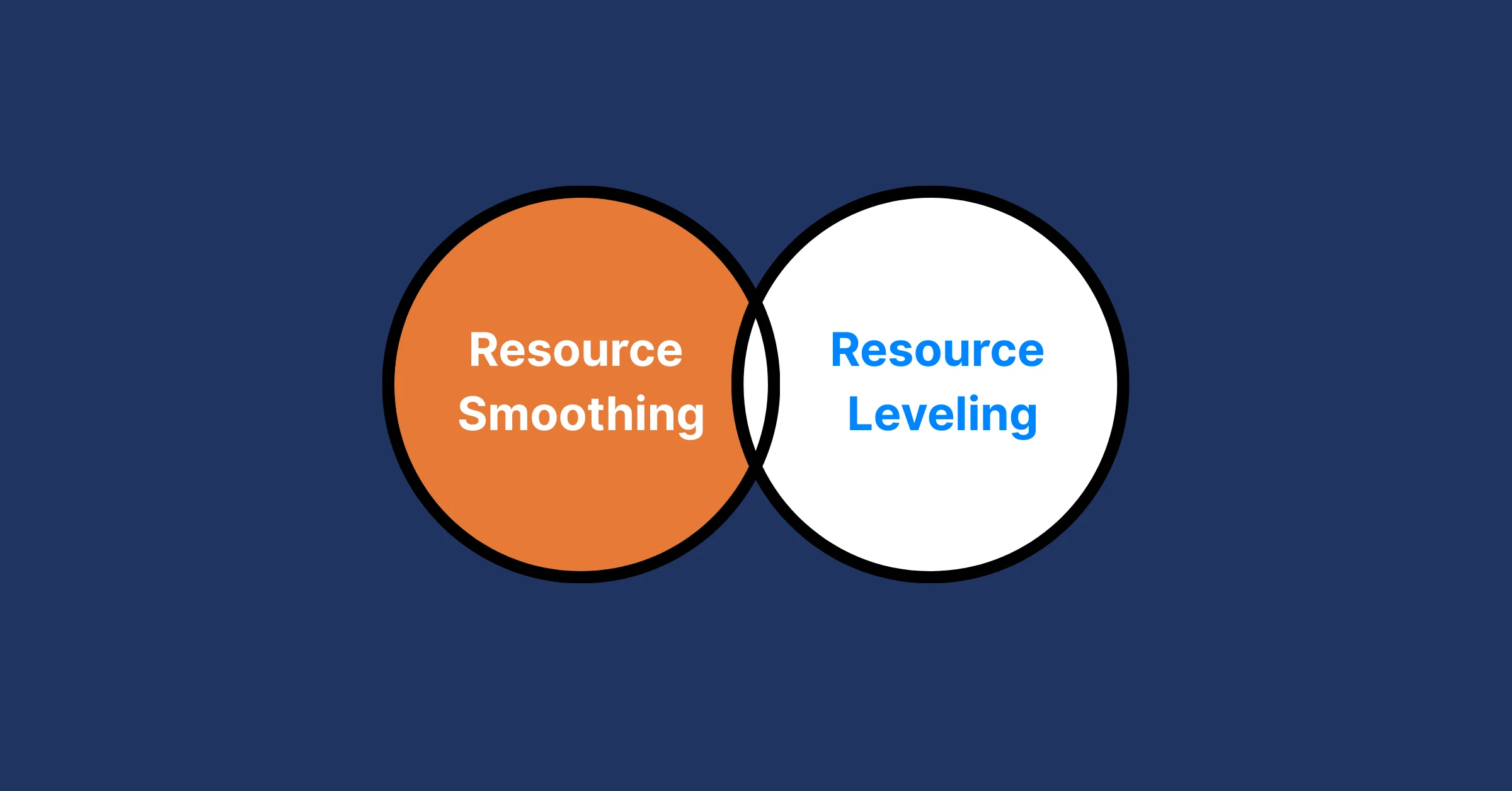
Resource loading and resource leveling are closely related project management concepts, but they serve different purposes. Resource loading focuses on assigning resources to tasks based on project demands, while resource leveling adjusts the schedule to resolve workload conflicts and prevent overallocation.
| Aspect | Resource Loading | Resource Leveling |
|---|---|---|
| Purpose | Assign resources to project tasks | Balance workloads and resolve resource conflicts |
| Focus | Resource allocation and utilization | Resource capacity and schedule adjustment |
| Main Goal | Ensure tasks have the required resources | Prevent resource overallocation and burnout |
| Scheduling Impact | Follows the planned project schedule | May delay or reschedule tasks to balance workloads |
| Approach | Maps resources to tasks and timelines | Redistributes or delays work when resources are overloaded |
| Common Use Case | Planning project workloads and assignments | Managing limited resources across competing tasks |
| Example | Assigning a developer to coding tasks for 40 hours per week | Moving tasks to a later date because the developer is overloaded |
| Outcome | A resource-loaded schedule | A balanced and more realistic project schedule |
Both techniques work together in project management. Teams first use resource loading to assign resources, then apply resource leveling if workloads become unrealistic or conflicts appear.
Tips for Optimizing Resource Loading
To make resource loading work for you, try these practical tips:
- Use Historical Data: Look at past projects to estimate task durations and resource needs accurately.
- Communicate with Your Team: Get input from team members on their availability and capacity to avoid surprises.
- Leverage Technology: Use tools like TaskFord to automate resource loading charts and schedules.
- Review Regularly: Check your resource-loaded schedule weekly to catch issues early.
- Prioritize Flexibility: Build contingency plans for unexpected changes, like delayed deliveries or absent team members.
- Apply Earned Value Management (EVM): Measure how well your resource usage aligns with planned cost and schedule performance. It helps you identify variances early and adjust allocations before delays or overruns occur.
Conclusion
Resource loading is more than just a project management technique—it’s a strategic approach that ensures projects run moothly, stay within budget, and meet deadlines. By refully assigning resources to tasks using tools like a resource loading chart or resource-loaded schedule, you can prevent overloading, optimize efficiency, and keep your team focused.
Whether you’re managing a small event or a complex construction project, effective resource loading and resource management are key to delivering results. By applying the steps and tips outlined in this blog, you can take control of your resources and set your projects up for success.
Learn more
- How To Use A Critical Path Calculator for Accurate Project Scheduling
- Unlocking Success In 2026 With The Right Resource Allocation Software
- Resource Management Explained: Key Definition, Must-Know Terms & Proven Techniques
Related Articles



















































































![What is an Effective Resource Management Plan Template [Free Download]](/marketing/blog/resource-management-plan-template.webp)




Subscribe for Expert Tips
Unlock expert insights and stay ahead with TaskFord. Sign up now to receive valuable tips, strategies, and updates directly in your inbox.