Resource Scheduling in Project Management: How to Optimize Your Team Workload
Learn how resource scheduling improves team performance, balances workload, and ensures on-time project delivery with practical steps and best practices.
A perfect project plan is just a wish list until you assign the people and tools to do the work. Without Resource Scheduling, even the best-laid plans fall victim to burnout, bottlenecks, and missed deadlines.
Resource scheduling is the tactical process of mapping your team’s capacity to specific tasks. It’s the difference between guessing your finish date and guaranteeing it.
In this guide, we’ll show you how to move beyond basic task lists to create a high-performance schedule that optimizes your assets without overworking your team.
What Is Resource Scheduling?
In project management, Resource Scheduling is the process of mapping out how and when your resources: people, equipment, materials, and facilities – will be used to complete specific tasks within a project’s timeline.
It gives project managers a clear view of:
- Who is working on what
- When they are available
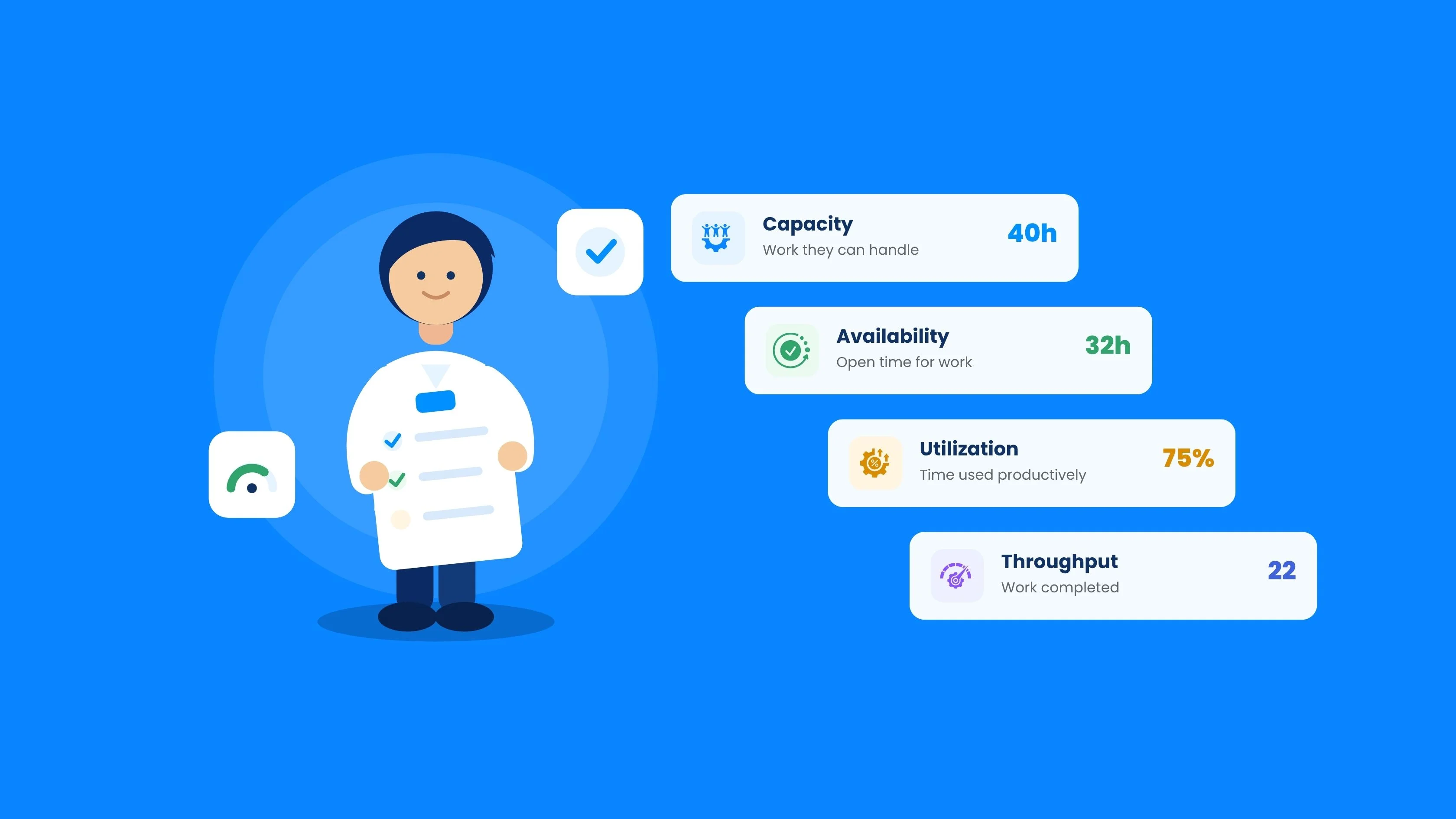
- How much capacity they have left
This goes beyond simply meeting deadlines. Effective resource scheduling helps balance workloads, maintain quality, and ensure that daily execution aligns with broader project goals.
Whether you’re managing a small team or coordinating across multiple departments, resource scheduling is a core part of keeping work organized and moving forward.
Resource Scheduling vs. Resource Management
These two terms are often used interchangeably, but they serve different purposes in project management. Understanding the distinction helps you plan better and execute more effectively.
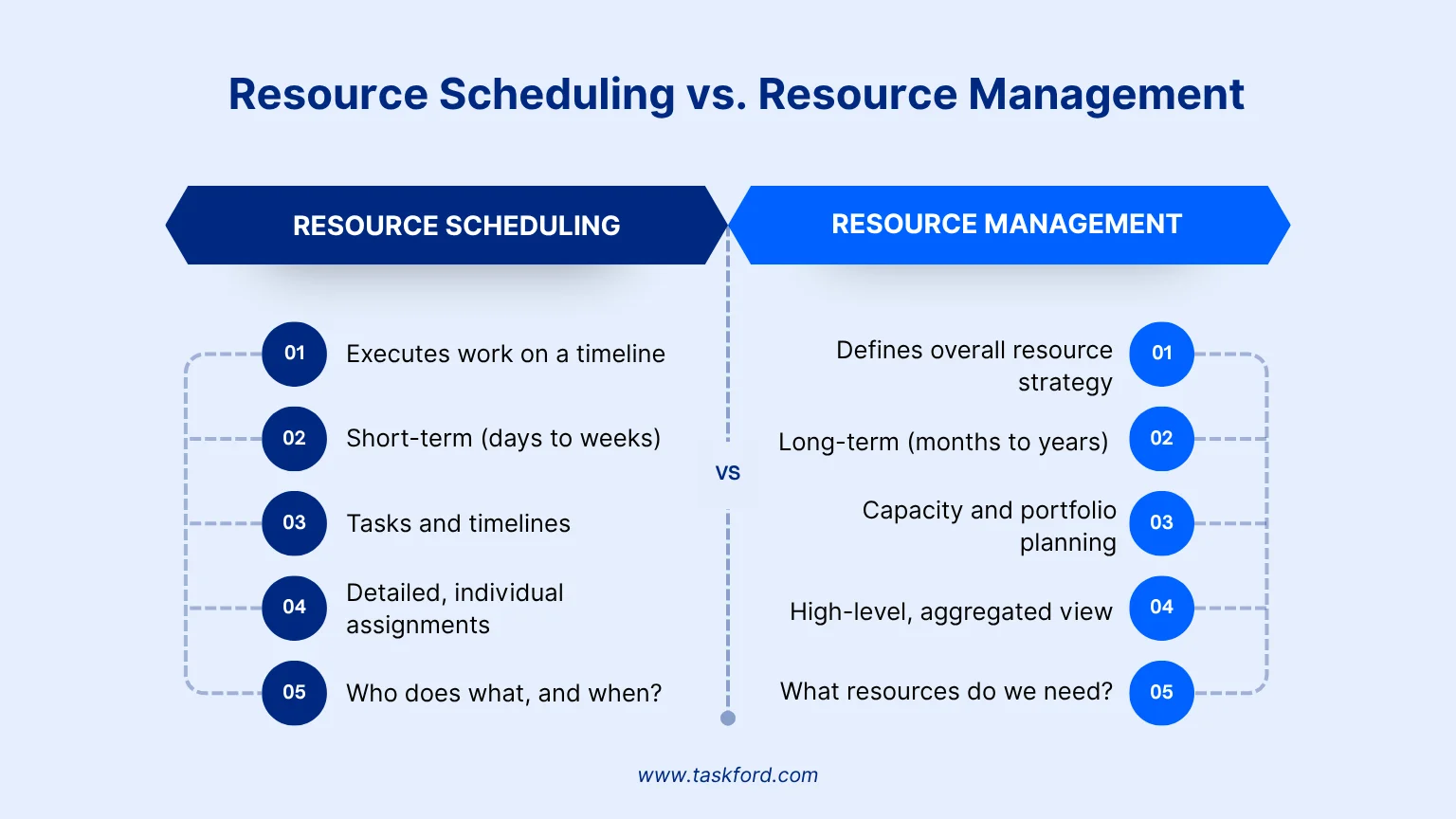
1. Resource Management (The Big Picture)
Resource management is the “macro” view. It is the high-level process of identifying, recruiting, and organizing resources across an entire organization or portfolio.
It answers the question: “What do we have, and what do we need?”
- Long-term Capacity: Forecasting hiring needs for the next quarter.
- Portfolio Balance: Distributing talent across multiple competing projects.
- Workforce Planning: Managing budgets, skills development, and overall utilization rates.
Further reading: Resource Management - Key Definition, Must-Know Terms & Proven Techniques
2. Resource Scheduling (The Execution Layer)
Resource scheduling is the “micro” view. It is the execution layer where the strategy becomes actionable. It’s the process of pinning resources to specific calendar dates and deliverables.
It answers the question: “Who is doing what, and is it possible right now?”
- Task Assignment: Linking a specific team member to a specific ticket.
- Timeline Precision: Defining exact start and end dates for activities.
- Dependency Management: Ensuring a designer isn’t scheduled to start until the wireframes are approved.
3. Side-by-Side Comparison
| Feature | Resource Management | Resource Scheduling |
|---|---|---|
| Primary goal | Defines overall resource strategy | Executes work on a timeline |
| Time horizon | Long-term (months to years) | Short-term (days to weeks) |
| Focus area | Capacity and portfolio planning | Tasks and timelines |
| Level of detail | High-level, aggregated view | Detailed, individual assignments |
| Core question | What resources do we need? | Who does what, and when? |
4. How They Work Together
Resource management sets the direction, while resource scheduling makes it actionable.
- Without Management, your scheduling is chaotic because you don’t even know if you have enough resources to get the work done.
- Without Scheduling, your plan stays on paper, it never turns into actual progress or results.
Projects succeed when both work together—ensuring not only that resources are available, but also that they’re used at the right time and in the right way.
Why Resource Scheduling Directly Impacts Team Performance
Resource scheduling shapes how your team works day to day. When it’s clear and realistic, teams stay focused, balanced, and productive. When it’s not, even strong teams struggle.
- Poor scheduling leads to constant task-switching, unclear priorities, and uneven workloads. Some people get overloaded while others wait, work gets delayed, and quality drops under pressure.
- Good scheduling fixes this by creating focus, setting clear priorities, and distributing work more evenly. It gives teams enough time to do work properly, reduces last-minute stress, and makes deadlines more reliable.
Key takeaway: Resource scheduling isn’t just about time—it’s about directing your team’s energy so they can perform consistently without burning out.
Key Factors That Influence Team Optimization
Effective scheduling isn’t a “set it and forget it” task. It requires a constant balancing act between several shifting variables. To build a realistic schedule, you must account for these four factors:
1. Real-World Availability
The most common scheduling mistake is assuming everyone is available 40 hours a week. To be accurate, your schedule must subtract:
- Planned Absences: Vacations, public holidays, and training sessions.
- Administrative Overhead: Internal meetings, emails, and reporting.
- The “80% Rule”: Most experts recommend scheduling only 80% of a person’s time for project tasks to leave room for the unexpected.
2. Skill Sets and Proficiency
Not all resources are interchangeable. A task that takes a senior specialist two hours might take a junior four hours.
- Expertise Level: Does the task require a specific certification or level of experience?
- Subject Matter Knowledge: Has this person worked on similar tasks before?
- Cost vs. Value: Is it more efficient to use a high-cost specialist for a quick win or a lower-cost resource for a longer duration?
3. Task Dependencies
Resources rarely work in a vacuum. Most project tasks are part of a chain.
- Wait Times: If the developer is ready but the server isn’t provisioned, the developer is “idled.”
- Sequential Handoffs: Identifying the “Critical Path” – the sequence of tasks that must be completed on time for the project to finish on schedule.
- Concurrent Work: Identifying which tasks can be done simultaneously to maximize resource usage.
Further reading: How to Set Task Dependencies Without Messing Up Your Project Timeline
4. Resource Constraints and Contention
“Contention” occurs when two different projects or tasks need the same resource at the same time.
- Shared Resources: Some team members (like designers or QA leads) are often shared across multiple departments.
- Specialized Equipment: If you only have one high-end testing device or software license, you must schedule its usage precisely to avoid a total work stoppage.
Further reading: How to Prevent Resource Constraints with Proactive Planning
How to Optimize Your Team with Resource Scheduling
Resource scheduling is a living process. To truly optimize your team’s performance, you need to follow a structured workflow that balances the work with the people doing it.
Step 1: Define the Work (Task Breakdown)
Before assigning resources, you need clarity on what needs to be done.
Break the project into small, manageable tasks—ideally something that can be completed within 4–8 hours. Large tasks like “Build website” are too vague and make scheduling unreliable. Smaller tasks make progress visible and easier to track in real time. A Resource Breakdown Structure (RBS) can also help organize the resources needed for different parts of the project.
Step 2: Calculate “Real-World” Capacity
Planning based on a full 40-hour workweek is unrealistic. You need to account for how much time is actually available for project work.
Start with total working hours, then subtract time for meetings, admin tasks, and planned absences. Most high-performing teams aim for around 70–80% utilization.
For example, out of 40 hours, only 28–32 hours should be scheduled for project tasks, leaving buffer time for unexpected work.
Step 3: Map Skills to Requirements
Optimization is about quality as much as speed. You want to match the complexity of the task to the skill level of the person.
Review your team’s strengths and assign tasks based on skill level and experience. Complex or high-risk work should go to more experienced team members, while routine tasks can support learning and growth for others. Look beyond job titles—hidden strengths can often improve efficiency.
Step 4: Establish the Sequence (Dependencies)
Tasks don’t happen in a vacuum. Most work follows a “waterfall”—Step B can’t start until Step A is finished.
Identify which tasks are blockers and map out the correct order of execution. This prevents situations where team members are ready to work but are stuck waiting. Focus especially on the Critical Path – the sequence of tasks that directly impacts the project timeline.
Step 5: Balance the Workload (Leveling)
Once everything is on the calendar, look for “peaks and valleys.” You’ll likely find that some weeks are impossibly busy while others are quiet.
Look for imbalances, some people may be overloaded while others have available capacity. Adjust task assignments or timelines to create a more even distribution. A balanced schedule is more reliable than an aggressive one that pushes people beyond their limits.
Step 6: Active Monitoring and Adjusting
A schedule is a compass, not a stone carving. It needs to be updated as the project moves. Review progress regularly through short check-ins. Identify delays early and adjust the schedule as needed. If a task takes longer than expected, update future assignments immediately rather than waiting for larger issues to surface.
Key takeaway
Optimizing your team with resource scheduling is about managing flow, capacity, and constraints—not just assigning tasks. When done well, work moves steadily, bottlenecks are reduced, and teams can deliver consistently without relying on last-minute effort or burnout.
How TaskFord Supports Resource Scheduling
Resource scheduling becomes difficult to manage when work, timelines, and team capacity are spread across different tools. Lack of visibility leads to uneven workloads, missed dependencies, and constant adjustments that are hard to track.
TaskFord - the Integrated Work Delivery Platform - brings these elements together into a single system, making it easier to plan, assign, and adjust work based on real conditions. With clearer visibility and more control over how tasks are distributed, teams can maintain balanced workloads and keep execution aligned with the plan.
With TaskFord you can:
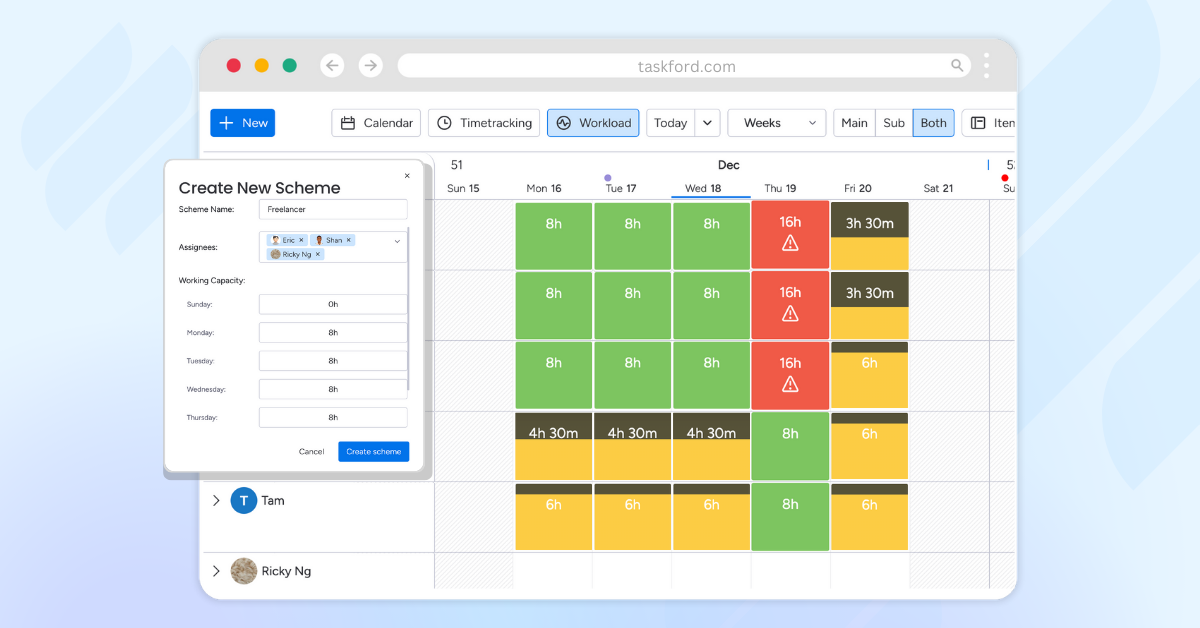
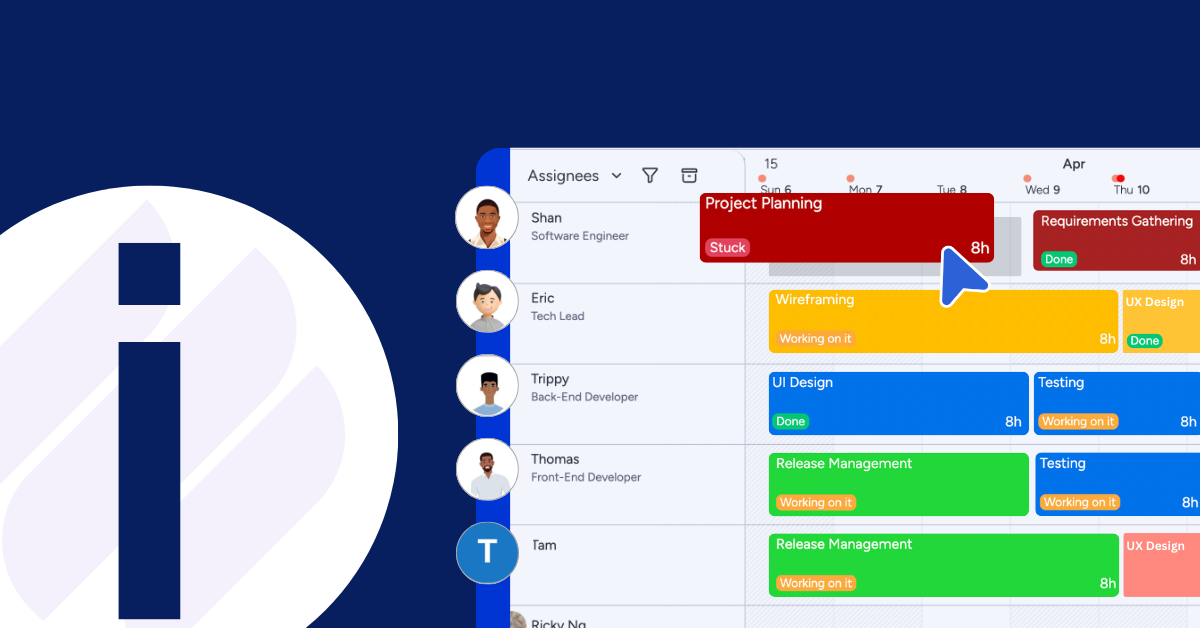
1. Real-time workload visibility: TaskFord gives you a clear view of who is working on what and how much capacity they have. Instead of guessing availability, you can see workload distribution across the team and identify overload or idle time early.
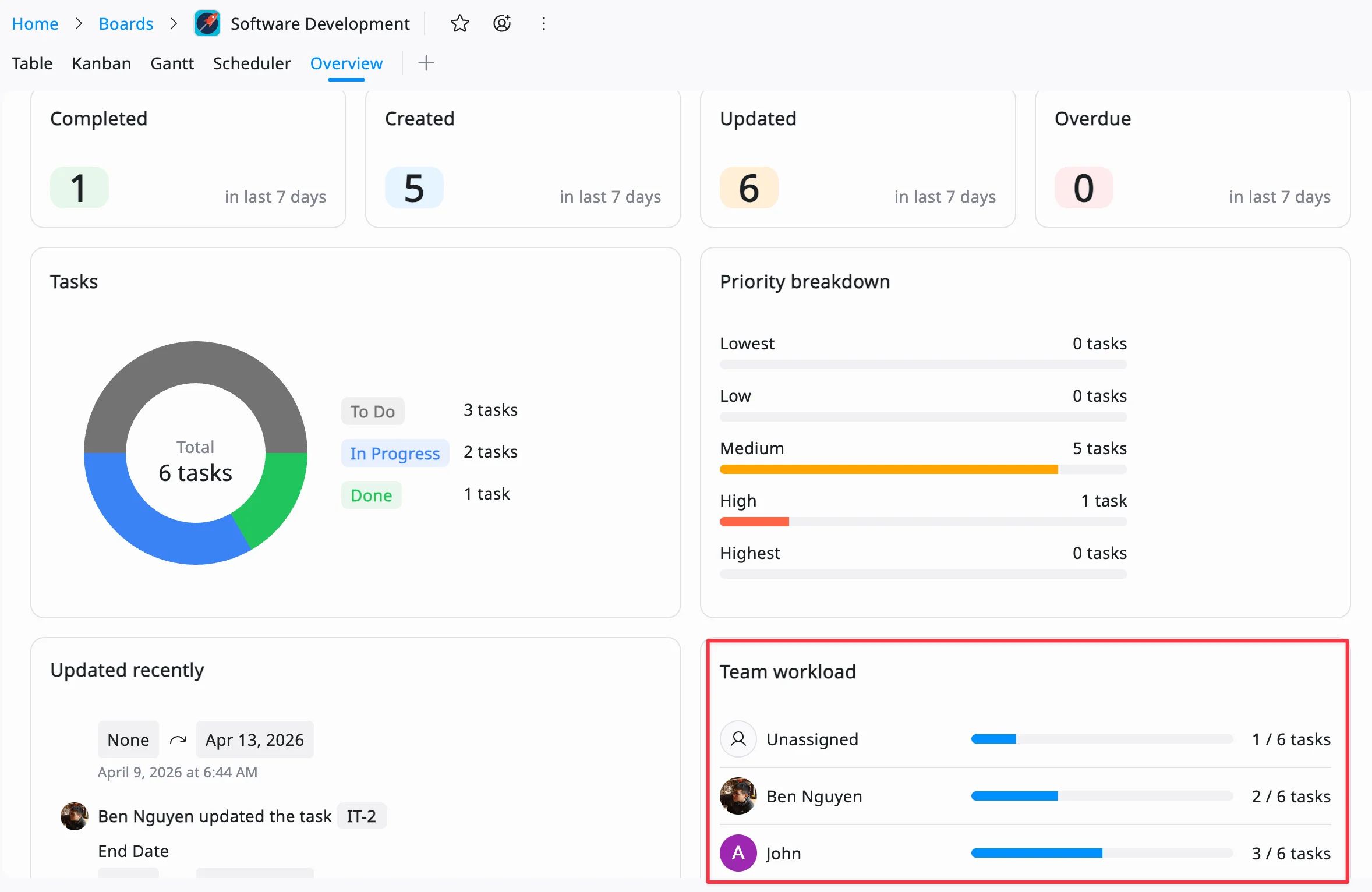
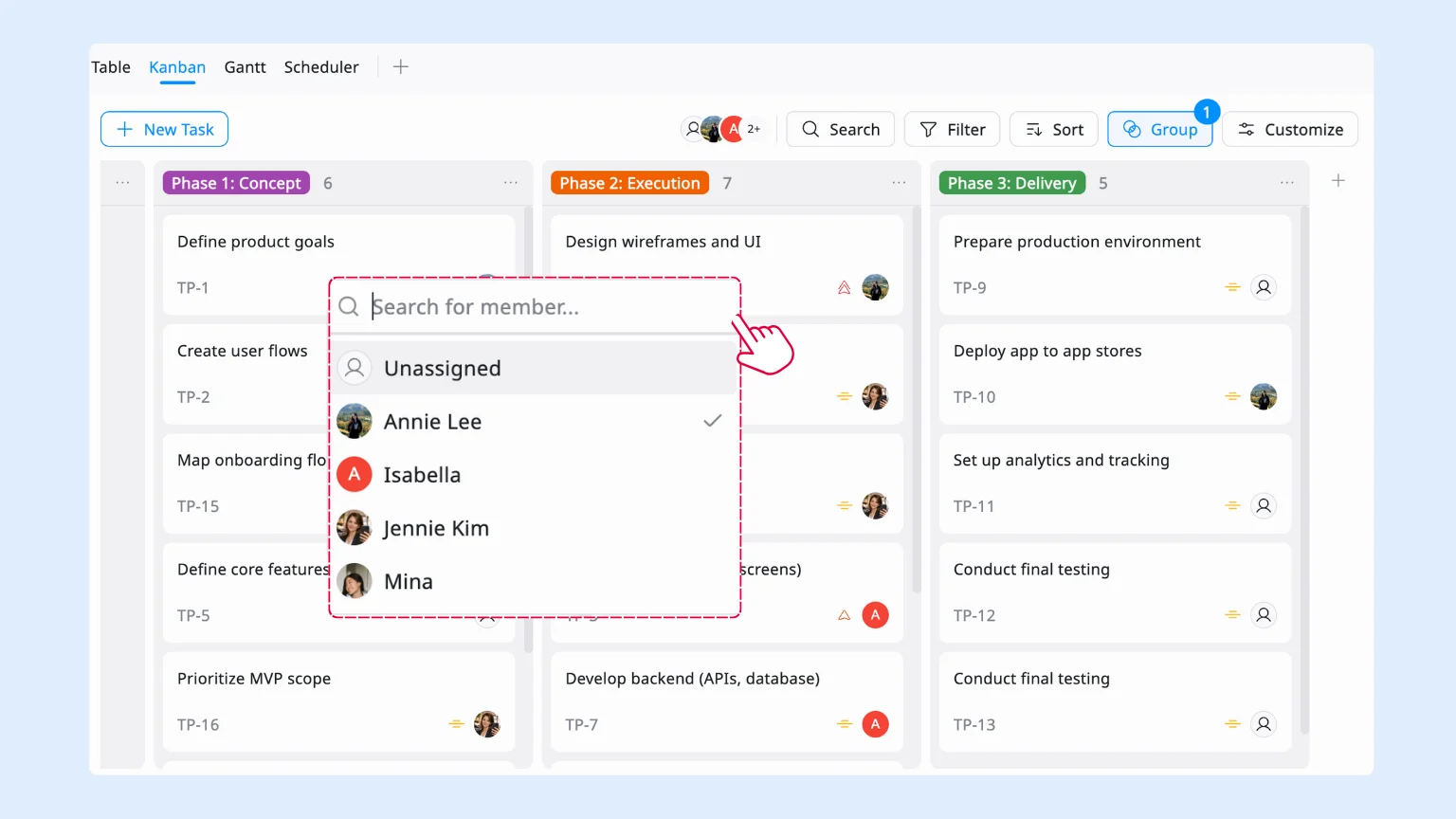
2. Task assignment based on capacity: You can assign tasks with full context—taking into account timelines, priorities, and existing workload. This makes it easier to distribute work realistically instead of overloading key team members.
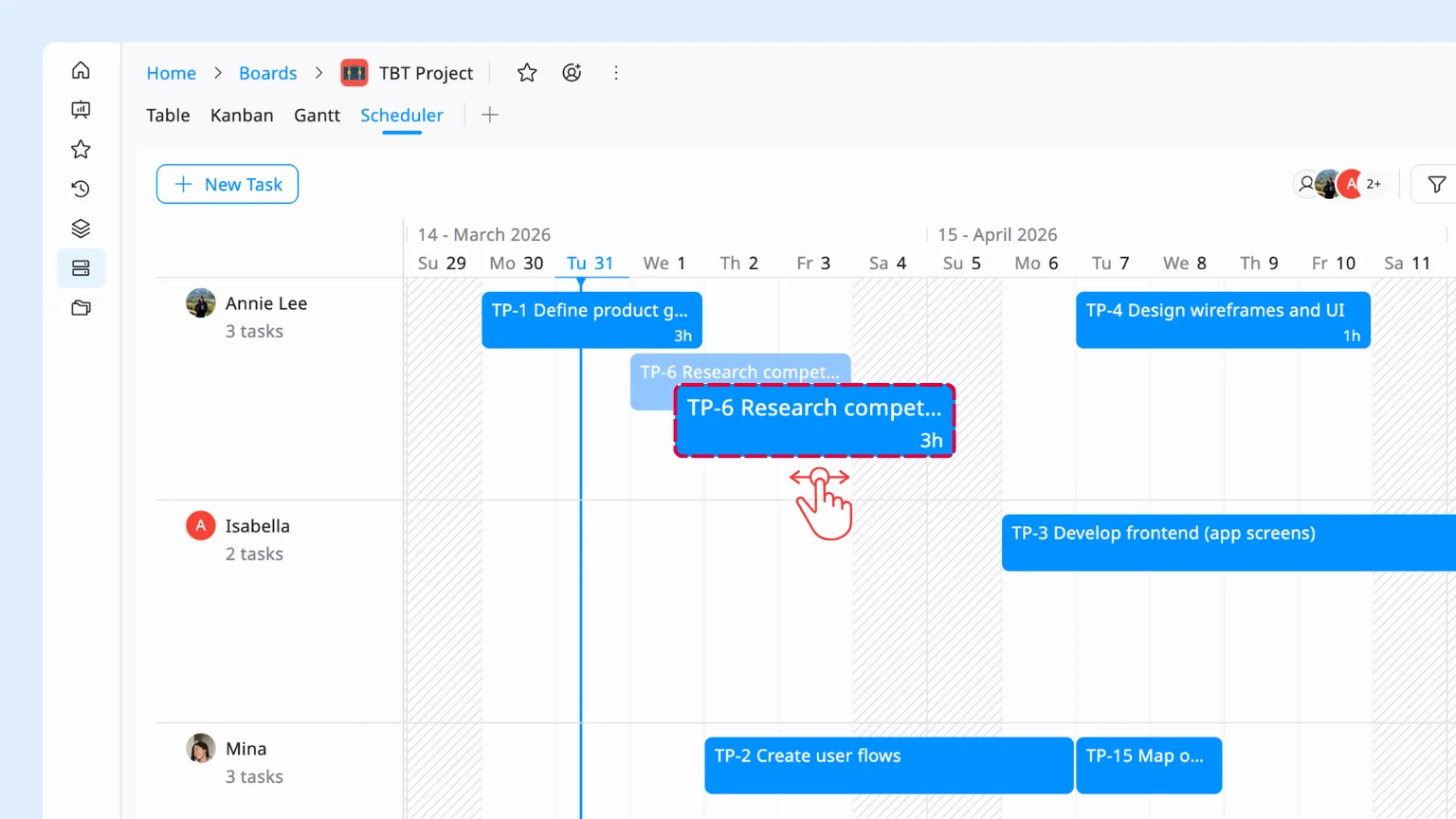
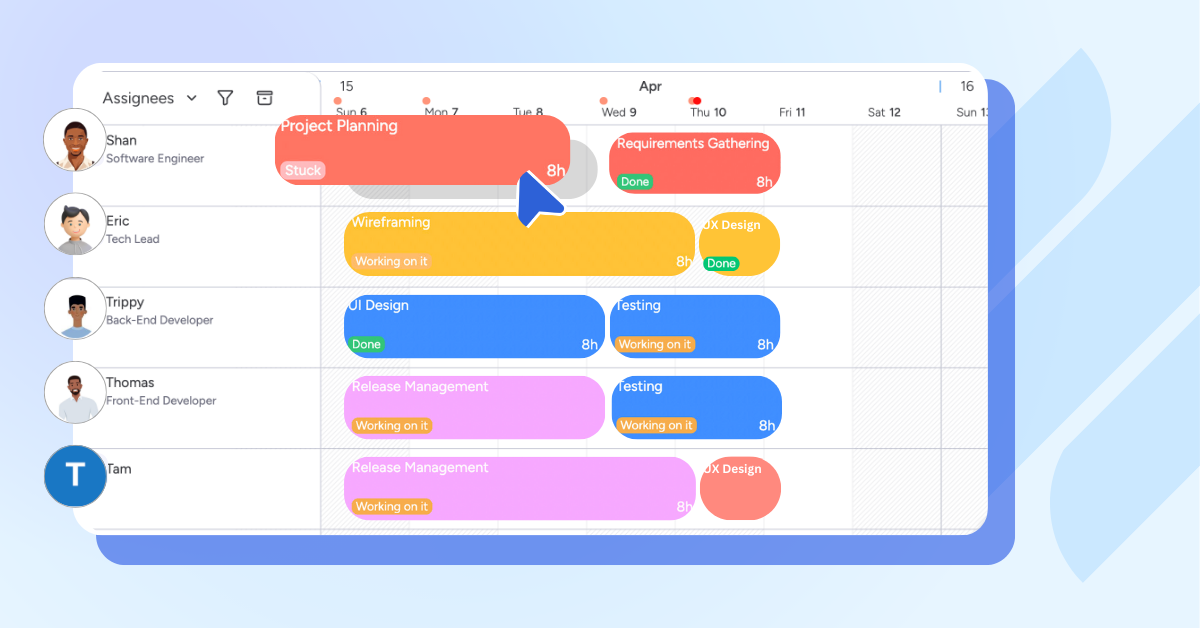
3. Flexible scheduling and adjustments: Plans change, and TaskFord makes it easy to adapt. You can quickly update timelines, reassign tasks, or shift priorities without losing visibility. This keeps your schedule aligned with real conditions as work evolves.
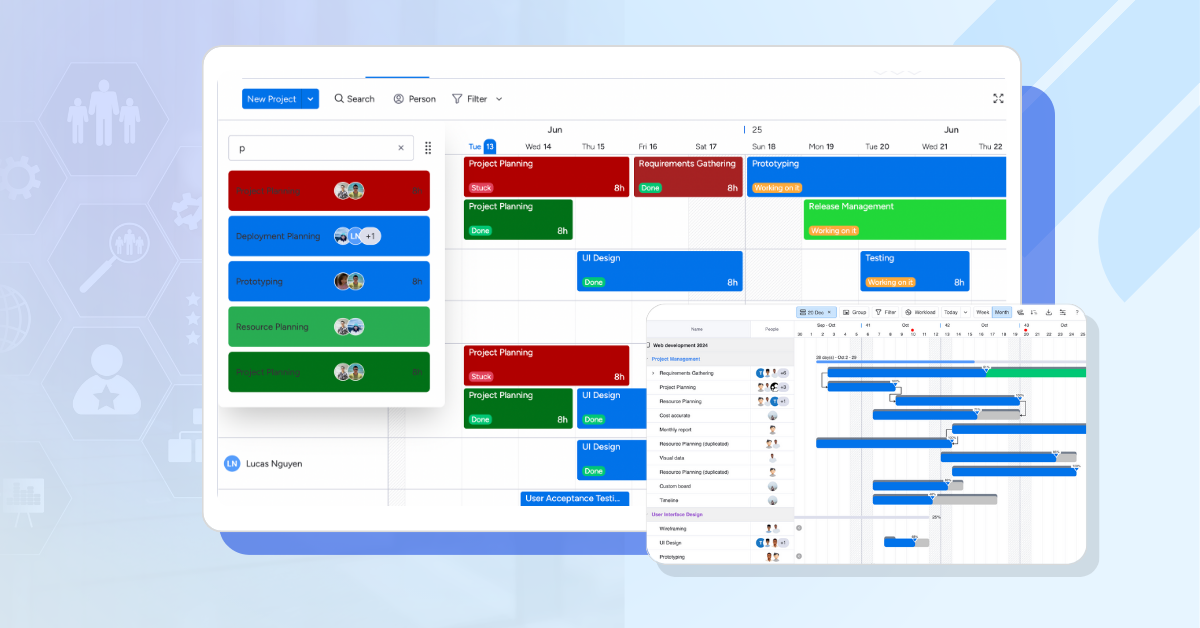
4. Clear task dependencies and workflow tracking: Tasks can be structured with defined relationships and workflows. This helps ensure work happens in the right order and reduces delays caused by blocked tasks.
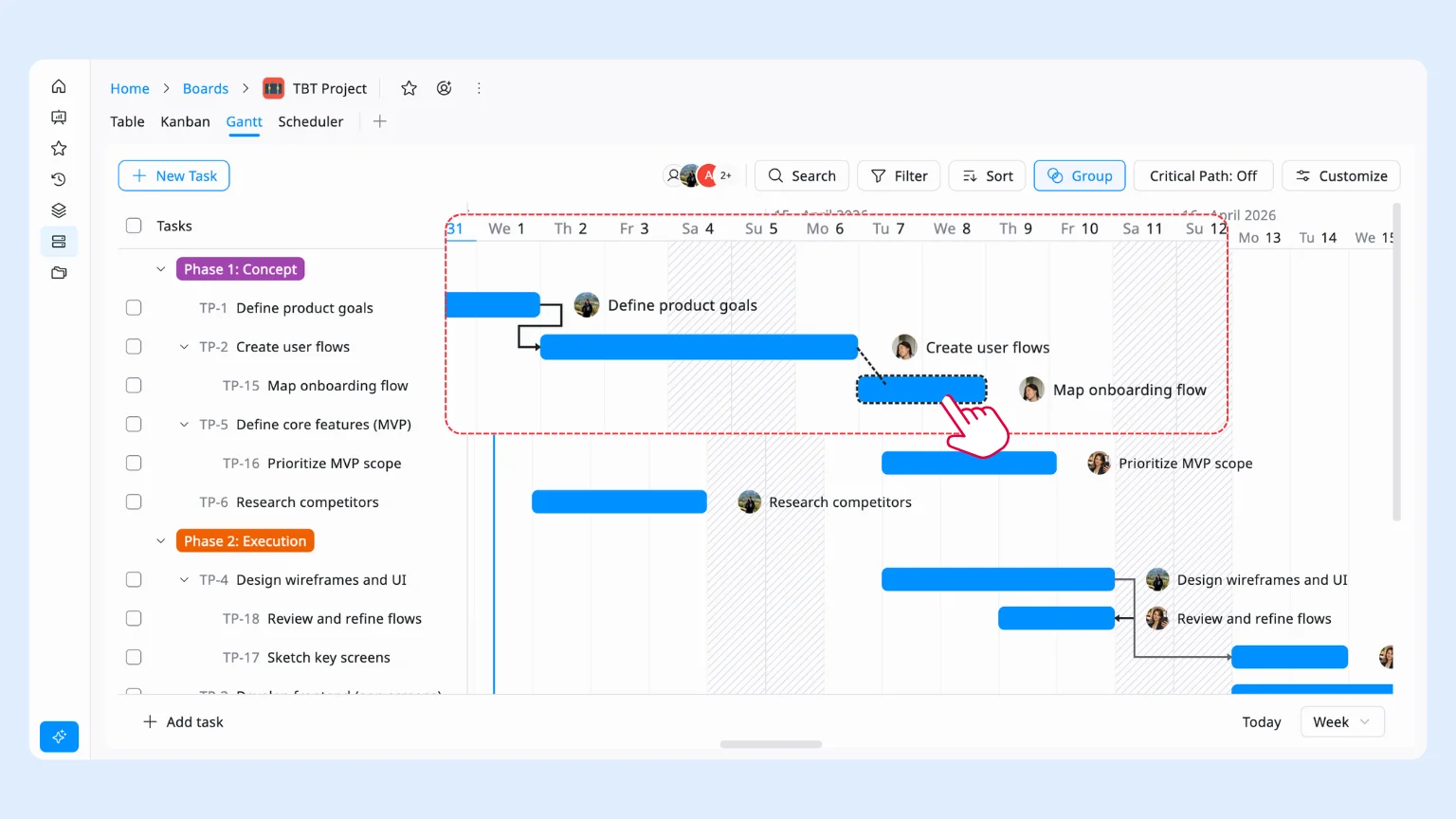
5. Centralized execution and alignment: Tasks, timelines, and communication are managed in a single workspace. Teams stay aligned on priorities, and scheduled work is directly connected to day-to-day execution.
TaskFord doesn’t just help you plan work – it helps you manage how work flows through your team. By improving visibility, balancing workload, and enabling quick adjustments, it supports more consistent and predictable project delivery.
Common Pitfalls (and How to Avoid Them)
Even with a solid plan, it’s easy to fall into habits that quietly sabotage your schedule. Here are the most common pitfalls in resource scheduling and the simple ways to stay on track.
1. Scheduling at 100% Capacity
A common mistake is planning every team member for a full 40 hours of project work each week. This leaves no room for meetings, communication, or unexpected tasks.
How to avoid it: Plan for realistic capacity. Schedule around 70–80% of available time and leave buffer space to absorb day-to-day interruptions without affecting deadlines.
2. Ignoring task dependencies
Scheduling tasks without considering their order creates gaps where people are ready to work but blocked.
How to avoid it: Map out dependencies clearly. Identify which tasks must be completed first and prioritize them to keep work flowing without delays.
3. Creating a “hero” bottleneck
Relying too heavily on top performers can slow down the entire project if they become overloaded or unavailable.
How to avoid it: Distribute work more evenly and involve other team members. Pair experienced staff with others to build capability and reduce single points of failure.
4. Treating the schedule as fixed
Projects rarely go exactly as planned. A schedule that isn’t updated quickly becomes inaccurate and difficult to follow.
How to avoid it: Review and adjust regularly. Short weekly check-ins help keep the schedule aligned with actual progress and changing priorities.
5. Confusing duration with effort
A task that spans several days doesn’t always require continuous work. Misunderstanding this can lead to poor capacity planning.
How to avoid it: Separate effort (actual working time) from duration (elapsed time). This helps you identify when someone is truly busy versus when they have availability.
Final Thoughts
Resource scheduling is more than planning—it directly impacts how your team performs and delivers work.
When done well, it creates clarity, balances workload, and keeps projects moving consistently. When ignored, it leads to overload, delays, and constant disruption.
Key takeaway: Respect your team’s capacity, and deadlines become more reliable. Realistic planning and flexibility create a system where strong performance and sustainable work can exist together.
Learn More:
Related Articles


















































































![What is an Effective Resource Management Plan Template [Free Download]](/marketing/blog/resource-management-plan-template.webp)




Subscribe for Expert Tips
Unlock expert insights and stay ahead with TaskFord. Sign up now to receive valuable tips, strategies, and updates directly in your inbox.