Task Organizers and Procrastination: Turning Delay Into Daily Progress
Discover how task organizers can entirely transform your productivity by turning procrastination into daily progress with practical, actionable strategies.
Picture it’s 10 p.m., your to-do list is looming, and you’re deep in a YouTube spiral about “Top 10 Ways to Organize Your Pantry.” Relatable? Procrastination hits everyone, whether it’s dodging a work deadline, skipping a workout, or delaying a call to a friend. That brief escape brings stress, guilt, and a pile of unfinished tasks. A task organizer can be the game-changer you need. Task management tools help take control of time, focus on what matters, and turn “I’ll do it later” into “I got this.”
This blog dives into what a task organizer is, why procrastination happens, how a task organizer flips the script, and detailed, practical strategies to make days productive. Ready to break free? Let’s jump in.
What Is a Task Organizer?
A task organizer is a tool or system designed to help you capture, prioritize, and track tasks in a structured way. Instead of juggling everything in your head or across scattered notes, a task organizer brings all your responsibilities into one clear, manageable space.
Task organizers can be as simple as a handwritten to-do list or as advanced as a digital task management tool with features like reminders, calendars, and collaboration boards.
Why Do We Procrastinate Without a Task Organizer?
Procrastination isn’t just about laziness. It’s often the result of unclear structure, mental overload, and emotional resistance. Without a system to organize tasks, even simple responsibilities can feel harder than they should.
- Big tasks feel overwhelming: When a task is too broad or undefined—like “Plan a product launch”—it’s difficult to know where to begin. This lack of clarity creates friction, making the task feel bigger than it actually is. As a result, it’s easier to avoid starting altogether, which leads to delays and last-minute stress.
- Perfectionism gets in the way: Wanting everything to be perfect can stop progress before it even starts. When you feel like a task must be done flawlessly, it becomes intimidating to begin. Instead of making progress, you delay the work to avoid making mistakes, which reinforces procrastination.
- Priorities are unclear: Without a structured system, it’s hard to tell which tasks truly matter. Everything can feel equally urgent, leading you to focus on easier, low-impact tasks instead of high-priority ones. This creates the illusion of productivity while important work keeps getting pushed back.
- Distractions offer instant rewards: Activities like scrolling social media or watching videos provide quick satisfaction with little effort. In contrast, meaningful tasks require focus and delayed gratification. Without a clear plan guiding your next step, it’s much easier to choose short-term comfort over long-term results.
- Low motivation for repetitive tasks: Routine or less exciting tasks—like admin work or organizing files—are easy to postpone. Without a system to schedule and track them, they often pile up over time, becoming more overwhelming and even harder to start late
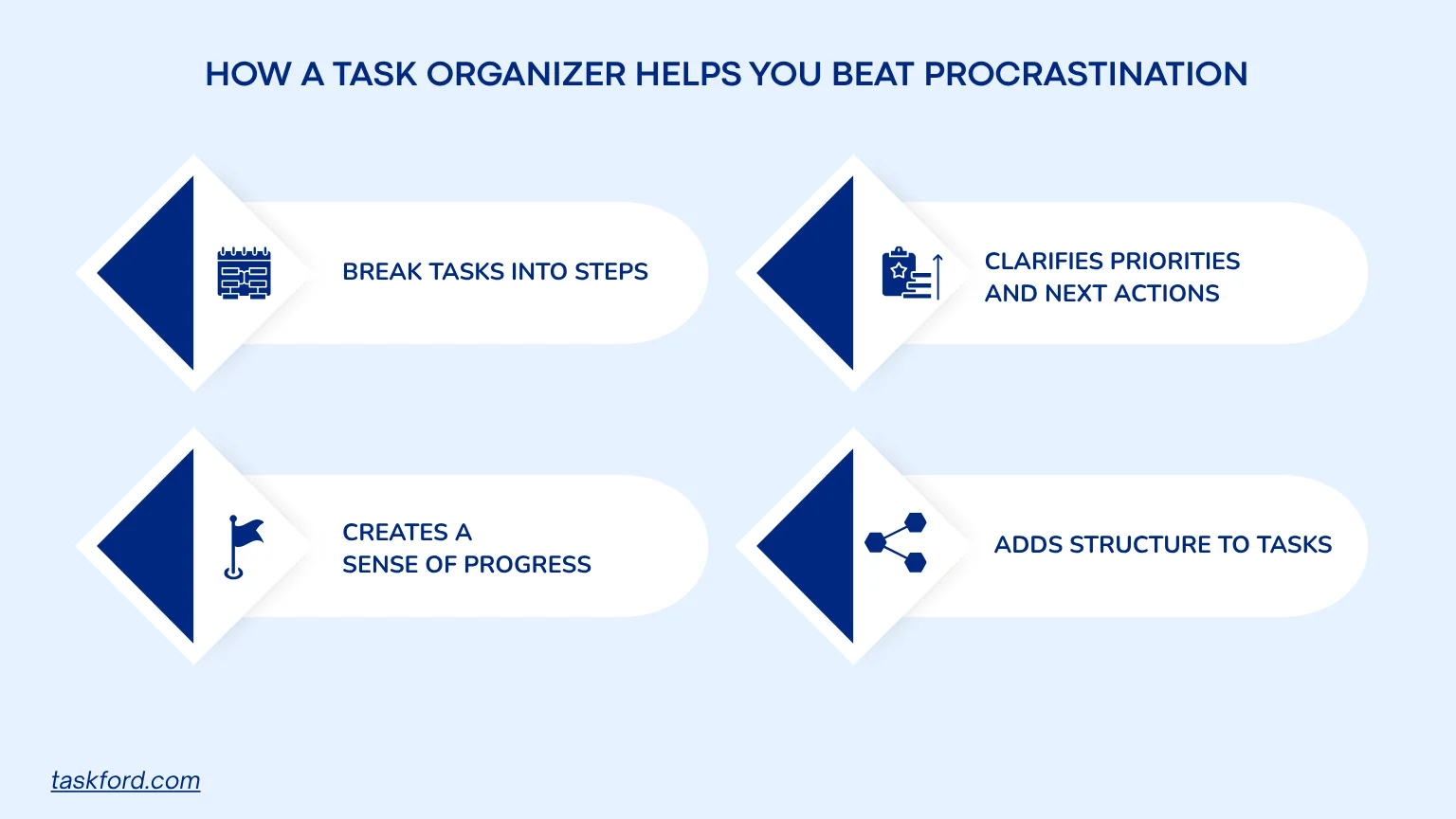
How a Task Organizer Helps You Beat Procrastination
It Breaks Big Tasks into Manageable Steps
One of the biggest reasons people procrastinate is because tasks feel too large or unclear. A task organizer, or a task management app helps you turn vague goals into clear, actionable steps. Instead of facing something overwhelming, you can focus on one small piece at a time, which makes starting much easier and less intimidating.
- Break large tasks into subtasks with clear actions
- Assign time estimates to make steps feel realistic
- Focus on completing one step at a time instead of the entire project
- Build momentum through small, consistent progress
It Clarifies Priorities and Next Actions
Without clear priorities, it’s easy to waste time deciding what to do next. A task organizer removes this uncertainty by helping you rank tasks and define what deserves your attention first. This clarity reduces decision fatigue and keeps you focused on meaningful work.
- Assign priority levels (high, medium, low) to tasks
- Highlight urgent deadlines and important deliverables
- Use daily or weekly views to identify top priorities
- Always know the next task to work on without hesitation
(Learn more: How To Prioritize Tasks)
It Creates a Sense of Progress and Achievement
A lack of visible progress can make work feel endless and unmotivating. Task organizers solve this by making progress tangible. Seeing completed tasks builds a sense of accomplishment, which reinforces productive behavior and makes it easier to keep going.
- Check off completed tasks for instant visual feedback
- Use progress tracking (lists, Kanban boards, or counters)
- Break work into smaller wins to create frequent achievements
- Stay motivated by seeing how much you’ve already completed
It Adds Structure to Low-Motivation Tasks
Not every task is exciting, but they still need to get done. A task organizer helps you stay consistent by adding structure to routine or boring work. Instead of relying on motivation, you rely on a system similar to productivity tools that keeps everything organized and scheduled.
Real-World Example
Case: Planning a Product Launch
Alex, a marketing manager, kept delaying a product launch because it felt too big and unclear. Instead of starting, he focused on smaller, less important tasks. Once he used a task organizer, he broke “Plan product launch” into clear steps:
- Research competitors
- Define target audience
- Create messaging
- Build a launch timeline
- Assign tasks to team members
He prioritized these tasks and spread them across the week, focusing on a few actions each day. By midweek, Alex had completed competitor research and defined his target audience. By the end of the week, he had a full launch timeline and task assignments ready, turning a delayed project into a structured plan.
This shows how a task organizer turns overwhelming tasks into clear, measurable progress.
Build a Productive Routine with a Task Organizer
Want to make procrastination a distant memory? This section offers a clear, actionable framework to build a daily productivity system using a task organizer. These five habits, packed with specific strategies, create a foundation for consistent progress.
Kick Off Your Day Right
Spend five minutes each morning reviewing your task organizer. Pick three high-impact tasks (e.g., “Draft proposal,” “Call vendor,” “Plan workout”) and assign time blocks.
- How to Do It: Use a daily overview to see tasks at a glance. Schedule “Draft proposal” from 9-9:45 a.m. Time-blocking reduces morning chaos. A 2022 study found morning planning boosts daily output by 30%.
Batch Small Tasks
Group small tasks like replying to emails or scheduling appointments into a single block. Add them to a “Quick Tasks” list in your task organizer.
- How to Do It: Set a 30-minute block, like “10 a.m.: Clear inbox.” Batching saves mental energy, freeing focus for bigger priorities like “Outline project plan.” This cuts multitasking stress by 20%, per research.
Set Doable Goals
Listing 20 tasks for one day leads to overwhelm. Stick to three to five key tasks in your task organizer to feel accomplished, not defeated.
- How to Do It: Use priority tags to highlight must-dos, like “Submit budget” (high) versus “Organize desk” (low). This sharpens focus on what drives results, boosting completion rates.
Reward Your Wins
Procrastination loves instant gratification. Counter it by adding rewards to your task organizer, like a coffee break after a big task.
- How to Do It: Add notes like “Complete budget review, then enjoy 15 minutes of gaming.” This makes progress exciting. Pairing tasks with rewards increases motivation by 20%, studies show.
Review and Tweak Weekly
Every Friday, spend 10 minutes reviewing your task organizer. Which tasks got done? Which got delayed? Adjust for the next week.
- How to Do It: Check analytics to spot patterns, like delaying admin tasks. Shift them to high-energy times, like mornings. Weekly reviews improve long-term productivity by 15%.
Choosing the Right Task Organizer
Picking a task organizer is like choosing the perfect coffee mug, it should fit your style and feel right. Here’s what to consider for the best match:
- Simplicity: A clean interface lets you add tasks and set deadlines fast. No one needs a tool that feels like a puzzle.
- Key Features: Need reminders, team collaboration, or calendar syncing? Shared boards help coordinate group projects, while reminders keep solo tasks on track.
- Accessibility: Syncing across phone, tablet, and computer ensures tasks are always at hand, whether at home or on the go.
- Customization: Love visual Kanban boards like TaskFord’s style or simple lists like Todoist’s? Pick what feels natural.
TaskFord is a standout example, blending a user-friendly design with priority tags, Kanban board, and flexible views for personal or work tasks, enhancing task management.
How TaskFord Helps You Stay Organized with a Clear Workflow
A task organizer works best when it gives you a clear path from planning to execution. TaskFord combines practical features with a simple workflow, so you always know what to do next and how your work is progressing.
Capture and organize tasks in one place
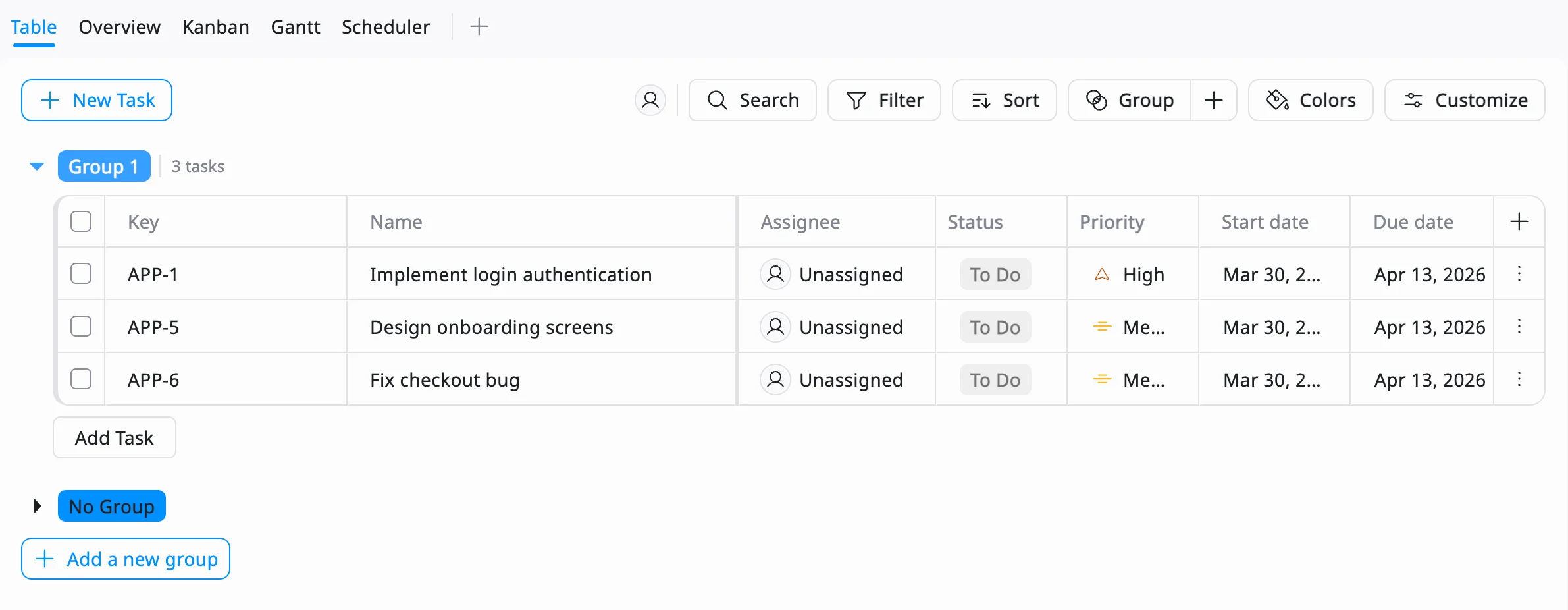
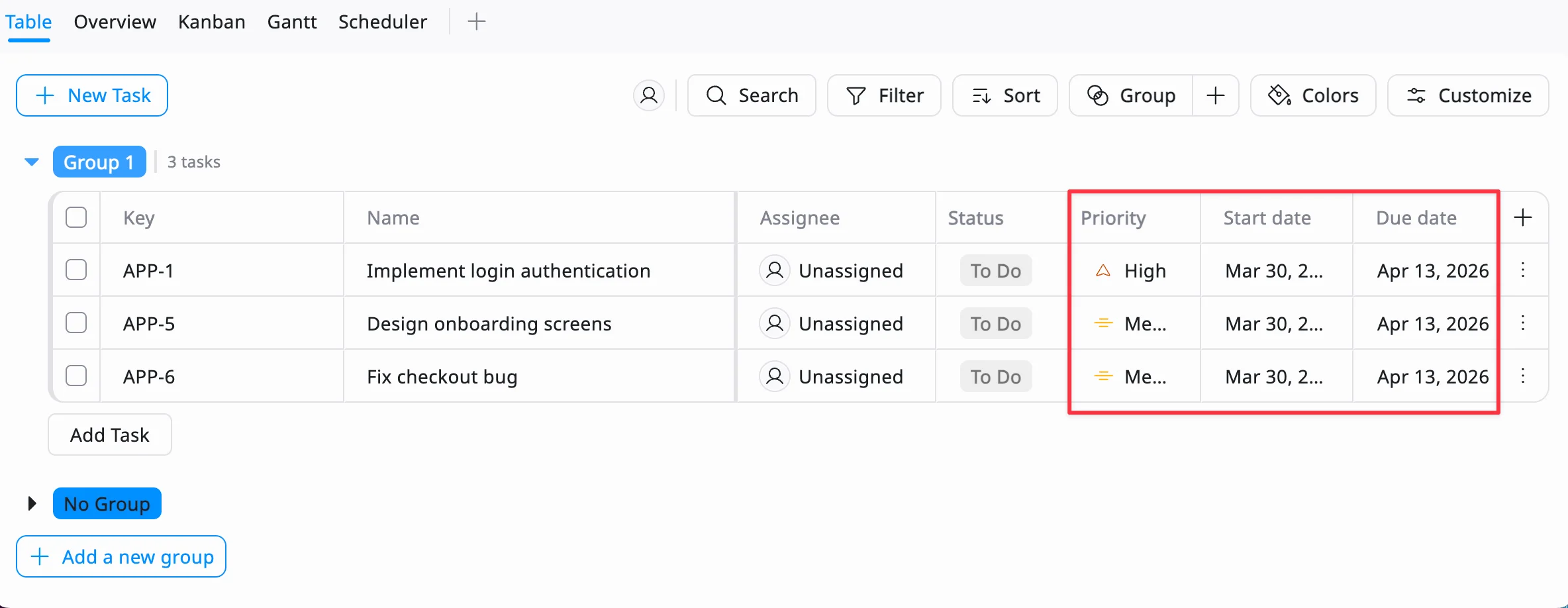
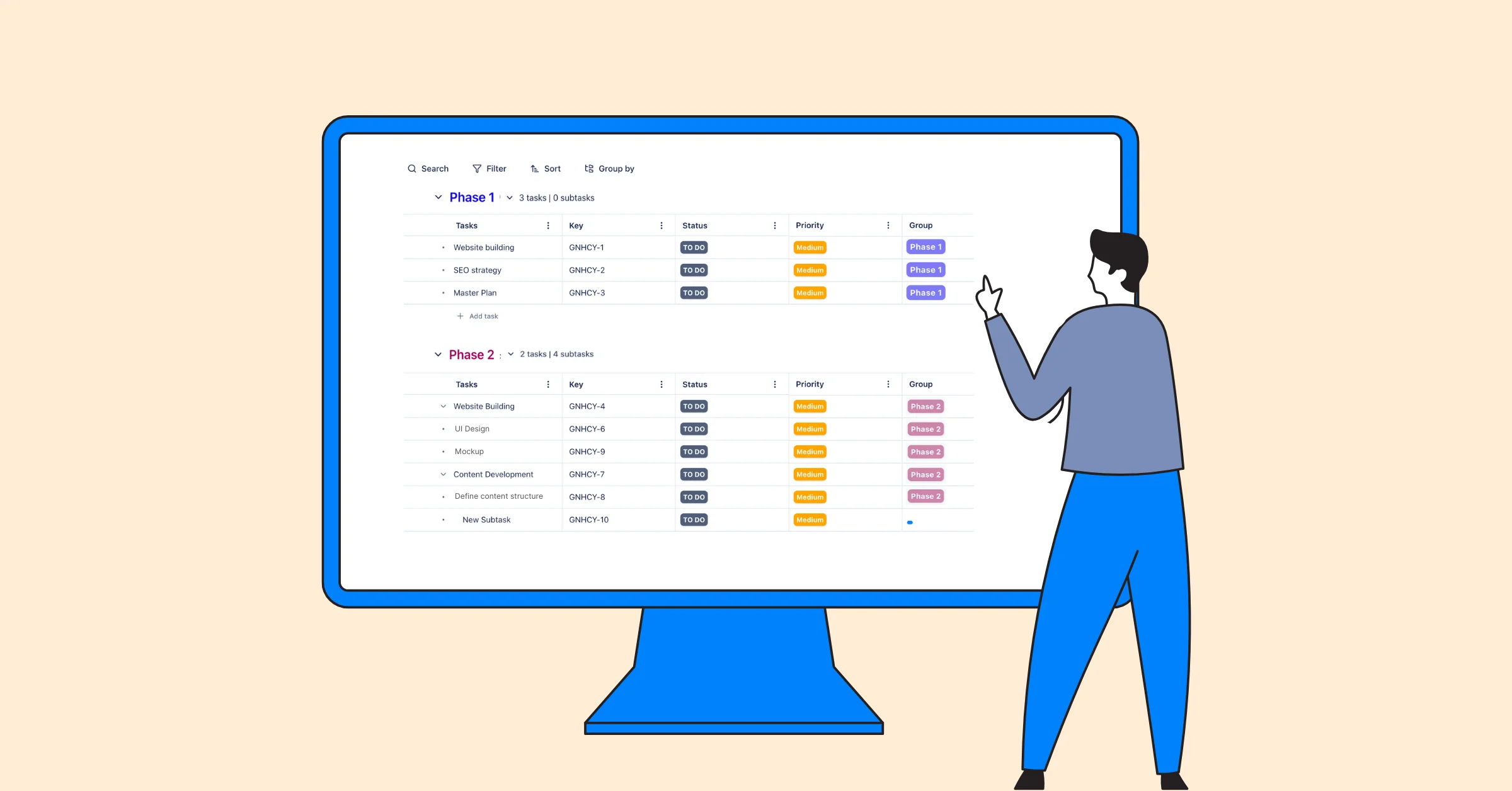
Start by using the Table View, creating and adding all your tasks into TaskFord and grouping them into projects or lists. This gives you a single source of truth instead of scattered notes or mental to-dos.
Break work down with subtasks
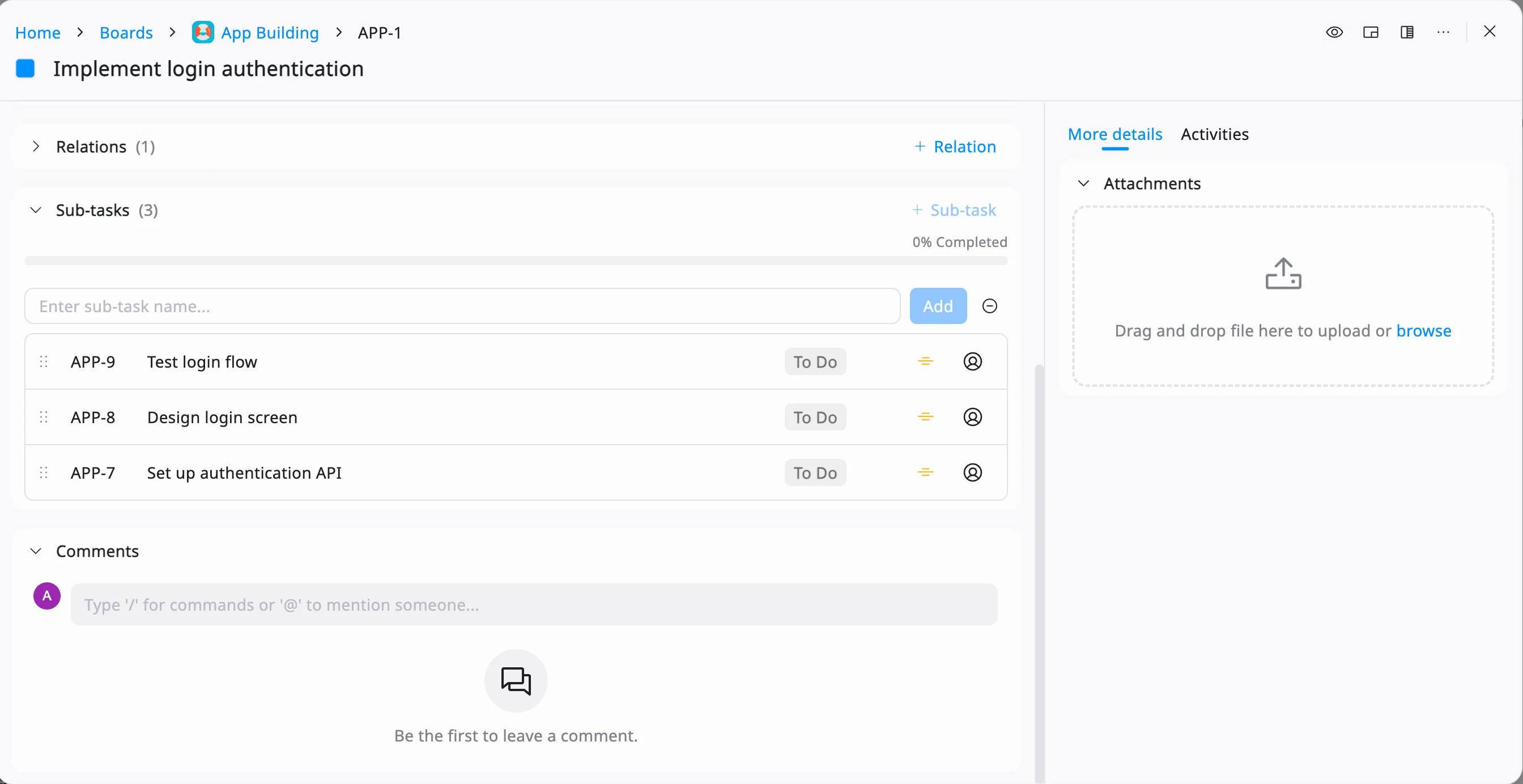
Large tasks can be split into smaller, actionable steps. This makes complex projects easier to start and helps you build momentum quickly. Break down tasks by using the Table View.
Set priorities and deadlines
Use priority tags and due dates to highlight what matters most. This ensures high-impact tasks stand out, so you don’t get stuck working on low-value items.
Visualize progress with Kanban boards:
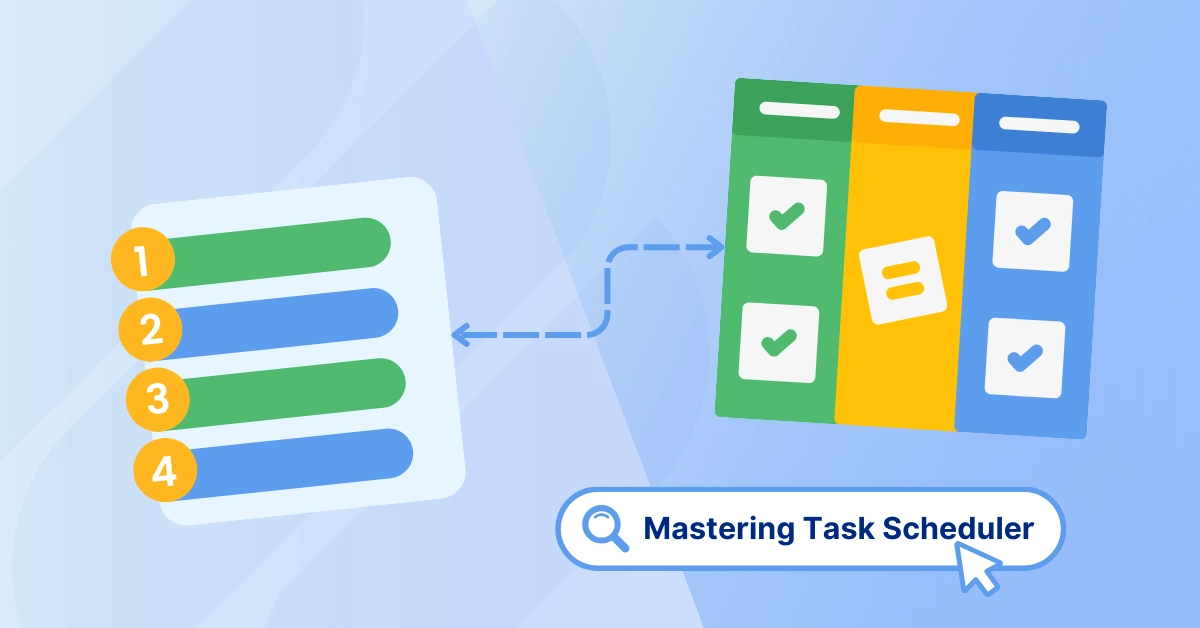
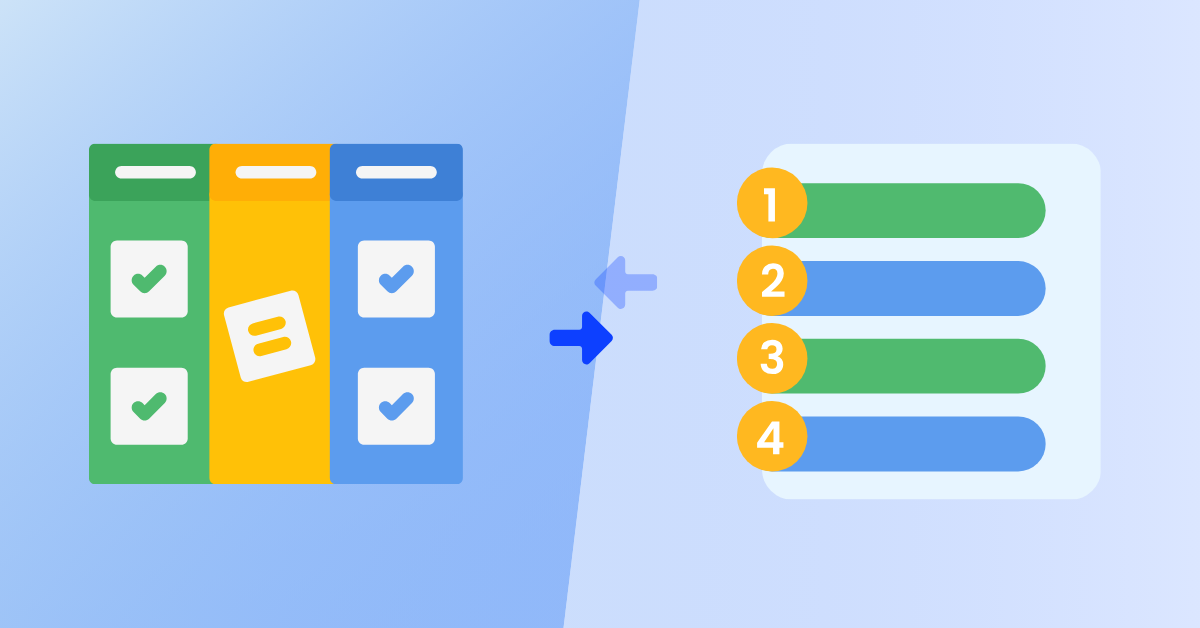
With Kanban view, you can move tasks across stages like “To Do,” “In Progress,” and “Done.”As tasks move forward, you can quickly see what’s completed and what’s pending. This gives you a clear visual of where things stand and keeps work moving forward, helping you adjust your plan and stay consistent without feeling overwhelmed.
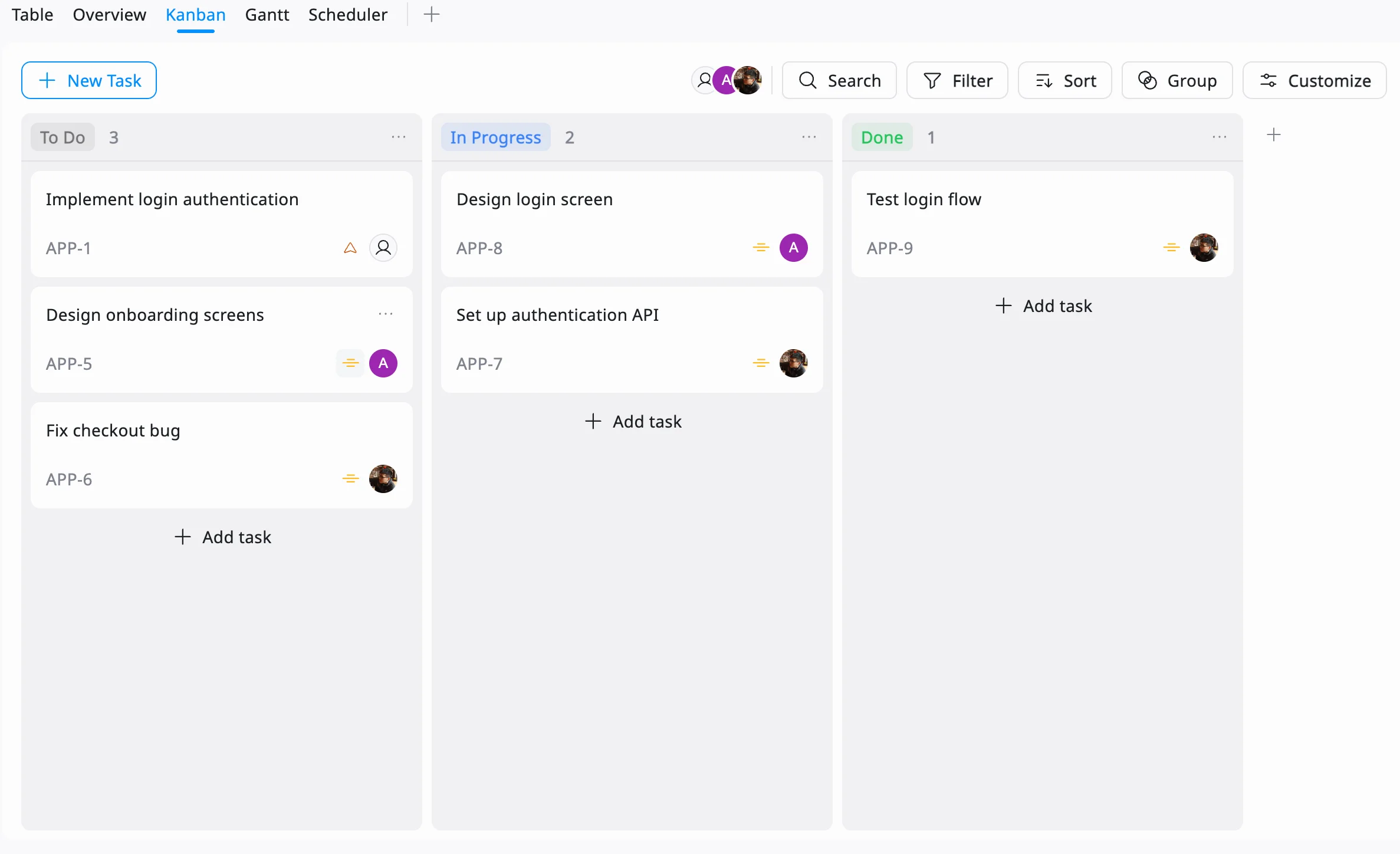
By combining views like Kanban and Table with task prioritization and tracking, TaskFord creates a workflow that’s both flexible and structured. Instead of guessing what to do next, you always have a clear system guiding your actions, making it easier to stay productive and avoid procrastination.
Conclusion: Turn Delay Into Progress with a Task Organizer
Procrastination doesn’t have to steal your time. By understanding why tasks get delayed without a task organizer, building a productive routine, and tackling specific roadblocks, productivity can soar. Task management tools empower you to create habits that stick and achieve goals, one task at a time.
Ready to take control? Try a task organizer like TaskFord and see the difference.
Frequently Asked Questions (FAQs)
How does a task organizer help reduce procrastination?
A task organizer reduces procrastination by breaking large tasks into smaller steps, clarifying priorities, and making progress visible. This removes the mental barriers that often make tasks feel overwhelming or unclear.
What features should I look for in a task organizer?
Look for features like task prioritization, deadlines, reminders, and different views such as Kanban boards or Table view. These help you organize work clearly and adapt the tool to your workflow.
How many tasks should I plan per day?
It’s best to focus on three to five key tasks per day. This keeps your workload manageable and helps you feel productive without becoming overwhelmed by a long to-do list.
Is a digital task organizer better than a paper to-do list?
Both can be effective, but digital task organizers offer more flexibility with features like reminders, progress tracking, and multiple views. They are especially useful for managing complex tasks or collaborative work.





Subscribe for Expert Tips
Unlock expert insights and stay ahead with TaskFord. Sign up now to receive valuable tips, strategies, and updates directly in your inbox.