Two‑Factor Authentication (2FA) Issues
Fix common TaskFord 2FA issues, including lost devices, invalid verification codes, and authenticator app recovery.
You’re unable to access your TaskFord account after enabling Two‑Factor Authentication (2FA), or you’ve lost access to your authenticator app. Here’s how to resolve common 2FA issues and regain access to your account.
Lost Phone or Verification Device
If you’ve lost your phone or no longer have access to your authenticator app, you can still recover your account using the backup information provided during 2FA setup.
To recover access:
- Enter your email and password as usual.
- When prompted for the verification code, click Lost your authenticator app?
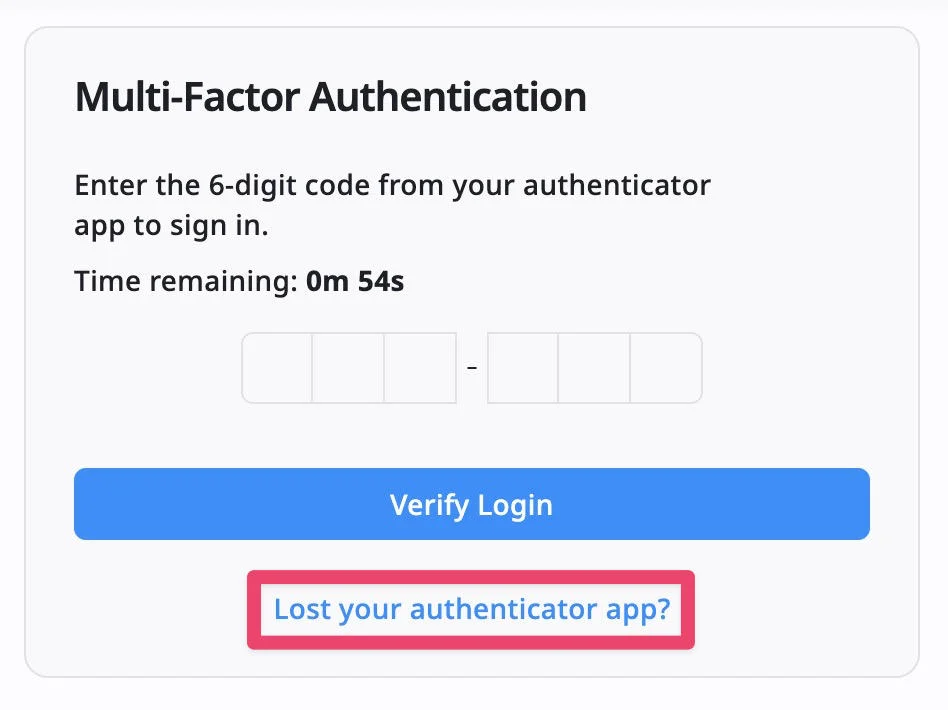
- Enter your TOTP Recovery Code to continue signing in.
- After signing in, you can disable 2FA or set it up again on a new device.
Recovery codes can only be used once. After using one, generate a new recovery code in your Security settings.
Restoring Your Authenticator App on a New Device
If you have your TOTP Secret Key, you can set up 2FA on a new device by following these steps:
- Install an authenticator app like Google Authenticator or Microsoft Authenticator.
- Choose the option to add an account manually.
- Enter the saved TOTP Secret Key.
- Use the generated verification code to sign in normally.
Incorrect or Expired Codes
If your authenticator app is generating codes, but TaskFord rejects them:
- Ensure that the code is still valid. The code refreshes every 30 seconds, so use the latest code.
- Make sure the date and time on your phone are set to automatic. Incorrect time settings can cause authentication failures.
Issues with TOTP Secret Key
If you cannot access your TOTP Secret Key or need to reconfigure your 2FA:
- Visit your Security settings to disable 2FA if you still have access to your account. Re-enable it and follow the steps to set up a new authenticator app.
- Save your TOTP Secret Key securely during setup to avoid losing access in the future.
If you’ve lost your recovery code and cannot access your account, you’ll need to contact TaskFord Support to request a 2FA reset. Be sure to provide relevant details about your account for verification.