Access Portfolio settings
Access portfolio settings to configure your portfolio's name, description, and manage permissions and access control.
Who can use this feature?
Only Portfolio Admins can access and modify portfolio settings.
Portfolio settings allow administrators to configure to gain a high-level view across multiple boards. From these settings, users can customize portfolio details, standardize workflows, manage custom fields, and define access permissions.
You can open Portfolio settings in two ways:
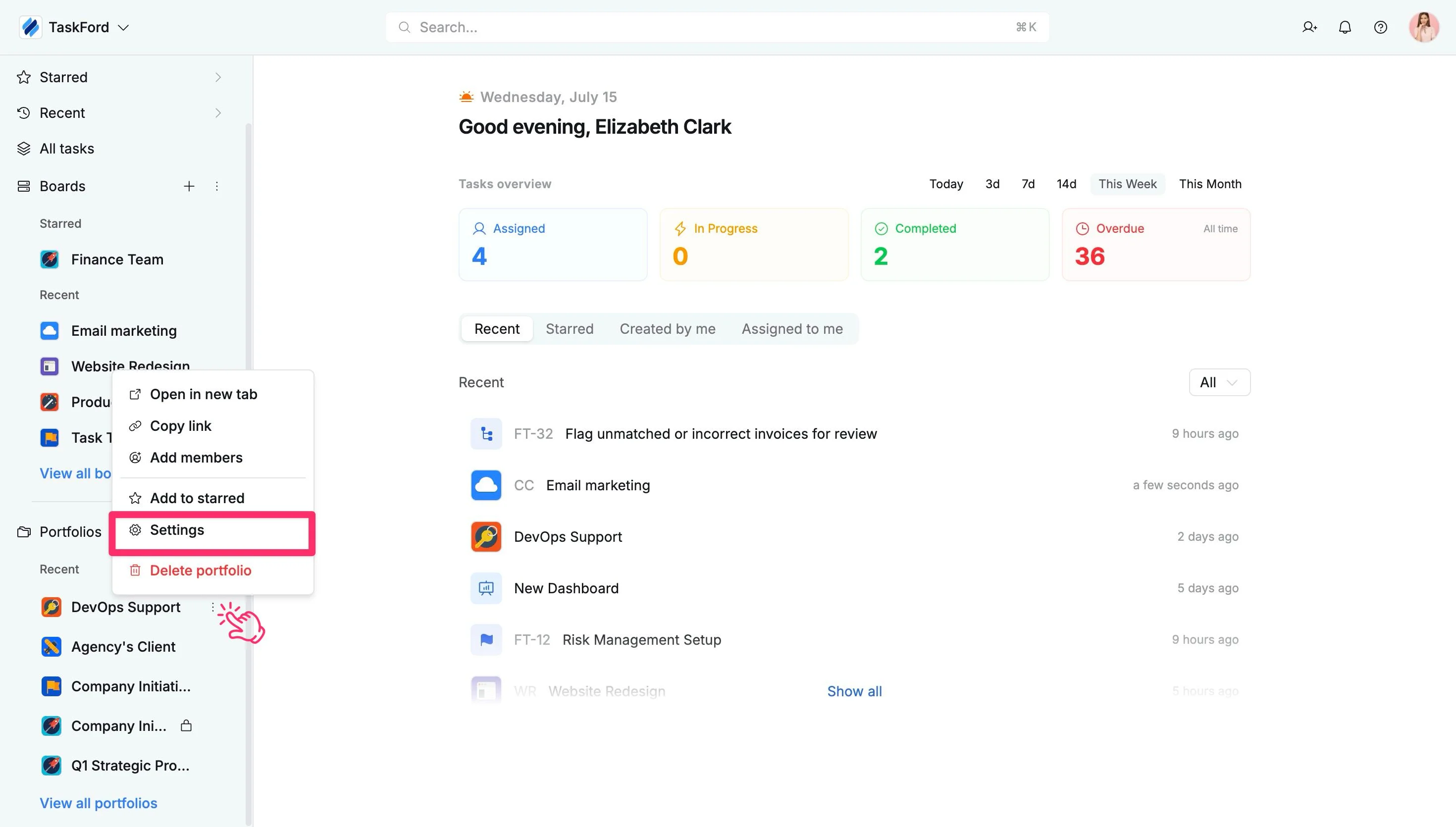
Option 1: From the sidebar
- In the sidebar, locate the desired Portfolio.
- Click the three vertical dots (⋮) that appear next to the portfolio name.
- Select Settings from the dropdown menu.
Note
The sidebar shows only your most recent and starred portfolios. If the portfolio you’re looking for isn’t visible, you can either star it for quick access or click ‘View all portfolios’ to browse the complete list.
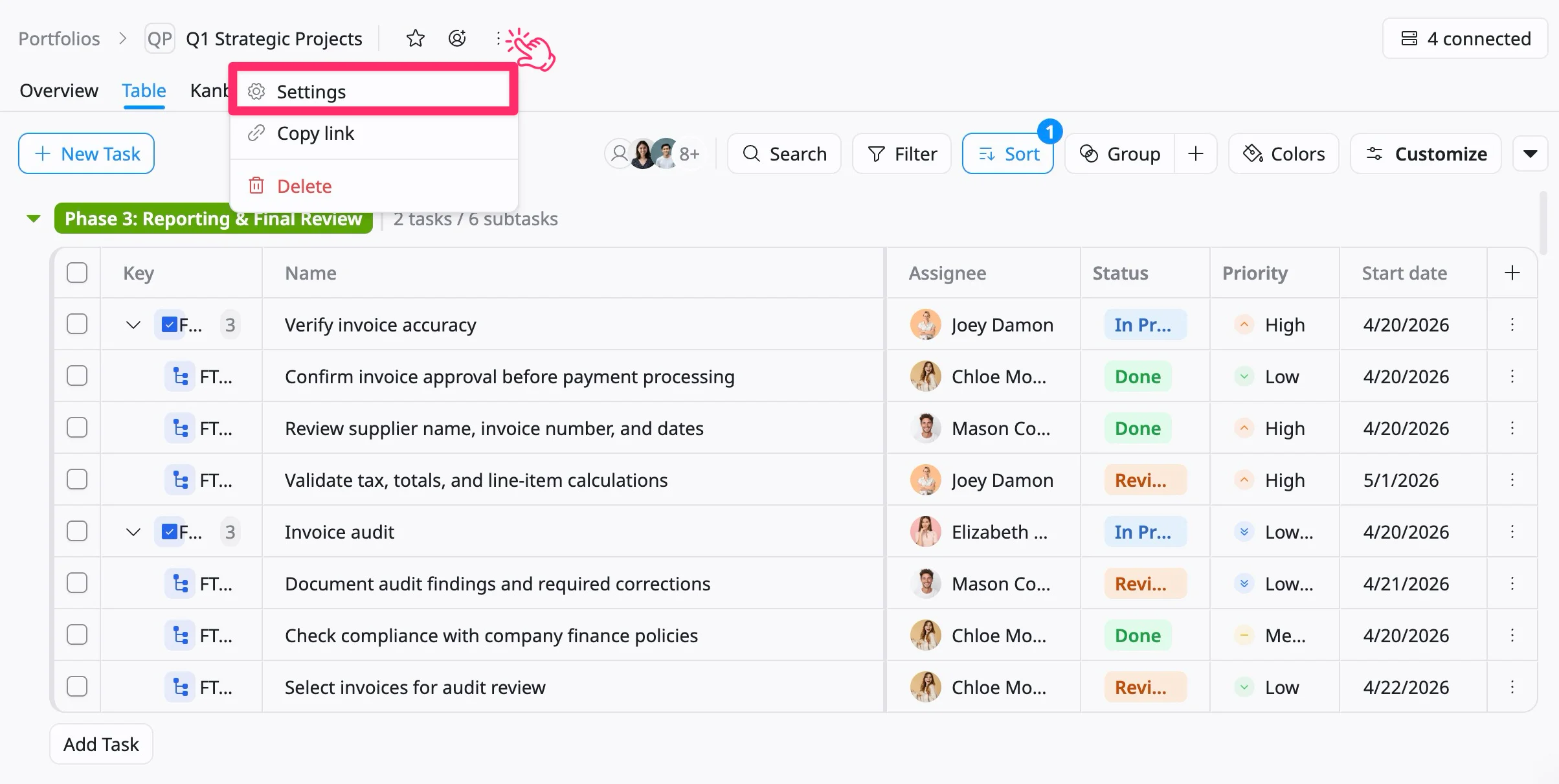
Option 2: From the portfolio header
- Go to the desired Portfolio space.
- Click the three vertical dots (⋮) in the portfolio header.
- Select Settings from the dropdown menu.
In this section, you can customize the following settings: