App feature tour
Get familiar with TaskFord’s main features to quickly understand the app and manage projects efficiently.
Let’s take a quick tour of TaskFord’s main areas to help you get familiar with the app:
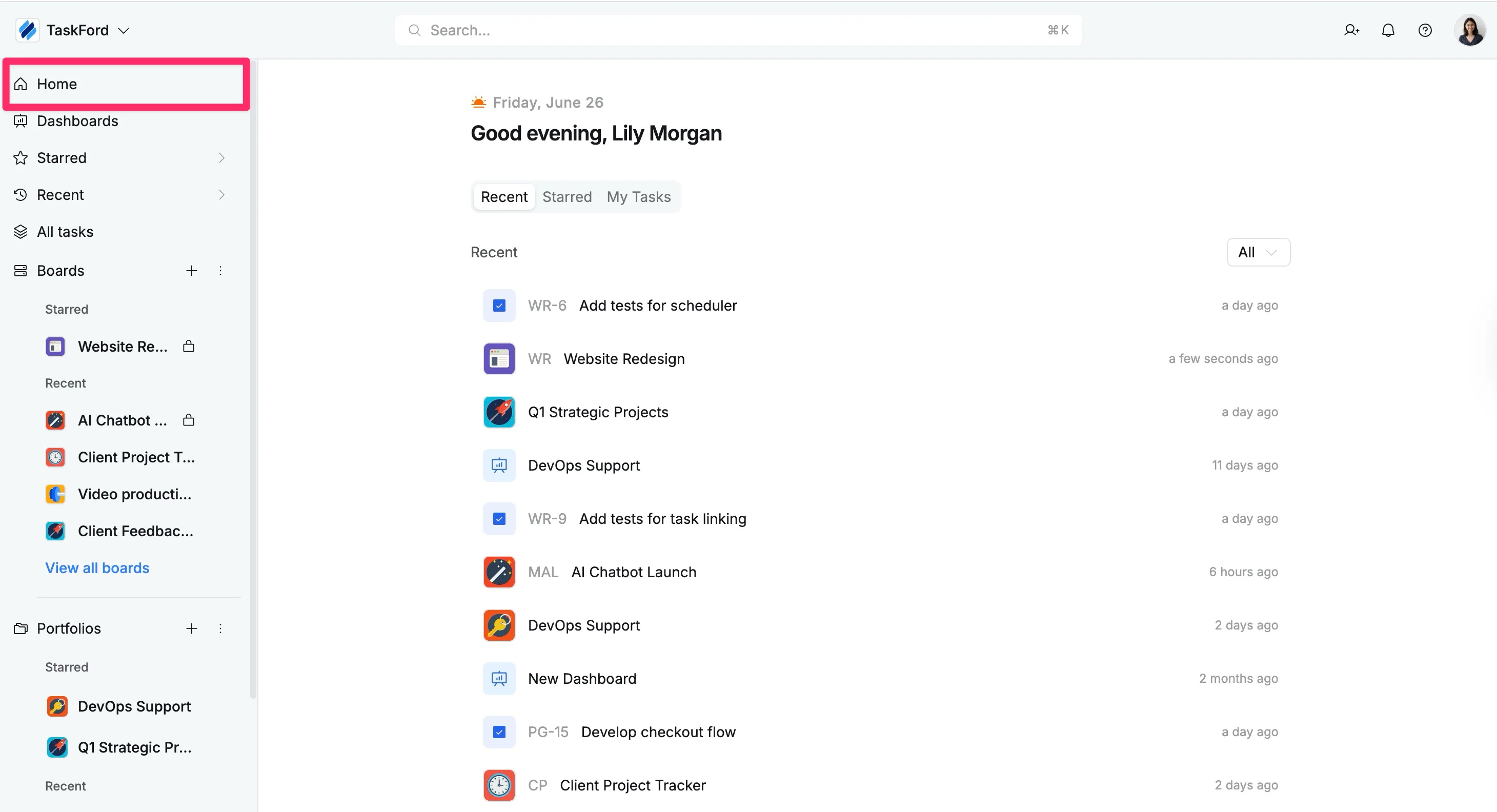
Home
The Home page in TaskFord serves as your personalized workspace hub, giving you a snapshot of your most relevant tasks and activities across the entire workspace. It allows you to quickly access items and stay on top of your work without navigating to each board or portfolio individually.
What you can do on Home
- View recent activity: Tracks your most recent accesses across tasks, boards, and portfolios.
- Access starred items: Quickly jump to your favorite boards, portfolios, or tasks that you’ve marked as starred for priority tracking.
- Check my tasks: Review all tasks assigned to you across the workspace in a single view.
- Filter content: Use the dropdown filter to display only Tasks, Boards, Portfolios, or Dashboards to focus on specific items.
Boards
A Board is where you organize and manage tasks for a specific project or team. It is the central place to plan work, track progress, and collaborate.
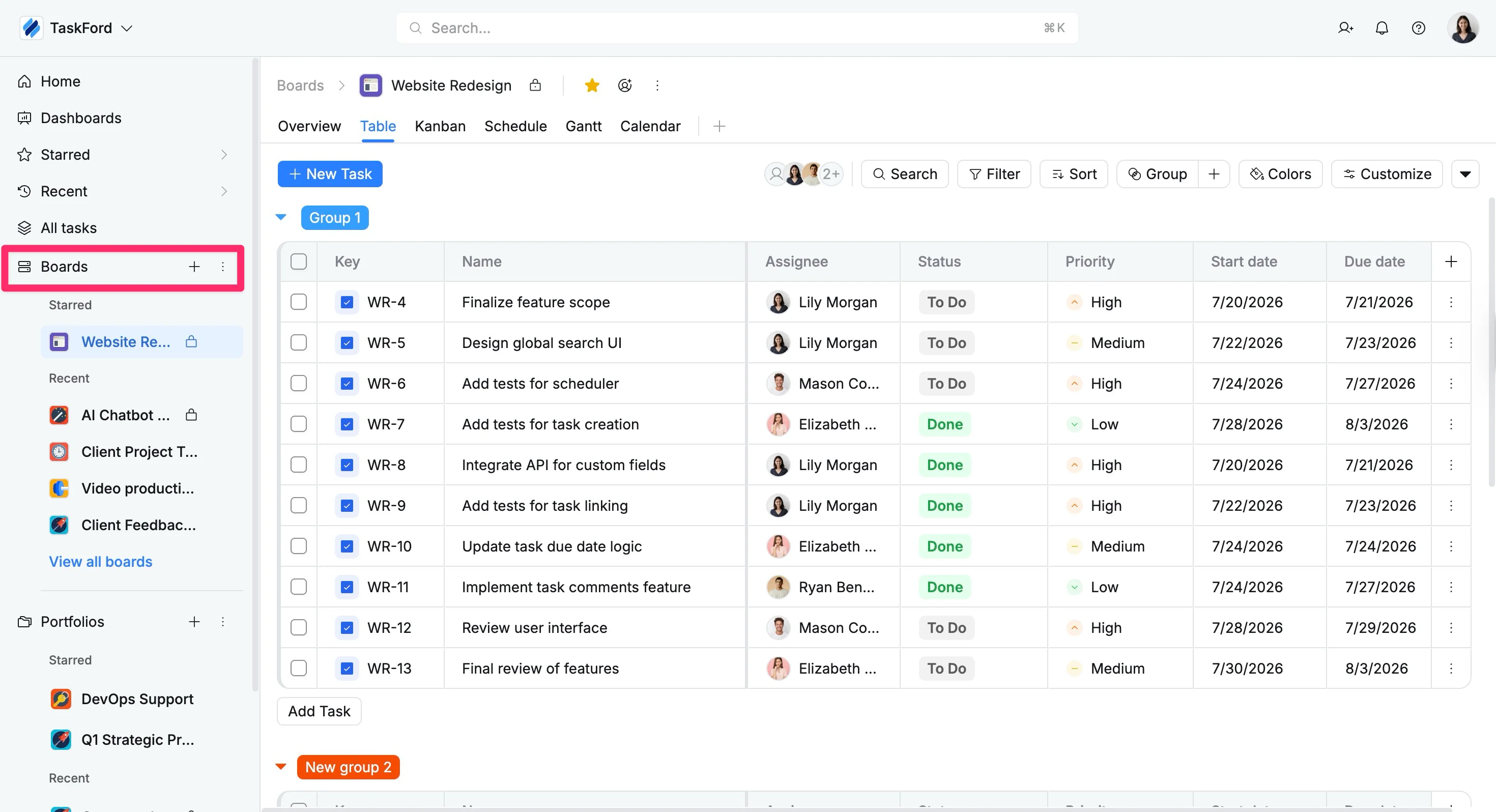
What you can do on a Board
- Organize work with multiple views: Switch between Overview, Schedule, Kanban, Table, and Gantt views to fit your workflow.
- Create and manage tasks: Add tasks with assignees, due dates, priorities, and other details.
- Customize how tasks are displayed: Group, filter, and sort tasks to focus on what matters.
- Track progress and collaborate: Monitor updates and communicate using comments and attachments.
Portfolios
A Portfolio is a centralized space to manage multiple boards and track progress at a higher level.
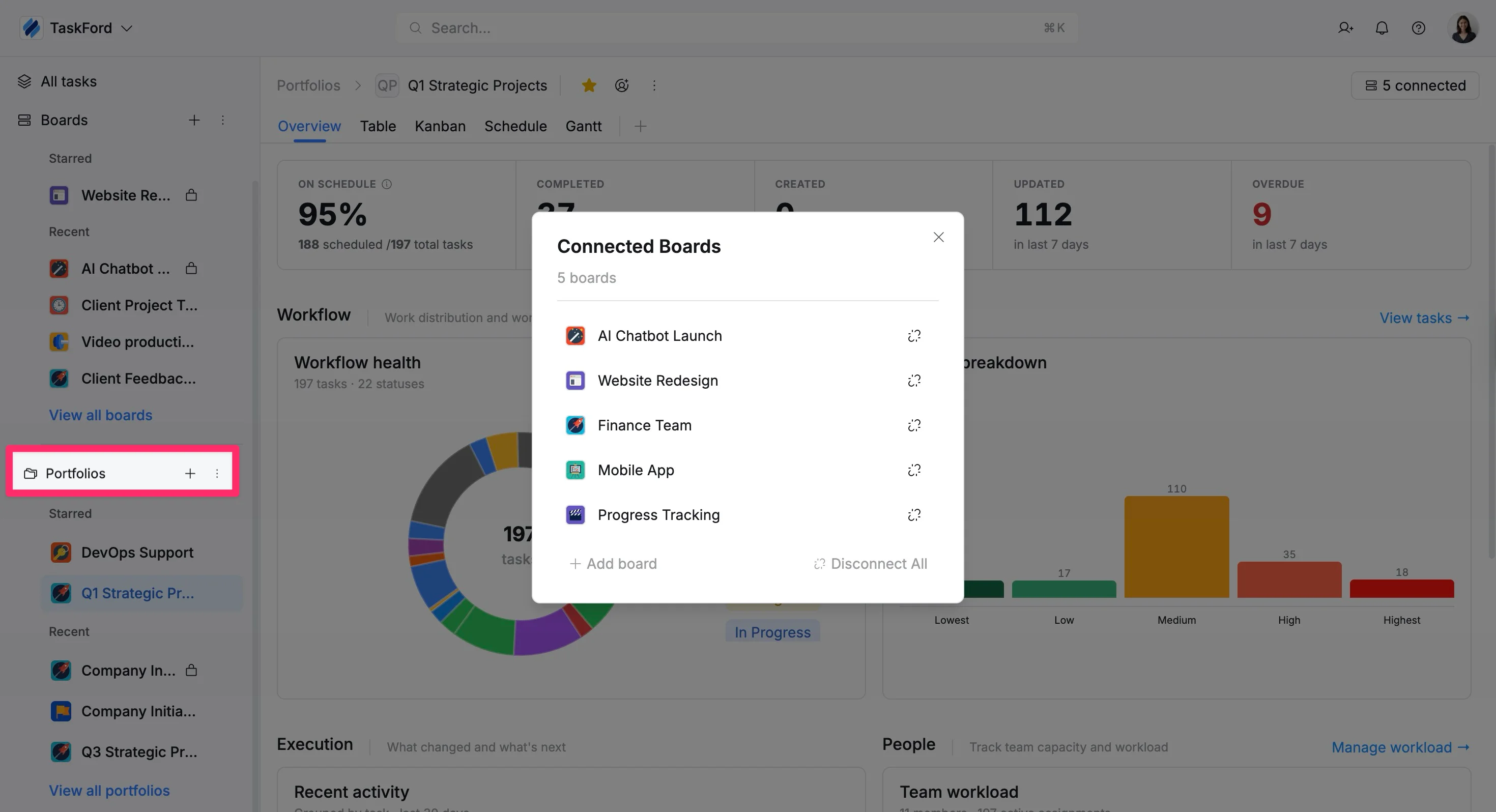
What you can do in a Portfolio
- Group related boards: Combine boards to track progress across projects or teams.
- Monitor project performance: View status updates and key metrics across boards.
- Manage resource allocation: Track workload and identify potential bottlenecks.
Dashboards
A Dashboard is a customizable space where you can visualize data from your boards in one place. It helps you track progress, monitor performance, and gain insights into your work.
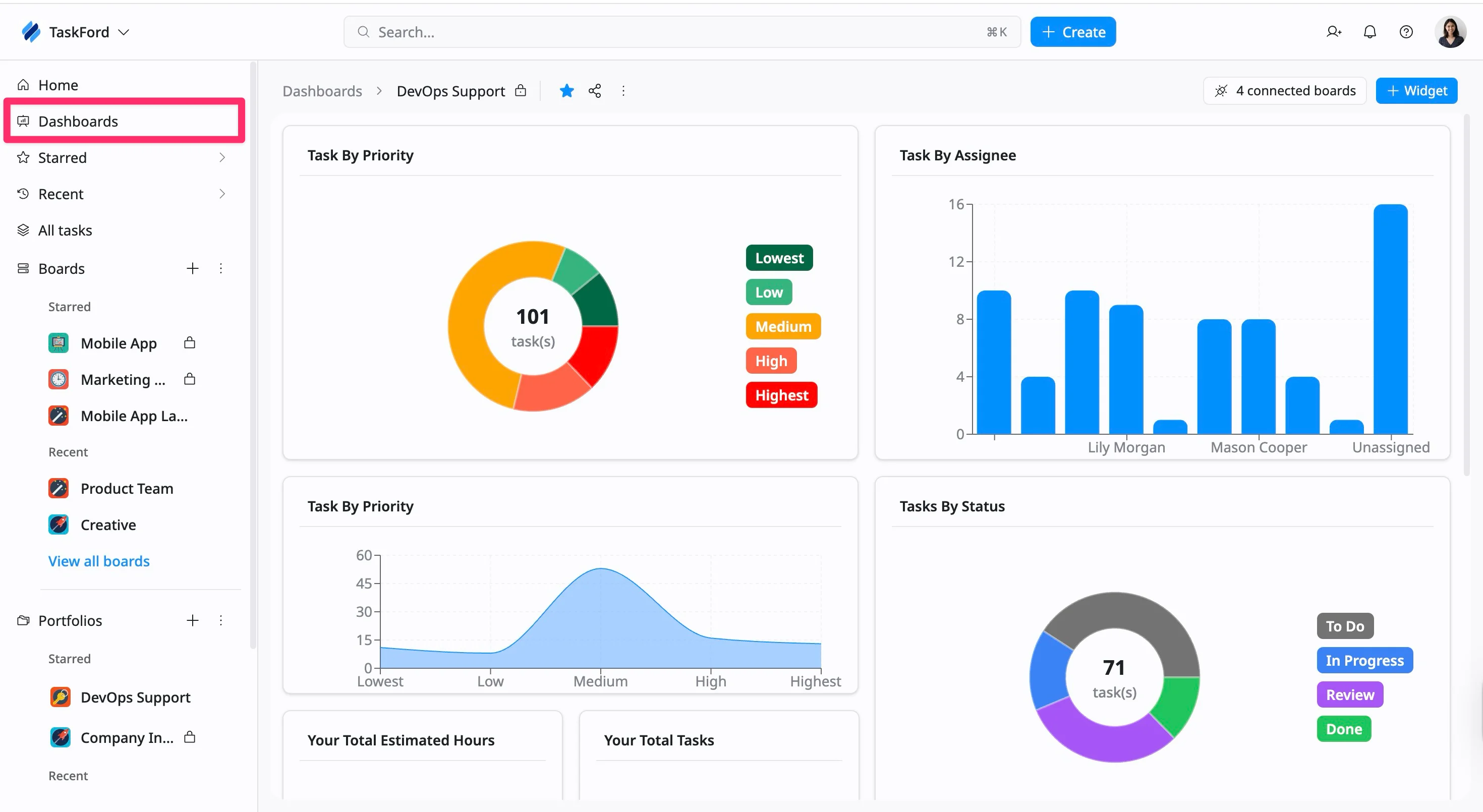
What you can do on a Dashboard
- Build dashboards with widgets: Track workload, task status, deadlines, budgets, and more.
- Combine data across boards: View how projects connect and progress together.
- Analyze performance and identify risks: Use charts to monitor progress and detect issues early.
- Share insights with your team: Provide a consistent, real-time view of performance.
Board views
Board views help you visualize and manage project data in different ways. Each view is designed to support a specific workflow, from high-level planning to detailed task tracking.

Available views
- Overview: Get a high-level summary of your board, including key metrics, progress, and recent activity.
- Table view: View tasks in a structured, spreadsheet-like format. Ideal for managing large sets of data and updating task details quickly.
- Schedule view: Plan and allocate work by visualizing tasks across team members and the timeline.
- Kanban view: Organize tasks into columns based on status. This view is useful for tracking progress and managing workflows visually.
- Gantt view: Visualize your project timeline with task durations, dependencies, and progress. Use this view for planning, scheduling, and tracking execution over time.