Audit logs
Use Audit Logs to track activity records, monitor changes, and review important actions across your site.
Only App Admins can access and manage Audit logs.
The Audit Logs page provides a centralized record of key actions performed within your site. It helps administrators monitor activity, review configuration changes, and investigate who performed specific actions across the workspace.
Audit logs are useful for security reviews, compliance tracking, troubleshooting, and understanding recent changes made by users.
Access Audit logs tab
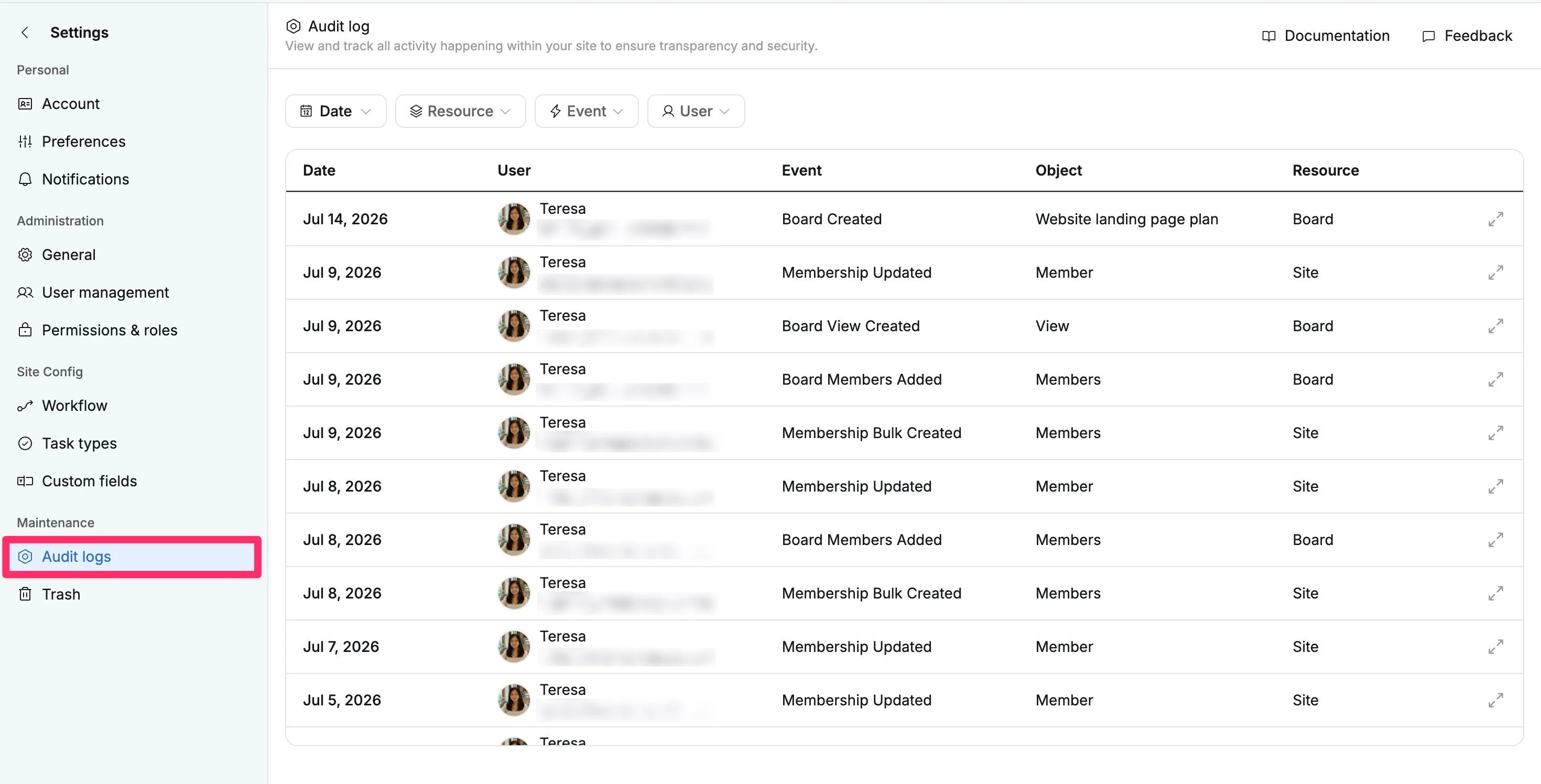
To access Audit logs settings:
- Navigate to the Site settings page.
- Select the Audit logs tab under the Maintenance section from the left-hand menu.
Tracked events
Audit Logs track important actions across key areas of your workspace.
Task events
Task events track updates and actions related to tasks across boards.
| Event type | Description |
|---|---|
| Task created | A new task was created. |
| Task updated | Task details such as title, description, due date, or other fields were changed. |
| Task moved to trash | A task was moved to trash. |
| Task permanently deleted | A task was permanently removed. |
| Task restored | A task was restored from trash. |
| Assignee changed | The assigned owner of a task was changed. |
| Status changed | The task workflow status was updated. |
| Priority changed | The task priority level was changed. |
| Color changed | The task color label was updated. |
| Group changed | The task was moved to a different group or lane. |
| Rank changed | The task order or ranking changed. |
| Attachment added | A file was attached to the task. |
| Attachment removed | A file attachment was removed. |
| Subtask added | A new subtask was created. |
| Link added | A relationship between tasks was added. |
| Link removed | A relationship between tasks was removed. |
Board events
Board management events
Board events track changes to boards, their settings, and lifecycle status.
| Event type | Description |
|---|---|
| Board created | A new board was created. |
| Board updated | Board name, settings, or properties were changed. |
| Board moved to trash | A board was moved to trash. |
| Board permanently deleted | A board was permanently deleted. |
| Board restored | A board was restored from trash. |
| Board archived | A board was archived. |
| Board unarchived | A board was restored from archive. |
| Privacy changed | Board visibility or access level was changed. |
Board avatar events
Track board icon or avatar changes.
| Event type | Description |
|---|---|
| Avatar uploaded | A custom board avatar was uploaded. |
| Avatar set | The board avatar was changed. |
| Avatar deleted | The board avatar was removed. |
Board membership events
Track member access changes within boards.
| Event type | Description |
|---|---|
| Members added | Users were added to the board. |
| Members removed | Users were removed from the board. |
| Member role changed | A user’s board role was changed. |
Board role events
Track custom board role management.
| Event type | Description |
|---|---|
| Role created | A custom board role was created. |
| Role updated | A board role name or description was updated. |
| Role deleted | A custom board role was deleted. |
| Permissions granted | Permissions were added to a board role. |
| Permissions revoked | Permissions were removed from a board role. |
Board task type events
Track task type availability within boards.
| Event type | Description |
|---|---|
| Task type added to board | A task type was enabled for the board. |
| Task type removed from board | A task type was removed from the board. |
Portfolio events
Portfolio management events
Track portfolio management and organization changes.
| Event type | Description |
|---|---|
| Portfolio created | A new portfolio was created. |
| Portfolio updated | Portfolio settings or details were changed. |
| Portfolio moved to trash | A portfolio was moved to trash. |
| Portfolio permanently deleted | A portfolio was permanently removed. |
| Portfolio restored | A portfolio was restored. |
| Portfolio archived | A portfolio was archived. |
| Portfolio unarchived | A portfolio was restored from archive. |
| Privacy changed | Portfolio visibility or access settings were changed. |
Portfolio view events
Track custom portfolio view management.
| Event type | Description |
|---|---|
| View created | A new portfolio view was created. |
| View deleted | A portfolio view was removed. |
Portfolio board management events
Track board relationships inside portfolios.
| Event type | Description |
|---|---|
| Boards added | Boards were added to a portfolio. |
| Boards removed | Boards were removed from a portfolio. |
Portfolio membership events
Track member access changes within portfolios.
| Event type | Description |
|---|---|
| Members added | Users were added to a portfolio. |
| Members removed | Users were removed from a portfolio. |
| Members updated | Portfolio member roles or access were changed. |
Dashboard events
Dashboard events track reporting and analytics dashboards.
| Event type | Description |
|---|---|
| Dashboard created | A new dashboard was created. |
| Dashboard updated | Dashboard layout, widgets, or settings were changed. |
| Dashboard deleted | A dashboard was removed. |
| Privacy changed | Dashboard sharing or visibility settings changed. |
Site events
Site management events
Site events track site-level administrative changes.
| Event type | Description |
|---|---|
| Site created | A new site was created. |
| Site updated | Site name, avatar, settings, or configuration changed. |
| Site deleted | The site was marked for deletion. |
Membership events
Track site member management.
| Event type | Description |
|---|---|
| Membership created | A user was invited to the site. |
| Membership bulk created | Multiple users were invited at once. |
| Membership updated | A user’s site role was changed. |
| Membership deleted | A user was removed from the site. |
Site role events
Track custom site roles and permissions.
| Event type | Description |
|---|---|
| Site role created | A new custom site role was created. |
| Site role updated | Role name, description, or permissions were changed. |
| Site role deleted | A custom site role was removed. |
Site task type events
Task type events track site-wide task type management.
| Event type | Description |
|---|---|
| Task type created | A new task type was created. |
| Task type updated | Task type name, icon, color, or settings were changed. |
| Task type deleted | A task type was removed. |
Custom field events
Custom field management events
Custom field events track field creation, updates, and usage.
| Event type | Description |
|---|---|
| Custom field created | A new custom field was created. |
| Custom field updated | Field settings or labels were changed. |
| Custom field deleted | A custom field was removed. |
| Custom field archived | A custom field was archived. |
| Custom field unarchived | A custom field was restored. |
Custom field association events
Track where custom fields are used.
| Event type | Description |
|---|---|
| Field added to board | A custom field was assigned to a board. |
| Field removed from board | A custom field was removed from a board. |
Audit log filters
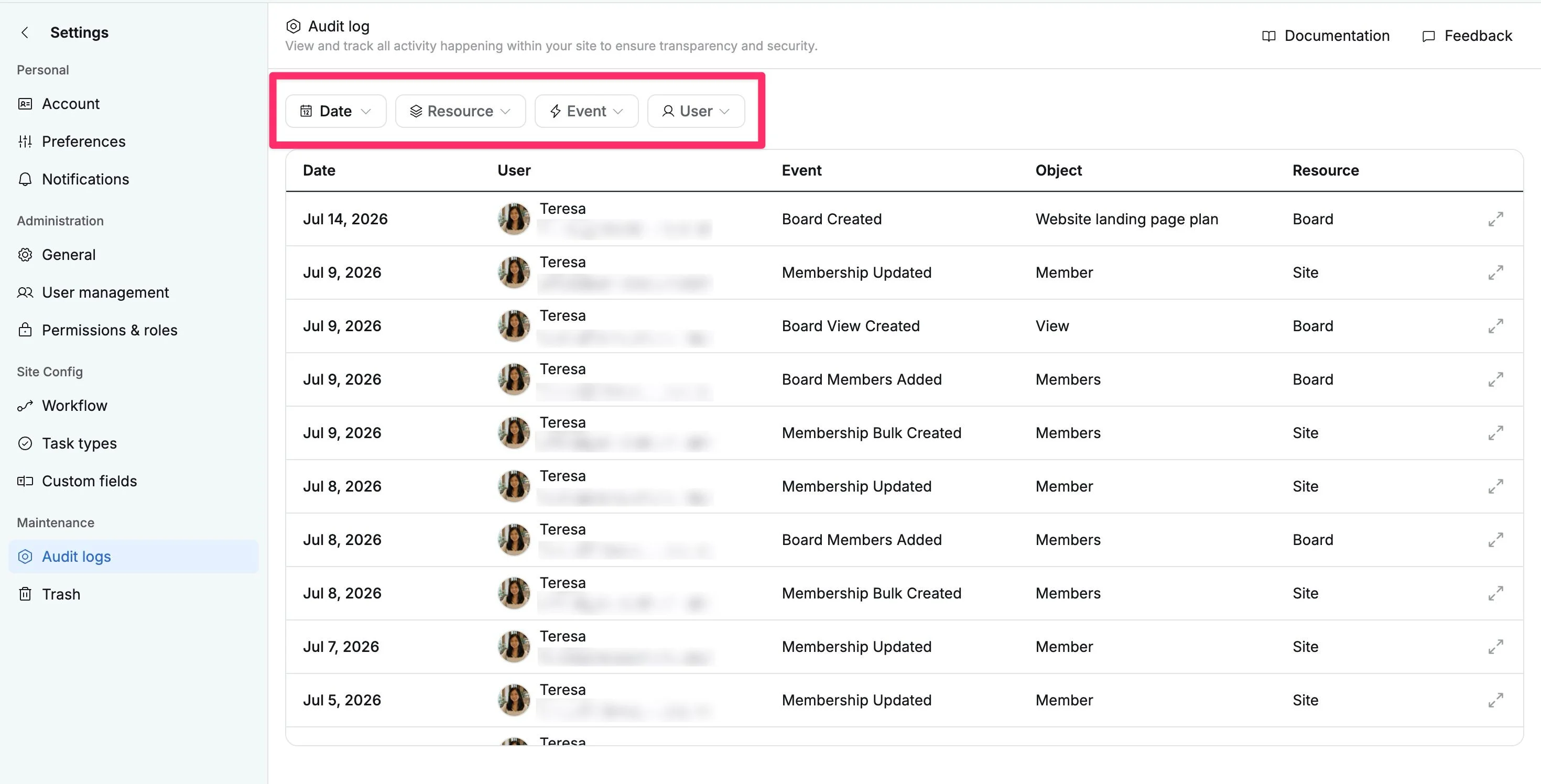
Use the filters at the top of the Audit logs page to quickly narrow results and find specific activity records.
| Filter | Purpose |
|---|---|
| Date | View log entries from a selected date or custom date range. |
| Resource | Filter by the area where the action occurred, such as Site, Board, Portfolio, Dashboard, or other resources. |
| Event | Filter by activity type, such as Created, Updated, Deleted, Restored, or permission changes. |
| User | View actions performed by a specific user. |
View change details
You can open an individual audit log entry to review more information about a specific action, including who made the change, what was updated, and when it occurred.
How to view change details
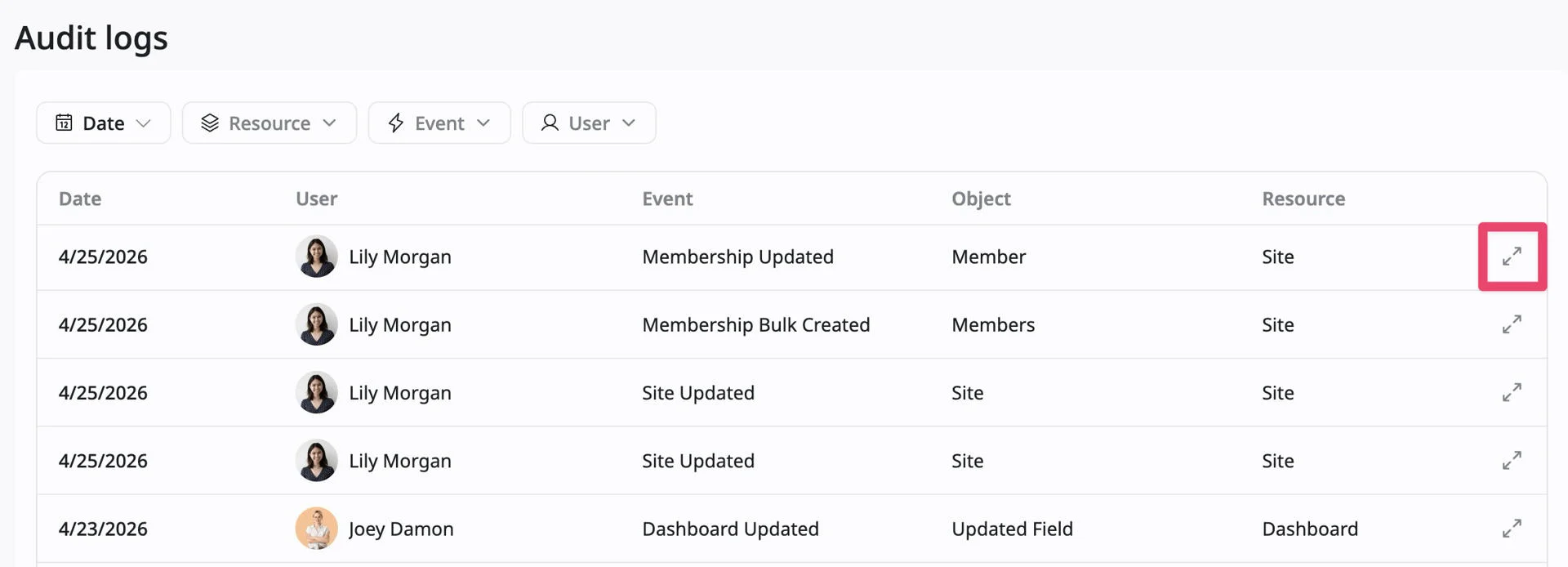
- Locate the log entry you want to review in the table.
- Click the details icon on the far right of the row.
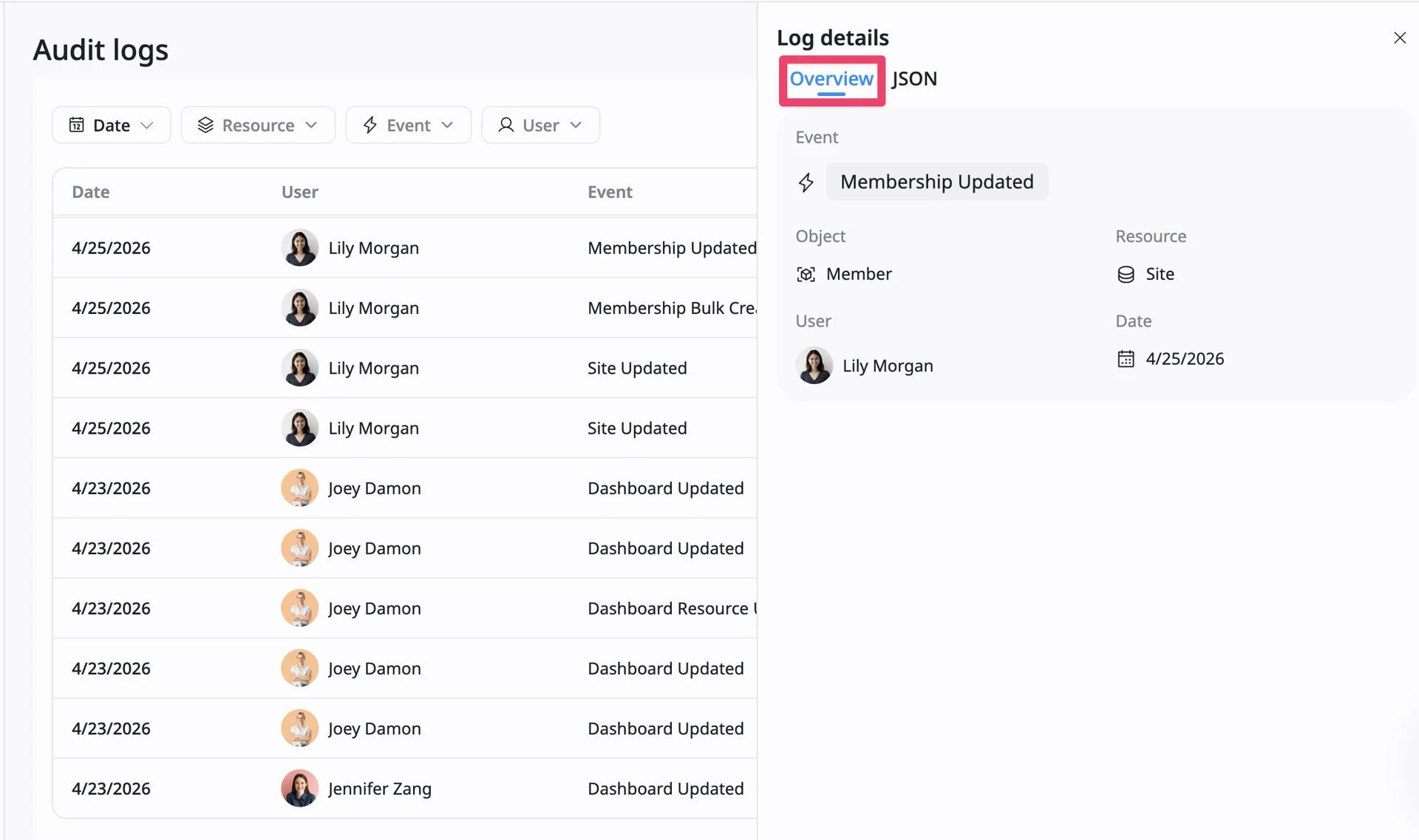
- The Log details panel opens on the right side of the screen.
The details panel includes two tabs:
Overview tab
The Overview tab provides a summary of the selected activity, including:
- Event – The action that occurred
- Object – The item that was affected
- Resource – The area of the site where the action took place
- User – The person who performed the action
- Date – When the activity occurred
JSON tab
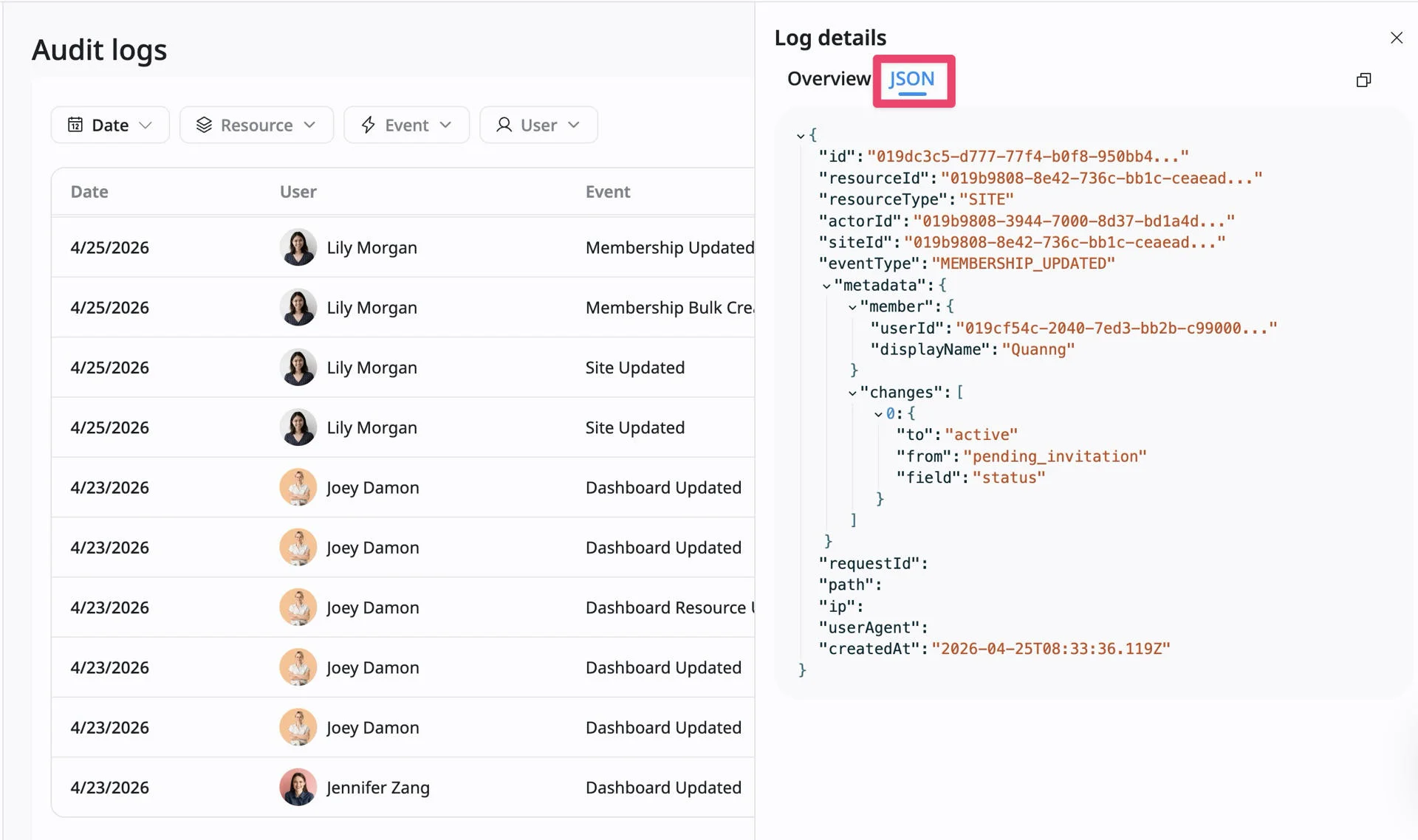
The JSON tab displays the raw event record with technical details and metadata. Depending on the event type, this may include:
- Changed fields and previous values
- Resource IDs and object references
- Exact timestamps
- Request and system metadata
This tab is useful for advanced troubleshooting, audits, or reviewing detailed system changes.