Board task types
Learn how to manage and customize task types for your board to organize work effectively.
Board permission
- Anyone with the Update board permission can access and manage Board task types settings.
Default role:
- Board Admins have this permission by default.
Overview
Task types define the different categories of work available on your board, such as Tasks, Subtasks, and Milestones. They help teams organize work, apply the right structure, and make tasks easier to create and manage.
Each board can use a combination of system task types and custom task types to match different workflows and project needs.
System task types
System task types are available by default and cannot be removed:
- Task: A standard unit of work.
- Subtask: A smaller piece of work within a parent task.
- Milestone: A key checkpoint or important event in a project.
Custom task types
Custom task types allow teams to create additional categories that fit their workflow, such as:
- Bug
- User Story
- Feature Request
- Analysis
Custom task types can have their own name, description, icon, color, and hierarchy level.
Access task types settings
To manage the task types available on a board:
- Navigate to Board settings.
- Select Task types from the left-hand menu.
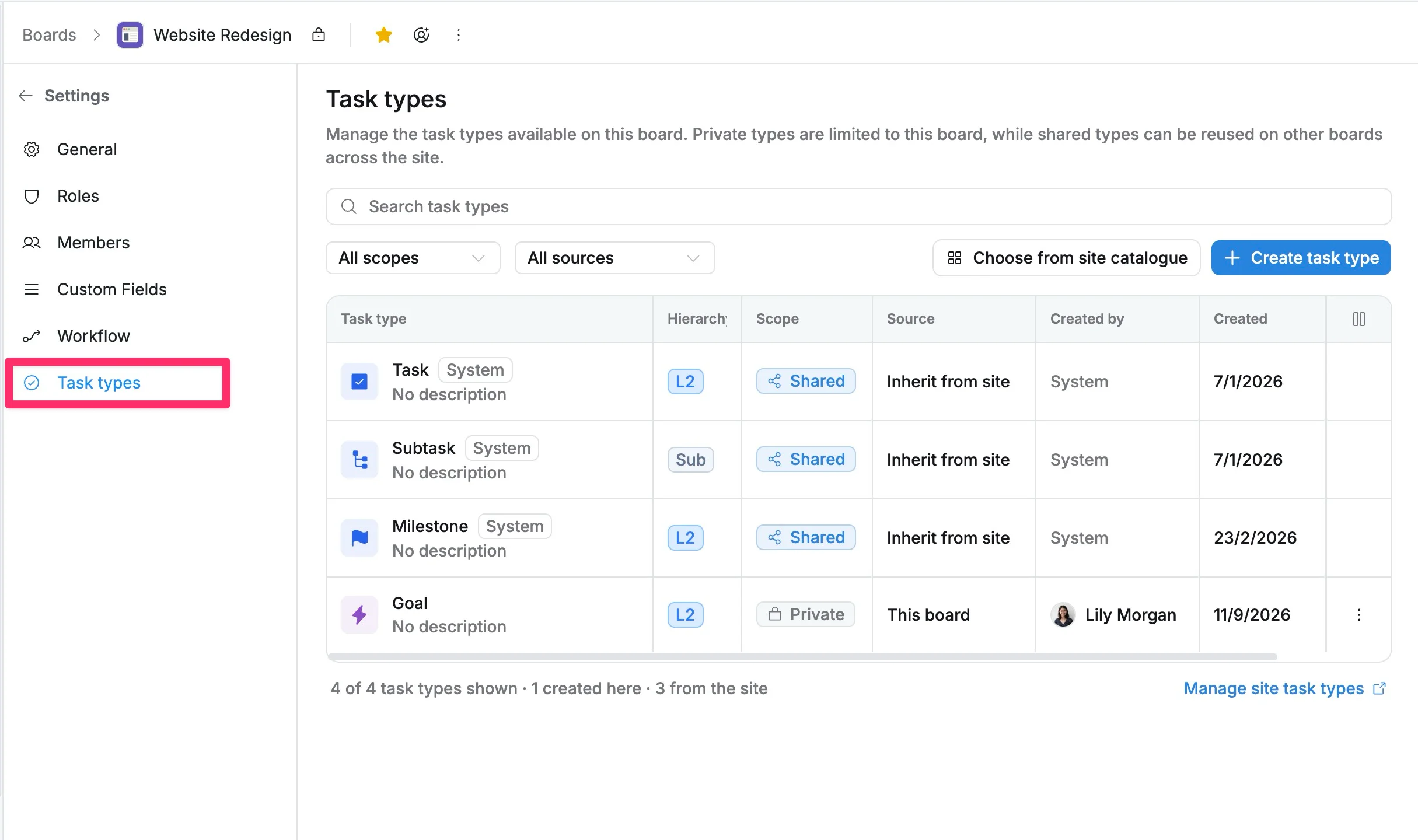
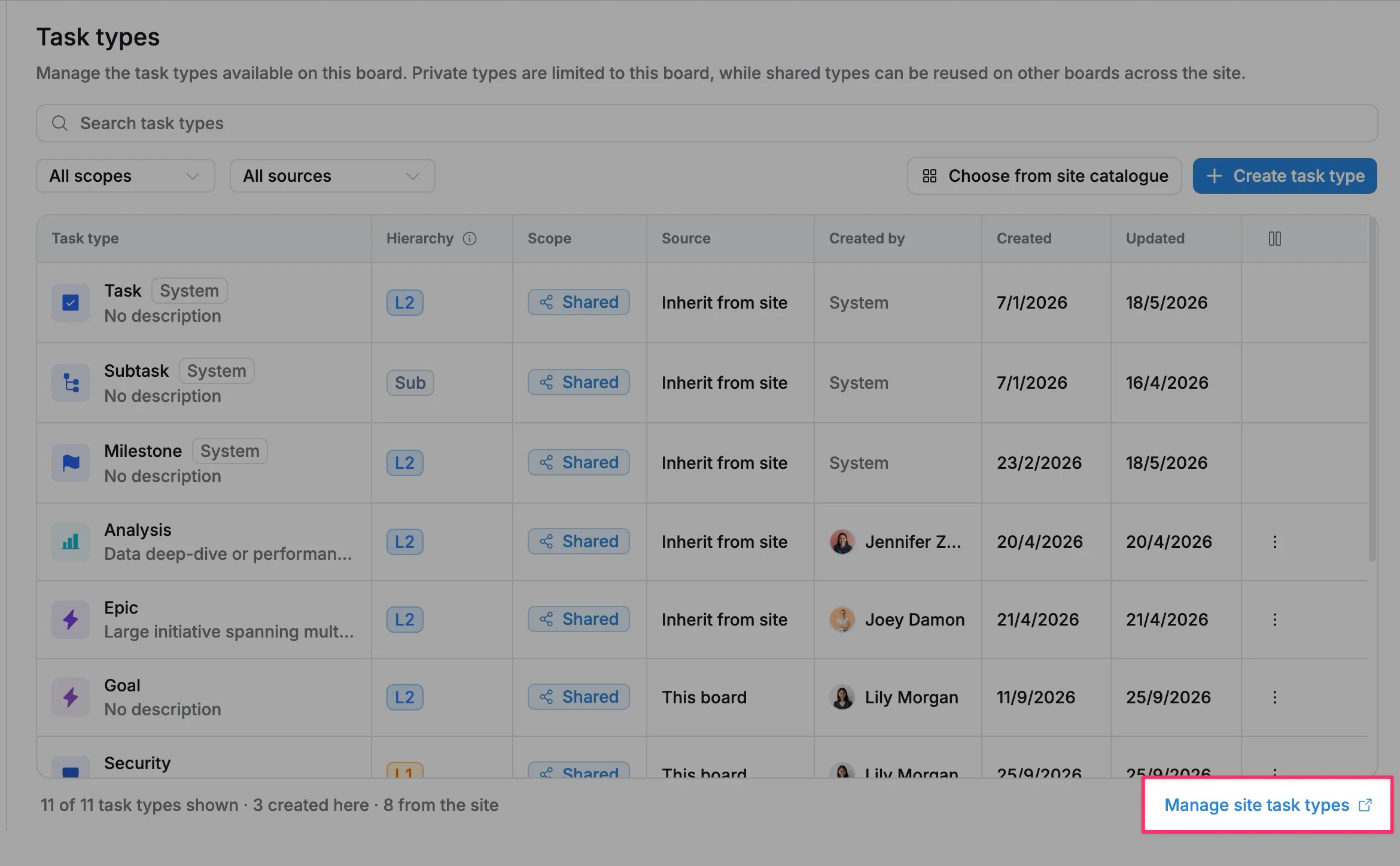
The Task types page displays all task types currently available on the board, including:
- Task type: The name and description of the task type.
- Hierarchy level: The level where the task type belongs in the work structure.
- Scope: Indicates how the task type is shared and where it can be used:
- Private: The task type is available only on the current board. It cannot be used or accessed from other boards.
- Shared: The task type is available across the site. Other boards can add and use this task type from the site catalogue.
- Source: Shows where the task type comes from:
- This board: Created directly on the current board.
- Inherit from site: Added from shared task types.
- Created by: The user who created the task type.
- Created: The date the task type was created.
Search and filter task types
Use the search bar and filters to quickly find specific task types on your board.
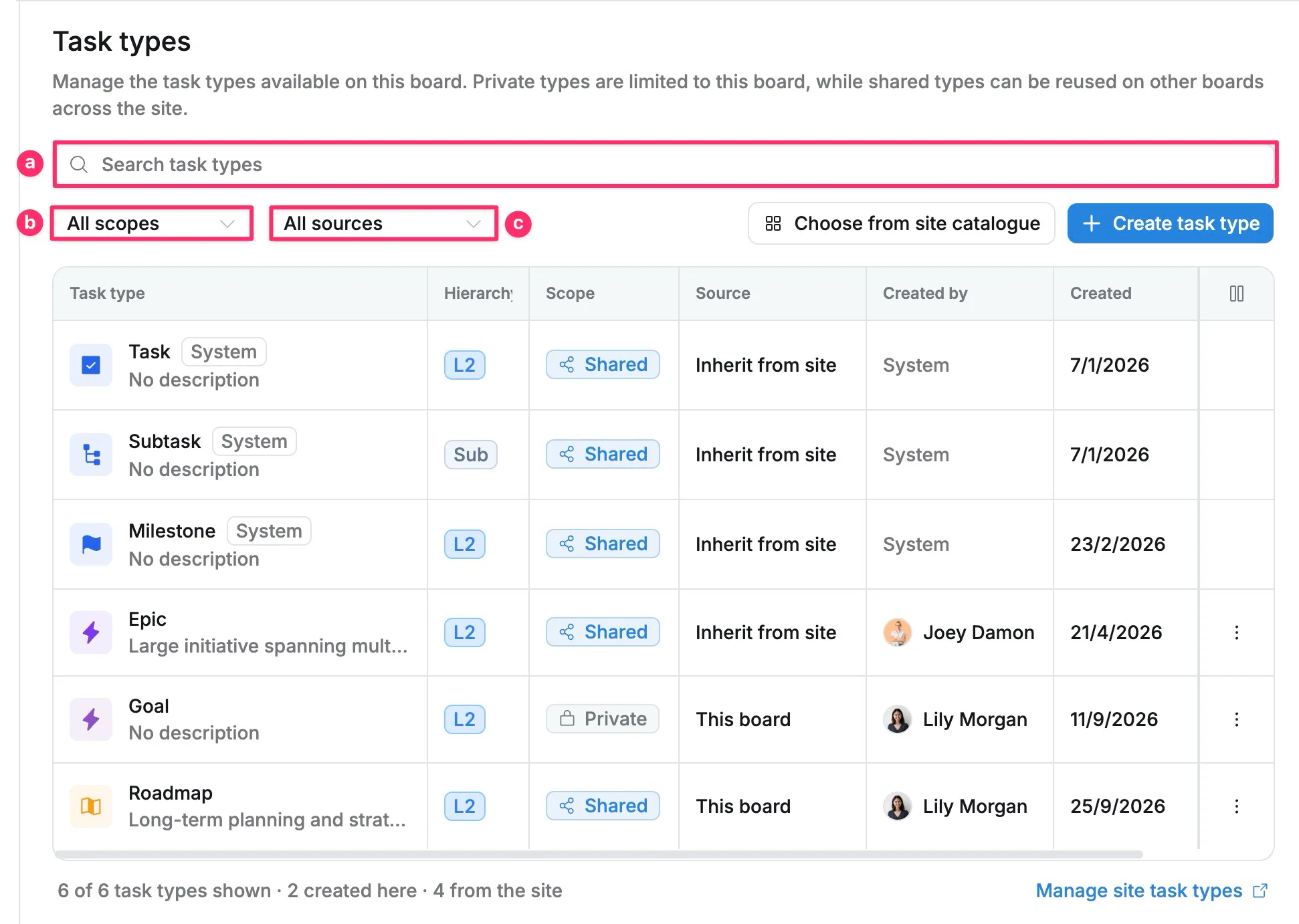
a. Enter a task type name in the Search task types field to find matching task types.
b. Filter task types by Scope:
- All scopes: Show all task types.
- Private: Show task types available only on this board.
- Shared: Show task types available across the site.
c. Filter task types by Source:
- All sources: Show task types from all sources.
- Created on this board: Show task types created directly on the current board.
- Inherited from site: Show task types added from the site catalogue.
Add task types to a board
You can add shared task types from the site catalogue to make them available on your board.
To add a task type:
- Select Choose from site catalogue.
- Search or browse available task types.
- Select one or more task types.
- Click Add to board.
The selected task types will be added to your board and become available when creating tasks.
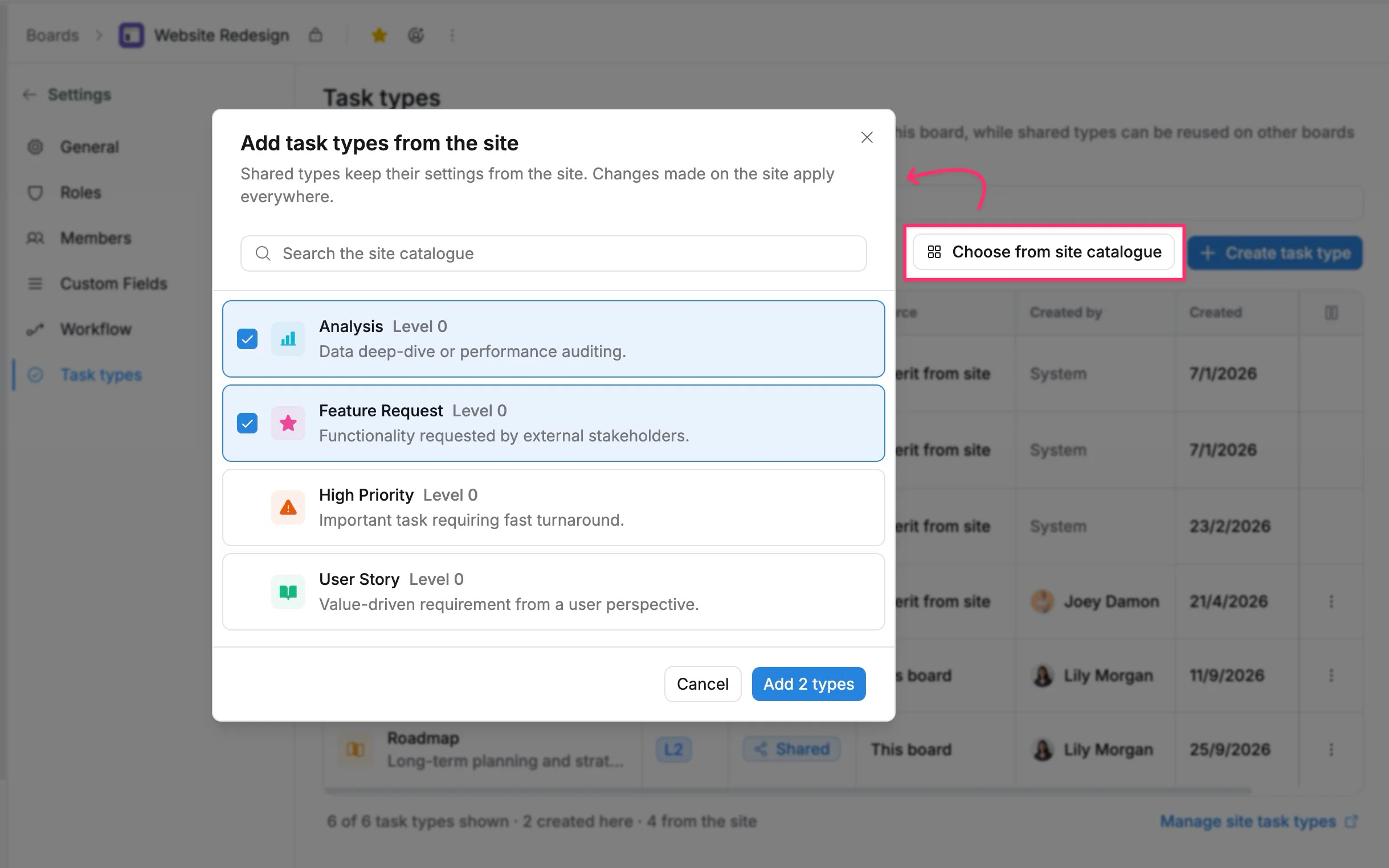
Shared task types keep their settings from the site. Changes made to the shared task type at the site level apply to all boards using it.
Create a task type
Create custom task types when your team needs additional categories to better organize and manage work on your board.
To create a task type:
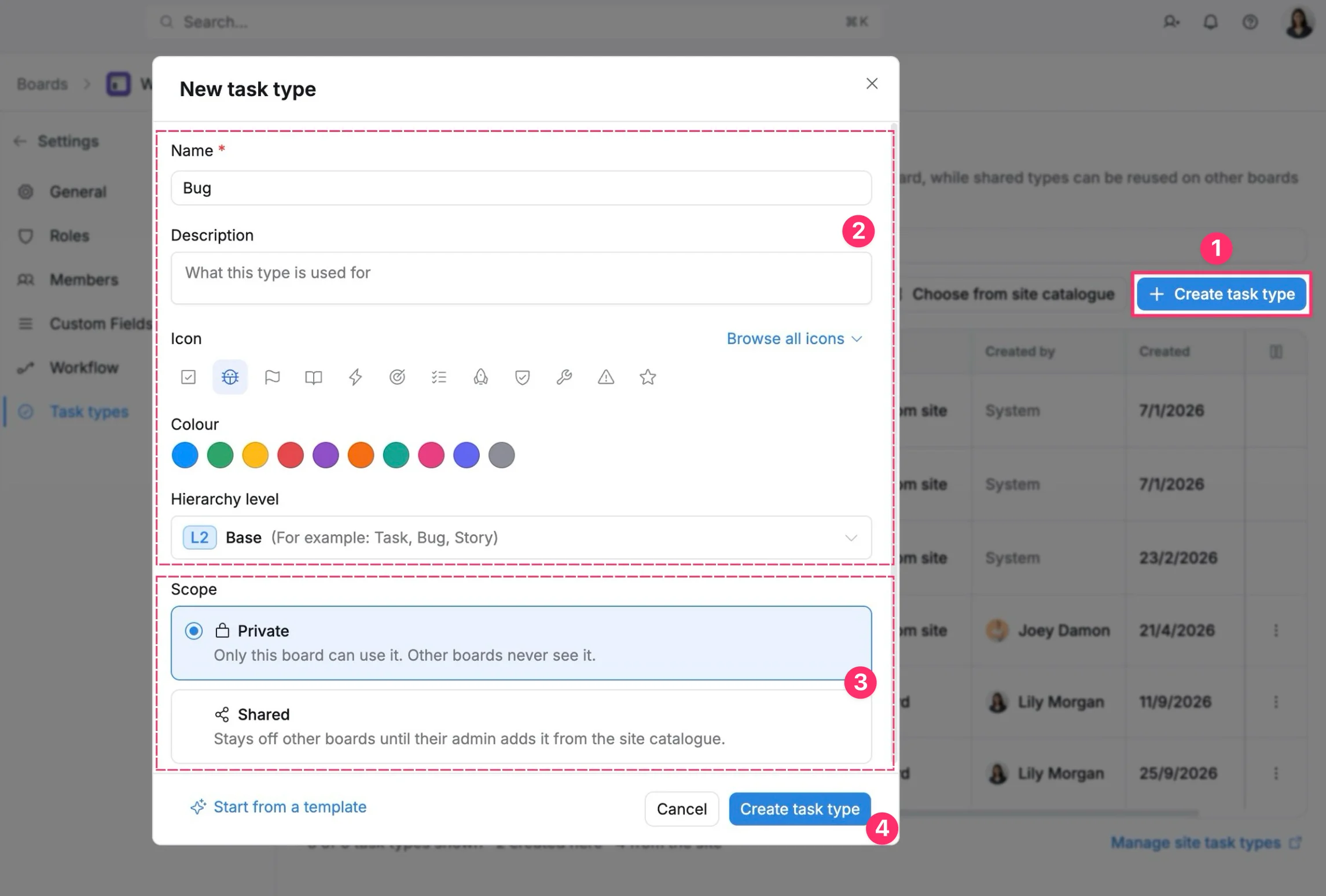
- Select Create task type.
- Enter the task type details:
- Name: The name displayed when creating tasks.
- Description: Explains the purpose or usage of the task type.
- Icon: Choose an icon to identify the task type.
- Color: Select a color for visual identification.
- Hierarchy level: Define where the task type belongs in the task structure: Initiative (L0) → Epic (L1) → Task (L2)
- Select the task type Scope:
- Private: Available only on the current board. Other boards cannot add or use this task type. The task type is still visible in Site settings as read-only.
- Shared: Saved at the site level; Other boards can add and use this task type from the site catalogue.
- Select Create task type to save the new task type.
Select Start from a template to quickly create a task type using an available template.
Editing, deleting, and removing actions
The available actions depend on the task type’s Source and Scope.
| Source | Scope | Edit details | Change hierarchy | Change scope | Delete | Remove from board |
|---|---|---|---|---|---|---|
| System | — | ❌ | ❌ | ❌ | ❌ | ❌ |
| This board | Private | ✅ | ❌ | ✅ | ✅ | ❌ |
| This board | Shared | ✅ | ❌ | ❌ | ⚙️ Site level | ❌ |
| Inherit from site | Shared | ⚙️ Site level | ❌ | ❌ | ⚙️ Site level | ✅ |
Edit a task type
Update a custom task type to keep it aligned with your team’s workflow and project needs.
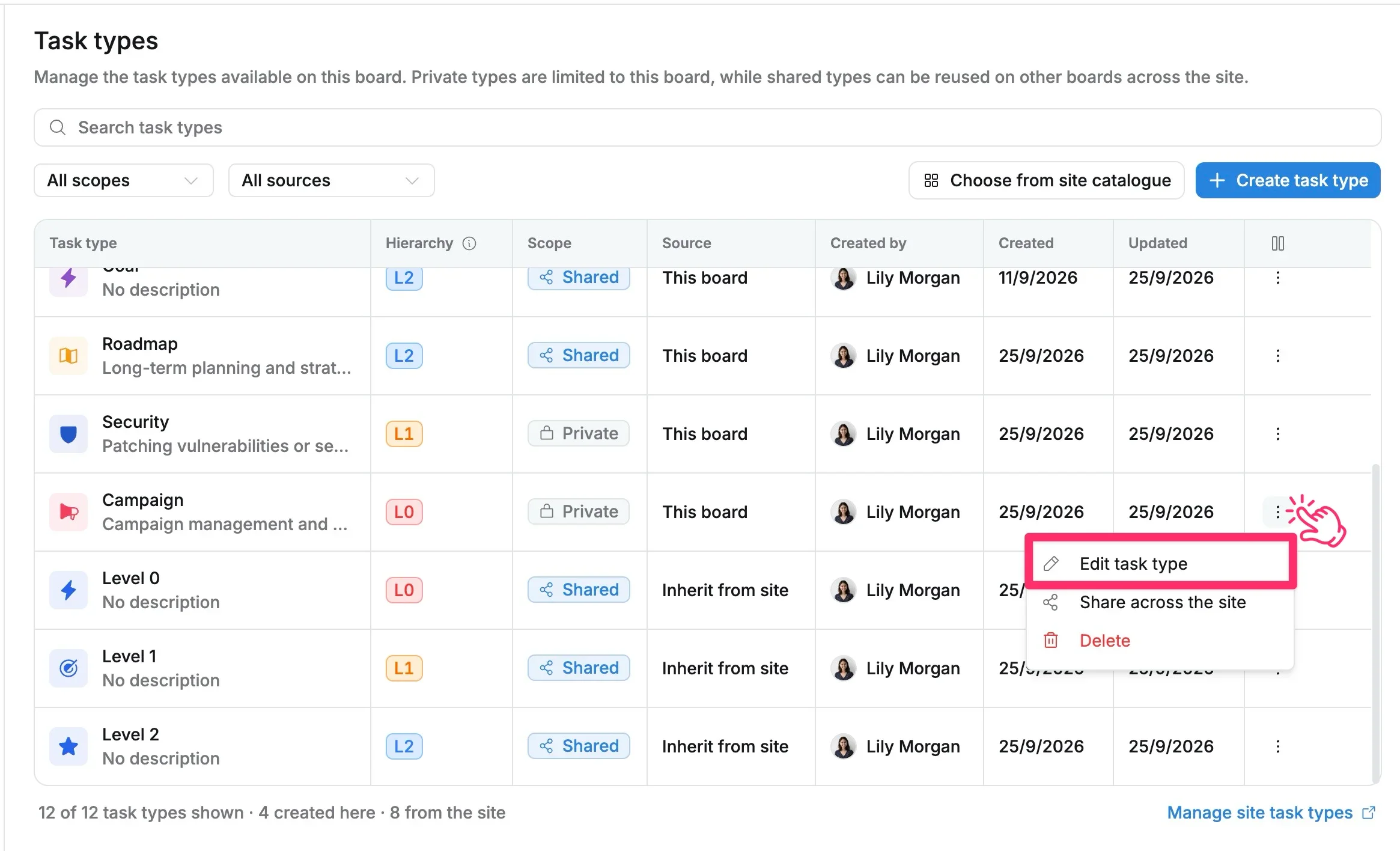
To edit a task type:
- Go to Board settings → Task types.
- Find the task type you want to update.
- Click More actions (⋮) → Edit task type.
- Update the available details:
- Name: Change the task type name.
- Description: Update the purpose or usage description.
- Icon: Select a different icon.
- Color: Select a different color for visual identification.
- Click Save changes.
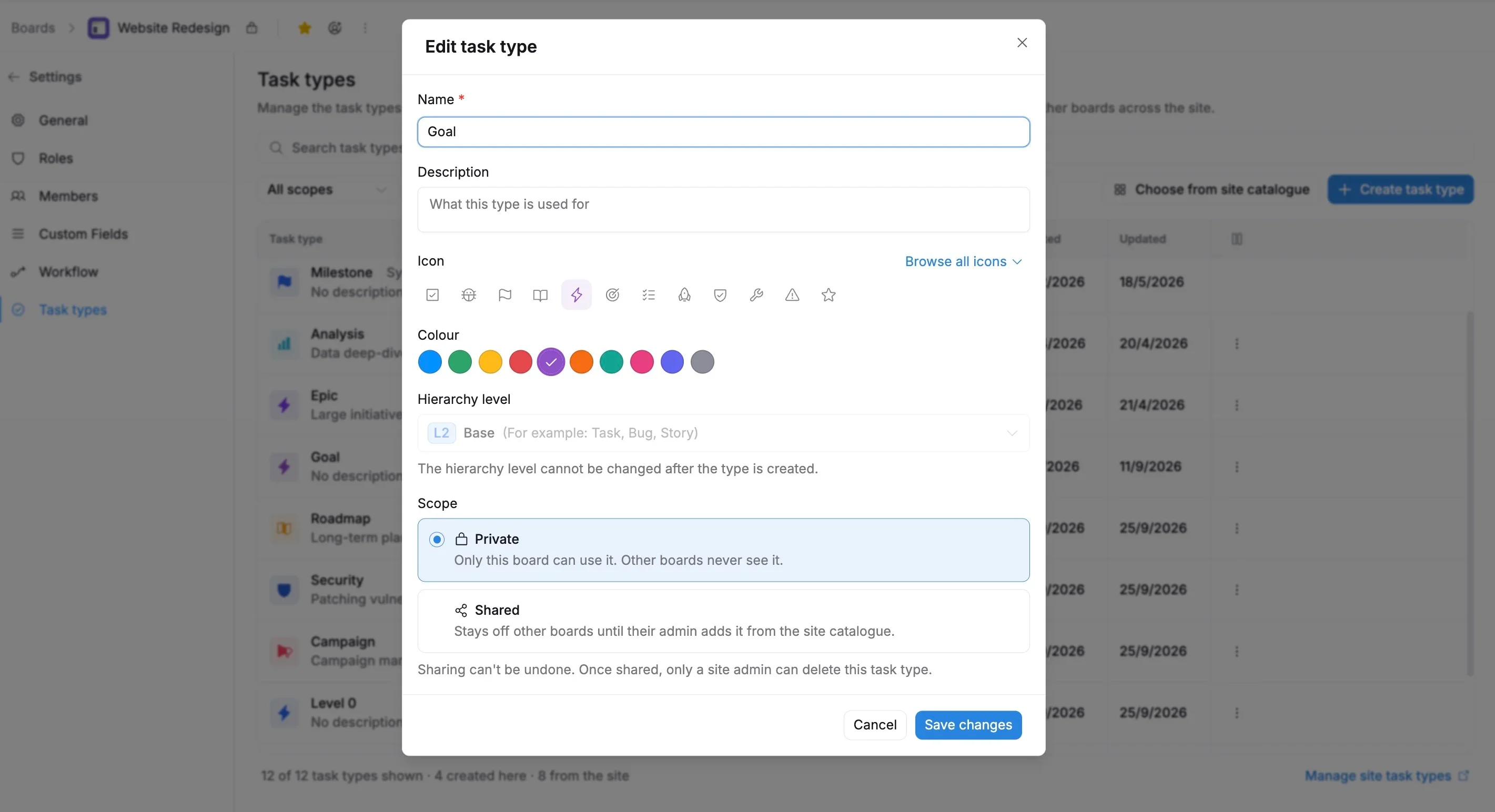
You can quickly change a Private task type to Shared from More actions (⋮) → Share across the site.
Delete a task type
Delete a Private task type when it is no longer needed on your board.
To delete a task type:
- Go to Board settings → Task types.
- Find the task type you want to delete.
- Click More actions (⋮) → Delete.
- Review the task type name in the confirmation dialog.
- Select Delete type to confirm.
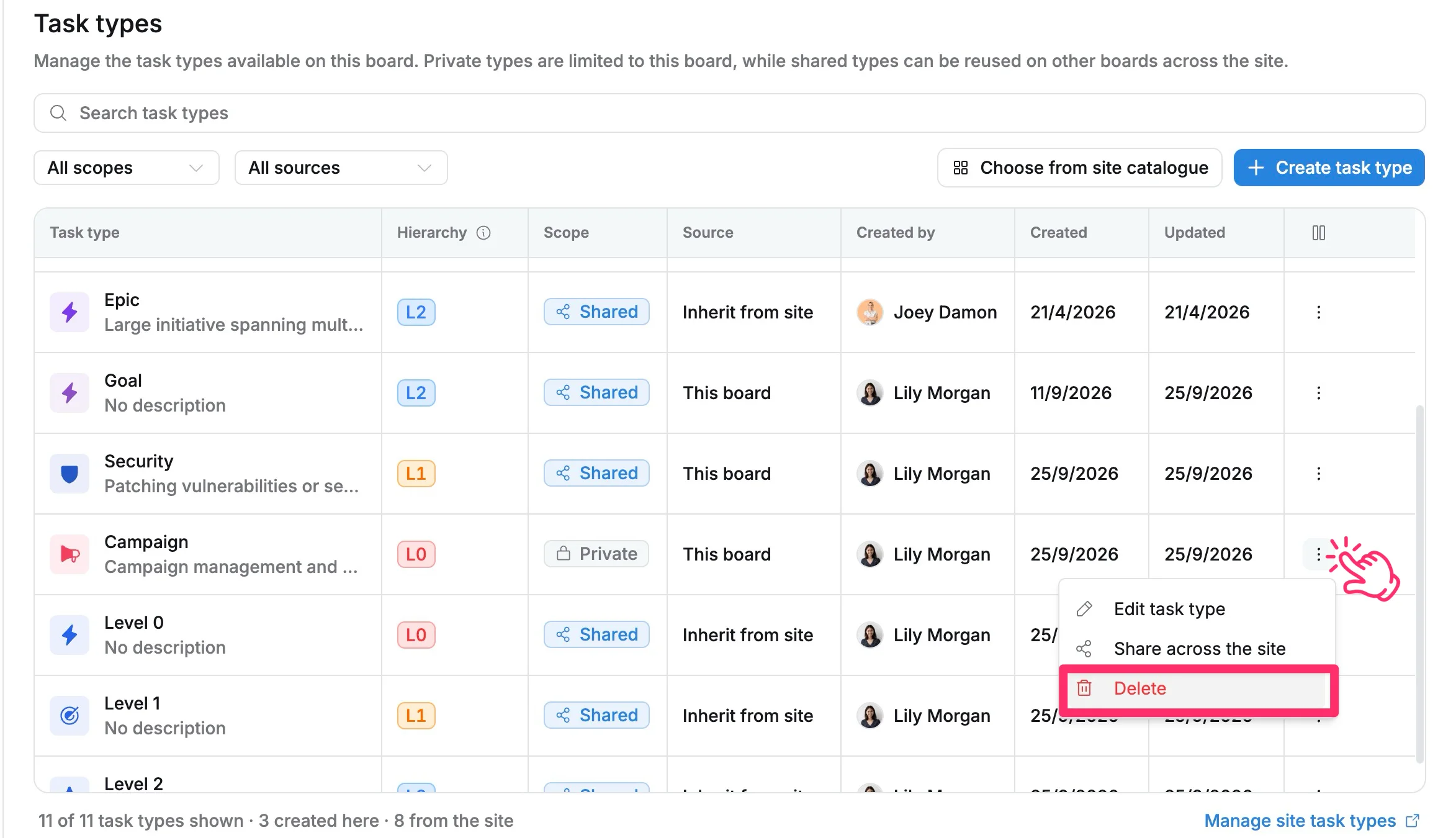
Before deleting a task type:
- Make sure no tasks on this board are using the task type.
- Deleting a task type permanently removes its configuration. This action cannot be undone.
- Shared task types cannot be deleted from the board. Manage them from Site settings → Task types.
Remove a task type from a board
You can remove a Shared task type inherited from the site when it is no longer needed on a board.
Removing a task type only removes it from the current board. It does not delete the task type from the site or affect other boards using it.
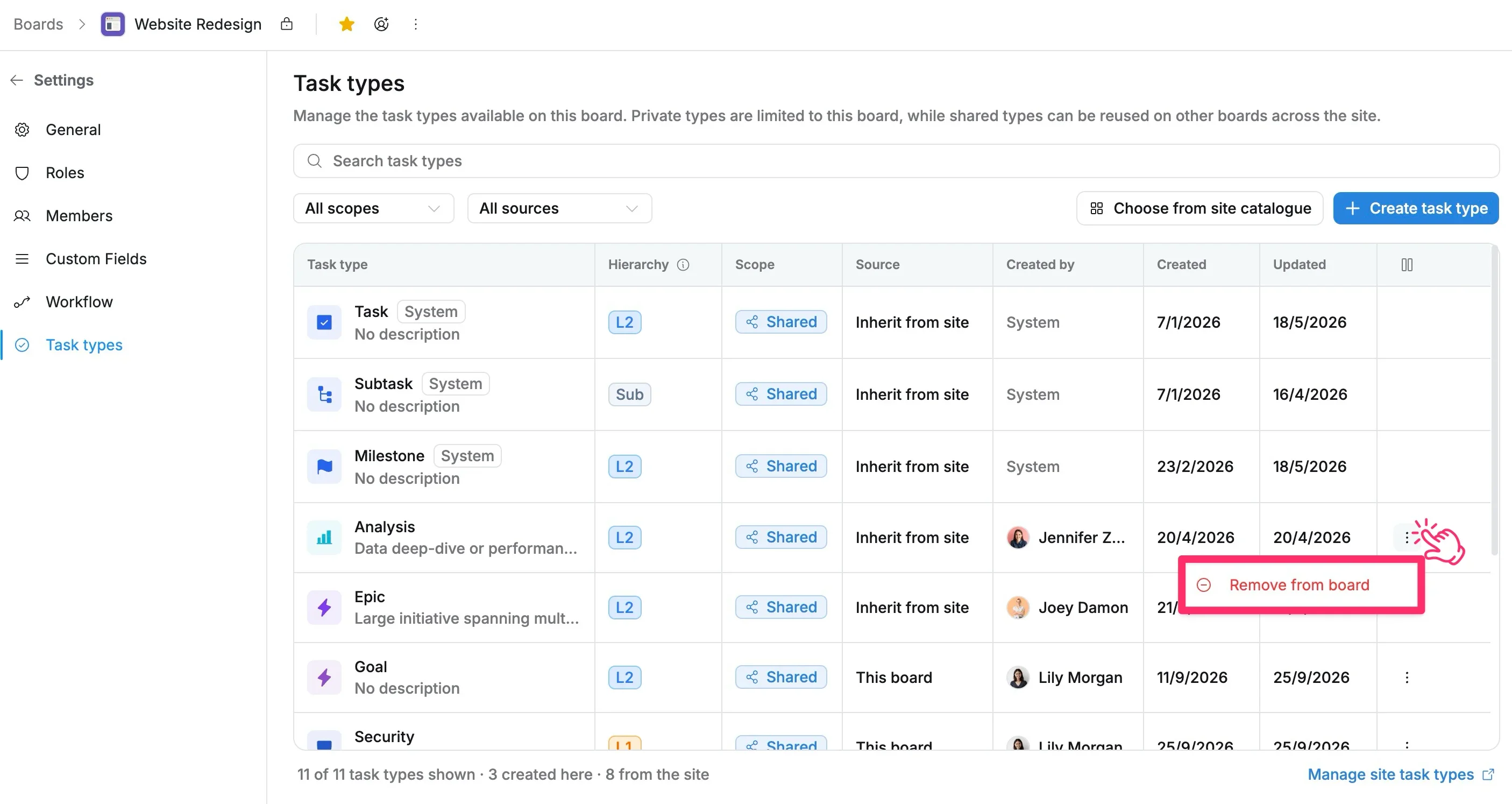
To remove a task type:
- Go to Board settings → Task types.
- Find the inherited task type you want to remove.
- Click More actions (⋮) → Remove from board.
- Confirm the action.
After removing:
- The task type is no longer available for creating new tasks on this board.
- The task type remains available at the site level and on other boards.
- Existing tasks using the task type are not automatically changed.
You cannot remove a task type while existing tasks on this board are still using it.
Before removing:
- Change existing tasks to another task type first.
- Removing a task type does not delete it from the site.
- To permanently delete a shared task type, manage it from Site settings → Task types.
Manage site task types
App administrators can manage shared task types from Site Settings.
To manage site task types:
- Select Manage site task types.
- You will be redirected to Site Settings → Task types.
- Manage shared task types across the site.
From Site Settings, you can:
- Create shared task types.
- Edit shared task types.
- Delete shared task types.
Learn how to manage task types at the site level: manage site task types