Build your site workflow
Learn how to set up and customize site workflows in TaskFord, ensuring consistent task tracking across your workspace.
A Workflow in TaskFord defines the sequence of statuses a task moves through from creation to completion. It helps your team track progress and understand each stage of work.
To ensure consistency across your organization, you can create global workflows at the site level, allowing all projects to follow a unified process.
Access workflow settings
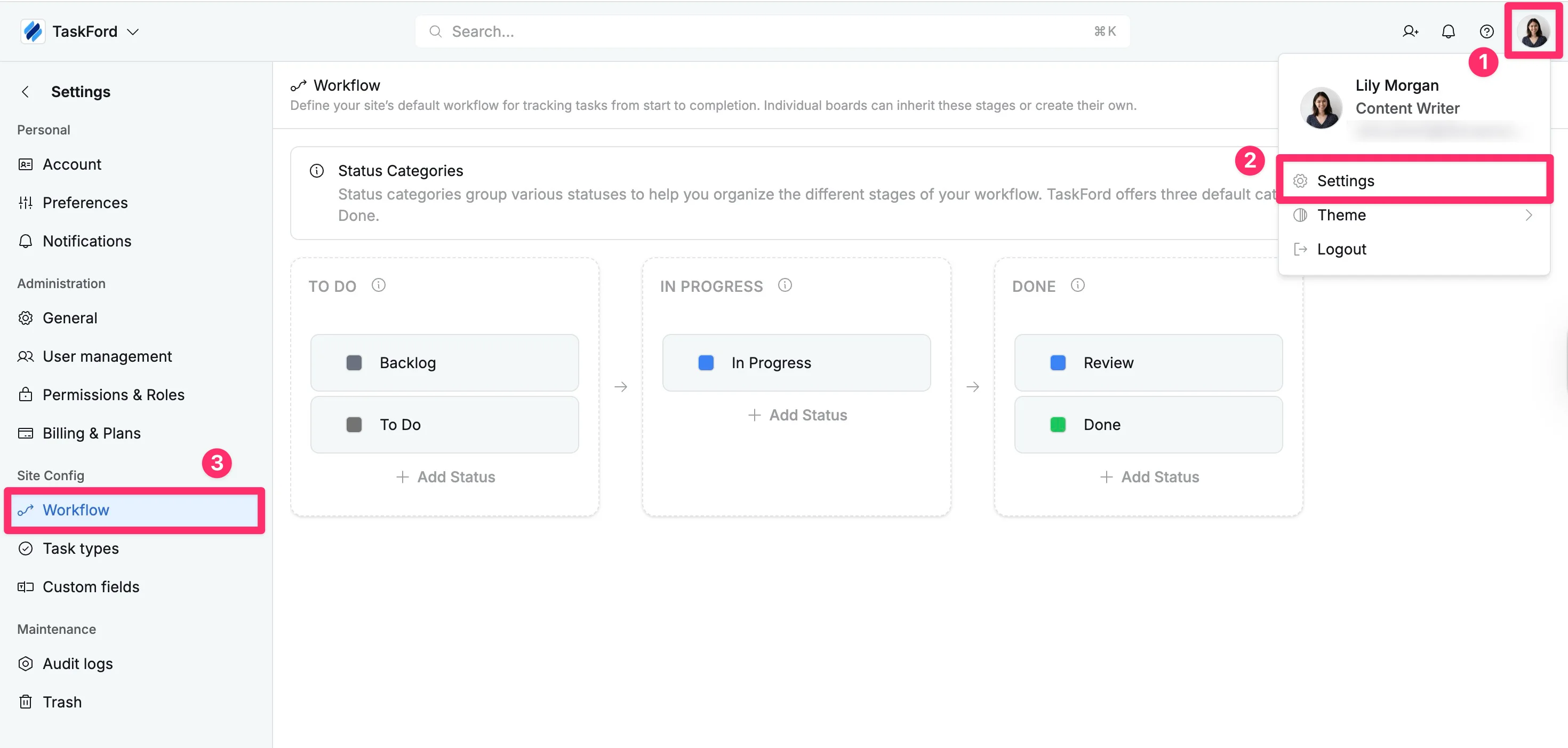
- Click your profile picture in the top-right corner.
- Select Settings from the dropdown menu
- In the left-hand panel, under the Site Config section, select the Workflow tab.
Customize your workflow
TaskFord organizes workflows into three core status categories: To Do, In Progress, and Done. Within each category, you can add custom statuses to reflect your team’s workflow.
- To Do: Tasks that are planned but not yet started (e.g., Backlog, Approved).
- In Progress: Tasks that are actively being worked on (e.g., Designing, In Review, Testing).
- Done: Tasks that have been completed (e.g., Published, Shipped, Archived).
To add a new status to your workflow:
- Locate the category where the new status should belong.
- Click + Add Status button at the bottom of the chosen category.
- Type a name for the status and choose a color to represent it visually in views.
- Press Enter to apply the change and add the status to your workflow.
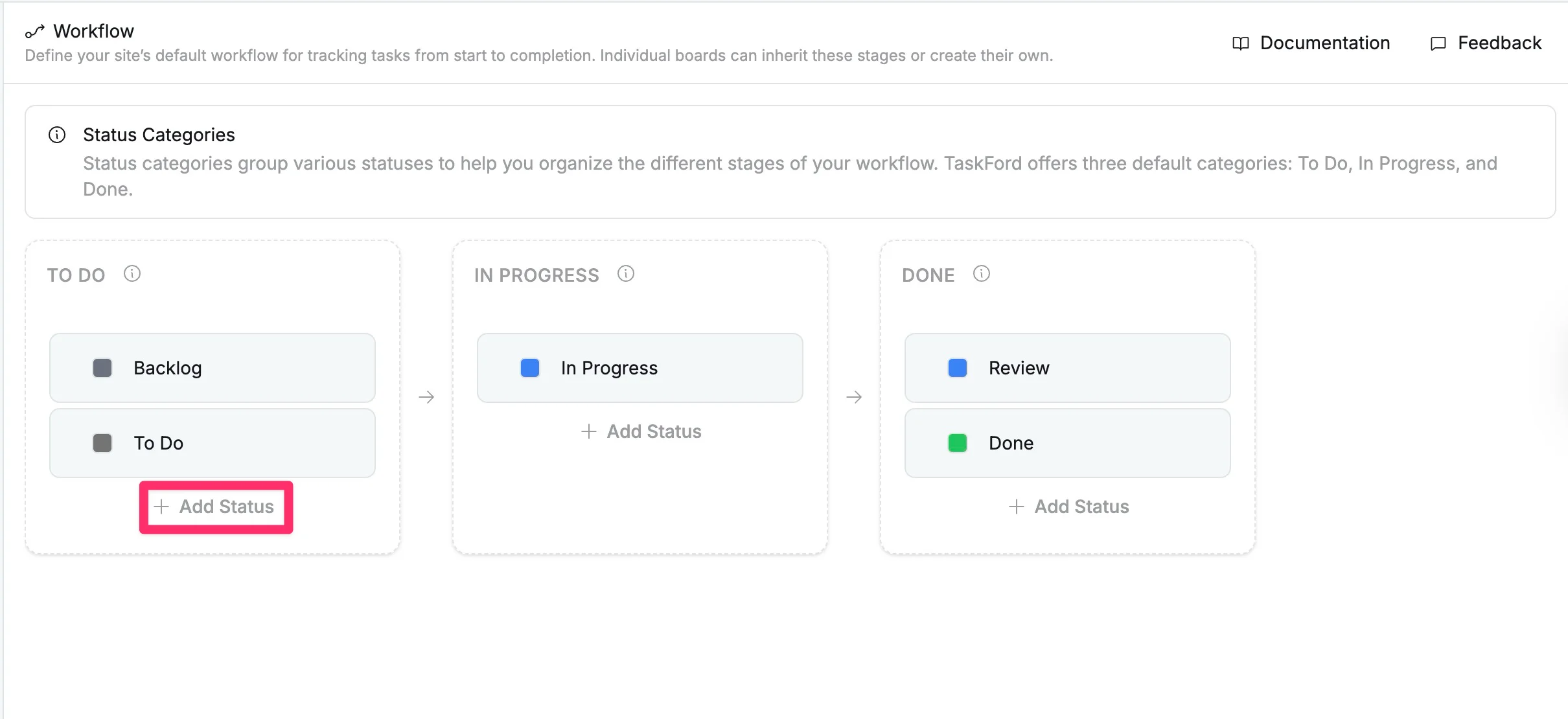
The new status will be added to your workflow. This workflow acts as a global standard that boards can inherit, ensuring a consistent way of tracking work across your workspace.