Create a TaskFord account
Learn how to create a TaskFord account to start managing work and collaborating efficiently with your team.
Welcome to TaskFord! To start managing your work and collaborating with your team, you’ll first need to create an account. You can sign in to TaskFord using your email and password, or by using a connected Google or Microsoft account.
Sign up with email
You can create a TaskFord account using your email address and password:
- Open your web browser and go to the TaskFord homepage
- Click the Get started free button in the top-right corner of the page to be redirected to the registration page.
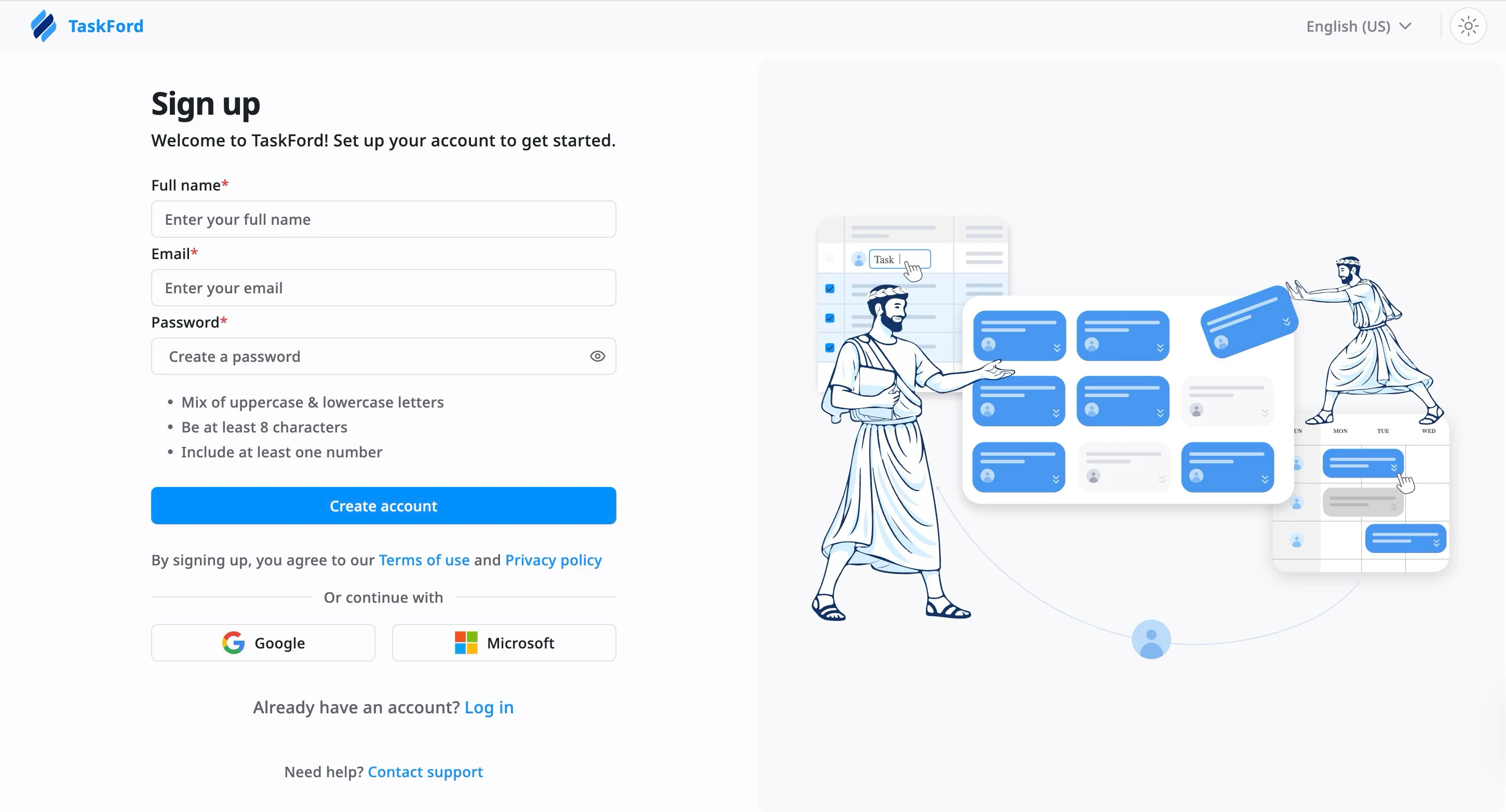
- Enter your details into the required fields:
- Full name: Enter your name as it should appear in TaskFord.
- Email: Provide a valid email address that you have access to.
- Password: Create a secure password that meets the following requirements:
- At least 8 characters
- Includes both uppercase and lowercase letters
- Contains at least one number
- Click Create account to complete the registration process.
After creating your account, follow the verification instructions sent to your email to activate your TaskFord account. Once verified, you can log in and start using TaskFord.
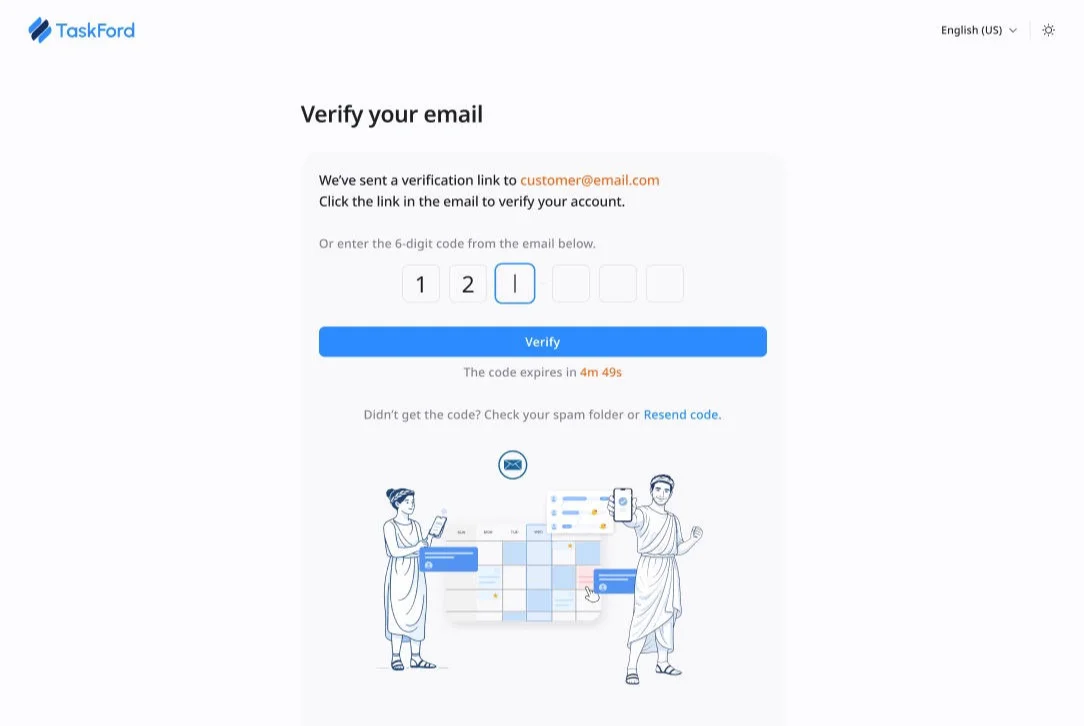
Didn’t receive a verification email? Check your spam folder or ensure the email address was entered correctly.
Still having trouble? Contact us
Sign up with Google or Microsoft (SSO)
Single Sign-On (SSO) is a secure way to sign up and log in using credentials from trusted third-party providers. Instead of creating a new username and password for TaskFord, you can use your existing account.
TaskFord supports Single Sign-On (SSO) with Google and Microsoft, enabling you to sign up and access your workspace quickly and securely.”
To sign up with Google or Microsoft
- Open your web browser and go to the TaskFord homepage
- Click the Sign Up button on the home page. You will be redirected to the registration page.
- Select one of the options:
- Continue with Google, or
- Continue with Microsoft
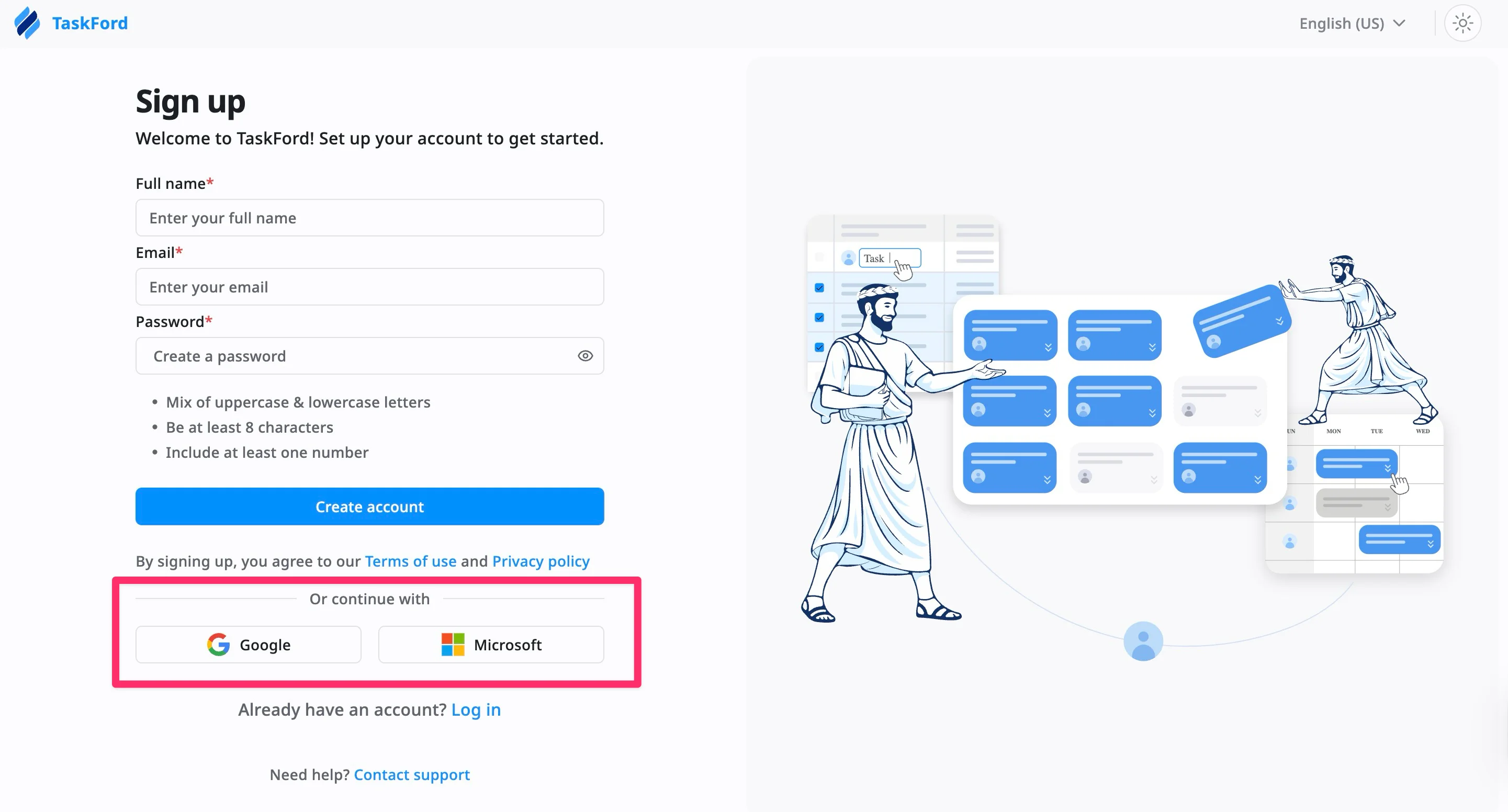
- Sign in to your selected account and complete any required verification.
- Grant permission to allow TaskFord to access basic profile information.
After completing these steps, your TaskFord account will be created automatically and you will be signed in.