Explain account types
This guide explains TaskFord account types and how they control site-level administrative access, including billing, settings, user management, and ownership permissions.
Account types define a user’s level of authority at the site administration level. They control what a user can manage across the entire site — including user management, billing, and security settings.
Account types are independent from app roles, board roles, and portfolio roles. A user can have a limited account type while holding a higher app role — and vice versa. Both must be set intentionally for every user.
Account types control site administration. What a user can do inside TaskFord — creating boards, managing tasks, and interacting with portfolios — is controlled separately by their app role.
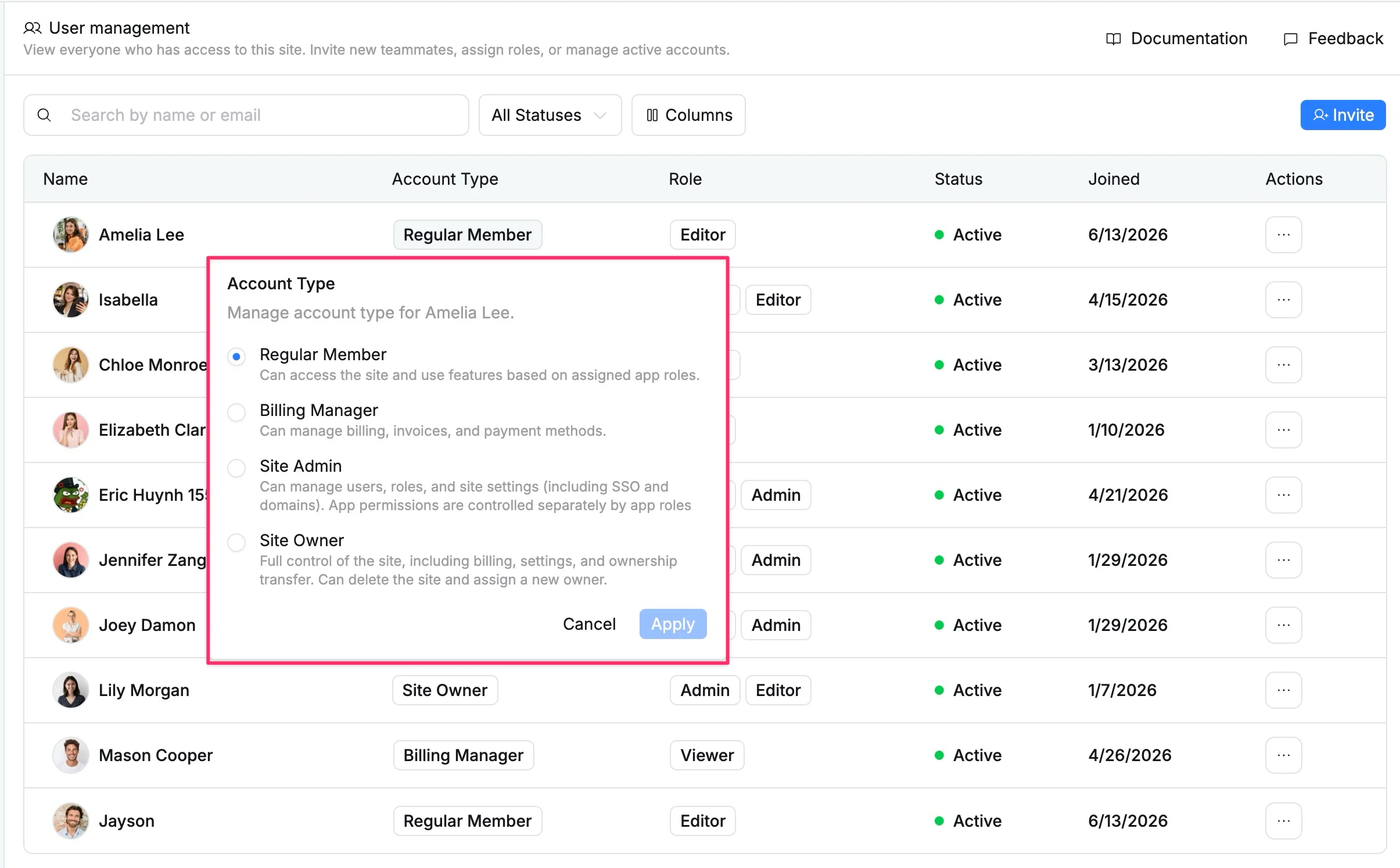
Available account types
Regular members
The default account type for most users. Regular members can access the site and use all app features based on their assigned app role. They have no access to site administration, billing, or settings.
They can:
- Access the site and log in
- Use all app features based on their assigned app role
- Collaborate on boards and portfolios according to their board and portfolio roles
Billing manager
A regular member with additional access to billing and subscription management. Billing Managers have no access to other site settings or user administration.
They can:
- View billing history and invoices
- Manage payment methods
- Manage subscription plans and renewals
Site admin
A regular member with additional access to site-level administration. Site admins can manage users, roles, and site configuration — but their ability to interact with boards and portfolios is still controlled separately by their app role.
They can:
- Manage users and assign account types
- Assign and update app roles
- Configure site-level settings including SSO and subdomains
Site Admin does not automatically grant full access to boards and portfolios. A Site Admin with an App Viewer role can manage users and site settings — but can only view board and portfolio content, not edit it.
Site owner
The Site Owner has the highest level of authority in the site. The user who creates the site is automatically assigned this account type unless ownership is transferred later.
They can:
- Configure SSO and subdomains
- Assign and manage account types
- Manage user roles
- View billing history and invoices
- Manage payment methods
- Manage subscription plans and renewals
- Transfer ownership to another user
- Delete the entire site
Account types at a glance
| Feature | Regular Member | Billing Manager | Site Admin | Site Owner |
|---|---|---|---|---|
| Access the site | ✅ | ✅ | ✅ | ✅ |
| Manage billing and invoices | ❌ | ✅ | ❌ | ✅ |
| Manage users and roles | ❌ | ❌ | ✅ | ✅ |
| Configure SSO and subdomains | ❌ | ❌ | ✅ | ✅ |
| Transfer ownership | ❌ | ❌ | ❌ | ✅ |
| Delete the site | ❌ | ❌ | ❌ | ✅ |