Export tasks to CSV
Export tasks from your TaskFord board to a CSV file. Back up your data, share it with stakeholders, or use it in external tools like spreadsheets.
Who can use this feature?
- Board Admins / Board Editors can export tasks from boards.
- App Admins / App Editors can export tasks from boards, but only on Open boards.
Exporting tasks from a TaskFord board allows you to back up your data, share it with stakeholders, or use it in other tools such as Excel or project management software.
Steps to export tasks
- Open the board containing the tasks you want to export.
- In the board header, click the three vertical dots (⋮) to open the board options menu.
- From the dropdown menu, click Export CSV.
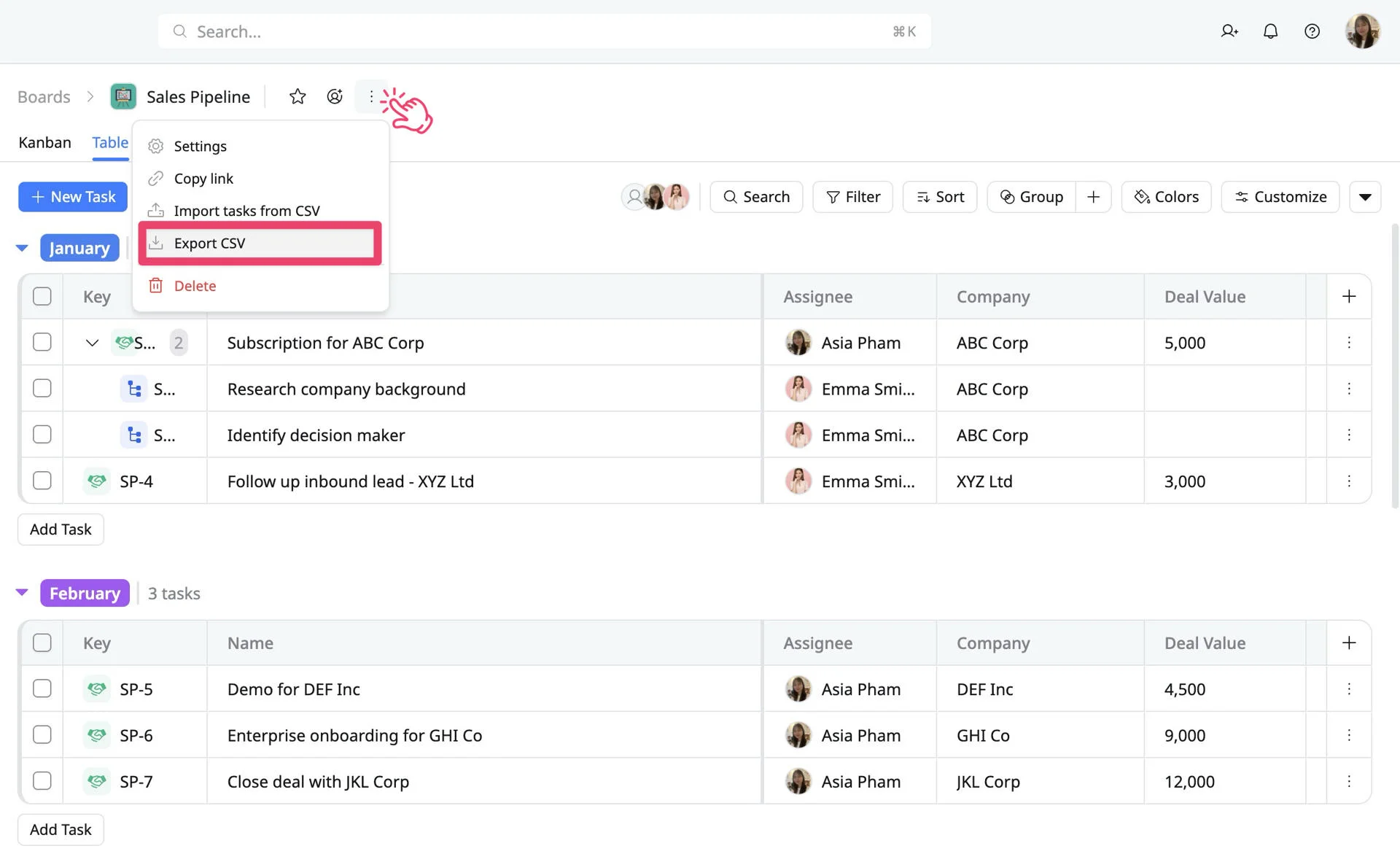
The CSV file containing your board tasks will be generated. Save it to your computer for offline use or further processing.
Tip
- The exported CSV includes all task fields available in the board, such as Task Name, Assignee, Status, Priority, Dates, and Groups.
- You can use the exported CSV to import tasks into another TaskFord board or external project management tools.