Gantt view in TaskFord
Explore the Gantt view in TaskFord to visualize project timelines, track task progress, manage dependencies, and create new Gantt views.
Overview
The Gantt view in TaskFord provides a visual timeline that helps you plan, track, and manage project tasks. Tasks are displayed as horizontal bars on the timeline, making it easy to understand their duration, dependencies, and progress. This allows teams to quickly identify delays, adjust schedules, and keep projects on track.
The view is divided into two main sections: the Task List (List view) on the left, where you can manage and organize tasks, and the Timeline (Gantt chart) on the right, where you can visualize task schedules and relationships across the project.
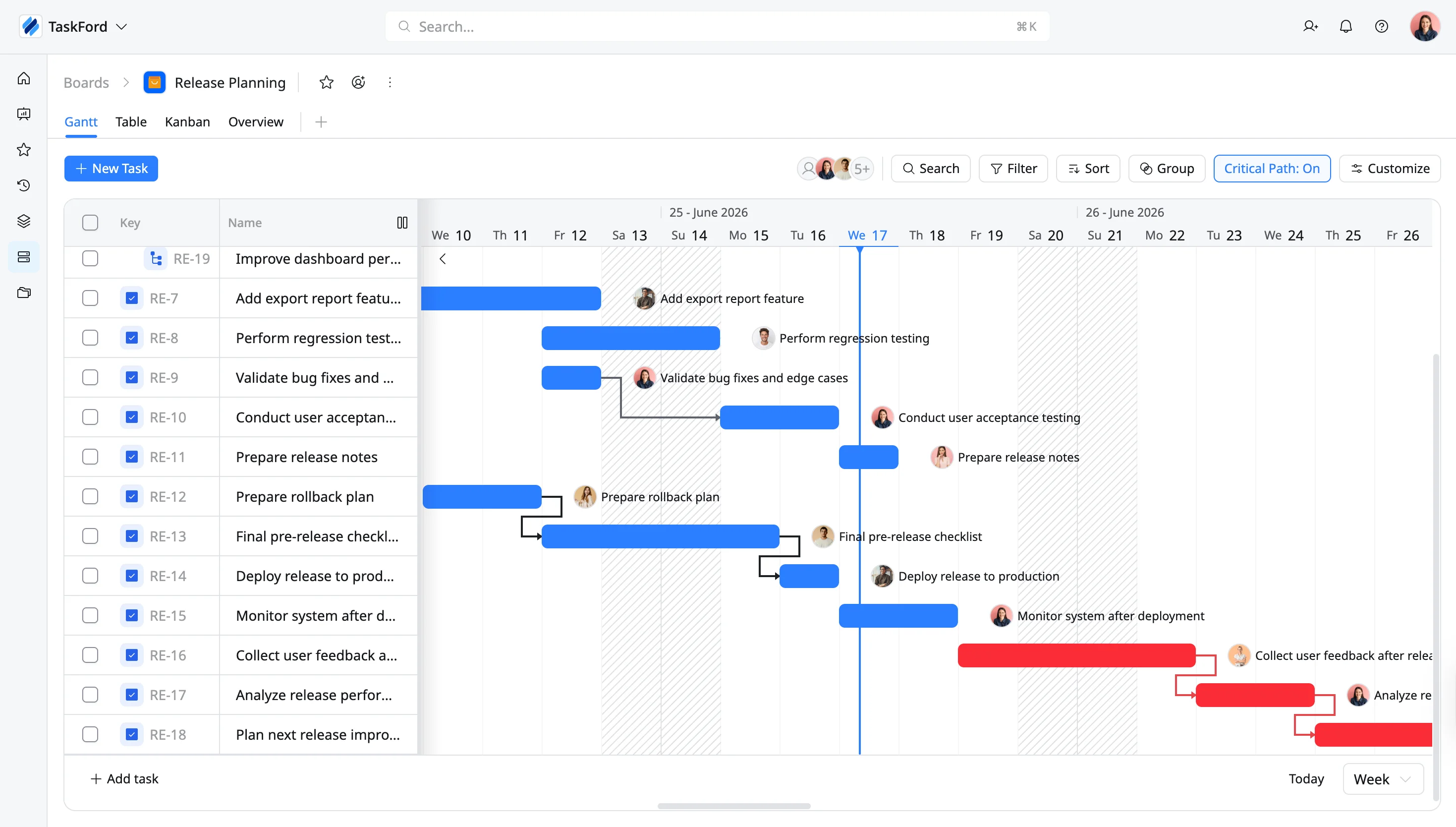
Core components of a Gantt view
Below are the key elements to help you understand how the Gantt view works:
- Task List: A vertical list on the left side that shows all project tasks.
- Timeline: The horizontal axis at the top, displaying time units like days, weeks, or months
- Task Bars: Horizontal bars that show the duration, start, and end dates for each task.
- Dependencies: Lines or arrows connecting tasks to show their relationships and sequence.
- Assignees: Labels identifying the person or team responsible for each task.
- Milestones: Special symbols, like diamonds, to mark significant points in the project.
- Dateline: A vertical line that indicates the current date on the chart.
- Progress: A shaded portion of the taskbar or a percentage that shows how much of a task is complete.
- Critical Path: The sequence of dependent tasks that must be finished on time to meet the project’s deadline.
Create a Gantt view
- Board Admins / Board Editors can create board views.
- Site Admins / Site Editors can create board views only on Open boards.
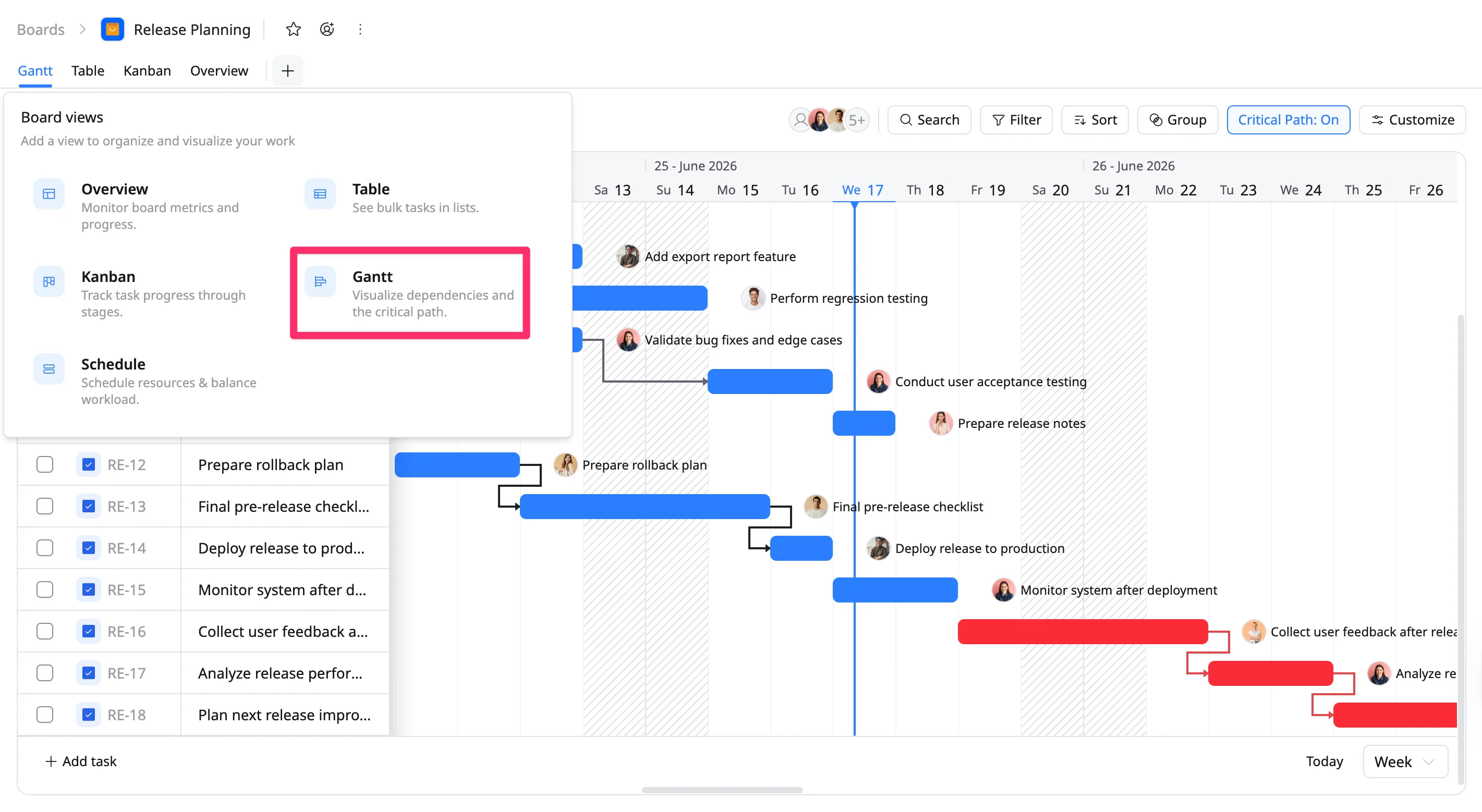
To create a Gantt view:
- Go to the specific board where you want to add a new view.
- Click + to open the Board views option.
- Select Gantt from the view options.