Manage your password
This guide explains how to create, change, or reset your TaskFord password to update credentials, recover access, or add a password to your account.
This guide explains how to create, change, or reset your account password. You may need to update your password for security reasons, recover access to your account, or set a password if you originally signed up using Google or Microsoft.
Change your password
You can change your password at any time from your account settings if you want to improve security or update your credentials.
To change your password:
- Click your profile picture in the top-right corner.
- Select Account from the dropdown menu.
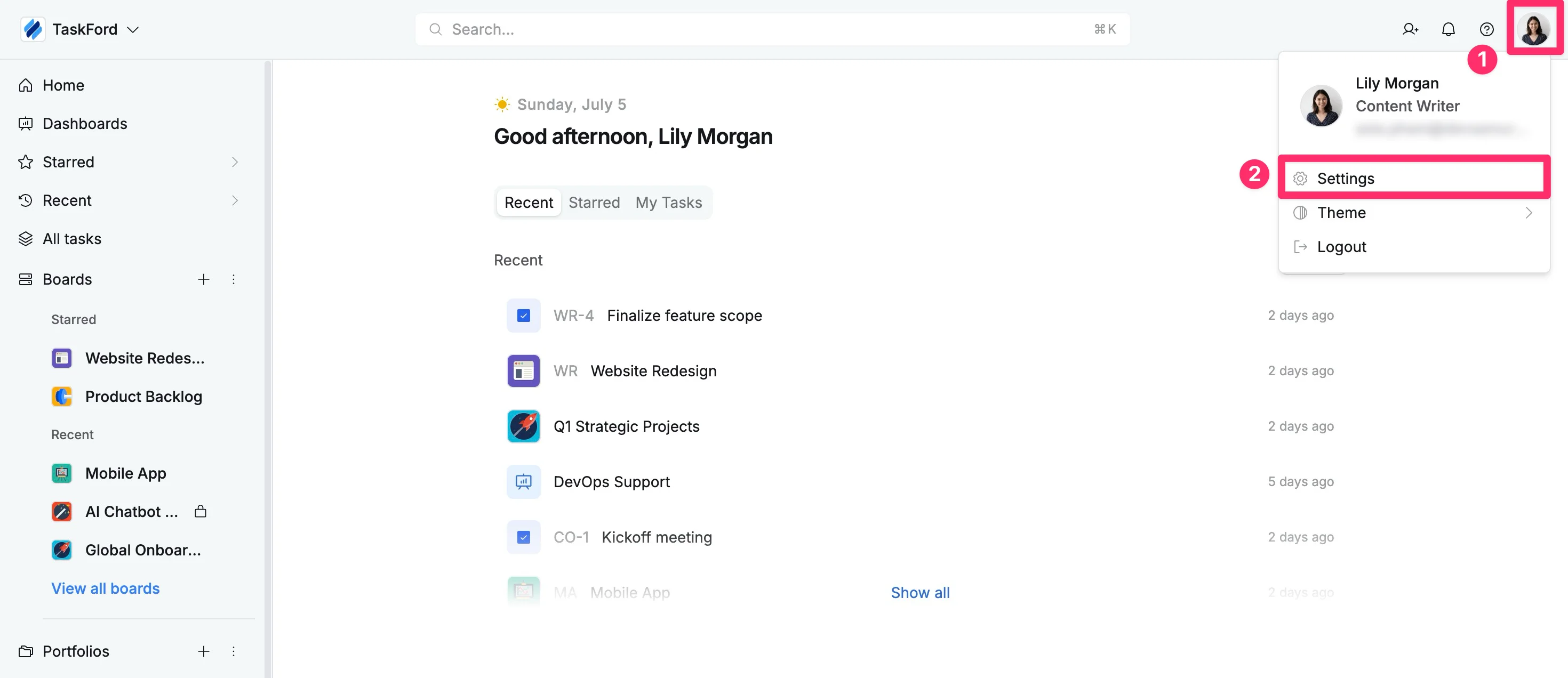
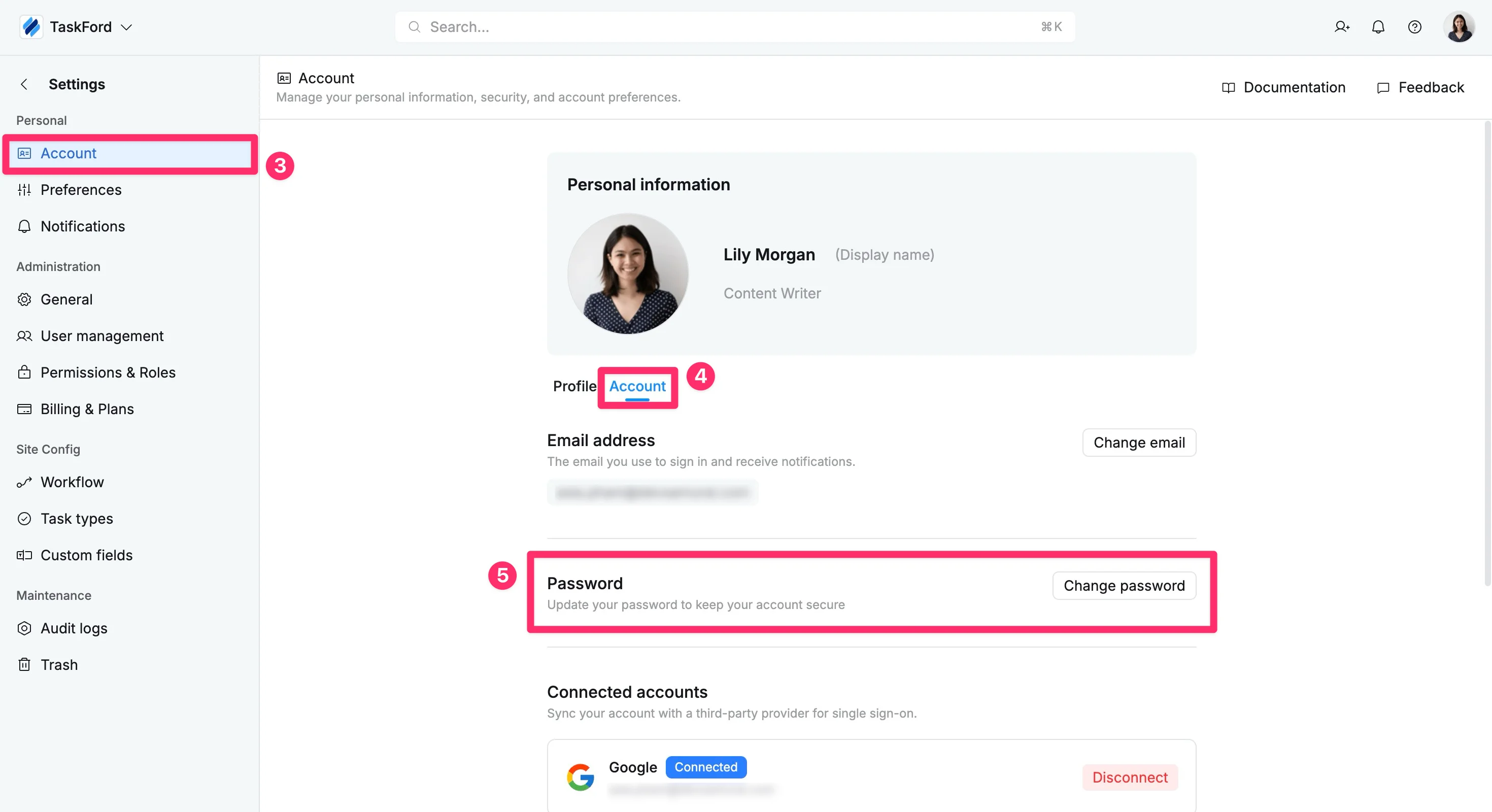
- In the left-hand menu, select Account.
- Choose the Account tab
- In the Password section, click Change password.
TaskFord will send a password reset link to your registered email address. Follow the instructions in the email to set a new password.
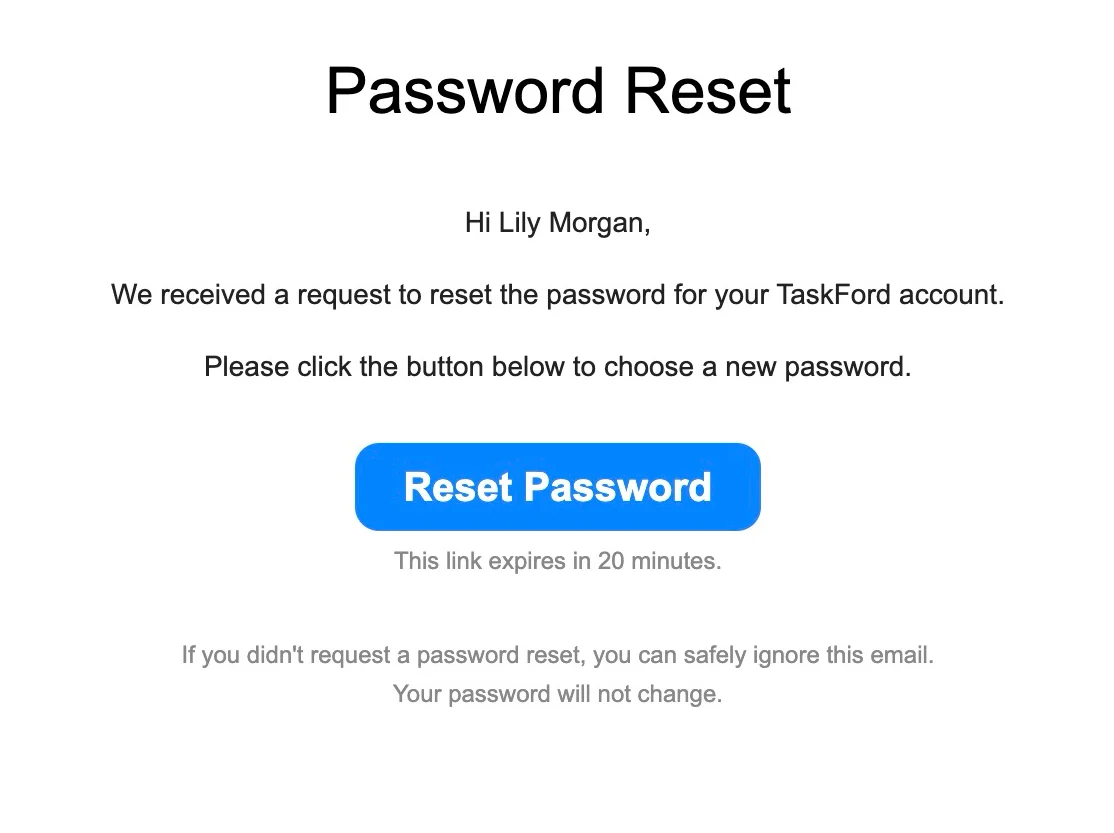
Make sure you have access to your registered email to complete the process.
Reset your password
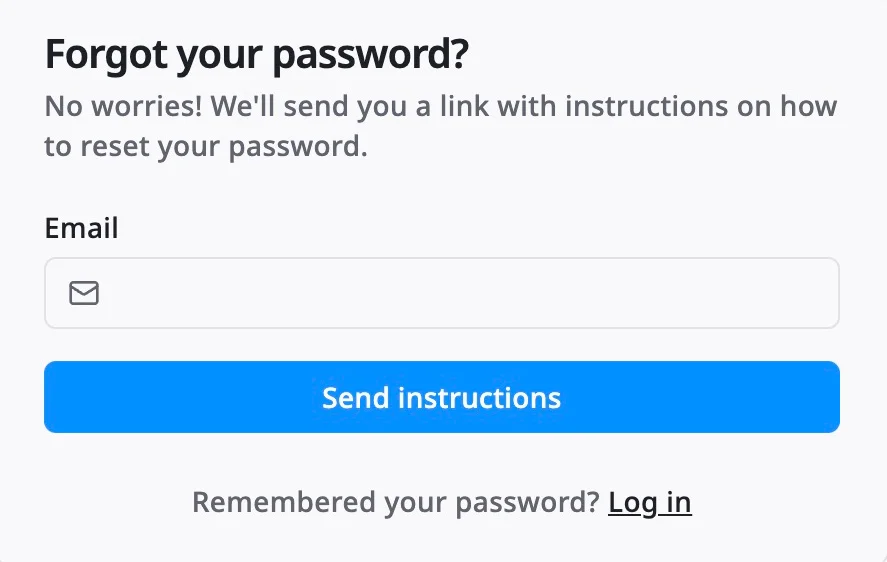
If you forgot your password, you can reset your password from the login page.
To reset your password:
- Go to the TaskFord login page.
- Enter your registered email address.
- Click Forgot password?
You can click here to quickly reset your password.
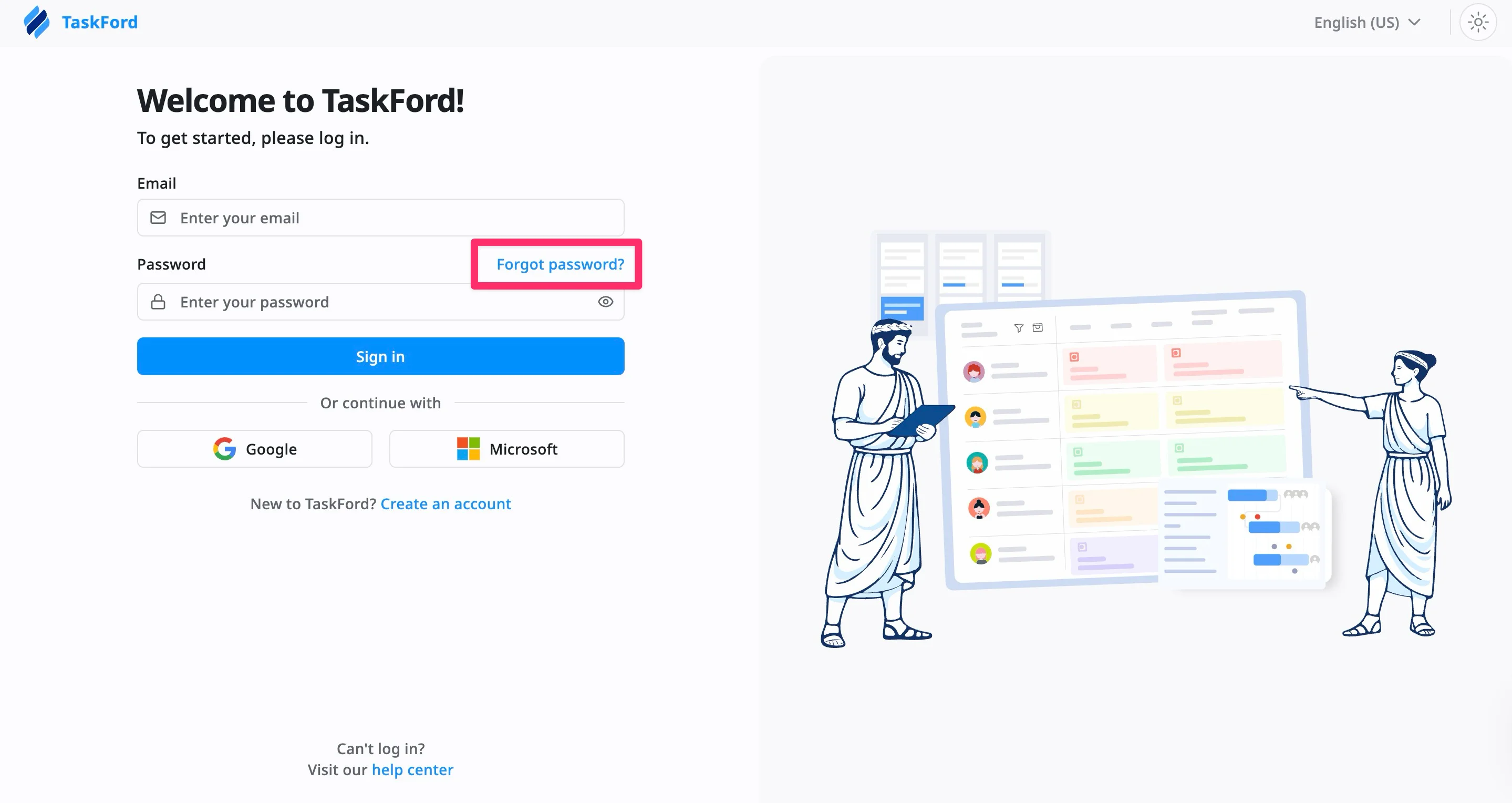
TaskFord will send a password reset link to your email. Follow the instructions in the email to create a new password.
Create a password
If you signed up using your Google or Microsoft account, you may not have a password yet. You can create one at any time from your account settings.
To create a password:
- Click your profile picture in the top-right corner.
- Select Account from the dropdown menu.
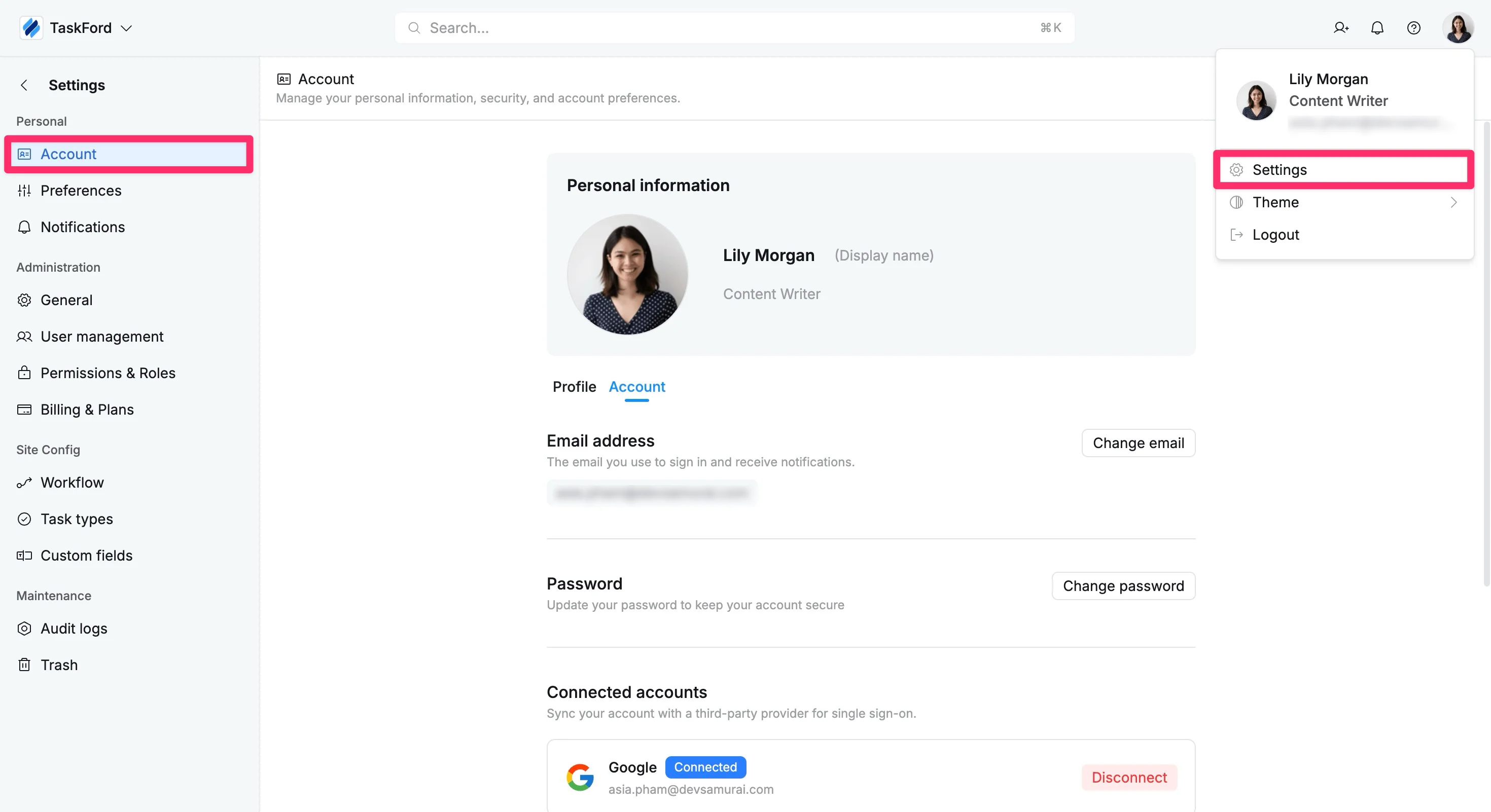
- In the left-hand menu, select Account.
- Choose the Account tab
- In the Password section, click Set password.
TaskFord will send a password reset link to your registered email address. Follow the instructions in the email to create a new password.
Once completed, you will be able to sign in using either Google/Microsoft or your email and password.