Manage your subscription
Learn how TaskFord subscriptions work, including monthly and yearly billing cycles, plan tiers, and how seat count affects your subscription cost.
Only the Site Owner or users with Billing Manager permission can access and manage billing settings.
A TaskFord subscription is a recurring payment plan that gives your team continued access to a selected TaskFord plan and its included features.
You can choose between monthly and yearly billing cycles. Your subscription cost is based on the plan tier you choose, such as Pro, Premium, or Enterprise, and the number of paid seats on your site.
Access your subscription
To access your subscription:
- Go to the Billing & Plans page.
- Select Subscription in the left-hand menu.
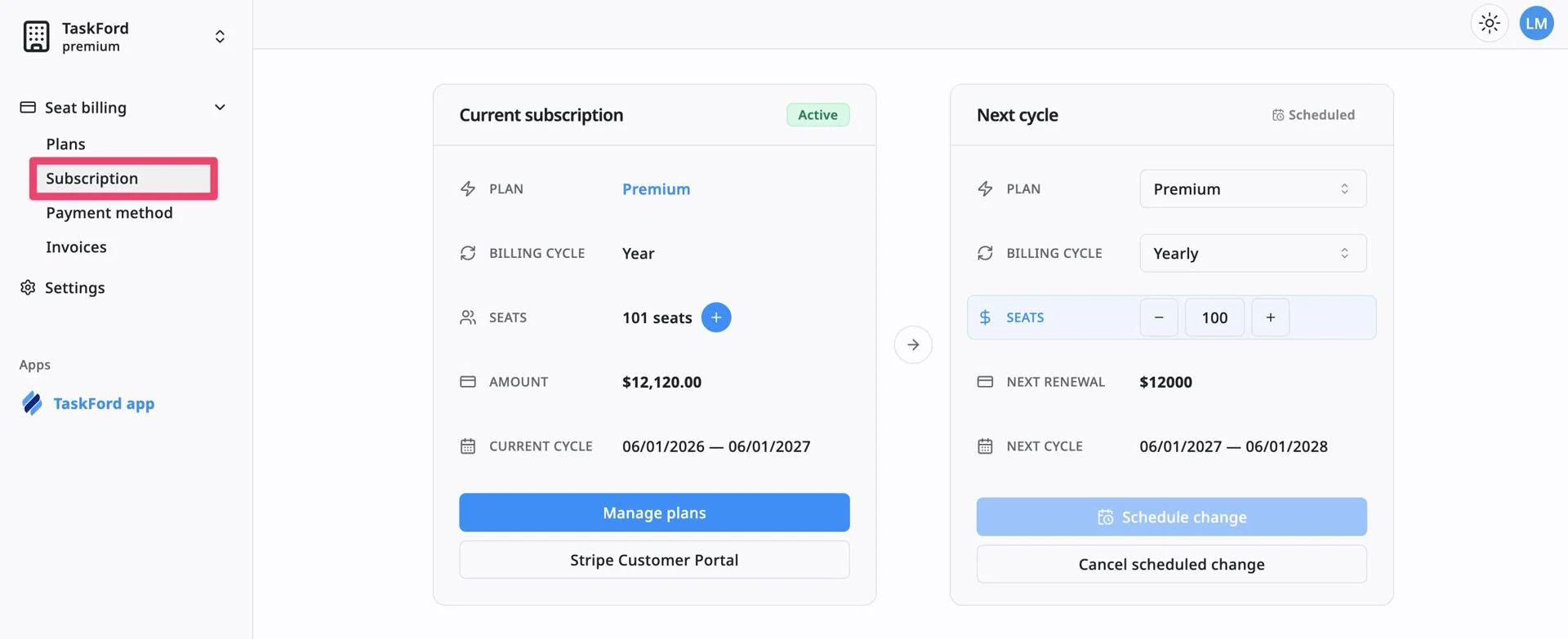
From the Subscription page, you can review your current subscription, check your billing cycle, view your seat count, manage plan changes, and access the Stripe Customer Portal.
Review your current subscription
The Current subscription section shows your active subscription details.
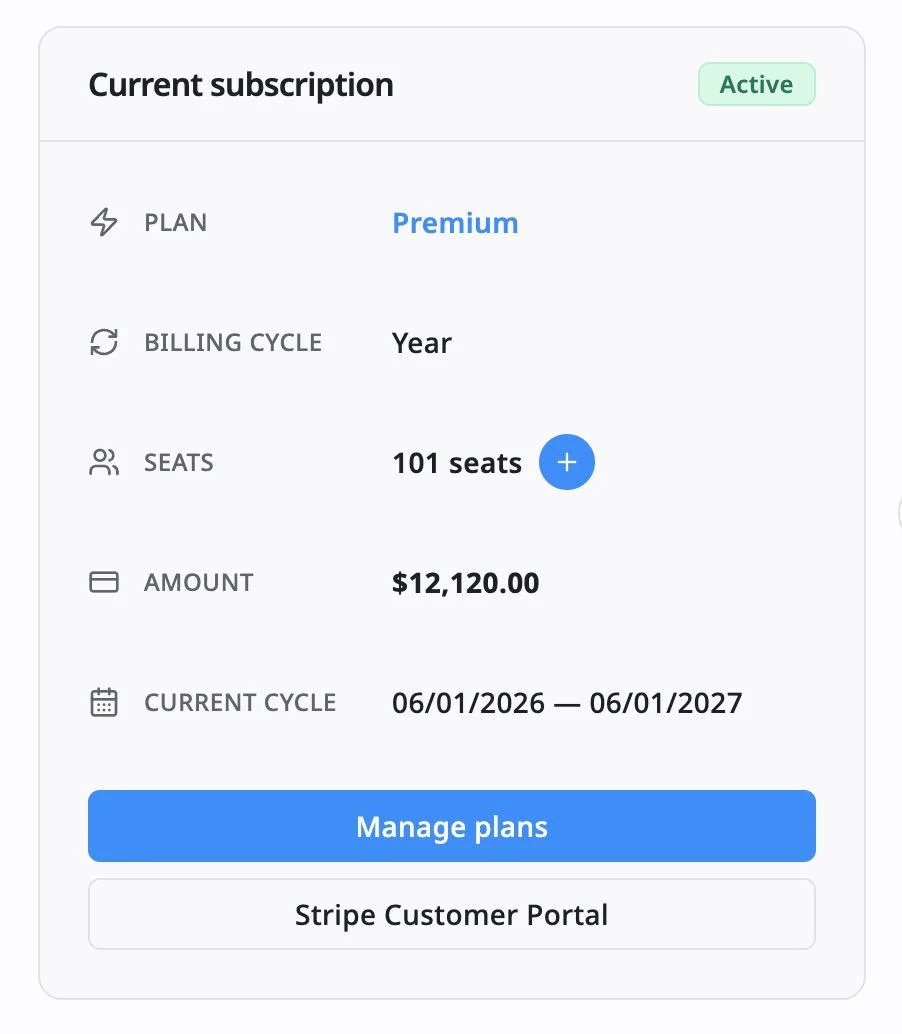
This section may show:
- Status: Shows whether your subscription is active, trialing, canceled, or past due
- Plan: Shows your current plan, such as Pro or Premium.
- Billing cycle: Shows whether your subscription is billed monthly or yearly.
- Seats: Shows the number of paid seats currently included in your subscription.
- Amount: Shows the current subscription amount.
- Current cycle: Shows the start and end dates of the current billing period.
Use this section to confirm your current plan and billing setup before changing plans, buying seats, reducing seats, or updating payment details.
Manage the next billing cycle
The Next cycle section lets you preview or schedule changes for your next billing period.
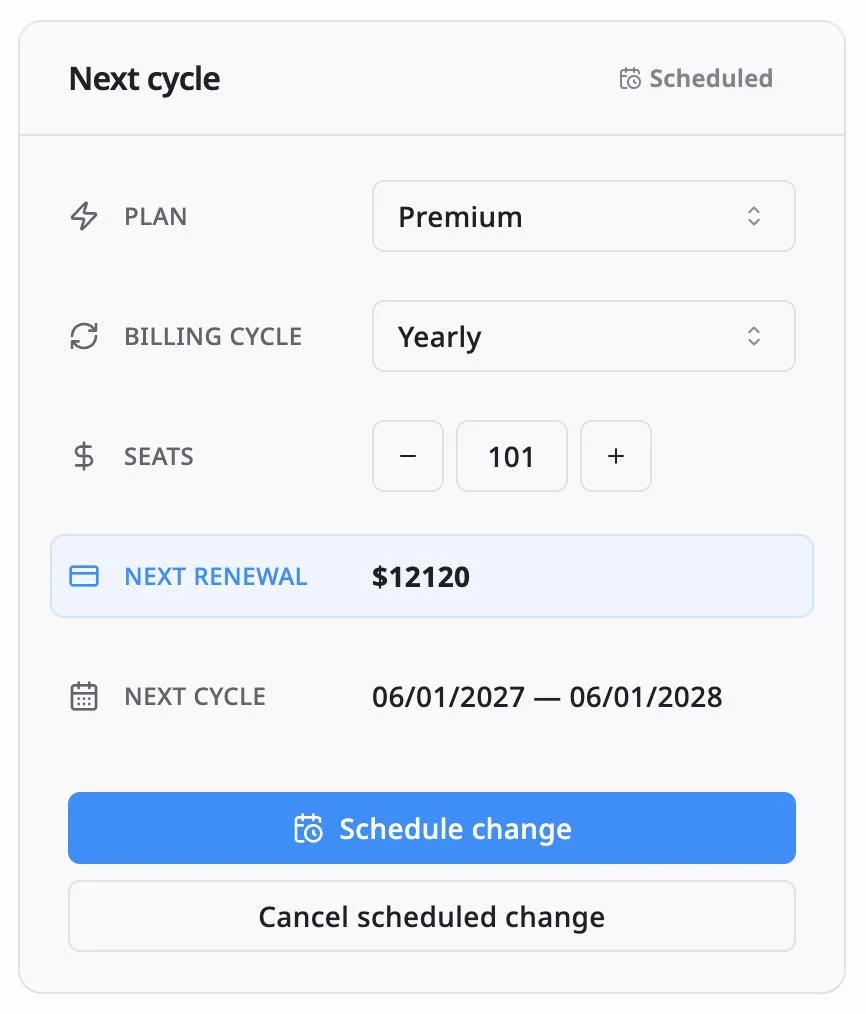
This section may include:
- The plan for the next cycle
- The billing cycle for the next renewal
- The number of seats for the next cycle
- The next renewal amount
- The next billing period dates
Use this section when you want to reduce seats, downgrade your plan, or change from yearly to monthly billing. These changes are usually scheduled and applied at the next renewal date.