Not Receiving Login, Sign‑Up, or Verification Emails
Fix issues with missing TaskFord login, sign-up, or verification emails. Learn how to check email filters, resend codes, and restore access.
You’re not receiving TaskFord emails for login codes, sign‑up confirmations, or verification codes, and you cannot complete sign-in or activate your account.
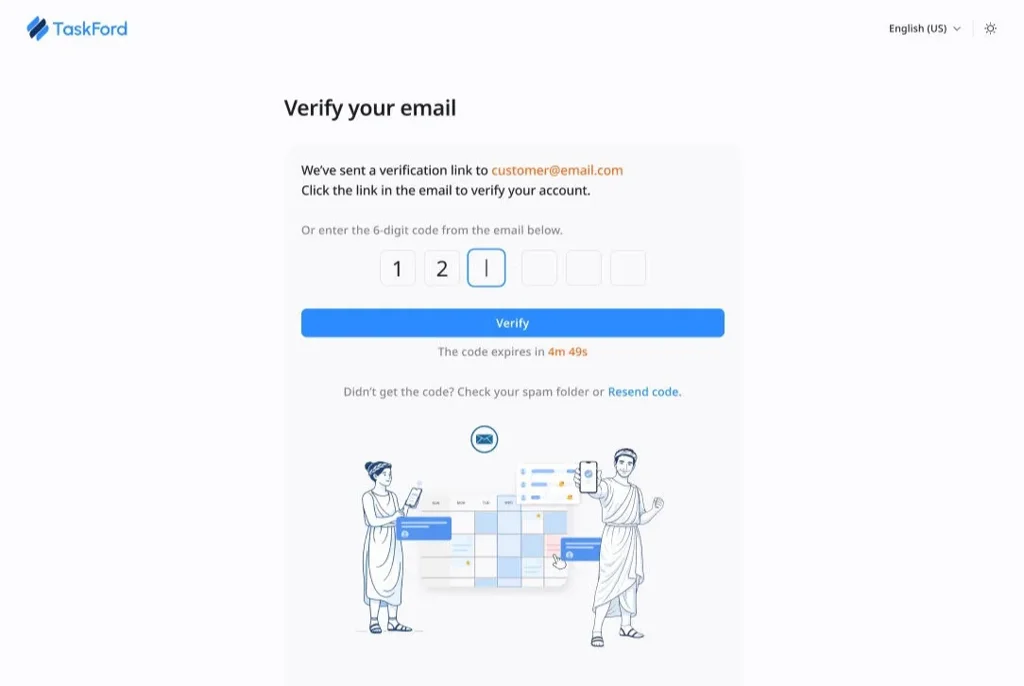
Check your spam or junk folder
Emails with codes or verification links can be filtered by your email provider. Make sure to check your Spam, Junk, or Promotions folders for messages from TaskFord.
Confirm your email address is correct
If there was a typo when you entered your email during registration or login, the email may have been sent to the wrong address. Verify that the address you entered is correct and try again if needed.
Resend the email
Go back to the TaskFord login or sign‑up screen and select the option to Resend Login Code, Resend Verification Email, or Resend Confirmation. This sends a fresh message that may arrive correctly.
Wait a few minutes
Sometimes email delivery is delayed due to network or server processing. Wait a few minutes (typically up to about 10 minutes) and check again before trying other steps.
Check email filters and rules
Some email providers or corporate networks automatically filter or block automated emails. If you’re using a work or company email, your IT team may need to:
- Whitelist TaskFord email domains so they aren’t blocked or quarantined.
- Add noreply@taskford.dev to your contacts or safe sender’s list to ensure delivery.
- Check for any rules or filters that could be moving messages to other folders.
Check the correct email account
If you have multiple email accounts, ensure you’re checking the inbox for the account you used with TaskFord.
Try a different email provider (optional)
In some rare cases, certain email domains may have strict spam filtering that prevents automated emails from arriving reliably. If possible, try signing in or signing up with a different email provider (e.g., Gmail, Outlook).
If you’ve followed these steps and are still not receiving emails, please don’t hesitate to contact us for further assistance. We can help investigate and ensure you get access.