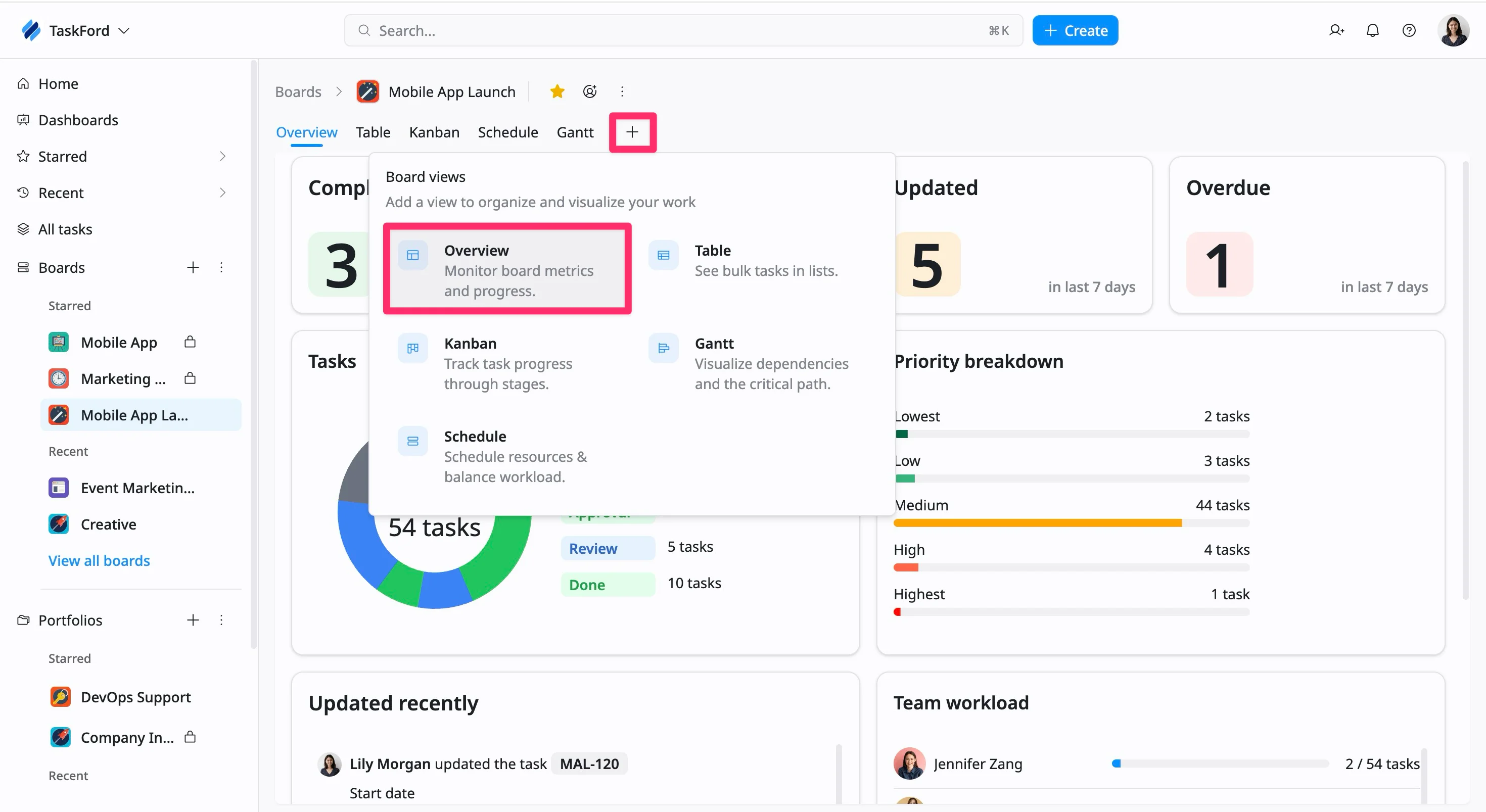
Overview view in TaskFord
Learn how to create and use the Overview view in TaskFord to monitor project progress, task distribution, team workload, and board activity from a centralized dashboard.
The Overview view in TaskFord provides a high-level summary of your board’s activity and performance. It helps you quickly understand project progress, task distribution, team workload, and recent updates—all in one place.
This view is ideal for project managers and team members who want a snapshot of the current state of work without reviewing individual tasks.
Create an Overview view
Who can use this feature?
- Board Admins / Board Editors can create tasks.
- App Admins / Editors can create tasks only on Open boards.
To create a new Overview view, follow these steps:
- Go to the specific board where you want to add a new view.
- Click the plus (+) icon in the view bar to open the Board views menu.
- Select Overview from the available view options.