Restore a Deleted Site or Board
Learn how to restore deleted TaskFord Sites and Boards within the 30-day recovery period, permanently delete Boards from Trash, and troubleshoot recovery issues.
If you accidentally deleted a Site or moved a Board to Trash in TaskFord, you may still be able to recover it within the 30-day recovery period. This guide explains how to restore deleted Sites and Boards before they are permanently removed.
Restore a board from Trash
When a board is deleted, it is first moved to the Trash. Only App Admins can restore a board from Trash within the 30-day recovery period.
To restore a board:
- Click your profile picture in the top-right corner.
- Select Settings from the dropdown menu.
- Open the Trash tab under the Maintenance section from the left-hand menu.
- Locate the deleted board.
- Click the three-dot menu (⋮) next to the Board.
- Select Restore.
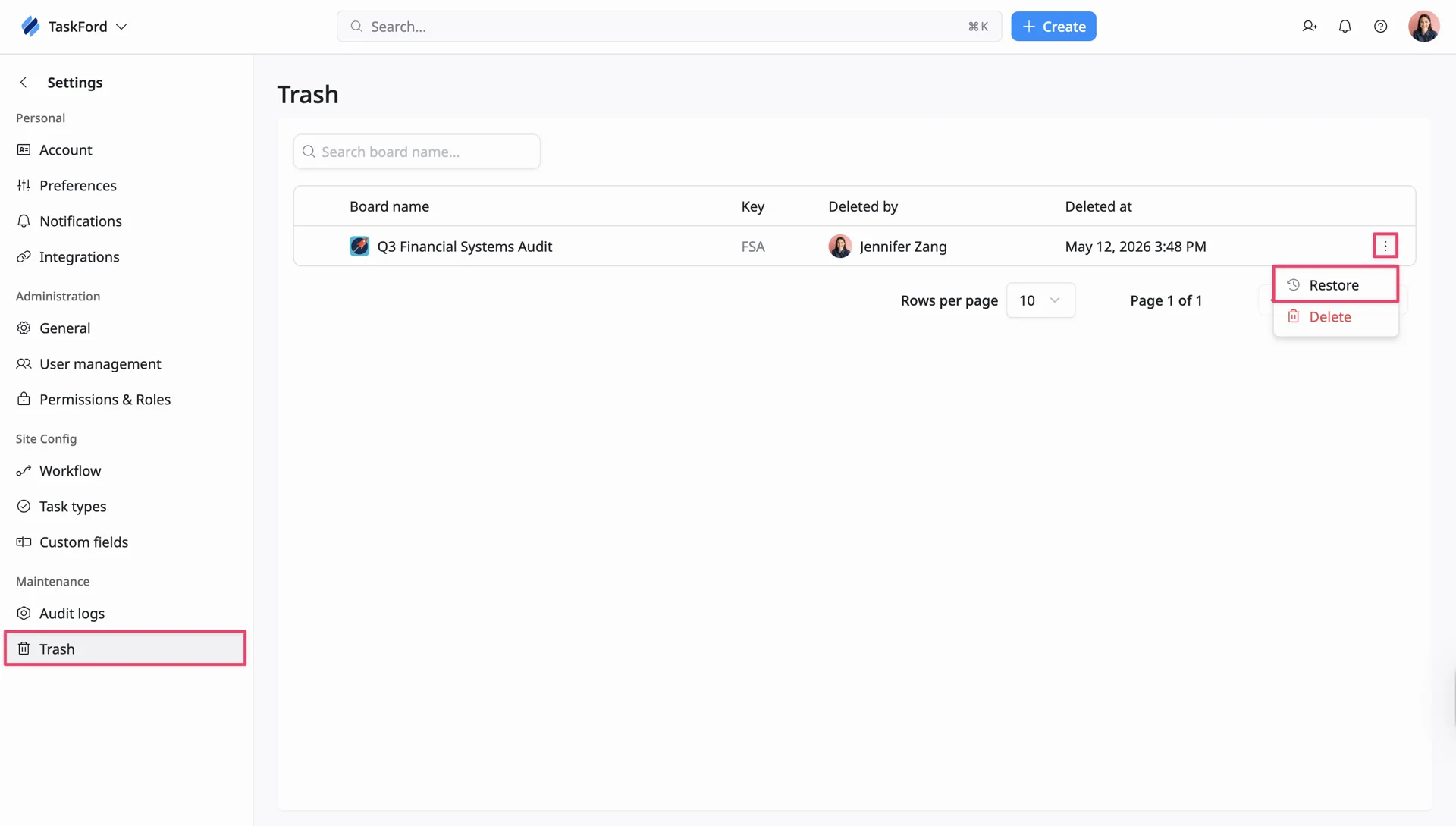
Once restored, the board will return to the site with its previous data and settings.
Permanently delete a board
Boards stored in the Trash can still be permanently deleted.
To permanently delete a board:
- Click your profile picture in the top-right corner.
- Select Settings from the dropdown menu.
- Open the Trash tab under the Maintenance section from the left-hand menu.
- Locate the deleted board.
- Click the three-dot menu (⋮) next to the Board.
- Select Delete.
- Confirm the deletion.
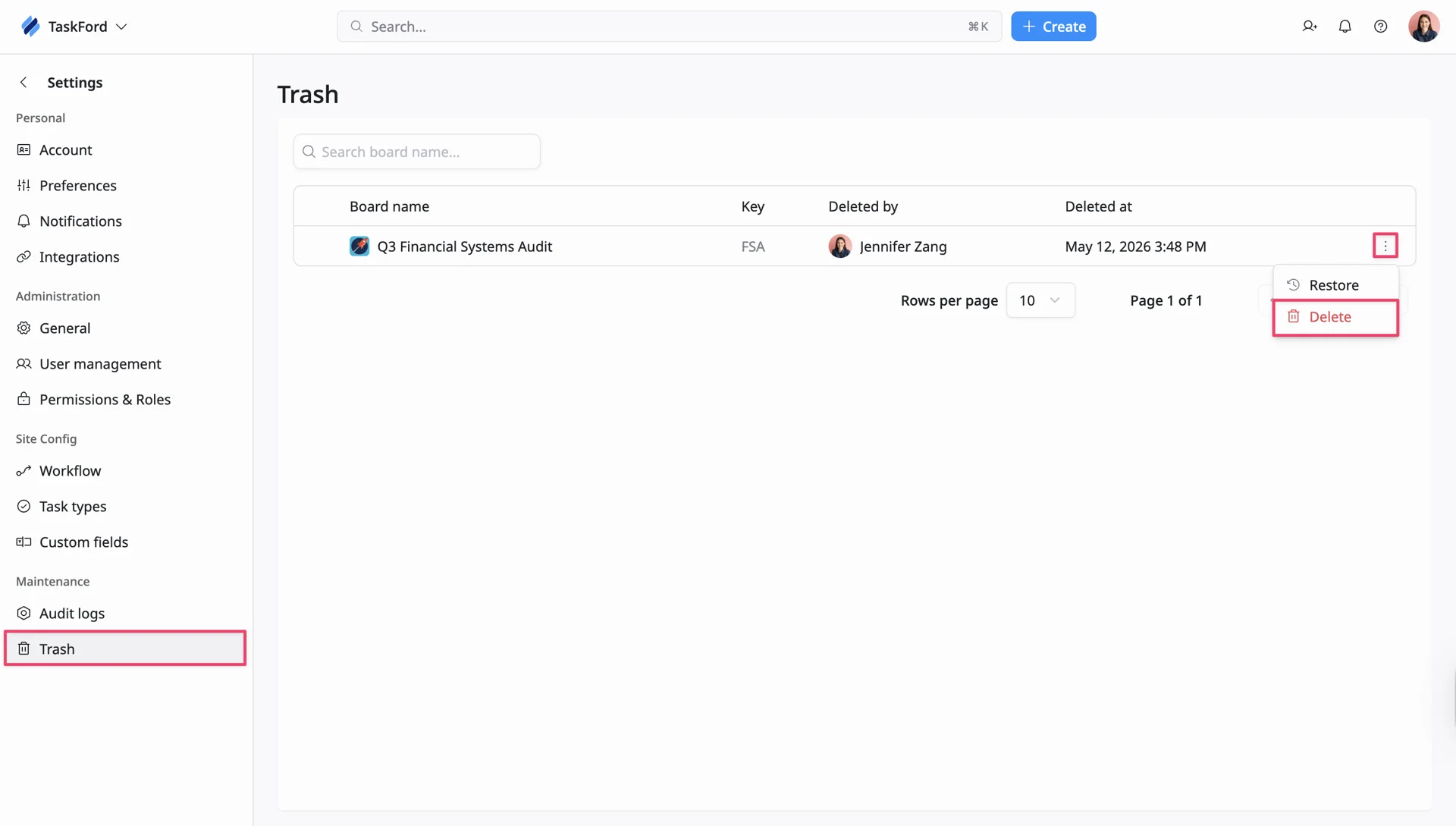
Once permanently deleted, the board cannot be recovered.
Restore a deleted site
Deleted sites remain recoverable for 30 days before being permanently removed.
To restore a deleted site:
- Click the Site name in the top-left corner of the screen.
- Select Site Management.
- The TaskFord Administration page will open.
- Locate the Site marked as Deleted.
- Open the Site details page.
- Click Cancel deletion and restore site.
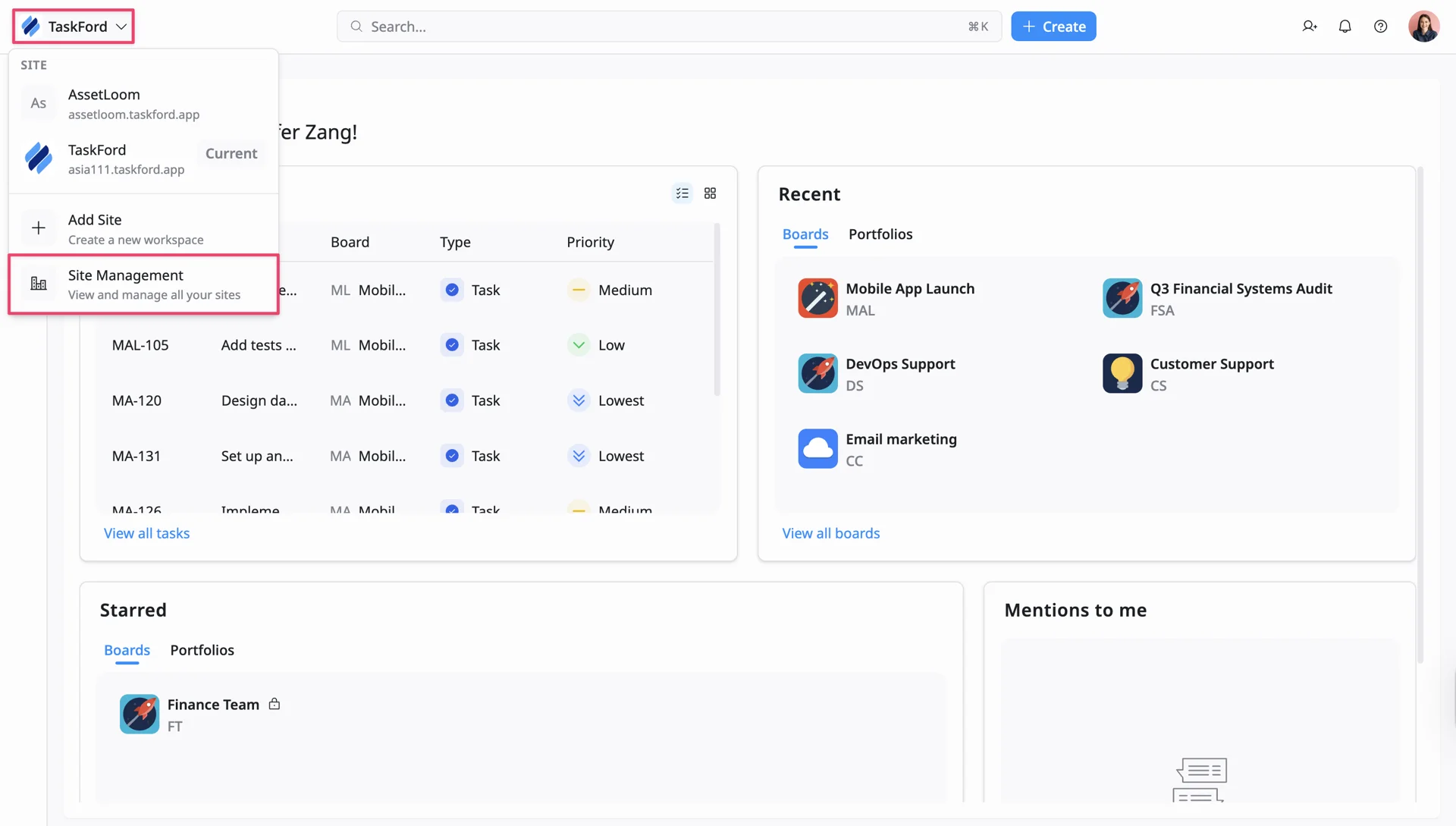
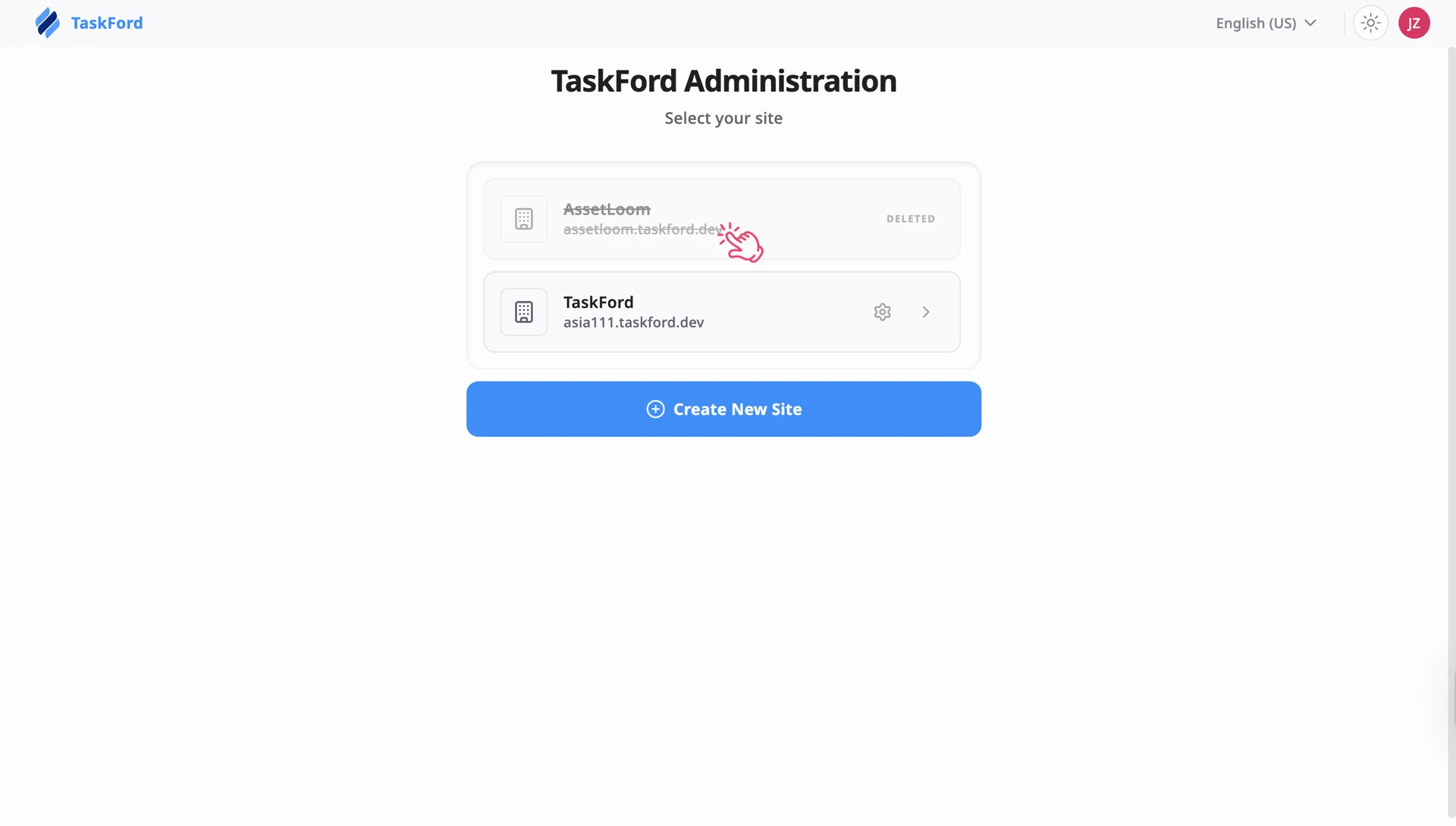
Once restored, the site and all associated data will become available again.
Site permanently deleted
After the 30-day recovery period ends, deleted sites are permanently removed and cannot be restored.
If the deleted site no longer appears in the TaskFord Administration page, the recovery period has expired.
Unable to restore a board or site
If you cannot restore a board or site:
- Confirm that you have the required admin permissions.
- Verify that the item is still within the 30-day recovery period.
- Ensure the board has not already been permanently deleted from Trash.
If you still cannot recover your site or board, please contact us for support.