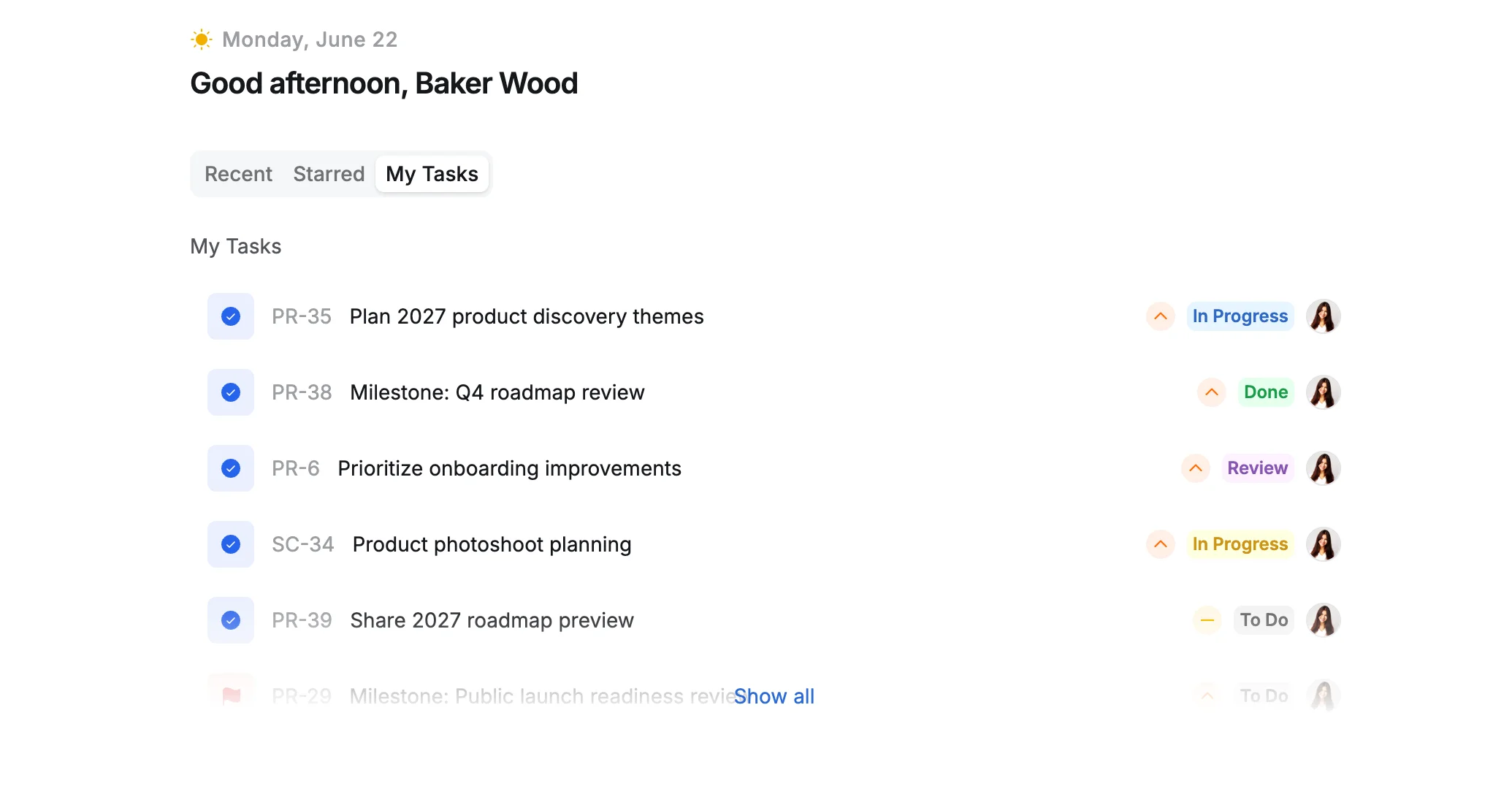
Sections in Home
Use the Home page to access your recent work and bookmarks, and quickly open or resume tasks, boards, and other key items.
Recent
The Recent section shows the items you have recently accessed or worked on, including tasks, boards, portfolios, and dashboards. It helps you quickly resume work by keeping your most recently used items easily accessible.
Filter recent items by type
Use the dropdown on the right to filter the recent list:
- All: Shows all recent items (default view)
- Tasks: Shows only tasks
- Boards: Shows only boards
- Portfolios: Shows only portfolios
- Dashboards: Shows only dashboards
Select All to remove the filter and return to the default view.
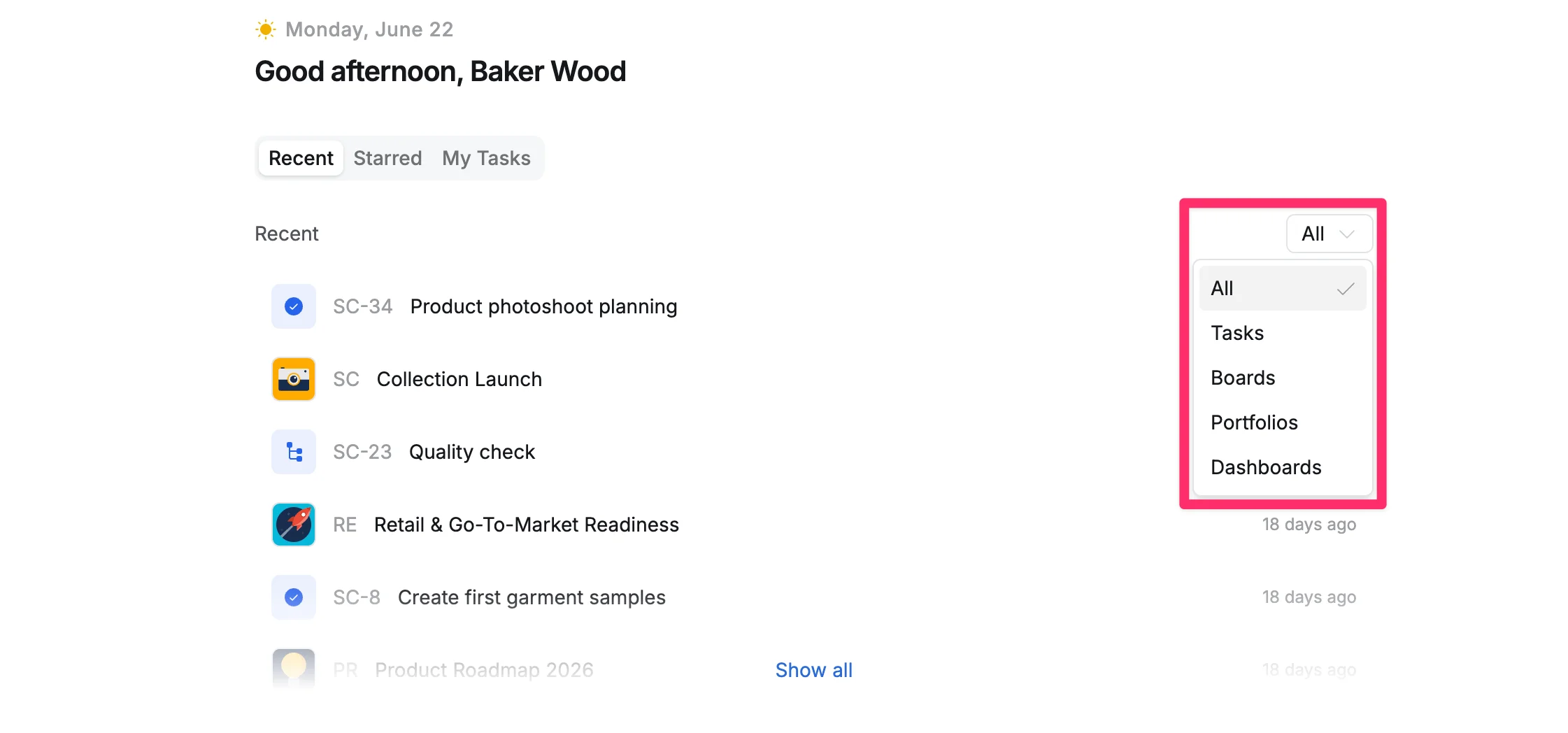
View full Recent list
You can click Show all to view the complete recent list.
Starred
The Starred section displays items you’ve marked as important or favorites, helping you quickly access key boards, portfolios, or dashboards you frequently reference.
Filter starred items by type
Use the dropdown on the right to filter the starred list:
- All: Shows all starred items
- Boards: Shows only boards
- Portfolios: Shows only portfolios
- Dashboards: Shows only dashboards
Select All to remove the filter and return to the default view.
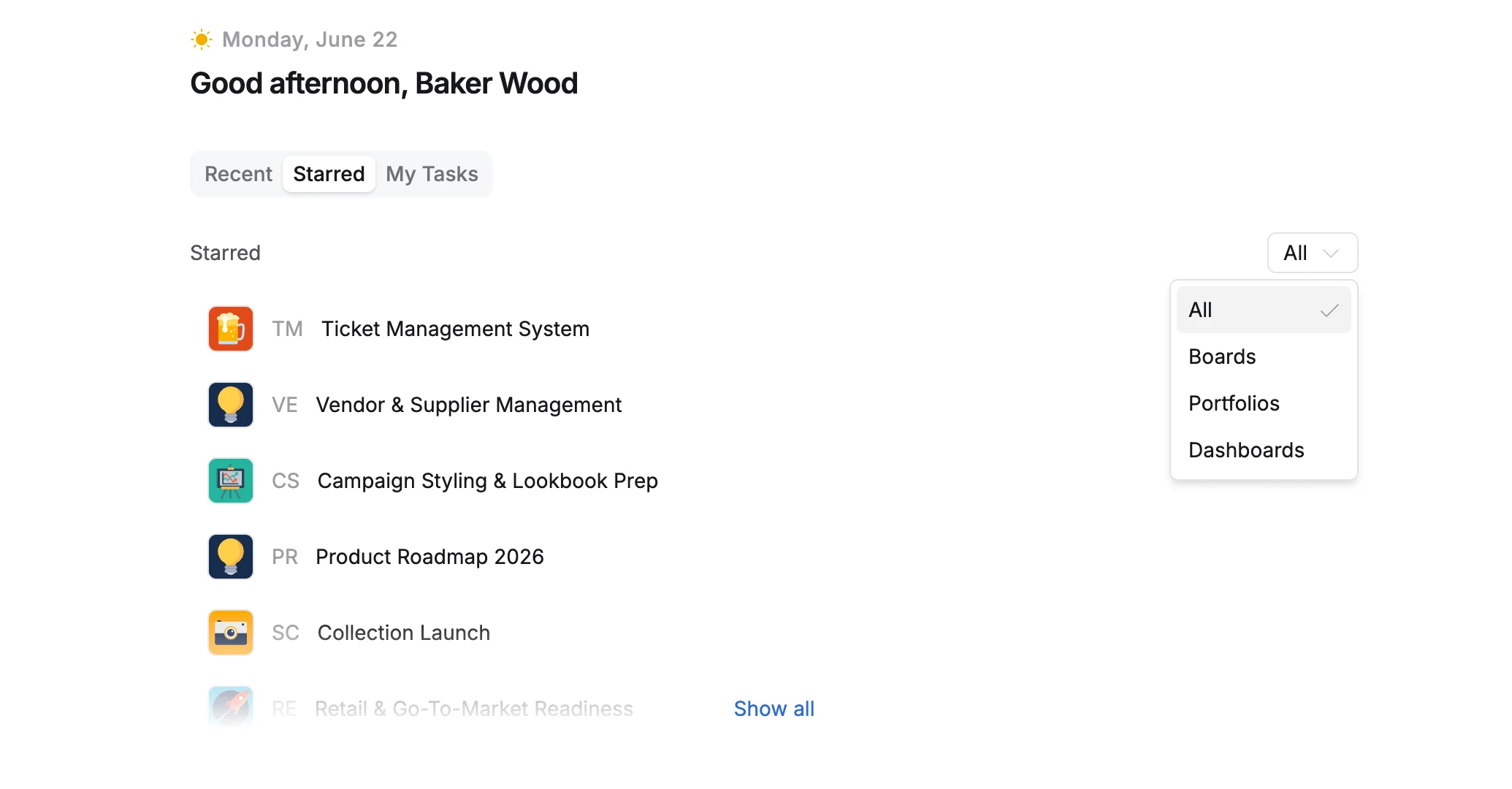
View full Starred list
You can click Show all to view the complete starred list.
My Tasks
The My Tasks section shows tasks assigned to you along with their status, helping you manage your personal workload and see what to work on next.
View and manage tasks
- Click any task to open it.
- Check the status label (e.g., To Do, In Progress) next to each task.
- Click Show all to see your complete task list.