Start a free trial
Use a free TaskFord trial to explore paid features, test workflows, and evaluate the platform before subscribing
Only the Site Owner or users with Billing Manager permissions can start a trial.
TaskFord lets you start on the Free plan when you create a new site. From there, you can choose to trial a paid plan, such as Pro or Premium, based on your team’s needs.
Use a free trial when you want to explore paid features before subscribing. During the trial, your site can test the selected plan’s features without purchasing the plan right away.
TaskFord trials last 30 days.
How TaskFord trials work
When you sign up for TaskFord and create a new site, your site starts on the Free plan by default. You can continue using the Free plan, or start a trial of a paid plan if a trial is available for your site.
If a trial is available, you may see a Try now button on a paid plan card, such as Pro or Premium.
You can choose the trial plan that best matches the features you want to test. To learn more about what each plan includes, review the detailed plan articles:
To try the Enterprise plan, you need to contact the TaskFord Sales Team.
How to start a free trial
To start a free trial:
- Click your profile picture in the top-right corner and select Settings.
- In the left-hand menu, go to Administration and select Billing & Plans.
- Find the paid plan you want to try, such as Pro or Premium.
- Click Try now on that plan card.
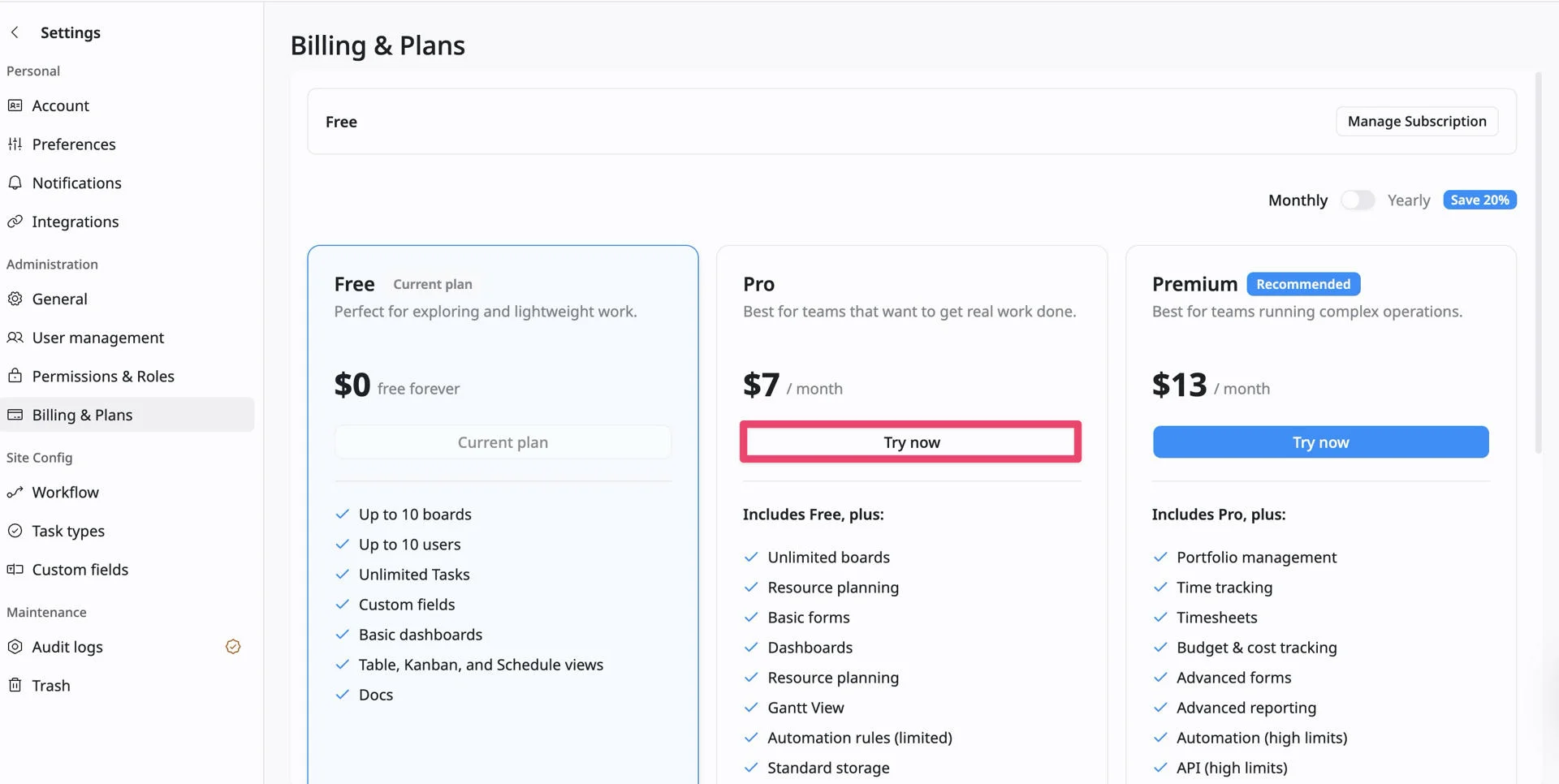
- In the confirmation window, review the trial details.
- Click Start trial to begin.
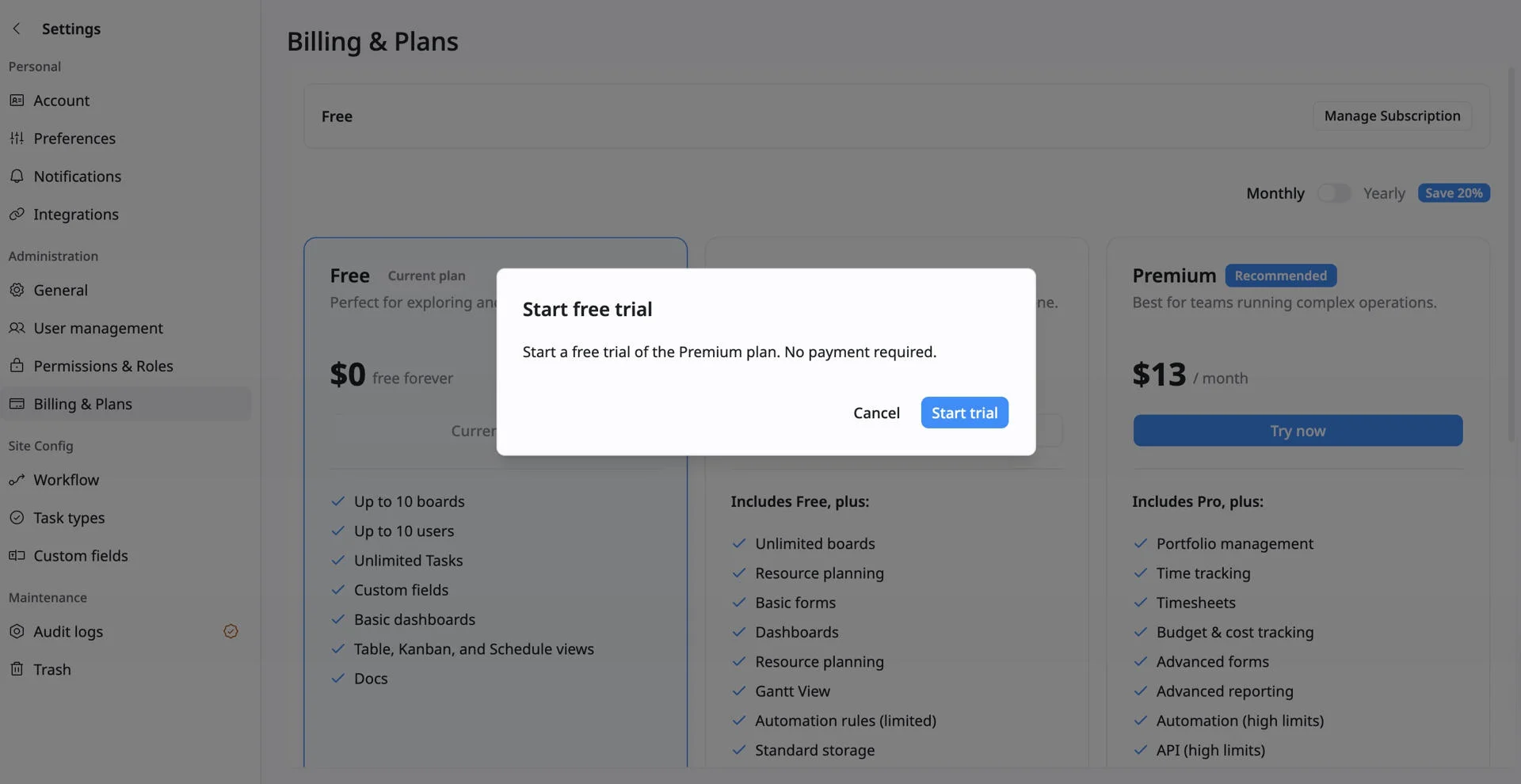
Note: No payment is required during the trial period.
Length of the trial
TaskFord free trials last 30 days. During the trial, your site can use the paid features included in the selected plan, such as Pro or Premium.
You can check how many days are left from the top of the Billing & Plans page:
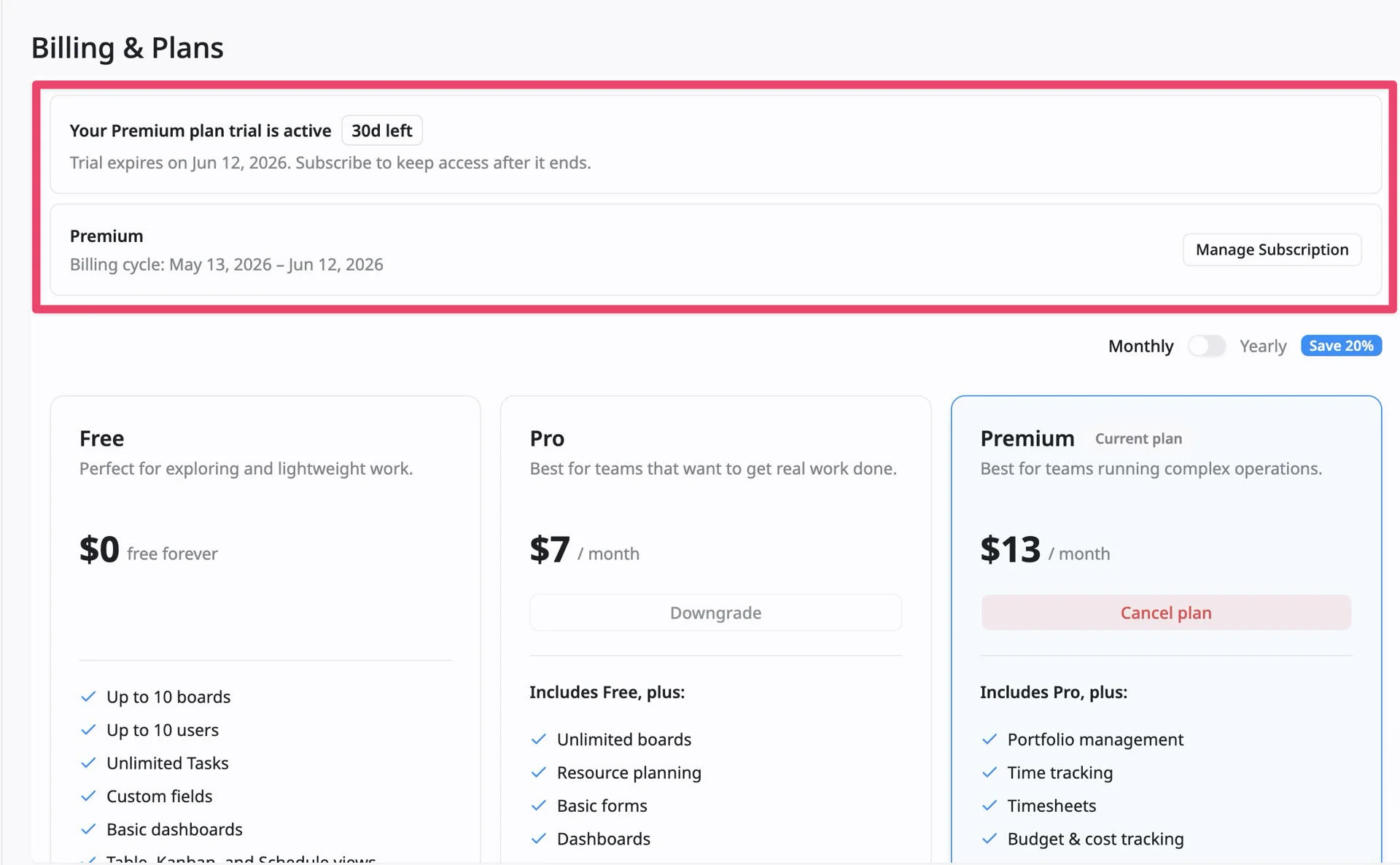
When the trial ends, you can subscribe to keep access to the paid features or continue with the Free plan. If you continue with Free, paid trial features may become unavailable, limited, or read-only.
Subscribe during the trial
You can subscribe before the trial ends if you want to keep access to the paid features after the trial period.
To subscribe:
- Go to Settings → Administration → Billing & Plans.
- Review the active trial section at the top of the page.
- Click Manage Subscription
- You will be redirected to the payment page.
- Review the selected plan, billing cycle, and payment details.
- Complete the payment to activate your subscription.
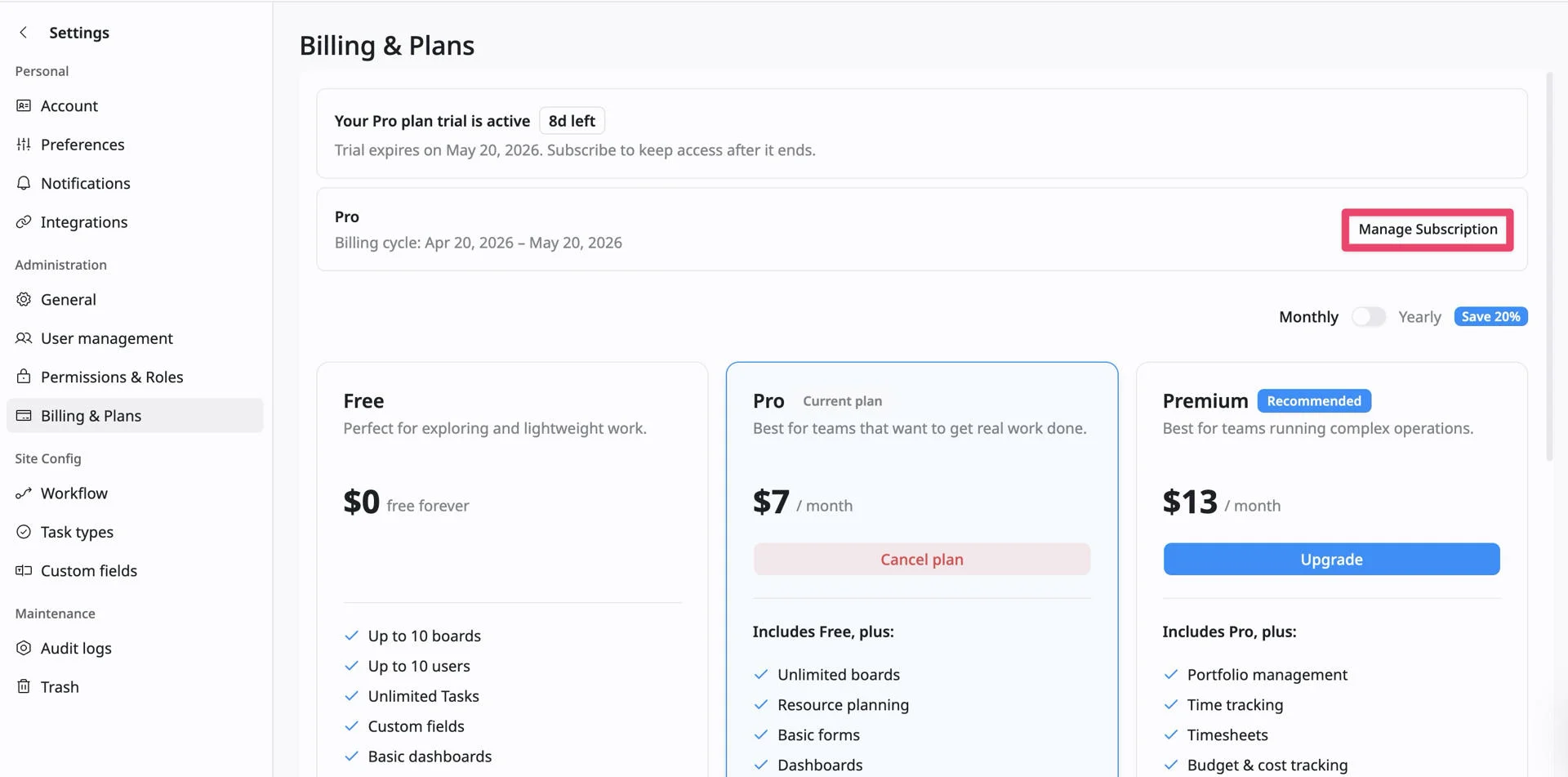
After the subscription is confirmed, your site will continue on the selected paid plan when the trial ends, and you will keep access to the paid features included in that plan.
What happens when the trial ends?
When the 30-day trial ends, you can either subscribe to a paid plan or continue with the Free plan.
If you subscribe, your site keeps access to the features included in the paid plan.
If you continue with Free, your data is not automatically deleted, but paid trial features may become unavailable, limited, or read-only. Free plan limits will apply, including limits such as up to 10 boards and 10 users.
Frequently Asked Questions (FAQs)
Can I trial the Enterprise plan?
To explore Enterprise, contact the TaskFord Sales Team from the Enterprise plan card by selecting Contact Sales
Is a credit card required to start the free trial?
No. Payment is not required during the trial period. You can start a TaskFord trial without adding a credit card.
Can I choose between Pro and Premium for my trial?
Yes. If trials are available for your site, you can choose to trial either Pro or Premium plan.
Where can I see my trial status?
Go to Settings → Administration → Billing & Plans. The trial banner shows your active trial plan, remaining days, and expiration date.
What happens if I do not subscribe after the trial?
Your site can continue on the Free plan. Paid trial features become unavailable or limited, and Free plan limits will apply.
Can I cancel a free trial during the trial period?
Yes. Cancel a trial from Billing & Plans anytime. You can continue using trial features until the period ends. Afterward, your site returns to the Free plan.
Can I invite team members during the trial?
Yes. You can invite members to test paid features. After the trial, Free plan limits apply (up to 10 users).
What happens to my boards and data after the trial?
Your boards, tasks, comments, attachments, Docs, and project setup remain. Paid features may become unavailable, limited, or read-only unless upgraded to a paid plan.
Can I extend the trial period beyond 30 days?
TaskFord trials last 30 days. Contact TaskFord support or sales if your team needs more time.