Task dependencies
Manage task dependencies in TaskFord’s Gantt view by linking tasks, visualizing relationships, and updating project schedules more effectively.
Board permission
- Anyone with the Manage linked tasks permission can manage task dependencies.
Default roles
- Board Admins / Board Editors have this permission by default.
- App Admins / App Editors have this permission on Open boards only.
Task dependencies define relationships between tasks and establish the logical order of work in a project. By linking tasks, you can show which tasks must start or finish before another task can progress.
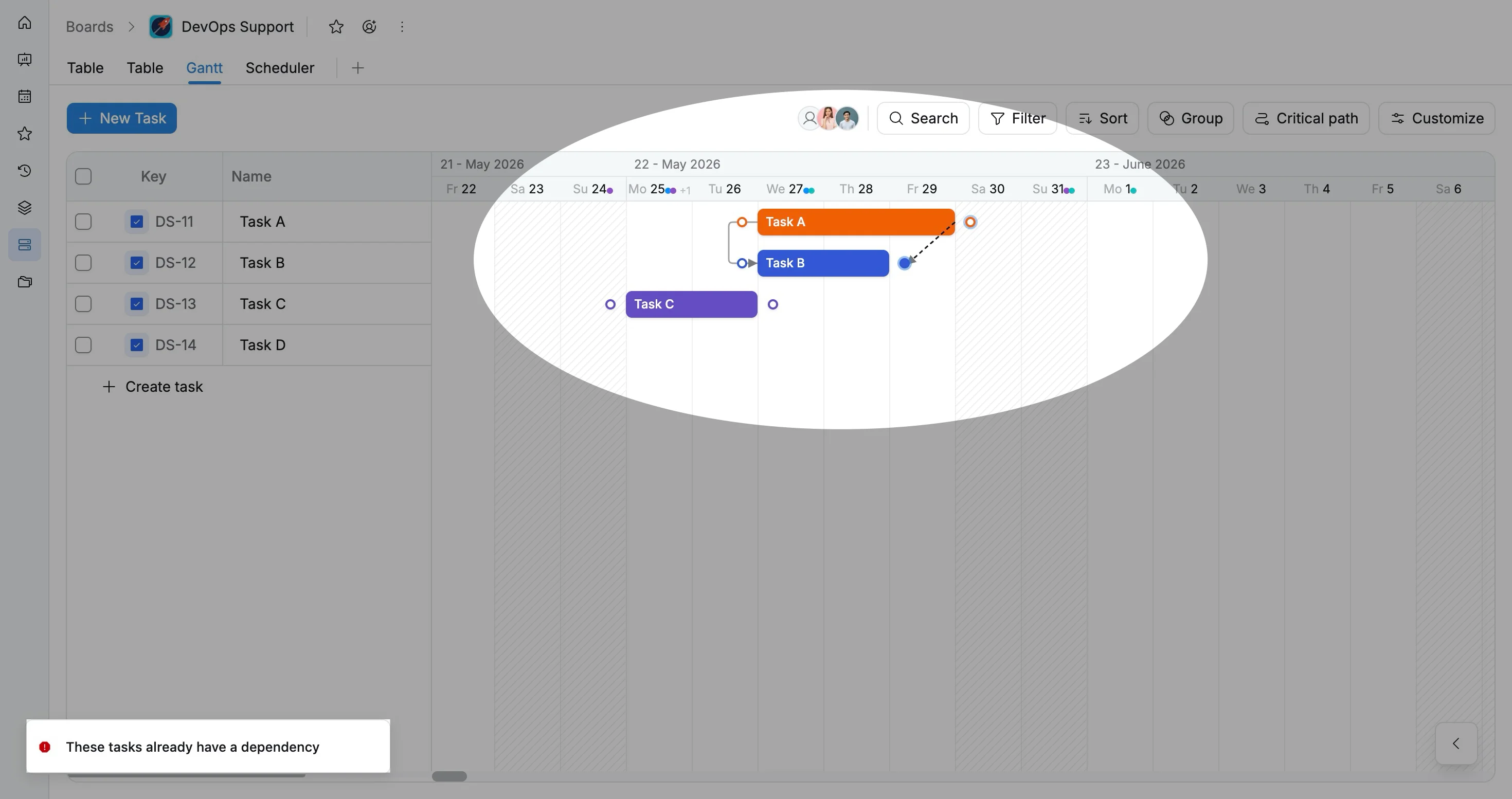
In the Gantt view, dependencies appear as connecting arrows between task bars. These links help visualize project sequences, understand relationships between tasks, identify critical paths, and update schedules when task dates change.
Types of task dependencies
TaskFord supports four types of task dependencies:
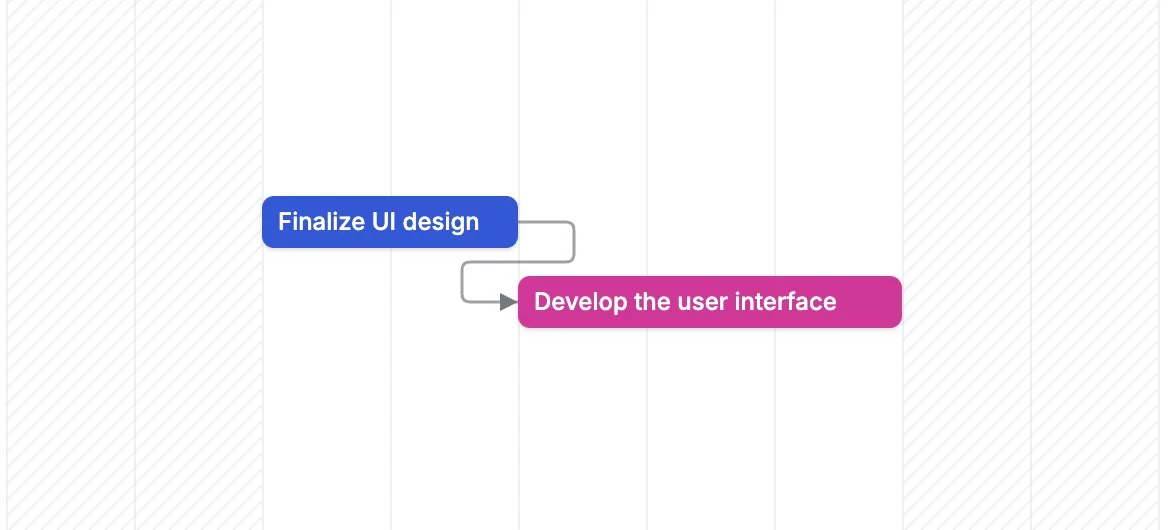
Finish-to-Start (FS)
The successor task can start only after the predecessor task is finished.
Example: “Finalize UI design” must be finished before “Develop the user interface” can start.
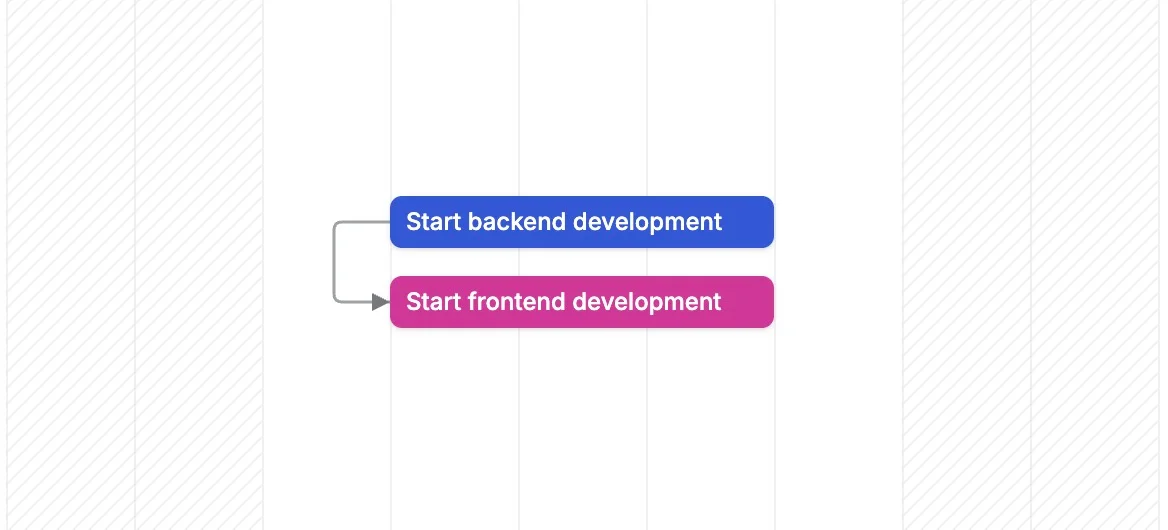
Start-to-Start (SS)
The successor task can start only after the predecessor task has started. Both tasks can then run at the same time.
Example: “Start backend development” and “Start frontend development” can begin once the development phase starts.
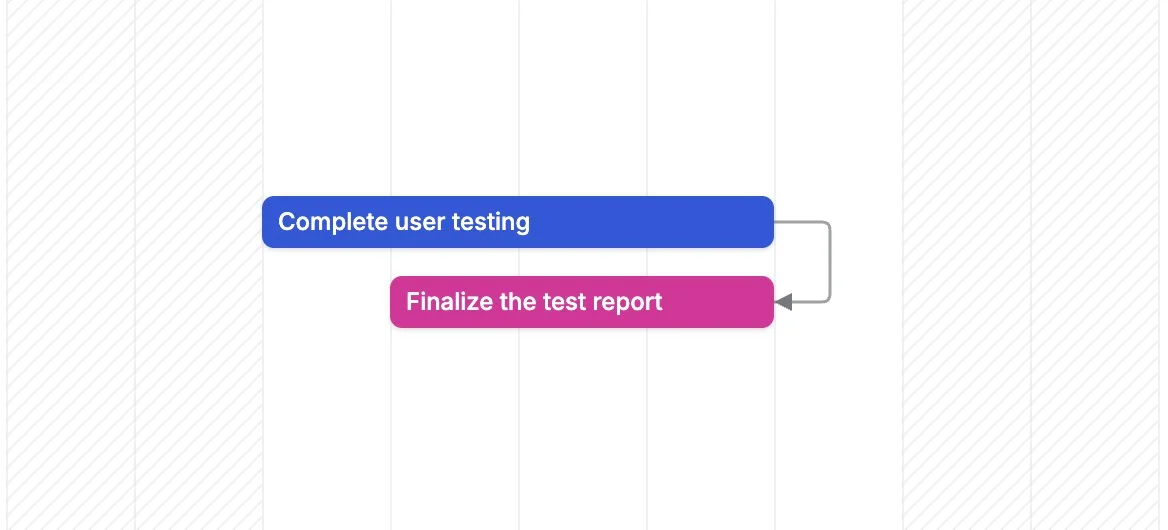
Finish-to-Finish (FF)
The successor task can finish only after the predecessor task has finished.
Example: “Complete user testing” must finish before “Finalize the test report” can be completed.
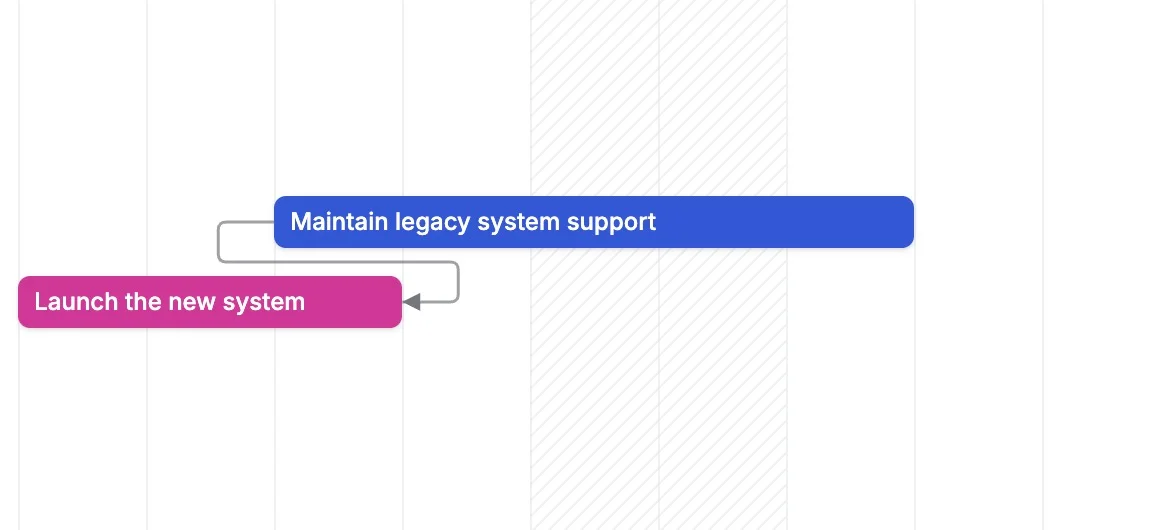
Start-to-Finish (SF)
The successor task cannot finish until the predecessor task has started. This is the least common dependency type.
Example: “Maintain legacy system support” cannot end until “Launch the new system” has started.
Create a task dependency
To create a dependency between tasks:
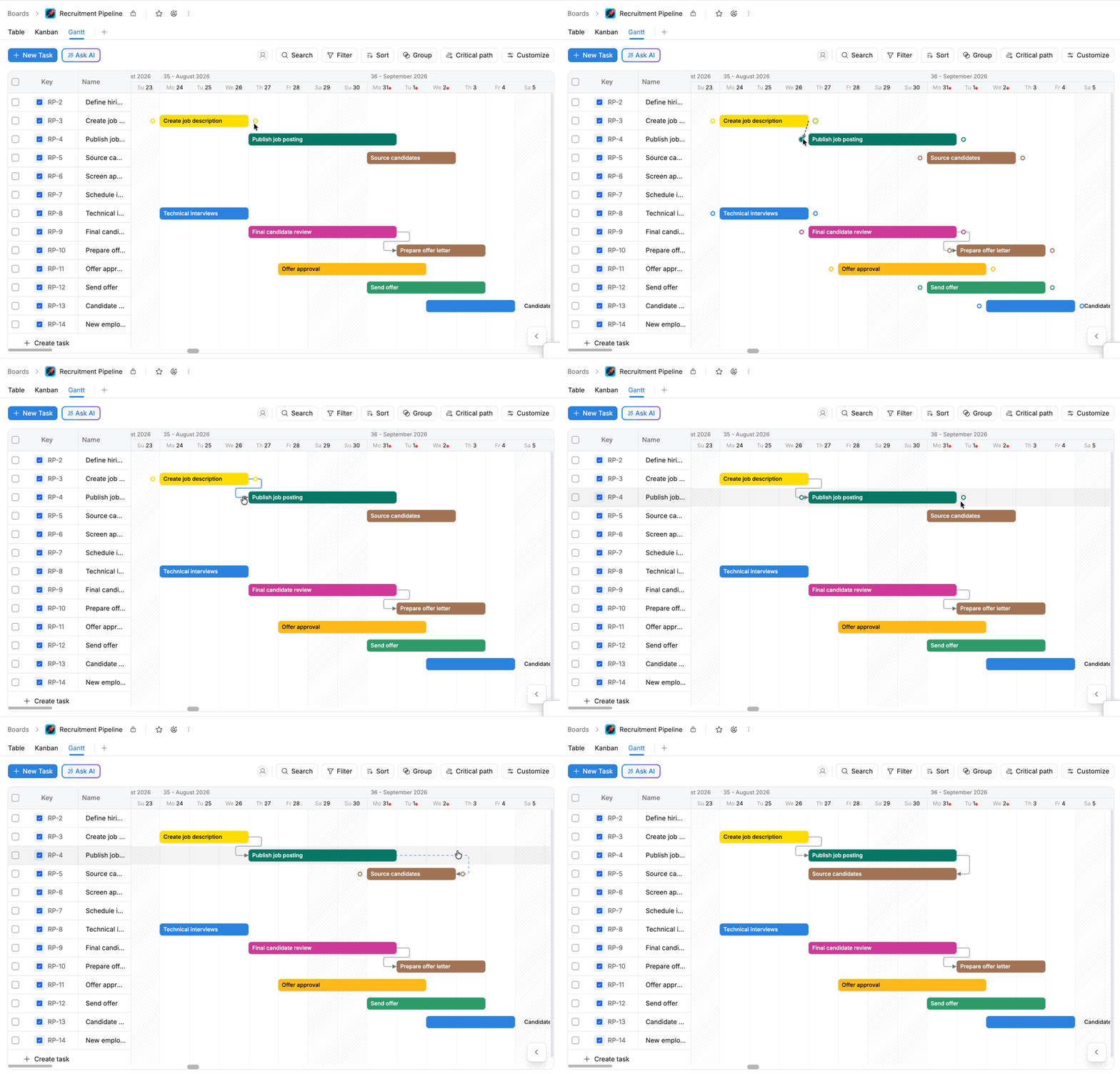
- Hover over the task bar you want to link.
- A connector dot appears on the left or right side of the task bar.
- Drag the connector dot to the start or end of another task bar.
- Release the mouse to create the dependency.
View dependency details
You can view dependency information directly from the Gantt view.
- Select the dependency arrow connecting two tasks.
- The Dependency Link dialog opens with the dependency details.
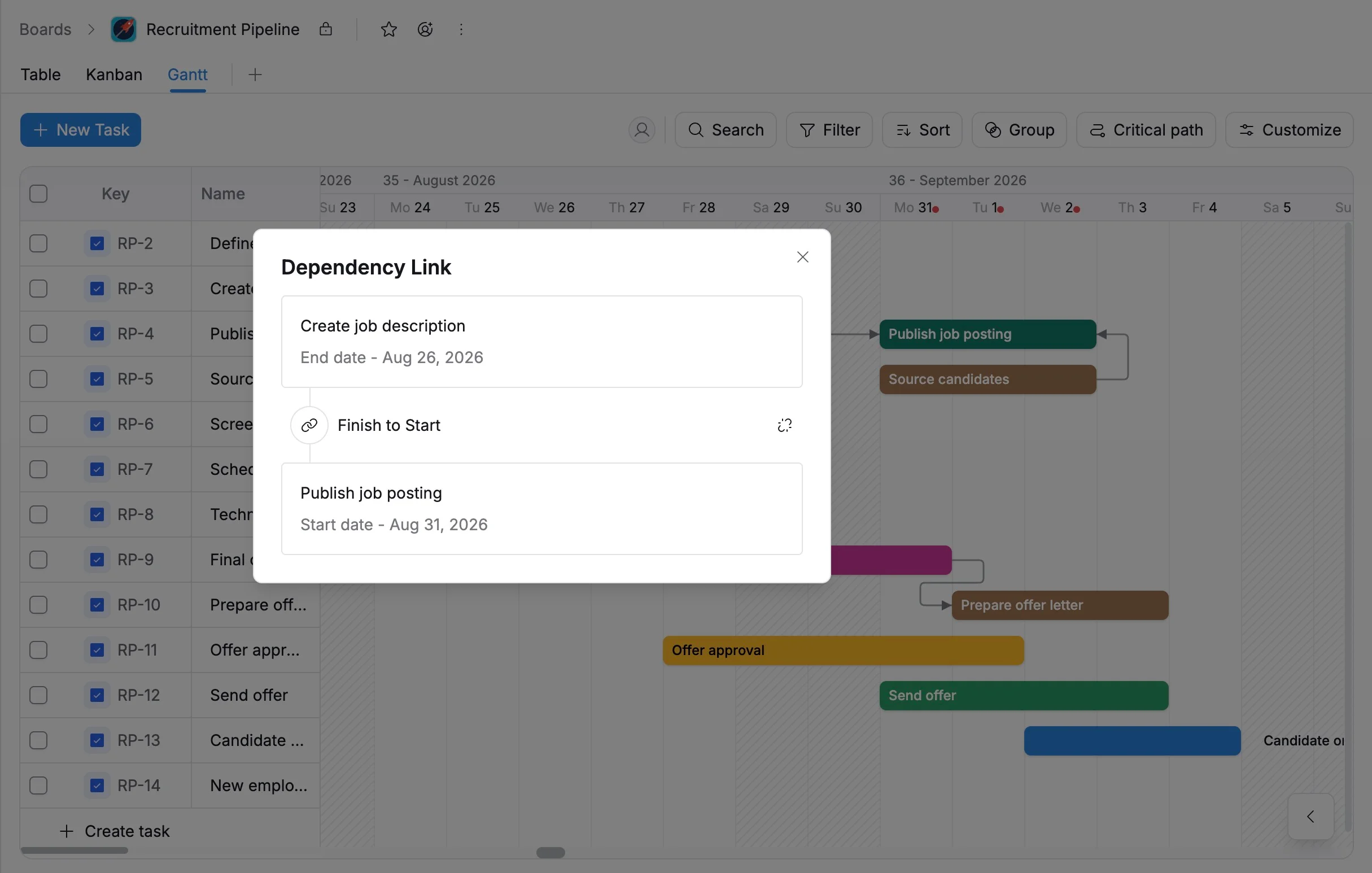
The dialog shows:
- Linked tasks: The predecessor and successor tasks involved in the dependency.
- Dates: The scheduled start or finish dates of the linked tasks.
- Dependency type: The relationship between the linked tasks, such as Finish-to-Start or Start-to-Start.
- Unlink: Removes the dependency between the two tasks.
Remove a dependency
To remove a dependency:
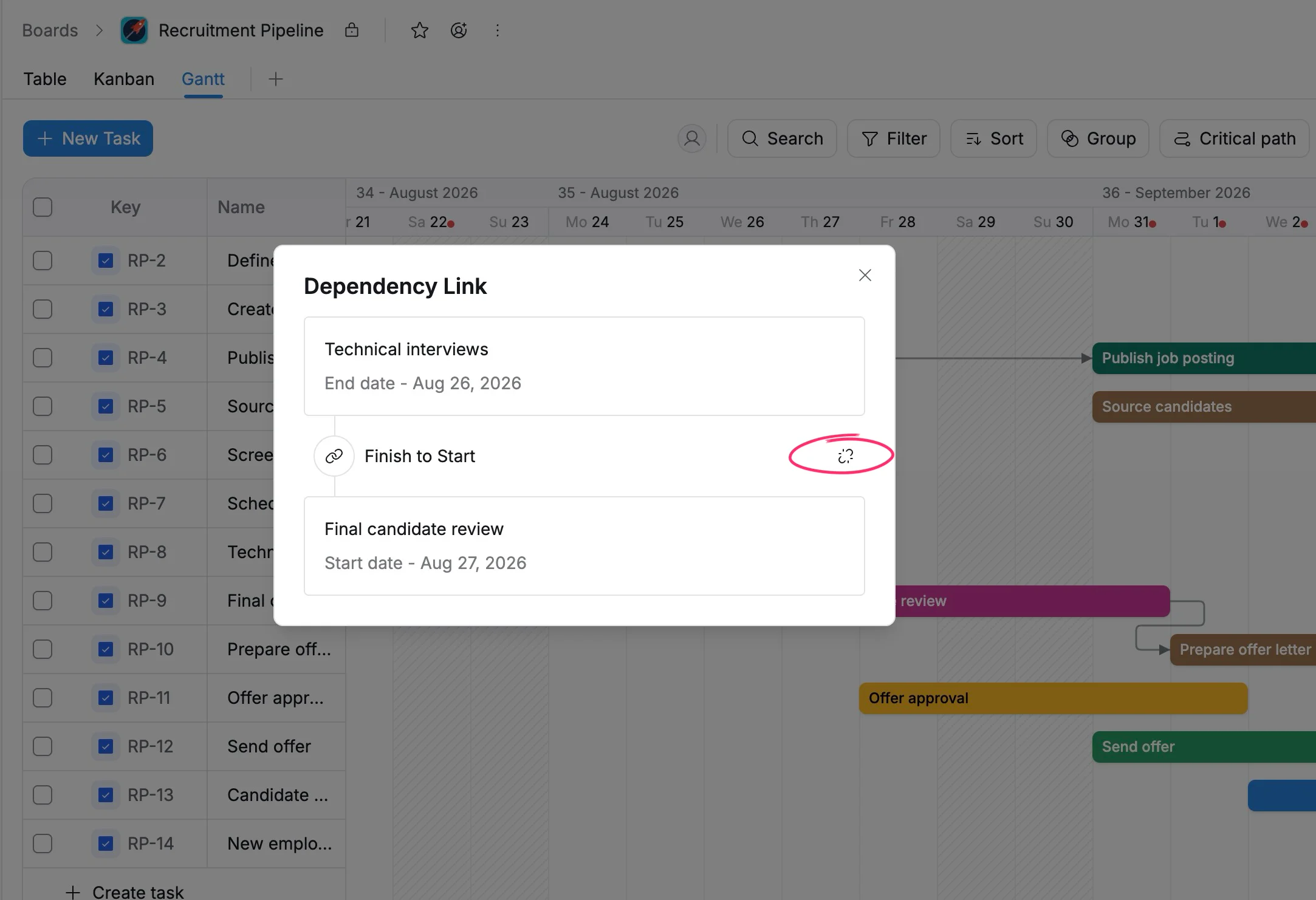
- Select the dependency arrow connecting the tasks on the timeline.
- In the Dependency Link dialog, select Unlink.
Create dependencies across projects
When managing multiple projects, you can create dependencies between tasks from different projects through the Portfolio Gantt view.
To create a cross-project dependency:
- Open your Portfolio.
- Switch to the Gantt view.
- Locate the tasks from different projects that you want to connect.
- Drag the dependency connector between the task bars.
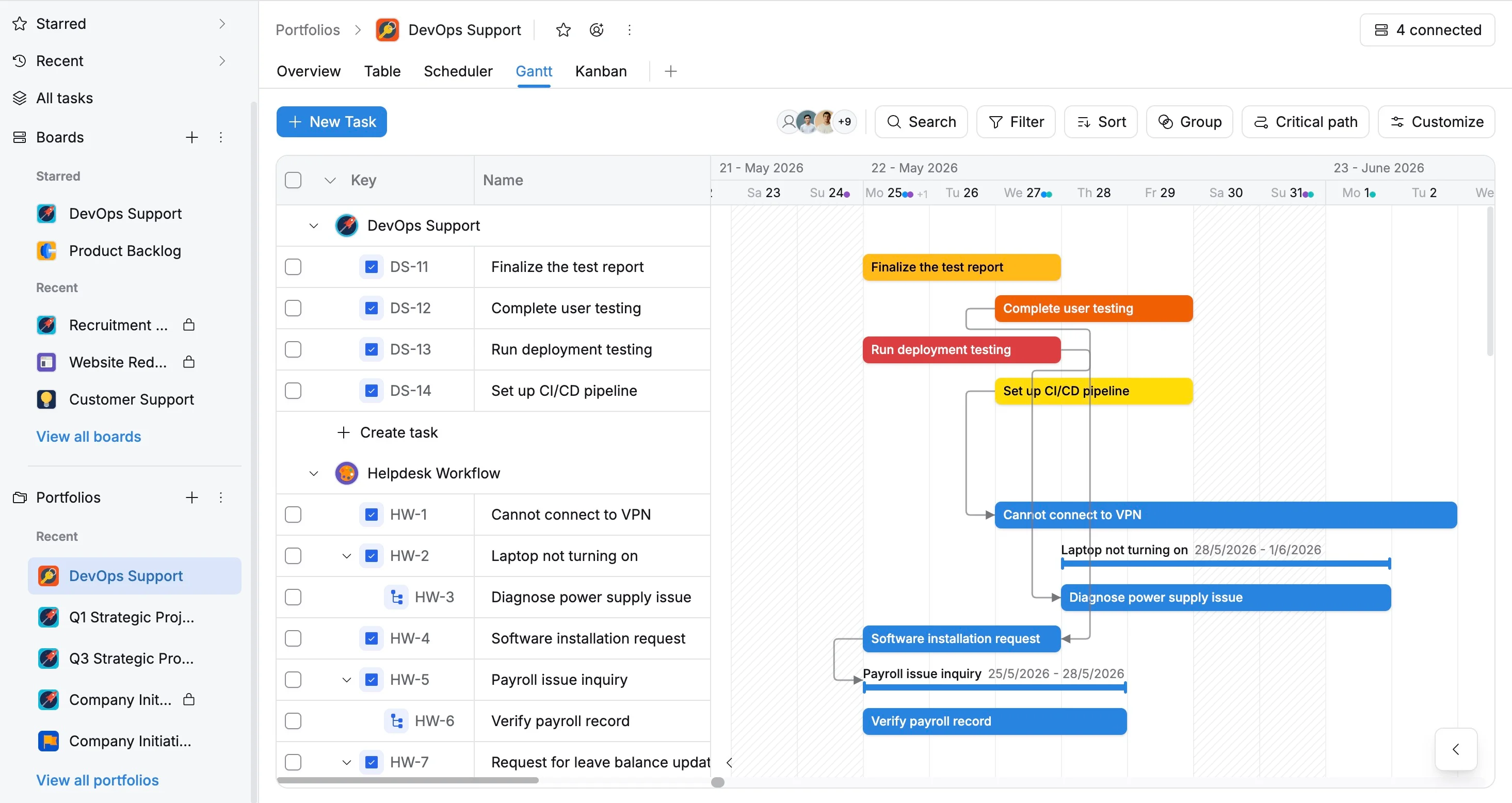
Cross-project dependencies help teams coordinate shared work across projects and understand how delays in one project may affect another.
Prevent loop dependencies
TaskFord prevents you from creating loop dependencies that would create a circular relationship between tasks.
A loop occurs when a chain of dependencies eventually points back to a task earlier in the chain.
Example 1:
- Task A depends on Task B.
- Task B depends on Task C.
- Task C depends on Task A.
This creates a cycle: A → B → C → A. Each task depends on another task in the same chain, so the dependency cannot be resolved.
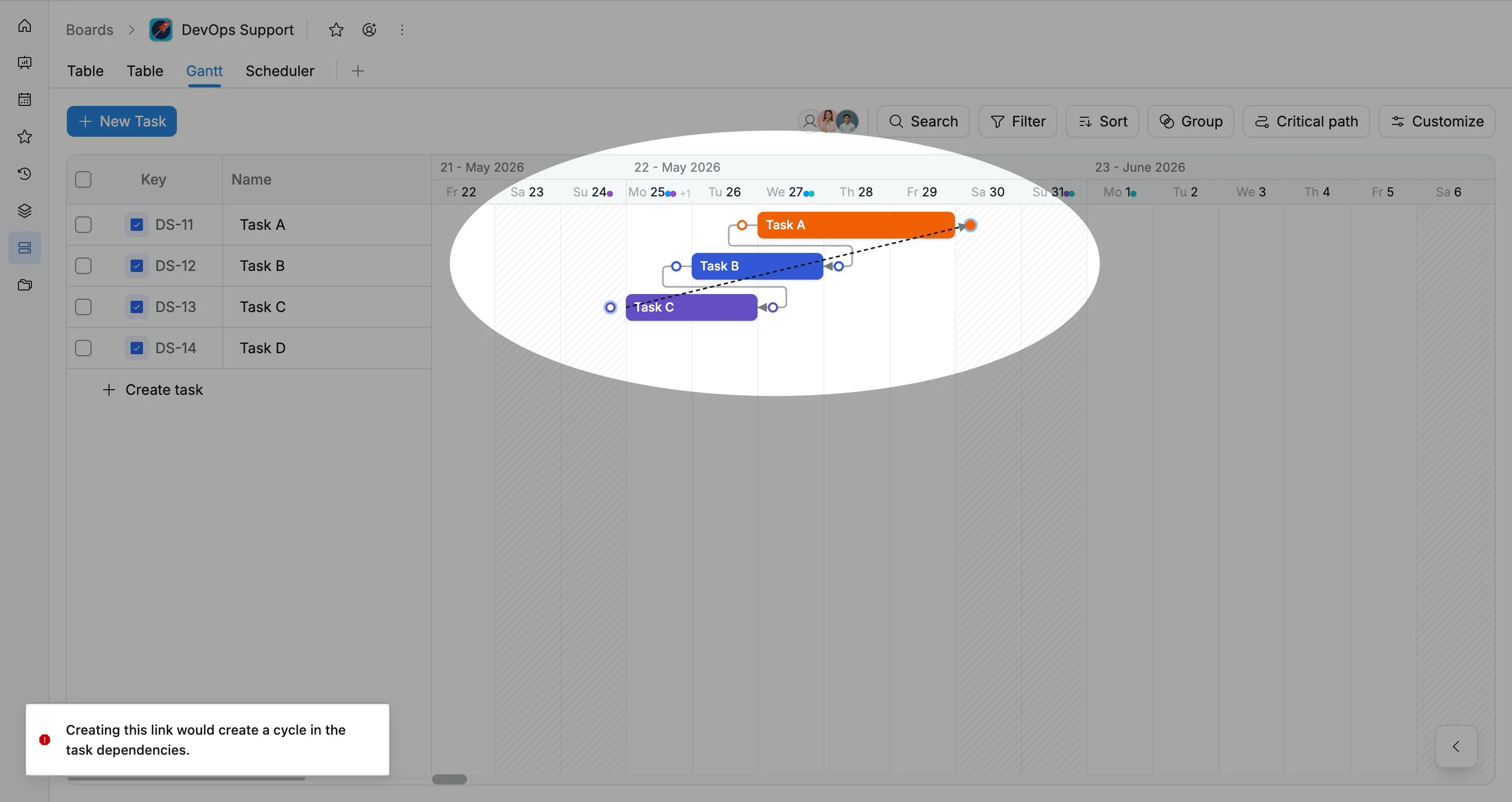
In the example above, Task C already depends on Task A. If you try to create another dependency from Task A to Task C, it would create a cycle. TaskFord blocks the connection and displays “Creating this link would create a cycle in the task dependencies.”
Example 2:
Task A already depends on Task B. If you try to create a dependency from Task B back to Task A, it would create a cycle:
Task A → Task B → Task A
TaskFord blocks the connection to prevent the circular dependency.