TaskFord invoices and receipts overview
Understand TaskFord invoices and receipts to quickly get an overview of your subscription charges and confirmed payments.
Understand invoice documents
An invoice document shows what was billed for your TaskFord subscription. It helps you review charges, credits, billing periods, seat changes, and the final amount due.
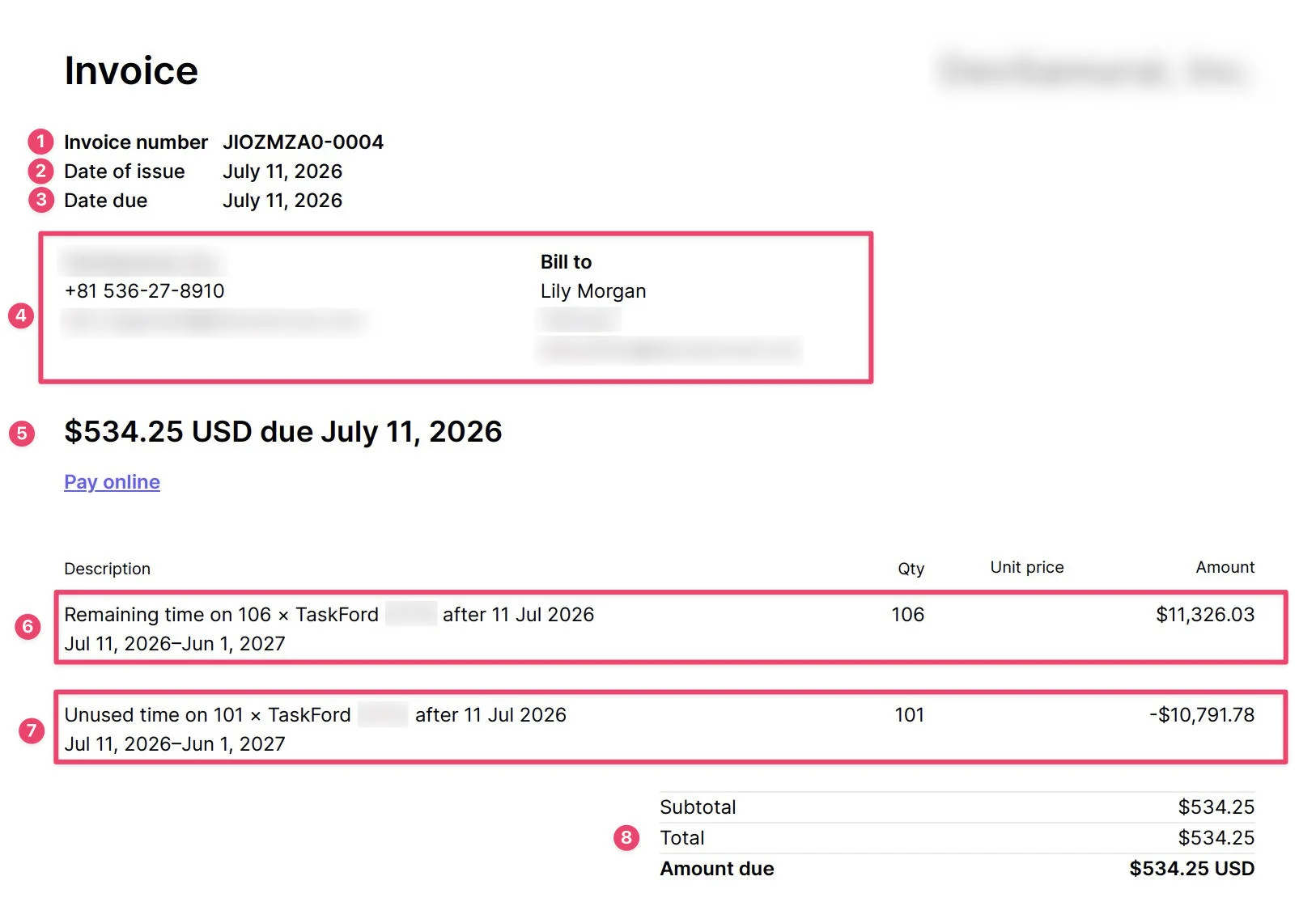
The invoice may include the following information:
- Invoice number A unique number used to identify the invoice. You may need this number when sharing invoice details with your finance team or TaskFord support.
- Date of issue The date the invoice was created.
- Date due The date the invoice payment is due.
- Billing information The company issuing the invoice and the billing contact receiving the invoice. This may include the billing name, email, phone number, and address.
- Amount due The total amount that needs to be paid for the invoice. If the invoice has already been paid, this reflects the amount that was charged.
- Remaining time charge A charge for the updated subscription for the rest of the current billing period. For example, if seats were added during a yearly plan, this line shows the cost of the new seat total for the remaining time in the billing cycle.
- Unused time credit A credit for the unused portion of the previous subscription setup. For example, if your subscription changed from 101 seats to 106 seats, Stripe credits the unused time from the old 101-seat setup.
- Subtotal, total, and amount due The final amount after all charges and credits are applied. In a prorated invoice, this means you only pay the difference for the change, not the full subscription amount again.
Understand receipt documents
A receipt document confirms that a payment was completed for your TaskFord subscription. Use receipts when you need proof of payment for accounting, reimbursement, or internal records.
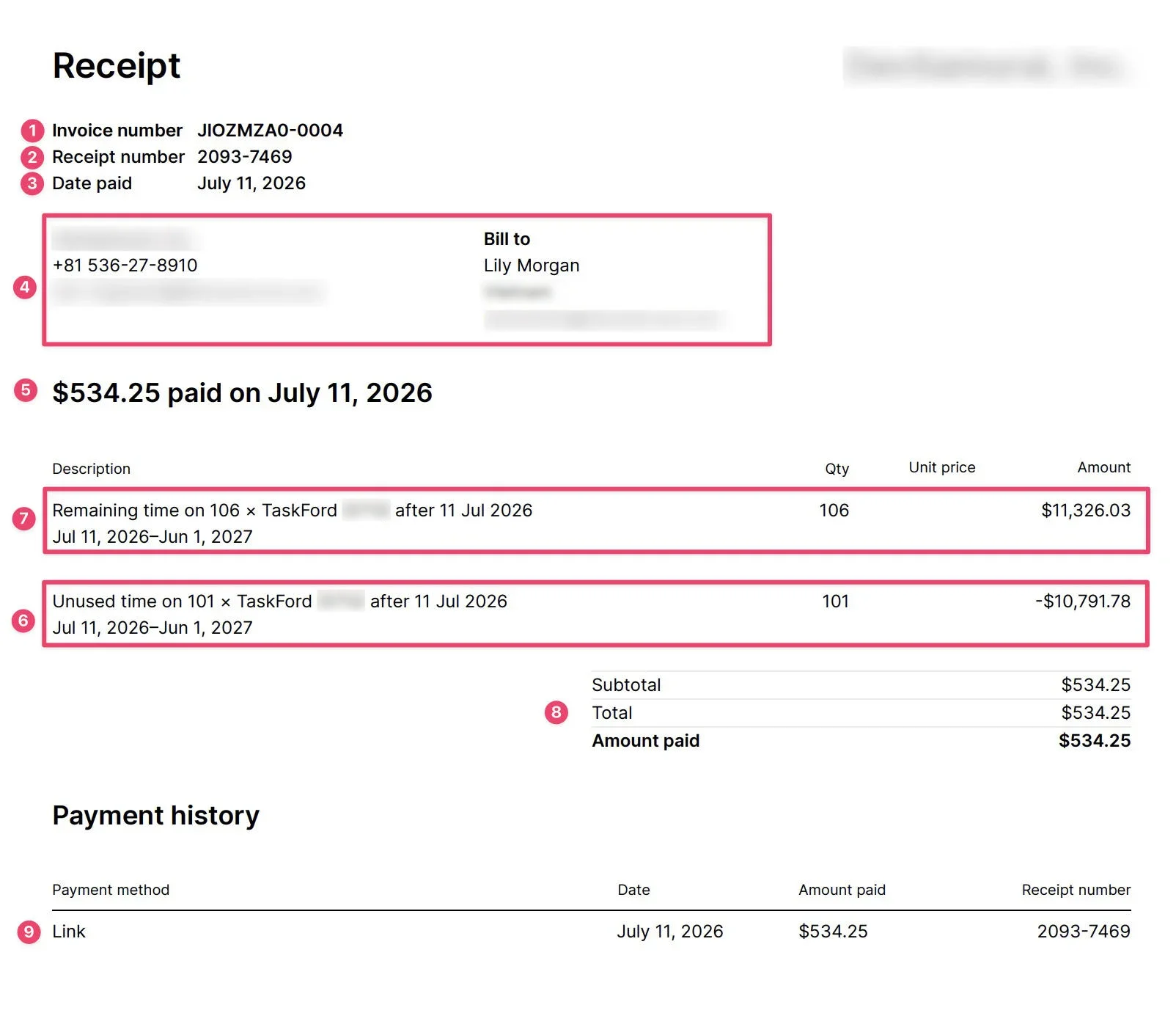
A receipt may include:
- Invoice number The invoice connected to the payment.
- Receipt number A unique number used to identify the receipt.
- Date paid The date the payment was successfully completed.
- Billing information The company issuing the receipt and the billing contact receiving it.
- Amount paid The total amount that was paid for the billing event.
- Unused time credit A credit for the unused portion of the previous subscription setup. For example, if your subscription changed from 101 seats to 106 seats, this line credits the unused time from the old 101-seat setup.
- Remaining time charge A charge for the updated subscription for the rest of the current billing period. For example, if seats were added during a yearly plan, this line shows the cost of the new seat total for the remaining time in the cycle.
- Subtotal, total, and amount paid The final amount after all charges and credits are applied.
- Payment history A record of how the payment was completed, including the payment method, payment date, amount paid, and receipt number.