Update billing information
Learn how to securely update your billing information in TaskFord to ensure invoices and receipts display accurate contact and address details.
Only the Site Owner or users with Billing Manager permission can change billing cycle settings.
The Billing information section stores the contact and address details used for TaskFord invoices, receipts, tax records, and billing communication.
TaskFord billing information is managed through the secure Stripe billing portal. Keeping this information up to date helps ensure future invoices and receipts show the correct name, email, billing address, and contact details.
Access billing information
To view or update billing information:
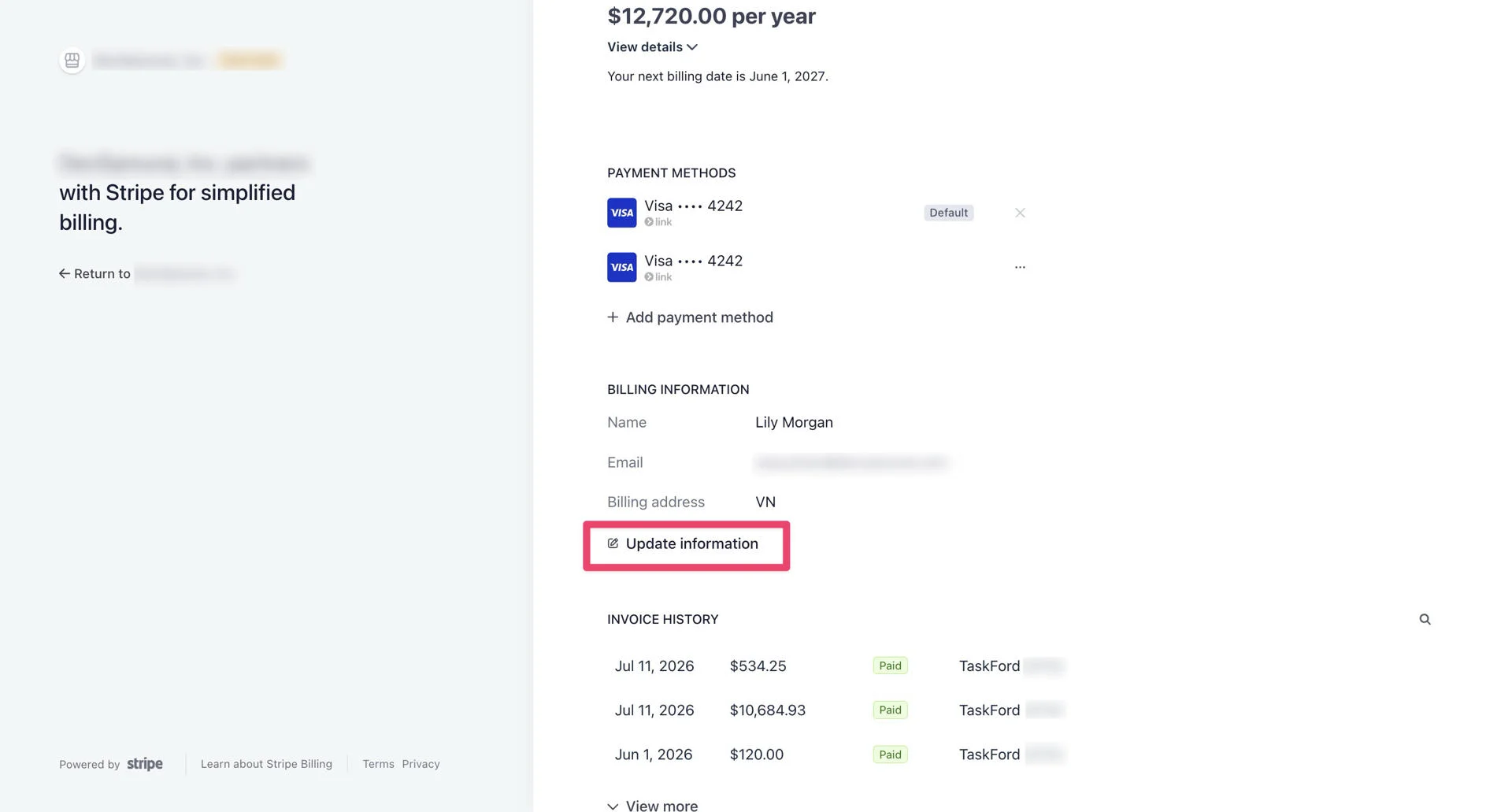
- Open the Stripe Customer Portal.
- In the Stripe portal, find the Billing Information section.
What billing information includes
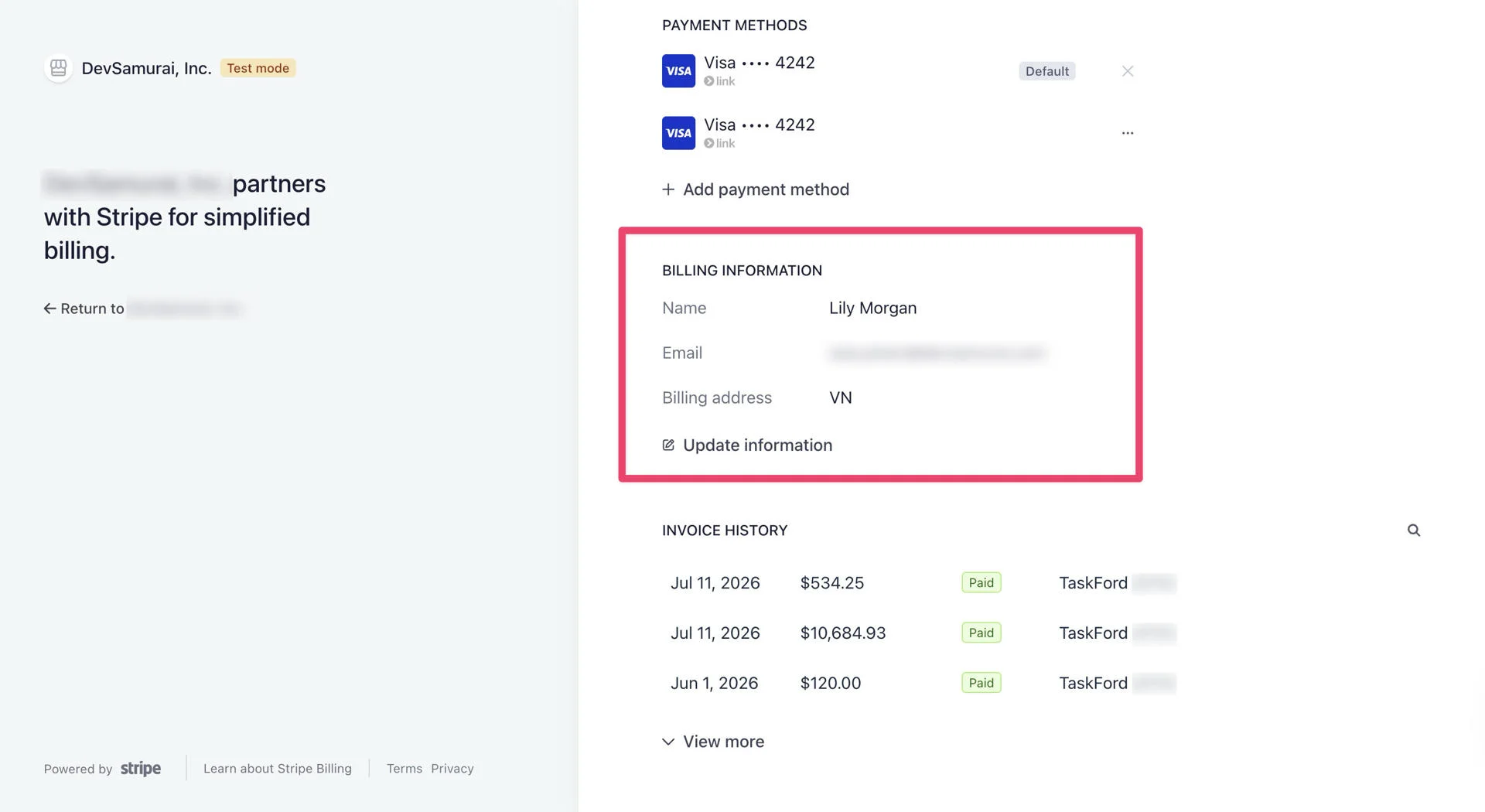
Billing information may include:
- Name: The name of the billing contact, company representative, or person responsible for the subscription.
- Email: The billing email address used for invoice notices, receipts, payment updates, and other billing-related communication.
- Country or region: The country or region used for billing and payment records.
- Billing address: The address associated with your subscription, including address line 1, address line 2, city, province or state, and postal code. Phone number: The billing contact phone number, if required.
Update billing information
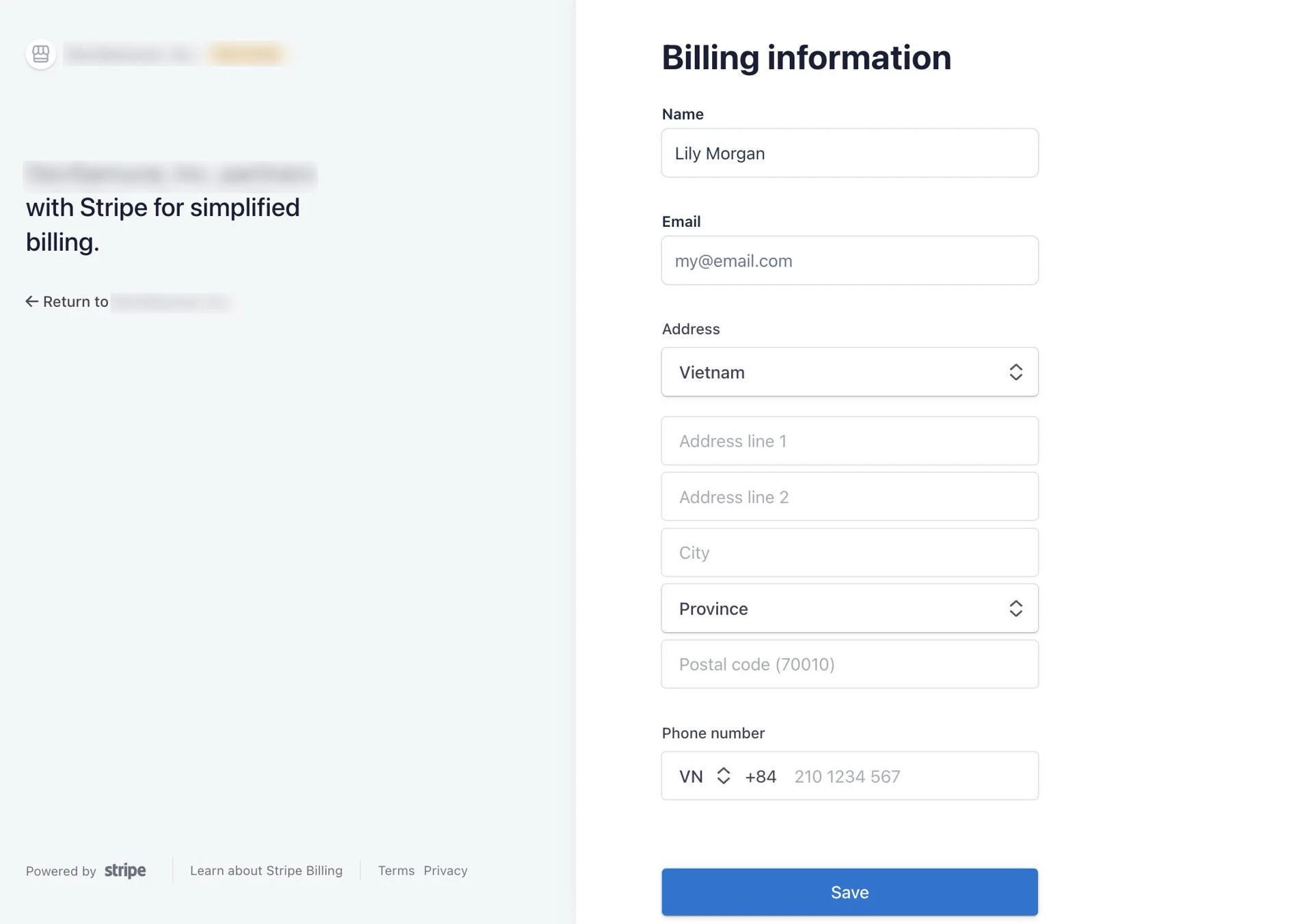
You can update your billing information from the Stripe Customer Portal. Billing information is used for future invoices, receipts, and billing communication.
To update billing information:
- Open the Stripe Customer Portal.
- Go to the Billing Information section.
- Click Update information.
- Update the required fields, such as:
- Name
- Country or region
- Address line
- City
- Province or state
- Postal code
- Phone number, if required
- Click Save.
After saving, the updated billing information will be used for future billing records.