Use board templates
Explore TaskFord board templates to quickly create boards with predefined workflows, views, and structures for different project needs.
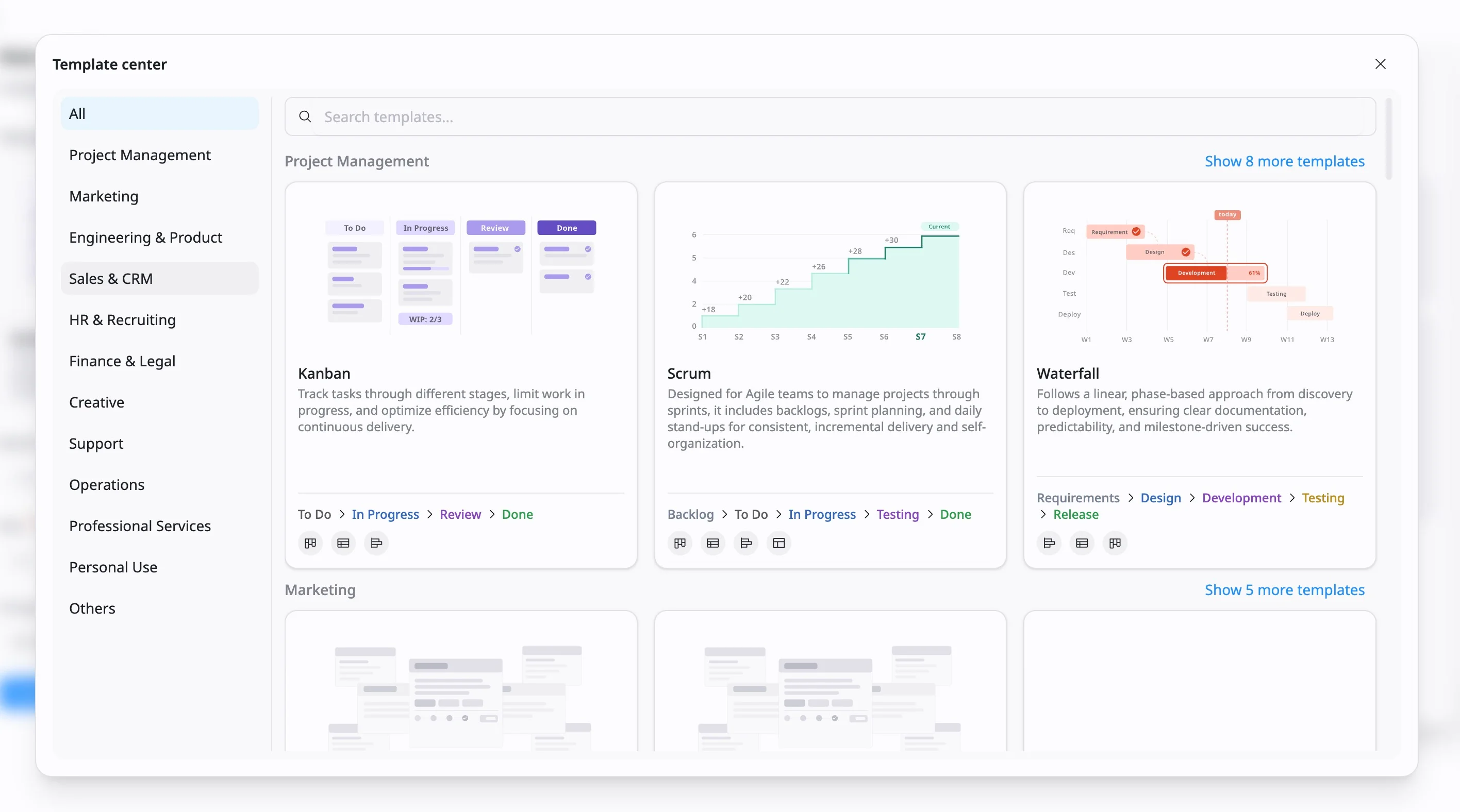
When you create a board in TaskFord, you start from the template library, where you can browse a variety of board templates.
What are the board templates?
Board templates help you get started faster by providing ready-made board structures for common workflows. Instead of building a board from scratch, you can choose a template that already includes predefined workflow, views, and basic setup.
Each template includes a short description and best-practice setup to help you choose the one that best fits your workflow and project needs.
What a board template includes
Depending on the template, a board may include:
- Predefined Workflow: Every template comes with a logical workflow built into it. For example, the Kanban template includes stages like “To Do,” “In Progress,” and “Review.”
- Default Views: Boards are automatically set to the most effective layout for that specific workflow. For example, a Scrum board might default to a Kanban view for sprint tracking, while the Event Planning or Marketing Campaign templates often include a Calendar view to manage deadlines.
How to use a board template
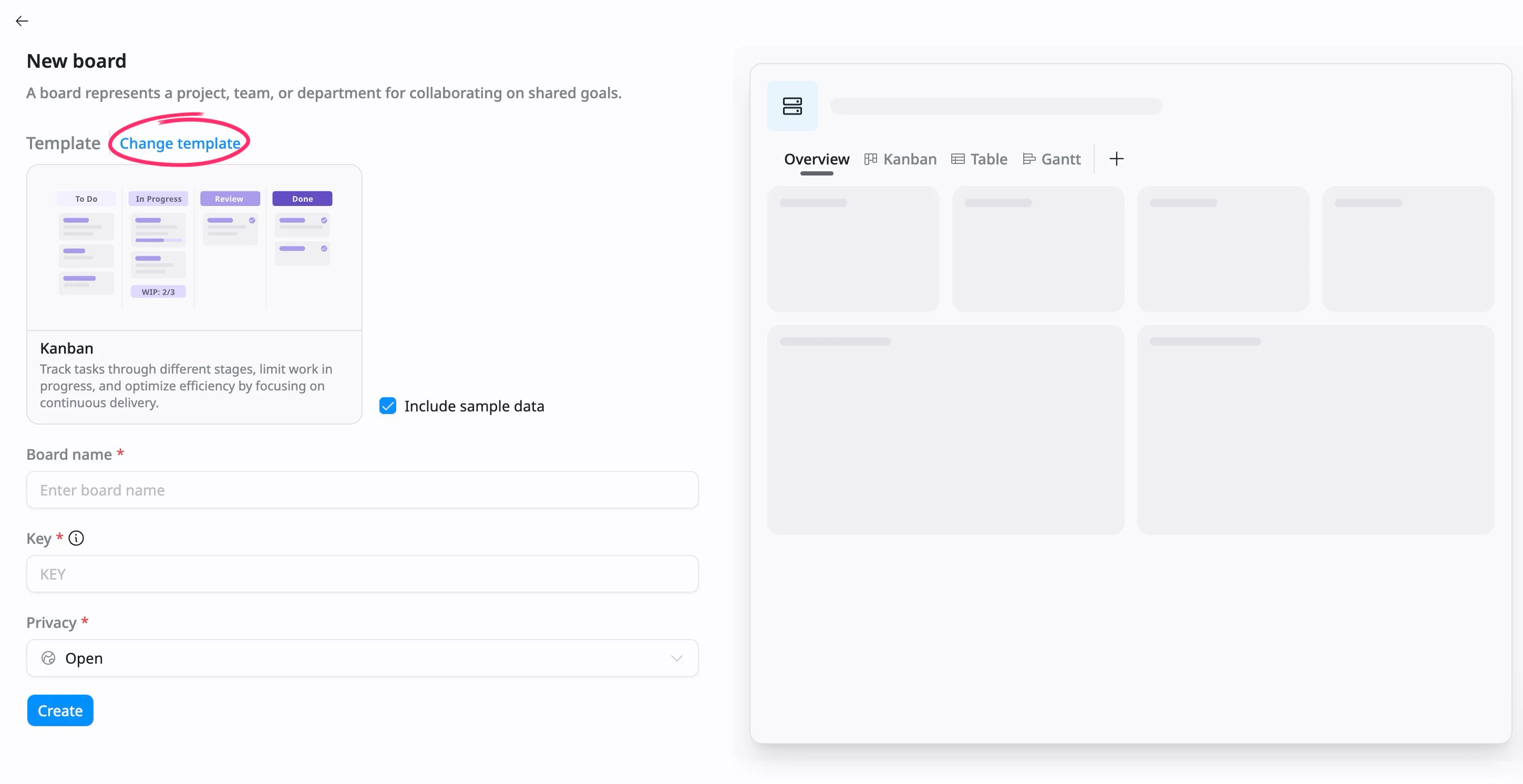
- When creating a new board, click Change template to open the Template Center.
- Browse or search for a template that matches your workflow.
- Select a template to preview its structure.
- Check the box to include sample tasks and pre-configured fields if you want to see how real data populates the board.
- Create the board using the selected template.
You can edit statuses, views, and settings at any time after the board is created.
Browse templates by category
The Template center includes categories in the left-hand menu to help you quickly find templates based on your team or type of work.
Select a category to view related board templates, or choose All to browse every available template.
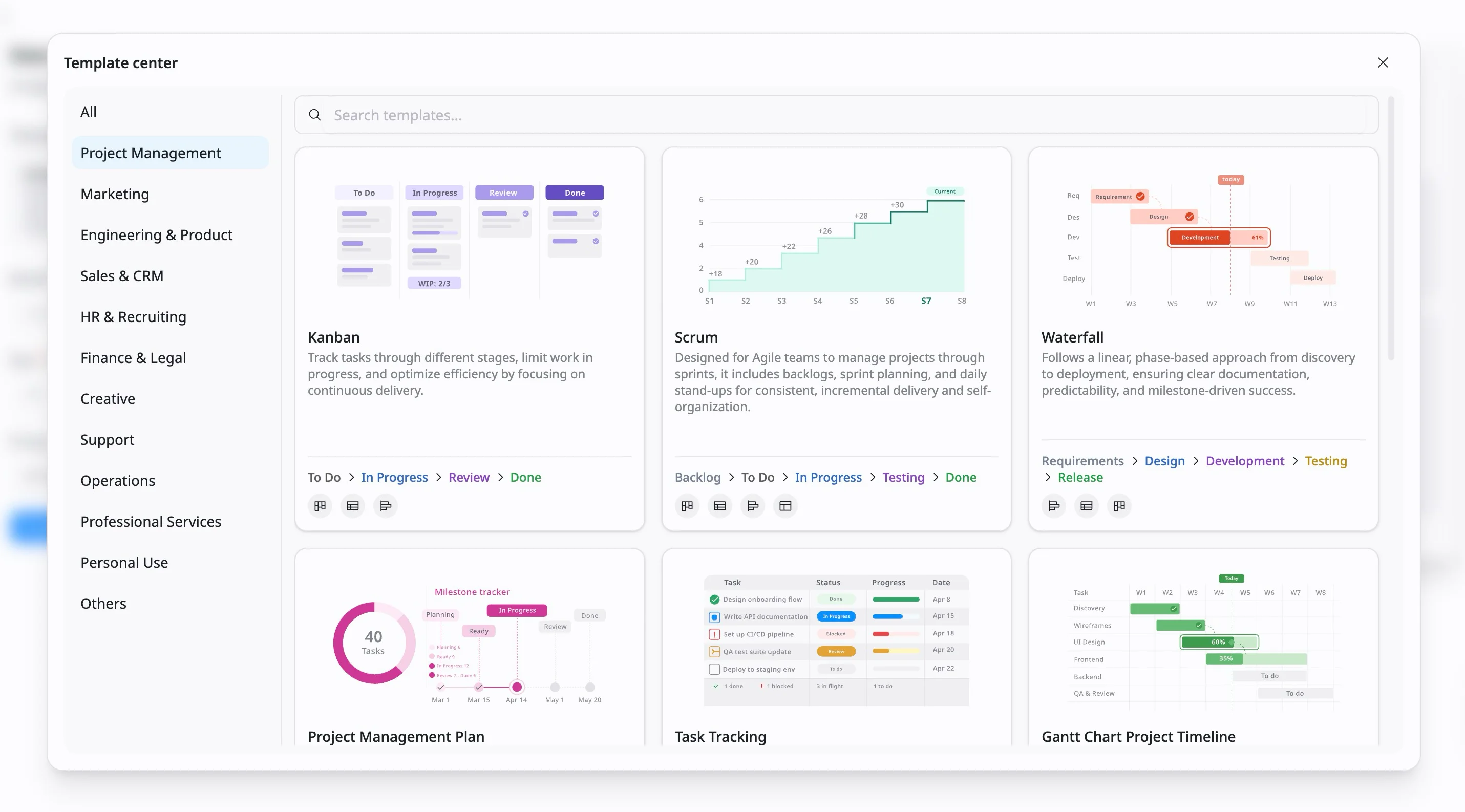
Available categories include:
Project Management
Use Project Management templates to plan, organize, and track project work from start to finish.
These templates are useful for teams that need to manage tasks, timelines, responsibilities, and project progress in one place.
Examples:
- Kanban — Manage a continuous flow of work through stages such as To Do, In Progress, Review, and Done.
- Scrum — Plan sprint-based work with a backlog, sprint tasks, and progress tracking.
- Waterfall — Manage projects that follow a clear step-by-step process from requirements to delivery.
Marketing
Use Marketing templates to plan campaigns, manage content, and track marketing activities.
These templates help marketing teams coordinate work across planning, execution, publishing, and performance review.
Examples:
- Marketing Campaign — Plan campaign tasks, owners, deadlines, and launch activities.
- Content Calendar — Organize blog posts, social media content, newsletters, and publishing schedules.
- SEO & Performance Tracking — Track SEO tasks, keyword updates, content optimization, and performance reviews.
Engineering & Product
Use Engineering & Product templates to manage software development, product planning, issue tracking, and technical workflows.
These templates help product and engineering teams organize ideas, prioritize work, track delivery, and resolve issues.
Examples:
- Product Roadmap — Plan product initiatives, feature ideas, milestones, and release timelines.
- Bug Tracking — Track bugs from reporting to investigation, fixing, testing, and release.
- IT Support Tickets — Manage support requests, assignments, priorities, and resolution status.
Sales & CRM
Use Sales & CRM templates to manage leads, customer relationships, sales activities, and deal progress.
These templates help sales teams track opportunities, organize follow-ups, and move deals through the sales process.
Examples:
- Sales Pipeline — Track deals through stages such as Lead, Qualified, Proposal, Negotiation, and Closed.
- Sales Activity Tracker — Track daily sales activities, monitor team performance, and ensure consistent follow-ups with prospects and customers.
- Lead Management — Capture, organize, and nurture leads to convert them into qualified opportunities.
HR & Recruiting
Use HR & Recruiting templates to manage hiring, onboarding, and employee-related workflows.
These templates help HR teams keep processes consistent and make sure important steps are completed on time.
Examples:
- Employee Onboarding — Guide new hires through onboarding tasks, documents, introductions, and training.
- Recruitment Pipeline — Track candidates from application review to interview, offer, and hiring decision.
- HR Task Management — Manage HR operational tasks, including recruitment coordination, onboarding support, employee requests, and internal HR processes.
Finance & Legal
Use Finance & Legal templates to manage financial tasks, approvals, contracts, compliance work, and legal processes.
These templates help teams track sensitive work with clear ownership, deadlines, and review steps.
Examples:
- Budget Planning — Track budget items, approvals, cost reviews, and planning tasks.
- Expense Tracking — Track and categorize company expenses to monitor cash flow, control spending, and improve financial visibility.
- Compliance Tracking — Track regulatory requirements, internal policies, and compliance tasks to help your organization meet legal, security, and operational standards.
Creative
Use Creative templates to manage design, production, and review workflows.
These templates help creative teams organize requests, track asset progress, and manage feedback rounds.
Examples:
- Design Request Tracker — Track and prioritize design requests across product, marketing, and internal teams using a structured workflow.
- Video Production Tracker — Manage video production from idea to final publishing, including scripting, filming, editing, and distribution.
- Design Review & Approval Workflow — Manage design review cycles, feedback, and approval stages to deliver consistent, brand-aligned work.
Support
Use Support templates to manage customer or internal support requests.
These templates help support teams track incoming issues, assign ownership, prioritize requests, and monitor resolution progress.
Examples:
- Ticket Management System — Track, manage, and resolve incoming tickets, including support requests, bugs, incidents, and internal requests.
- Customer Support Queue — Manage customer inquiries, prioritize requests, and ensure timely response and resolution.
- Helpdesk Workflow — Manage internal and external support requests with SLA tracking, prioritization, and escalation handling.
Operations
Use Operations templates to manage internal processes, recurring work, and day-to-day business activities.
These templates help operations teams keep tasks organized, improve visibility, and make workflows easier to repeat.
Examples:
- Task & Operations Tracker — Centralize operational tasks, requests, and execution items across teams to improve visibility and ownership.
- Inventory Management — Track inventory levels, stock movements, and item availability to support efficient operations.
- Order / Fulfillment Tracker — Track orders from creation to delivery, including fulfillment progress, inventory coordination, and customer updates.
Professional Services
Use Professional Services templates to manage client projects, service delivery, and consulting work.
These templates help teams coordinate client-facing work, track deliverables, and manage project timelines.
Examples:
- Client Project Tracker — Track client projects, milestones, and deliverables to support on-time delivery and clear communication.
- Client Feedback & Review — Collect, track, and manage client feedback to improve service quality and strengthen client relationships.
- Change Management Checklist — Plan, review, and execute changes in systems, processes, or products while reducing risks and maintaining proper approvals.
Personal Use
Use Personal Use templates to organize individual work, goals, and personal projects.
These templates are useful for managing tasks outside of team workflows or for improving personal productivity.
Examples:
- Daily Planner — Plan and track daily tasks to stay focused, organized, and productive.
- Goal Tracker — Track personal goals across different areas to stay motivated and aligned with your priorities.
- Habit Tracker — Track daily habits to build consistency and support long-term personal goals.
Others
Use Others for templates that do not fit into a specific category or for flexible workflows that can be adapted to different needs.
Examples:
- Blank — Start from scratch with a completely empty board template.
- Freelancer Workflow — Manage the full freelance process from client inquiry to project delivery and payment in one place.
- Remote Work Planner — Plan and manage remote work tasks across time blocks, priorities, and communication needs.