Widget data categories
Explore widget data categories in TaskFord dashboards to visualize project progress, priorities, and workload through status, priority, and assignee insights.
Dashboards use widgets to turn your board data into visual charts and key metrics, helping you quickly understand progress, workload, and performance.
Widgets are organized into three data categories: Status, Priority, and Assignee. Each category focuses on a different aspect of your work.
With these widgets, you can quickly answer key questions such as what’s in progress, which tasks are high priority, who is overloaded, and where delays may be happening.
Status widgets
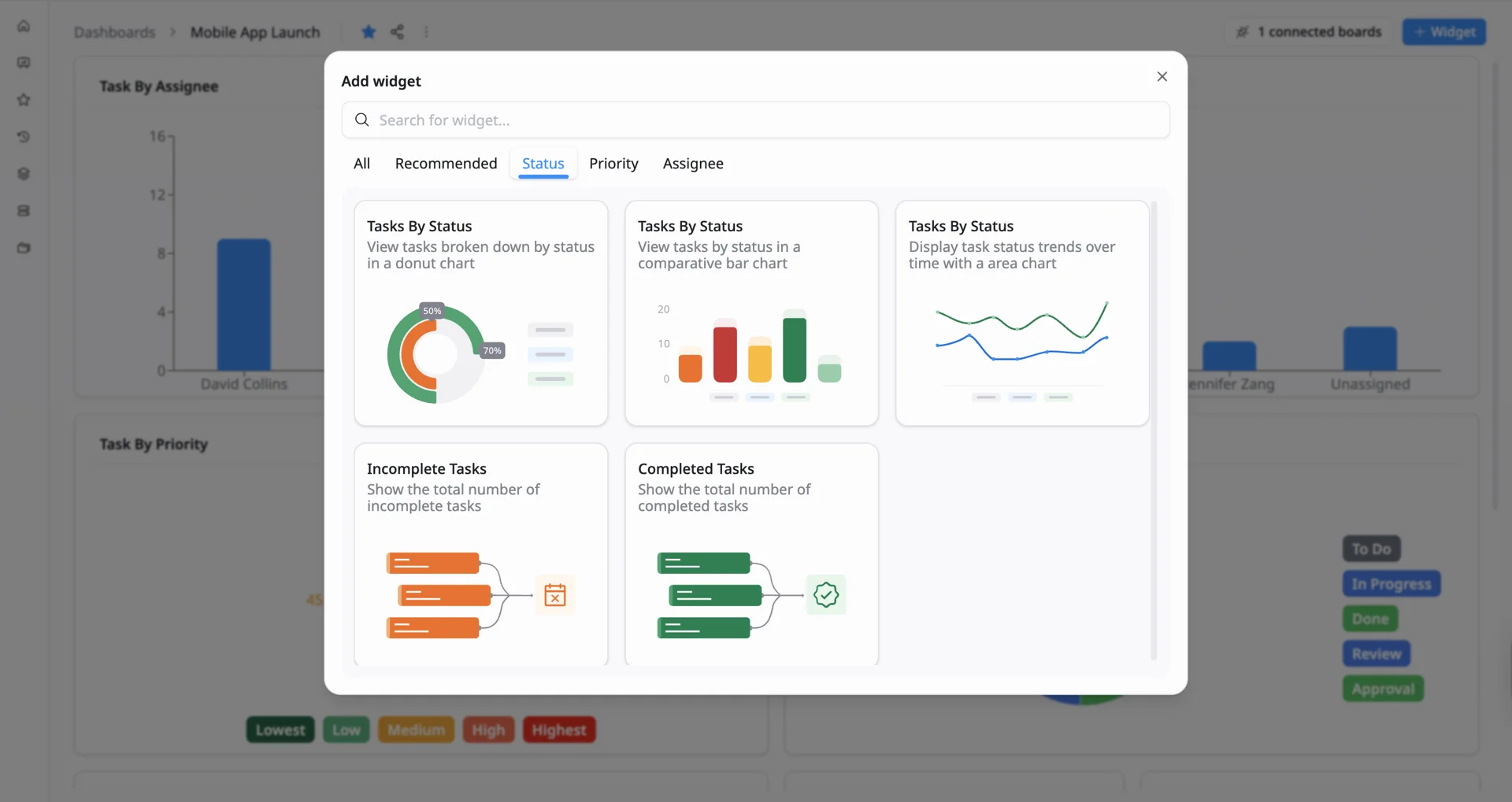
Status widgets help you understand how work is progressing by visualizing tasks across different statuses such as To Do, In Progress, Review, and Done. They make it easier to spot bottlenecks and track overall workflow health.
- Tasks by Status: View how tasks are distributed across statuses using charts such as donut, bar, or area charts to monitor progress and identify where work may be getting stuck.
- Incomplete Tasks: See the total number of tasks that are not yet finished.
- Completed Tasks: See the total number of completed tasks.
Priority widgets
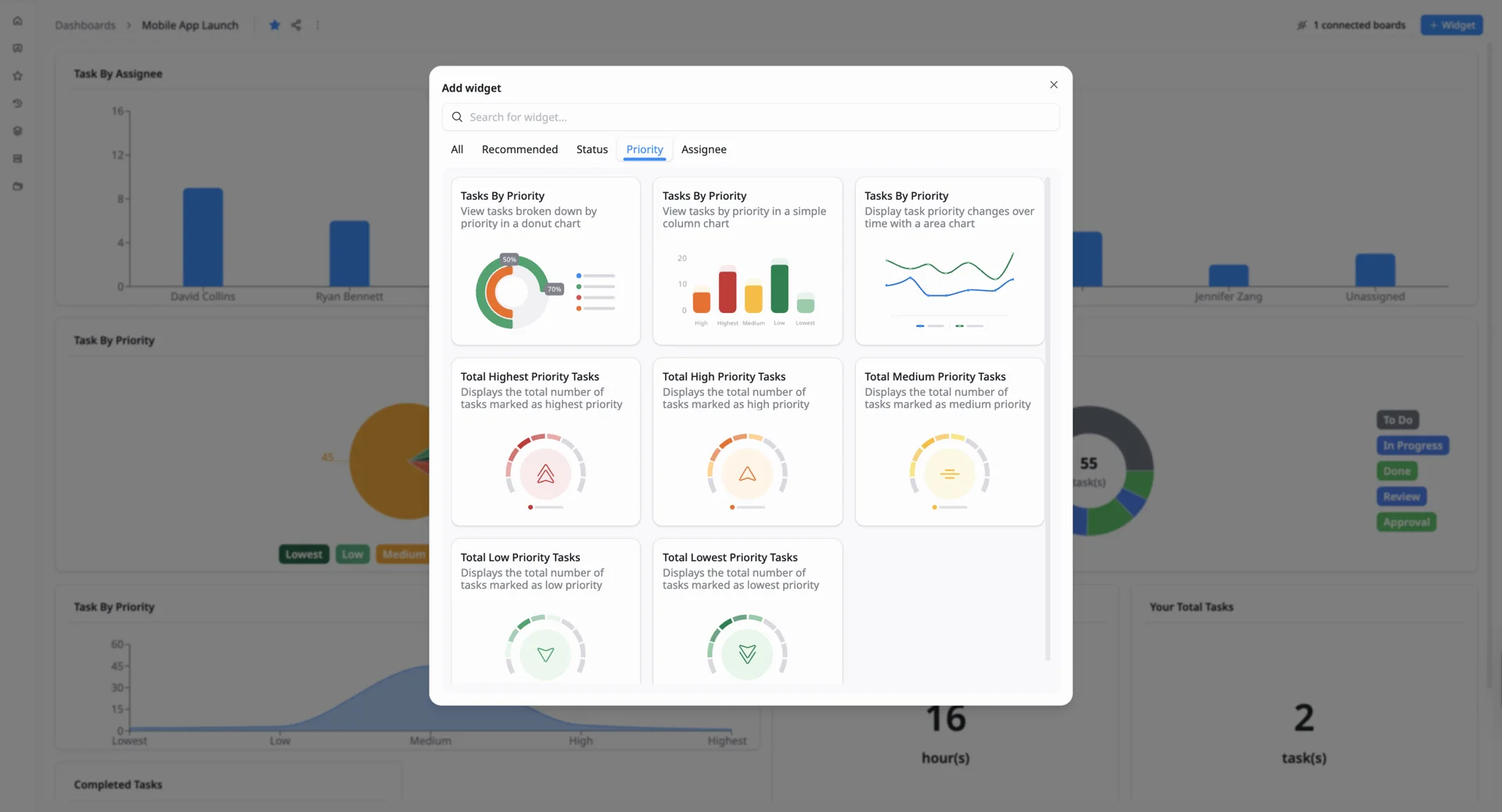
Priority widgets help you understand what work matters most by showing how tasks are distributed across priority levels. They make it easier to identify urgent tasks, stay focused on high-impact work, and track how priorities change over time so nothing critical is missed.
- Tasks by Priority: View how tasks are distributed across priority levels using charts such as donut, bar, or area charts to quickly identify high-priority work and track how priorities change over time.
- Highest Priority Tasks: See the total number of tasks marked as highest priority.
- High Priority Tasks: See the total number of tasks marked as high priority.
- Medium Priority Tasks: See the total number of tasks marked as medium priority.
- Low Priority Tasks: See the total number of tasks marked as low priority.
- Lowest Priority Tasks: See the total number of tasks marked as lowest priority.
Assignee widgets
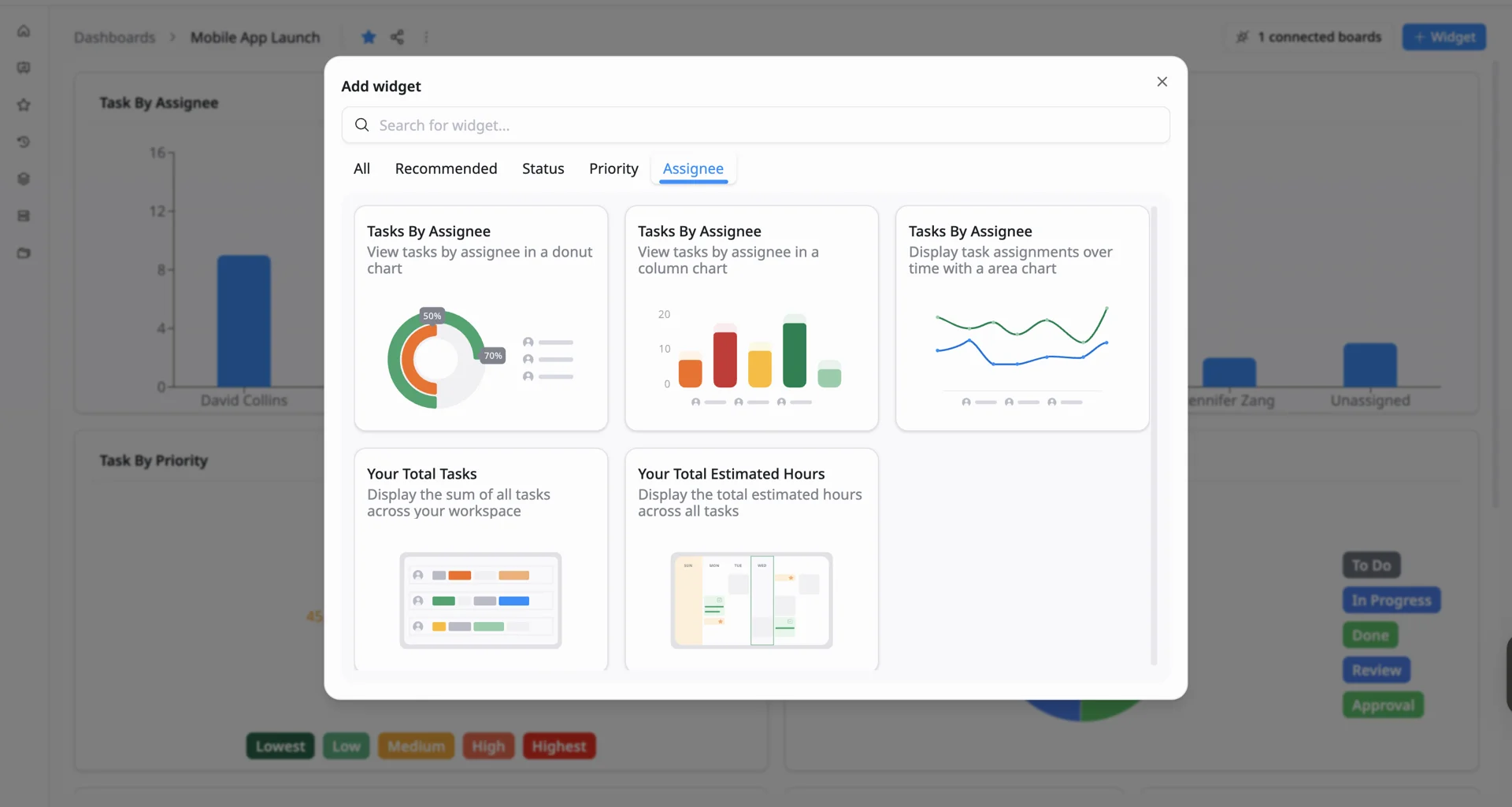
Assignee widgets help you understand how work is distributed across your team by showing who is responsible for each task. They make it easier to balance workload, identify capacity, and track how task ownership changes over time.
- Tasks by Assignee: View how tasks are distributed across team members using charts such as donut, bar, or area charts, making it easy to spot workload imbalances and monitor how assignments evolve.
- Your Total Tasks: See the total number of tasks across your workspace.
- Your Total Estimated Hours: See the total estimated effort across all tasks.
Learn more about the chart types available in Dashboards to understand how each one helps you visualize and analyze your data.