Workflow
Understand and manage workflows in TaskFord to define task statuses, track progress, and streamline work across sites, portfolios, and boards.
What is a workflow?
A workflow in TaskFord is the sequence of statuses that a task moves through from creation to completion. It defines how work progresses and helps your team understand what stage a task is in and what happens next.
Workflows can be simple or detailed, depending on how your team operates. For example, you might use a basic workflow like To Do → In Progress → Done, or a more advanced workflow with stages such as Backlog, Review, Testing, or Approval.
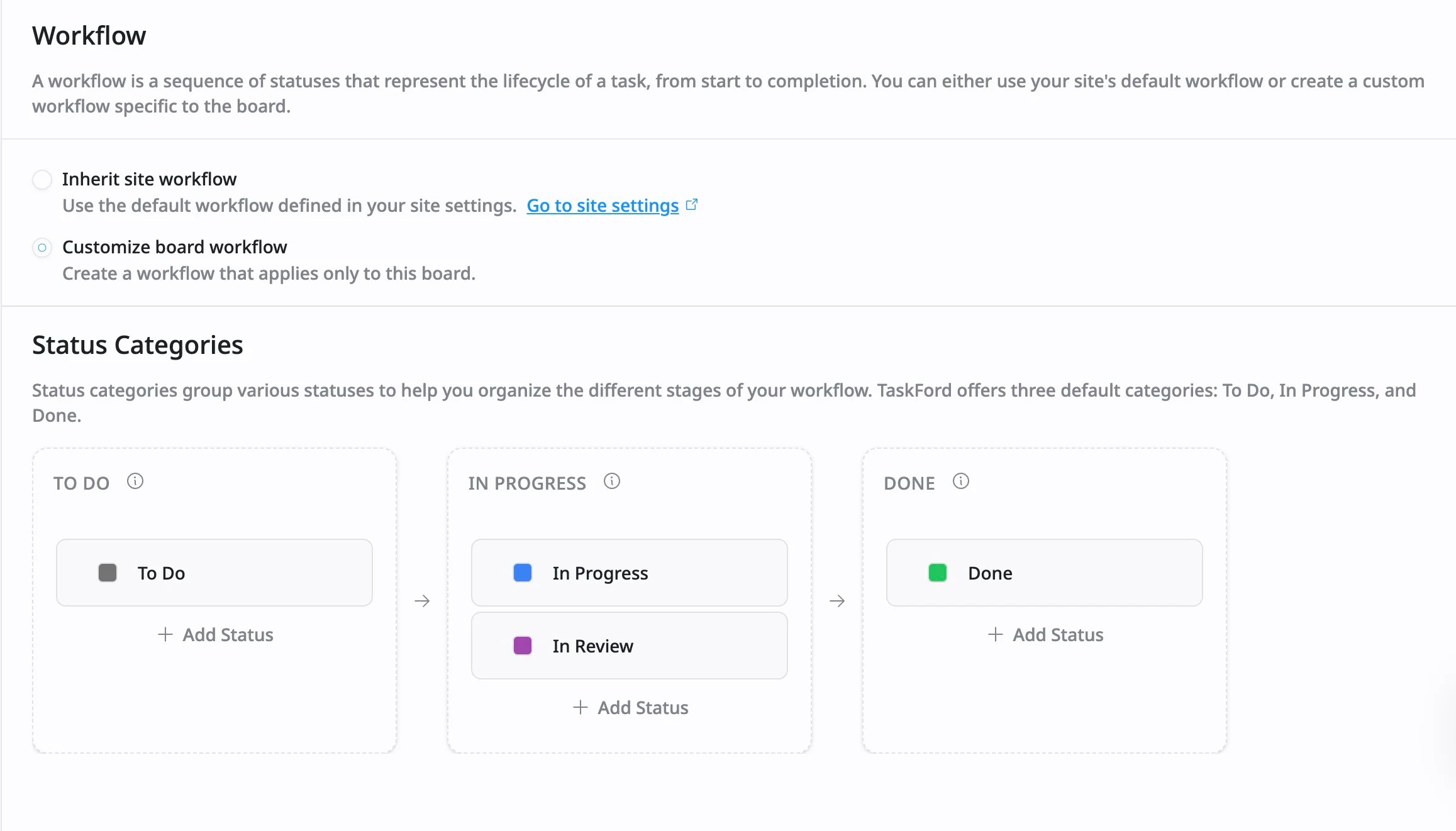
A workflow is made up of two core elements:
1. Statuses
Statuses represent the current stage of a task within its lifecycle. Every task always has one active status, which indicates where the work stands at any given time.
Common examples of statuses include: To Do → In Progress → Under Review → Done
Status Categories
Each status must belong to one of three status categories, which provide a consistent structure and are color-coded for easy recognition:
- To Do (Grey): Includes statuses for tasks that haven’t started yet and are waiting to be worked on.
- In Progress (Blue): Includes statuses for tasks that are actively being worked on.
- Done (Green): Includes statuses for tasks that have been completed and require no further action.
2. Transitions
Transitions control how tasks move between statuses. When you change a task’s status, such as moving it from To Do to In Progress, you’re performing a transition. These transitions follow the workflow’s rules, ensuring work progresses in a clear and consistent order.
Manage workflows in TaskFord
Workflows in TaskFord can be managed at different levels depending on how much consistency or flexibility you need:
- Site workflow – Defines default statuses available across all boards
- Portfolio workflow – Helps oversee workflows across multiple boards
- Board workflow – Allows customization for individual boards