Templates
Expense Tracking Template
Expense Tracking Template
Get Free Template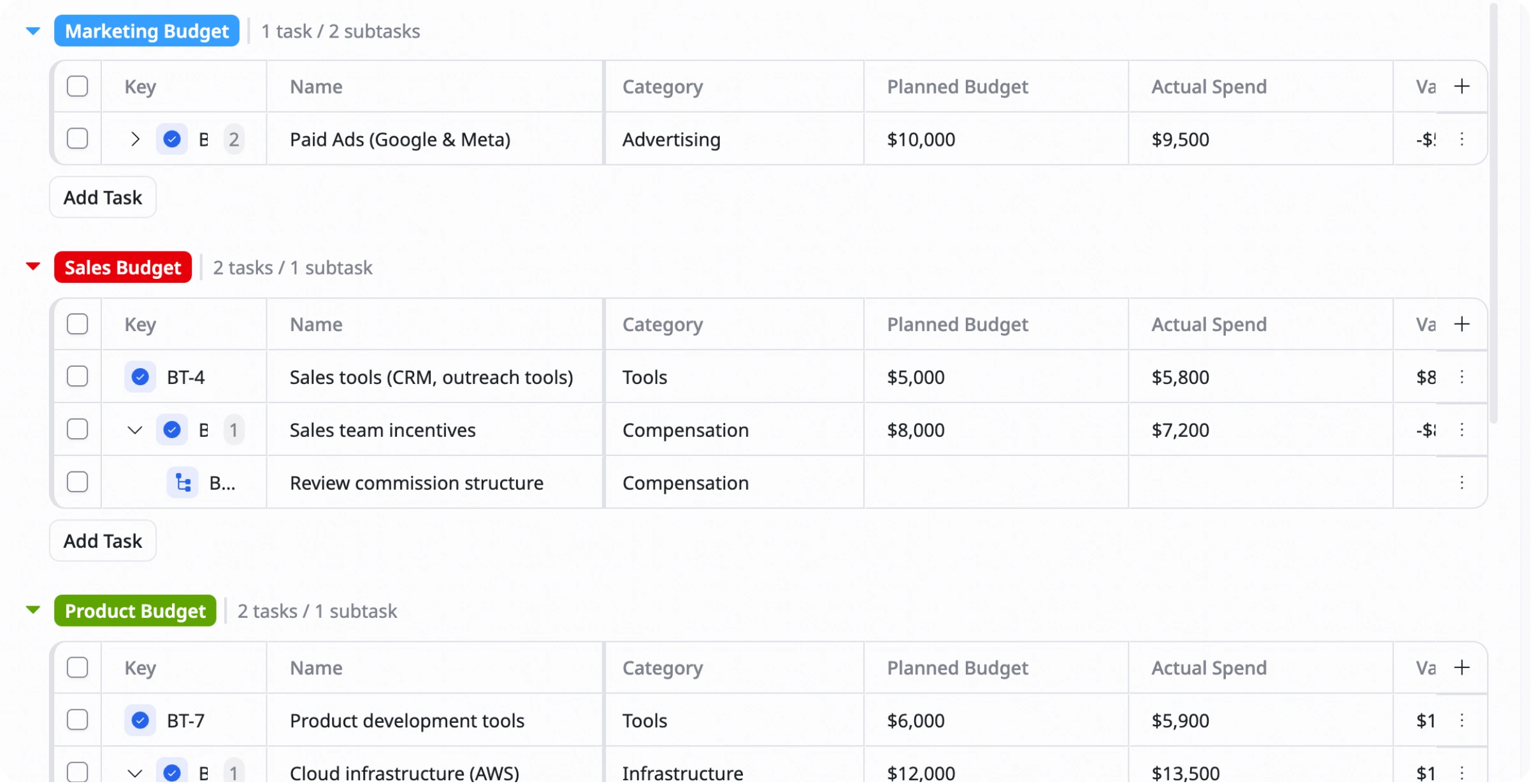
Description
This Expense Tracking Template helps you record, organize, and monitor expenses in one place so you can control spending and manage finances more effectively.
Best for
Expense tracking
Small business
Project expense tracking
Key Features
Expense logging
Expense List
Category tracking
Monthly expense
What is an Expense Tracking Template?
An Expense Tracking Template is a ready-to-use tool that helps you record and organize expenses in one place.
It allows you to monitor spending, categorize transactions, and analyze expense patterns so you can better control costs and manage your finances more effectively.
What's included in this Expense Tracking Template?
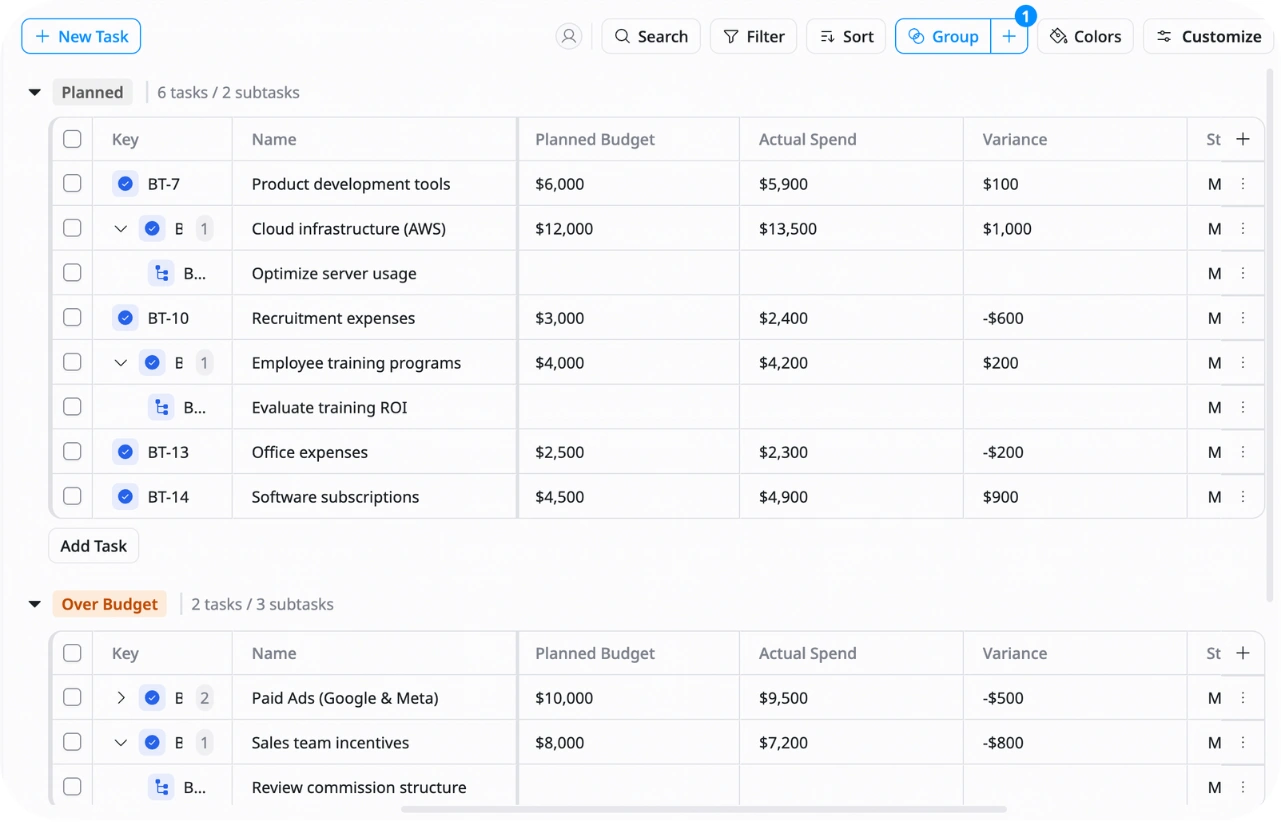
Expense log
Record all expenses with amount, category, and date
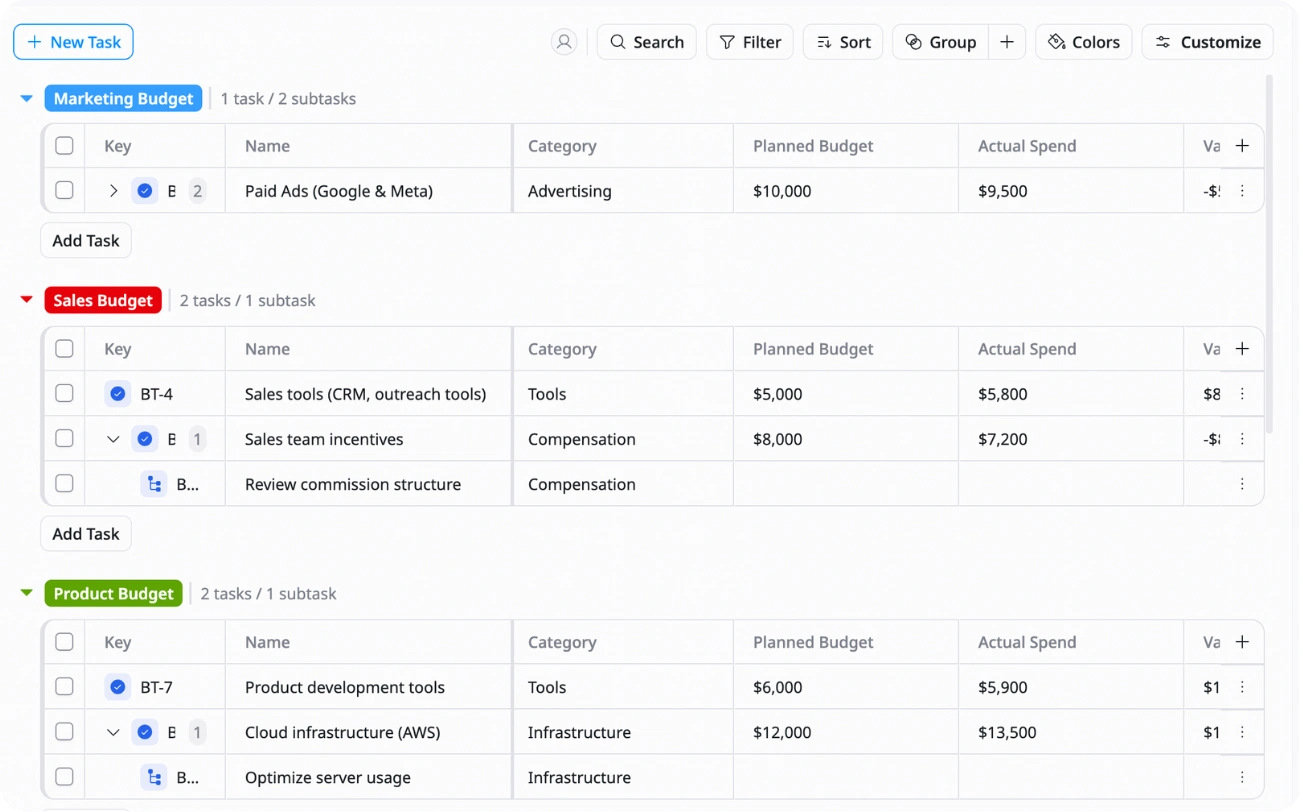
Category management
Organize expenses into categories like Travel, Food, Marketing, or Office
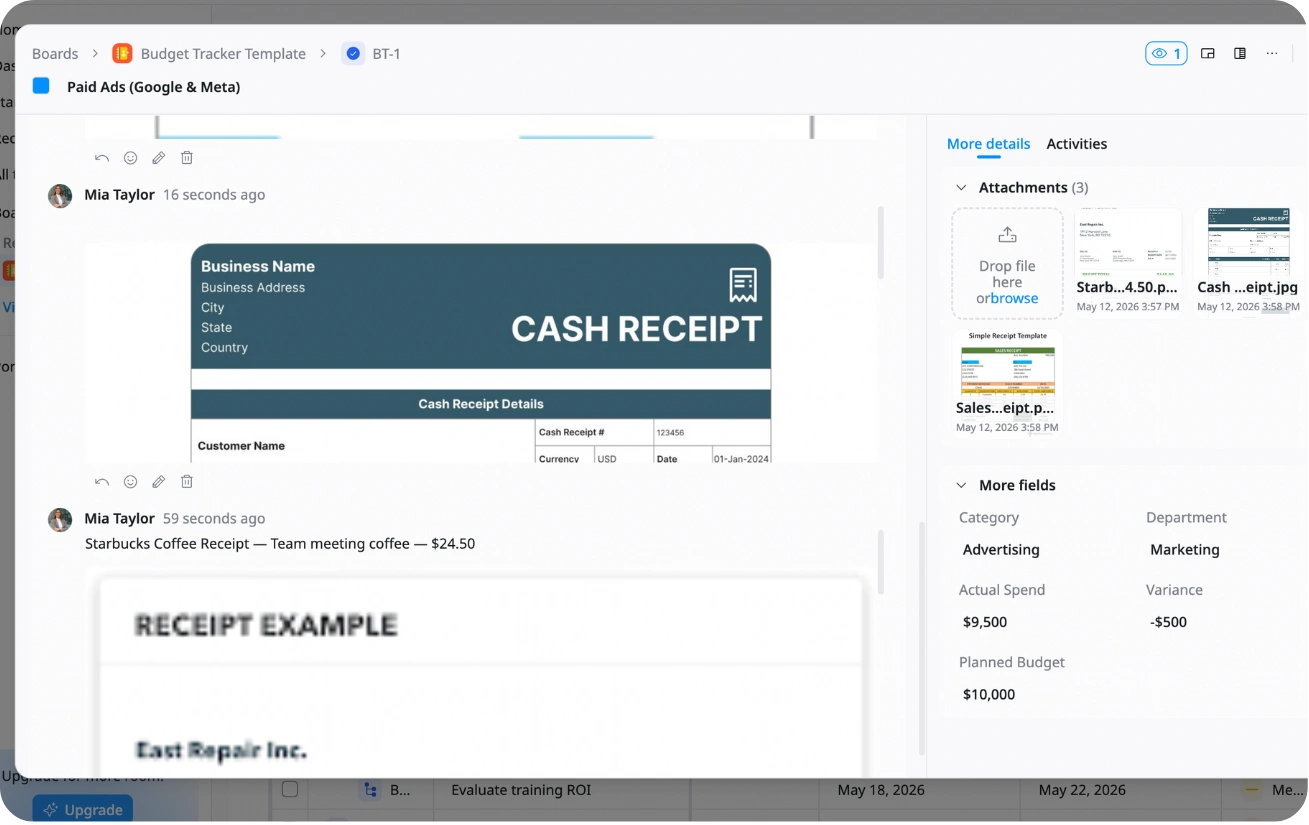
Receipt & notes tracking
Store receipts and add notes for better expense records
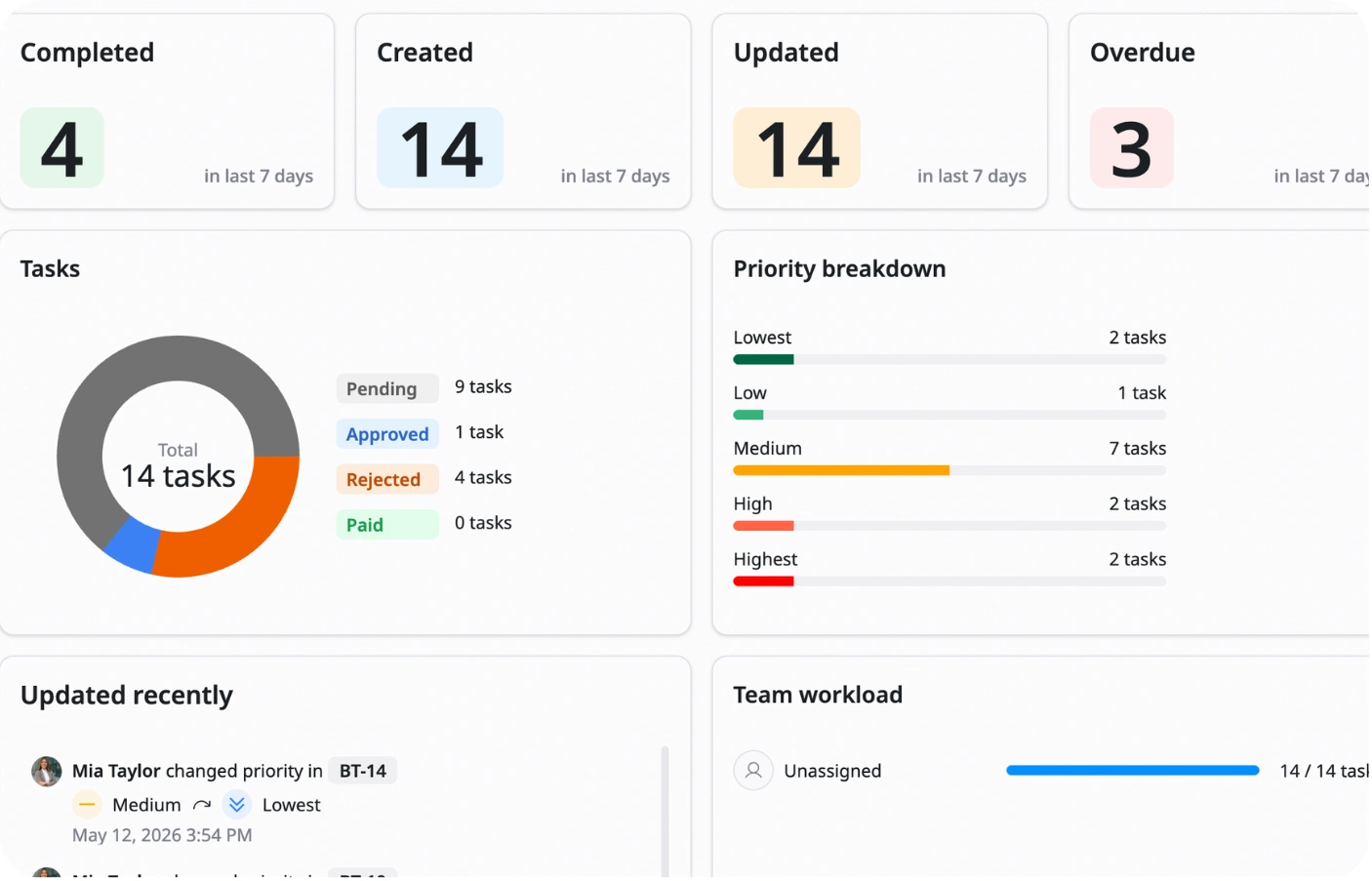
Monthly overview
Track total expenses and spending patterns each month
Why use this Expense Tracking Template?
Tracking expenses manually can become messy and make it hard to understand where your money is going. This template helps you organize expenses clearly and keep everything in one place.
With this template, you can:
- Track all expenses easily: Record and monitor spending in real time
- Understand spending patterns: See where most of your money is being spent
- Improve financial control: Reduce unnecessary expenses and overspending
- Keep expense records organized: Store receipts, notes, and transaction history
This helps you stay financially organized and make smarter spending decisions.
How to use this Expense Tracking Template?
1
Set up expense categories
Create categories that match your spending needs
2
Log transactions regularly
Record every expense with the date, amount, and category to keep your data accurate
3
Set spending budgets
Define monthly limits for each category so you can track spending against your budget
4
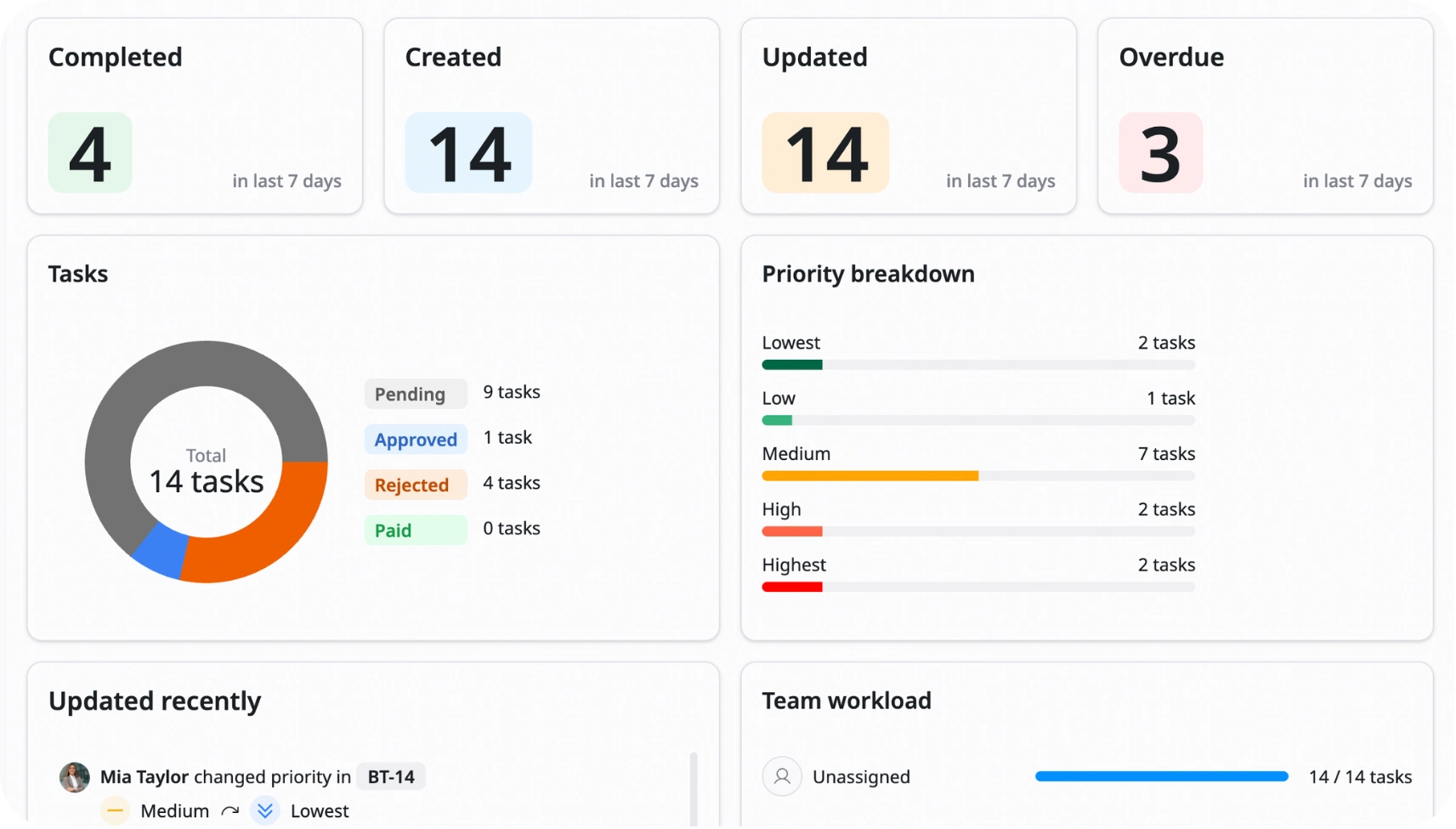
Analyze spending data
Review dashboards and reports to see where you are overspending or saving money
5
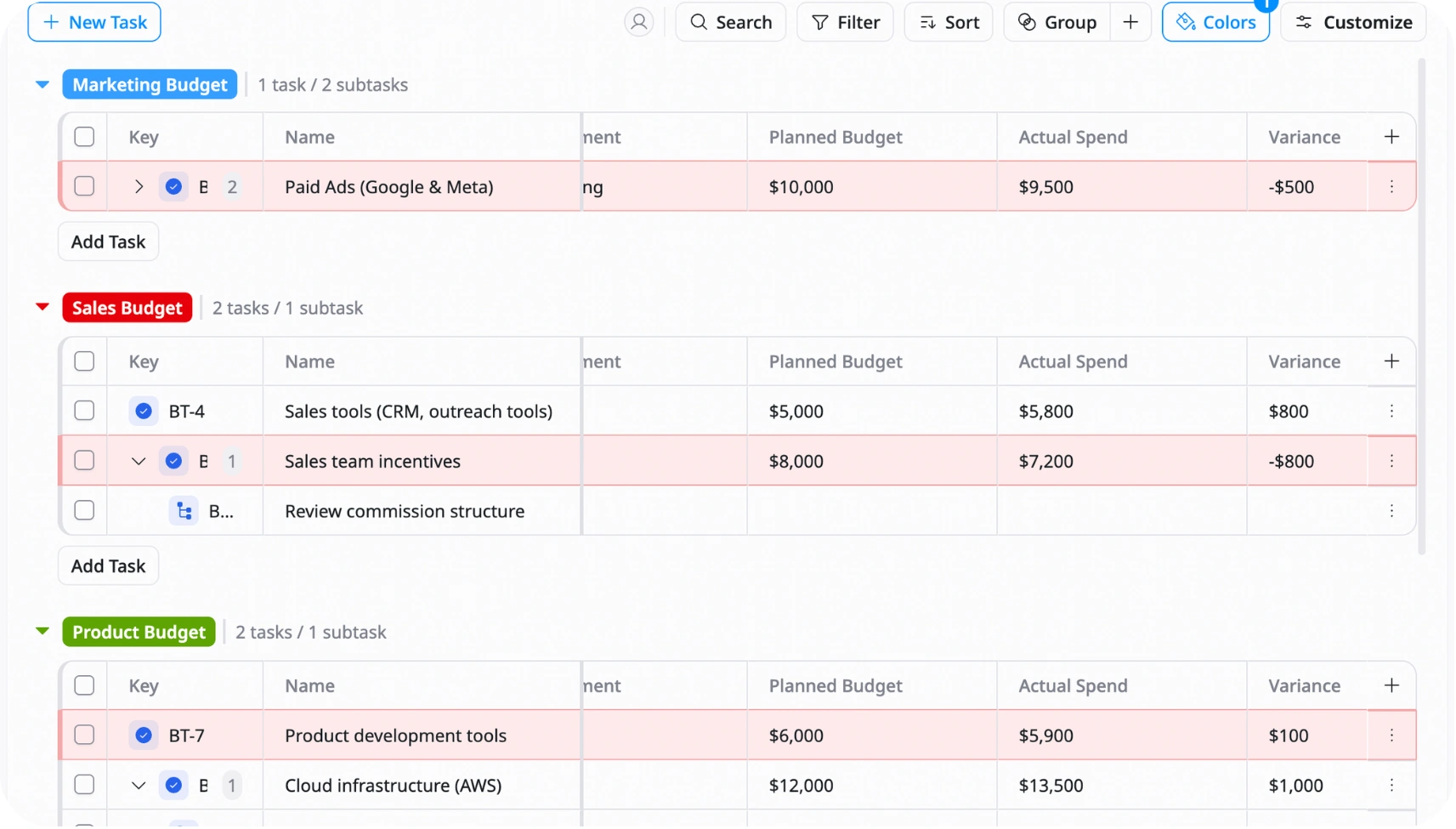
Use alerts or conditional formatting
Highlight categories that go over budget
Advanced tips

Use conditional formatting
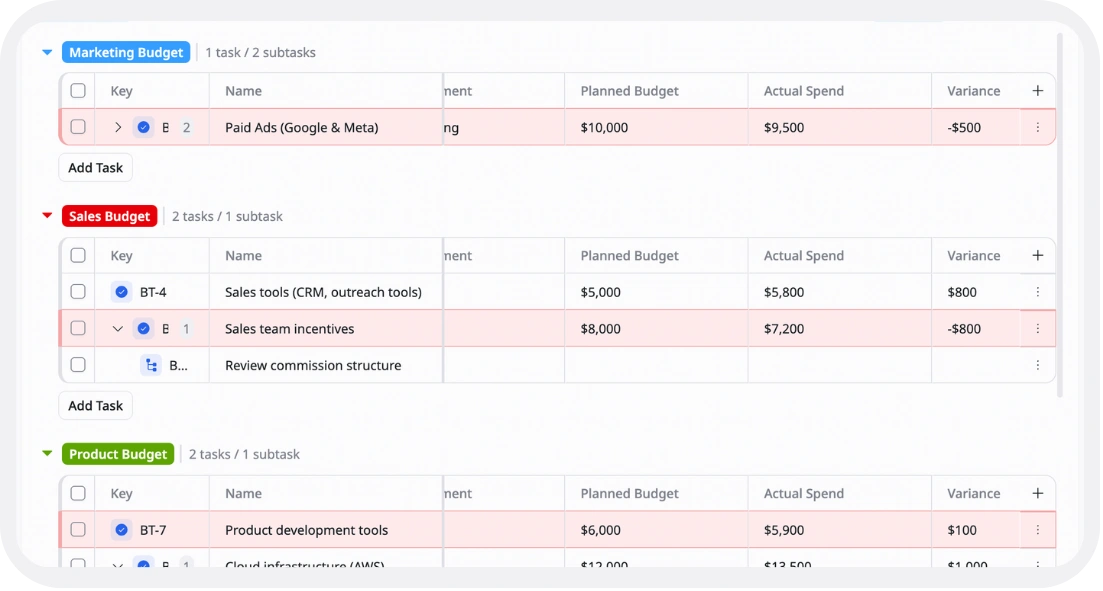
Highlight over-budget categories or uncategorized expenses automatically
Example:
Actual spending > Budget → Highlight in red
Uncategorized transaction → Highlight in yellow
This helps you quickly spot issues in your expenses

Track recurring expenses separately
Mark repeat expenses like subscriptions or rent so they are easier to monitor
Example:
Monthly software subscription → Recurring
This helps you predict future spending more accurately

Use dynamic dashboards
Create reports that automatically update to analyze spending by month, category, or payment method
Example:
Food expenses this month vs last month
This helps you understand spending trends more clearly