8 Creative To Do List Ideas for a More Focused and Organized Workday
Discover 8 creative to do list ideas to boost your productivity, organize daily tasks, reduce stress, and keep your workday focused and efficient every day.
Effective task management starts with having a system that helps you stay organized, focused, and productive. While a basic to do list can keep track of tasks, creative approaches can make it easier to prioritize work, manage your time, and stay motivated throughout the day.
In this article, we’ll explore 8 creative to do list ideas that go beyond traditional checklists. Whether you’re looking for a better way to organize tasks or improve your task management process, these ideas can help you work more efficiently and stay on top of your responsibilities.
What Is a To Do List?
A to do list is a simple task management tool that helps you organize, prioritize, and track tasks that need to be completed. Whether used on paper or in a digital app, a to do list provides a clear overview of your responsibilities, making it easier to manage your workload and stay focused throughout the day.
By keeping tasks organized in one place, a well-structured to do list can improve productivity, reduce mental clutter, and help you make steady progress toward your goals.
Common Elements of an Effective To Do List:
- Clear and actionable tasks
- Priority levels to identify important work
- Due dates or deadlines
- Task categories or labels for organization
- Progress tracking through checkboxes or status updates
- Subtasks for breaking down larger assignments
Why To Do Lists Matter for Task Management
A to do list is a fundamental part of effective task management. It provides a structured way to organize tasks, prioritize responsibilities, and stay focused throughout the day. Here are some of the key benefits:
- Improve focus and prioritization: To do lists support task management by helping you identify high-priority tasks and focus on work that delivers the greatest impact.
- Reduce mental clutter: Recording tasks in a list allows you to manage responsibilities more effectively without relying on memory alone.
- Increase productivity: A clear task management system helps you spend less time deciding what to do next and more time completing meaningful work.
- Track progress and accountability: To do lists make it easier to monitor completed tasks, measure progress, and stay accountable to deadlines and goals.
- Improve time management: By organizing and prioritizing tasks, you can plan your workload more effectively and make better use of your available time.
8 Creative To Do List Ideas for a More Focused Workday.
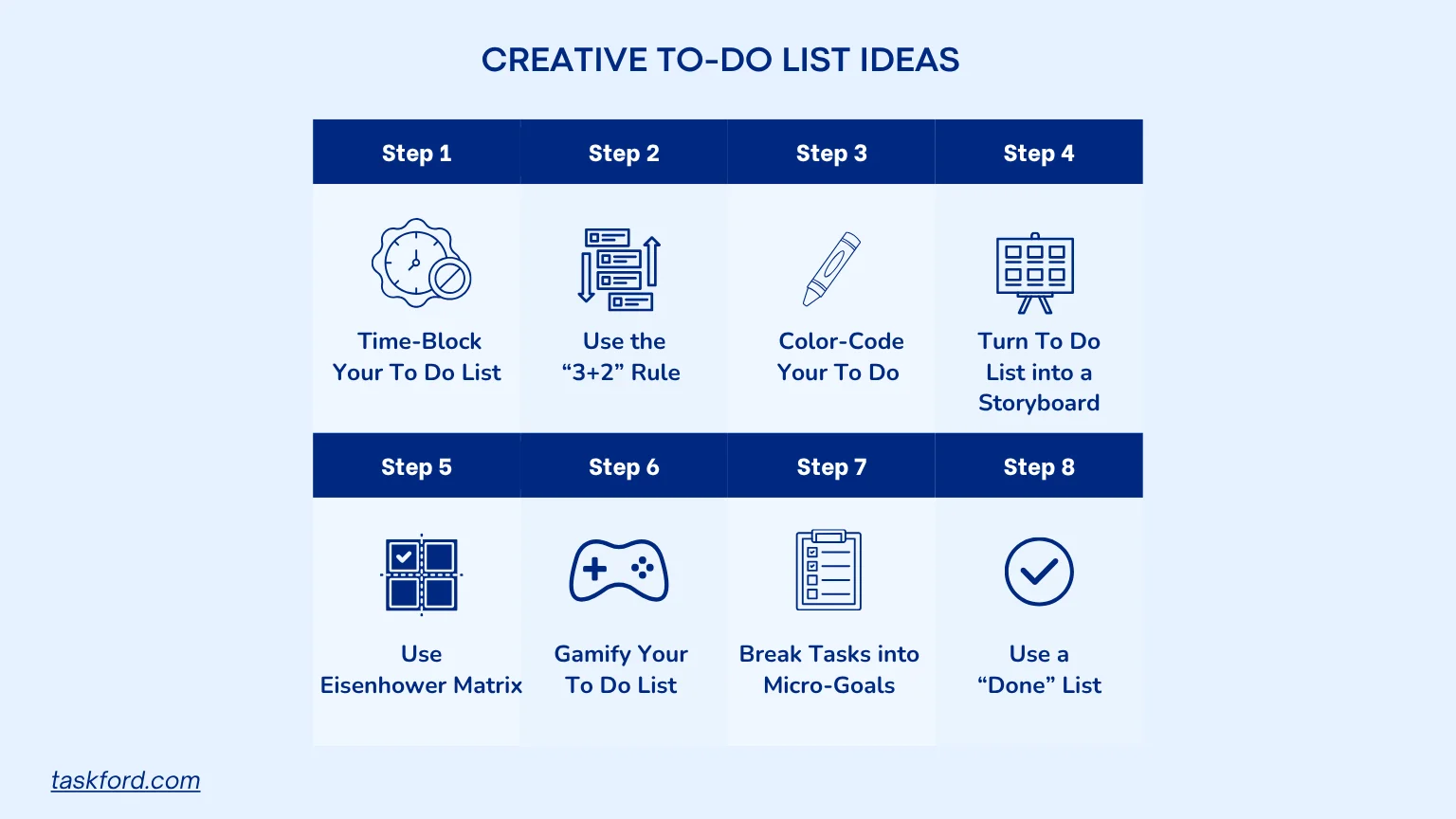
The best to do list is one that fits your workflow and helps you stay productive. From visual planning methods to prioritization frameworks, these creative to do list ideas can help you manage tasks more effectively and stay organized throughout the workday.
1. Time-Block Your To Do List for Maximum Focus
Time-blocking is a game-changer for task management. Instead of just listing tasks, assign each one a specific time slot in your day. This approach ensures you dedicate focused periods to each task without overextending yourself. For example, block 9:00 AM to 10:30 AM for deep work like writing a report, then 10:45 AM to 11:15 AM for emails.
How to Make a Task List with Time-Blocking
- Start by listing your tasks for the day.
- Estimate how long each task will take.
- Slot tasks into your calendar, leaving buffers for breaks or unexpected interruptions.
- Use task management tools like TaskFord to set reminders for each block.
This method keeps your day structured and prevents tasks from bleeding into each other. A daily to do list example might look like: 9:00 AM - Project planning (1 hour), 10:15 AM - Team meeting (30 minutes), 11:00 AM - Respond to emails (20 minutes).
2. Use the “3+2” Rule for Simplicity
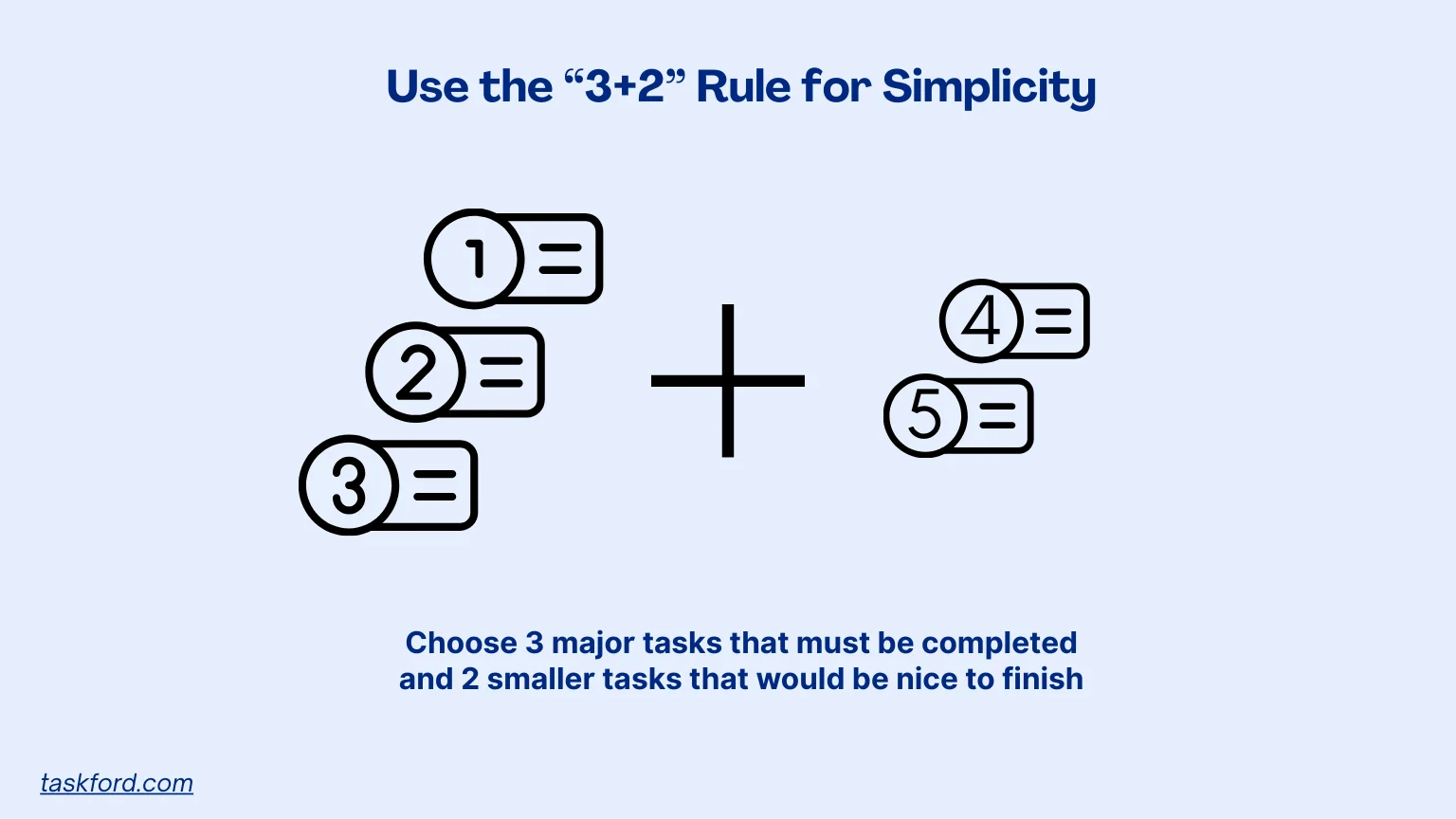
The “3+2” rule is a minimalist approach to task management. Each day, choose three major tasks that must be completed and two smaller tasks that would be nice to finish. This keeps your to do list focused and prevents overwhelm.
Daily To Do List Example
- Major tasks: Finish client proposal, prepare presentation slides, schedule team review.
- Smaller tasks: Clear inbox, update project tracker.
By limiting your list, you prioritize what truly matters and avoid the temptation to overfill your day. This method is perfect for those learning how to make a task list that’s realistic and achievable.
3. Color-Code Your To Do List for Visual Clarity
Adding color to your to do list can make it more engaging and easier to navigate. Assign colors to different types of tasks, such as blue for work projects, green for personal tasks, and red for urgent deadlines. This visual cue helps you quickly identify priorities and adds a touch of creativity.
How to Create a To Do List with Color-Coding
- Use colored pens or highlighters for paper lists.
- For digital lists, use task management tools that allow color tagging.
- Keep a consistent color system to avoid confusion.
Color-coding not only makes your list more visually appealing but also helps you process information faster, boosting productivity.
4. Turn Your To Do List into a Storyboard
If you’re a visual thinker, try turning your to do list into a storyboard. This creative approach involves sketching out your tasks as a series of steps or scenes, like a comic strip. Each task becomes a panel in your workday’s story, making it easier to see how tasks connect and flow.
How to Make a Task List as a Storyboard
- Grab a notebook or use a digital drawing tool like Notion or Procreate.
- Divide your page into panels, each representing a task or milestone.
- Add simple sketches or icons to represent each task (e.g., a laptop for “write report” or a phone for “call client”).
This method is ideal for creative professionals or anyone who finds traditional lists uninspiring. It adds a narrative element to task management, making your day feel like a story you’re actively shaping.
5. Prioritize with the Eisenhower Matrix
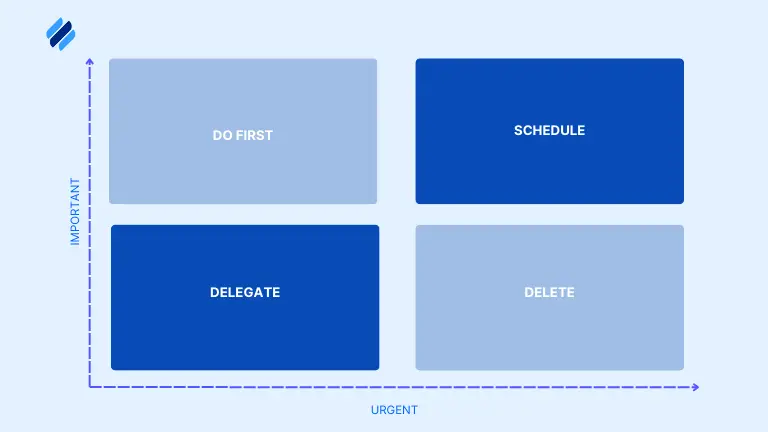
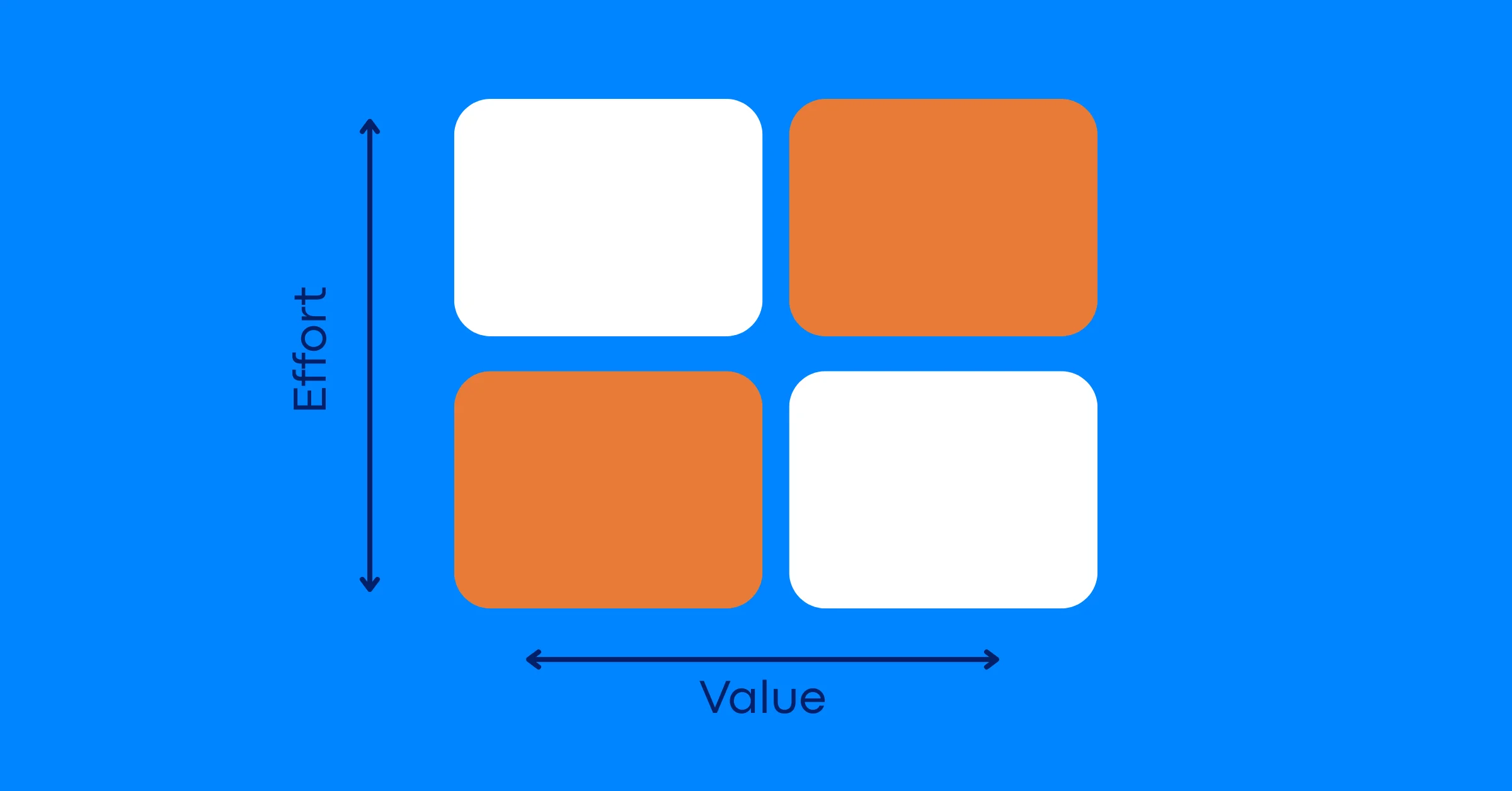
The Eisenhower Matrix is a classic task management tool that helps you prioritize tasks based on urgency and importance. Divide your tasks into four quadrants:
- Urgent and important: Do immediately.
- Important but not urgent: Schedule for later.
- Urgent but not important: Delegate if possible.
- Neither urgent nor important: Eliminate.
Daily To Do List Example
- Urgent/important: Submit budget report by 3 PM.
- Important/not urgent: Plan next month’s marketing campaign.
- Urgent/not important: Respond to non-critical emails.
- Neither: Scroll through social media.
This method helps you focus on what truly drives results, making it a powerful way to create a to do list that aligns with your goals.
6. Gamify Your To Do List for Motivation
Turn task management into a game by assigning points, rewards, or challenges to your tasks. For example, give yourself 10 points for completing a major task and 5 points for smaller ones. Set a daily point goal, and treat yourself to a reward (like a coffee break or a favorite snack) when you hit it.
How to Create a To Do List with Gamification
- List your tasks and assign point values based on difficulty or importance.
- Track your points in a notebook, turnings tasks into a role-playing game.
- Set rewards for hitting milestones, like 50 points for a 15-minute break.
Gamifying your to do list makes task management fun and keeps you motivated, especially on tough days.
7. Break Tasks into Micro-Goals
Large tasks can feel overwhelming, but breaking them into smaller, actionable micro-goals makes them more manageable. For example, instead of writing “Complete project,” break it into “Outline project,” “Draft section 1,” and “Review with team.”
How to Make a Task List with Micro-Goals
- Identify your big tasks for the day.
- Break each one into 3-5 smaller steps.
- List these micro-goals on your to do list and check them off as you go.
This approach builds momentum as you check off small wins, keeping you motivated throughout the day. Tools like TaskFord are great for organizing micro-goals.
8. Use a “Done” List to Track Progress
In addition to your to do list, keep a “done” list to track what you’ve accomplished. This simple practice boosts morale by reminding you of your progress, especially on busy days when it feels like nothing got done.
Daily To Do List Example
- To do: Write blog post, schedule social media, attend meeting.
- Done: Drafted blog post, posted on Twitter, prepared meeting notes.
Reviewing your done list at the end of the day reinforces a sense of achievement and helps you plan tomorrow’s tasks more effectively.
Use TaskFord to Turn To Do Lists into Actionable Workflows
Creative to do lists can help you stay organized, but managing tasks across projects and teams often requires more than a simple checklist. TaskFord provides the tools needed to organize tasks, prioritize work, track progress, and manage workloads, helping you put these productivity techniques into practice.
Table View for Organizing Tasks
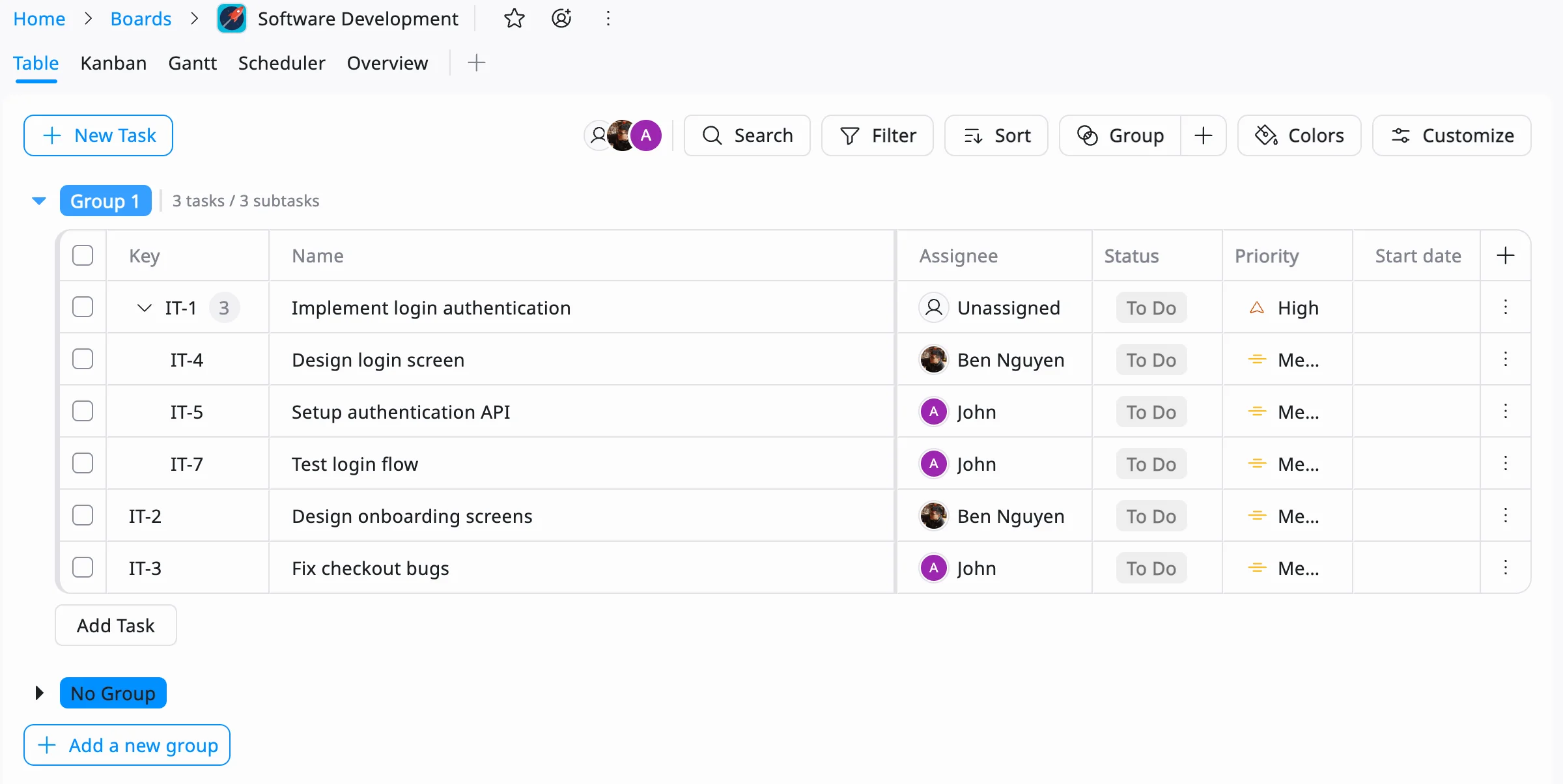
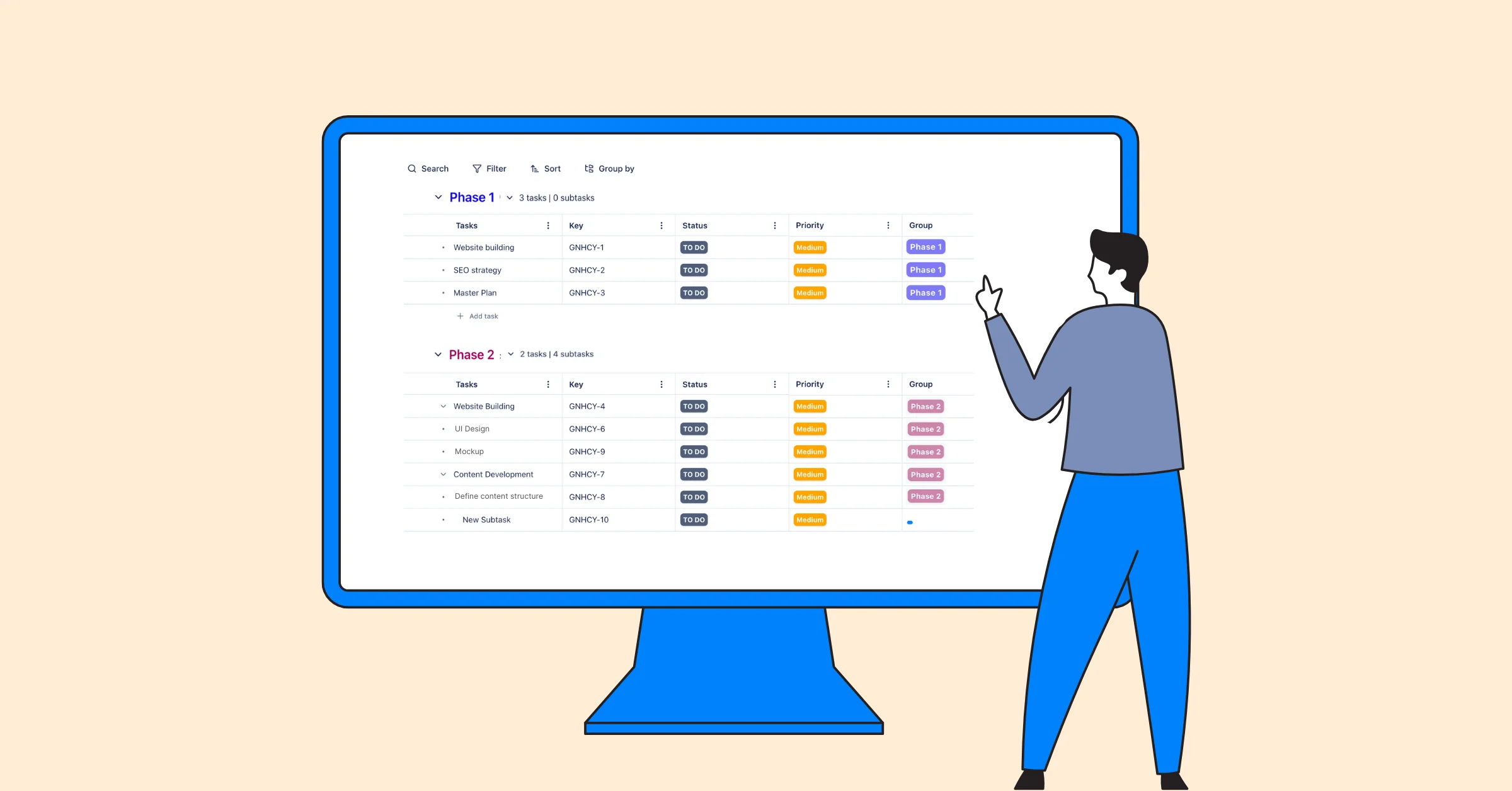
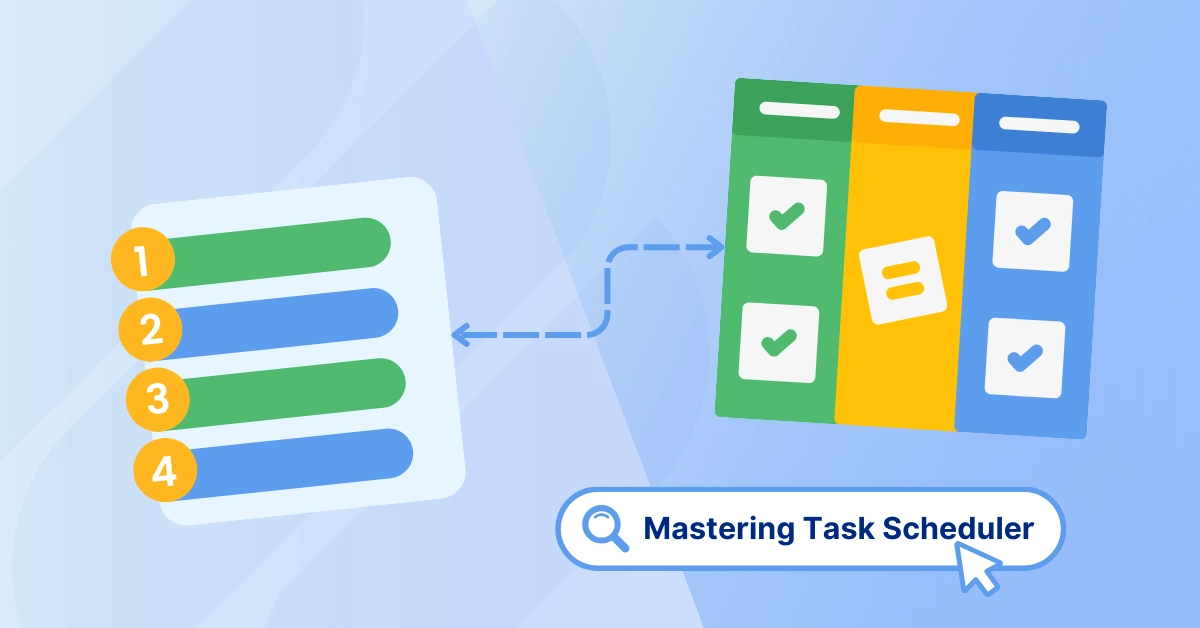
TaskFord’s Table View provides a structured way to create, organize, and manage tasks in one place. You can add priorities, deadlines, assignees, and task details, making it easier to apply methods like the 3+2 Rule, Eisenhower Matrix, or micro-goal planning.
Kanban Boards for Visual Task Management
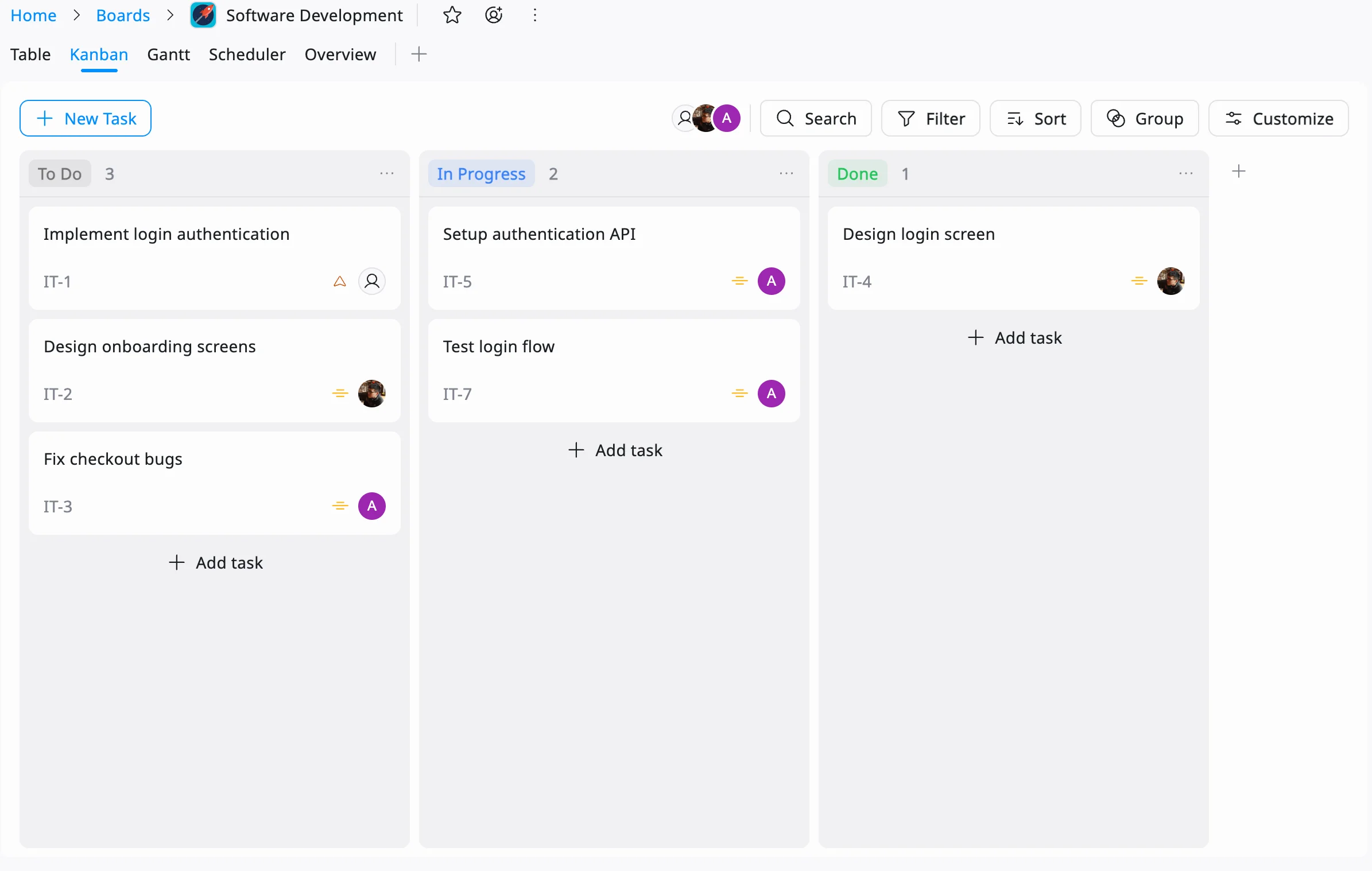
For teams that prefer a visual approach, TaskFord’s Kanban Boards allow you to move tasks through different stages of work, such as To Do, In Progress, and Completed. This makes it easy to track progress, manage priorities, and maintain visibility across projects.
Resource Scheduler for Time-Blocking and Workload Planning
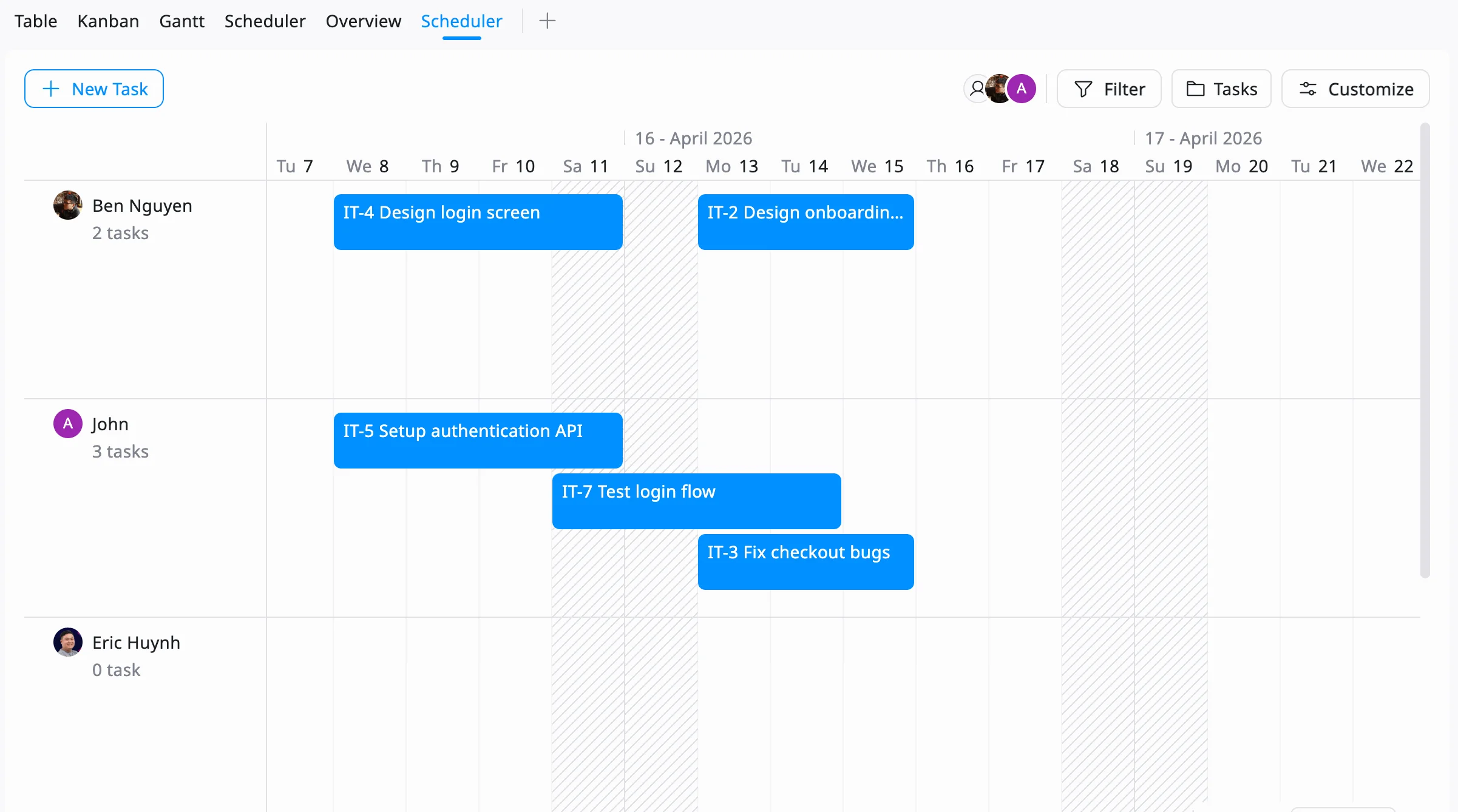
TaskFord’s Resource Scheduler helps teams plan work more effectively by providing visibility into workloads and availability. Managers can allocate tasks across timelines, balance capacity, and support time-blocking strategies without overloading team members.
Reporting Dashboard for Tracking Progress
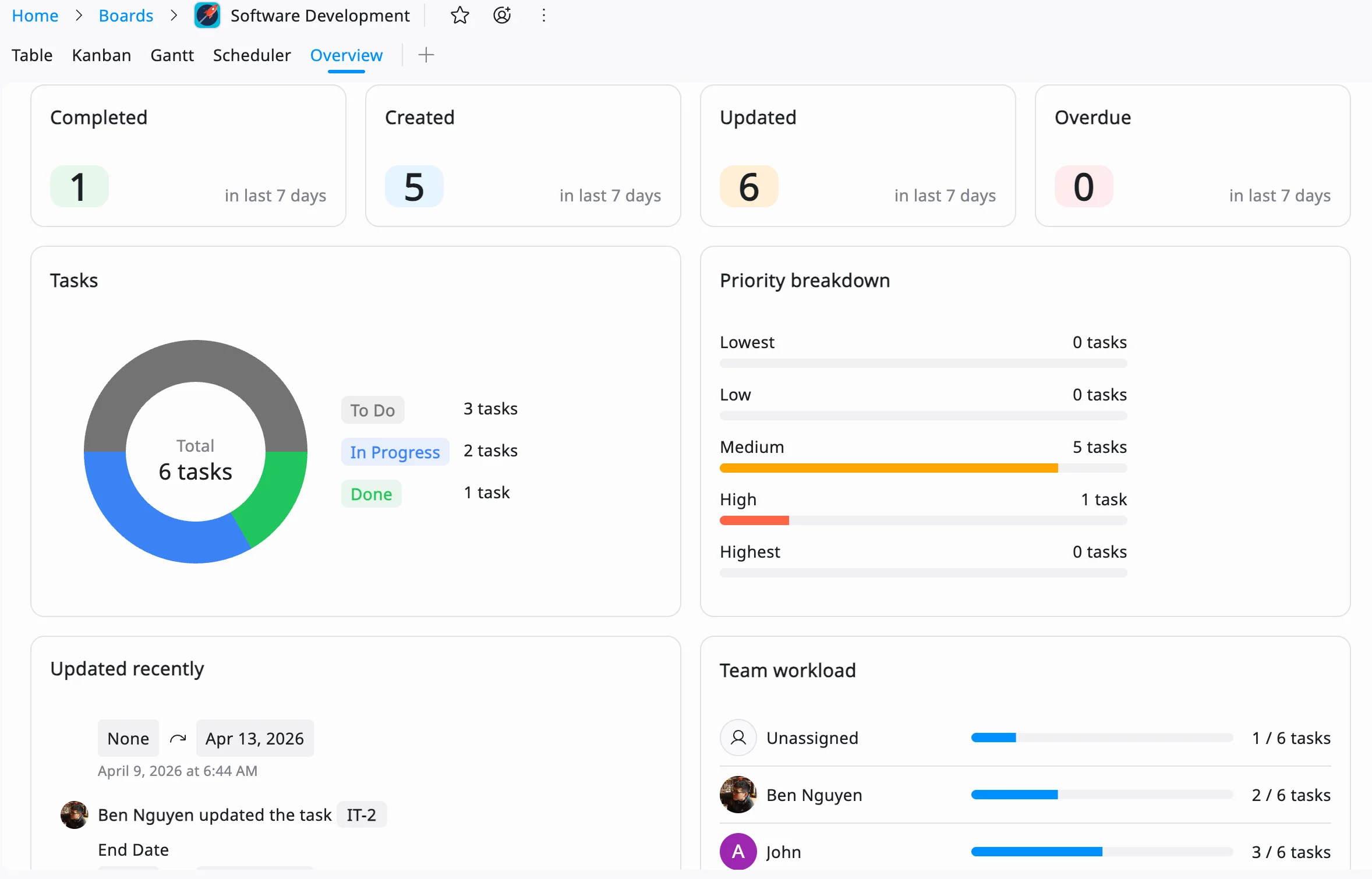
A successful to do list isn’t just about planning tasks, it’s also about measuring results. TaskFord’s Reporting Dashboard helps teams monitor task completion, track productivity, and gain insights into project performance, making it easier to identify achievements and areas for improvement.
Tips for Sticking to Your To Do List
Creating a to do list is only half the battle. To get the most value from your list, it’s important to build habits that help you stay consistent and realistic.
-
Review your list daily: Take a few minutes each morning to review your priorities, update deadlines, and remove tasks that are no longer relevant. This helps ensure your list stays accurate and actionable.
-
Stay flexible: Unexpected meetings, urgent requests, and changing priorities are part of every workday. Leave some buffer time in your schedule so you can adapt without disrupting your entire plan.
-
Limit the number of tasks: Avoid overloading your list with too many items. Focusing on a manageable number of high-priority tasks can help you maintain momentum and avoid feeling overwhelmed.
-
Break down large tasks: If a task feels too complex or time-consuming, divide it into smaller steps. Completing smaller milestones makes progress easier to track and keeps motivation high.
-
Reflect on your progress regularly: At the end of each week, review completed tasks and identify any recurring challenges. Use these insights to refine your task management approach and improve future planning.
By consistently refining how you make a task list, you’ll build a system that supports your productivity long-term.
Conclusion
A well-designed to do list is more than a checklist; it’s a tool for focus, clarity, and motivation. By trying these 8 creative to do list ideas, you can transform your approach to task management and make every workday more organized and productive. Whether you’re time-blocking, gamifying tasks, or using the Eisenhower Matrix, the key is to find a method that resonates with you. Experiment with these ideas, leverage task management tools, and discover how to create a to do list that works for your unique needs. Start today, and watch your productivity soar!















Subscribe for Expert Tips
Unlock expert insights and stay ahead with TaskFord. Sign up now to receive valuable tips, strategies, and updates directly in your inbox.