Templates
Bug Tracking Template
Bug Tracking Template
Get Free Template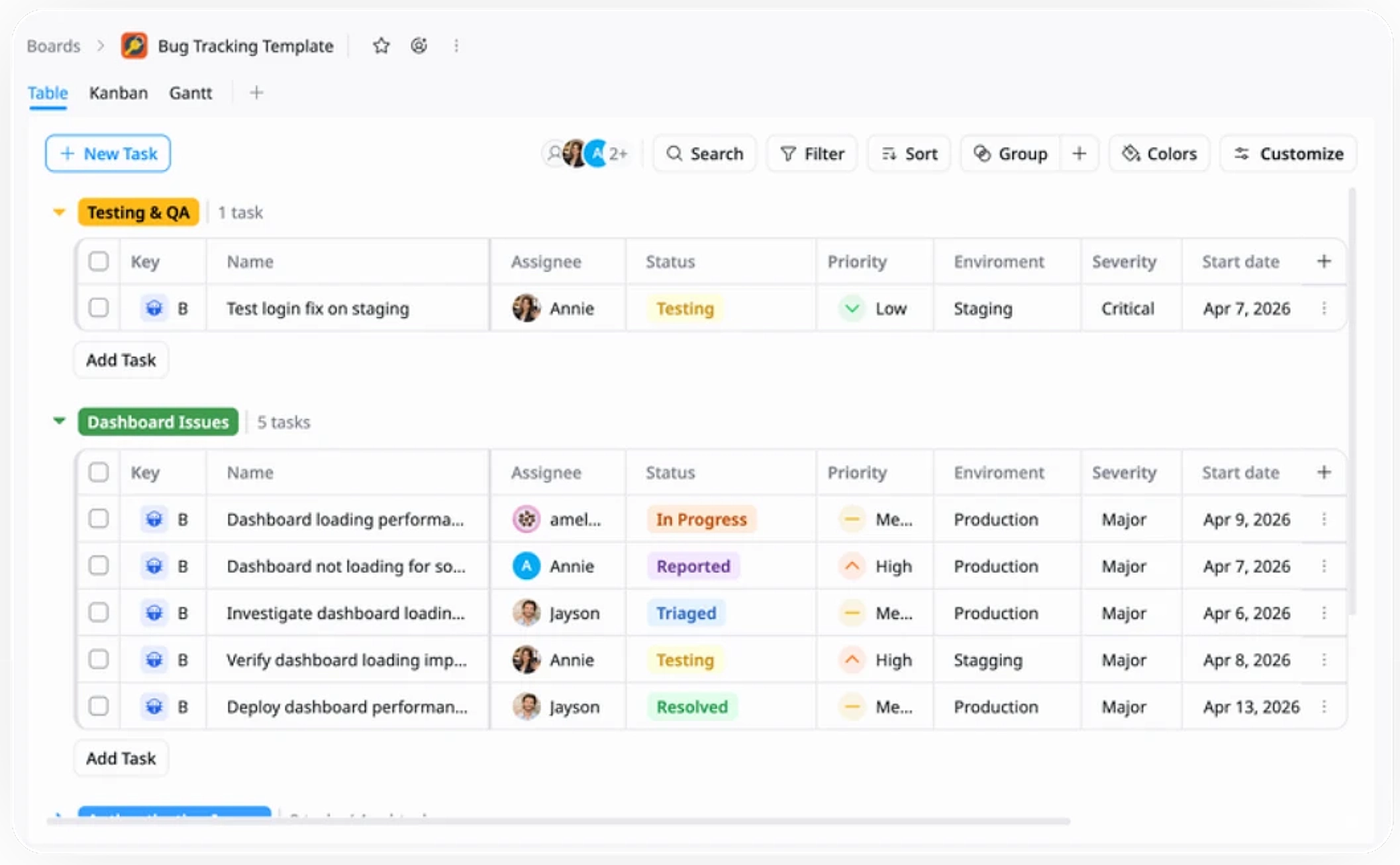
Description
A Bug Tracking Template helps you track, prioritize, and resolve bugs efficiently to ensure product quality and stability.
Best for
Software development teams
QA and testing teams
DevOps / release teams
Product managers
Startups / product teams
Key Features
Bug Workflow
Task Management
Issue Grouping
Kanban
Gantt
What is a Bug Tracking Template?
A Bug Tracking Template is a structured workspace that helps you log, organize, and manage bugs throughout the development process.
It provides a clear framework to prioritize issues, assign ownership, and track progress—ensuring bugs are resolved efficiently and product quality stays on track.
What's included in this Bug Tracking Template?
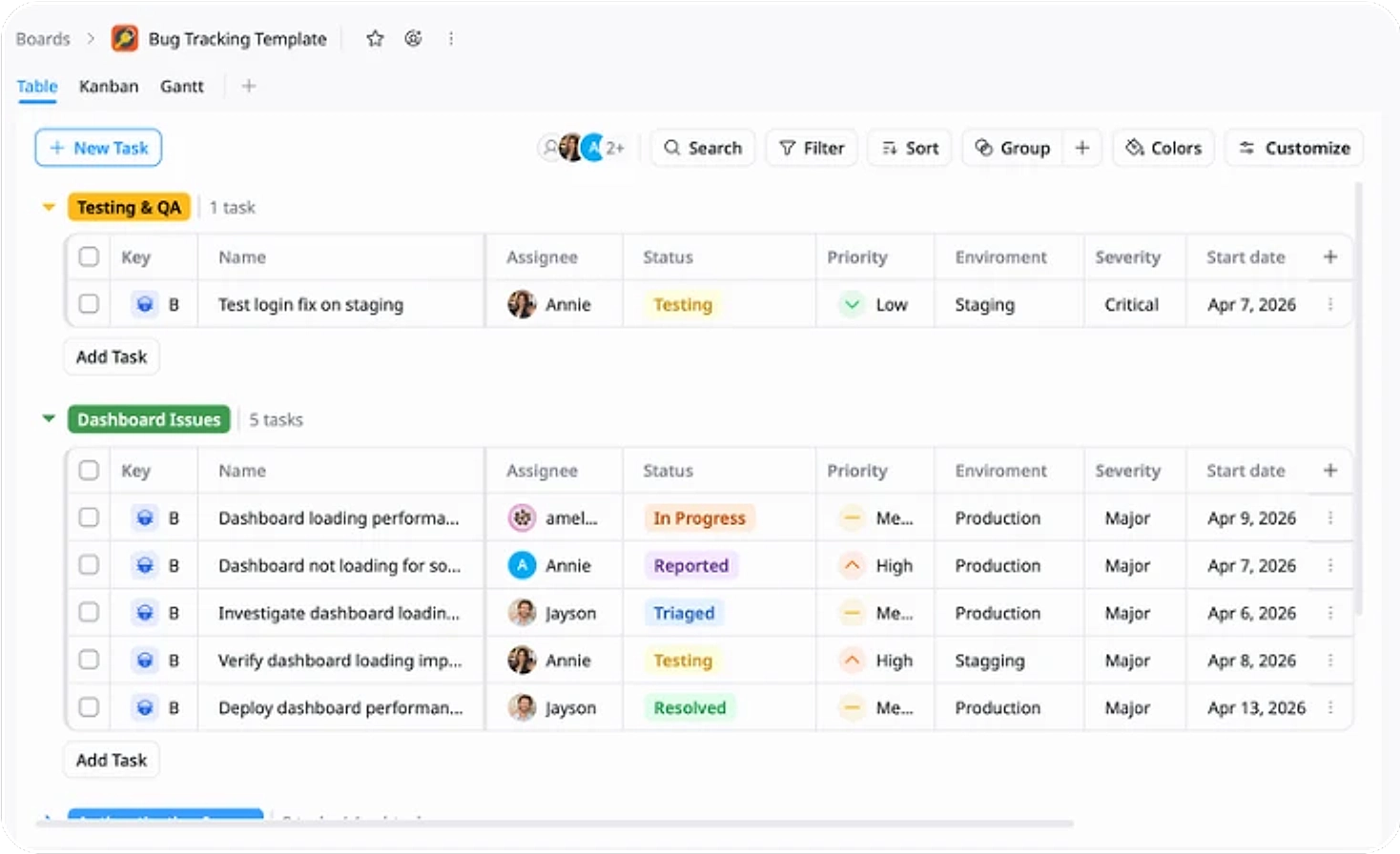
Bug Table
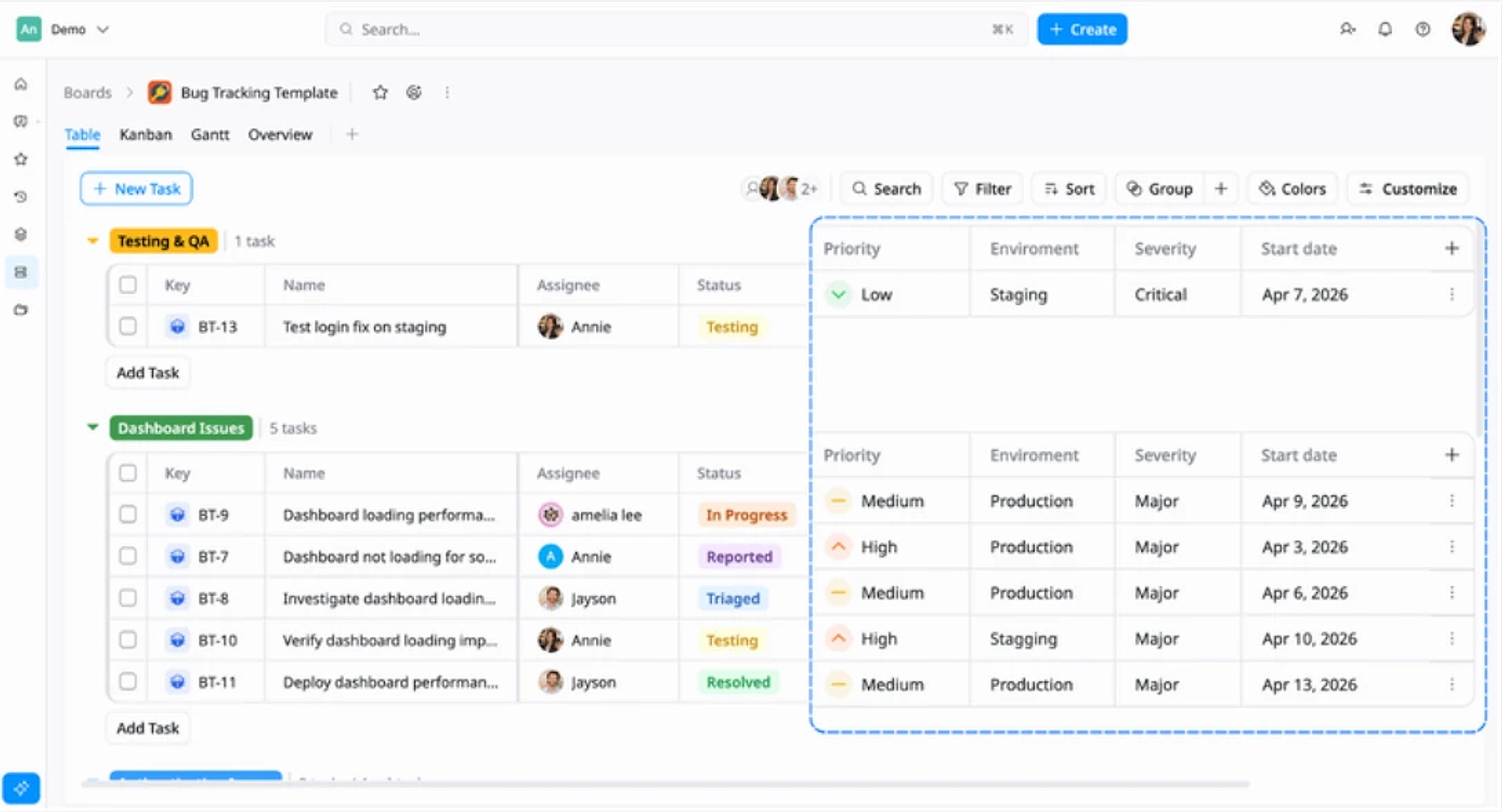
Capture and organize bugs with key details like priority, severity, and environment.
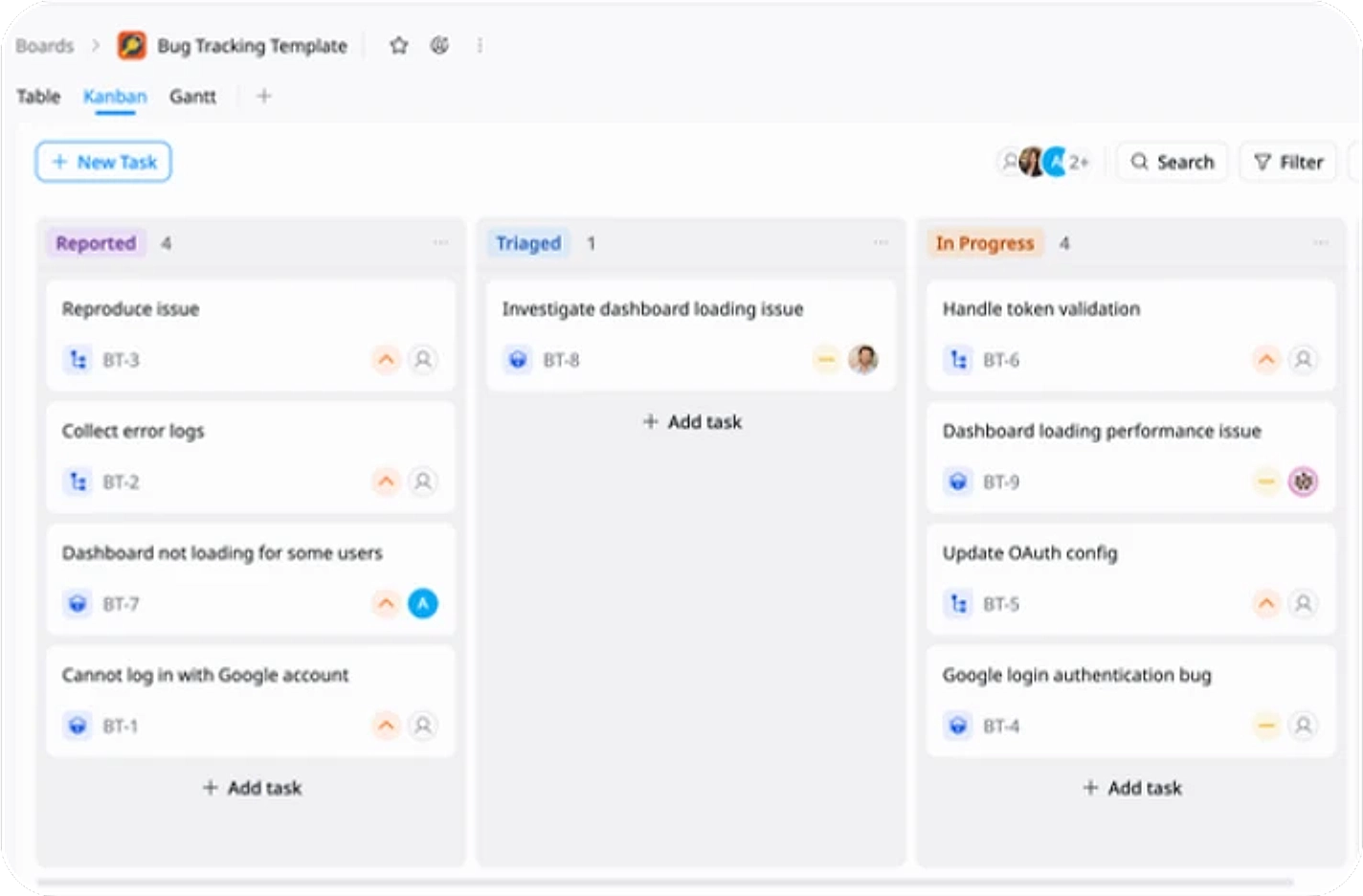
Kanban Board
Visualize bug progress and manage workflow efficiently.
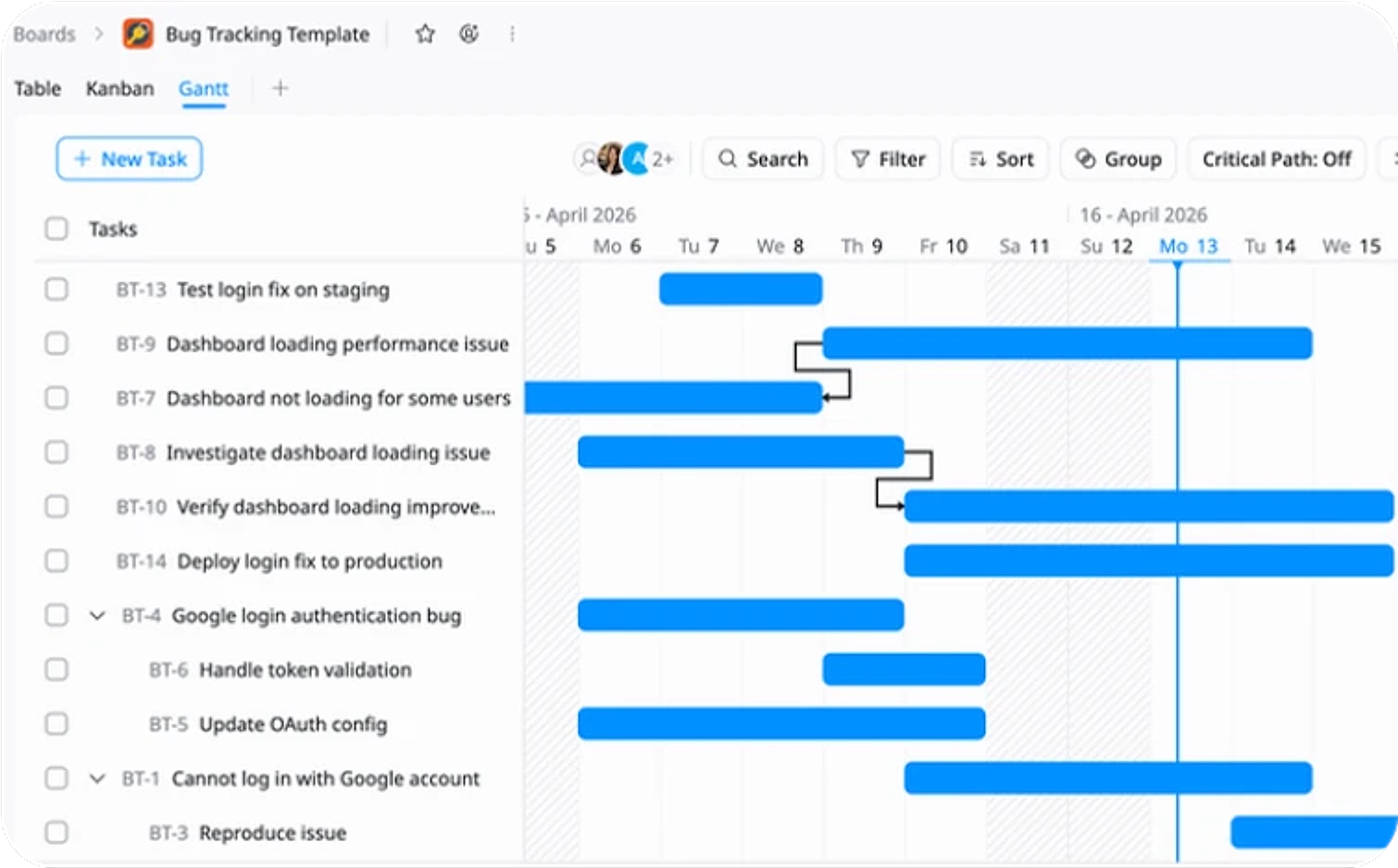
Gantt Timeline
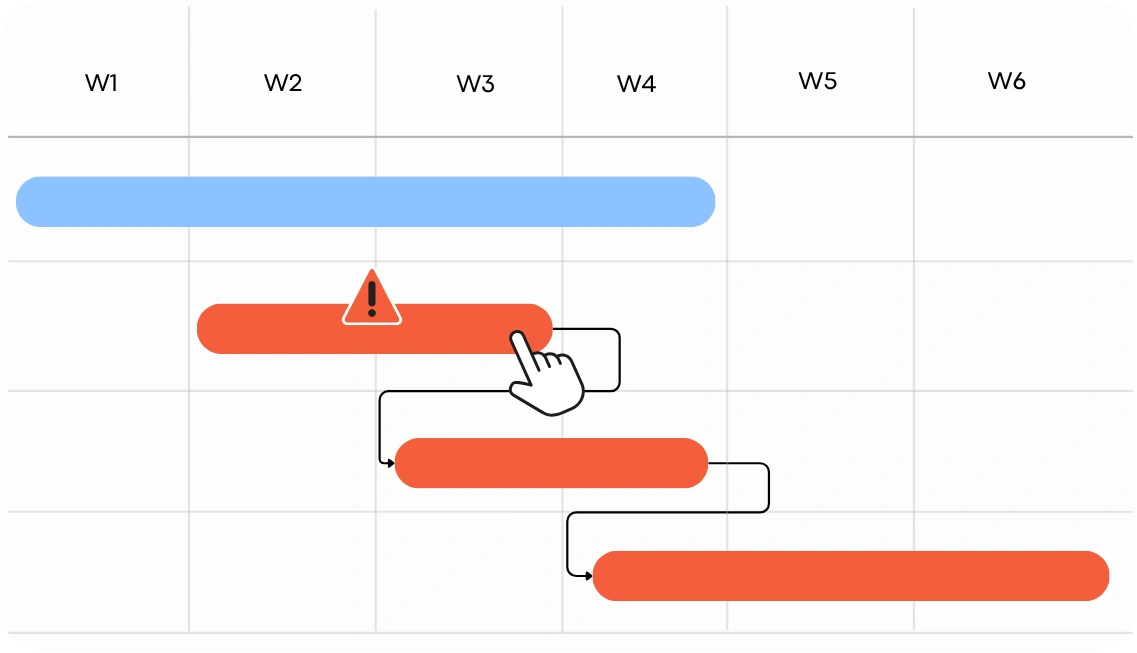
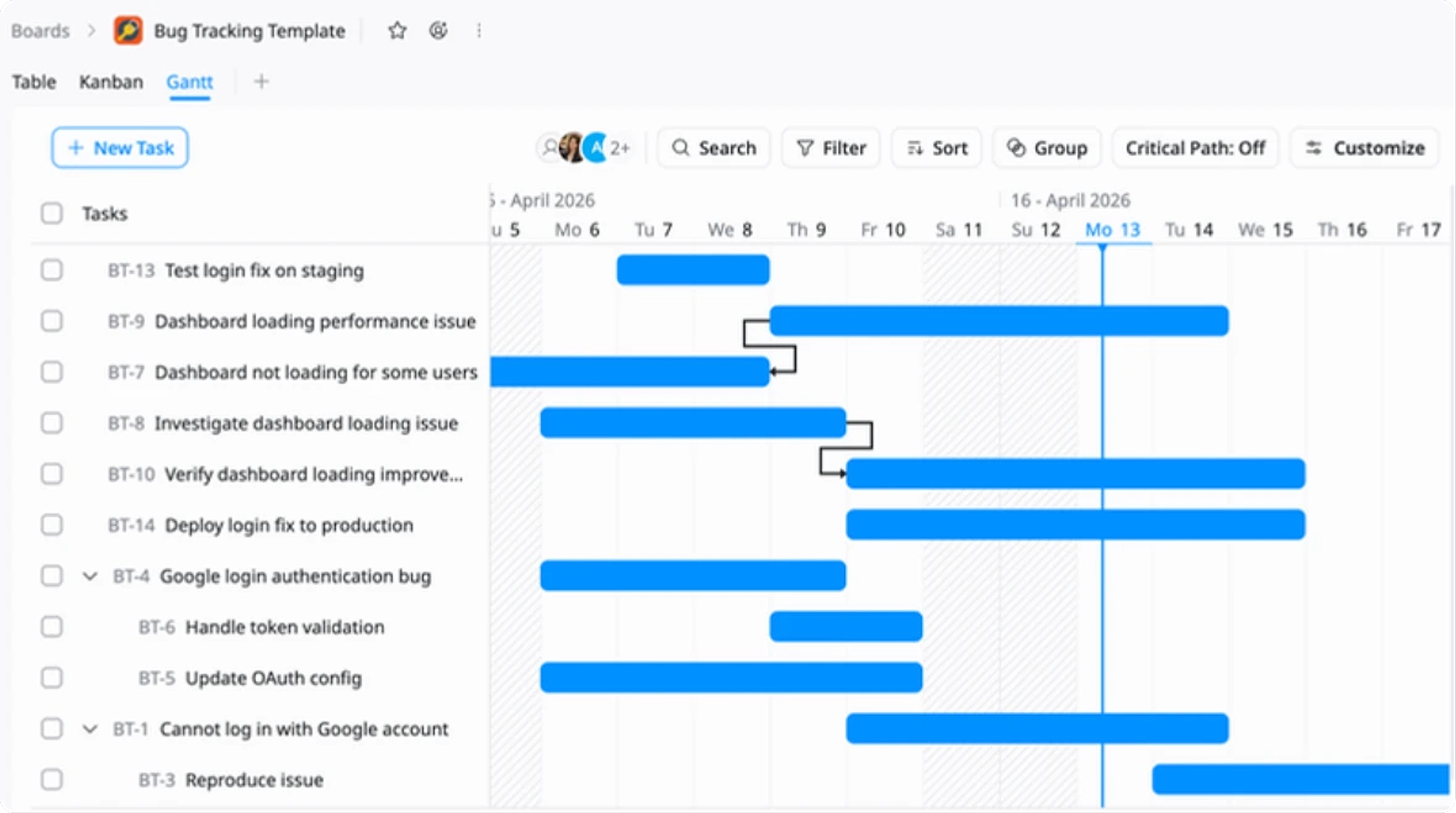
Plan fixes, track timelines, and manage dependencies.
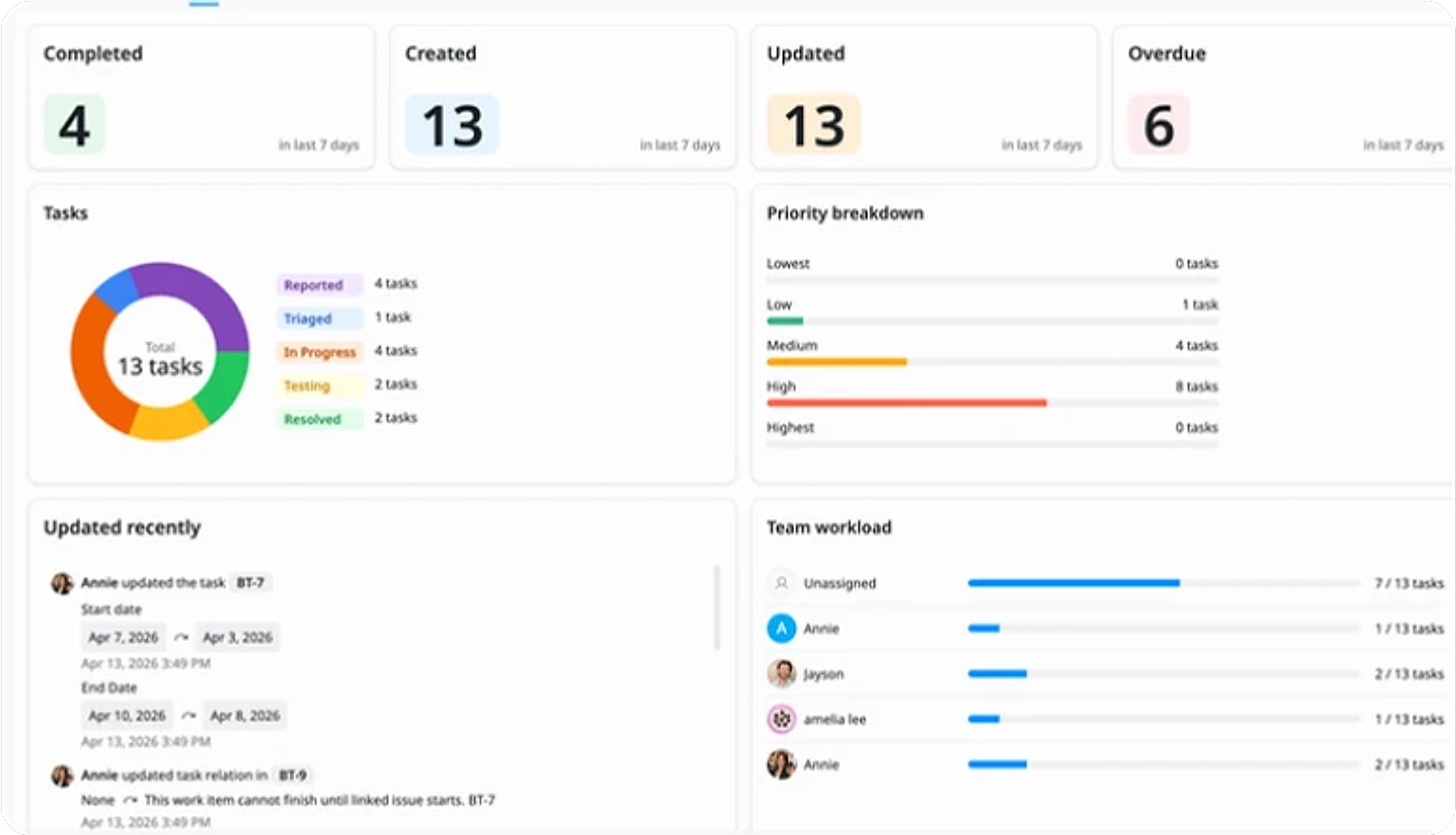
Insights Dashboard
Get a high-level view of bug status, severity distribution, and resolution progress.
Why use this Bug Tracking Template?
Managing bugs often involves multiple teams, priorities, and environments, making it easy for issues to be missed or delayed. This template provides a clear structure to log, track, and resolve bugs efficiently so your team can stay in control and maintain product quality.
- Stay organized: Keep all bugs and their status in one centralized place
- Prioritize effectively: Focus on high-impact issues using priority and severity
- Improve collaboration: Assign ownership and streamline handoffs between teams
- Resolve faster: Track progress clearly from report to resolution
This helps your team deliver more stable releases and ensure a smoother product experience.
How to use this Bug Tracking Template
1
Log bugs
Create a new task for each bug with key details like description, steps to reproduce, and expected outcome.
2
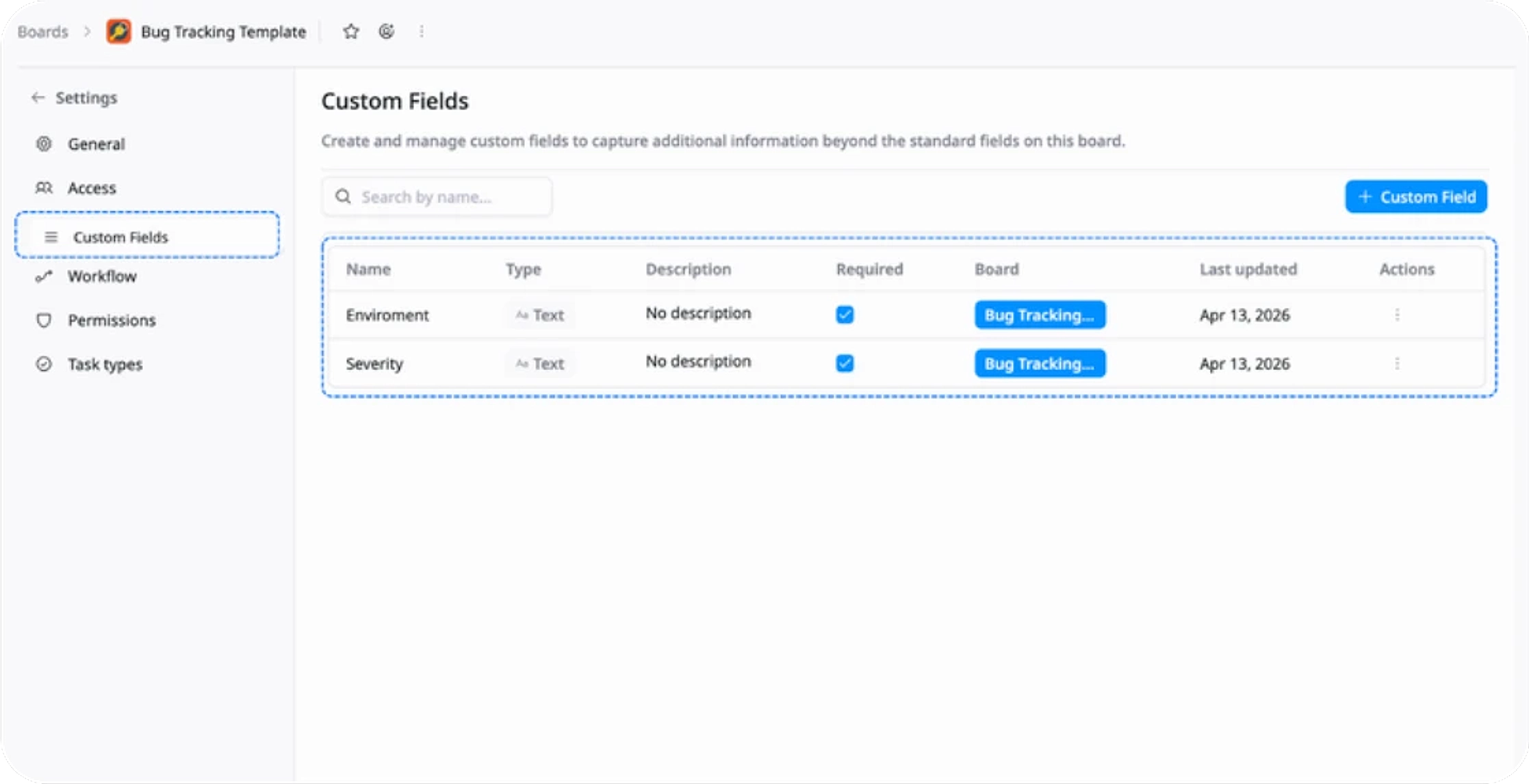
Structure your data
Use custom fields such as severity and environment to standardize bug tracking.
3
Organize and prioritize
Group related issues, set priority and severity, and assign each bug to the right owner.
4
Track workflow
Move bugs through stages (Reported → Triaged → In Progress → Testing → Resolved).
5
Break down and plan
Use subtasks and set timelines to manage investigation, fixes, and validation.
6
Monitor progress
Use Kanban and Gantt views to track progress and ensure timely resolution.
Advanced tips

Standardize your bug workflow
Define clear stages (e.g., Reported → Triaged → In Progress → Testing → Resolved) and use them consistently across all issues. This ensures everyone follows the same process.
This helps your team:
Reduce confusion and missed steps
Improve handoffs between teams
Maintain consistent resolution quality

Use fields to structure bugs
Add fields like severity, priority, and environment to make bugs easier to track and prioritize.
This helps your team:
Quickly identify high-impact issues
Prioritize work more effectively
Keep bug data consistent and organized

Break down complex bugs
Use subtasks to separate investigation, fixes, and validation instead of handling everything in one task.
This helps your team:
Simplify complex issues
Improve collaboration across roles
Ensure nothing is overlooked