Templates
Product Roadmap Template
Product Roadmap Template
Get Free Template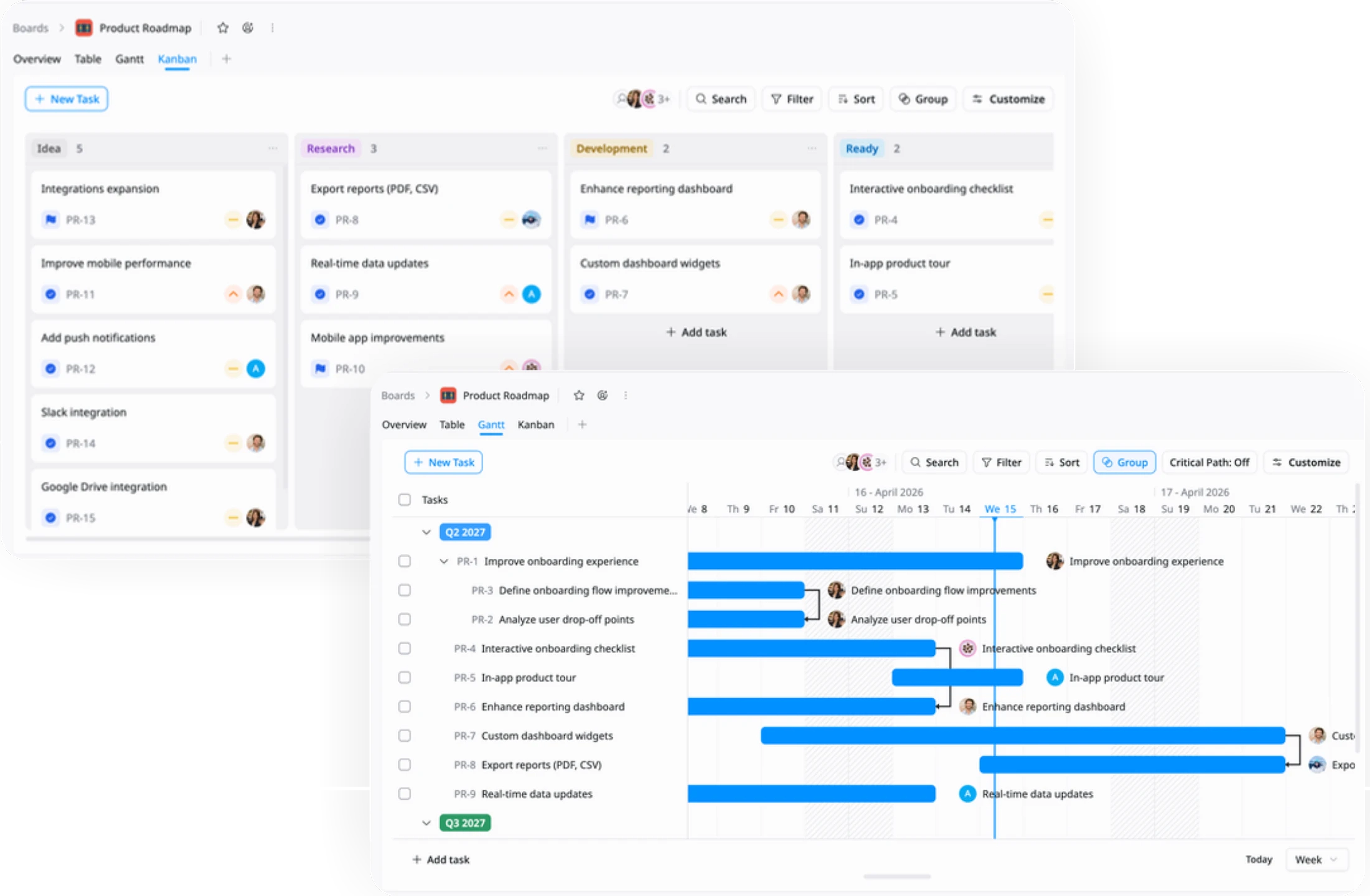
Description
A Product Roadmap Template helps you plan and track product initiatives, features, and releases to align teams and deliver value over time.
Best for
Product managers
Product teams
Engineering leaders
Cross-functional teams
Key Features
Roadmap Timeline
Milestones & Initiatives
Table
Kanban
Gantt
What is a Product Roadmap Template?
A Product Roadmap Template is a structured workspace that helps you plan, prioritize, and track product initiatives, features, and releases over time.
It provides a clear framework to align teams, visualize progress, and ensure your product strategy is executed effectively.
What's included in this Product Roadmap Template?
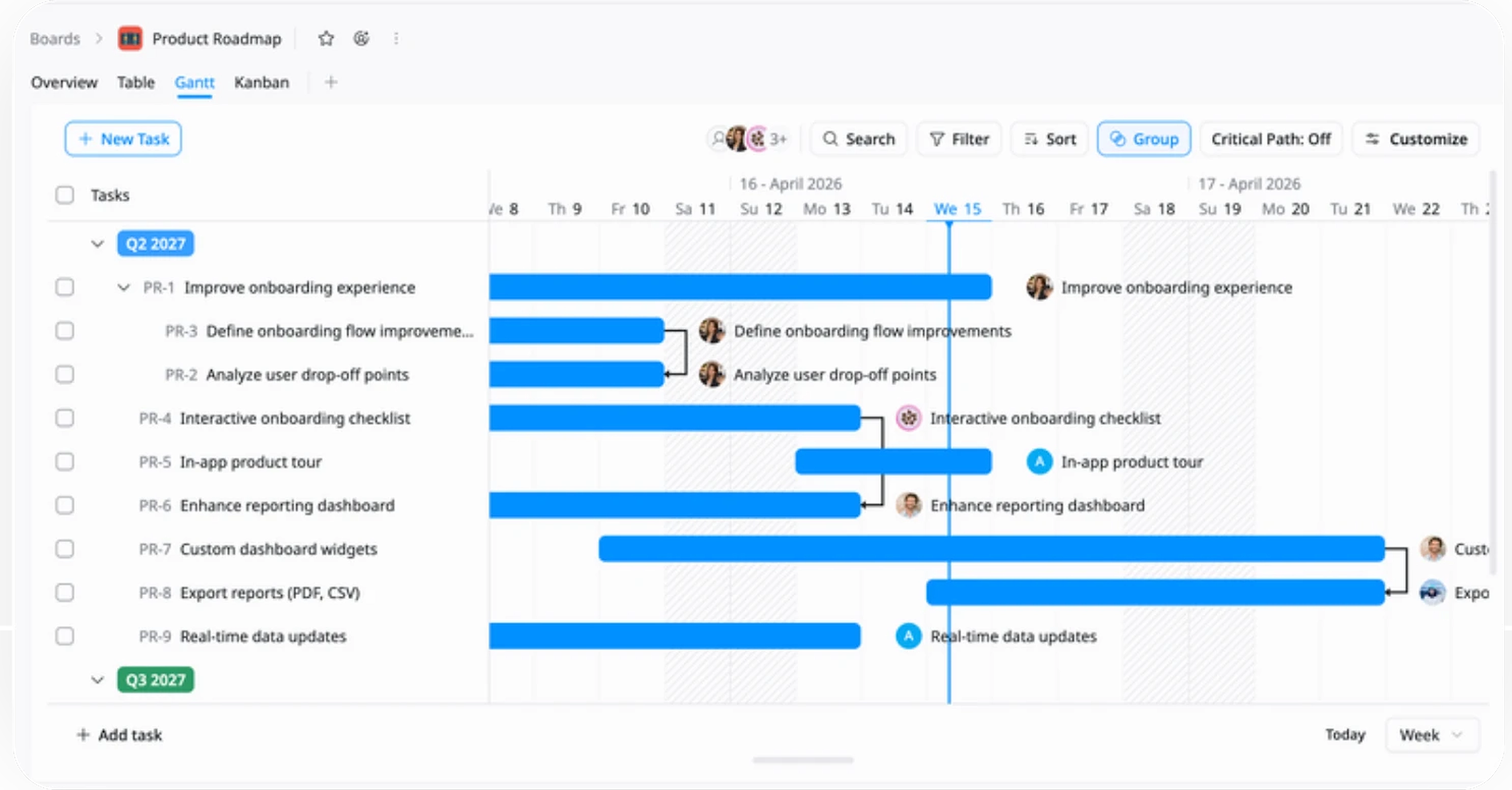
Roadmap Timeline
Plan and visualize timelines and dependencies across initiatives and releases.
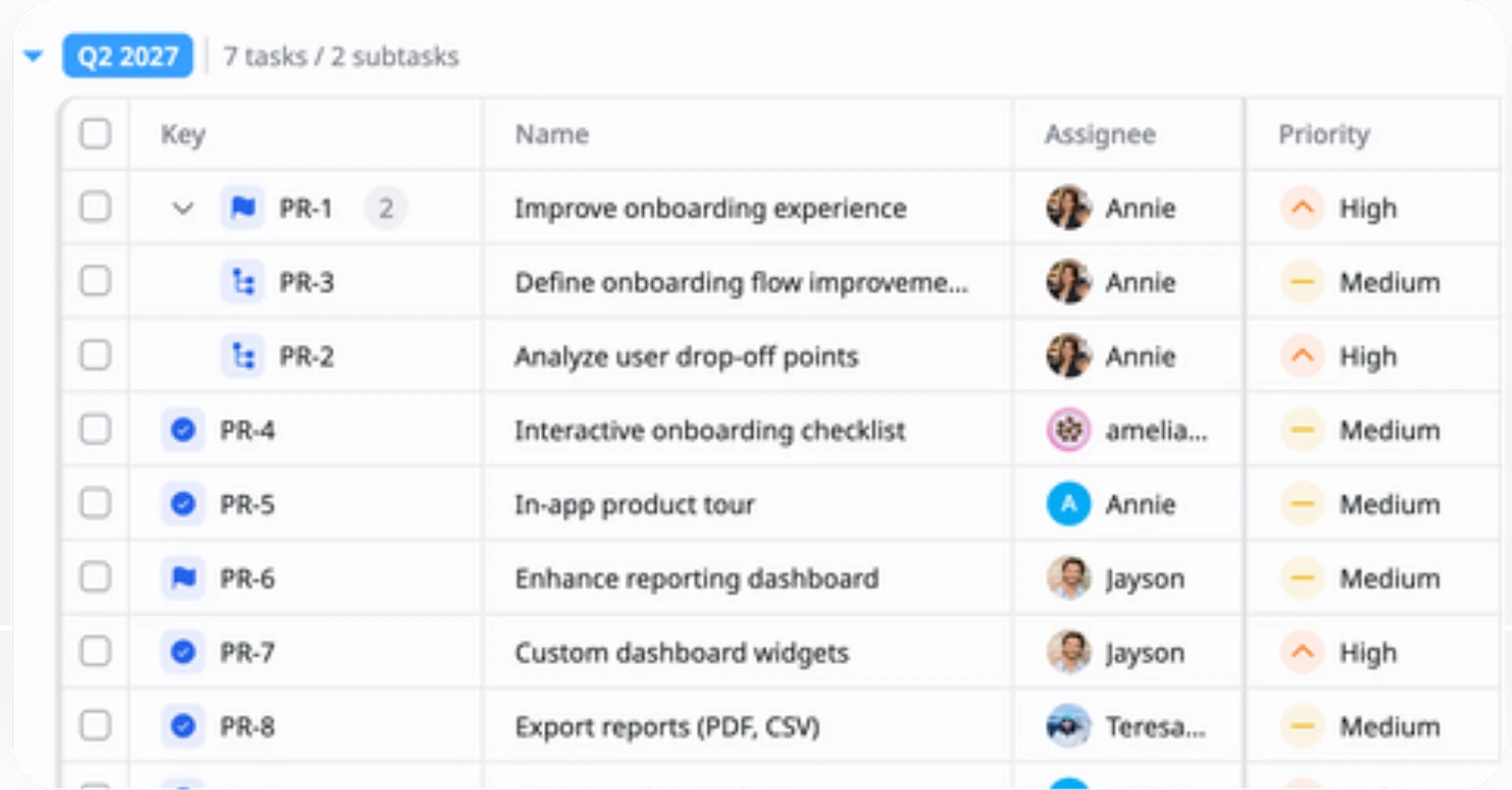
Hierarchical Task Structure
Distinguish between milestones, tasks, and subtasks to plan and track work clearly.
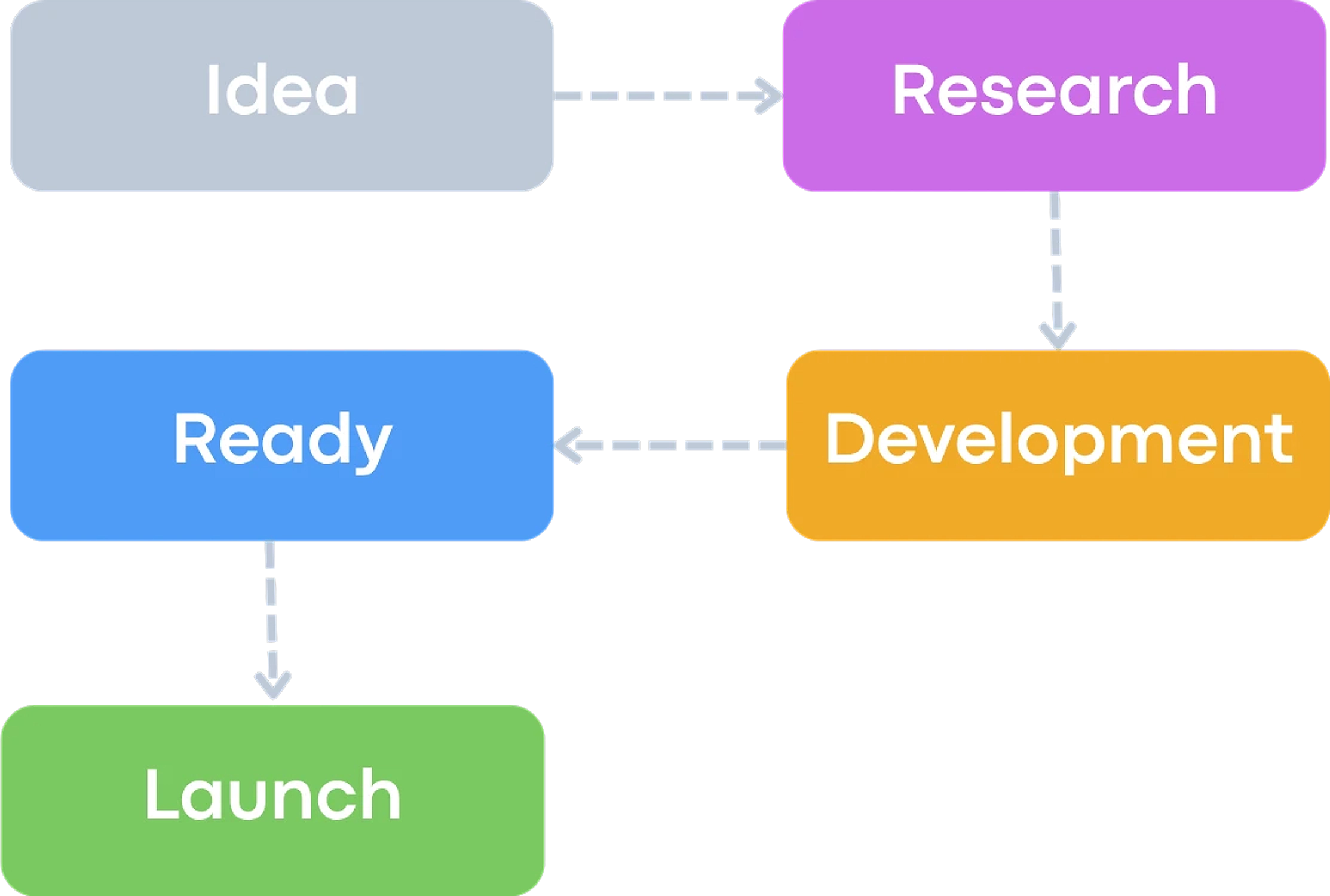
Defined Workflow Tracking
Track progress across stages from planning to release to ensure timely delivery.
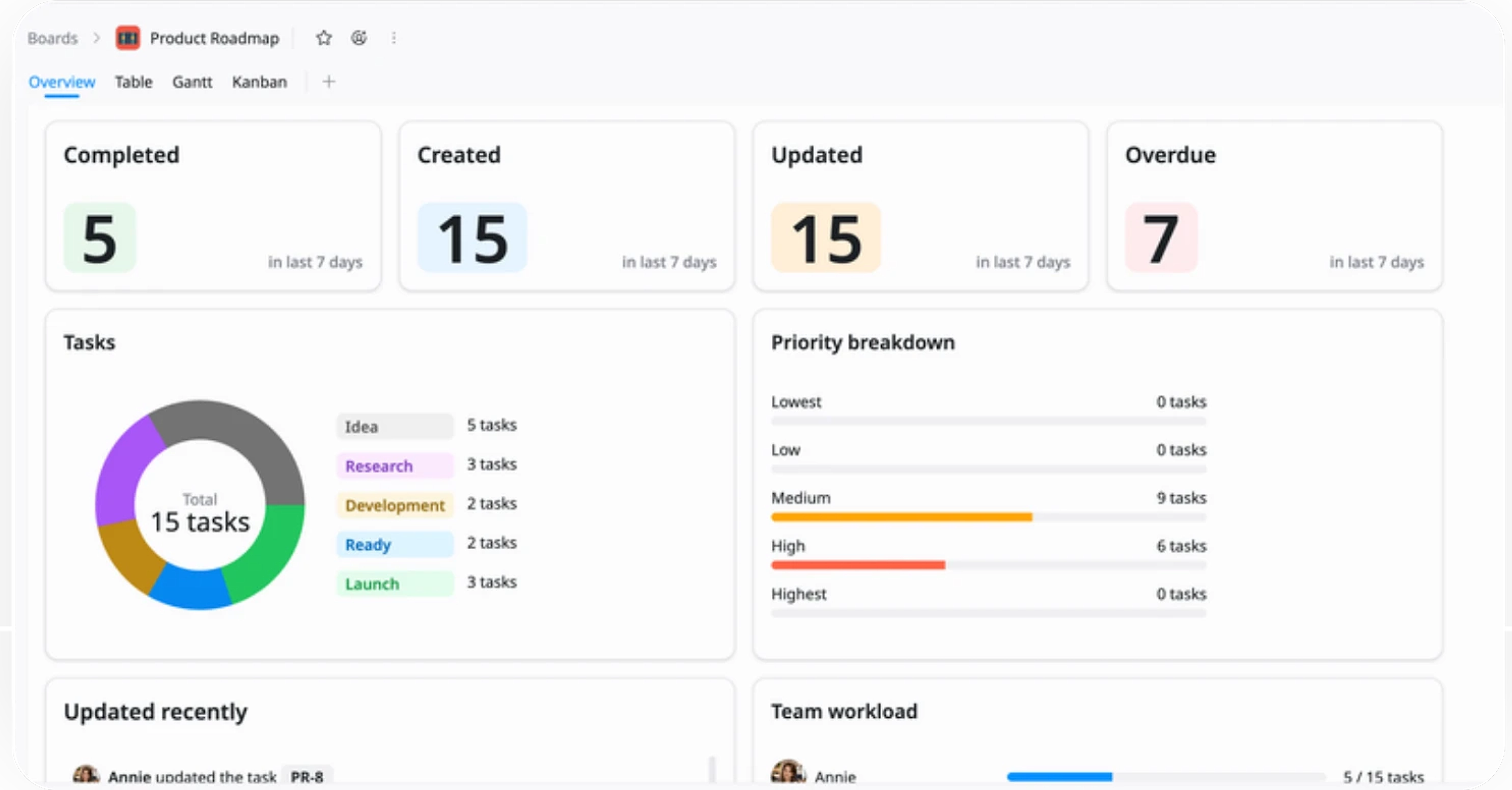
Delivery Progress
Track overall progress across features and milestones to ensure timely and consistent delivery.
Why use this Product Roadmap Template?
Managing product development across features, timelines, and priorities can quickly become complex. This template provides a clear structure to plan, track, and align work so your team can stay focused and deliver on time.
- Align teams: Keep everyone focused on the same product goals and priorities
- Prioritize effectively: Focus on high-impact features and avoid scattered work
- Visualize progress: Track timelines, milestones, and releases in one place
- Deliver consistently: Ensure work moves smoothly from planning to release
This helps your team turn product strategy into clear, actionable execution.
How to use this Product Roadmap Template
1
Add ideas and features
Capture product ideas, features, or improvements your team wants to work on.
2
Organize with fields
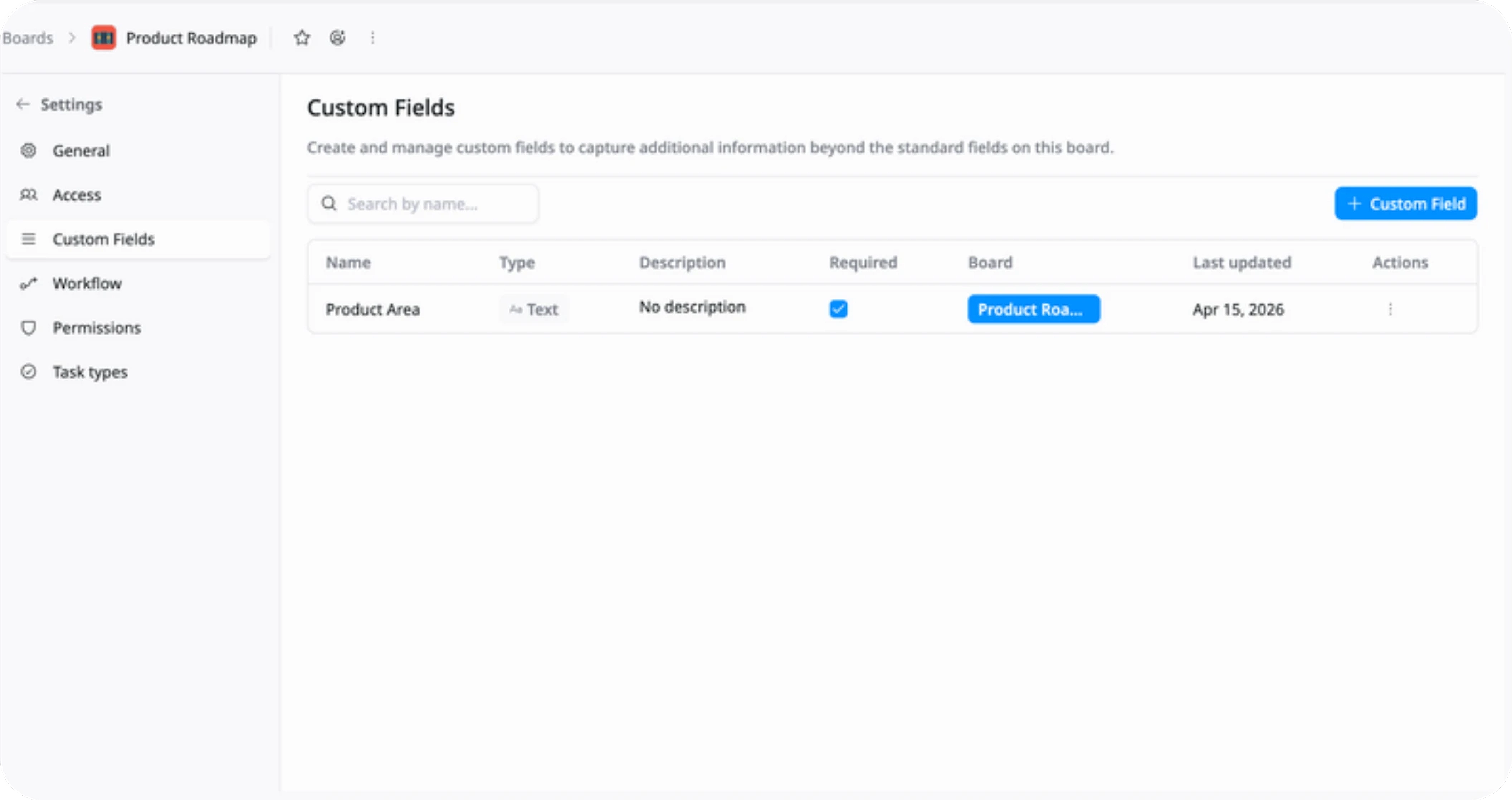
Structure work into milestones, tasks, and subtasks, and use custom fields (e.g., Product Area) to categorize your roadmap.
3
Set priorities and owners
Assign priority levels and owners to ensure focus and accountability.
4
Plan timeline & dependencies
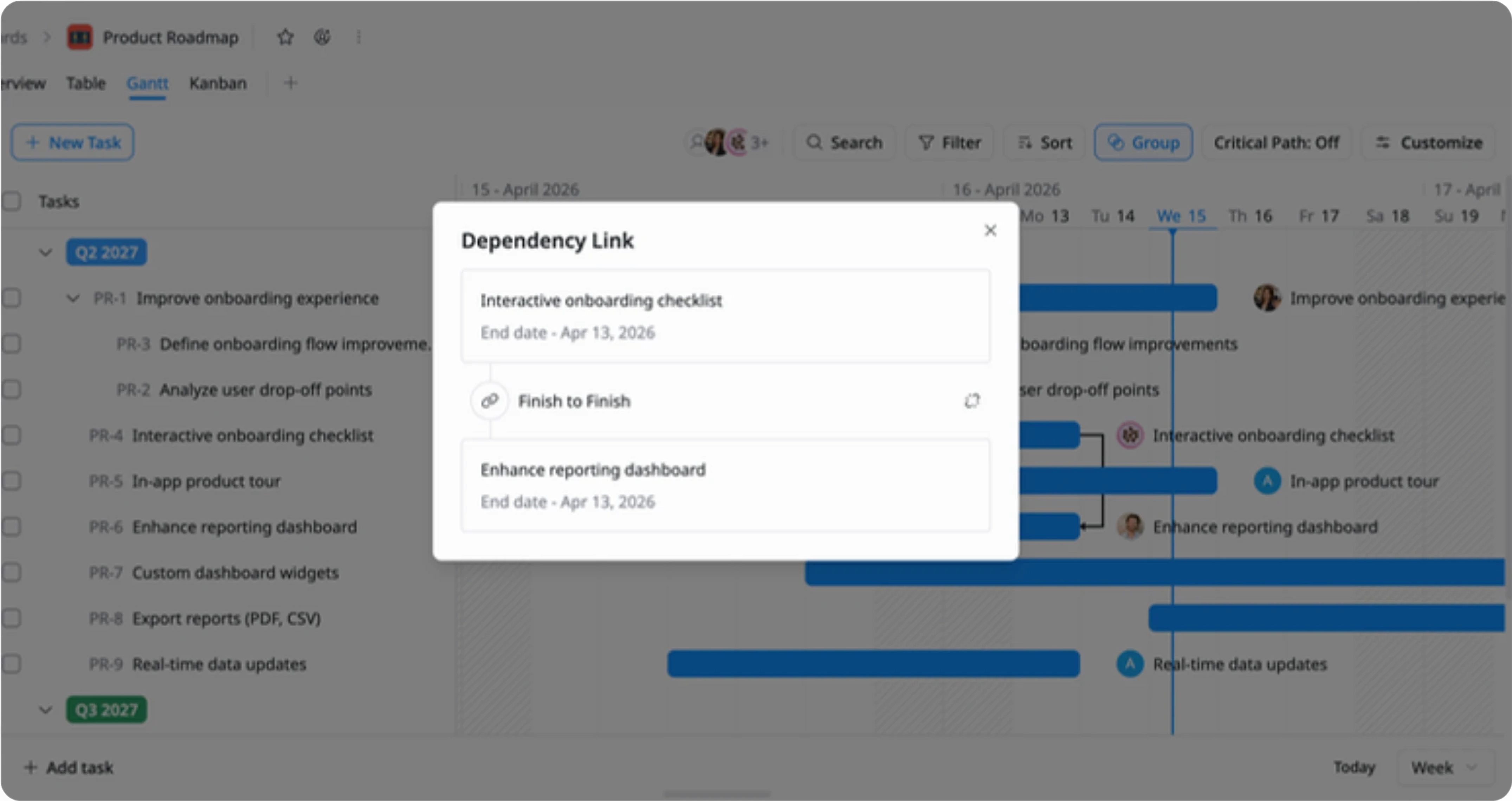
Use the Gantt view to map features, set timelines, and define dependencies between tasks.
5
Monitor progress
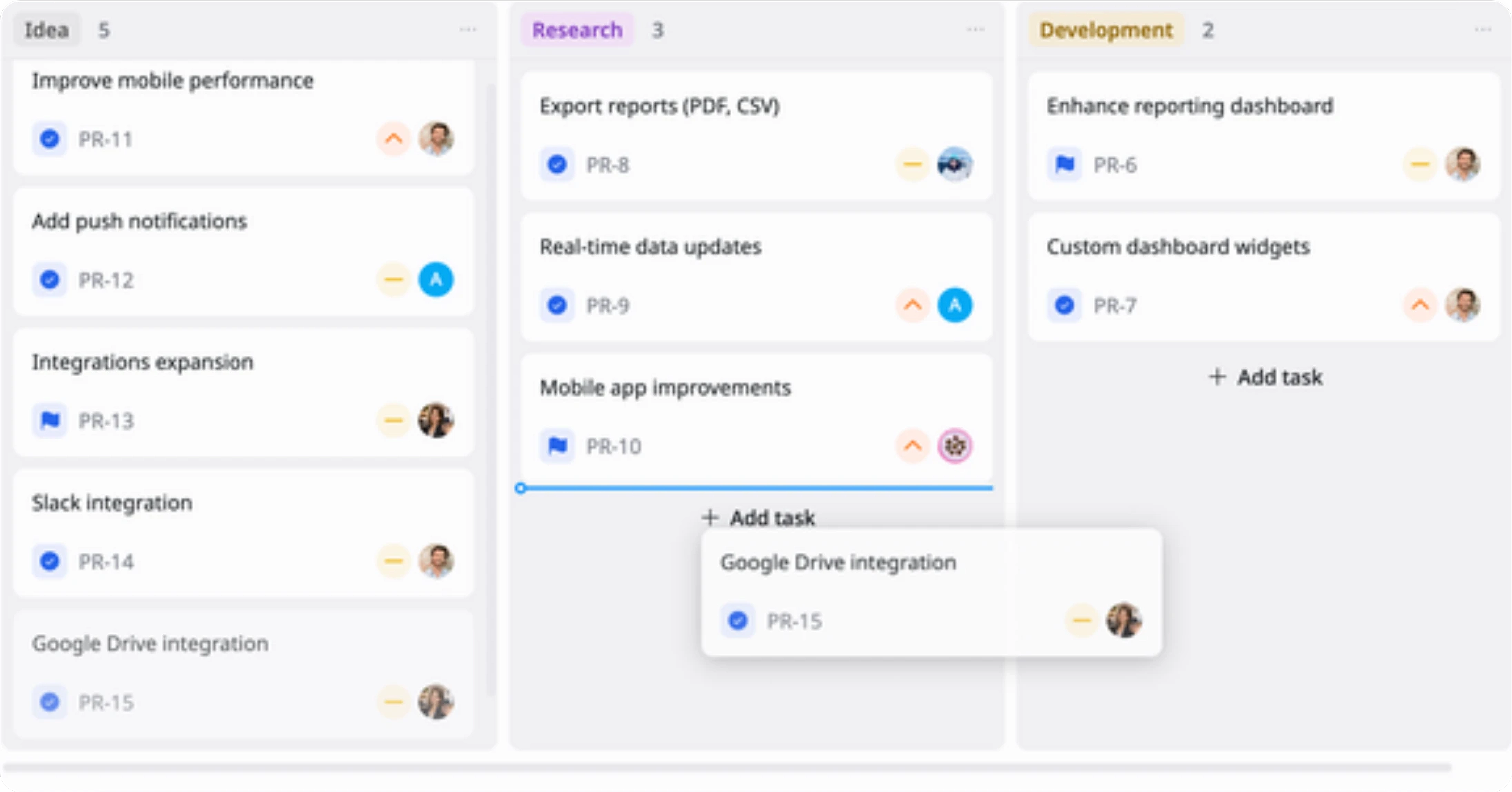
Use Kanban, Table, and Overview views to track progress and keep stakeholders aligned.
Advanced tips

Align roadmap with goals
Link features to product goals or outcomes to ensure your roadmap delivers real value.
This helps your team:
Stay focused on what matters most
Avoid low-impact work
Drive better product decisions
Customize your workflow
Customize workflow stages (e.g., To Do → In Progress → Done) to match your team's process and way of working.
This helps your team:
Adapt the roadmap to your workflow
Improve team adoption and clarity
Keep processes consistent yet flexible
Map dependencies early
Define dependencies between features in the timeline to avoid delays and conflicts.
This helps your team:
Prevent blockers
Improve planning accuracy
Ensure smoother delivery