Templates
Client Success Template
Client Success Template
Get Free Template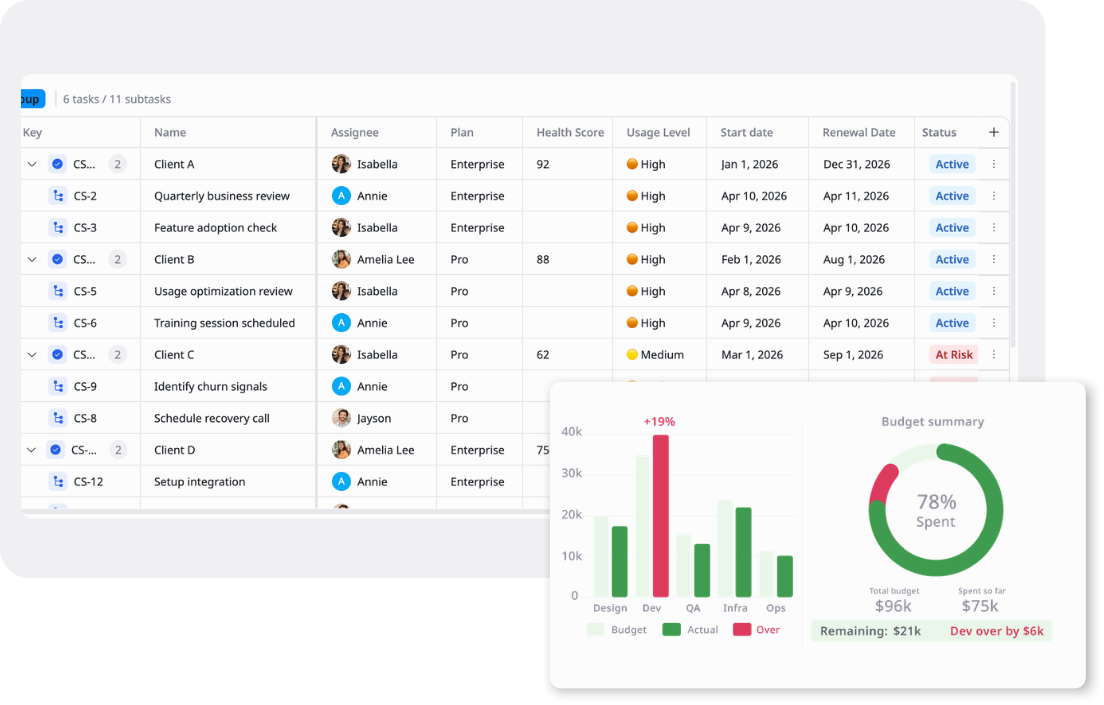
Description
A Client Success Template tracks customer health, engagement, and lifecycle stages to improve retention, reduce churn, and drive expansion opportunities.
Best for
Customer success teams
Account managers
Client onboarding teams
Support managers
Operations teams
Key Features
Client Health Tracking
Onboarding Workflow
Renewal Management
Success Overview
What is a Client Success Template?
A Client Success Template is a structured workspace for managing client relationships, onboarding activities, follow-ups, and renewal planning.
It helps Customer Success teams track client names, plans, health scores, usage levels, assignees, start dates, and renewal dates, then move each account through statuses such as Onboarding, Active, At Risk, Expansion, and Churned using Kanban, Table, and Overview views.
What's included in this Client Success Template?
Account Lifecycle Pipeline
Clear workflow moving accounts through Onboarding, Active, At Risk, Expansion, and Churned with full stage visibility.
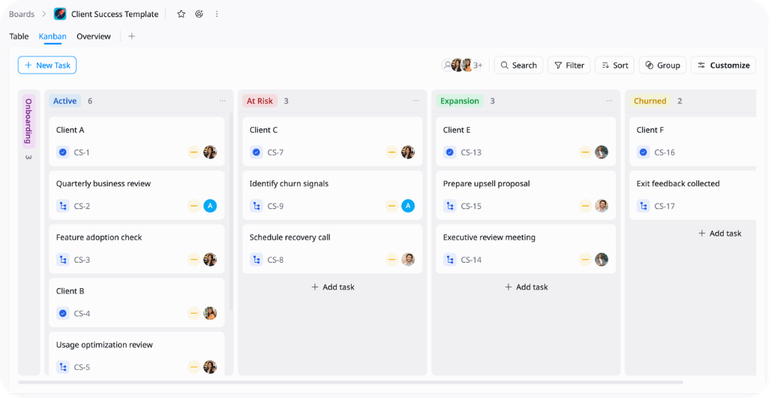
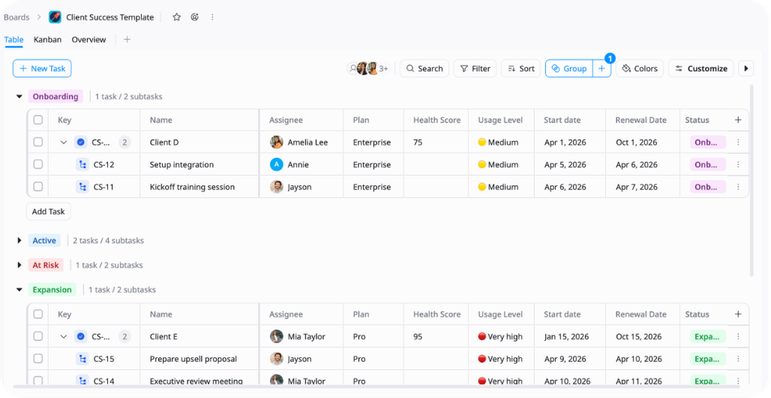
Stage-Based Organization
Groups for sorting accounts by lifecycle stage, making it easier to review status and manage accounts by segment.
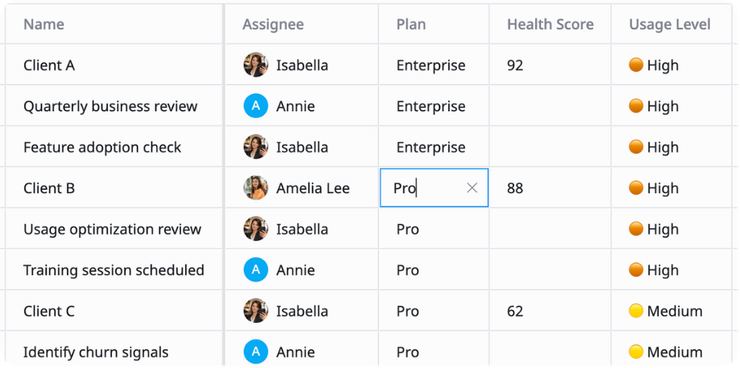
Health & Usage Tracking
Health Score, Usage Level, and Plan fields surface accounts that need attention, expansion, or recovery action.
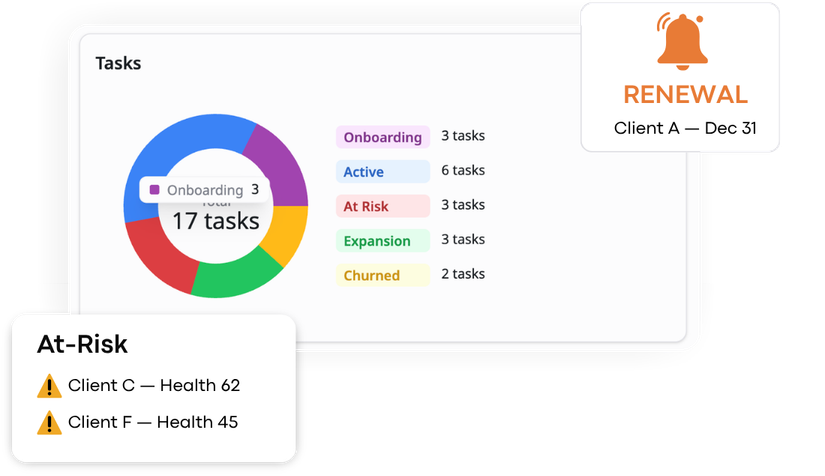
Portfolio Overview
High-level summary of active accounts, at-risk customers, and upcoming renewals across the portfolio.
Why use this Client Success Template?
Customer accounts spread across CRMs, spreadsheets, and email create gaps in visibility, health tracking, and renewal planning. This template keeps all clients organized with consistent structure, health scoring, and clear lifecycle stages in one place.
- Track accounts by stage, assignee, plan, health score, and renewal date
- Manage work through Onboarding, Active, At Risk, Expansion, and Churned
- Identify unhealthy accounts and at-risk customers faster
- Prioritize expansion-ready accounts for upsell outreach
- Review portfolio health and upcoming renewals on Overview
How to use this Client Success Template
1
Add customer accounts
Create a task for each client account. Keep each customer as a separate item so ownership and progress are easy to track.
2
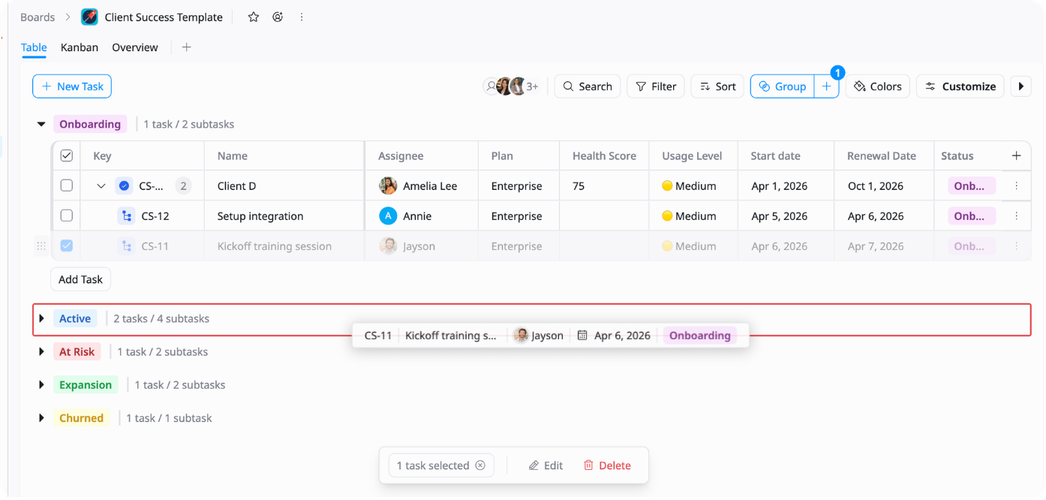
Group accounts by lifecycle stage
Organize accounts into Onboarding, Active, At Risk, Expansion, and Churned. This makes it easier to review where each account stands and manage portfolio focus by segment.
3
Fill in account details
Add the client name, assignee, plan, health score, usage level, start date, and renewal date. Use these fields to give each account enough context for review and action.
4
Break accounts into subtasks
Add subtasks for QBRs, training sessions, recovery calls, upsell proposals, or onboarding steps to track every action per account.
5
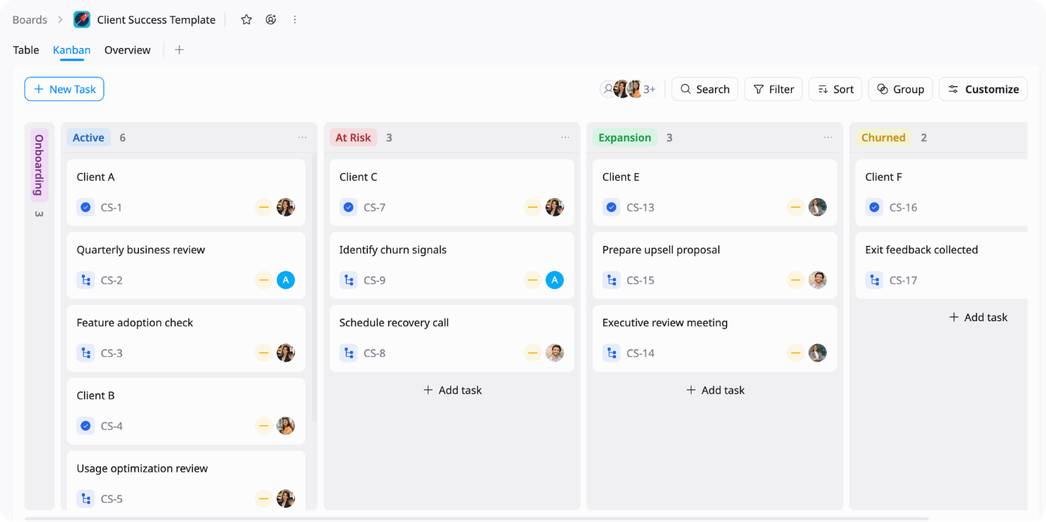
Track progress in Kanban
Move accounts through Onboarding, Active, At Risk, Expansion, and Churned. Kanban view keeps the lifecycle visible and helps teams spot accounts shifting toward risk or expansion.
6
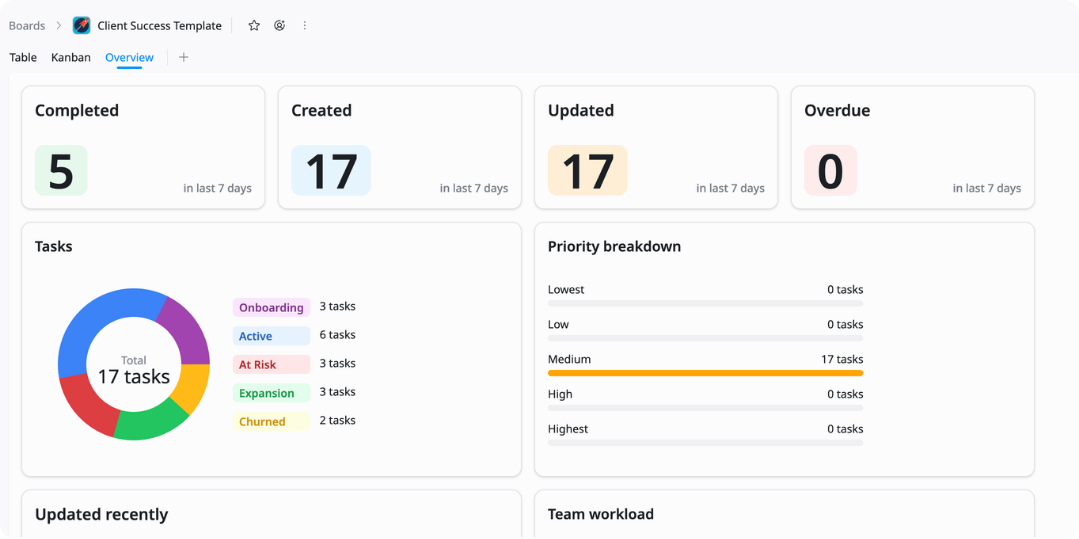
Monitor the Overview
Use the Overview view to check account health, upcoming renewals, at-risk segments, and portfolio distribution. Review it regularly to keep customer success work aligned and moving.
Advanced tips

Prioritize by health score
Use the Health Score field to keep at-risk accounts visible during weekly reviews.
Sort Table view by health score
Review accounts below 70 first
Assign recovery actions to the right CSM quickly

Group by lifecycle stage
Use groups to separate Onboarding, Active, At Risk, Expansion, and Churned work.
Compare account volume by stage
Identify segments with declining health
Balance CSM workload across lifecycle stages
Track renewals in Table
Use Table view to monitor accounts approaching their renewal date.
Sort by renewal date to surface upcoming renewals
Filter At-Risk accounts before renewal cycles
Close resolved accounts to keep the portfolio clean