Templates
Customer Support Queue Template
Customer Support Queue Template
Get Free Template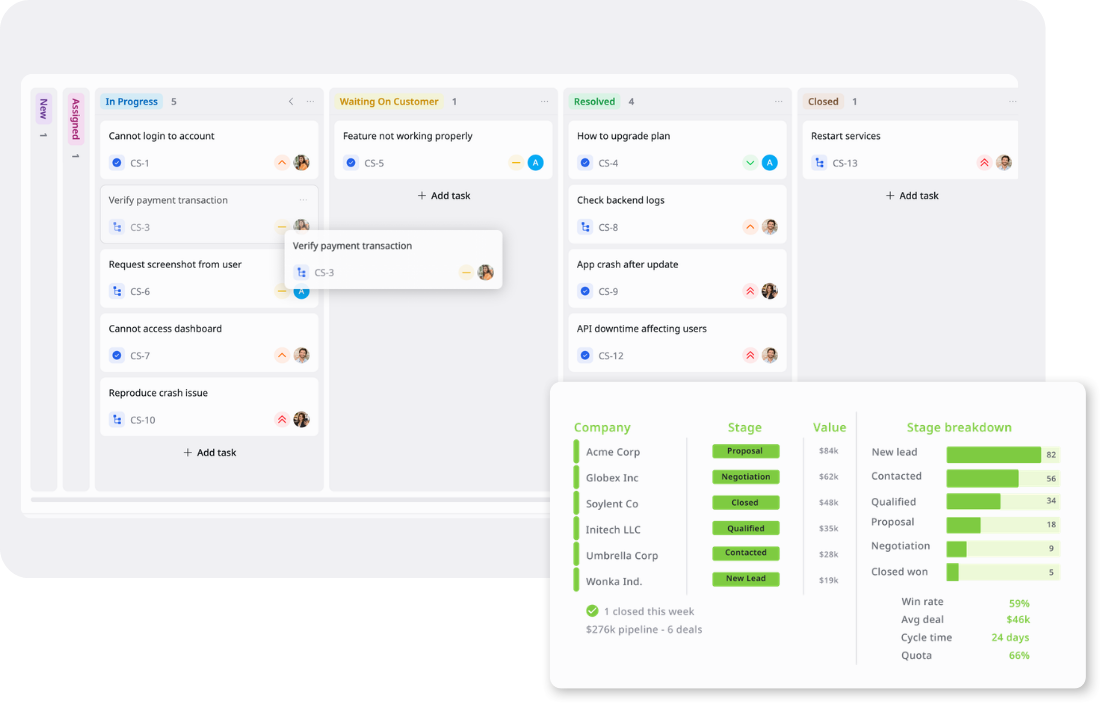
Description
A Customer Support Queue Template tracks incoming inquiries, prioritizes requests, and manages resolution across support channels.
Best for
Customer support teams
Help desk teams
Support managers
Customer success teams
Operations teams
Key Features
Support Queue
Channel Tracking
Priority Management
Kanban Workflow
What is a Customer Support Queue Template
A Customer Support Queue Template is a structured workspace for managing customer requests from intake to resolution across email, live chat, in-app support, social media, and internal escalations.
It helps support teams assign tickets, track customer names, issue types, channels, priorities, start dates, and due dates, then move each request through statuses such as New, Assigned, In Progress, Waiting on Customer, Resolved, and Closed using Kanban, Table, and Overview views.
What's included in this Customer Support Queue Template
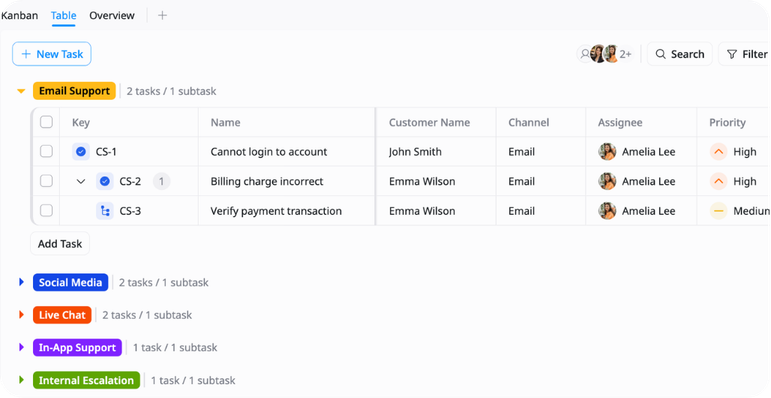
Support Request Queue
A centralized queue for customer requests from email, live chat, in-app support, social media, and internal escalations.
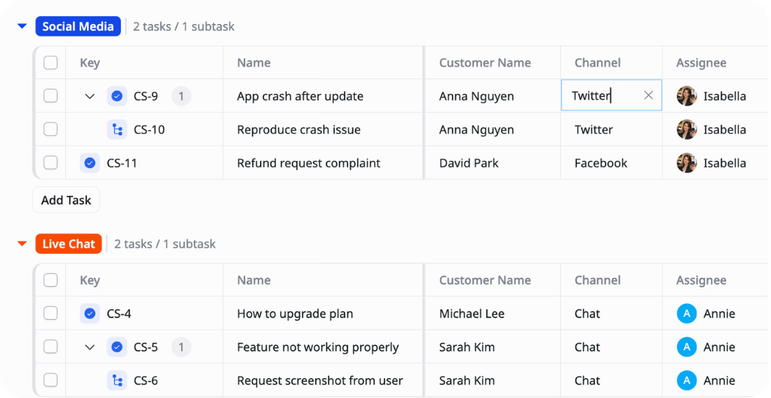
Channel-Based Organization
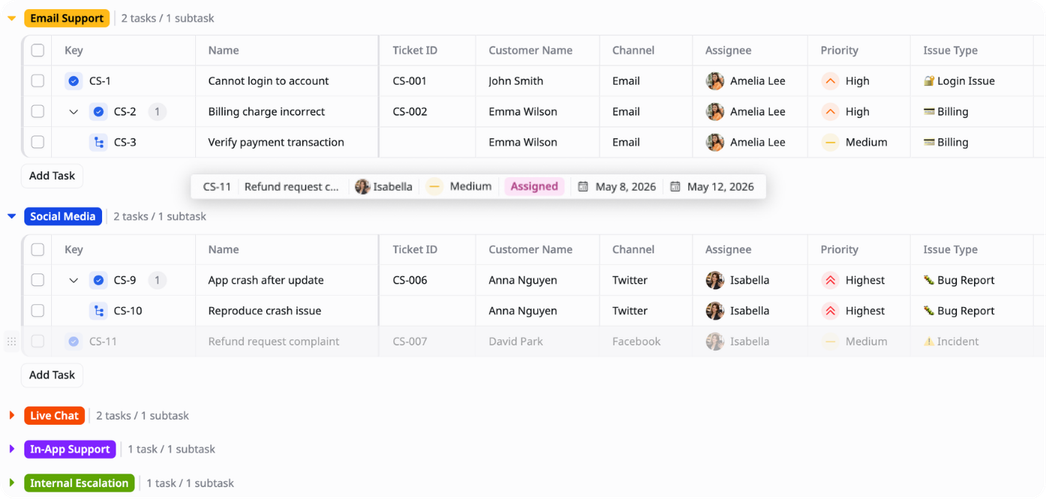
Groups for sorting requests by support source, making it easier to review volume and ownership by channel.
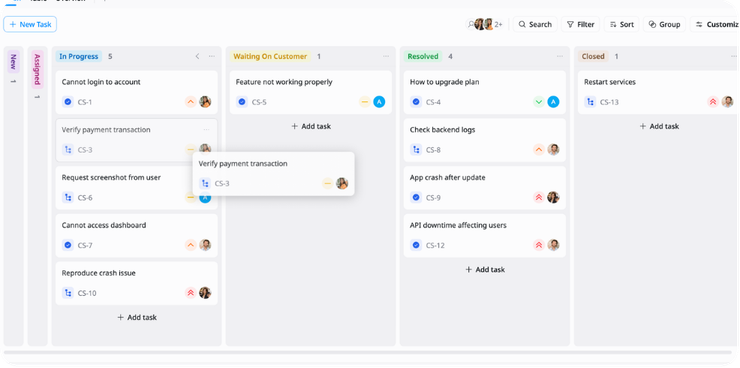
Priority & Status Management
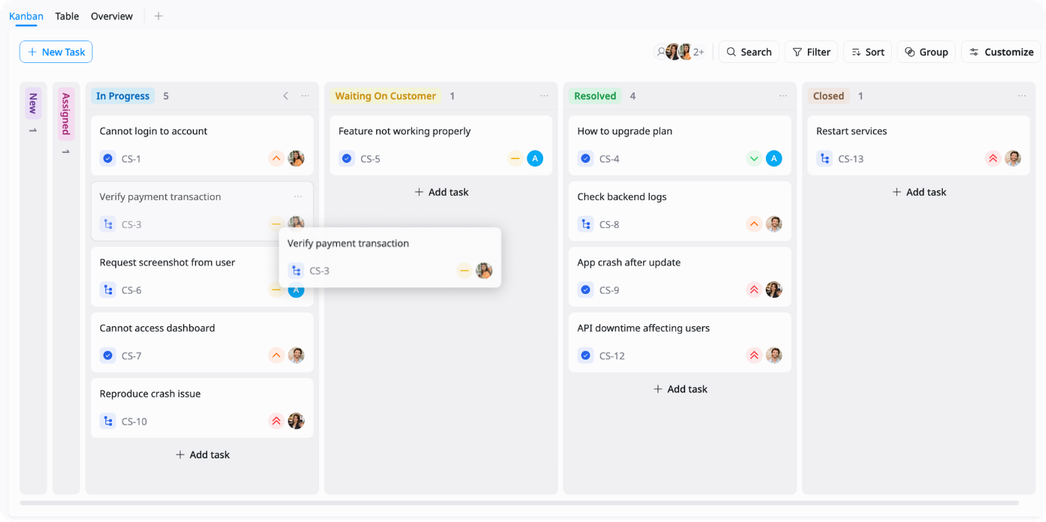
Clear workflow moving tickets through New, In Progress, Waiting on User, Resolved, and Closed with priority flagging.
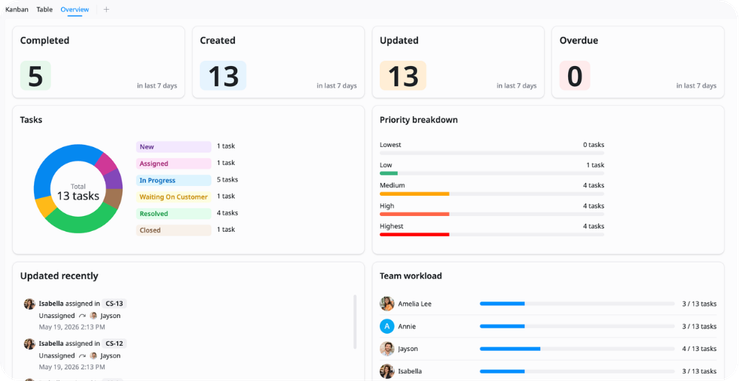
Ticket Volume Overview
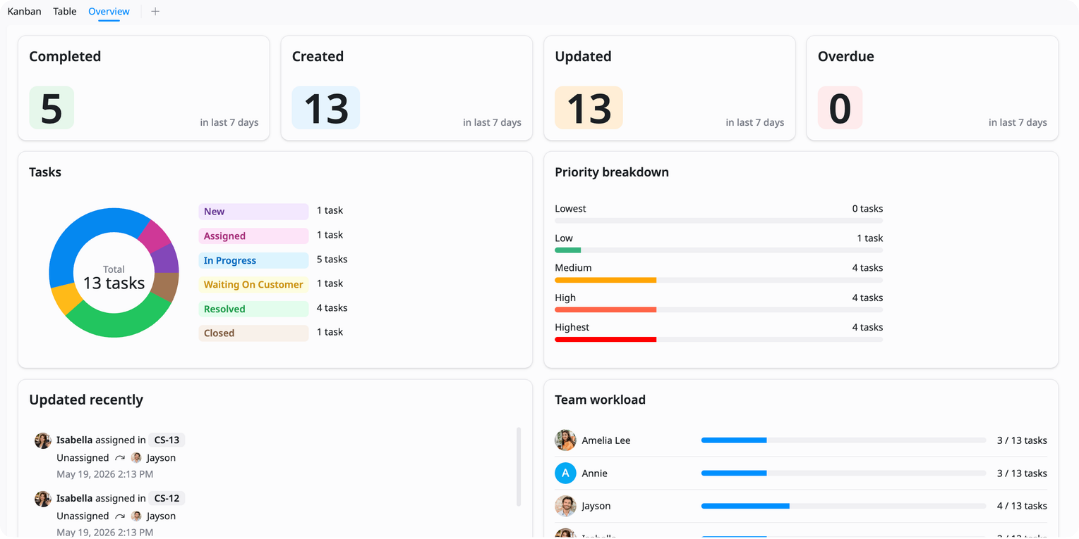
High-level summary of active tickets, overdue items, and resolution progress across all support categories.
Why use this Customer Support Queue Template?
Customer inquiries arriving across multiple channels create gaps in assignment, follow-up, and resolution visibility. This template keeps all requests organized with consistent structure, priority tracking, and clear ownership in one place.
- Track inquiries by channel, assignee, issue type, and due date
- Manage work through New, Assigned, In Progress, Waiting on Customer, Resolved, and Closed
- Identify overdue and unassigned tickets faster
- Prioritize critical and high-priority issues for immediate response
- Review resolution progress and channel workload in Overview
How to use this Customer Support Queue Template
1
Add customer requests
Create a task for each customer inquiry, support issue, product question, or escalation. Keep each request as a separate item so ownership and progress are easy to track.
2
Group requests by channel
Organize tickets into Email Support, Live Chat, In-App Support, Social Media, and Internal Escalation. This makes it easier to review where requests are coming from and manage queue volume by source.
3
Fill in request details
Add the ticket ID, customer name, channel, assignee, priority, issue type, start date, and due date. Use these fields to give each request enough context before work begins.
4
Track progress in Kanban
Move requests through New, Assigned, In Progress, Waiting on Customer, Resolved, and Closed. Kanban view keeps the support workflow visible and helps teams spot delayed or blocked requests.
5
Review work in Table view
Use Table view to sort and filter requests by channel, priority, assignee, issue type, status, or due date. This is useful for queue reviews, workload checks, and follow-up planning.
6
Monitor the Overview
Use the Overview view to check open requests, high-priority items, workload, and resolution progress across the queue. Review it regularly to keep support work aligned and moving.
Advanced tips

Prioritize by urgency
Use the Priority field to keep urgent customer issues visible during daily queue reviews.
Sort Table view by priority
Review overdue high-priority requests first
Assign urgent tickets to the right owner quickly

Group by support channel
Use groups to separate Email Support, Live Chat, In-App Support, Social Media, and Internal Escalation work.
Compare request volume by channel
Identify channels with slower response times
Balance workload across support sources

Track blockers in Kanban
Use Kanban view to monitor requests that are stuck in Assigned, In Progress, or Waiting on Customer.
Move tickets as status changes
Review Waiting on Customer regularly
Close resolved tickets to keep the queue clean
Related Templates
Client Success
by TaskFord
Track client health, engagement, lifecycle, retention risk, and expansion opportunities.
Product Feedback Survey
by TaskFord
Collect and prioritize feedback to improve product experience.
Helpdesk Workflow
by TaskFord
Manage support requests with SLA, priority, and escalation tracking.