Templates
Helpdesk Workflow Template
Helpdesk Workflow Template
Get Free Template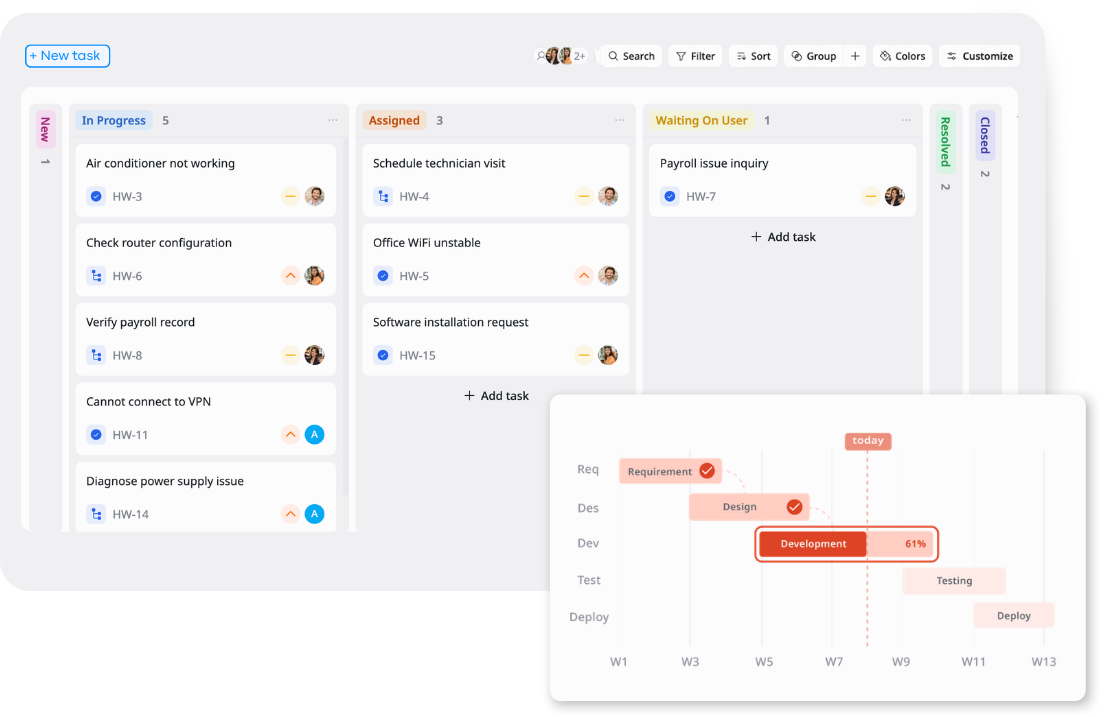
Description
A Helpdesk Workflow Template manages and resolves internal and external support requests with structured prioritization, escalation handling, and status tracking.
Best for
IT support teams
Helpdesk teams
HR operations teams
Facilities teams
Support managers
Key Features
Ticket Assignment
Priority Tracking
Helpdesk Queue
Kanban Workflow
What is a Helpdesk Workflow Template?
A Helpdesk Workflow Template is a structured workspace for managing customer requests from intake to resolution across email, live chat, in-app support, social media, and internal escalations.
It helps support teams assign tickets, track customer names, issue types, channels, priorities, start dates, and due dates, then move each request through statuses such as New, Assigned, In Progress, Waiting on Customer, Resolved, and Closed using Kanban, Table, and Overview views.
What's included in this Helpdesk Workflow Template?
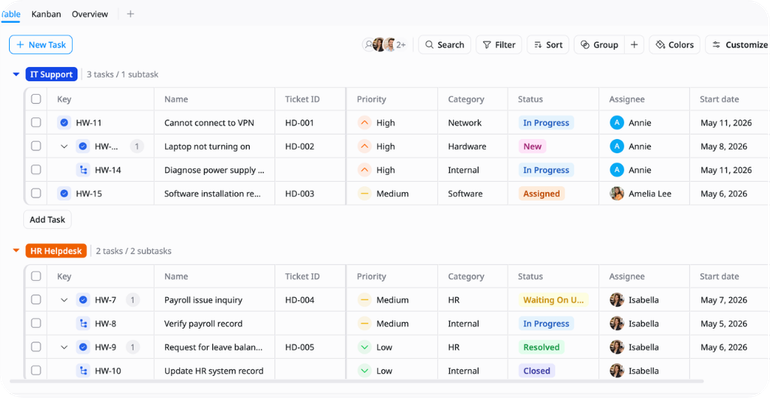
Helpdesk Ticket Queue
Centralized ticket records for tracking assignee, category, priority, start date, and due date across support departments.
Assignment Workflow
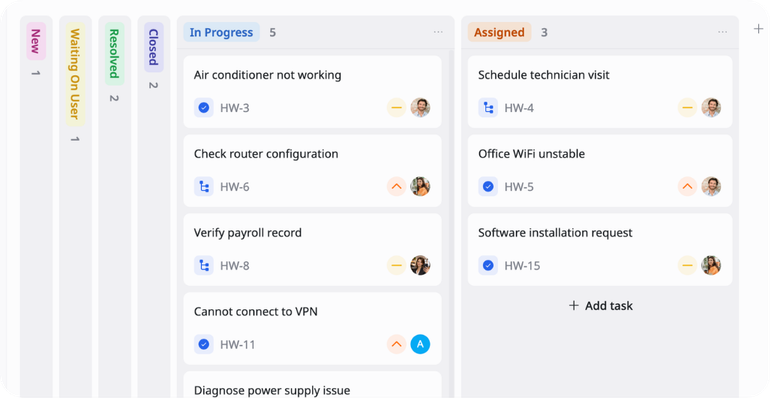
A clear workflow for assigning tickets and tracking them from New to Closed.
Priority & Category Tracking
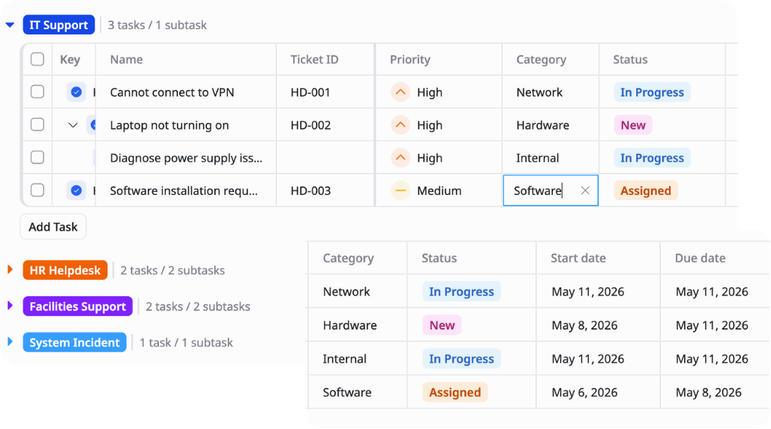
Fields for organizing requests by urgency, support area, category, start date, and due date.
Support Status Overview
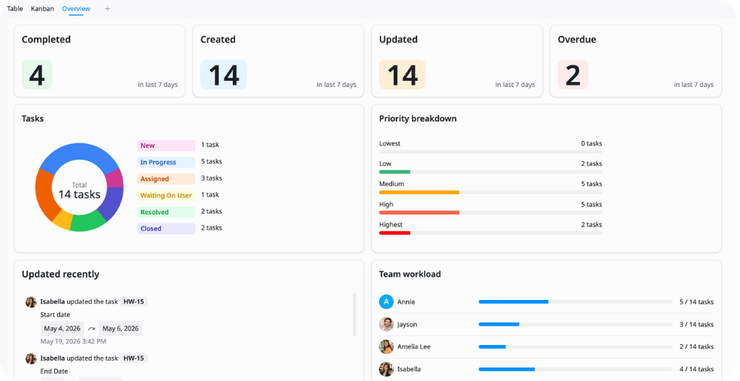
A high-level view of open tickets, resolved work, overdue requests, and workload across support groups.
Why use this Helpdesk Workflow Template?
Use this Helpdesk Workflow Template to organize support requests, assign ownership, and track each ticket from intake to resolution.
- Centralize IT, HR, facilities, and system support requests
- Track ticket priority, category, owner, status, and due dates
- Manage work through a clear Kanban-based helpdesk workflow
- Identify overdue, blocked, or high-priority tickets faster
- Keep support departments aligned on open work and next actions
How to use this Helpdesk Workflow Template
1
Log incoming requests
Create a task in the relevant department group, fill in Ticket ID, assignee, category, priority, start date, and due date in Table view.
2
Break down complex requests
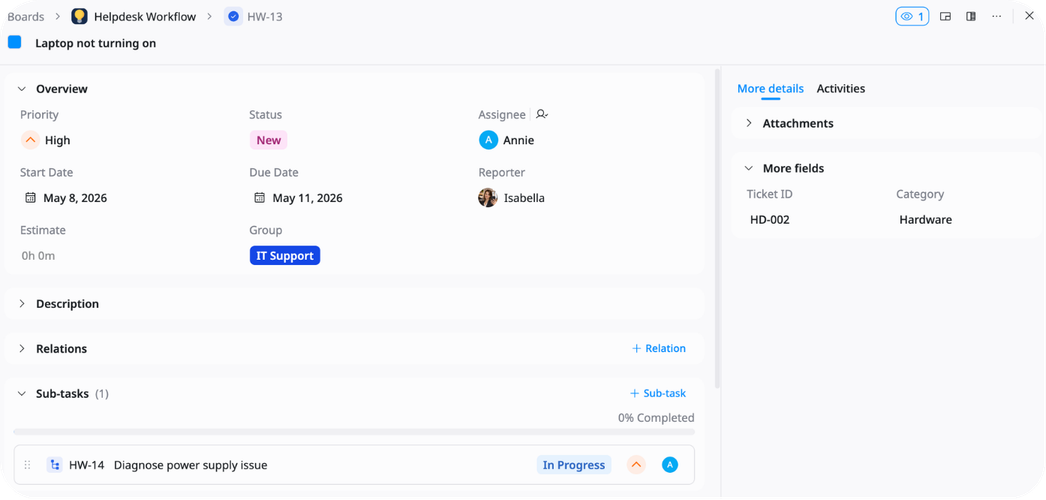
Add subtasks to parent tickets for detailed action items such as diagnosing hardware issues, verifying payroll records, or scheduling technician visits.
3
Track request progress
Move tickets through New → Assigned → In Progress → Waiting on User → Escalated → Resolved → Closed in Kanban view to maintain real-time status visibility across all departments.
4
Prioritize by severity
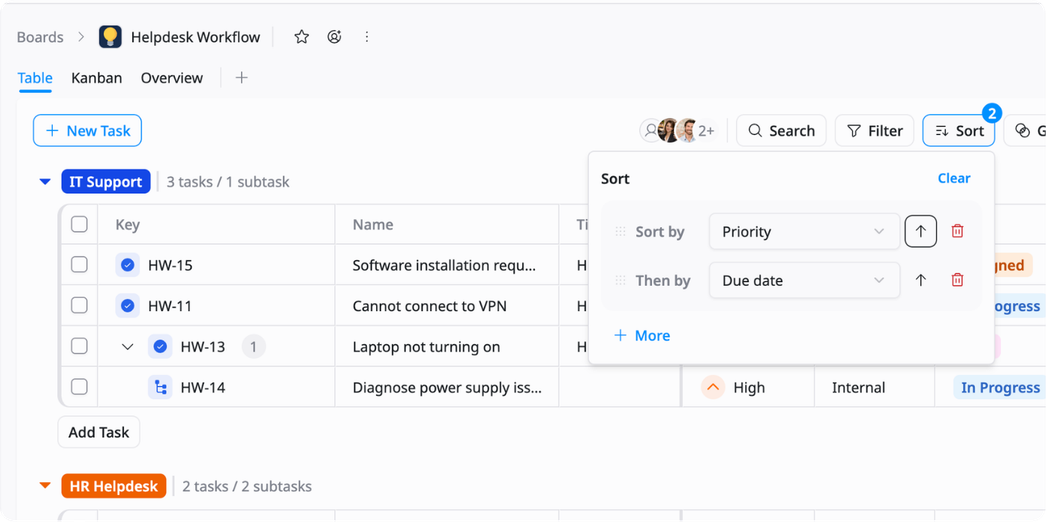
Sort by Priority and Due Date in Table view to surface Critical and High priority tickets first. Filter by Category — Network, Hardware, or Incident — to isolate urgent work requiring immediate assignment.
5
Review helpdesk operations
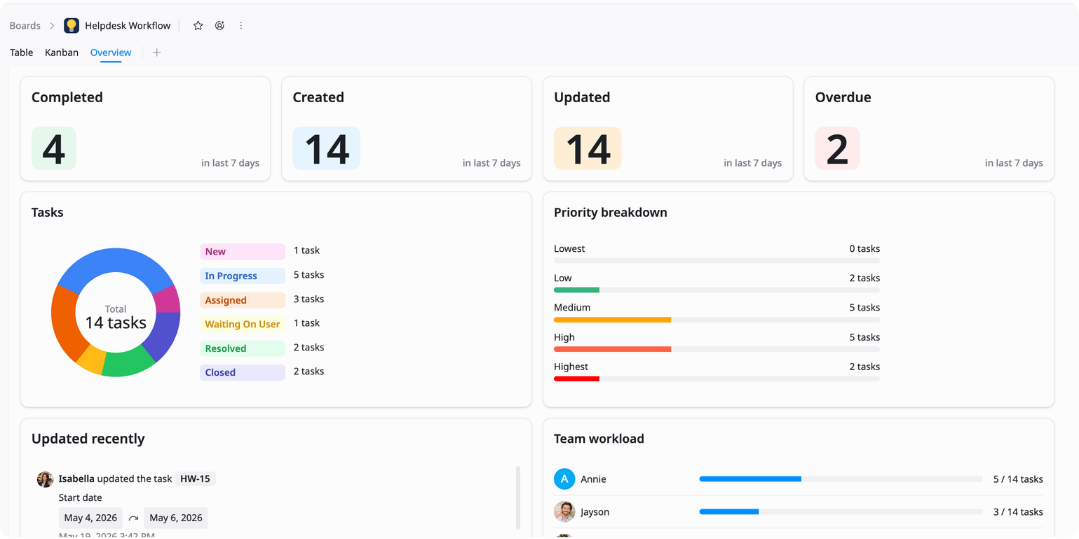
Switch to Overview to monitor resolution rates, identify escalated tickets, spot overdue items, and keep all department queues on track.
Advanced tips

Group by Department
Organize requests by support function to keep daily work easier to review and assign.
Group by IT Support, HR Helpdesk, Facilities Support, or System Incident
Sort by due date to surface urgent requests first
Filter by assignee to review individual workload

Prioritize Escalated Tickets
Use priority and category fields to ensure high-severity requests are never missed.
Flag Critical and High priority tickets for immediate assignment
Filter by Status: Escalated to isolate tickets requiring urgent attention
Sort by due date within each priority level to sequence resolution

Maintain Status Accuracy
Keep ticket statuses current to ensure accountability and prevent stale records.
Update status to Waiting on User when pending input from the requester
Move resolved tickets to Closed only after confirmation
Use Overview to spot tickets stuck In Progress beyond their due date
Related Templates
Client Success
by TaskFord
Track client health, engagement, lifecycle, retention risk, and expansion opportunities.
Product Feedback Survey
by TaskFord
Collect and prioritize feedback to improve product experience.
Ticket Management System Template
by TaskFord
Track and resolve incoming tickets with clear ownership.