Templates
Daily / Weekly Operations Planner Template
Daily / Weekly Operations Planner Template
Get Free Template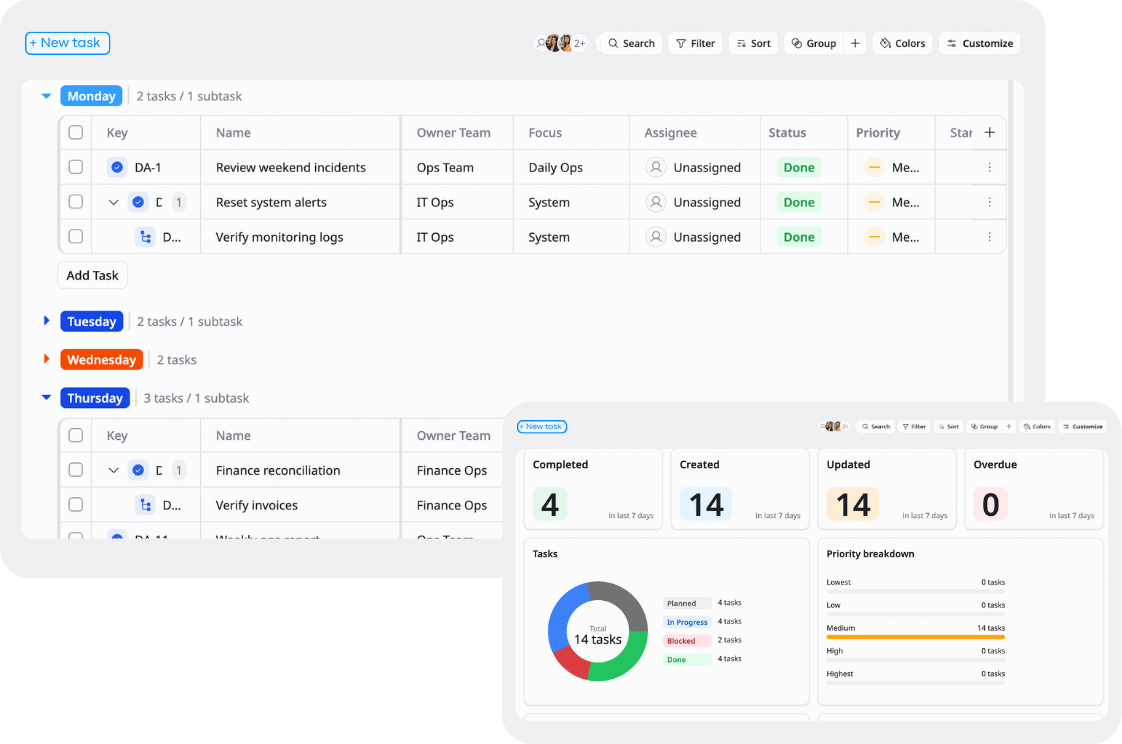
Description
This template helps teams organize tasks, plan workloads, and manage daily and weekly operations in a structured way.
Best for
Operations teams
Project teams
Small businesses
Key Features
Daily task planning
Weekly scheduling
Priority tracking
Reports & overview
What is a Daily / Weekly Operations Planner Template
A Daily / Weekly Operations Planner Template is a structured tool used to plan, organize, and track tasks and operations on a daily and weekly basis.
It helps teams and individuals prioritize work, manage time effectively, and ensure all operational activities are completed on schedule.
What's included in this Template?
Daily planner
Organize daily tasks, priorities, deadlines, and operational activities in one place.
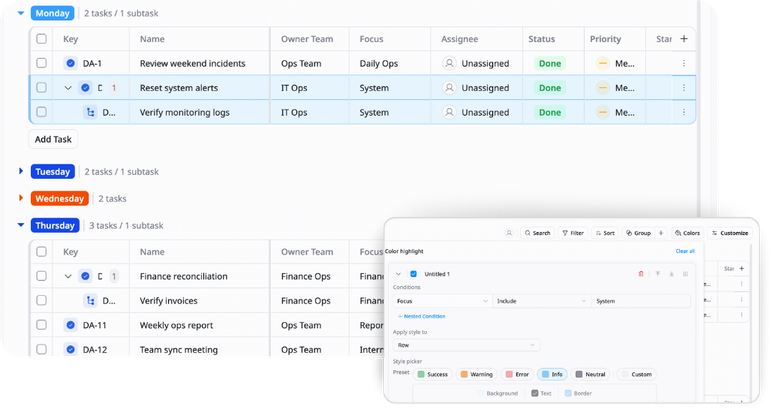
Weekly planner
Plan weekly goals, schedules, and workload distribution across the team or individual workflow.
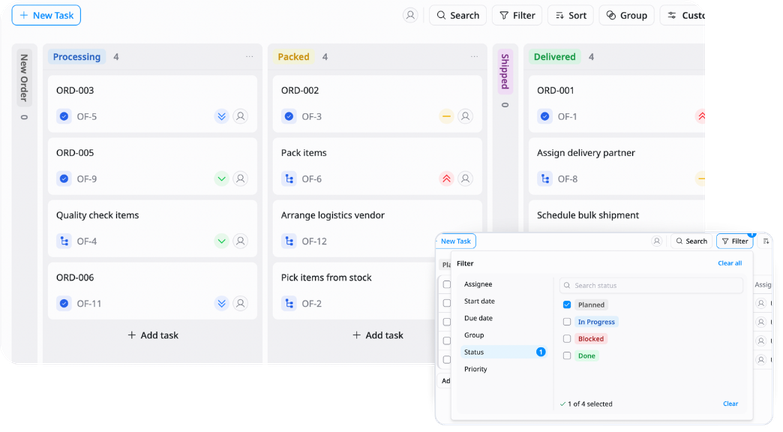
Task & priority tracking
Monitor task status, urgency, and importance to keep operations moving smoothly.
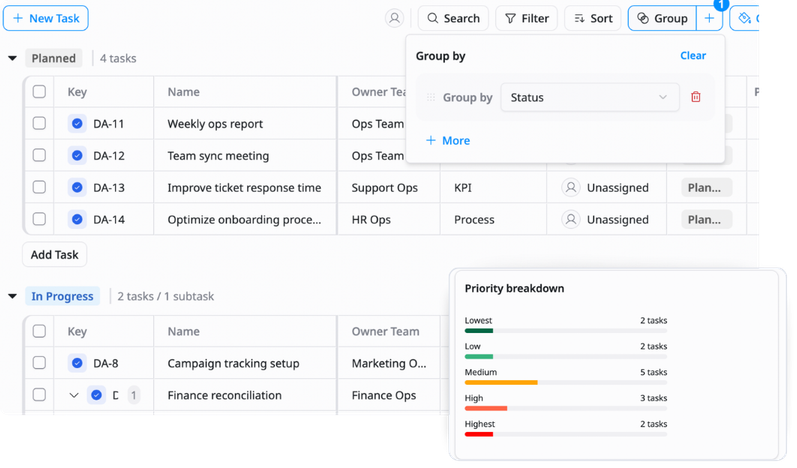
Reports & overview
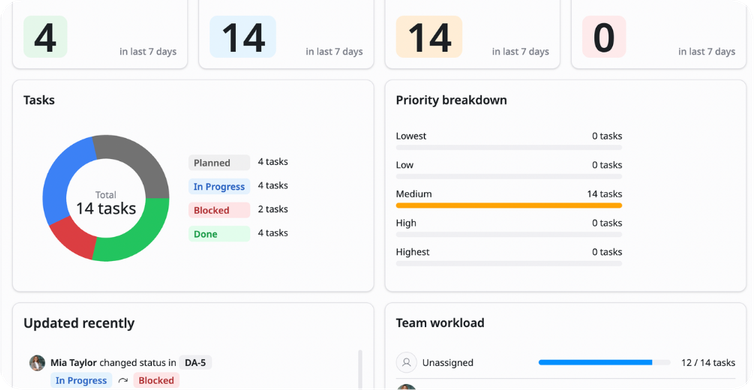
View completed tasks, pending work, weekly progress, and overall operational performance.
Why use this Daily / Weekly Operations Planner Template?
Managing operations without a structured plan can lead to missed tasks, unclear priorities, and overloaded schedules. This template helps you organize daily and weekly workflows in one clear system.
With this template, you can:
- Stay organized: Keep all daily and weekly tasks centralized
- Prioritize important work: Focus on high-impact tasks first
- Improve productivity: Plan workloads more efficiently and reduce chaos
- Track operational progress: Monitor completed and pending work easily
This helps teams and individuals work more consistently, stay aligned, and manage operations more effectively.
How to use this Daily / Weekly Operations Planner Template?
1
Plan your daily tasks
Start each day by adding tasks, priorities, deadlines, and operational activities so you have a clear action plan to follow.
2
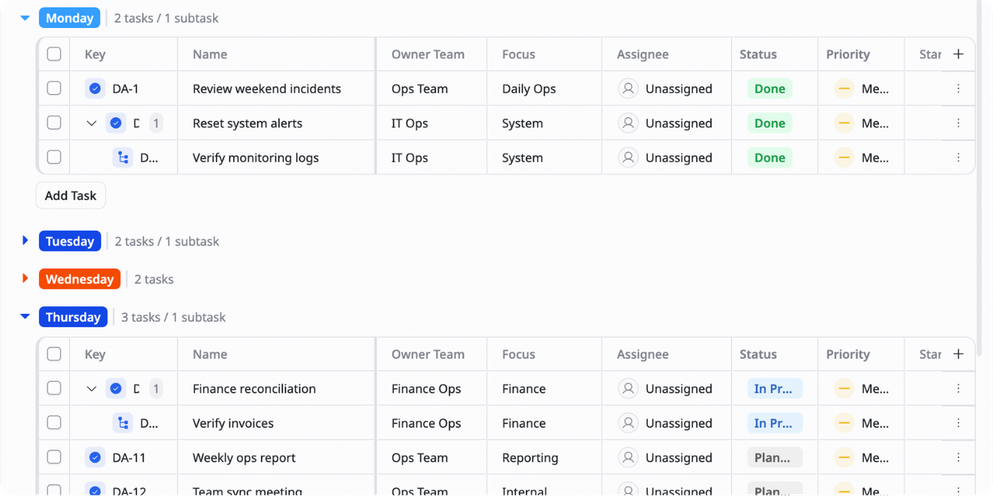
Organize your weekly schedule
Set weekly goals and distribute tasks across different days to balance workload more effectively.
3
Prioritize important work
Rank tasks based on urgency and impact. This helps you focus on the most critical work first.
4
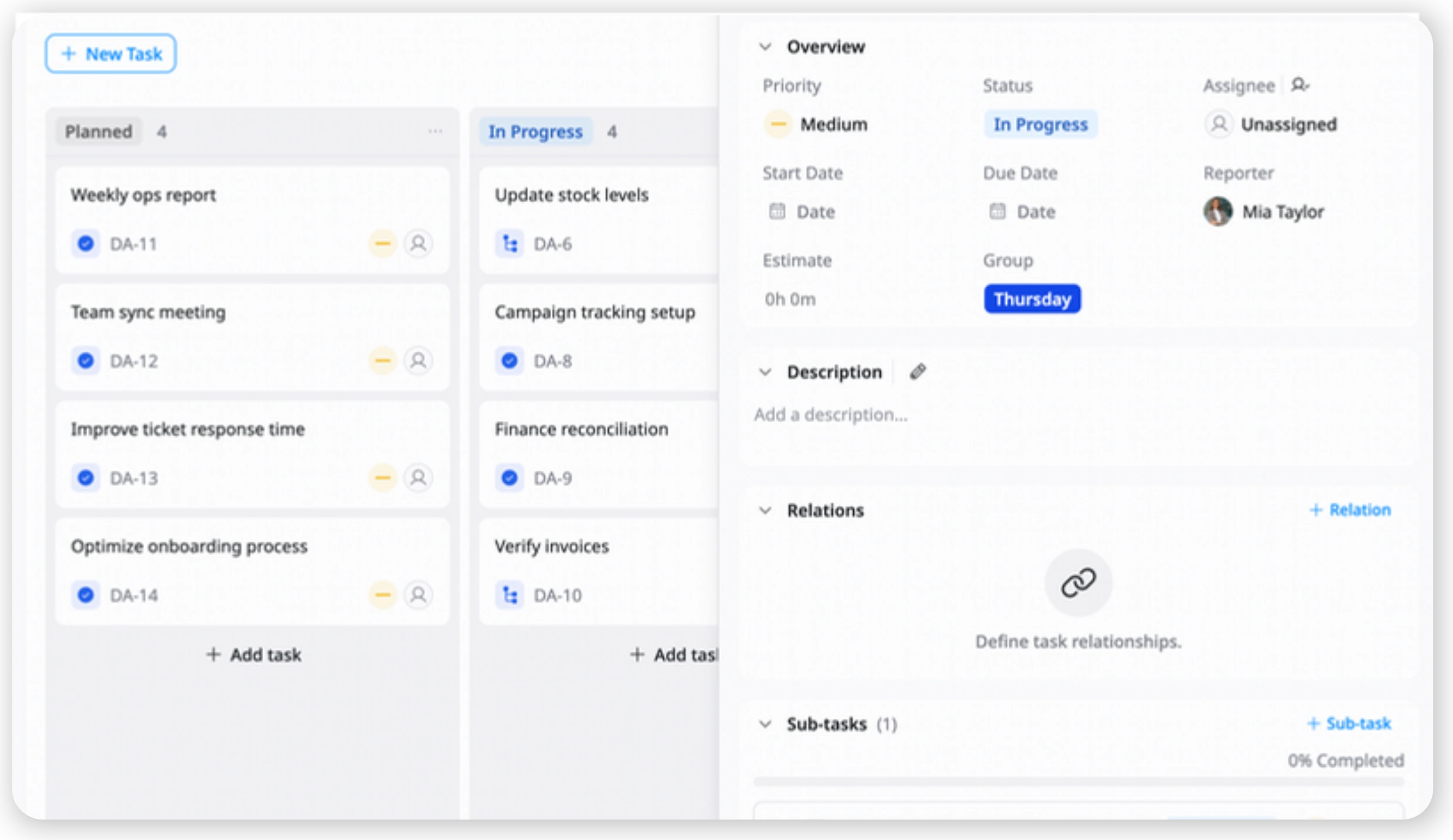
Track task progress regularly
Update statuses throughout the day or week to keep work visible and organized.
5
Review and adjust your workflow
At the end of the week, review completed tasks, delays, and workload distribution to improve future planning and operational efficiency.
Advanced tips

Use time blocking for better focus
Assign dedicated time slots for specific types of work such as deep work, meetings, admin tasks, or operational reviews
Example:
9–11 AM → Deep work
2–3 PM → Team meetings
This helps reduce distractions, improve concentration, and create a more structured daily workflow

Balance workload across the week
Review how tasks are distributed throughout the week and avoid overloading certain days with too many responsibilities.
Example:
Move lower-priority tasks from Monday to Wednesday to create a more balanced schedule
This helps improve productivity, reduce burnout, and make operations more manageable over time

Create custom views for priorities and teams
Build filtered views based on urgency, status, owner, or department so each person can focus only on the work relevant to them
Example:
High Priority view → Only urgent tasks
Operations Team view → Only operational activities
This helps teams navigate large task lists more efficiently and improve day-to-day execution
Related Templates
Order Fulfillment
by TaskFord
Manage orders, track fulfillment progress, and monitor delivery status in one place.
Vendor Management
by TaskFord
Organize, track, and manage all supplier information, contracts, and performance.
Inventory Management
by TaskFord
Track stock levels, manage inventory movement, and organize products in one place.