Templates
Vendor Management Template
Vendor Management Template
Get Free Template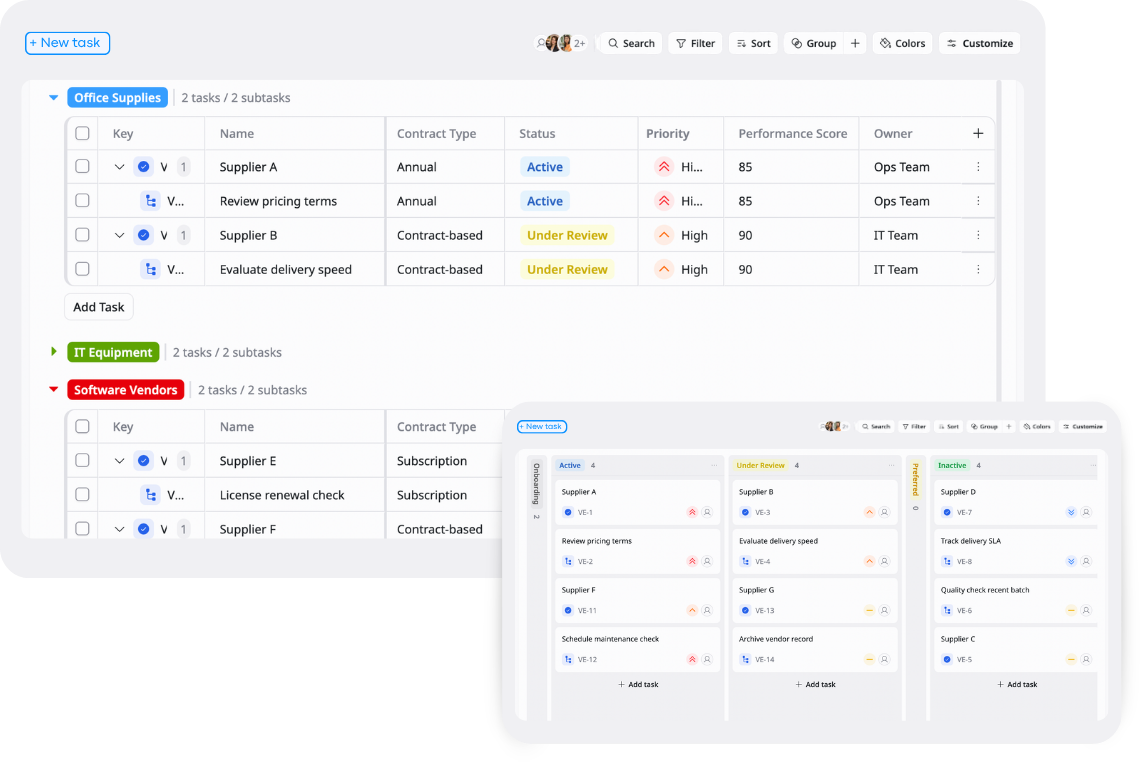
Description
This template helps you organize, track, and manage all vendor information, contracts, and performance in one centralized system.
Best for
Procurement teams
Operations teams
Supply chain managers
Key Features
Vendor database
Contract tracking
Task Management
Reports & overview
What is a Vendor Management Template
A Vendor / Supplier Management Template is a centralized system that helps businesses manage their entire vendor ecosystem in one place, moving beyond simple lists into a connected operational database.
It links vendors with contracts, invoices, compliance documents, and related tasks, giving teams full visibility into vendor relationships, financial activity, and compliance status.
What's included in this Vendor Management Template
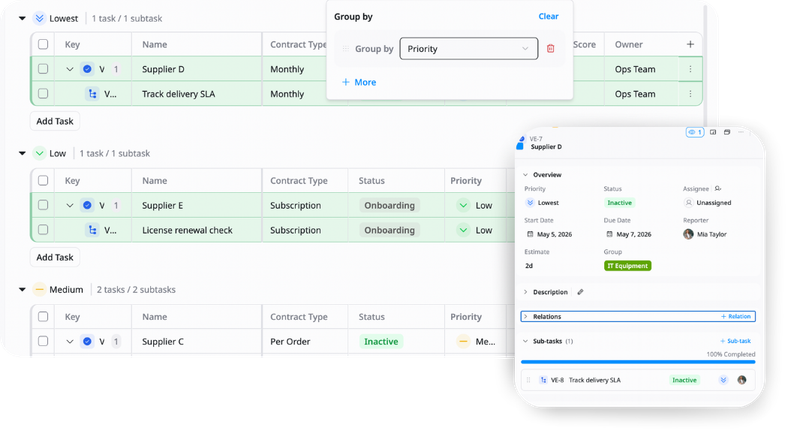
Vendor database
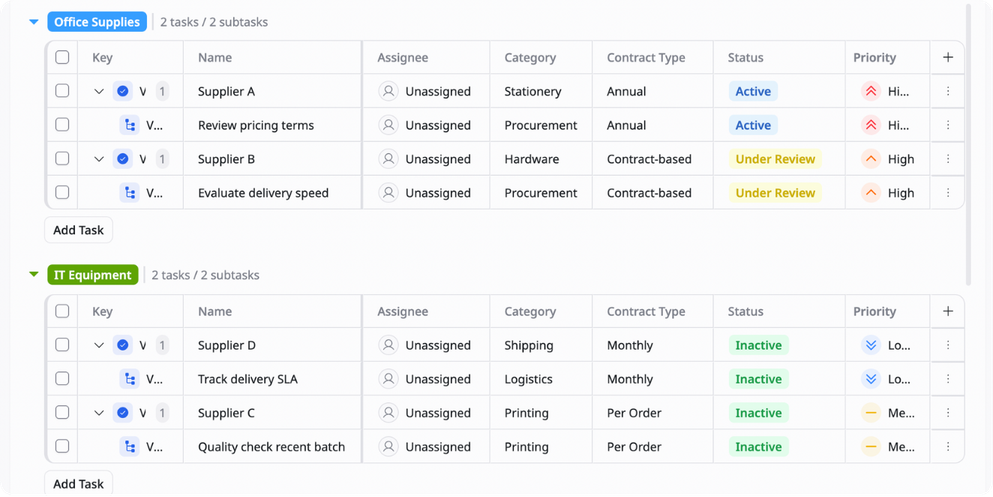
Store supplier details such as name, contact info, services, and category.
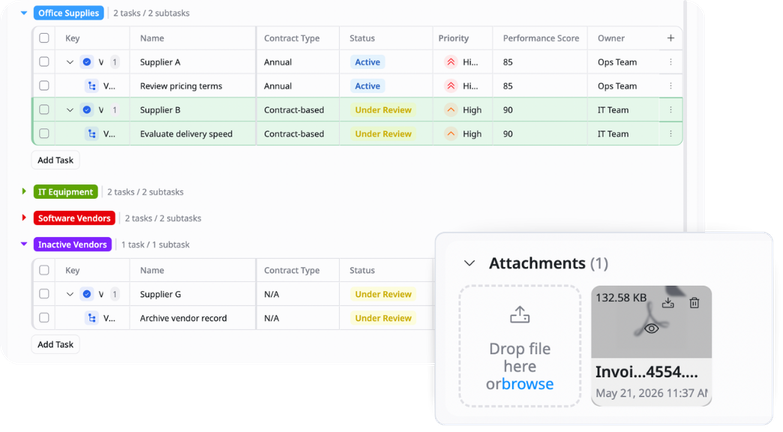
Contracts & documents
Attach and manage contracts, insurance files, and compliance documents in one place.
Tasks & operations
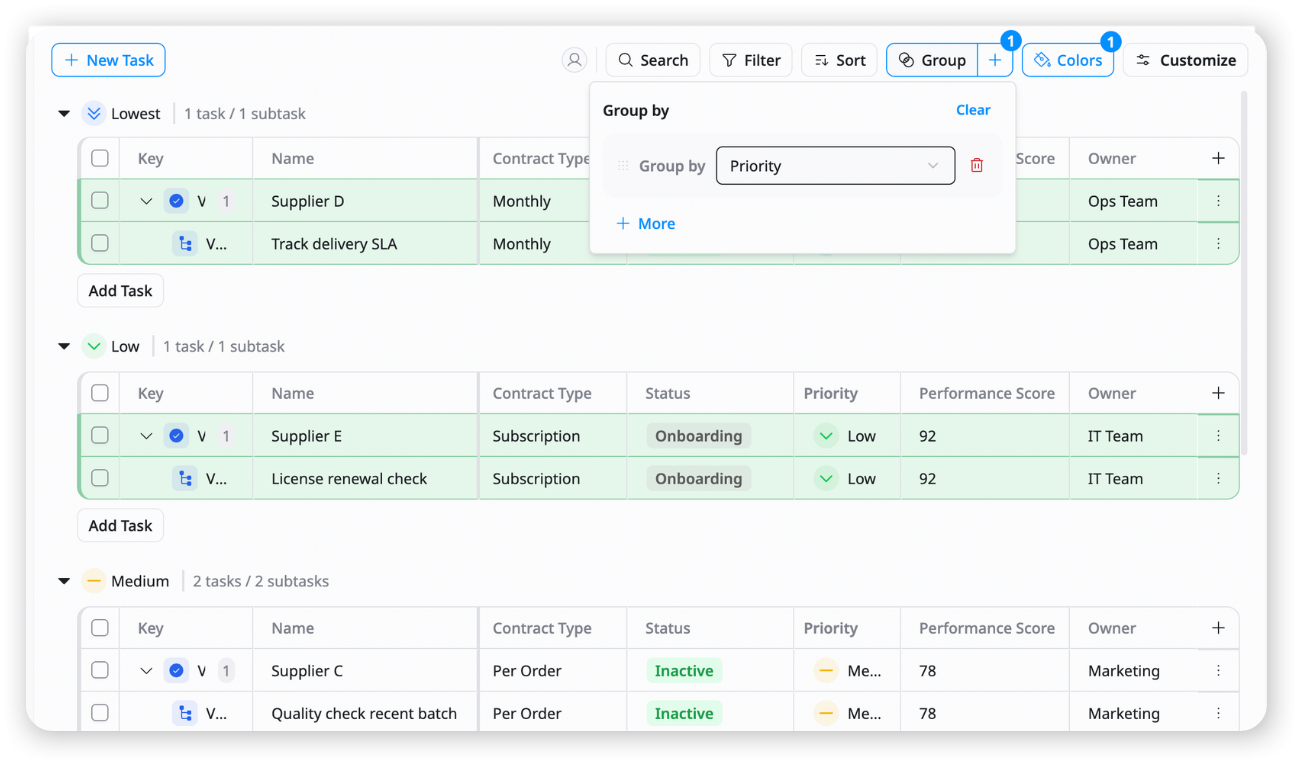
Link vendors to ongoing tasks such as onboarding, follow-ups, or procurement actions.
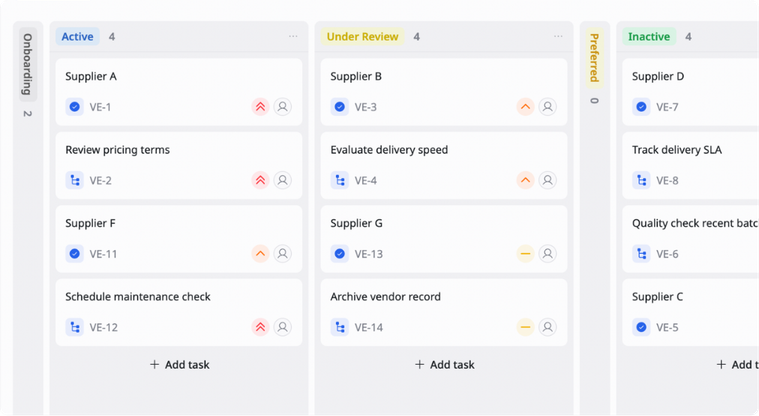
Reports & overview
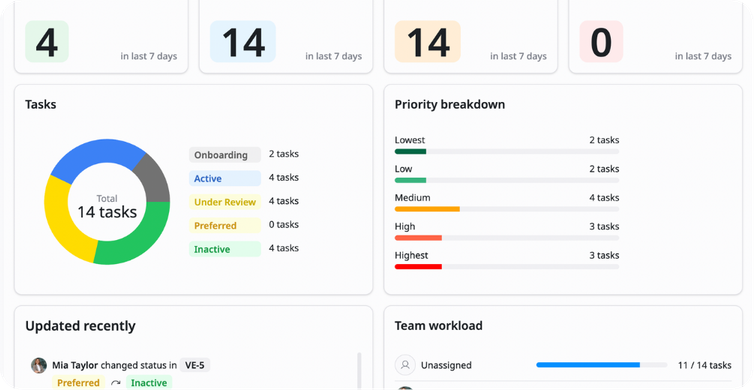
Get a centralized view of vendor status, performance, and compliance across all suppliers.
Why use this Vendor Management Template?
Managing vendors across spreadsheets, emails, and documents can quickly become fragmented and hard to control. Important contracts, invoices, and compliance details often get lost or overlooked. This template centralizes everything into one system so your team can clearly see vendor relationships, financial activity, and compliance status in real time.
With this template, you can:
- Centralize vendor data: Keep all supplier information, contracts, and documents in one place
- Improve visibility: Understand vendor performance, invoices, and status at a glance
- Reduce operational risk: Avoid missed renewals, missing documents, or compliance issues
- Streamline procurement workflows: Connect vendors with tasks, invoices, and onboarding stages
This helps procurement and operations teams manage suppliers more efficiently and with greater control.
How to use this Vendor Management Template?
1
Set up your vendor database
Start by adding all suppliers with key details such as company name, contact person, service type, and category so your vendor ecosystem is centralized from the beginning.
2
Connect contracts and documents
Upload and link important files like contracts, insurance certificates, and compliance documents to each vendor record for easy access and tracking.
3
Track invoices and payments
Log invoices per vendor, including amounts, due dates, and payment status so you can monitor financial obligations clearly
4
Manage vendor-related tasks
Assign and track tasks such as onboarding, follow-ups, or contract renewals to ensure nothing is missed in vendor operations.
5
Review vendor performance regularly
Check vendor status, compliance, and performance data using dashboards to make better sourcing and procurement decisions over time.
Advanced tips

Use vendor scoring system
Rate suppliers based on key criteria like quality, price, and reliability
Example:
Delivery speed (1-5), Quality (1-5), Cost (1-5)
This helps you compare suppliers objectively and choose better partners

Automate onboarding stages
Track vendor onboarding as a structured workflow
Example:
Applied → Reviewing → Accepted → Active
This helps standardize how new suppliers are approved and activated

Track spend per vendor
Calculate total spending for each supplier over time
Example:
Vendor A = $50,000/year
This helps identify key suppliers and negotiate better contracts
Related Templates

Daily / Weekly Operations
by TaskFord
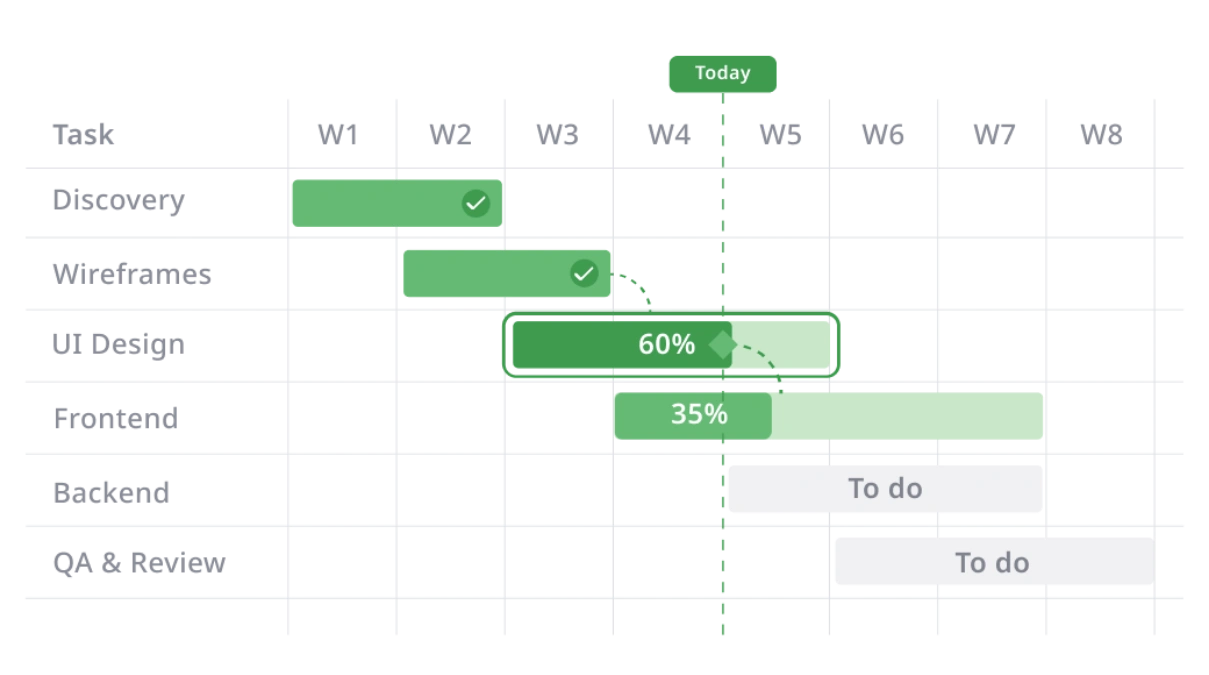
Organize tasks, plan workloads, and manage daily and weekly operations in a structured way.
Order Fulfillment
by TaskFord
Manage orders, track fulfillment progress, and monitor delivery status in one place.
Inventory Management
by TaskFord
Track stock levels, manage inventory movement, and organize products in one place.