Templates
Inventory Management Template
Inventory Management Template
Get Free Template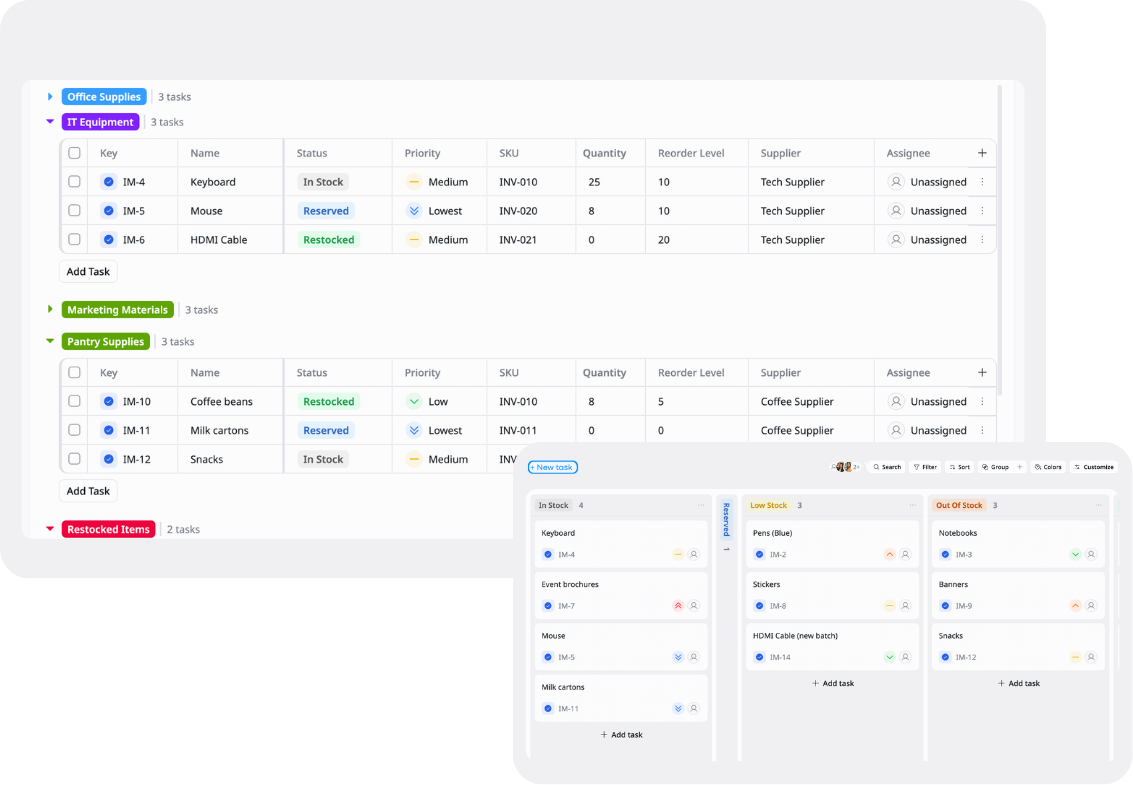
Description
This Inventory Management Template helps you track stock levels, monitor inventory movement, and organize products in one place.
Best for
Ecommerce stores
Warehouses
Small business operations
Key Features
Inventory tracking
Stock monitoring
Product database
Reports & overview
What is an Inventory Management Template
An Inventory Management Template is a ready-to-use tool that helps businesses organize, track, and manage inventory in one centralized workspace.
It provides visibility into stock levels, product movement, availability, and reorder needs so teams can reduce stock issues and improve inventory operations.
What's included in this Inventory Management Template
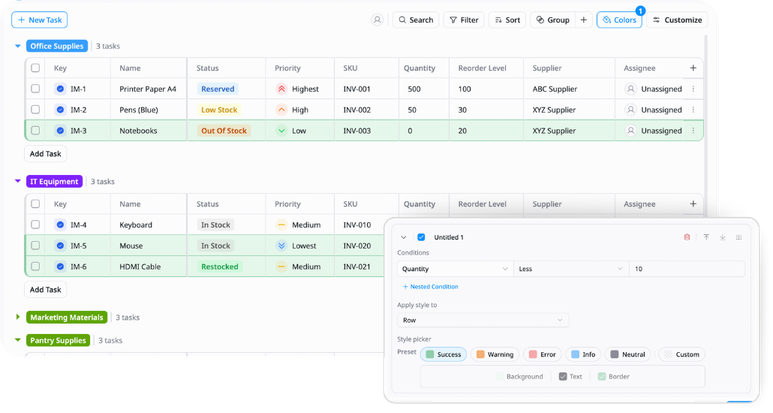
Product database
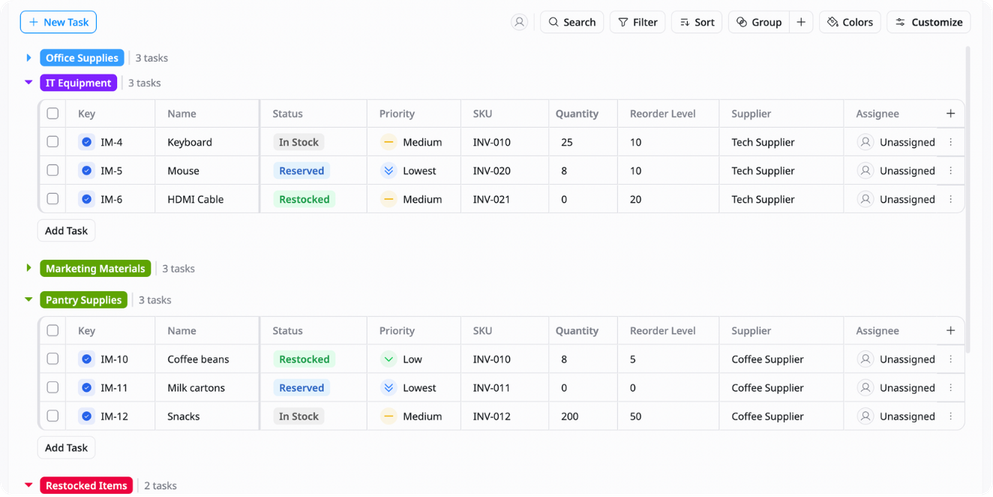
Store important product information like SKU, product name, category, supplier, quantity, and unit price in one centralized place.
Stock tracking
Monitor inventory movement including incoming stock, outgoing products, transfers, and current stock levels in real time.
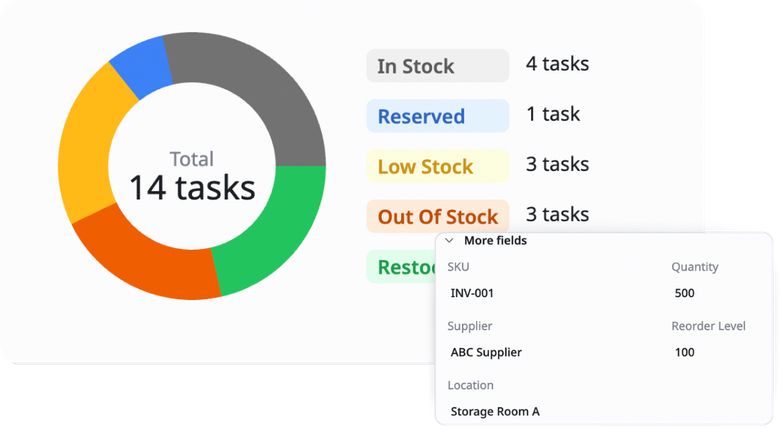
Reorder management
Track low-stock items, minimum stock thresholds, and reorder status to help prevent stock shortages.
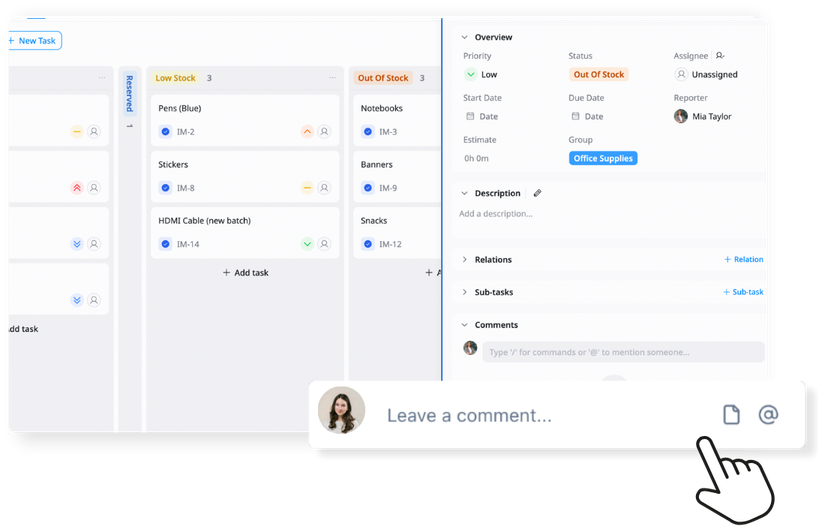
Reports & overview
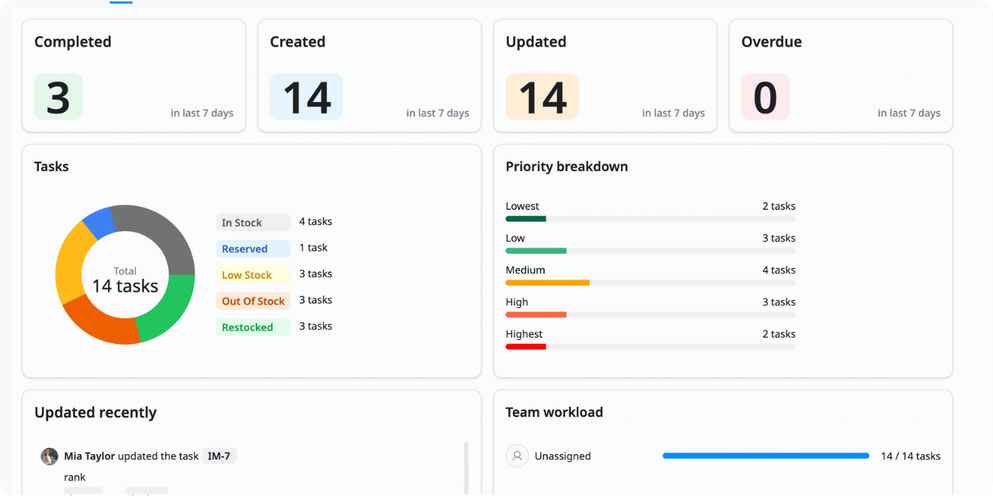
View inventory trends, stock performance, product availability, and overall inventory status through dashboards and reports.
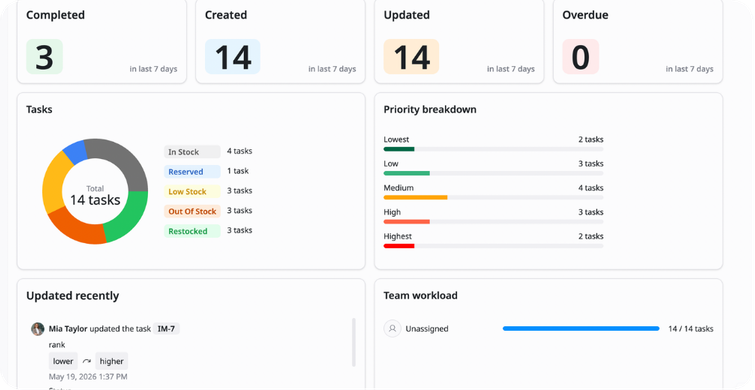
Why use this Inventory Management Template?
Managing inventory manually can lead to stock shortages, overstocking, and inaccurate records. This template helps you organize inventory data and monitor stock levels more efficiently.
With this template, you can:
- Track inventory clearly: Know stock levels in real time
- Reduce stock issues: Identify low inventory before products run out
- Improve inventory accuracy: Keep product data updated and organized
- Optimize purchasing decisions: Use inventory data to plan restocking better
This helps your business run more smoothly and avoid inventory-related problems.
How to use this Inventory Management Template?
1
Add and organize your products
Enter product details like SKU, product name, category, quantity, and unit price so all inventory information stays centralized and easy to manage.
2
Track inventory movement
Update stock levels whenever products are received, sold, returned, or transferred between locations.
3
Set reorder points and alerts
Define minimum stock levels for important products so you know when it's time to restock.
4
Monitor inventory regularly
Review stock levels, inventory status, and product availability frequently to avoid shortages or overstocking.
5
Analyze inventory reports and trends
Use dashboards and reports to identify fast-selling products, slow-moving inventory, and purchasing patterns so you can improve inventory planning over time.
Advanced tips

Track dead stock automatically
Use conditional formatting to highlight products that have not been sold for a long time
Example:
Last sold date > 90 days → Highlight as dead stock
This helps identify inventory that is taking up storage space and tying up capital

Use ABC inventory classification
Categorize products based on value or sales importance
Example:
A = High-value products / B = Medium-value products / C = Low-value products
This helps prioritize inventory management and purchasing decisions

Use barcode or SKU systems
Assign unique identifiers to products for faster and more accurate inventory tracking
Example:
SKU-001 → Wireless Mouse
This helps reduce manual errors and improve operational efficiency
Related Templates
Vendor Management
by TaskFord
Organize, track, and manage all supplier information, contracts, and performance.
Order Fulfillment
by TaskFord
Manage orders, track fulfillment progress, and monitor delivery status in one place.

Daily / Weekly Operations
by TaskFord
Organize tasks, plan workloads, and manage daily and weekly operations in a structured way.