Freelance Time Tracking: A Complete Guide to Managing Time and Deadlines
Discover how freelance time tracking can transform your time management, helping you meet deadlines, boost productivity, and grow your freelance career.
Freelancing gives you the freedom to choose your clients, set your own schedule, and work from anywhere. However, managing multiple projects, client requests, revisions, and deadlines can quickly become challenging without a clear understanding of how your time is being spent.
That’s where freelance time tracking comes in. By tracking your hours across projects and tasks, you can better manage your workload, improve productivity, set realistic deadlines, and avoid overcommitting yourself. In this guide, you’ll learn how freelance time tracking can help you stay organized, deliver work on time, and build a more sustainable freelance business.
What Is Freelance Time Tracking?
Freelance time tracking is the practice of recording how much time you spend on different client projects, tasks, and work activities throughout your day. It helps freelancers understand where their time actually goes, including billable work, revisions, communication, and administrative tasks.
Instead of guessing how long projects take or how productive a day was, freelancers use time tracking tools to capture real data. This makes it easier to plan workloads, set accurate deadlines, price services correctly, and avoid overcommitting to too many clients at once.
Over time, time tracking turns everyday work patterns into actionable insights that improve both productivity and profitability.
Why Freelance Time Tracking Matters for Freelancers
Time tracking does more than record hours. It helps freelancers manage workloads, plan projects more accurately, and stay on top of deadlines. Here are some of the key benefits:
- Manage Multiple Client Projects Effectively: Freelancers often work with several clients at once. Time tracking helps you prioritize tasks, balance workloads, and ensure no project falls behind schedule.
- Create More Accurate Project Estimates: Tracking time on past projects provides valuable data for estimating future work, helping you set realistic deadlines and avoid overcommitting.
- Track Billable and Non-Billable Hours: Understanding how much time is spent on client work, administration, marketing, and other activities gives you a clearer picture of your productivity and profitability.
- Avoid Overbooking and Missed Deadlines: By monitoring your workload and available capacity, you can make informed decisions about accepting new projects without risking delays on existing work.
- Improve Client Transparency and Trust: Detailed time records help justify invoices, provide clear project updates, and strengthen client relationships through greater accountability. After all, transparency builds trust.
- Set Fair and Profitable Rates: Knowing how long projects actually take allows you to price your services more accurately, ensuring you’re fairly compensated for your time and expertise.
- Maintain a Healthy Work-Life Balance: Time tracking helps establish boundaries between work and personal time, reducing the risk of burnout while supporting long-term freelance success.
How to Use Time Tracking for Freelance Work
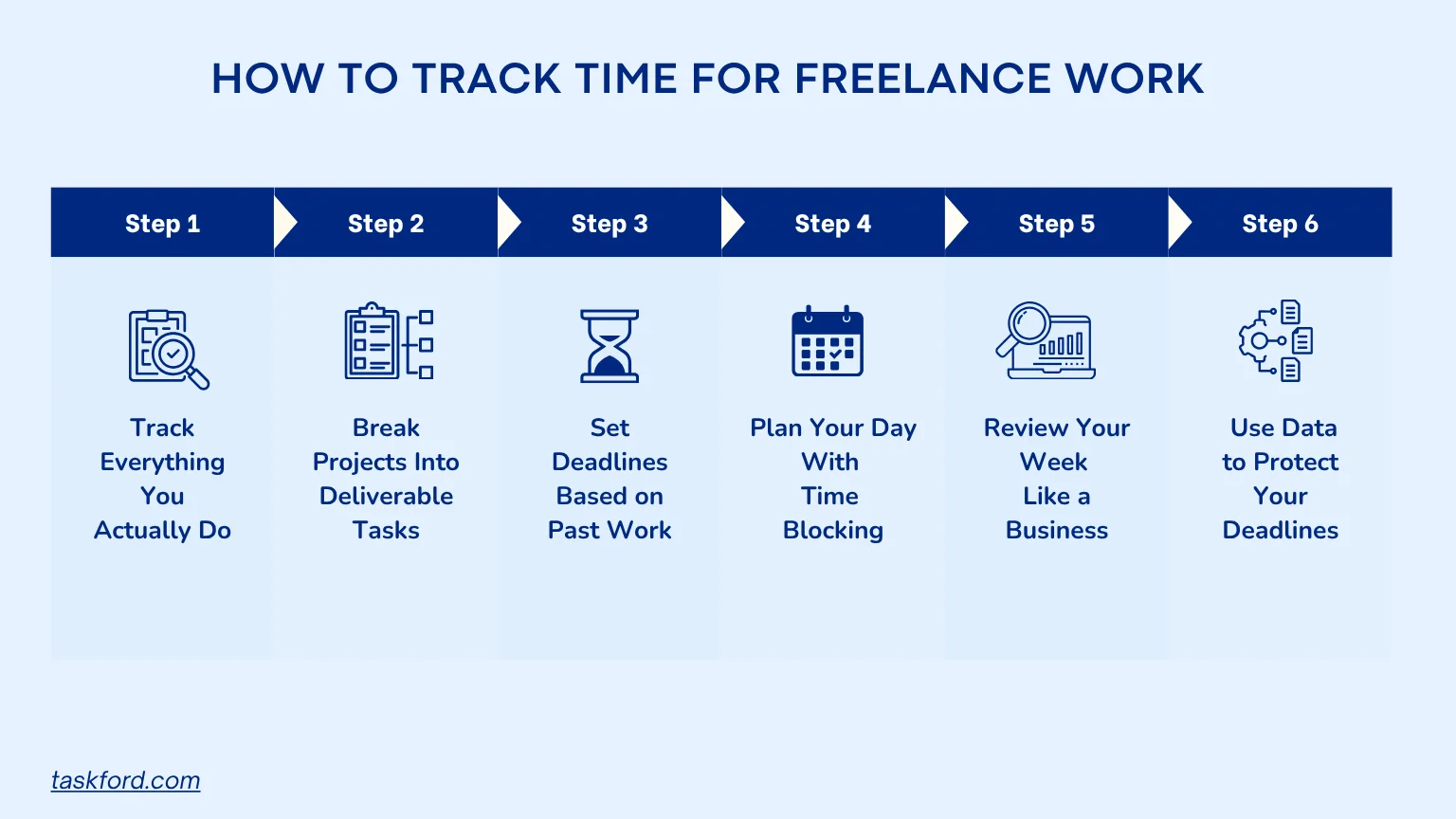
Ready to take control of your deadlines? Here’s how to use time tracking tools in a way that actually fits freelance work, where priorities shift, clients change their minds, and no two days look the same.
Step 1: Start Tracking Everything You Actually Do
As a freelancer, your day isn’t just “project work.” It’s a mix of client delivery, communication, revisions, and admin. Use time tracking tools to log work in real time or at least daily. The goal is to capture how your day actually flows.
A typical freelance day might look like:
- Client work: 4–5 hours
- Revisions: 1–2 hours
- Emails and calls: 1–2 hours
- Admin and invoicing: 1 hour
This helps you see where your time actually goes instead of relying on rough estimates.
Step 2: Break Client Projects Into Real Deliverable Tasks
Freelance projects rarely move in a straight line. If you track everything under one project, you lose visibility into what’s actually slowing you down. Instead, break work into deliverables and assign rough time estimates to each stage.
For example, a website design project might look like:
- Client briefing and requirements gathering: 1–2 hours
- Wireframes and layout planning: 2–3 hours
- Homepage design: 4–6 hours
- Internal pages design: 3–5 hours
- Client feedback round: 1–3 hours
- Revisions and refinements: 3–5 hours
- Final handoff: 1 hour
This makes it easier to see where time is going and where delays usually happen, often revisions, not the core work.
Step 3: Set Deadlines Based on Real Past Work
One of the biggest freelance mistakes is guessing timelines instead of learning from them.
Use your time tracking tools to understand patterns like how long similar tasks actually take and how often revisions extend the work.
Then set deadlines based on reality, not optimism. Always include buffer time for feedback cycles, client delays, and unexpected changes.
Step 4: Plan Your Day With Time Blocking Around Real Capacity
Freelancers don’t have predictable schedules, so planning needs to reflect reality. Time blocking helps structure your day around focused work instead of random task switching.
A typical day might include:
- Focused deep work blocks: 3–5 hours
- Client communication windows: 1–2 hours
- Admin tasks: 1 hour
- Unexpected interruptions or revisions: 1–2 hours
Time tracking tools help you compare planned vs actual time, so you can see when your time blocks are realistic and when client interruptions are breaking your flow.
Step 5: Review Your Week Like a Business, Not Just a Worker
At the end of each week, your time data becomes a snapshot of your freelance business.
Look at things like:
- Which clients take the most time relative to their pay
- Which tasks consistently go over estimated time
- Where your time is being spent on low-value work
This is where better decisions start happening, especially around pricing, workload, and client selection.
Step 6: Use Your Data to Protect Your Deadlines
Time tracking isn’t just about looking back, it’s about making better decisions ahead of time.
Once you understand your real work patterns, you can avoid overbooking, set more realistic deadlines, and protect focused time for high-priority work.
Over time, deadlines become more predictable not because work gets easier, but because your time becomes visible and manageable.
Example of Freelance Time Tracking in Action
Imagine you’re a freelance designer working on a logo project for a client. Based on experience, you estimate the project will take 8 hours.
After tracking your time, you discover the actual breakdown looks like this:
- Discovery and research: 2 hours
- Initial concepts: 4 hours
- Client revisions: 3 hours
- Final files and handoff: 1 hour
The project ends up taking 10 hours, not 8.
With this data, you can set more realistic deadlines for future projects, account for revision rounds when planning your workload, and price your services more accurately. Over time, these insights help you avoid overbooking and deliver client work more consistently.
How TaskFord Helps Freelancers Manage Time and Deadlines
TaskFord is an integrated work delivery platform built for freelancers to manage client work, track time, and understand how their workload actually translates into hours and deadlines. Instead of juggling scattered tools, everything from tasks to time tracking and reporting stays connected in one place, helping you plan and deliver work more reliably.
Step 1: Organize Client Work in Table View
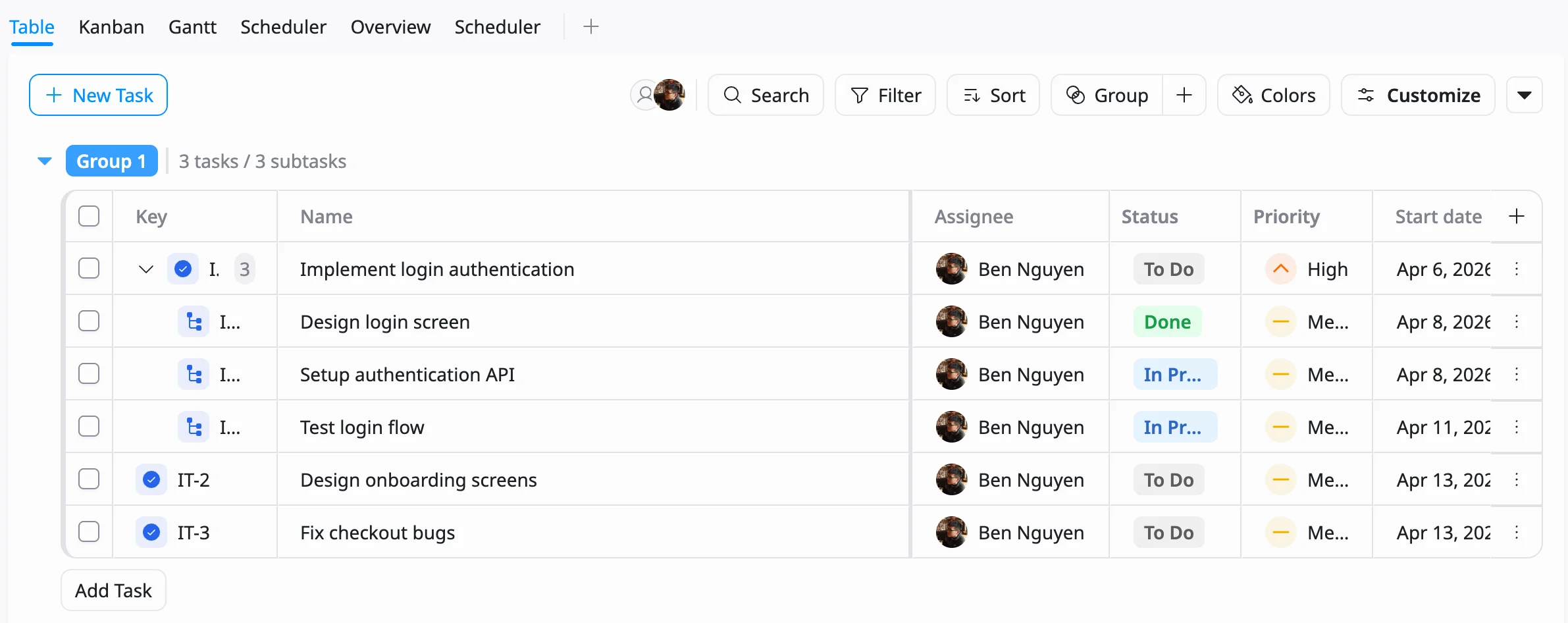
In TaskFord, freelancers start by bringing all client work into the Table View, where projects, tasks, deadlines, and priorities sit in one place. Instead of switching between tools and messages, you can quickly see your full workload and adjust what needs attention as client priorities change.
Step 2: Track Time Using Stopwatch or Timesheet
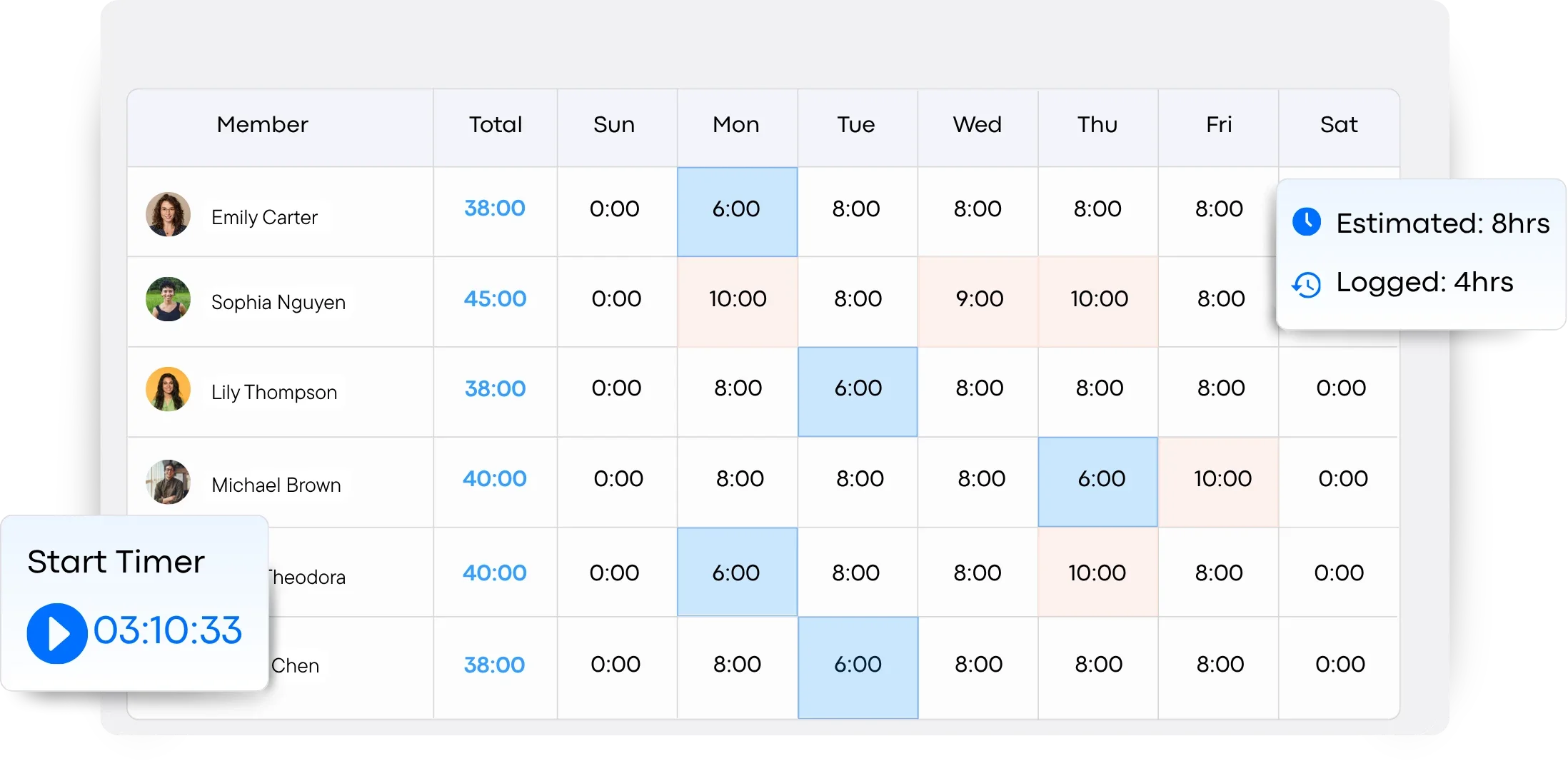
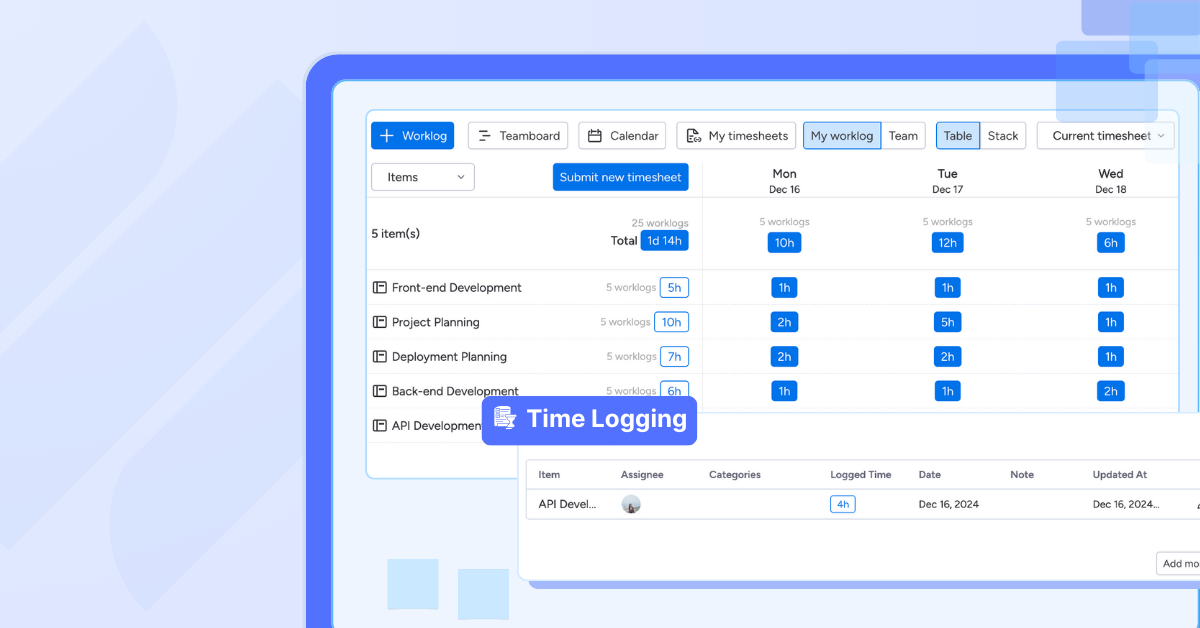
Freelancers can track time in TaskFord using a stopwatch while working or a timesheet after completing tasks, depending on their workflow. This keeps tracking simple while still capturing accurate time across client work, revisions, and admin.
Step 3: Approve and Review Timesheets
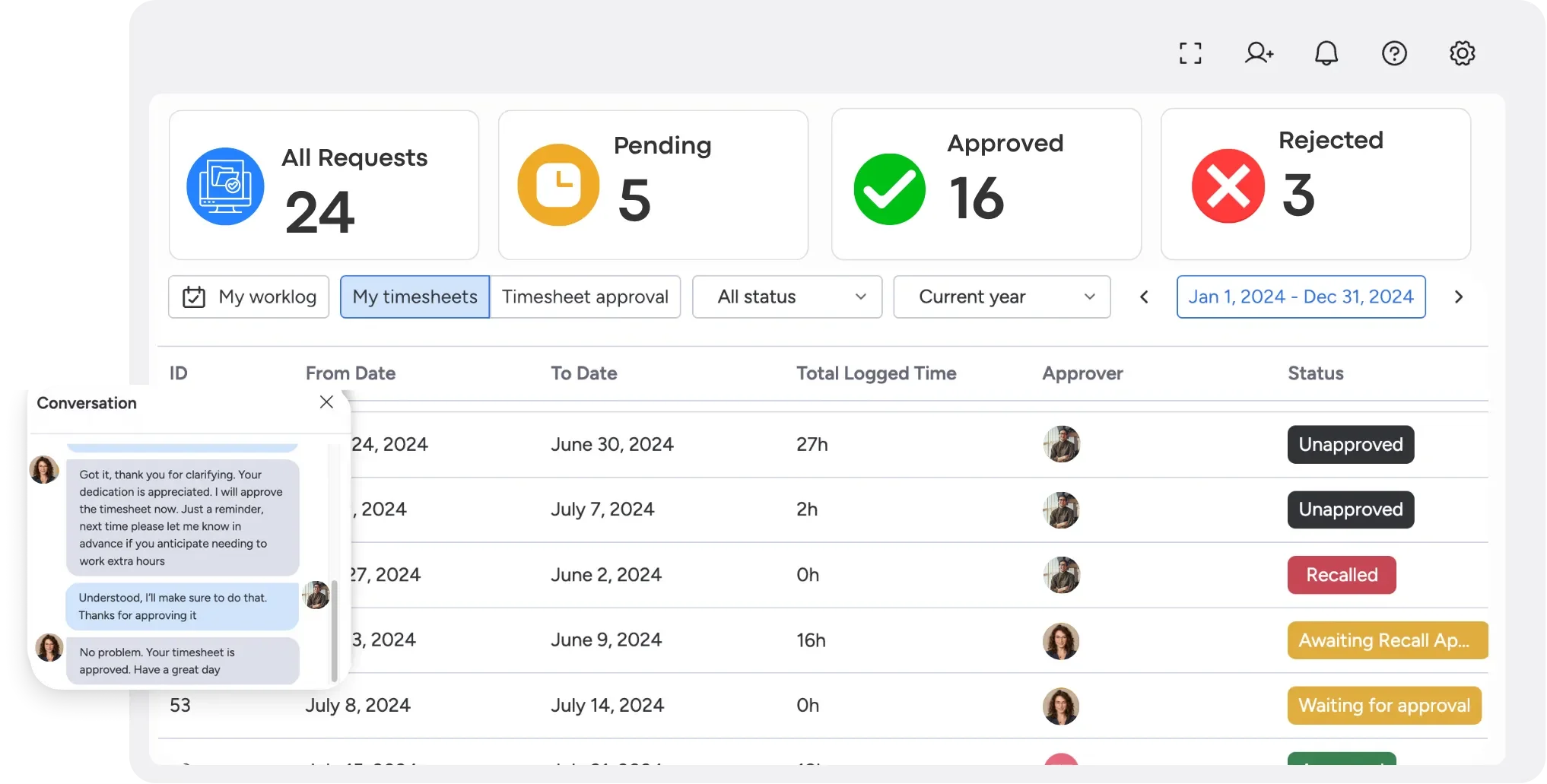
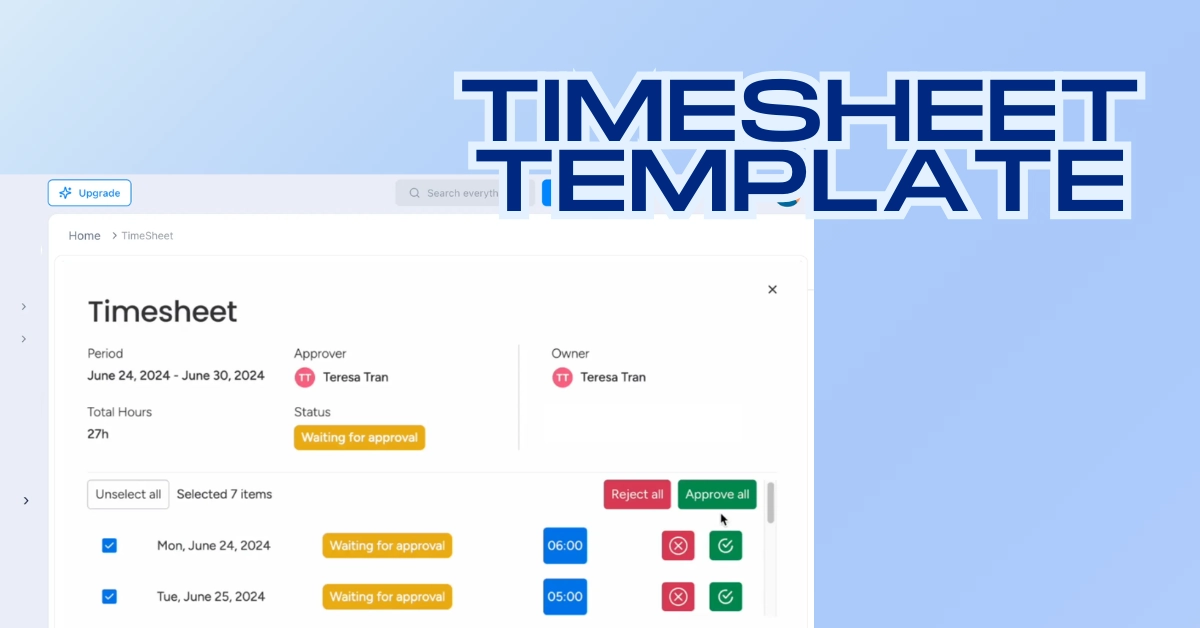
TaskFord allows freelancers (and clients, when needed) to review and approve logged timesheets before they are finalized. This adds a layer of clarity and accountability, ensuring tracked hours are accurate, agreed on, and ready for billing or reporting without confusion later.
Step 4: Use Reporting to Understand Your Workload
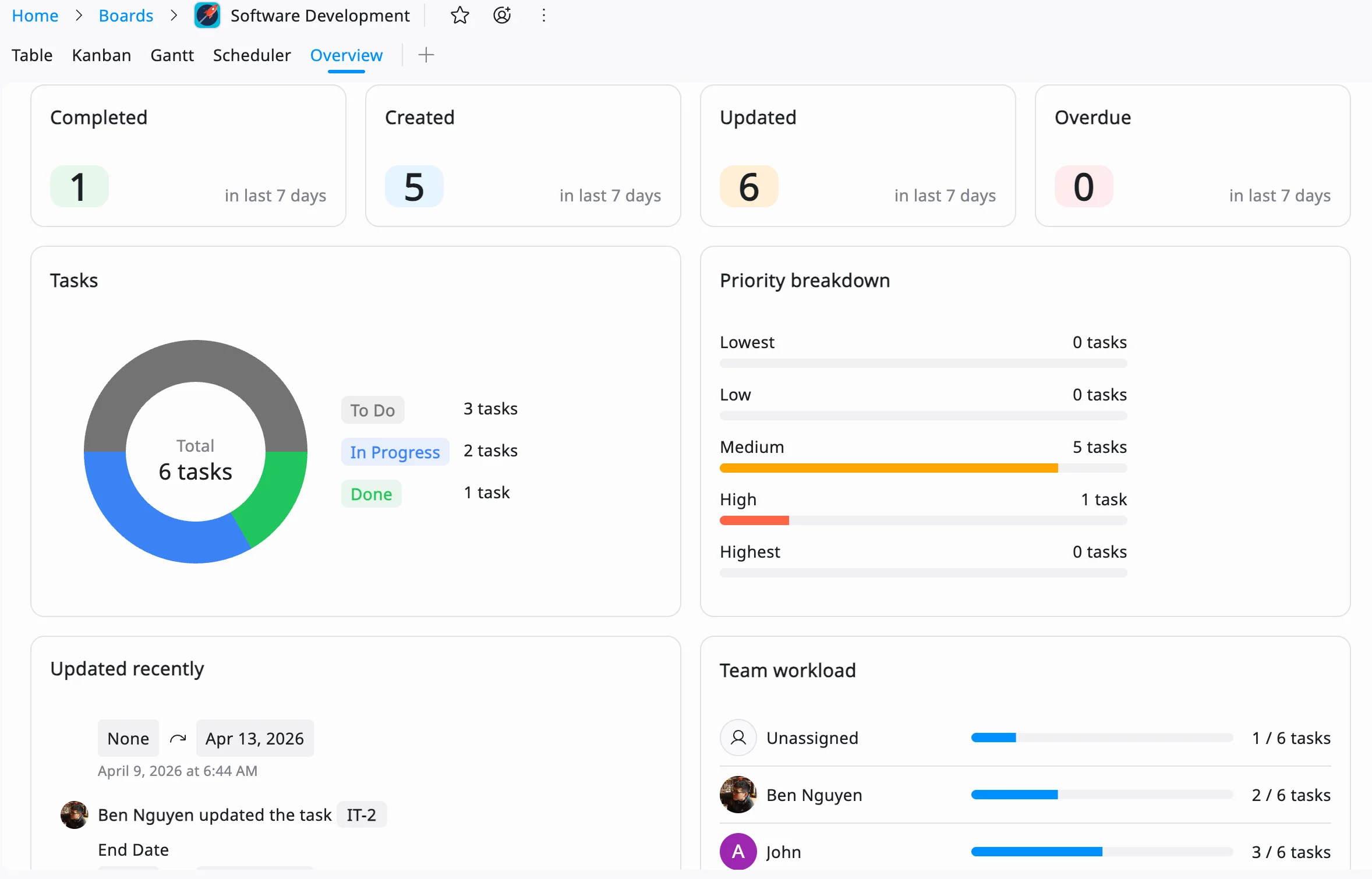
TaskFord reporting turns tracked time into a clear breakdown of how your hours are distributed across clients, projects, and task types. This helps freelancers quickly see which clients take the most time, where work consistently runs over estimates, and how much time is spent on non-billable activities.
Step 5: Improve Deadlines and Planning With Real Data
With consistent time tracking, freelancers can plan based on real patterns instead of assumptions. TaskFord helps you understand how long similar work actually takes, including revisions and delays, so you can set more accurate deadlines, avoid overbooking, and manage workload more predictably.
Common Freelance Time Tracking Mistakes to Avoid
Even with the right tools, time tracking only works when it’s done consistently. Avoid these common mistakes to ensure your data stays accurate and useful.
-
Only Tracking Billable Work: Focusing only on client deliverables ignores the time spent on emails, meetings, proposals, invoicing, and other essential tasks that affect your workload.
-
Logging Time Days Later: Waiting until the end of the week to record hours often leads to inaccurate estimates and incomplete records.
-
Ignoring Revision Time: Many freelancers underestimate how much time client feedback and revisions require, which can lead to unrealistic deadlines and pricing.
-
Not Reviewing Time Reports: Tracking time without analyzing the data means missing opportunities to improve productivity, planning, and profitability.
-
Taking on Too Much Work: Accepting projects without considering your actual available capacity is a common cause of missed deadlines and burnout.
-
Relying on Guesswork for Estimates: Using assumptions instead of past time-tracking data can result in underpriced projects and overly optimistic timelines.
Trends in Freelance Time Tracking for 2026
Freelance time tracking is evolving beyond simple hour logging. Modern tools are becoming smarter, more connected, and more focused on helping freelancers improve productivity, simplify administration, and maintain a sustainable workload.
-
Collaboration and Remote Work Integrations: Time tracking tools increasingly connect with platforms like Slack, Zoom, and Microsoft Teams, making it easier to track time spent on meetings and client communication.
-
AI-Powered Automation: AI is helping freelancers automatically categorize work, estimate project timelines, and plan schedules more accurately based on past time-tracking data.
-
Advanced Productivity Insights: Modern tools provide deeper analytics into how time is spent, helping freelancers identify productivity trends, optimize workflows, and make better business decisions.
-
Automated Invoicing and Billing: Many time tracking platforms now convert tracked hours into invoices automatically, reducing administrative work and improving billing accuracy.
-
Greater Focus on Work-Life Balance: Features such as break reminders, workload monitoring, and overwork alerts help freelancers maintain healthier schedules and avoid burnout.
Conclusion: Master Your Freelance Deadlines
Freelance time tracking is a game-changer for managing deadlines, boosting productivity, and growing your career. By tracking time, you gain clarity on work habits, set realistic deadlines, and deliver high-quality work that keeps clients happy.
Start by picking a tool, breaking projects into tasks, and reviewing data weekly. With these strategies, you’ll meet deadlines confidently and build a reputation as a reliable freelancer. Try a time tracking tool like TaskFord and take control of your schedule. Your clients and peace of mind will thank you.
Frequently Asked Questions
What is freelance time tracking?
Freelance time tracking is the practice of recording how much time you spend on client work, including tasks like design, writing, communication, revisions, and admin. It helps freelancers understand where their time goes and improves planning, pricing, and deadline accuracy.
Why should freelancers track their time?
Freelancers track time to avoid overbooking, set realistic deadlines, and understand which work is profitable. It also helps reveal how much time is spent on non-billable tasks like emails and admin work.
Do I need to track every minute?
No. Freelancers don’t need perfect accuracy. Most track in real time or in blocks throughout the day. The goal is consistent tracking that shows reliable patterns over time, not exact minute-by-minute logging.
How does time tracking help with deadlines?
Time tracking shows how long tasks actually take in real projects, including revisions and communication delays. This helps freelancers set more realistic deadlines instead of relying on estimates.
What if I forget to track my time?
You can estimate and log it later using a timesheet. Occasional gaps are normal, but consistency over time is what makes the data useful for improving planning and productivity.
Can time tracking improve my income?
Yes. By showing which clients and tasks take the most time, freelancers can adjust pricing, focus on higher-value work, and reduce time spent on low-profit activities.













































![How to Fill Out a Weekly Timesheet [+ Free Template Download]](/marketing/blog/weekly-timesheet-thumbnails.webp)








Subscribe for Expert Tips
Unlock expert insights and stay ahead with TaskFord. Sign up now to receive valuable tips, strategies, and updates directly in your inbox.