5 Free Printable Timesheet Templates to Download for All Teams
Discover and download these free printable timesheet templates in Excel to boost time management and productivity for small businesses and multiple teams.
Time management is vital for enhancing productivity, ensuring accurate payroll, and planning projects effectively in small businesses and field teams. A timesheet printable in Excel format offers a flexible, cost-effective solution for logging hours, allowing teams to track time digitally or print for manual use.
This comprehensive guide explores five free printable timesheet templates, all available in Excel, tailored for small businesses, field workers, freelancers, and corporate teams. Each template is designed with specific features to optimize time tracking and is printable from Excel for use in various settings. We’ll detail their functionalities, applications, time management strategies, and the importance of timesheets for team efficiency.
What is a Printable Timesheet Template?
A printable timesheet template is a simple, pre-formatted document, usually in Excel, used to record work hours. It can be filled out digitally or printed for manual entry, making it useful for both office and field environments. Most templates include basic fields like date, start time, end time, and total hours worked, helping teams track time in a clear and consistent way.
The Importance of Timesheets for Team Efficiency
A printable timesheet template plays a key role in improving how teams manage time, resources, and overall productivity.
- Gain clear visibility into time allocation: Timesheets provide a structured record of how time is spent across tasks and projects, helping teams stay organized and focused.
- Identify inefficiencies and improve productivity: Managers can quickly spot time spent on low-priority activities and make adjustments to improve overall efficiency.
- Ensure accurate payroll and compliance: Reliable time tracking helps calculate wages correctly while supporting compliance with labor regulations such as overtime and minimum wage.
- Improve project planning and prioritization: By analyzing past timesheet data, teams can better estimate timelines, prioritize high-value tasks, and allocate resources effectively.
- Strengthen accountability and performance: When time is consistently tracked, employees become more accountable for their work, leading to better alignment and overall team performance.
5 Free Printable Timesheet Templates to Download for All Teams
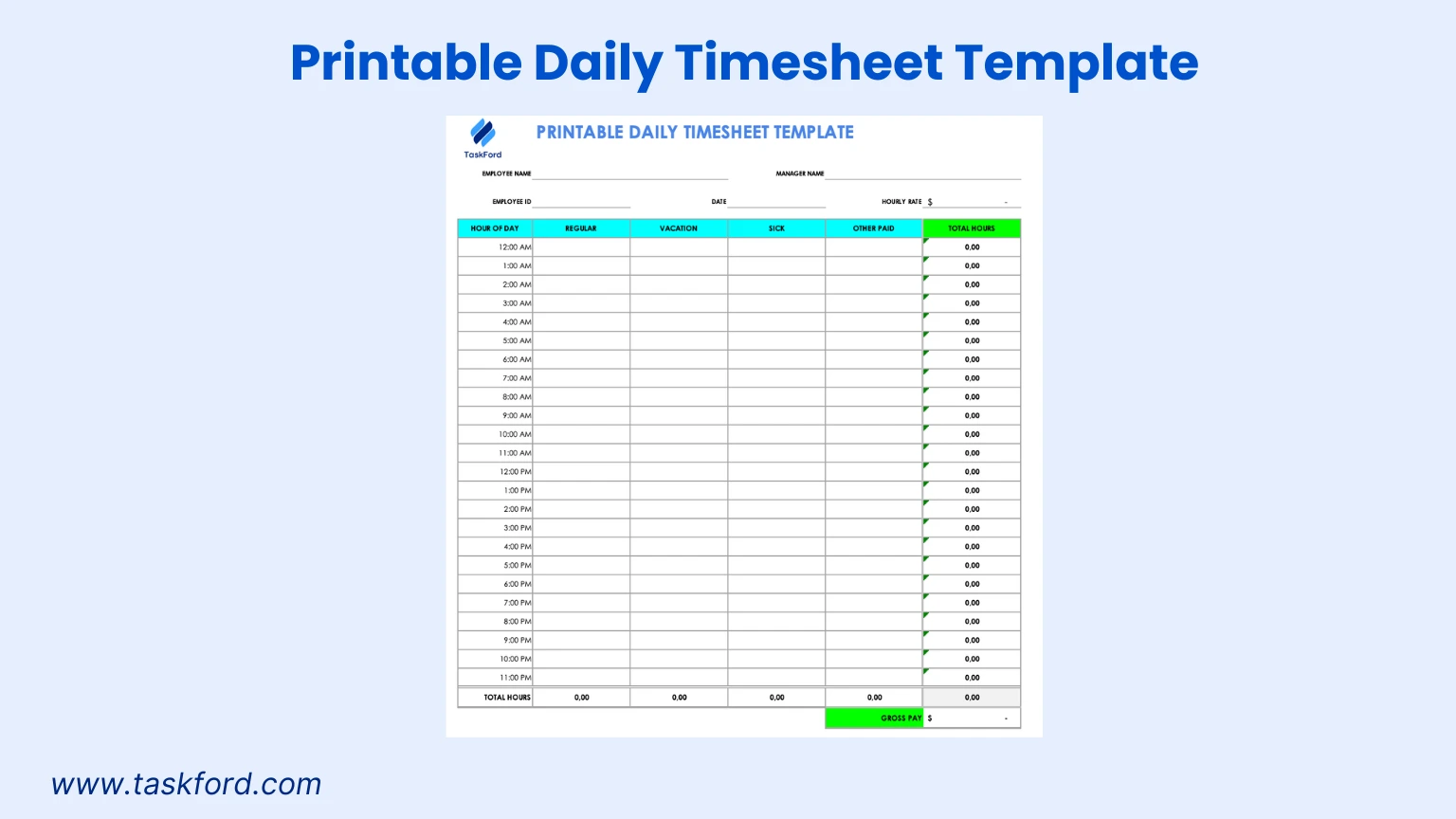
1. Simple Daily Timesheet Template for Basic Hour Tracking
Overview
The simple daily timesheet template in Excel is designed for basic time tracking, ideal for small businesses and field workers needing a straightforward approach. This timesheet printable focuses on logging daily hours with minimal fields, making it perfect for printing and manual completion or digital editing in Excel.
Best For
- Small businesses with minimal tracking needs.
- Field workers in low-tech environments, like construction or landscaping.
- Individuals managing personal or side project hours.
Key Features
- Basic Layout: Columns for date, start time, end time, and total hours worked.
- Total Hours Field: Automatically calculates daily hours in Excel.
- Printable Excel Format: Easily printed for manual use or editable for digital tracking.
- Minimalist Design: Simple structure for quick completion without task descriptions.
How to Use It
Employees enter the date, start time, and end time for their work shift in Excel (e.g., “8:00 AM to 4:00 PM”). The template auto-calculates total hours, which can be printed for manual recording on site, ideal for construction workers needing a portable timesheet printable. Save the file digitally for record-keeping or print for paper-based tracking.
Time Management Tip
Review total hours weekly to ensure efficient time allocation. If a small business team spends excessive hours on non-core activities, consider delegating tasks to boost productivity. The template’s simplicity, whether printed or in Excel, supports quick analysis of time usage.
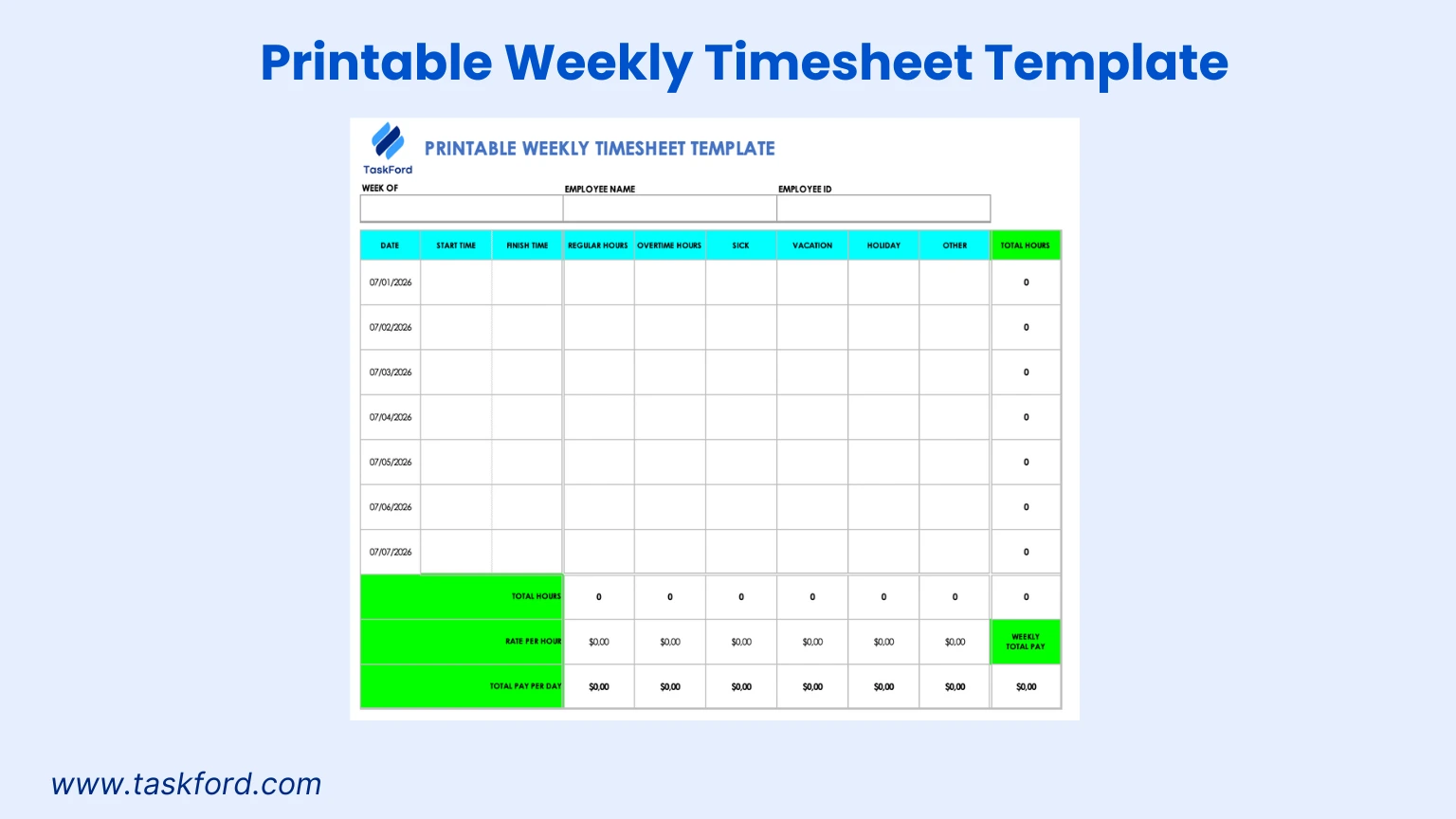
2. Weekly Timesheet Template with Break Tracking
Overview
The weekly timesheet template with break tracking in Excel is tailored for teams that need to monitor work hours alongside break times. This timesheet printable provides a grid for logging daily hours across a week, with fields for breaks, ensuring accurate payroll calculations.
Best For
- Retail or hospitality teams with shift-based schedules.
- Construction teams tracking hours across multiple job sites.
- Remote workers managing flexible hours across time zones.
Key Features
- Weekly Grid: Covers Monday through Sunday with columns for start time, end time, break duration, and total hours.
- Break Tracking: Fields to record unpaid breaks for precise payroll calculations.
- Total Hours Summary: Auto-calculates daily and weekly totals in Excel.
- Printable Excel Format: Easily printed for manual entry or editable for automation.
How to Use It
Enter the week’s date range and employee details in Excel. Log start and end times for each workday, subtracting break durations to calculate net hours (e.g., “9:00 AM to 5:00 PM, 30 min break”). Construction teams can log hours per site. Print the Excel file for manual use or edit digitally for automated calculations.
Time Management Tip
Analyze break and work hour data to optimize schedules. If a retail team takes extended breaks, adjust shift lengths to maintain productivity. The break tracking feature, visible when printed or in Excel, helps identify patterns for better time management.
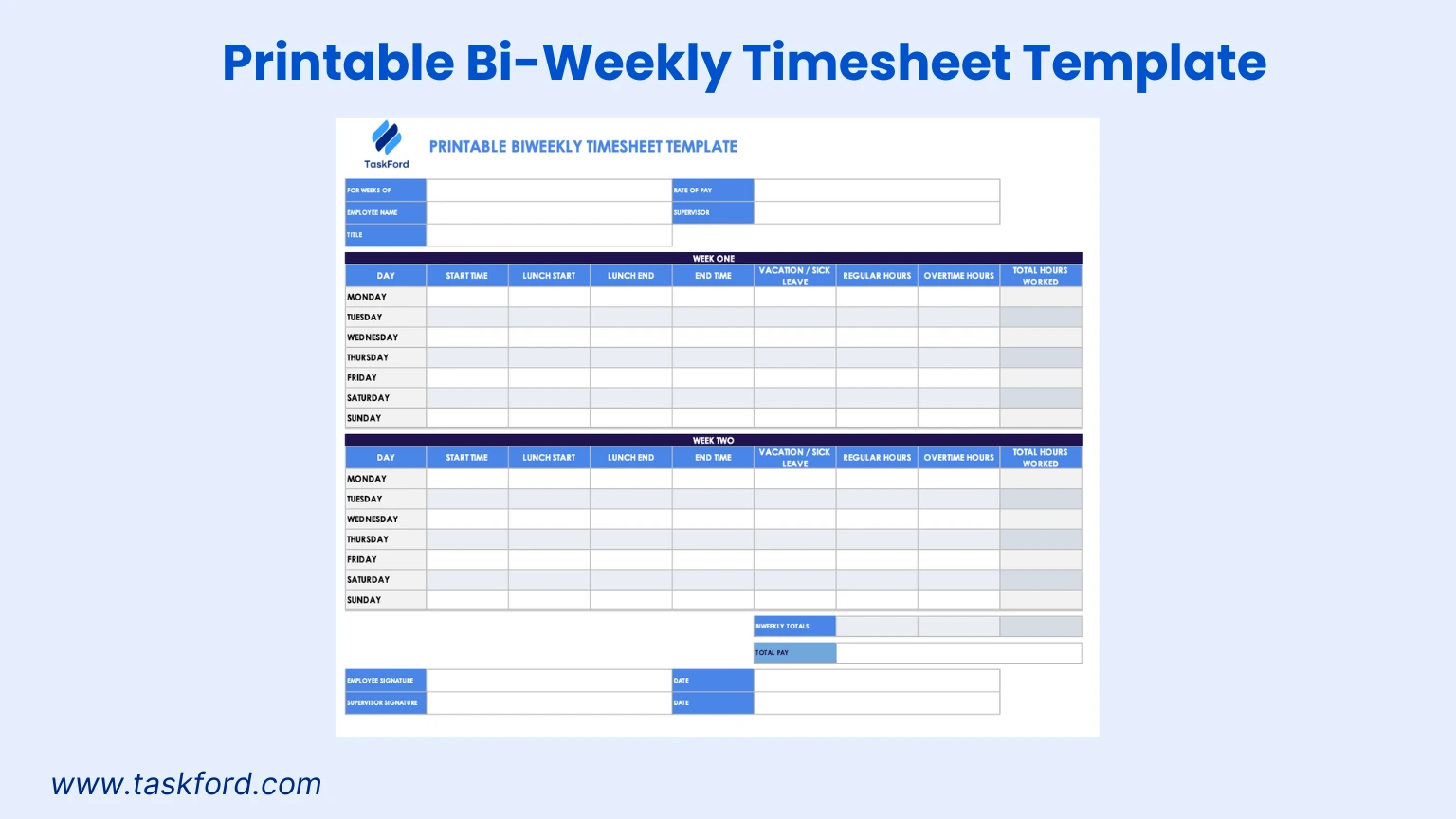
3. Bi-Weekly Timesheet Template with Overtime
Overview
The bi-weekly timesheet template with overtime tracking in Excel aligns with bi-weekly pay cycles, focusing on regular and overtime hours. This timesheet printable simplifies payroll processing and ensures compliance with labor regulations for businesses with mixed staffing models.
Best For
- Corporate offices with salaried and hourly employees.
- Small businesses managing part-time or contract workers.
- Nonprofits tracking volunteer and paid staff hours.
Key Features
- Two Week Layout: Covers 14 days with fields for regular and overtime hours.
- Overtime Tracking: Dedicated columns for overtime to meet compliance requirements.
- Supervisor Approval: Space for manager sign-off to verify accuracy.
- Printable Excel Format: Easily printed for manual use or editable for digital records.
How to Use It
Employees log daily hours in Excel, separating regular and overtime work, and include details like department or pay period. The template auto-calculates totals at the end of the two-week period. Print for supervisor review or manual entry, ideal for small businesses needing a clear payroll record.
Time Management Tip
Monitor overtime hours to detect workload imbalances. If a corporate team consistently logs overtime, reassess project deadlines or staffing needs. The overtime fields, accessible in Excel or on printed copies, support these decisions, improving time management.
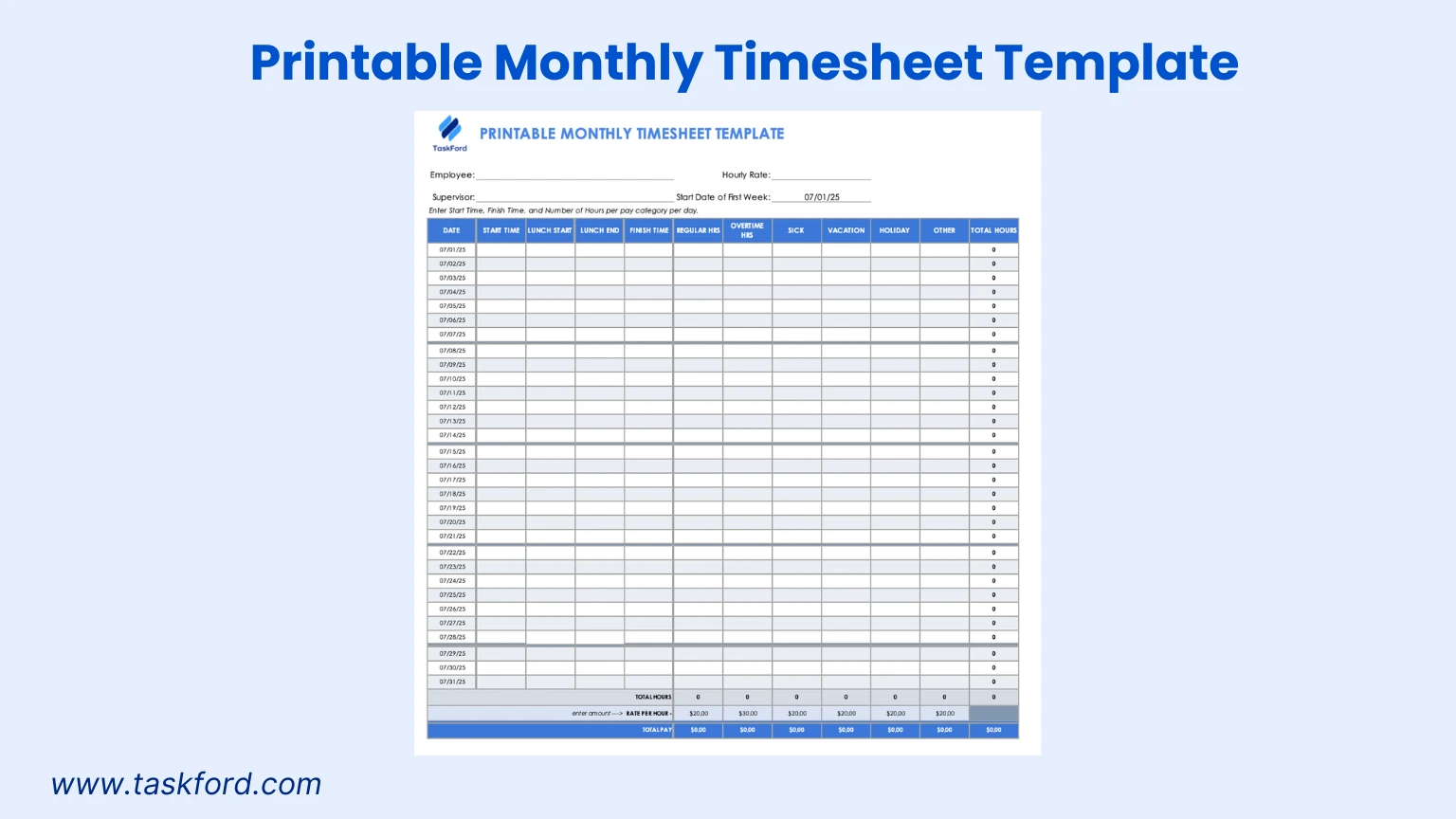
4. Monthly Timesheet Template
Overview
The monthly employee timesheet template in Excel is designed for tracking hours over an entire month, ideal for long-term projects or monthly pay cycles. This timesheet printable consolidates data for comprehensive time management and project planning.
Best For
- Project managers overseeing large-scale projects.
- Freelancers tracking monthly billable hours for multiple clients.
- Volunteers logging hours for nonprofit initiatives.
Key Features
- Monthly Grid: Covers all days in a month with columns for date, start time, end time, and total hours.
- Total Hours Summary: Auto-calculates monthly totals in Excel.
- Supervisor Field: Space to have approval from supervisor.
- Printable Excel Format: Easily printed for manual use or editable for digital tracking.
How to Use It
Enter the month and employee details in Excel. Log daily hours under specific categories. The template auto-summarizes monthly hours, perfect for project managers assessing task allocation or freelancers preparing invoices. Print for manual tracking or save digitally.
Time Management Tip
Review monthly totals to identify inefficiencies. If a freelancer spends 40 percent of their time on a low-paying client, they can renegotiate terms or prioritize higher-value work. The template’s long-term view, whether printed or in Excel, supports strategic time management.
5. Multiple Employee Timesheet Template
Overview
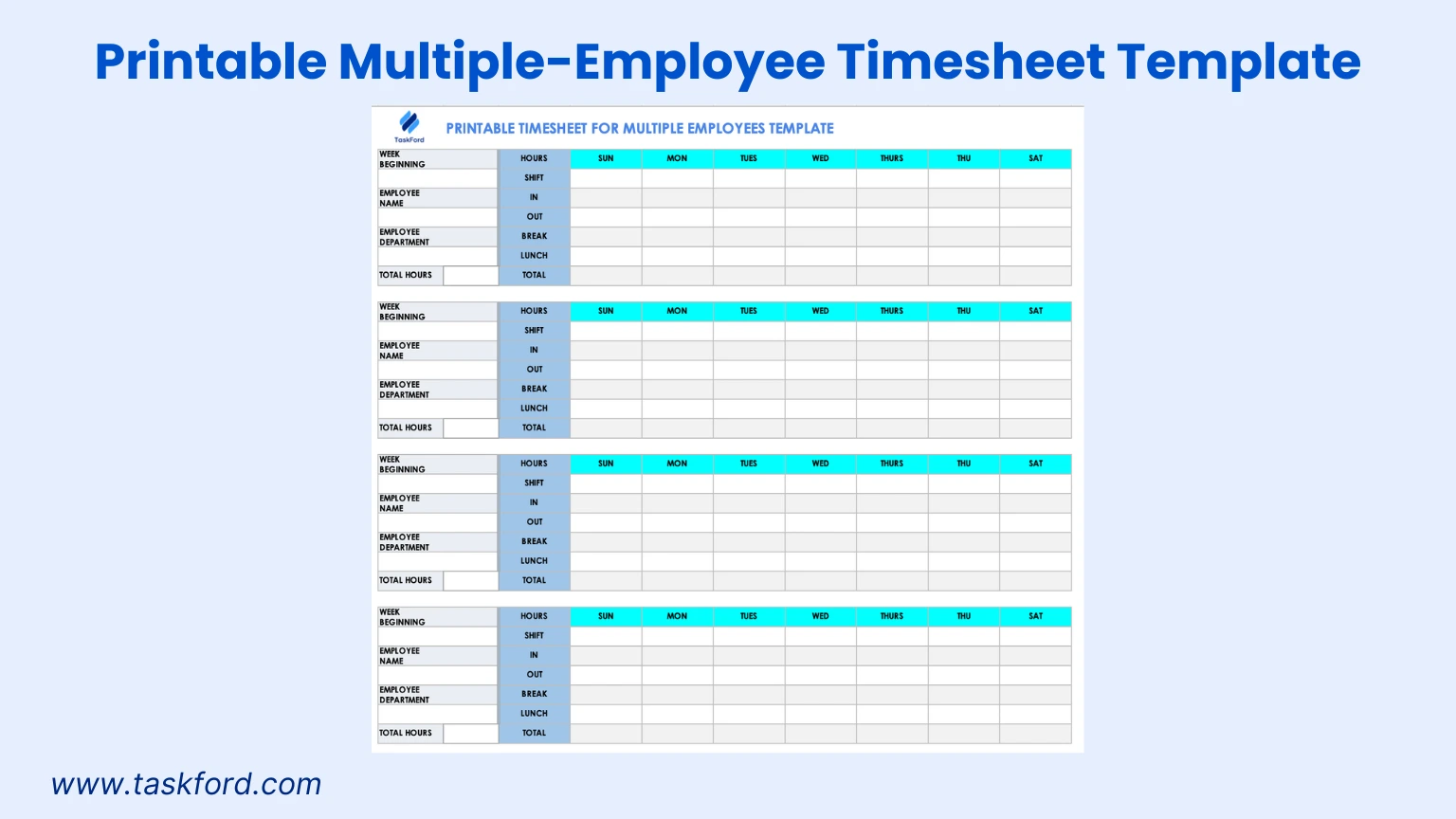
The multiple employee timesheet template in Excel is tailored for tracking hours and shifts for multiple employees across a week. This timesheet printable allows managers to monitor team schedules and productivity, making it ideal for businesses with diverse workforces.
Best For
- Small businesses managing multiple employees in different departments.
- Construction teams overseeing crews across job sites.
- Retail or hospitality teams with varied shift patterns.
Key Features
- Weekly Grid: Covers seven days with columns for employee names, start time, end time, break duration, lunch times, and total hours.
- Multi-Employee Tracking: Space to log hours for multiple employees in one template.
- Total Hours Summary: Auto-calculates daily and weekly totals per employee in Excel.
- Printable Excel Format: Easily printed for manual use or editable for digital tracking.
How to Use It
Enter the week’s date range and list employee names in Excel. Each employee logs their start and end times, breaks, and lunch durations (e.g., “John: 8:00 AM to 4:00 PM, 30 min lunch”). The template auto-calculates totals per employee, aiding managers in payroll and scheduling. Print for manual tracking or edit digitally for team oversight.
Time Management Tip
Use the multi-employee view to balance workloads. If a construction crew shows uneven hours, adjust assignments to ensure fair distribution. The template’s consolidated format, whether printed or in Excel, supports efficient schedule management.
Tips for Effective Time Tracking with Printable Excel Timesheets
- Set Clear Guidelines: Ensure employees know how to complete timesheets, including department or overtime details.
- Review Regularly: Managers should check timesheets weekly or monthly to identify trends.
- Leverage Excel Features: Use Excel’s formulas for automated calculations and data visualization.
- Train Your Team: Provide brief training for consistent completion, especially for field workers.
- Combine with Project Management Software: TaskFord is an integrated work delivery platform that has robust time management features. Combining the template data with TaskFord ensures a smooth and accurate time tracking and resource management.
TaskFord’s Time Tracking and Timesheet Management
While printable timesheet templates are useful for basic tracking, managing time manually can become difficult as teams grow. TaskFord simplifies this process by providing built-in tools for tracking and validating work hours, helping teams maintain accuracy and consistency without relying solely on spreadsheets.
Time Tracking with Stopwatch and Manual Timesheets
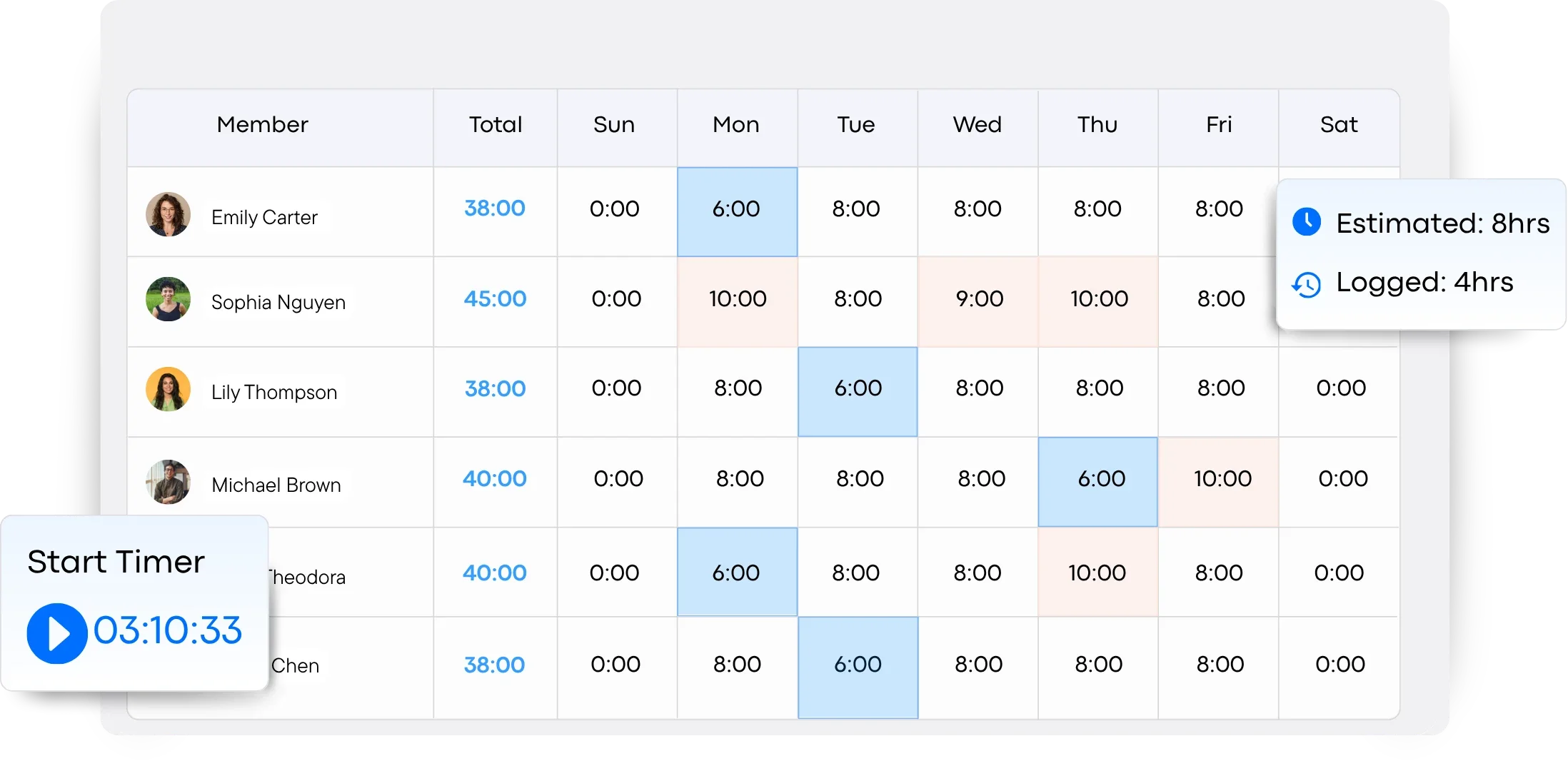
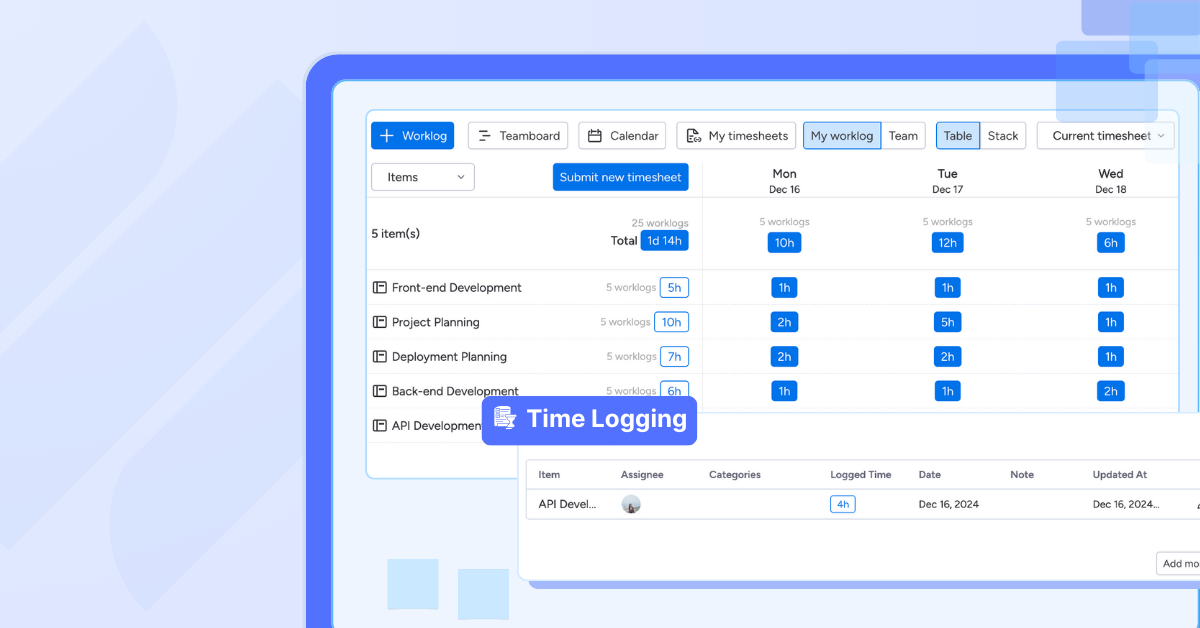
TaskFord allows teams to track time in the way that suits their workflow. Users can start a stopwatch to record time in real time while working on tasks, or log hours manually through timesheets after the work is completed. This flexibility ensures accurate tracking for both field teams and office environments.
Timesheet Approvals for Accuracy
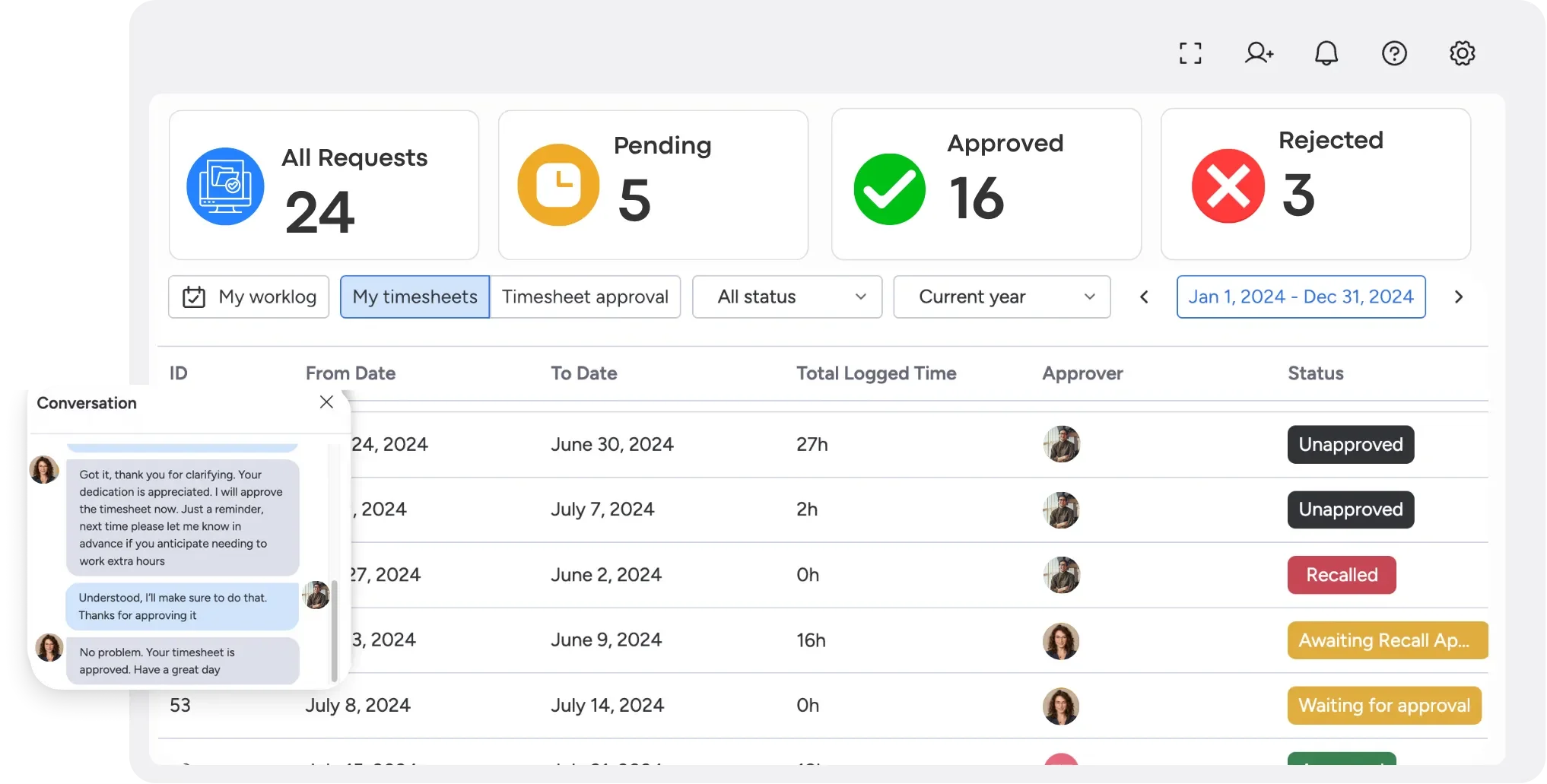
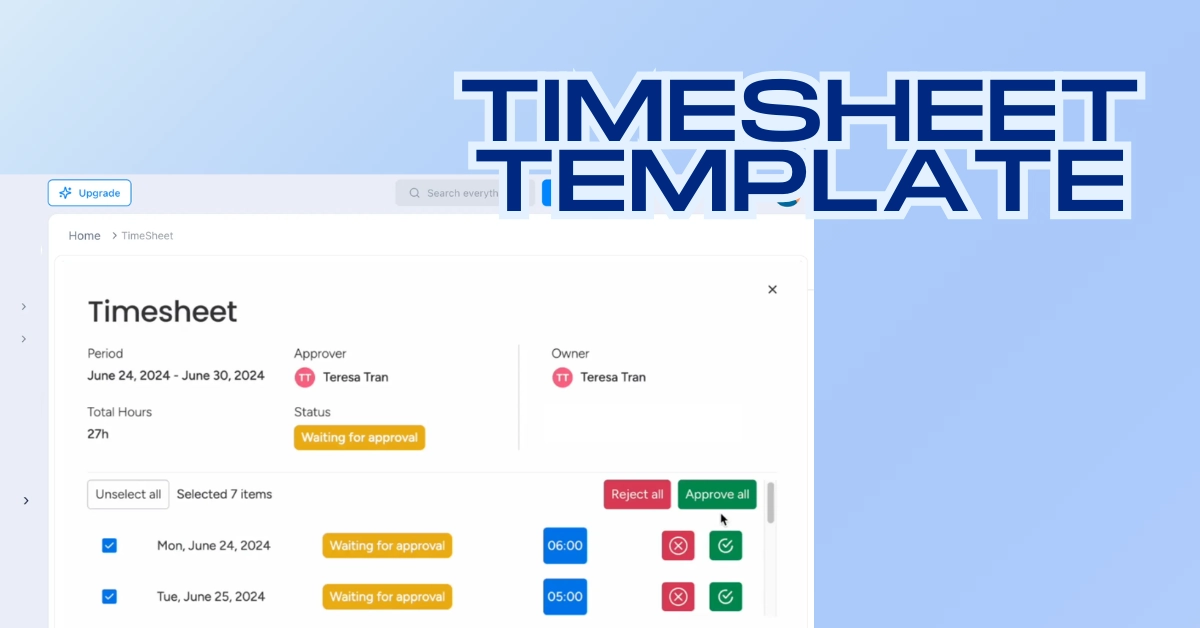
TaskFord includes a built-in approval system where managers can review and approve submitted timesheets. This helps ensure all logged hours are accurate and verified before being used for payroll, reporting, or project analysis.
Conclusion
Printable timesheet templates in Excel are a powerful tool for small businesses, field workers, and teams aiming to enhance time management and productivity. From simple daily tracking to multi-employee scheduling, these five free templates offer tailored solutions for accurate hour tracking.
Download a timesheet printable in Excel today and combine it with TaskFord to take control of your team’s time management.
Learn more
- How to Fill Out a Weekly Timesheet [+ Free Template Download]
- Why Timesheet Software for Small Businesses Is A Must
- Best Employee Time Tracking Apps in 2026
Frequently Asked Questions
What is a printable timesheet template?
A printable timesheet template is a pre-formatted document, typically created in Excel, that allows employees to record their work hours manually or digitally. It helps businesses track attendance, calculate payroll, monitor productivity, and maintain accurate time records while offering the flexibility to print the template whenever needed.
Which timesheet template should I use?
The right template depends on your workflow and payroll schedule. Daily templates are ideal for basic hour tracking, weekly and bi-weekly templates work well for regular payroll cycles, monthly templates support long-term reporting, and multiple employee templates help managers oversee schedules and hours for an entire team.
Can I customize these Excel timesheet templates?
Yes. Since the templates are built in Excel, you can easily customize them by adding company branding, project names, overtime calculations, break tracking, employee IDs, job codes, or any other fields that match your business requirements.
Are printable timesheets suitable for payroll processing?
Yes. Printable timesheets provide a reliable record of employee work hours, making them useful for calculating regular hours, overtime, and breaks. When completed accurately and reviewed by managers, they can support payroll processing while helping businesses maintain compliance with labor regulations.
When should I switch from printable timesheets to time tracking software?
Printable timesheets are an excellent solution for small teams and straightforward time tracking, but as your business grows, dedicated software can automate time tracking, approvals, reporting, and resource management. If your team manages multiple projects or spends too much time handling spreadsheets, it may be time to move to a solution like TaskFord.
















































![How to Fill Out a Weekly Timesheet [+ Free Template Download]](/marketing/blog/weekly-timesheet-thumbnails.webp)









Subscribe for Expert Tips
Unlock expert insights and stay ahead with TaskFord. Sign up now to receive valuable tips, strategies, and updates directly in your inbox.