Proper Time Tracking on Tasks Project Management Lead Better Results
Boost your project success with time tracking on tasks project management. Discover essential tips to enhance productivity and ensure accurate billing.
Time is one of the most valuable resources in any project, yet many teams struggle to understand exactly where it goes. Without clear visibility into how time is spent, projects can suffer from missed deadlines, budget overruns, uneven workloads, and inefficient resource allocation. This is where time tracking on tasks project management becomes essential, helping teams gain a clearer understanding of task effort, project progress, and overall productivity.
By tracking time against specific tasks, organizations can identify bottlenecks, improve accountability, allocate resources more effectively, and make more accurate forecasts. In this article, we’ll explore the importance of time tracking in project management, best practices for implementation, common pitfalls to avoid, and how the right tools can help teams work more efficiently and achieve better project outcomes.
What Is Time Tracking on Tasks Project Management?
Time tracking on tasks project management is the process of recording and monitoring the time spent on tasks, projects, and work activities. It helps teams understand how work hours are allocated, measure productivity, track project progress, and manage resources more effectively.
By collecting accurate time data, organizations can improve planning, budgeting, forecasting, and overall project performance.
Why Time Tracking on Tasks Project Management Matters
Time tracking is not just about recording hours worked. It provides valuable time management insights that help teams deliver projects more efficiently, stay within budget, and make better decisions. By understanding how time is spent across tasks and projects, organizations can improve productivity while maintaining transparency and accountability.
- Improves visibility and accountability. Tracking time against specific tasks creates a clear record of work completed, making it easier to monitor progress, balance workloads, and ensure responsibilities are clearly defined.
- Supports better budget management. Accurate time data helps teams understand the true cost of work, prevent budget overruns, and ensure labor expenses remain aligned with project goals.
- Enhances resource allocation. Managers can identify overloaded team members, redistribute work more effectively, and ensure resources are being utilized efficiently.
- Improves forecasting and project planning. Historical time records provide valuable benchmarks for estimating future tasks, setting realistic deadlines, and creating more accurate project plans.
- Identifies productivity bottlenecks. Time tracking reveals where delays occur, helping teams uncover inefficient processes and make data-driven improvements.
- Encourages continuous improvement. Regular analysis of time data helps organizations refine workflows, improve operational efficiency, and achieve better project outcomes over time.
Best Practices for Time Tracking on Tasks Project Management
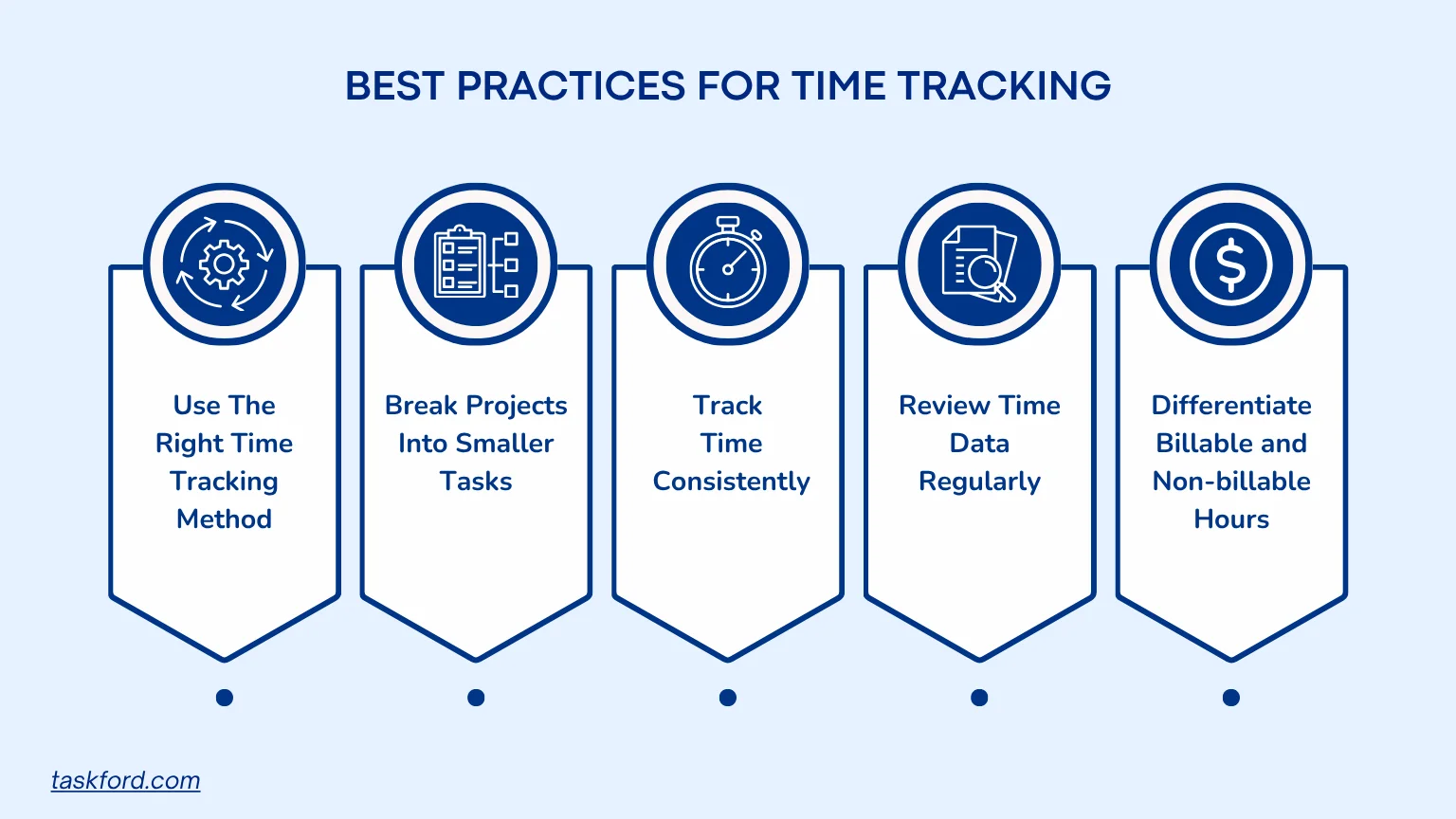
Effective time tracking is more than simply recording hours worked. Following the right practices helps teams improve accuracy, gain meaningful insights, and make better project management decisions.
1. Use the Right Time Tracking Method
Different teams track time differently. Some prefer using a stopwatch timer that runs while work is being completed, while others rely on worklogs to manually record hours after a task is finished. The best approach depends on your workflow, but consistency is more important than the method itself.
- Use a stopwatch timer for real-time accuracy and detailed activity tracking.
- Use worklogs when tasks are completed in batches or when employees need flexibility in recording time.
- Ensure all team members follow the same tracking process to maintain data consistency.
2. Break Projects into Smaller Tasks
Tracking time at the project level often provides limited insight. Large projects can contain dozens of activities, making it difficult to identify where delays occur or where resources are being overused.
By dividing projects into smaller, clearly defined tasks, teams can measure effort more accurately and gain a better understanding of project performance. This also makes it easier to estimate similar work in the future and identify bottlenecks before they impact deadlines.
3. Track Time Consistently
Even the best time tracking system loses value if entries are incomplete or delayed. Teams should develop a habit of recording time as work happens or immediately after a task is completed.
Consistent tracking helps create reliable historical data, which can later be used for budgeting, forecasting, and workload planning. It also reduces the risk of forgotten hours and inaccurate timesheets.
4. Review Time Data Regularly
Time tracking should not be treated as a reporting exercise alone. The data collected can reveal trends that help managers improve workflows, optimize resources, and increase project efficiency.
Regular reviews can help teams:
- Compare estimated hours against actual hours spent.
- Identify recurring delays or bottlenecks.
- Monitor team workload distribution.
- Improve future project planning and scheduling.
5. Differentiate Billable and Non-Billable Time
For agencies, consultants, and service-based businesses, separating billable and non-billable work is essential. Not every hour contributes directly to revenue, and understanding this distinction helps organizations evaluate profitability more accurately.
- Billable time refers to hours that can be charged directly to a client or project, such as client meetings, project planning, design work, development, consulting, or other deliverables.
- Non-billable time includes activities that support the business but cannot be invoiced to clients, such as internal meetings, administrative work, training, employee onboarding, and business development.
Tracking both categories separately helps teams:
- Improve billing accuracy and client transparency.
- Measure project profitability more effectively.
- Identify administrative activities that consume excessive time.
- Make better decisions about resource allocation and workload planning.
Common Pitfalls and How to Avoid Them
Even with the right tools, poor time tracking habits can lead to inaccurate data and missed insights. Here are some common mistakes teams should avoid:
- Treating Time Tracking as Employee Surveillance: Position time tracking as a tool for planning, productivity, and resource management rather than employee monitoring.
- Inconsistent Time Entries: Encourage team members to log time in real time or update worklogs immediately after completing tasks.
- Failing to Review Time Data: Regularly analyze time reports to identify bottlenecks, improve estimates, and optimize workflows.
- Tracking Tasks That Are Too Broad: Break projects into smaller tasks to gain more accurate insights into effort and progress.
- Using Multiple Tracking Methods Without Standardization: Establish clear guidelines for using timers, worklogs, and timesheets across the team.
- Ignoring Billable and Non-Billable Time: Track both categories separately to improve billing accuracy and understand project profitability.
Using TaskFord for Time Tracking on Tasks Project Management
Among the many time tracking tools, TaskFord stands out for its intuitive interface and comprehensive approach to time tracking on tasks project management. Designed with both managers and team members in mind, TaskFord has a built-in Time Tracking feature that simplifies timesheets and automates reporting, so less effort is spent on administrative tasks. Instead, teams can direct their energy toward executing deliverables.
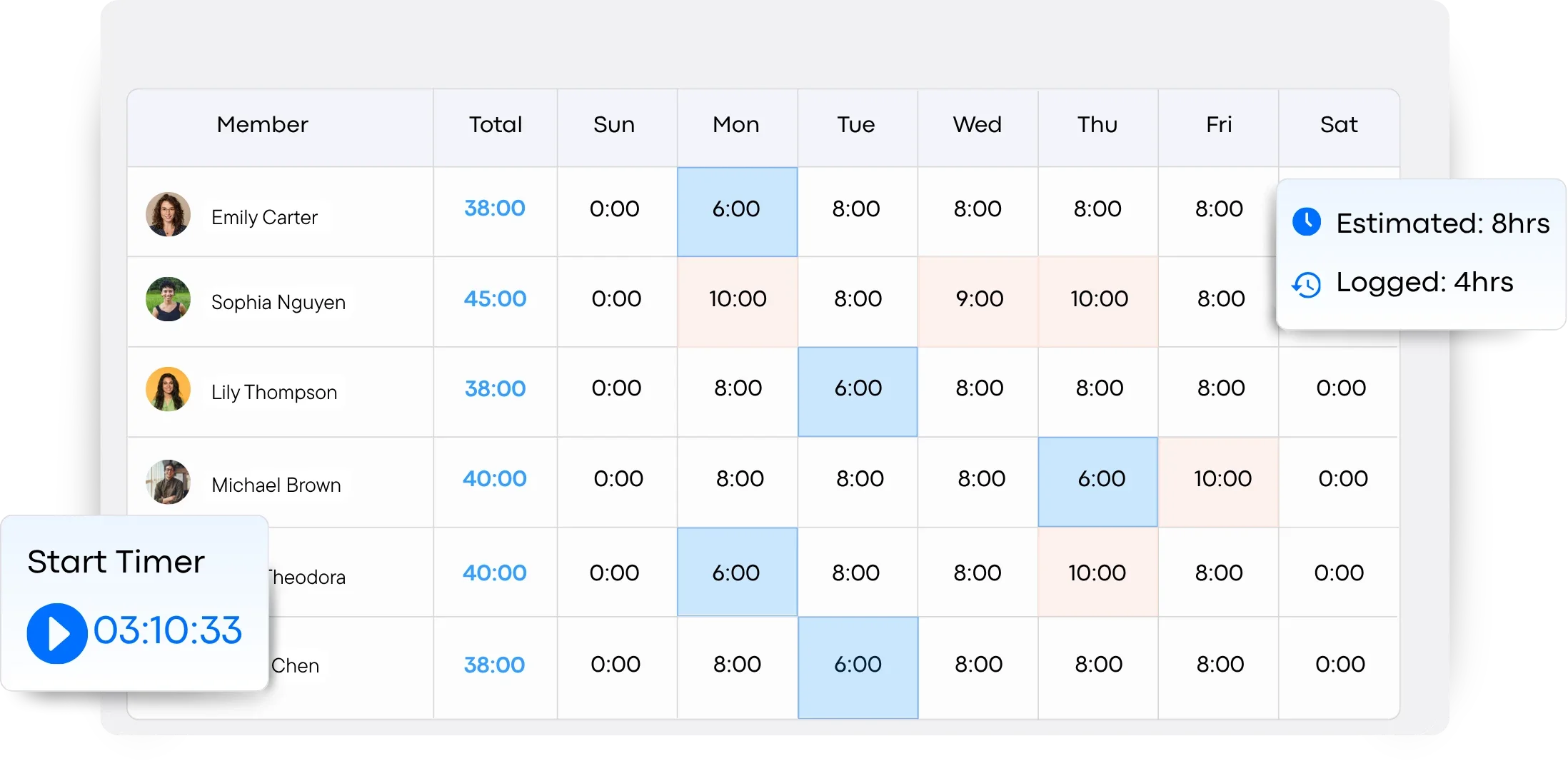
Key Features That Make a Difference
- Automatic Timers: TaskFord lets you start and stop timers seamlessly, ensuring you don’t lose track of short but important tasks while maintaining accurate time records.
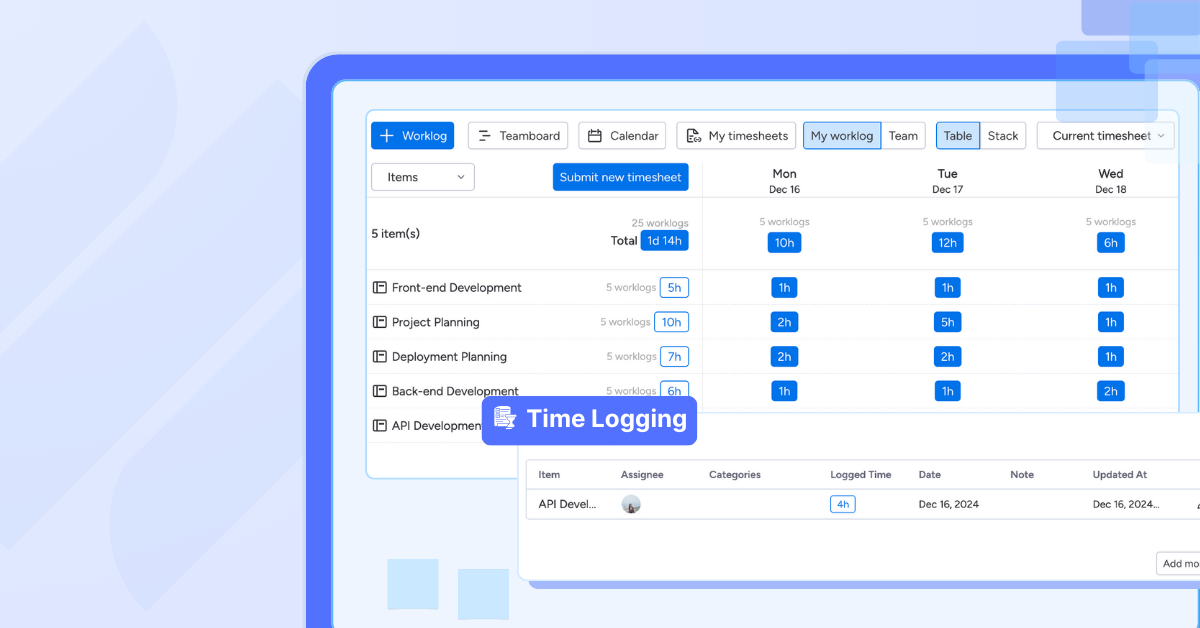
- Timesheets and Worklogs: Easily review, edit, and organize tracked hours through timesheets and worklogs, giving teams a clear record of time spent across tasks and projects.
- Detailed Reports: Generate insights that map tasks to actual time spent, helping identify productivity trends, resource utilization, and potential bottlenecks.
- Real-Time Dashboards: Monitor team activity, project progress, and logged hours across multiple projects from a centralized dashboard.
- Scalable for Any Team Size: Whether you’re a startup or a large enterprise, TaskFord adapts to your workflow and grows alongside your team.
- Timesheet Approvals: Streamline approval workflows by allowing managers to review and approve submitted timesheets, ensuring accuracy before reporting, payroll processing, or client billing.
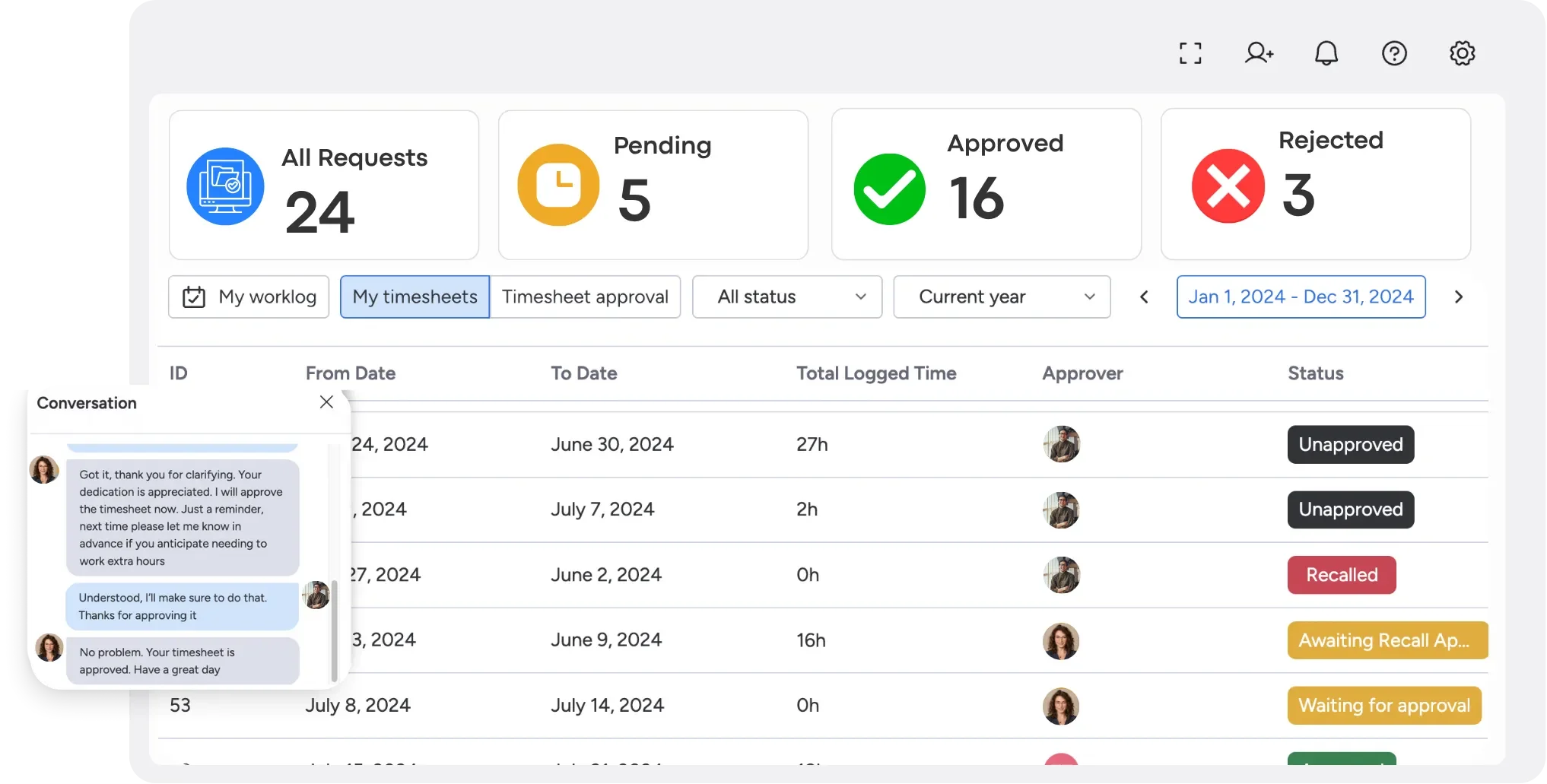
Timesheet vs. Stopwatch Time Tracking
When tracking time on tasks, teams typically use one of two methods: timesheets or stopwatch timers. Both approaches help record work hours, but they serve different workflows and use cases.
A stopwatch timer records time automatically while work is being performed, making it ideal for teams that need precise tracking. Timesheets, on the other hand, allow users to manually enter hours after work is completed, offering greater flexibility for those who prefer not to run a timer throughout the day.
| Feature | Timesheet | Stopwatch Timer |
|---|---|---|
| Tracking Method | Manual time entry | Real-time automatic tracking |
| Accuracy | Depends on user recall | Highly accurate |
| Ease of Use | Simple for retrospective logging | Requires starting and stopping a timer |
| Best For | Flexible schedules and administrative work | Detailed project and task tracking |
| Reporting Quality | Good | Excellent |
| Risk of Missing Time | Higher | Lower |
| Client Billing | Suitable | Ideal for precise billing and invoicing |
Both methods have their advantages:
- Timesheets are ideal for teams that prefer flexibility and want to log hours after completing their work.
- Stopwatch timers are better suited for teams that need precise tracking, detailed reporting, and accurate client billing.
- Many organizations use a combination of both methods to balance accuracy and convenience.
Final Thoughts
Time tracking on tasks project management is more than just a way to measure hours. It’s a proactive framework that boosts accountability, refines budget management, and enables strategic decision-making throughout a project’s lifecycle. By incorporating clear timesheets, leveraging the right software (such as TaskFord), and encouraging honest logging, organizations can pinpoint inefficiencies, better allocate resources, and ultimately see stronger results.
If you’re ready to empower your team with streamlined time tracking on tasks project management tools, try TaskFord today. Elevate your project outcomes, improve transparency, and drive productivity—one tracked minute at a time.













































![How to Fill Out a Weekly Timesheet [+ Free Template Download]](/marketing/blog/weekly-timesheet-thumbnails.webp)









Subscribe for Expert Tips
Unlock expert insights and stay ahead with TaskFord. Sign up now to receive valuable tips, strategies, and updates directly in your inbox.