What a Timelog App Can Tell You Through Its Data
Discover how a timelog app’s data can unlock valuable insights into your work habits, helping you improve time management, enhance focus, and boost productivity
Time is a resource we all wish we had more of. Whether you’re a freelancer juggling multiple clients, a project manager overseeing a team, or a small business owner trying to keep everything on track, understanding how your time is spent can make a huge difference. That’s where a timelog app comes in. It’s not just about tracking hours; it’s about uncovering insights that can transform how you manage your day, your team, and your projects.
In this blog, we’ll dive deep into the data a timelog app provides, how it can improve your time management, and why those insights are a game-changer for productivity. Let’s explore what a timelog app can tell you through its data and how you can use it to take control of your time.
What Is a Timelog?
A timelog is a tool or method for recording the time you spend on various tasks or activities. Think of it as a detailed diary of your day, capturing how long you spend on emails, meetings, or specific projects. It’s used by individuals to manage personal time or by businesses to track employee hours and monitor project progress. For example, logging how much time you spend on client calls versus administrative tasks can reveal where your hours are going and help you plan better.
For a deeper dive into what a timelog is and how it works, check out our blog What Is A Timelog?
Why Timelog Apps Are Essential for Time Management
Timelog apps go beyond simple time tracking. They collect data that paints a clear picture of your habits, productivity patterns, and potential inefficiencies. Unlike manual methods like spreadsheets or notebooks, a timelog app automates the process, giving you real-time insights and detailed reports. This data can help you make informed decisions about how to allocate your time, prioritize tasks, and improve overall efficiency. Here’s why a timelog app is a must-have for effective time management:
- Accuracy: Manual tracking is prone to errors, like forgetting to log a task or estimating time incorrectly. A timelog app records time as it happens, ensuring precision.
- Real-Time Insights: Apps like TaskFord provide dashboards that show how time is spent across tasks, projects, or team members, updated instantly.
- Accountability: For teams, tracking time fosters a sense of responsibility, reducing procrastination and keeping everyone focused.
- Historical Data: Over time, a timelog app builds a database of your work habits, which you can analyze to make better estimates for future tasks.
By using a timelog app, you’re not just logging hours; you’re gathering valuable data that can guide your time management strategy.
The Data a Timelog App Collects
A timelog app captures a variety of data points that provide a comprehensive view of how time is spent. Understanding what data is collected is the first step to leveraging it for better productivity. Here are the key types of data you’ll typically find:
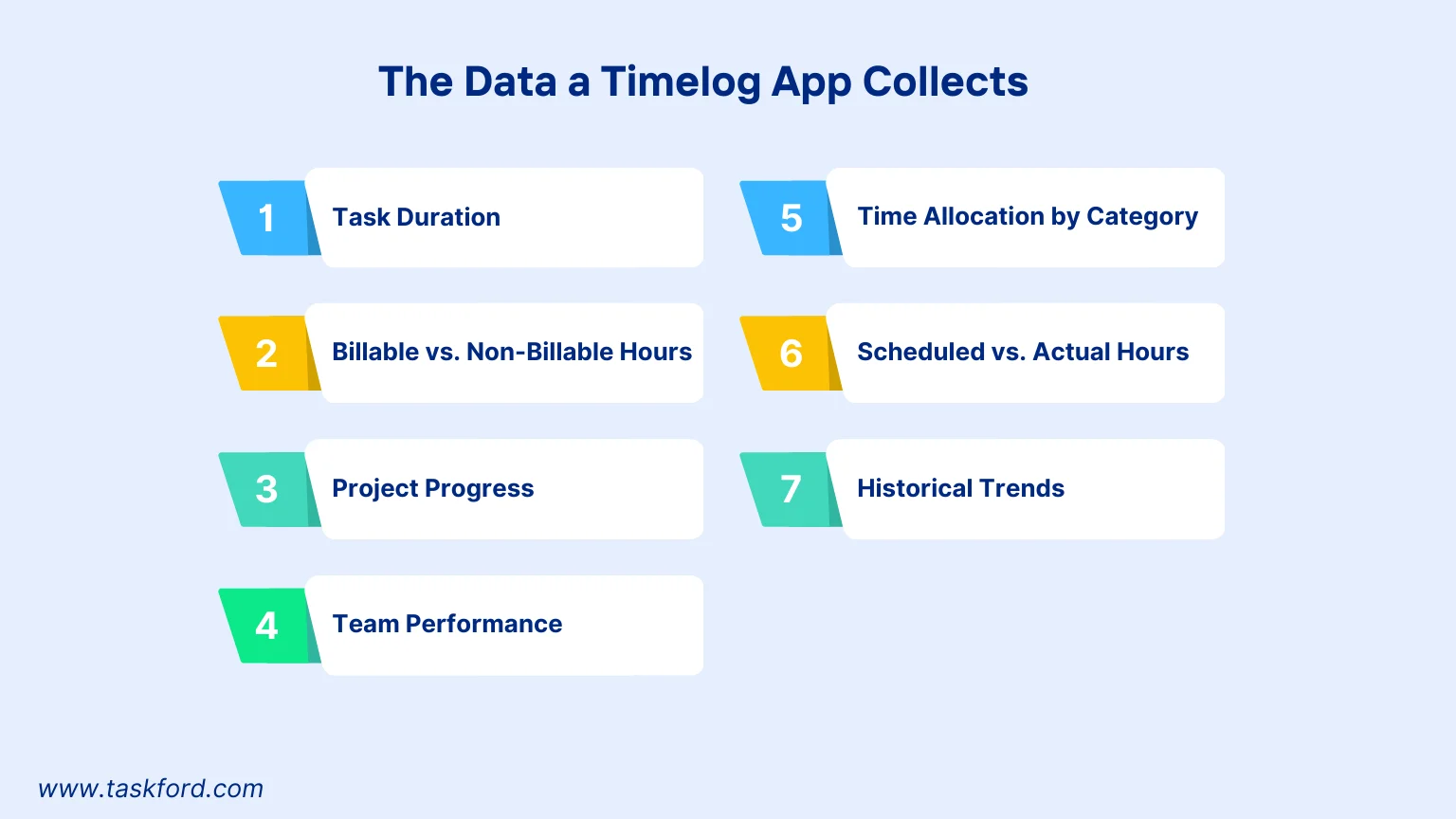
1. Task Duration
Tracking task duration isn’t just about knowing how long something takes, it’s about uncovering hidden inefficiencies. Over time, these numbers reveal whether deadlines are realistic or if recurring tasks need restructuring.
For instance, if writing reports consistently takes twice as long as estimated, you might need to simplify the process, delegate subtasks, or block out deep-focus time. Task duration data can also guide performance reviews and time estimates for future projects.
2. Billable vs. Non-Billable Hours
Understanding this split goes beyond invoicing accuracy. It exposes how much of your team’s time is actually generating value. If non-billable hours dominate, it may signal too many internal meetings or administrative tasks. By analyzing this data, managers can rebalance workloads, set clearer priorities, or even justify hiring support staff to free up billable time. Over time, this metric helps you align effort with revenue.
(Learn more: Mastering Billable Hours: Tips and Tricks for Accurate Tracking)
3. Project Progress
When time data is tied to specific projects, it turns into a powerful forecasting tool. You can see not only how much time has been spent, but also how that compares to the project timeline. This helps flag risks early, like a project that’s 70% through its hours but only 40% through deliverables. Managers can then reallocate resources or adjust scope before deadlines are missed. It’s data-driven project control in action.
4. Team Performance
Time logs reveal far more than individual productivity, they show how balanced your team’s workload is. If one person logs excessive hours while another logs few, it might indicate poor task distribution or lack of clarity in assignments.
Over time, this data supports fair performance evaluations, identifies training needs, and prevents burnout. For leaders, it’s a lens into both efficiency and team well-being.
5. Time Allocation by Category
Categorizing your time shows where your energy goes. You might discover that 40% of your week is spent on administrative tasks, leaving less room for creative or strategic work. That insight allows you to delegate, automate, or reprioritize. For teams, category-level data highlights how different roles contribute to the company’s goals and whether that alignment is healthy.
6. Scheduled vs. Actual Hours
This comparison exposes gaps between planning and reality. If certain tasks consistently overrun, the problem might be underestimated complexity, unclear requirements, or inefficient workflows.
By studying these gaps, managers can improve future estimates, leading to tighter schedules and less overwork. It’s also a vital metric for client-facing transparency, showing where and why extra hours were needed.
7. Historical Trends
Over time, your timelog data turns into a behavioral map. You’ll see recurring patterns like productivity slumps after lunch or bottlenecks before deadlines. This insight can inform better scheduling, improved workload balance, and even smarter hiring decisions. For freelancers or businesses, historical data helps forecast resource needs and refine pricing models based on actual effort rather than guesses.
This data can also be used for time-series forecasting, helping you predict future time demands, recurring workload spikes, or seasonal productivity changes.
Turning Timelog Data into Actionable Insights
The real power of a timelog app lies in transforming raw data into practical steps for better time management. Collecting data is just the start; analyzing it and acting on it can boost your productivity significantly. Here’s how to use timelog app data to make smarter decisions and optimize your time.
Spot Time-Wasting Activities
Ever wonder where your hours go? A timelog app reveals tasks that eat up more time than they should. For example, you might find you’re spending 10 hours a week on emails.
- Action: Batch emails into a one-hour daily session to free up time.
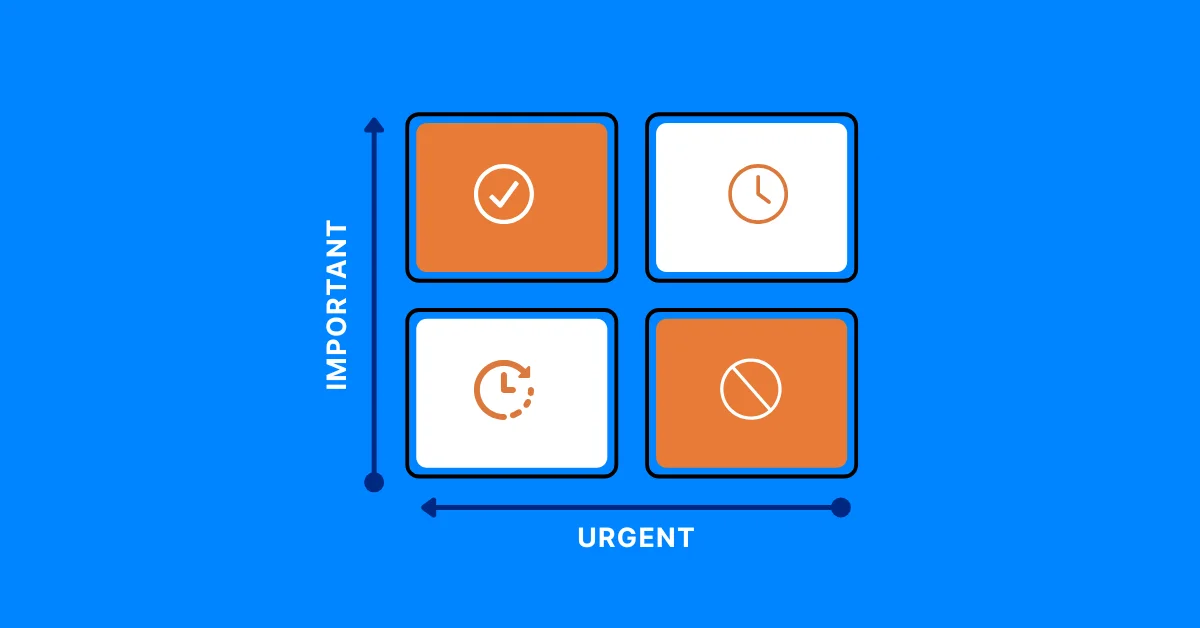
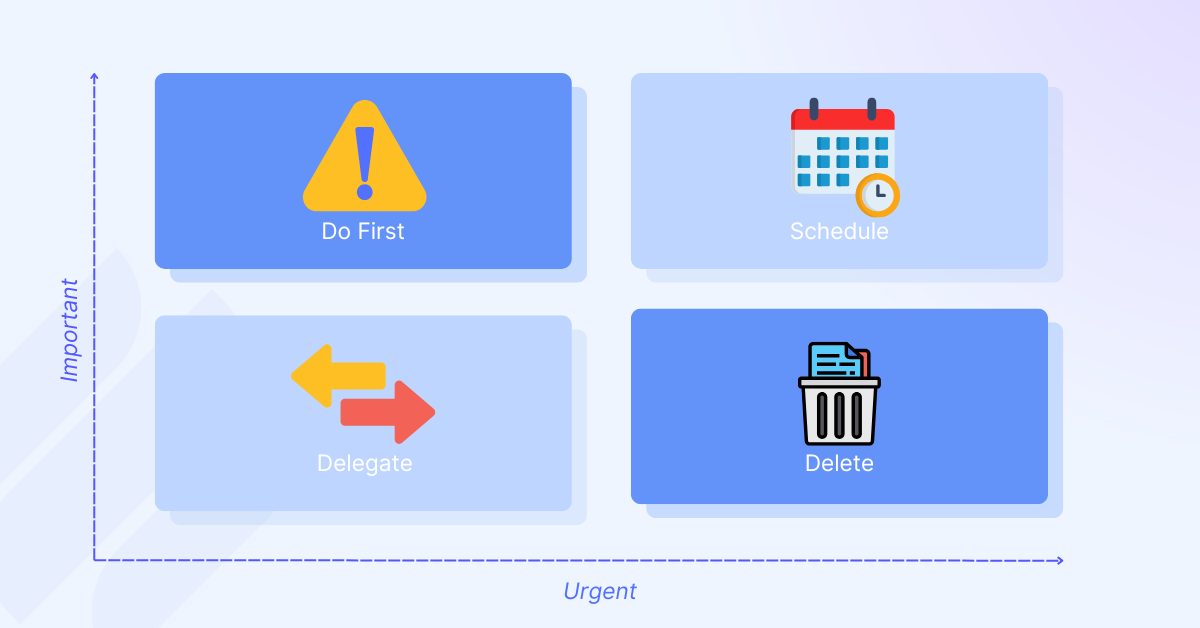
- Tool: Use the Eisenhower Matrix to prioritize tasks based on timelog data, focusing on what’s urgent and important.
This helps you cut low-value tasks and redirect time to high-impact work.
Improve Task Time Estimates
Misjudging task duration can lead to tight schedules or missed deadlines. A timelog app’s historical data shows how long tasks actually take. If client revisions consistently take two hours instead of one, you can plan better.
- Action: Use past data to set realistic deadlines.
- Benefit: Avoid stress and deliver work on time.
Accurate estimates lead to smoother project planning.
Balance Team Workloads

For managers, timelog data highlights uneven workloads. If one team member logs 20 hours on a project while another logs 5, it’s time to rebalance.
- Action: Redistribute tasks using TaskFord’s dashboards to visualize team time logs.
- Benefit: Prevent burnout and keep projects on track.
This fosters fairness and boosts team efficiency.
Enhance Client Billing Accuracy
Freelancers and agencies rely on precise billing. A timelog app separates billable from non-billable hours, ensuring accurate invoices.
- Action: Generate invoices based on timelog data.
- Benefit: Build client trust and ensure fair compensation.
This maximizes profitability without guesswork.
Optimize Productivity Patterns
Timelog data can reveal your peak productivity hours. For instance, you might work faster on creative tasks in the morning.
- Action: Schedule high-priority tasks during your most productive times.
- Benefit: Maximize output with less effort.
Aligning tasks with your natural rhythm enhances efficiency.
Refine Project Plans
Compare planned versus actual hours to spot tasks that overrun. Dashboards can highlight these gaps, helping you adjust future plans.
- Action: Break complex tasks into smaller chunks or allocate more time.
- Benefit: Keep projects on schedule and within budget.
This ensures realistic planning and better outcomes.
By acting on these insights, a timelog app becomes a powerful tool for mastering time management.
Practical Tips for Using a Timelog App Effectively
To get the most out of your timelog app, you need to use it consistently and strategically. Here are some tips to maximize its value:
- Set Up Clear Categories: Organize tasks into categories like “client work,” “meetings,” or “research.” This makes it easier to analyze how your time is distributed.
- Log Time Daily: Waiting until the end of the week to log time can lead to inaccuracies. Use a timelog app like TaskFord to record time as you go, ensuring precise data.
- Review Weekly Reports: Set aside time each week to review your timelog data. Look for patterns, like tasks that take too long or projects that are falling behind.
- Involve Your Team: If you’re managing a team, encourage everyone to use the timelog app consistently. This creates a unified dataset for analyzing team performance.
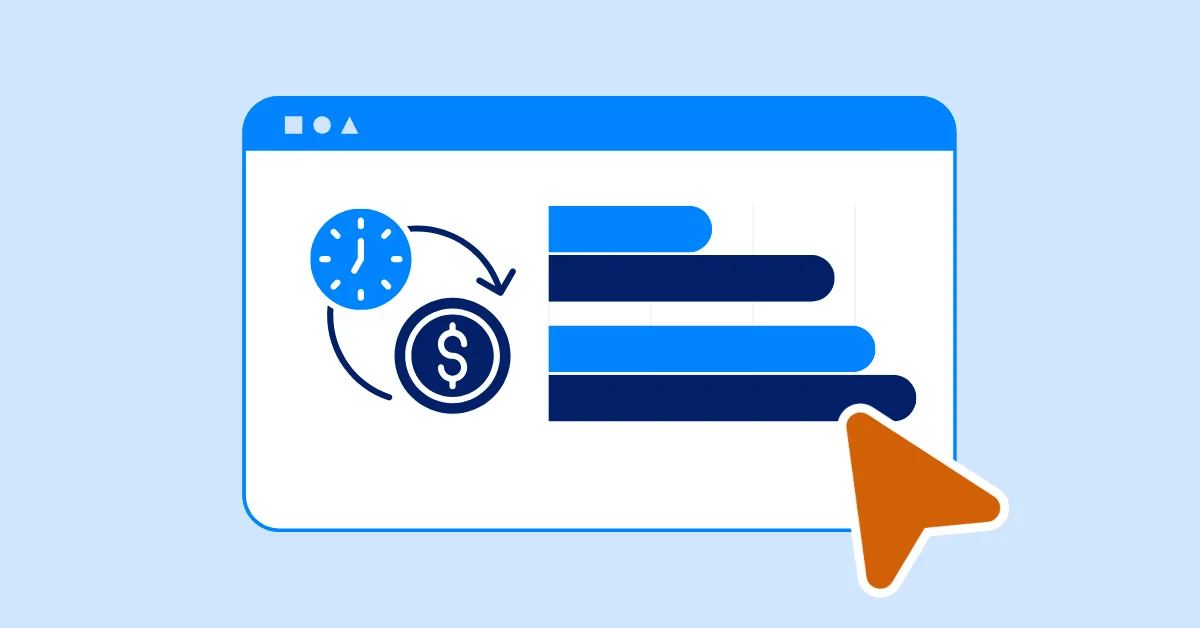
- Use Visual Tools: Apps like TaskFord offer dashboards and charts to visualize time data. Use these to spot trends quickly without digging through raw numbers.
- Act on Insights: Don’t just collect data, use it too. If you see you’re spending too much time on low-value tasks, delegate them or find ways to automate them.
How TaskFord’s Timelog App Stands Out
TaskFord is a comprehensive project management and resource planning platform that offers time management abilities designed to make time tracking simple and insightful. Its features are tailored to both individuals and teams, offering a robust platform for managing time and projects. Here’s what makes TaskFord unique:
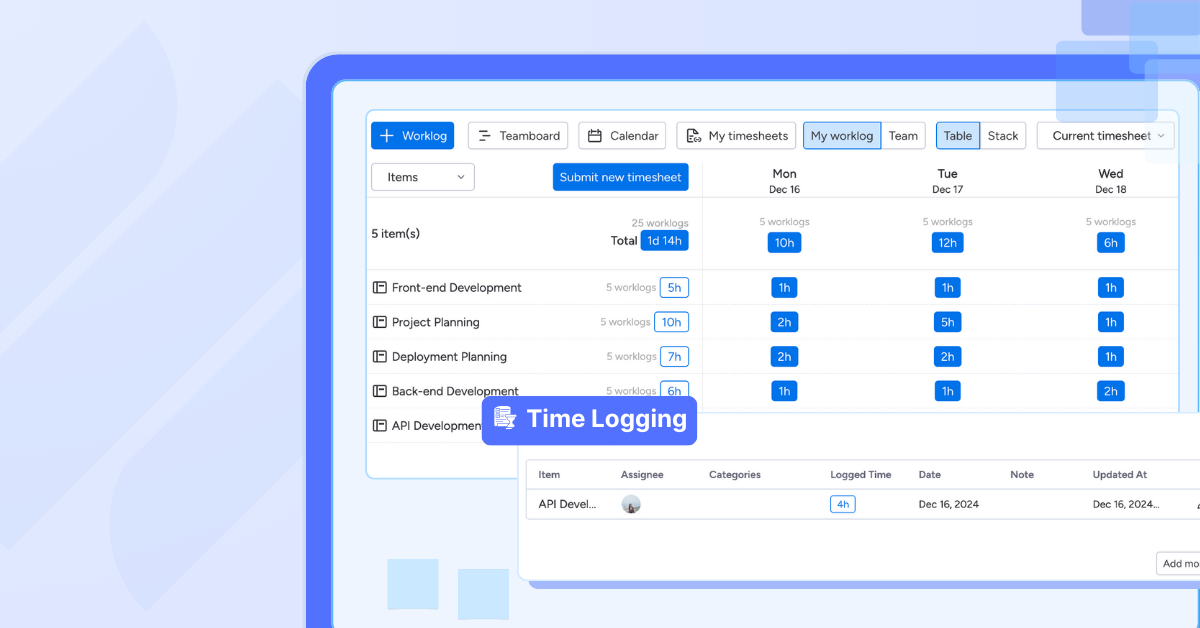
- Centralized Time Data: TaskFord’s timelog feature logs hours for tasks, events, and time off in a single table view, keeping all your data organized and accessible.
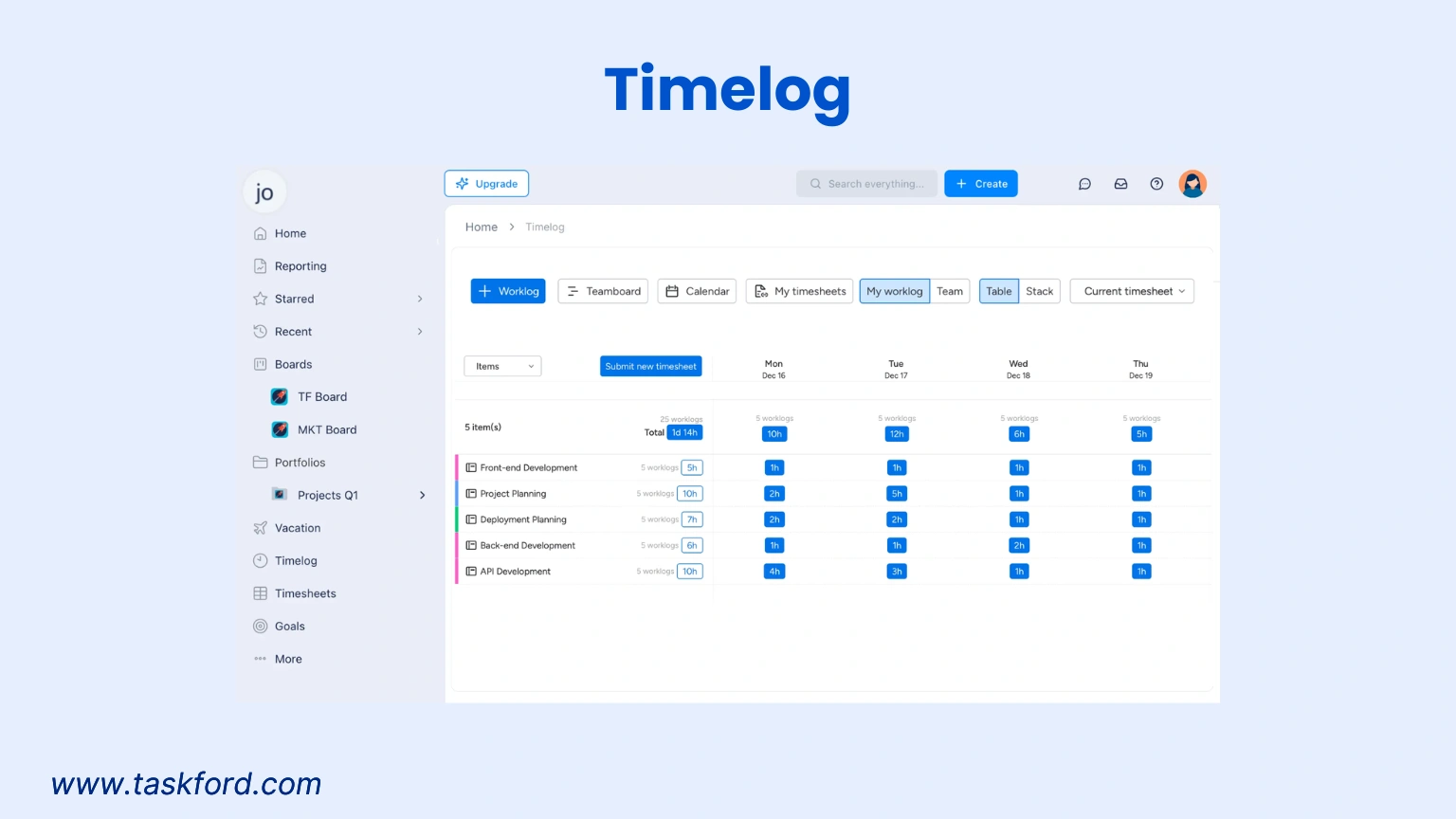
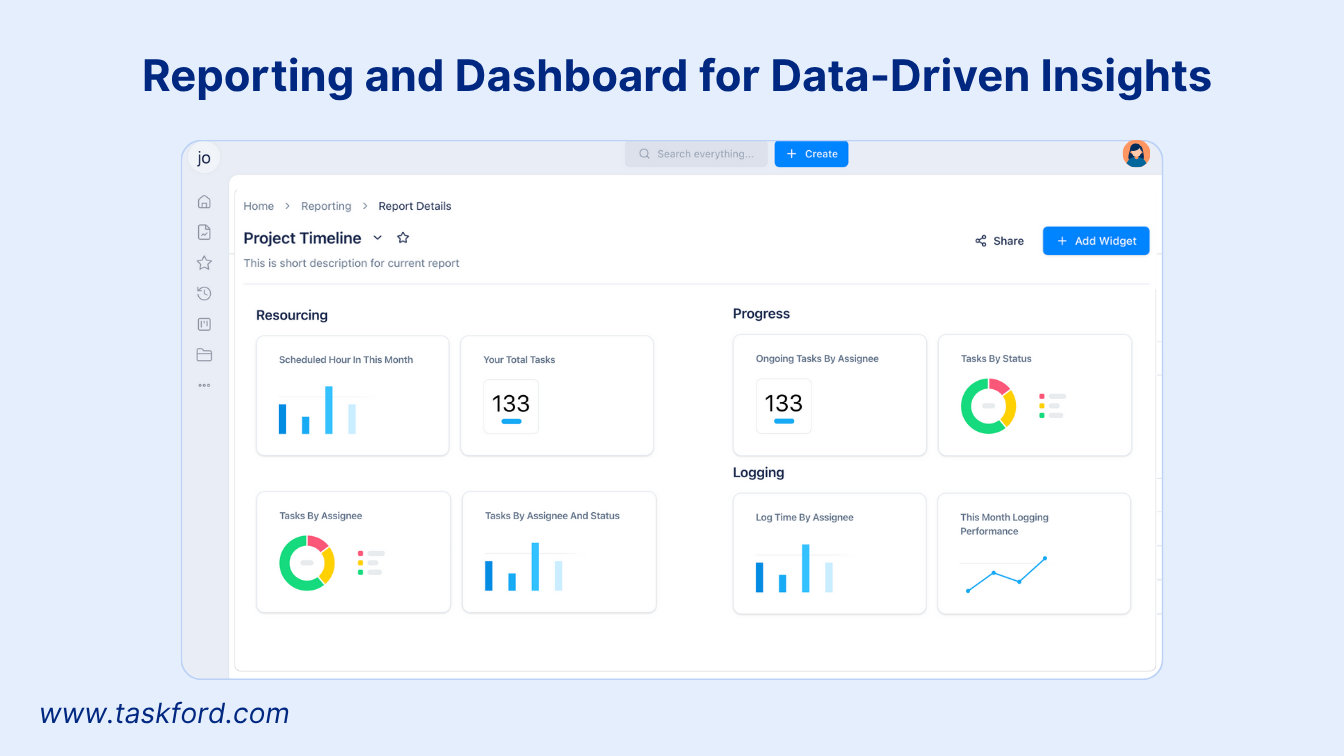
- Custom Dashboards: Build dashboards to track time by task, team, or project, giving you a clear overview of progress and inefficiencies.
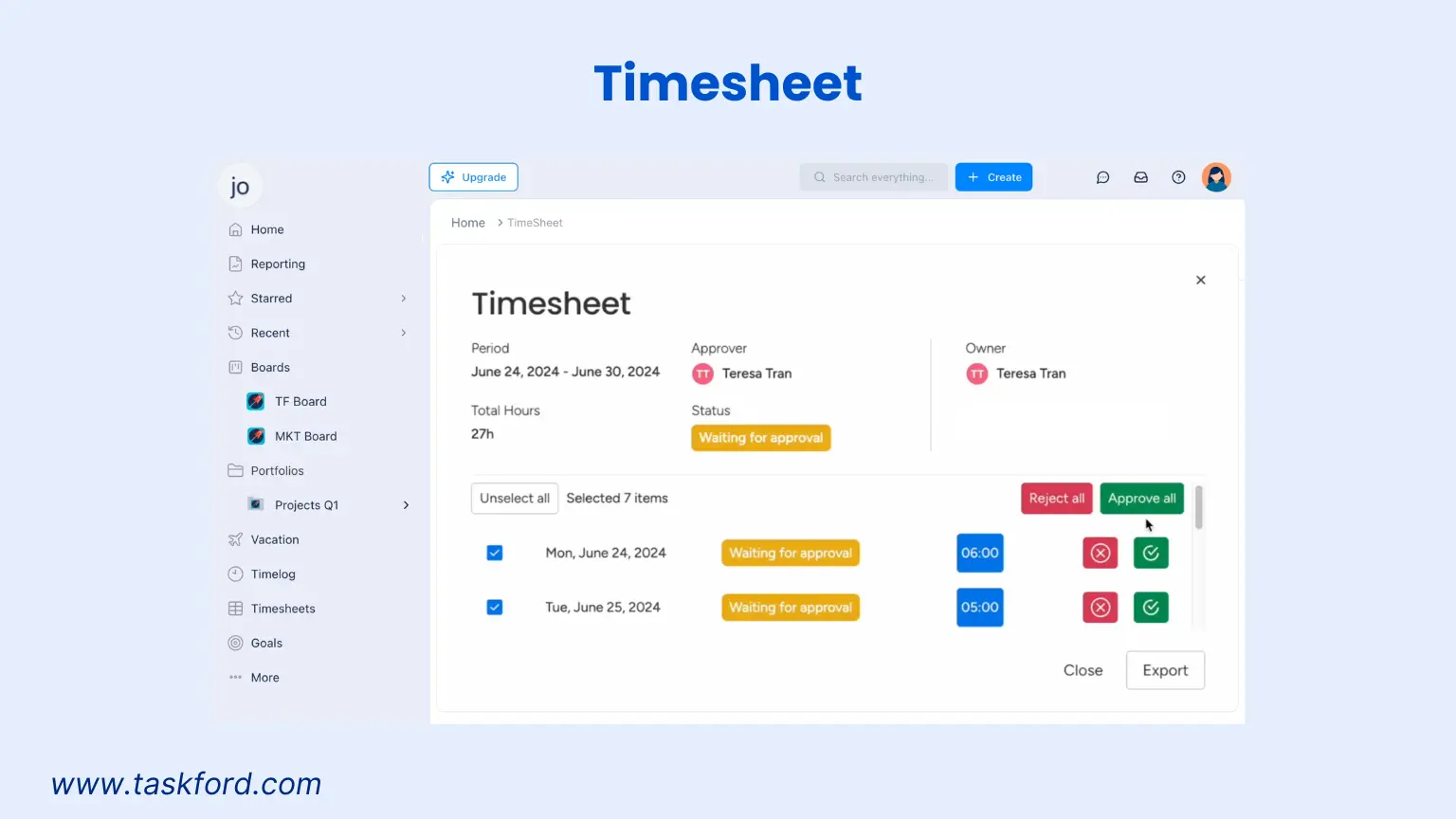
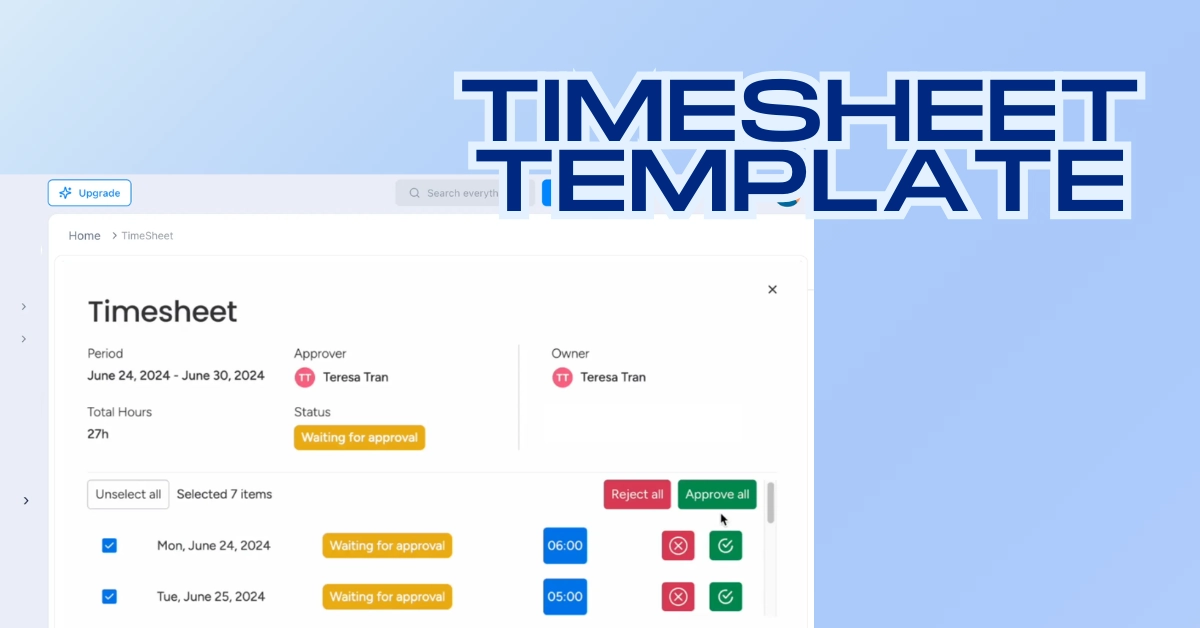
- Timesheet Management: Submit and track timesheets with real-time approval status, making it easy to manage team hours.
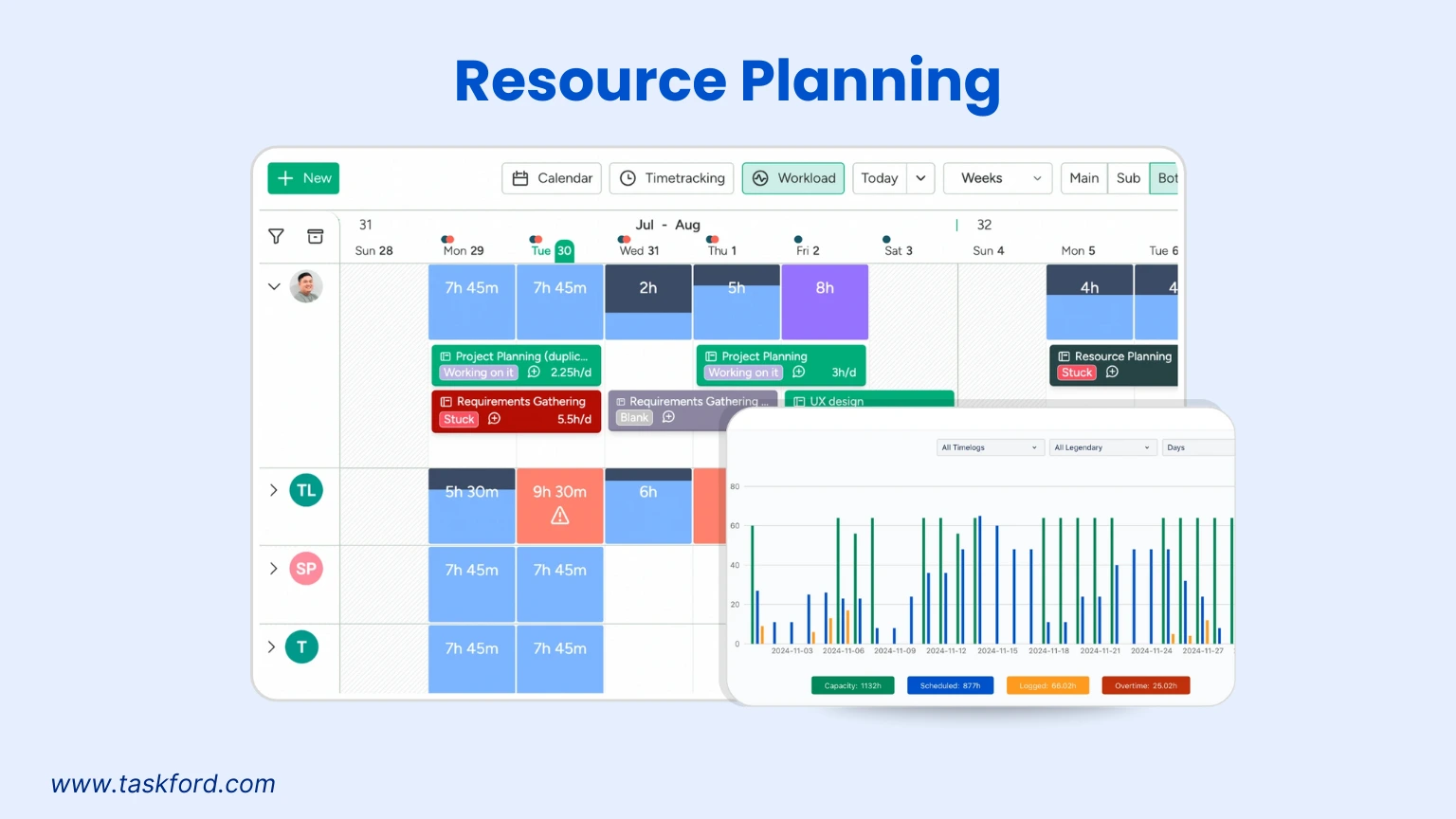
- Resource Planning: TaskFord combines time tracking with resource allocation, so you can balance workloads and plan projects based on actual time data.
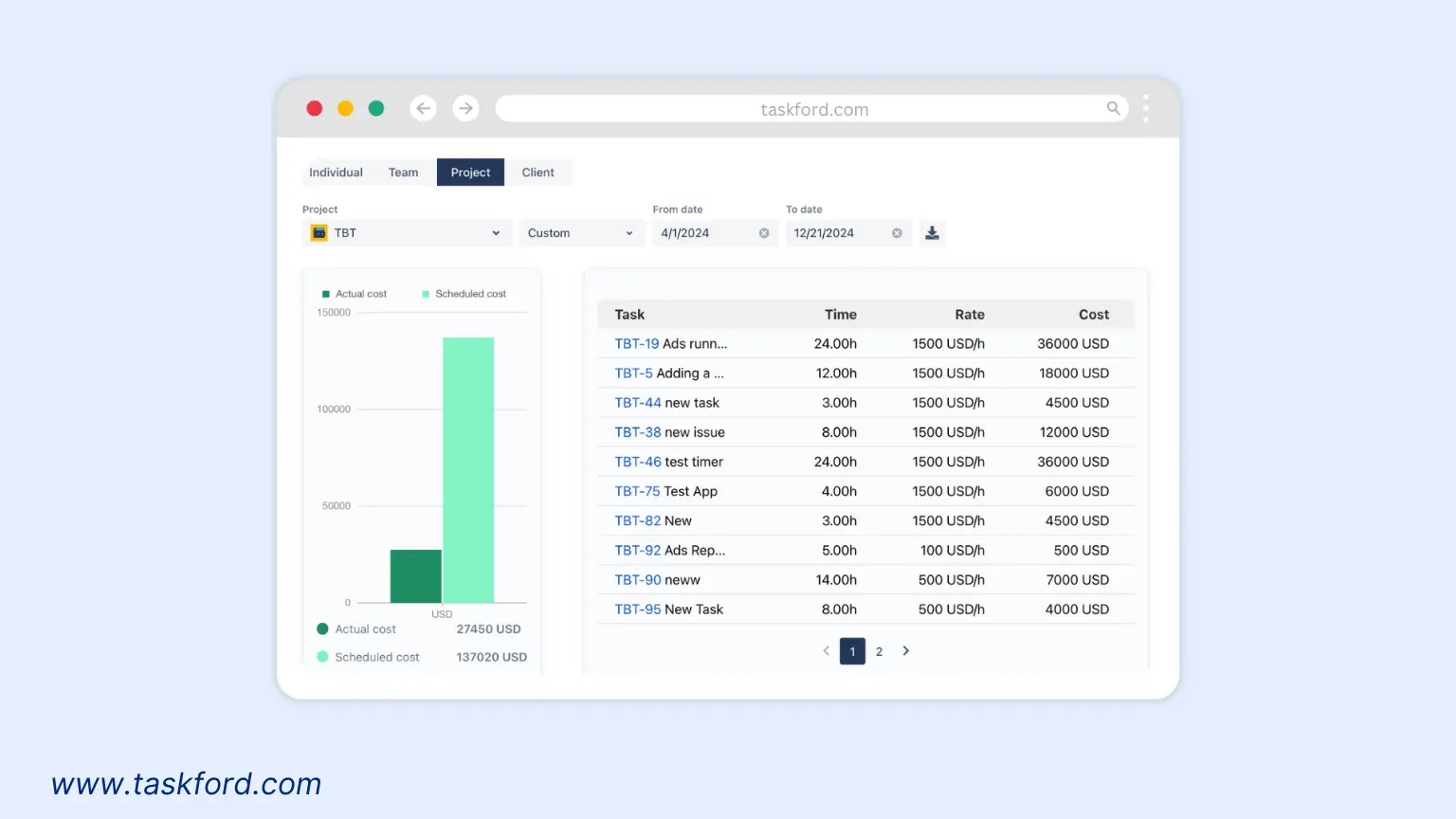
- Cost Management: Track billable hours and project costs to ensure you stay within budget and invoice clients accurately.
Real-World Examples of Timelog Data in Action
Let’s look at how timelog app data can make a difference in real scenarios:
Scenario 1: The Overworked Freelancer
Sarah, a freelance graphic designer, uses TaskFord to track her time. Her timelog data shows she’s spending 15 hours a week on client revisions, far more than she expected. By analyzing this, she realizes she’s undercharging for revisions and adjusts her pricing model. She also starts batching revision tasks into specific time slots, cutting her weekly revision time to 8 hours and freeing up time for new clients.
Scenario 2: The Project Manager’s Choice
Mark, a project manager, notices his team’s project is behind schedule. Using TaskFord’s dashboard, he sees that data analysis is taking twice as long as planned. The timelog data reveals that one team member is overloaded, while others have spare capacity. Mark redistributes tasks, balancing the workload and getting the project back on track.
These examples show how timelog data can lead to practical changes that boost efficiency and profitability.
Overcoming Common Time Management Challenges
Timelog apps also help address common time management pitfalls:
- Procrastination: Seeing how much time you spend on unproductive tasks can motivate you to stay focused.
- Overcommitment: Historical data helps you avoid taking on too many tasks by showing how long similar projects took in the past.
- Distractions: By logging time spent on unplanned tasks (like social media), you can identify and minimize distractions.
- Poor Prioritization: Timelog data lets you see which tasks consume the most time, helping you focus on high-impact activities.
Conclusion
A timelog app is more than a clock-in, clock-out tool, it’s a window into how you and your team spend time. By collecting detailed data on task duration, billable hours, project progress, and team performance, a timelog app like TaskFord provides insights that can revolutionize your time management.
From identifying time wasters to improving project planning and client billing, the data you gather can lead to smarter decisions and better outcomes. Start using a timelog app today, and let its data guide you toward a more productive, organized, and successful work life.
Learn more
- 8 Time Management Strategies for Quick Wins and Peak Productivity
- Best Free Time Tracking Apps for Freelancers in 2025
- How to Prioritize Tasks When There’s Too Much To Do




































![How to Fill Out a Weekly Timesheet [+ Free Template Download]](/marketing/blog/weekly-timesheet-thumbnails.webp)








Subscribe for Expert Tips
Unlock expert insights and stay ahead with TaskFord. Sign up now to receive valuable tips, strategies, and updates directly in your inbox.