Managing Multiple Clients: Project Management and Time Tracking Tips for Marketing Teams
Explore how project management and time tracking tips can help marketing teams manage multiple clients, stay organized, and improve efficiency
Managing multiple clients in a marketing team often feels like juggling multiple tasks while trying to keep all the balls in the air. Deadlines overlap, client requests pile up, and every task seems equally urgent. It’s a lot to handle, and without the right strategies, it’s easy to feel like you’re about to drop everything.
But don’t worry – you’re not alone! The good news is that you don’t need to clone yourself or work around the clock to keep everything running smoothly. Some tools can help you stay on top of your game. Project management and time tracking are key to getting organized, making better decisions, and ensuring that both your team and clients stay happy.
In this blog, we’ll take a look at the most common challenges marketing teams face when managing multiple clients and share strategies to help you stay organized. With the right tools and a few smart strategies, you’ll be able to handle everything that comes your way without breaking a sweat.
Common Challenges of Managing Multiple Clients
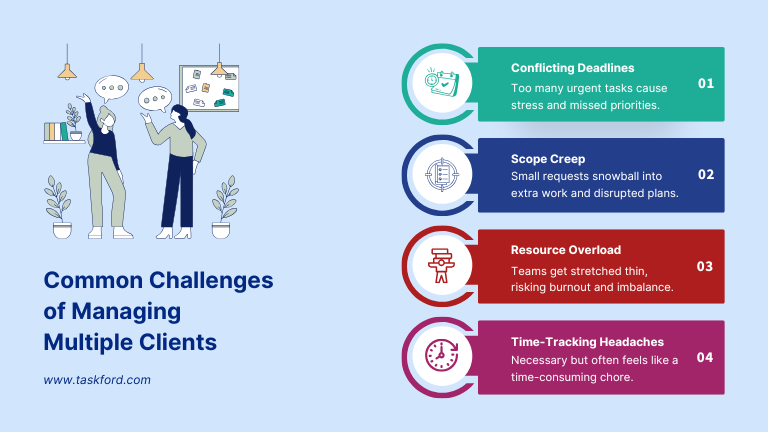
Managing multiple clients isn’t always as glamorous as it sounds. Here are some of the biggest challenges teams often face:
1. Conflicting Deadlines
You probably know this one all too well—when each client has an “urgent” task that needs to be done right now. Juggling these demands can lead to confusion over what to prioritize, which ultimately leads to stress and missed deadlines.
2. Scope Creep
It starts with a small request from a client, and suddenly you’re working on a whole new campaign. This “scope creep” can eat into your time, mess up your schedule, and sometimes result in delivering more than you initially agreed to. It’s great for the client, but not always sustainable for your team!
3. Resource Overload
Marketing teams can only stretch so far. When you’re handling several clients at once, it’s easy to burn out or feel like you’re giving everything to one client and neglecting others. Keeping track of workloads and balancing resources can feel like walking a tightrope.
4. Time-Tracking Headaches
While it’s important to track time to stay on top of budgets and client expectations, time tracking can sometimes feel like another administrative chore, especially when you’re busy trying to keep up with work. But trust us, it’s worth it when done right.
The Role of Project Management and Time Tracking in Marketing
Now, let’s talk about how project management and time tracking can work together to make your life a whole lot easier.
Project Management: The Secret to Staying Organized
A good project management system is your best friend when juggling multiple clients. It helps you create organized workflows, set clear deadlines, and track progress all in one place. Whether you’re working on campaigns, content creation, or approvals, project management tools ensure everyone knows what’s happening and what needs to be done next.
With a centralized system, you won’t be digging through emails or random notes to find out where things stand. Everything is tracked, and you can always see the status of your client’s projects.

Time Tracking: Keeping Everything on Track (Literally)
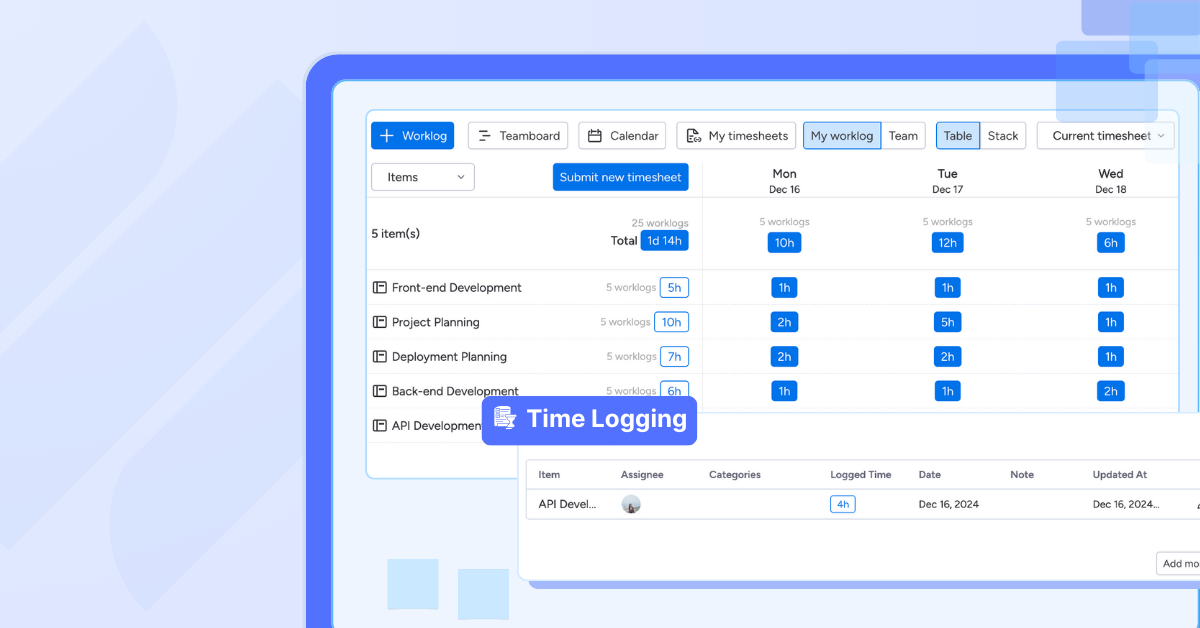
time tracking is key to keeping your work and projects on budget and on time. It’s not just about logging hours—it’s about gaining insights into how your team’s time is being spent. This data allows you to make smarter decisions, like adjusting timelines, forecasting resources, and making sure you’re not over-servicing any clients.
Plus, it helps when clients ask, “Why did this take so long?” You can confidently show the time spent on each task and give them clarity on the process.

Project Management Strategies for Marketing Teams
Here are some actionable strategies to help you manage your multiple clients effectively, using project management tools and workflows that will help everyone stay organized:
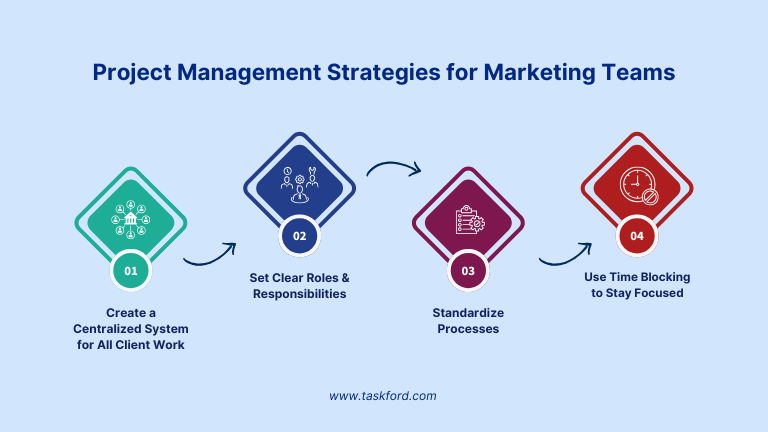
1. Create a Centralized System for All Client Work
First things first—keep everything in one place. Tools like TaskFord, Asana, or Trello allow you to create a centralized space where you can manage all tasks, deadlines, and deliverables for every client. This keeps things organized and ensures nothing falls through the cracks.
A centralized system will help your team stay focused and keep track of what’s due, what’s in progress, and what’s already been completed. It’s like having a shared to-do list that everyone can access and update in real-time.
2. Set Clear Roles and Responsibilities
When managing multiple clients, it’s easy for tasks to overlap or get lost in the shuffle. Set clear roles for each team member, assigning tasks to specific people with clear deadlines. This way, everyone knows exactly what they’re responsible for and there’s no confusion about who’s doing what.
Assigning responsibilities also encourages accountability and helps your team feel confident that nothing is being overlooked.
3. Standardize Processes
One way to save time and reduce stress is to create standardized processes for recurring tasks. For example, creating templates for social media posts, blog articles, or email newsletters will make the workflow smoother and less time-consuming. Standardizing also reduces the mental load of constantly reinventing the wheel for each client.
By creating templates, checklists, and workflows, you can make sure that each project is managed efficiently and consistently.
4. Use Time Blocking to Stay Focused
One of the best ways to maximize productivity and avoid distractions is by time blocking. This strategy involves dedicating specific chunks of time to a single task or client, so you’re not constantly switching back and forth between projects. For example, you might reserve two hours to focus solely on Client A’s content calendar and then another hour for Client B’s ad campaign.
Time blocking reduces context switching, allowing you to stay focused and make the most of your time.
Time Tracking Tips That Actually Work
Proper time tracking on tasks and project management leads to better results. By tracking time spent on specific tasks, you gain insight into where your efforts are paying off and where improvements are needed. Here are some tips to make time tracking work for you:
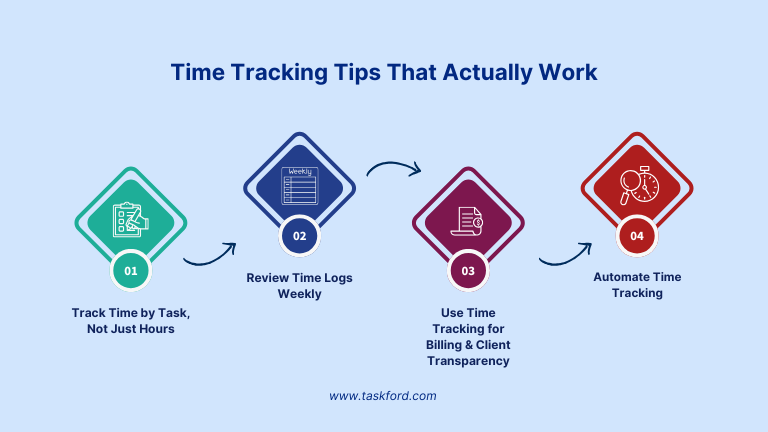
1. Track Time by Task, Not Just Hours
Instead of just logging total hours, break down your time entries by task. For example, track how much time you spent on writing content, designing graphics, or holding client meetings. This helps you get a better understanding of where your time is really going and allows you to adjust your processes as needed.
2. Review Time Logs Weekly
It’s not enough to just track time—you should regularly review your logs to spot trends. Are there tasks taking longer than expected? Are certain clients demanding more time than others? Reviewing your time logs weekly allows you to adjust deadlines, allocate resources more effectively, and improve your planning for future projects.
3. Use Time Tracking for Billing and Client Transparency
Time tracking also helps you stay transparent with clients about how much time you’re spending on their work. By logging hours and tasks accurately, you can provide clients with detailed invoices and keep them informed about your progress.
This helps build trust with clients and ensures you’re billing for all the time you’ve put in.
4. Automate Time Tracking
Many time tracking tools like TaskFord, Toggl, and Clockify integrate seamlessly with your project management system, allowing for automated time management. This reduces the time spent manually entering hours and makes tracking more accurate and efficient.
Overcoming Common Pitfalls
Even with the best tools and strategies in place, it’s easy to fall into a few traps when managing multiple clients. Here’s how to avoid the most common pitfalls:
1. Underestimating Time Requirements
It’s tempting to think that tasks will take less time than they actually do, but this often leads to rushing work or missing deadlines.
→ How to Overcome It:
Be realistic about time estimates, and always factor in some buffer time for unforeseen delays or last-minute changes. Using past time data can help you improve your future time estimates.
2. Ignoring Team Capacity
It’s easy to assume that everyone on your team can handle more work, but overloading your team can lead to burnout and lower-quality work.
→ How to Overcome It:
Regularly assess your team’s workload and make sure no one is overloaded. Use project management tools to track task assignments and adjust based on your team’s capacity. A happy, well-balanced team works more efficiently.
3. Failing to Communicate Expectations Clearly
When expectations are unclear, it can lead to misunderstandings, missed deadlines, and client frustration.
→ How to Overcome It:
Set clear, upfront expectations with both clients and your team. Regular check-ins, defined project milestones, and using project management tools to track progress will keep everyone on the same page.
4. Skipping Time Tracking or Being Inconsistent
Inconsistent or skipped time tracking can lead to inaccurate billing, poor resource management, and missed opportunities for improvement.
→ How to Overcome It:
Make time tracking a consistent habit. Use automated tools that integrate with your project management software to make the process easier and more accurate. Set aside time at the end of each day to review time logs to ensure they’re up to date.
5. Not Taking Time for Retrospectives
Rushing to the next project without reflecting on what worked and what didn’t can prevent you from improving your processes.
→ How to Overcome It:
After each project, take a moment to review and reflect with your team. Discuss what went well and what could be improved. Use this feedback to tweak your processes and workflows for future projects.
Learn more: Project Time Tracking Myths: Debunk 5 myths about project time tracking and boost your team’s productivity.
Conclusion
Managing multiple clients doesn’t have to be overwhelming. With the right project management systems and time tracking tools, you can stay organized, meet deadlines, and keep your team and clients happy. By using clear strategies, staying organized, and being proactive about your workflows, you can successfully handle multiple projects without burning out.
Take it one step at a time, and you’ll soon feel like a pro at managing client work with ease. You’ve got this!
Related Resources:
- Best Time Tracker Apps - Top 5 Picks for Remote Work & Freelancers.
- Small Business Time Tracking Software - Top Apps Comparison 2025.
- Time Tracking Software Trends - Key Innovations to Watch 2025.














































![How to Fill Out a Weekly Timesheet [+ Free Template Download]](/marketing/blog/weekly-timesheet-thumbnails.webp)









Subscribe for Expert Tips
Unlock expert insights and stay ahead with TaskFord. Sign up now to receive valuable tips, strategies, and updates directly in your inbox.