The HR Manager’s Guide to Choosing the Right Leave Management Software
Learn how to choose the right leave management software to simplify time-off tracking, ensure compliance, and boost HR efficiency in this comprehensive guide.
As an HR manager, you balance employee well-being, operational efficiency, and compliance with complex labor regulations. Managing employee leave is a critical task that can become chaotic without the right tools. A robust leave management software simplifies time-off requests, tracks leave balances, and ensures adherence to legal requirements. With numerous options available, selecting the ideal leave management system requires aligning features with your organization’s needs, budget, and goals.
This guide provides a detailed, actionable roadmap to help HR managers choose the right leave management software, enhancing HR processes and boosting employee satisfaction.
What Is Leave Management Software?
A leave management system is software that helps organizations manage employee leave requests, approvals, and leave balances in one place. Employees can submit time-off requests, while managers and HR teams can review, approve, and track absences more efficiently.
Most leave management systems support different types of leave, such as vacation, sick leave, personal leave, parental leave, and unpaid leave. They typically include features like leave calendars, approval workflows, leave balance tracking, and employee self-service portals.
Why Invest in Leave Management Software?
Manual leave tracking, such as spreadsheets or paper forms, often leads to errors, inefficiencies, and frustrated employees. A dedicated leave management system automates these processes, saving time and reducing mistakes. Studies show that manual systems cause significant errors, costing businesses valuable resources. A well-chosen leave management software delivers:
- Accuracy: Eliminates miscalculations in leave balances and payroll.
- Transparency: Provides clear access to leave policies and balances.
- Compliance: Ensures adherence to regulations like FMLA or regional paid leave laws.
- Efficiency: Frees HR teams from repetitive tasks for strategic focus.
By automating leave management, you enhance employee trust and create a more organized workplace.
Must-Have Features in a Leave Management System
To ensure your leave management software meets your organization’s needs, prioritize these five critical features, designed to support efficient and compliant leave tracking in resource management
1. Enable Automated Leave Requests and Approvals
Choose software that automates the submission and approval of time-off requests. Employees should use a centralized platform to submit requests, with automatic notifications sent to managers. The system should support configurable approval processes to route requests efficiently.
Example: A platform that allows employees to specify leave types like vacation or sick leave, with instant notifications to supervisors, ensures quick approvals.
Why it matters: Automation reduces delays and eliminates manual communication, ensuring no request is overlooked.
2. Provide Real-Time Absence Tracking
Choose a system that offers real-time visibility into employee absences and leave balances. Shared calendars should help managers and teams plan around absences, ensuring adequate staffing levels.
Example: A shared calendar showing team availability helps managers avoid scheduling conflicts during peak periods.
Why it matters: Real-time tracking enhances workforce planning and prevents disruptions due to unexpected absences.
3. Maintain Compliance with Leave Regulations
Ensure the software includes features to track compliance with regulations like FMLA or regional paid leave laws. Automated policy enforcement and audit trails for leave requests are essential for legal protection.
Example: A system that maintains detailed records of leave requests and approvals supports compliance during audits.
Why it matters: Compliance features simplify adherence to regulations and provide documentation for legal protection.
4. Include Resource Allocation with Leave Insights
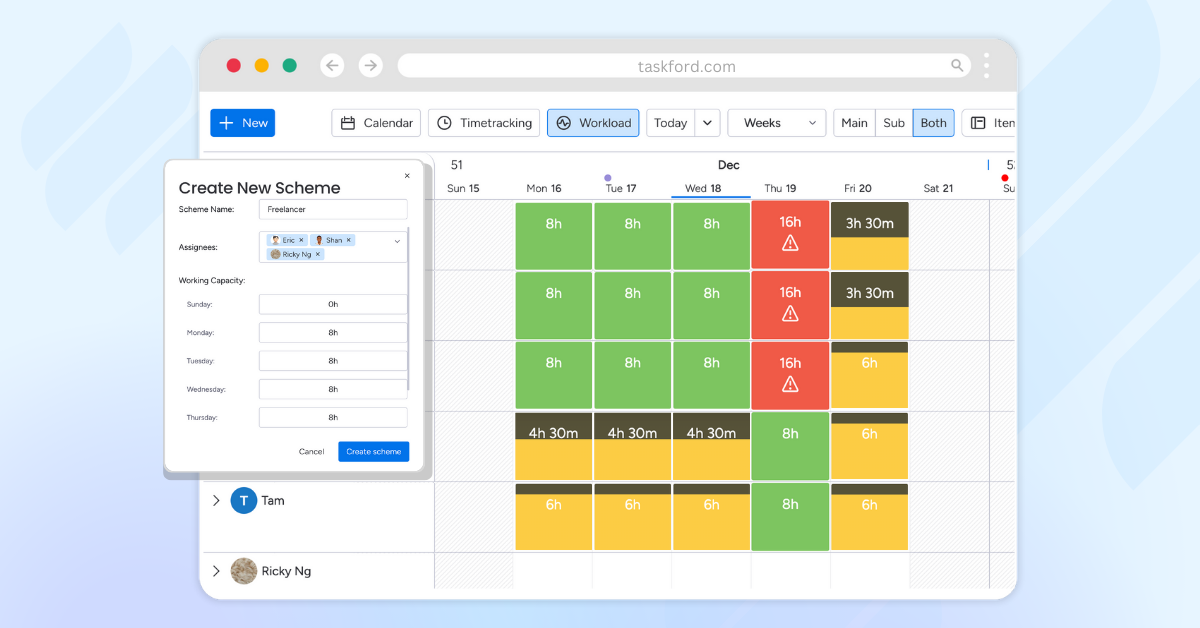
Choose a system that integrates leave data with resource planning to balance workloads and maintain project schedules. This ensures managers can allocate tasks effectively based on team availability.
Example: A platform that provides insights into team capacity helps managers assign tasks based on approved leaves.
Why it matters: Linking leave data with resource planning prevents overburdening team members and keeps projects on track.
How to Choose the Right Leave Management Software
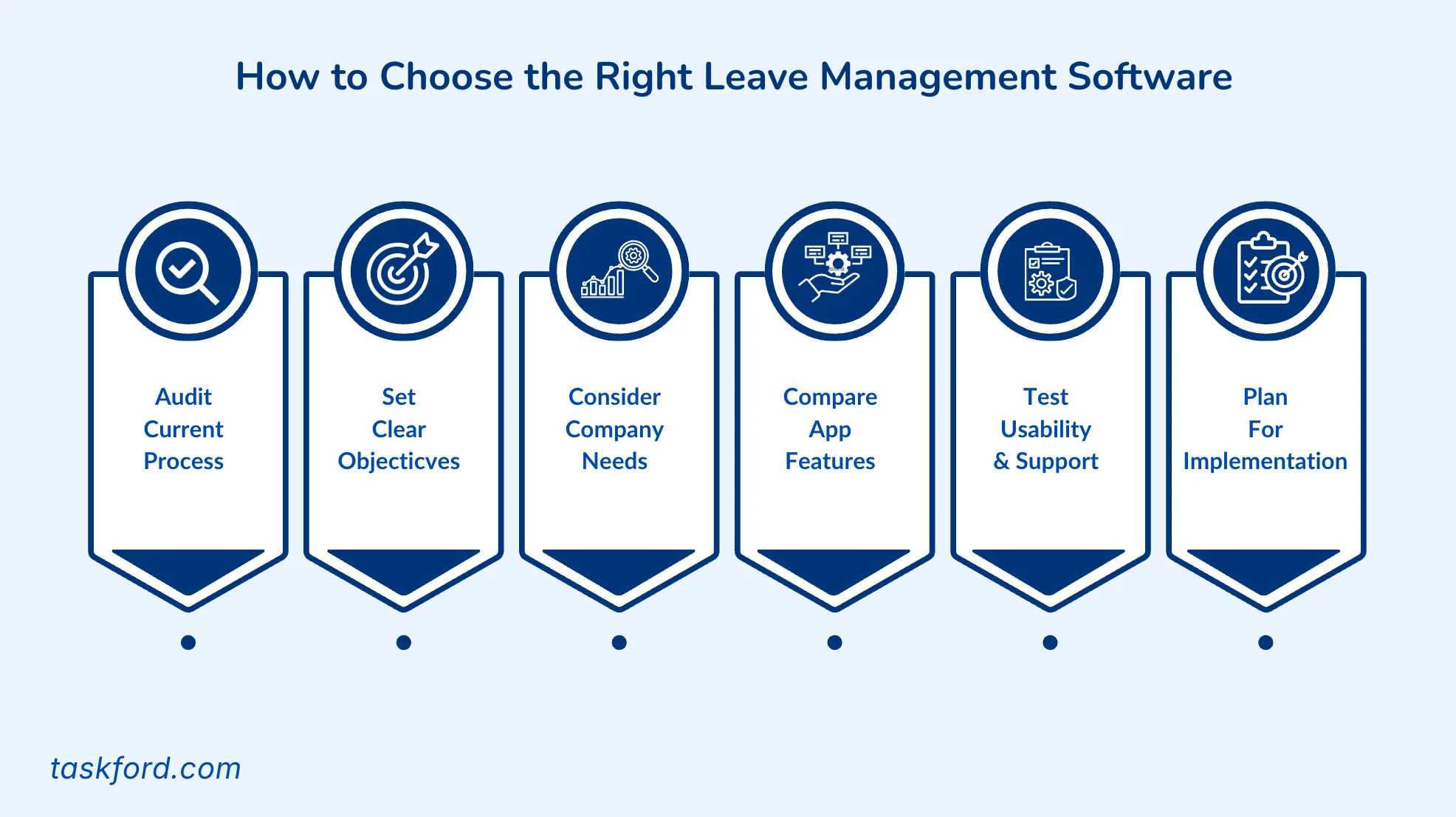
Selecting the ideal leave management system requires a structured approach. Follow these six steps:
Step 1: Audit Your Current Process
Start by reviewing how your organization currently handles leave requests. Identify what works and where problems occur. Common issues include manual tracking errors, long approval chains, and lack of visibility into team availability.
Gather feedback from employees, managers, and HR staff. Their perspectives will help you uncover pain points that may not be obvious from the data alone.
Example: If employees often complain about delayed approvals, look for software that allows managers to review requests through a mobile app or dashboard. If teams struggle with overlapping absences, choose a system that provides shared calendars or absence forecasting.
Step 2: Set Clear Objectives
Before comparing products, define what you want to achieve. Clear objectives help you focus on solutions that bring measurable improvements.
Some organizations want to reduce administrative time spent on approvals. Others need stronger compliance controls, better reporting, or improved transparency for employees.
Example: A company experiencing frequent payroll discrepancies should focus on a platform that integrates leave tracking with payroll to automate accrual and deduction calculations.
By setting goals early, you can measure success after implementation.
Step 3: Consider Company Size and Needs
Your company’s structure and workforce size play a major role in choosing the right system.
- Small businesses often need a simple, affordable tool that covers basic leave tracking and approvals.
- Medium-sized organizations may require reporting dashboards, automated notifications, and integration with HR or payroll software.
- Large enterprises usually need more advanced features like multi-level approval chains, localization for regional labor laws, and customizable access controls.
Example: A startup with 15 employees can use a lightweight cloud-based system, while a global company needs enterprise-grade software that manages multiple locations and compliance rules.
Step 4: Compare Features and Pricing
Once you understand your needs, compare different systems based on their features, scalability, and cost. Key features to evaluate include automation, reporting tools, compliance tracking, calendar integration, and mobile accessibility.
Look closely at pricing models. Some vendors charge per user, while others use flat-rate plans. Review setup fees, data migration costs, and extra charges for add-ons or premium support.
Example: A company expecting to double its workforce should select a plan that allows easy scaling without steep per-user increases.
Step 5: Test Usability and Support
Request demos or trials to assess ease of use for employees and HR staff. Verify that the provider offers reliable support, such as live chat or dedicated account managers.
Example: A user-friendly interface ensures high adoption rates across teams.
Step 6: Plan for Implementation
Collaborate with tools for a smooth rollout. Choose a provider with robust onboarding support to minimize disruptions. Post-implementation, monitor performance and gather employee feedback to refine the process.
Example: Regular policy updates within the software ensure ongoing compliance with labor laws.
Common Mistakes to Avoid
Avoid these common mistakes when choosing leave management software:
-
Choosing generic solutions: Some tools offer only basic leave tracking and may not support your company’s unique leave policies, approval workflows, or accrual rules. This can lead to manual workarounds and administrative inefficiencies.
-
Overlooking scalability: A system that works for a small team may struggle to support a growing organization. Consider whether the software can accommodate additional employees, departments, locations, and evolving leave policies over time.
-
Neglecting user-friendly interfaces: If employees and managers find the system difficult to navigate, adoption rates may suffer. An intuitive interface helps employees submit requests easily and enables managers to review and approve leave requests quickly.
-
Underestimating support and implementation needs: Even the best software may require assistance during setup, data migration, and employee onboarding. Reliable customer support, training resources, and ongoing assistance can make implementation smoother and reduce disruptions.
Quick Comparison: The Top Leave Management Software in 2026
| Feature | TaskFord | BambooHR | Deel | Connecteam | Calamari |
|---|---|---|---|---|---|
| Leave Requests & Approvals | ✅ | ✅ | ✅ | ✅ | ✅ |
| Leave Balance Tracking | ✅ | ✅ | ✅ | ✅ | ✅ |
| Team Calendar | ✅ | ✅ | ✅ | ✅ | ✅ |
| Approval Workflows | ✅ | ✅ | ✅ | ✅ | ✅ |
| Resource & Workload Planning | ✅ | Limited | Limited | No | No |
| Project Management | ✅ | No | No | No | No |
| Multiple Views | ✅ | No | No | Limited | No |
| Payroll Integration | Limited | ✅ | ✅ | Limited | No |
| Starting Price | Contact TaskFord | Custom pricing | Custom pricing | From $29/month | From $2/user/month |
| Free Trial | ✅ | ✅ | ✅ | ✅ | ✅ |
TaskFord stands out for teams that want to manage employee leave alongside projects, workloads, and resource planning in a single platform. Meanwhile, BambooHR and Deel are stronger choices for organizations looking for broader HR and employee management capabilities.
Why You Should Choose TaskFord As Your Leave Management Software
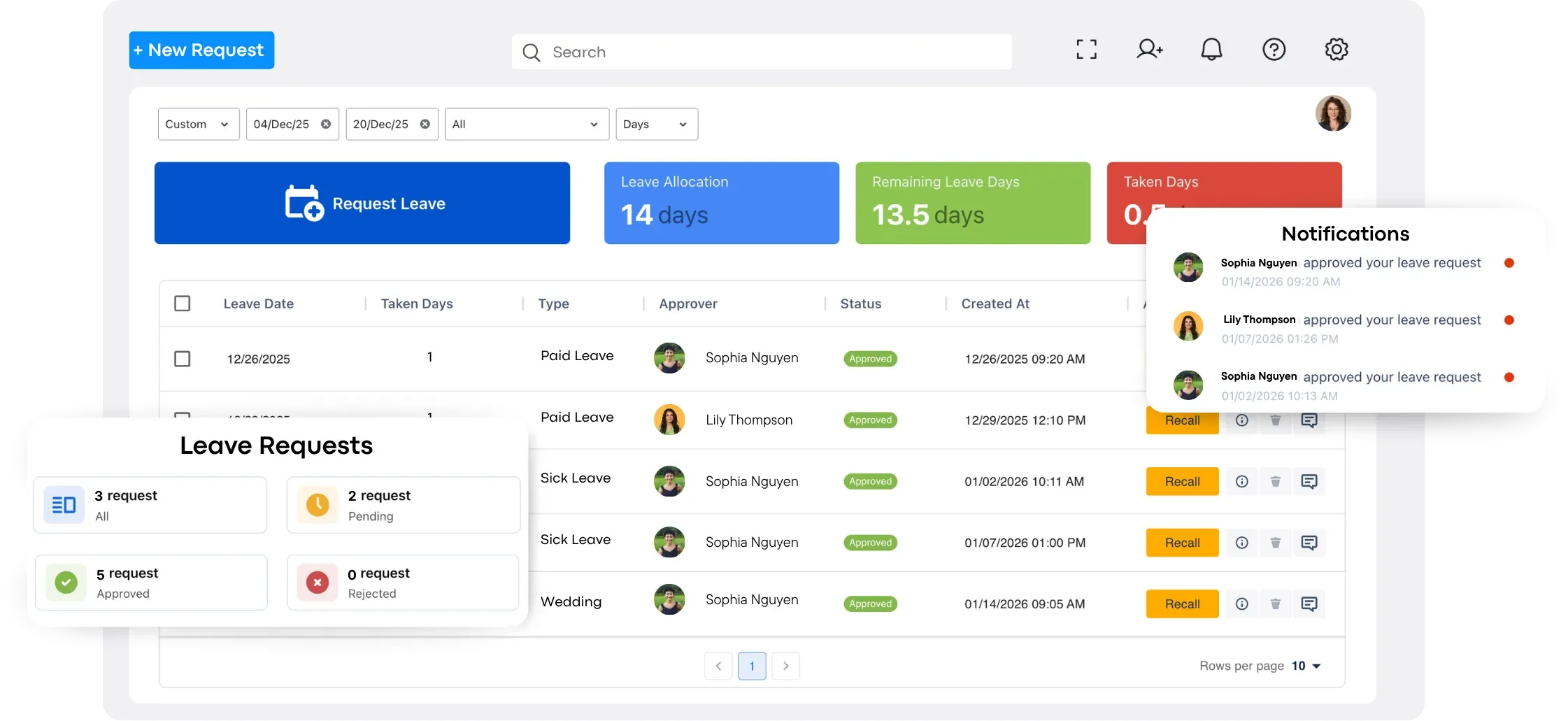
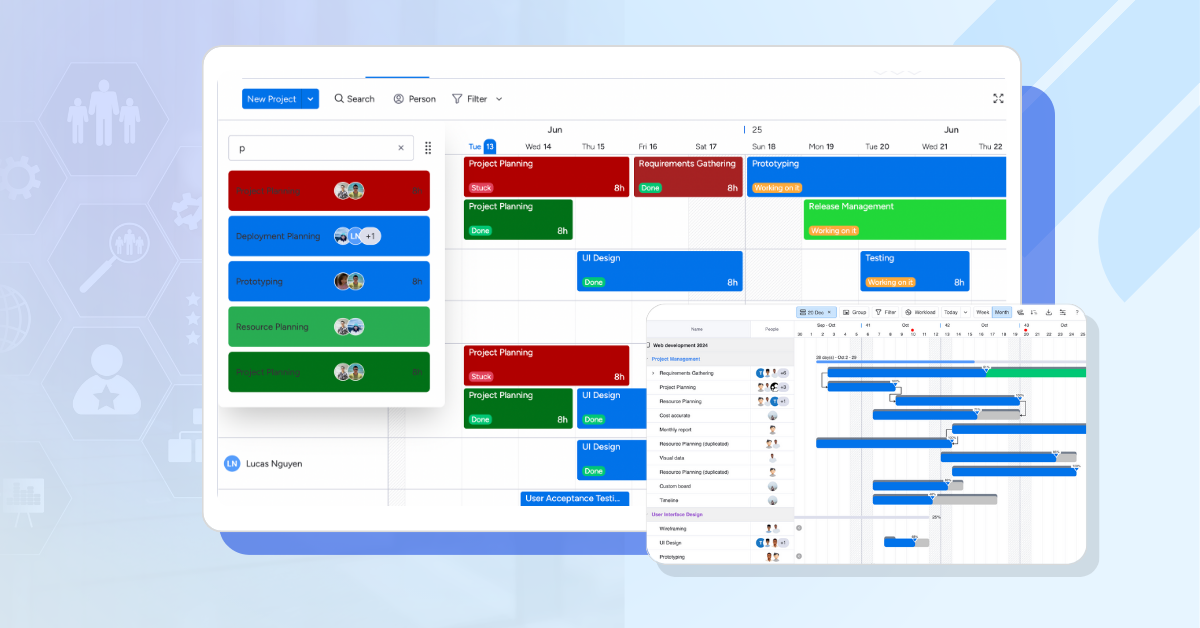
TaskFord offers a powerful leave management system designed to simplify time-off tracking, enhance compliance, and support efficient resource planning. Built to combine leave management with project and resource management, TaskFord is ideal for teams needing a unified platform to manage employee availability alongside project schedules.
Below are the key features and benefits of TaskFord’s leave management solution, tailored to meet the needs of small to mid-sized businesses, making the platform different from other tools:
- Automated Leave Requests: Employees submit time-off requests via a centralized platform, with automatic notifications to managers, ensuring efficient and organized approvals.
- Real-Time Tracking: Shared calendars provide real-time visibility into absences and leave balances, helping managers plan staffing and avoid scheduling conflicts.
- Compliance Tools: Enforce policies and maintain audit trails for requests, ensuring compliance with regulations like FMLA and reducing legal risks.
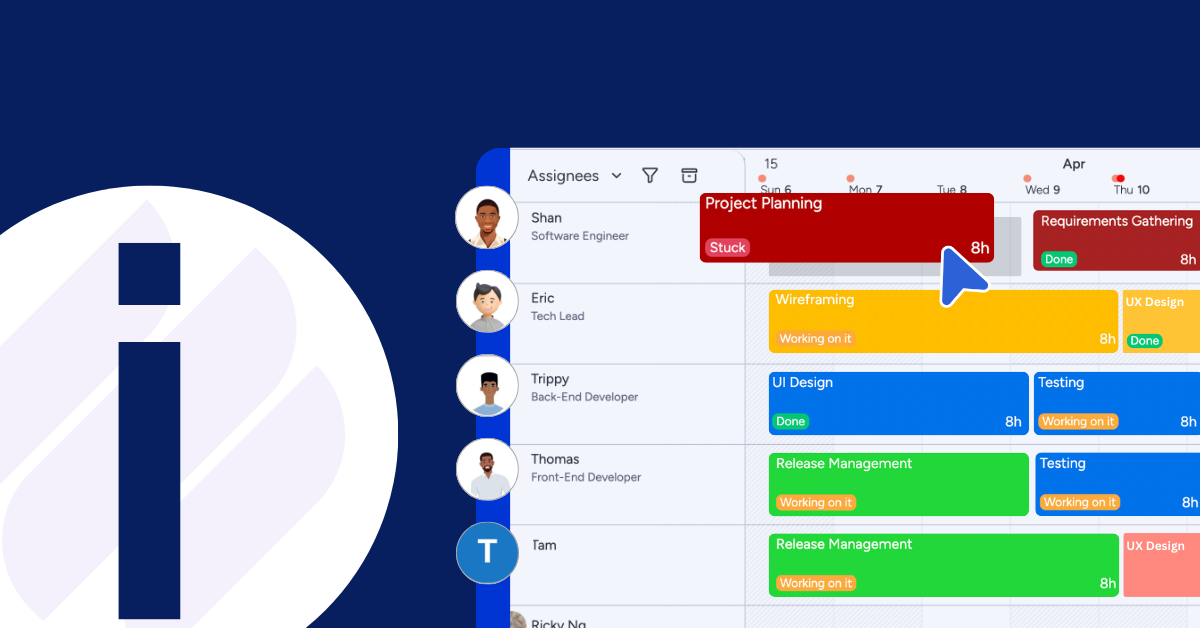
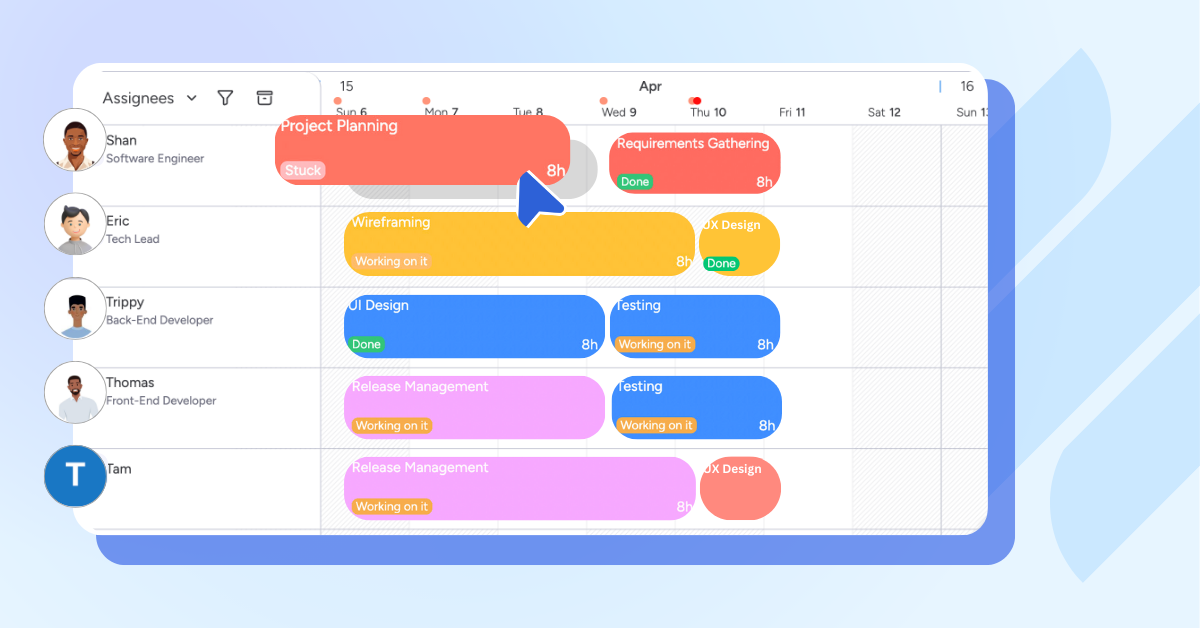
- Resource Planning: Combine leave data with task allocation to balance workloads, keeping projects on track without overburdening team members.
- Project Management Tools: Combine leave tracking with project management for a unified view of team capacity and project progress, ideal for teams juggling multiple projects.
Conclusion: Transform Your Leave Management Process
Choosing the right leave management software is a strategic decision that enhances HR efficiency, ensures compliance, and improves employee trust. By prioritizing features like customizable policies, real-time tracking, and resource allocation, you can select a leave management system tailored to your organization. Follow the steps outlined, auditing processes, setting goals, and testing solutions, to make an informed choice.
A well-implemented system saves time, reduces errors, and fosters a positive workplace culture. Start exploring TaskFord today to transform your leave management process and empower your HR team.
Learn more
- 5 Red Flags to Watch for in Your Leave Tracker Data
- Matrix Leave Management Explained: A Smarter Way to Handle Time Off in Complex Organizations
- 5 Critical Mistakes When Using a Resource Planning Program and How to Overcome Them
Related Articles
















































![What is an Effective Resource Management Plan Template [Free Download]](/marketing/blog/resource-management-plan-template.webp)


Subscribe for Expert Tips
Unlock expert insights and stay ahead with TaskFord. Sign up now to receive valuable tips, strategies, and updates directly in your inbox.