The Best Resource Planning Template for Project Managers
Discover the best resource planning templates for efficient project management. Learn how to allocate resources, manage cost and boost productivity effectively.
Managing project resources efficiently is one of the biggest challenges for any project manager. Whether it’s assigning the right people to tasks, keeping budgets under control, or ensuring equipment and time are used wisely, resource planning sits at the heart of successful project management. A resource planning template can make this process far more organized and predictable by giving you a clear view of how your resources are allocated and used throughout the project.
In this article, we’ll explore what a resource planning template is, how to choose one that fits your needs, and five ready-to-use templates that can simplify your planning process. We’ll also discuss when it might be time to move from spreadsheets to professional resource planning software, and how TaskFord can help you manage resources more efficiently across projects.
What is a Resource Planning Template?
A resource planning template is a tool that helps project managers plan, allocate, and track resources throughout a project. Resources can include equipment, budgets, time, materials, human resources (team members), and even skills. Resource planning template is essential because:
- Improved Efficiency: With a resource planning template, you can allocate resources effectively, making the most of what you have without wasting time or effort.
- Cost Management: It helps you keep an eye on costs by ensuring that resources are being used in the most cost-effective way.
- Conflict Prevention: By identifying and resolving resource allocation conflicts before they arise, a template can help prevent delays and disruptions.
- Informed Decision-Making: A resource planning template allows you to track your project’s progress, giving you the data needed to make informed decisions.
Having a structured way to plan resources to ensure they are efficiently allocated, preventing overuse or underuse, and enabling you to monitor their utilization throughout the project lifecycle. In essence, it provides a roadmap that ensures all necessary resources are in place and used optimally.
How to Choose a Resource Planning Template Suitable to Your Work?
Choosing the right resource planning template for your project can be a daunting task, as different templates serve different needs. However, here are a few things to consider when selecting the perfect template:
- Project Type: Consider the nature of your project. Are you managing a small team, or is it a large-scale project with many moving parts? For a small team, you may need a simple resource planning template. However, larger projects might require templates that allow for more detailed planning.
- Team Size: Larger teams often require more complex templates that allow for multiple levels of resource allocation and tracking. For smaller teams, a simpler template might suffice.
- Customization: Choose a template that allows you to tailor it to your specific needs. Flexibility is key to ensuring that the template works for your team.
- Integration: Look for templates that can integrate with other tools and software you’re using. For example, integrating with project management platforms like TaskFord or team collaboration tools ensures seamless planning.
- Automation: Templates that offer automation—such as automatic updates or notifications—can save time and reduce human error, especially in large projects.
5 Resource Planning Templates
Here are five highly effective resource planning templates that can streamline your project management process:
Project Resource Planning Template
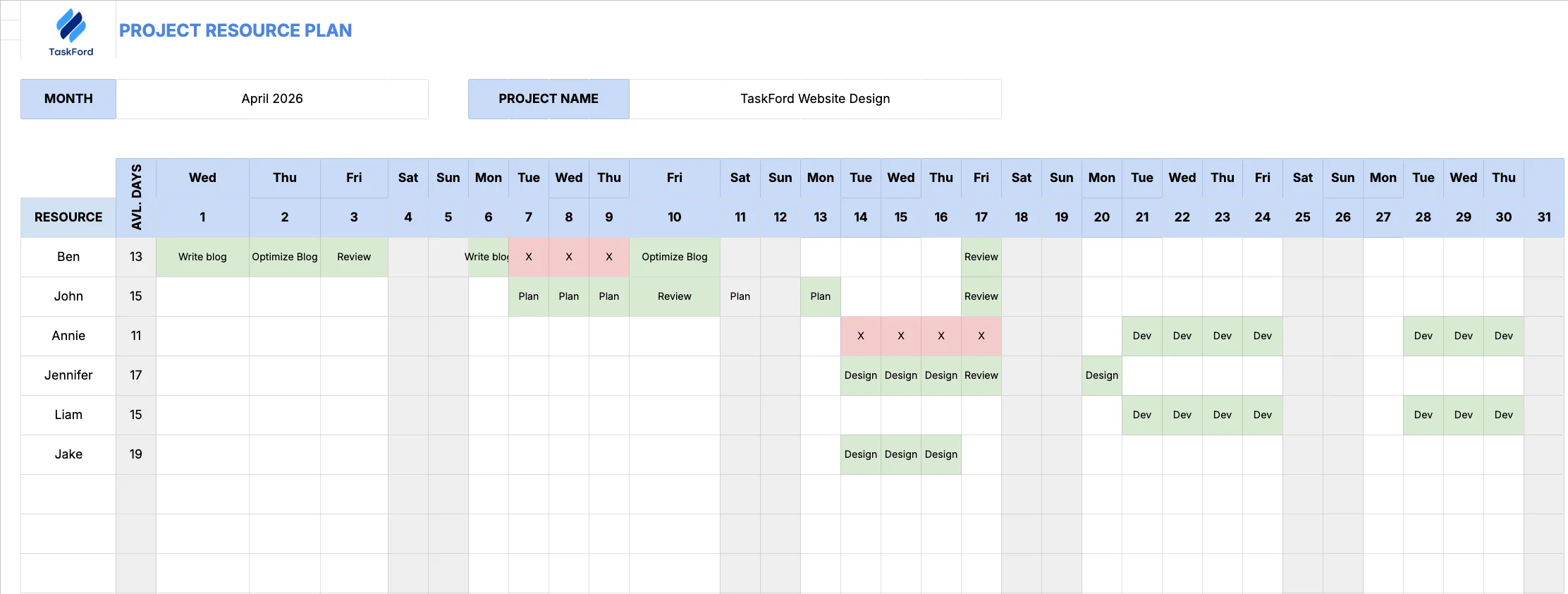
The Project Resource Planning Template helps you assign and manage tasks within a project while avoiding scheduling conflicts and workload imbalances. It gives you a clear view of who is working on what and when, along with their availability throughout the month.
It’s particularly useful when managing task dependencies, delays, and varying skill sets.
How to use it:
- Enter the project name and month
- Mark unavailable days for each resource
- Assign tasks directly within the calendar view
- Track availability and workload across the project timeline
Resource Capacity Planning Template
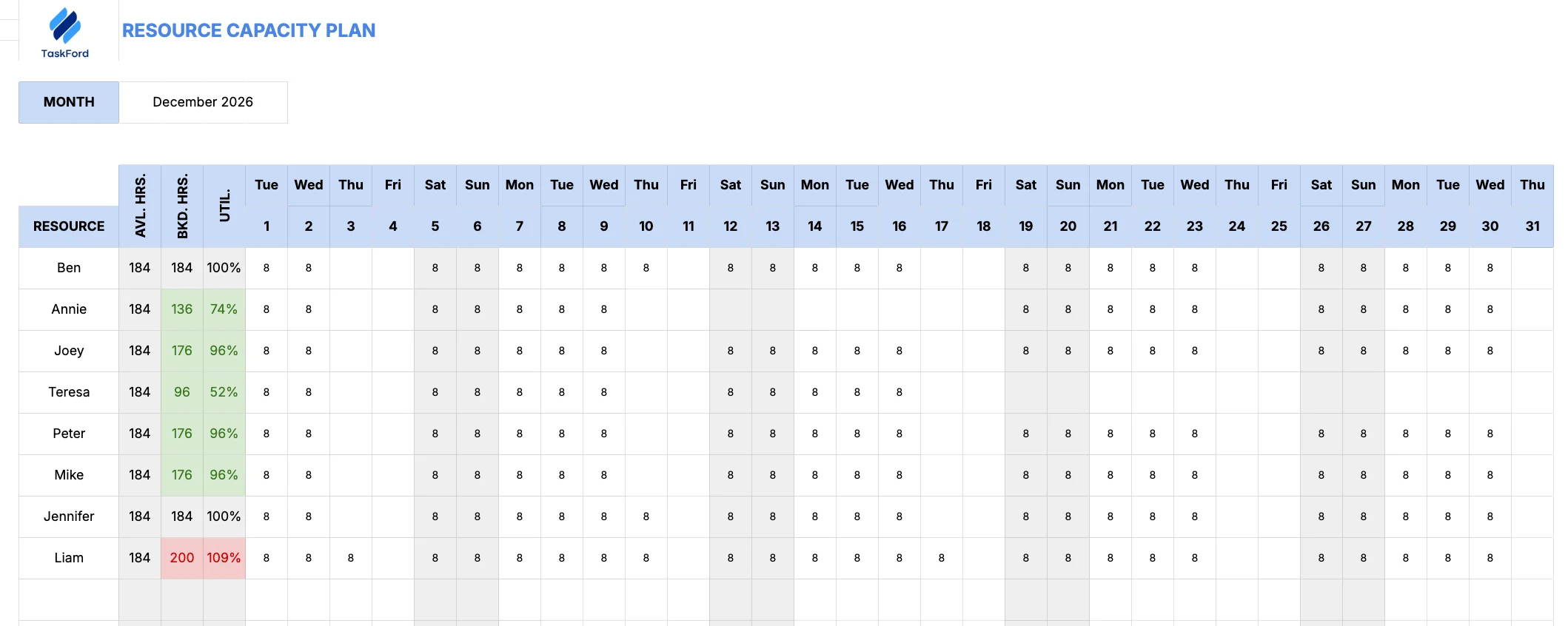
After assigning people to tasks, the next step is understanding each team member’s workload and availability.
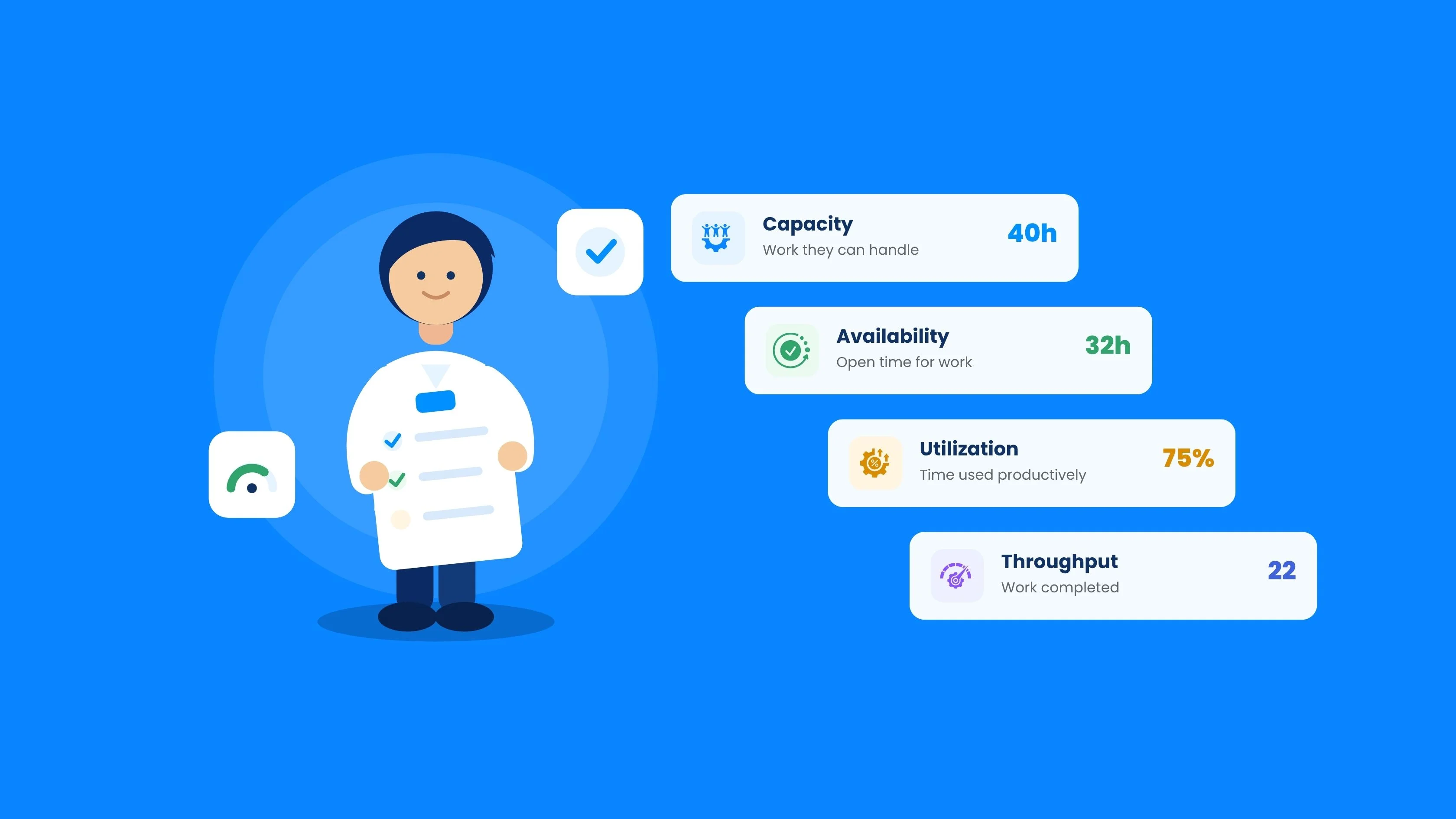
The Resource Capacity Planning Template helps you track estimated working hours across your team, making it easier to see who has capacity for new work and who may be overloaded. This is especially useful when new tasks or clients come in, allowing you to rebalance workloads before issues arise.
With this template, you can:
- Track available vs. booked hours for each team member
- Identify unused capacity
- Prevent over-allocation and burnout
How to use it:
- Enter the month you want to track
- Add team members under the resource column
- Input estimated daily workloads
- The template automatically calculates available hours, booked hours, and utilization
Resource Timesheet Template
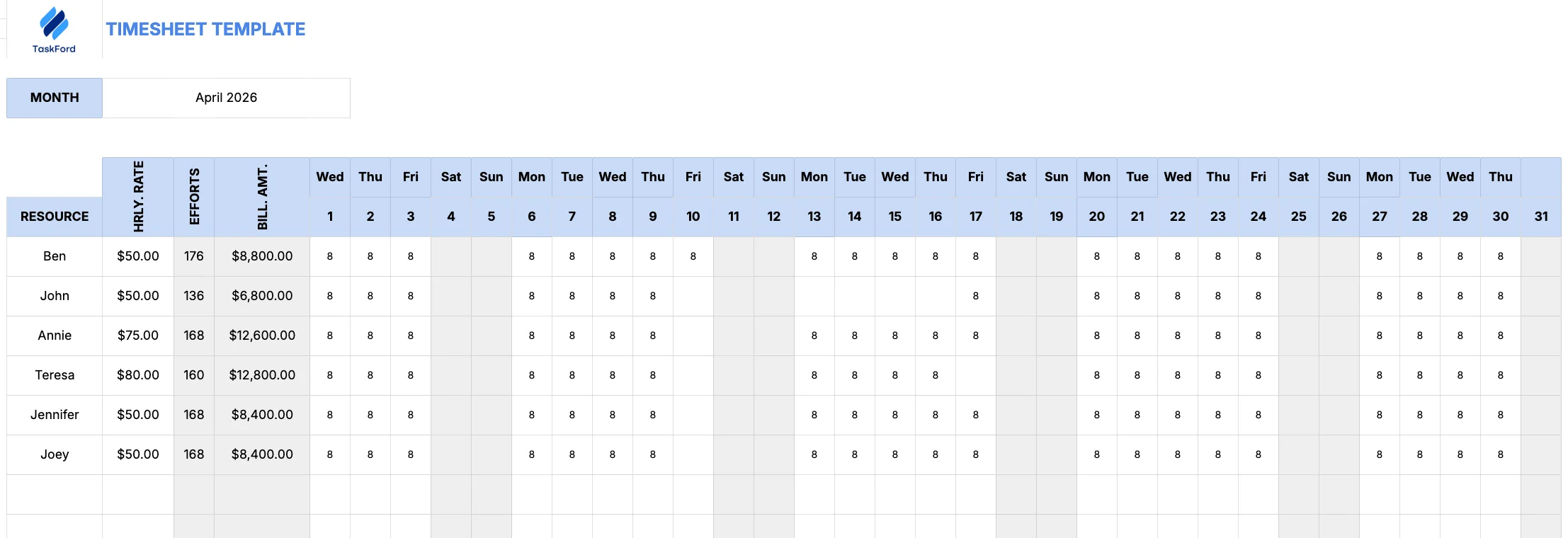
The Resource Timesheet Template focuses on tracking billable hours, making it essential for managing project costs and profitability. Whether you’re working on a time-and-materials basis or a fixed-price contract, accurate time tracking ensures you stay within budget and maintain project margins.
With this template, you can:
- Record daily billable hours per team member
- Track hourly rates
- Calculate total billable amounts
How to use it:
- Enter the tracking month
- Add team members and their hourly rates
- Log daily billable hours
- Monitor total billable time and cost
Resource Planning and Budgeting Template
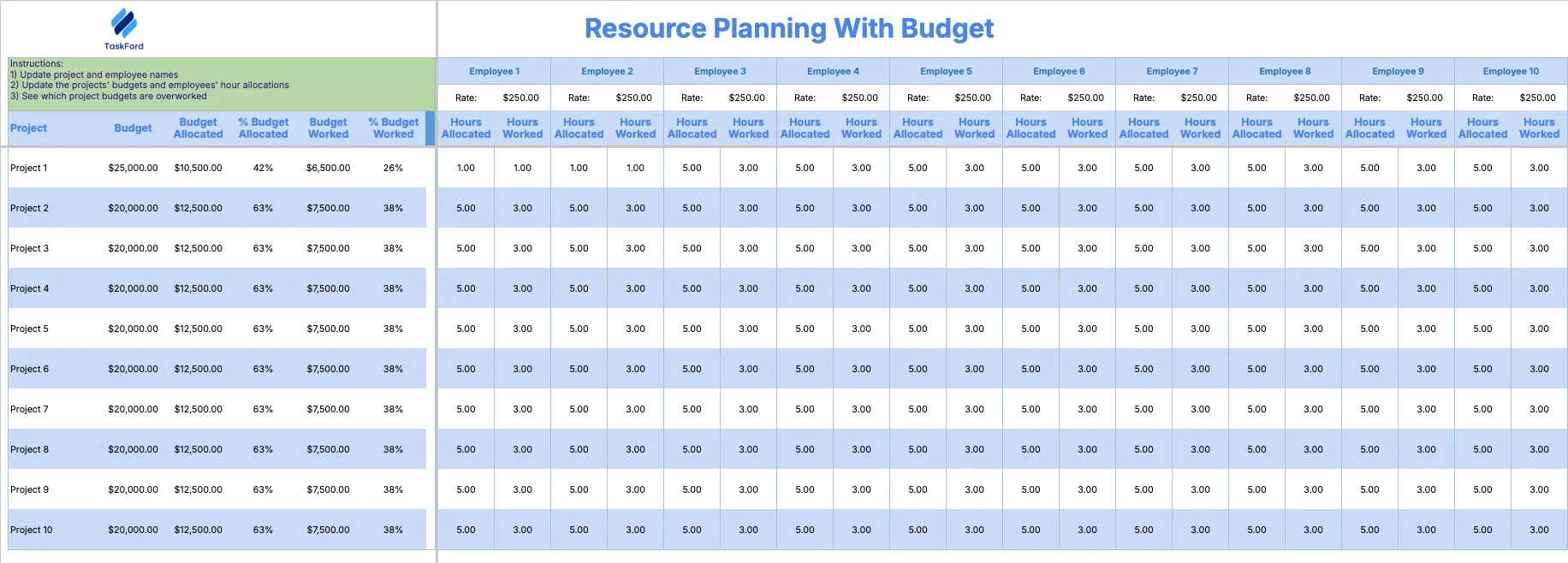
This template combines resource planning with financial tracking, helping you manage both workloads and project costs in one place. It includes fields for budget allocation, planned vs. actual hours, and billing rates, making it ideal for projects where cost control is critical.
You can use it to:
- Allocate budgets across resources and projects
- Track hours assigned vs. hours worked
- Monitor overall resource costs
This template is especially useful for teams that need a clear link between resource usage and financial performance.
Basic Resource Scheduling Template
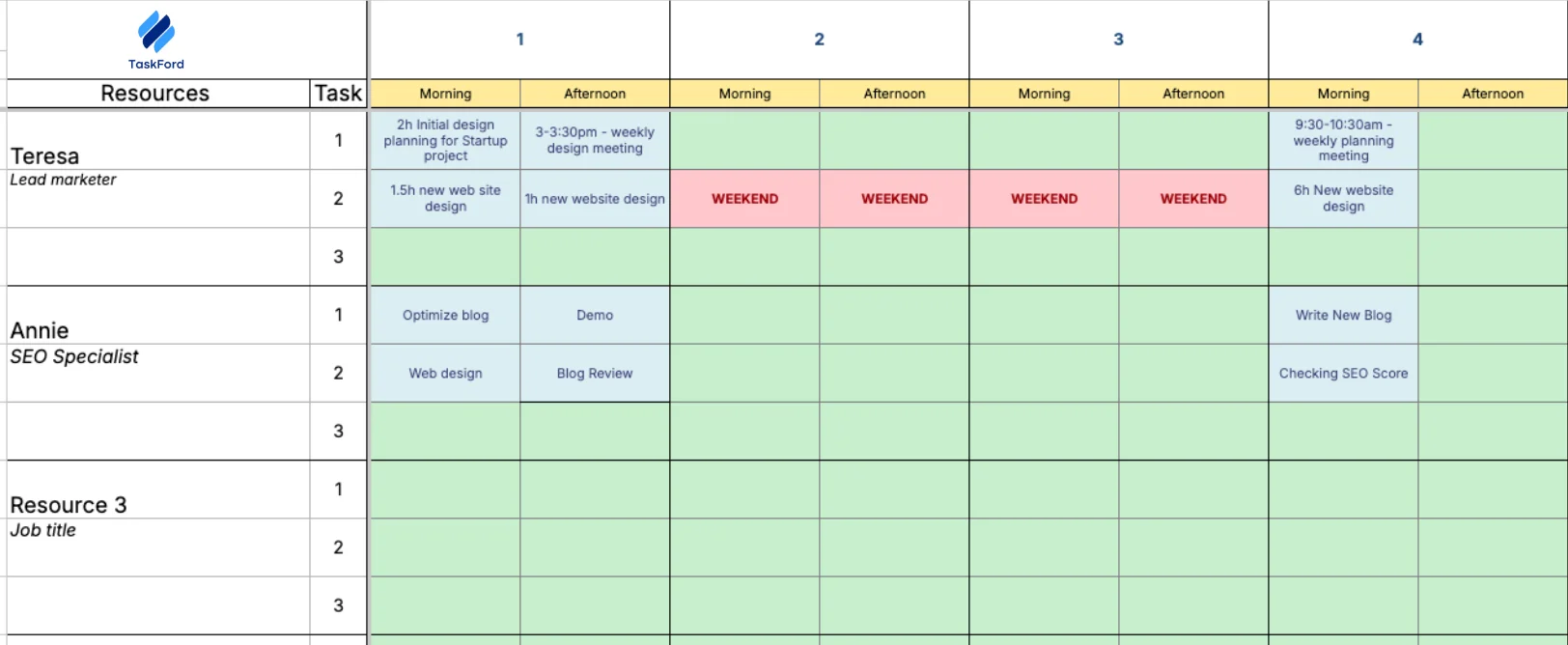
The Basic Scheduling Template helps you organize team assignments and maintain visibility across upcoming work. It provides a simple way to map out who is working on what and when, making it easier to manage timelines and adjust schedules as priorities change.
Best suited for managers who need a quick overview of team availability and task assignments, this template helps ensure work is evenly distributed and deadlines are met.
Is Professional Resource Planning Software Needed?
While resource planning templates on Microsoft Excel or Google Sheet can be incredibly useful, professional resource planning software can provide additional benefits, especially for larger projects. Here are some advantages of using specialized software:
1. Automation: Resource planning software often comes with automation features that make the process more efficient. For example, automated scheduling can free up time for project managers, and real-time updates help teams stay on track.
2. Real-Time Updates: As projects evolve, resources may need to be reallocated or adjusted. Professional software allows for real-time updates, ensuring that all stakeholders have the most up-to-date information.
3. User-Friendly Interface: Project management tools like TaskFord provides a user-friendly interface that helps both novice and experienced project managers easily navigate and update resource plans.
4. Scalability: As your projects grow in size and complexity, scaling your resource planning process is critical. Professional software is designed to handle large teams, multiple projects, and complex resource needs.
5. Reducing Errors in Large-Scale Projects: In large-scale projects, manual tracking can lead to errors in resource allocation. Resource planning software reduces human error and ensures that your resources are optimally utilized.
Plan Resources with TaskFord
While resource planning templates are a great starting point,TaskFord provides a comprehensive solution with even more efficiency for resource planning, project management, time management, and cost management—perfect for project managers looking for a robust, scalable solution.
1. Build Your Project Plan
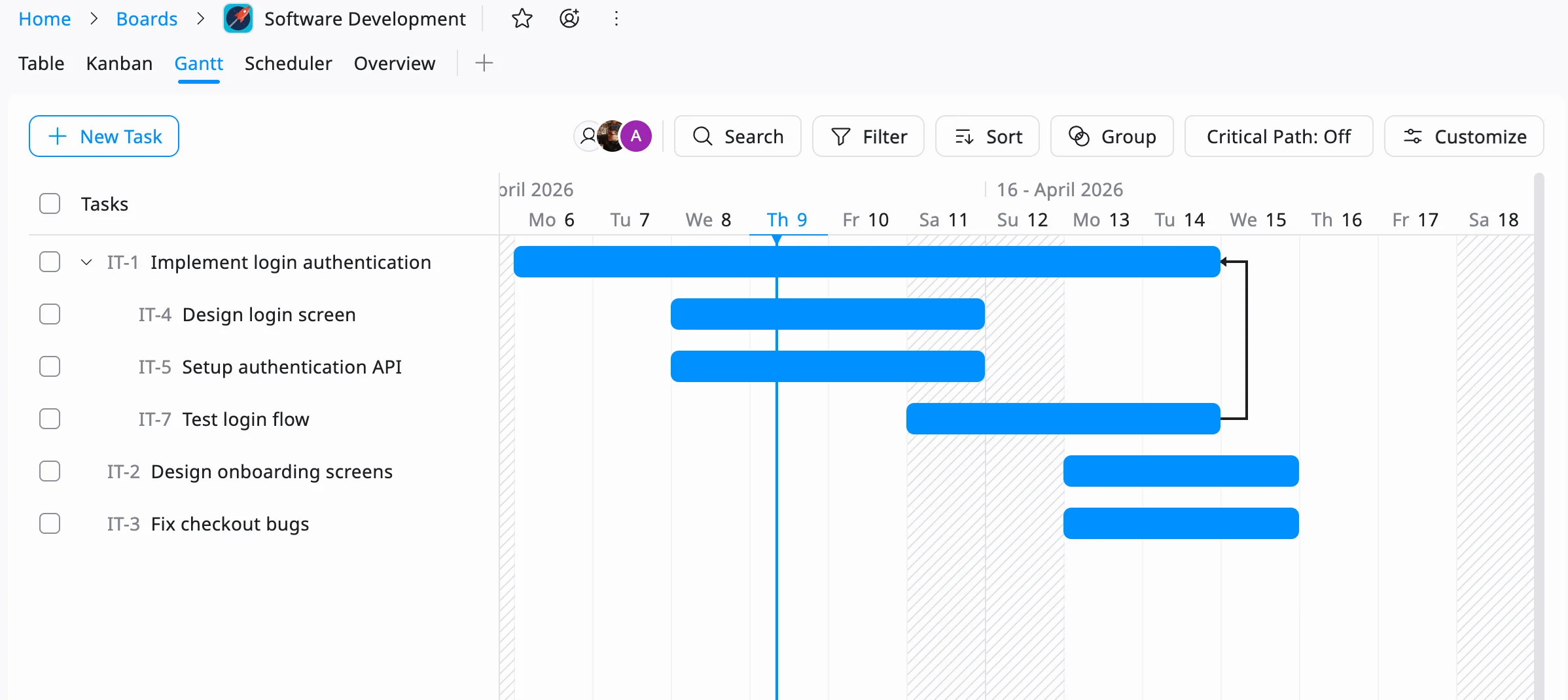
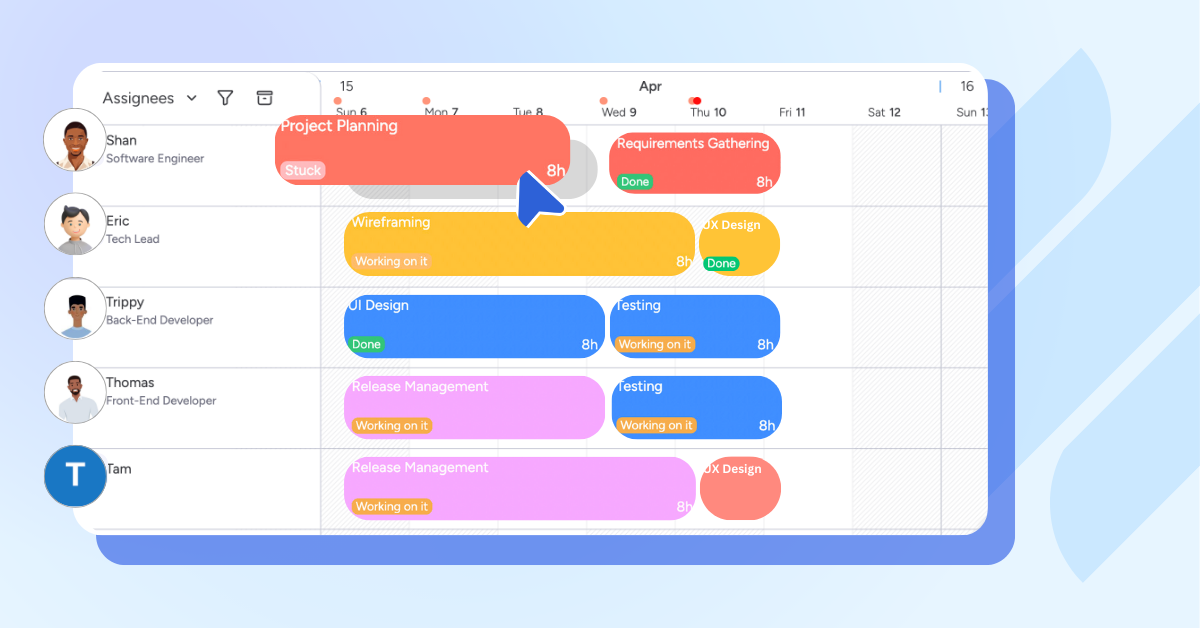
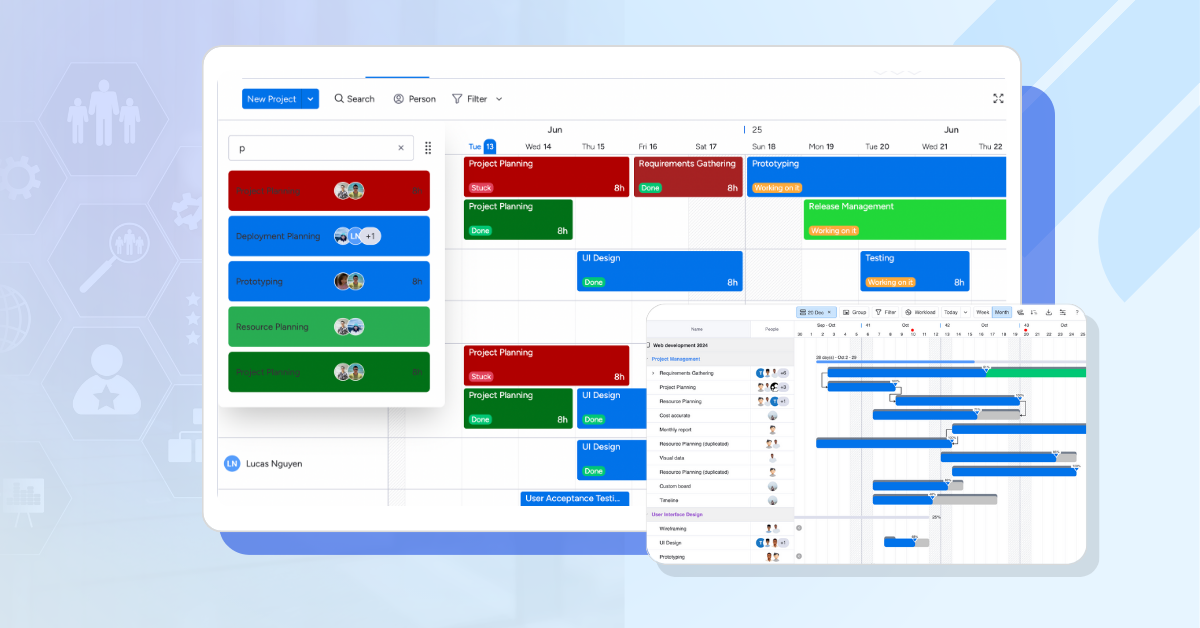
Start by outlining your project tasks, timelines, and dependencies using TaskFord’s Table View and Gantt Chart. This gives you a clear timeline and structure of the work that needs to be done and when it needs to happen.
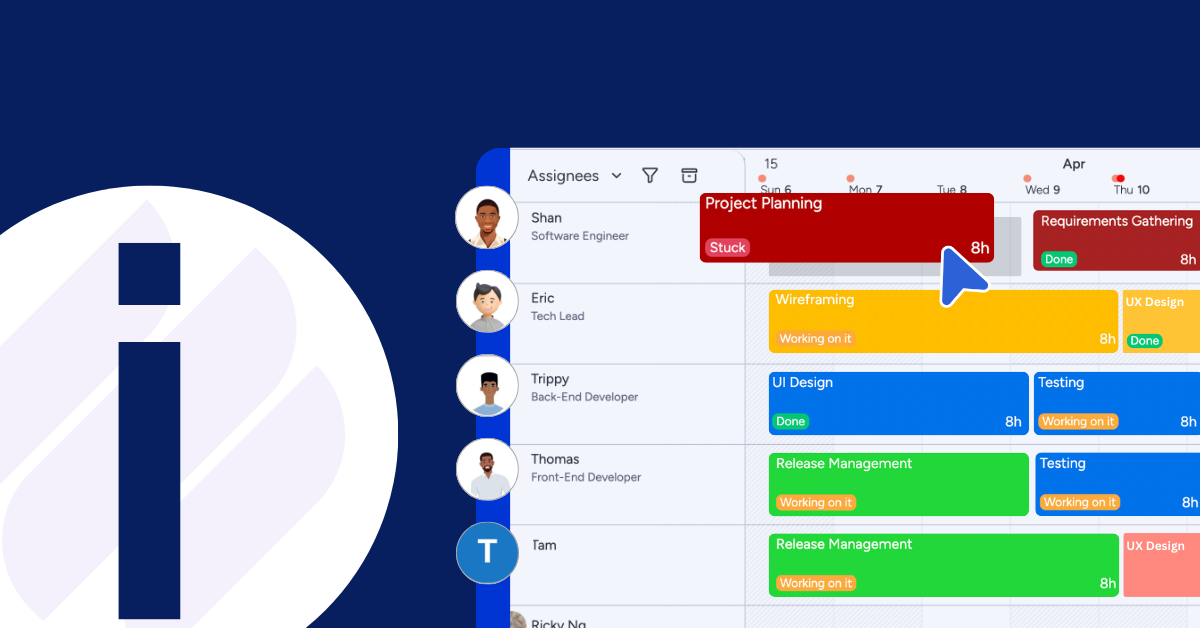
2. Assign Resources to Tasks
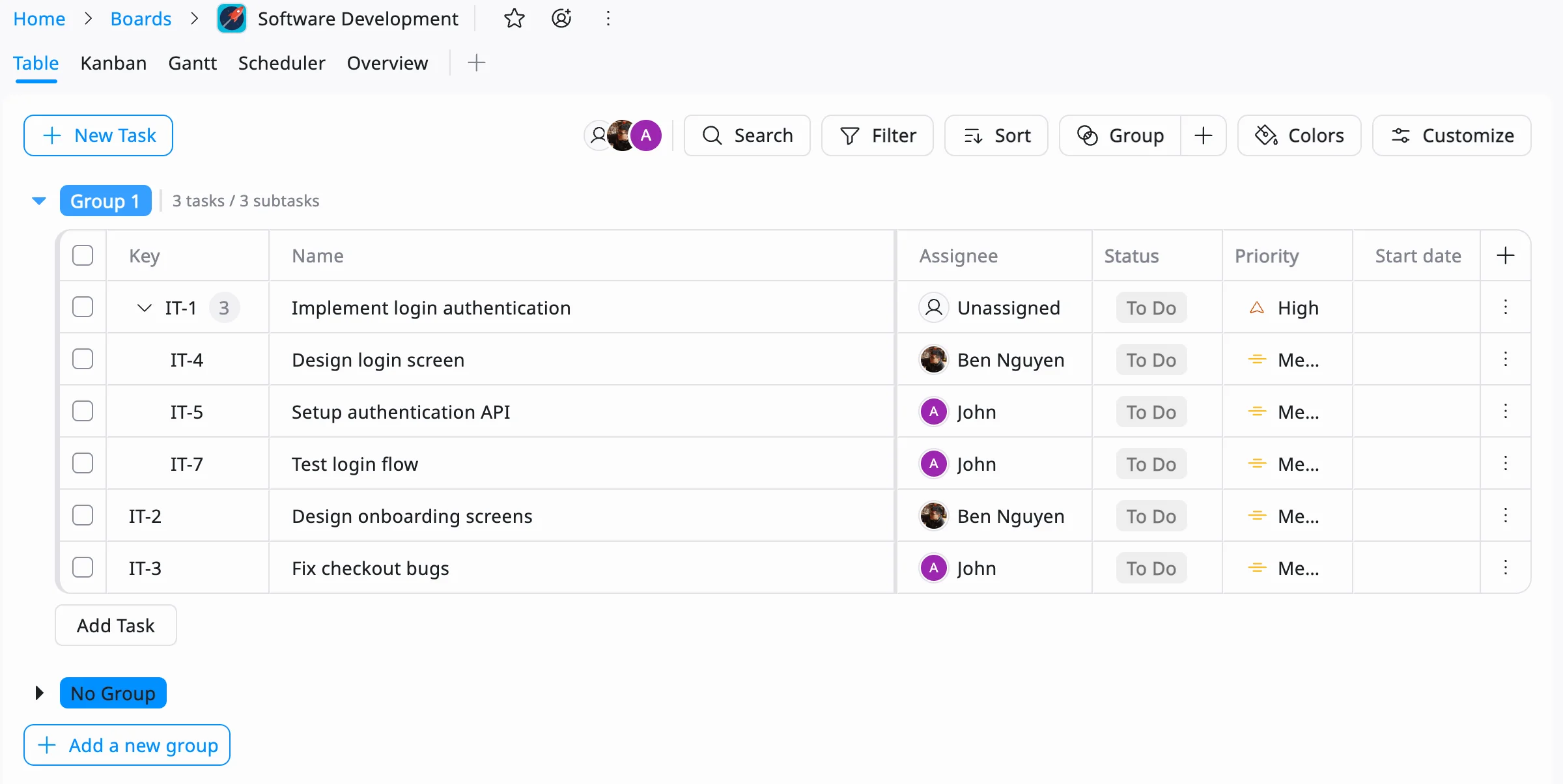
Allocate team members based on their roles, skills, and availability. TaskFord allows you to assign the right people to the right tasks while keeping workloads balanced from the start.
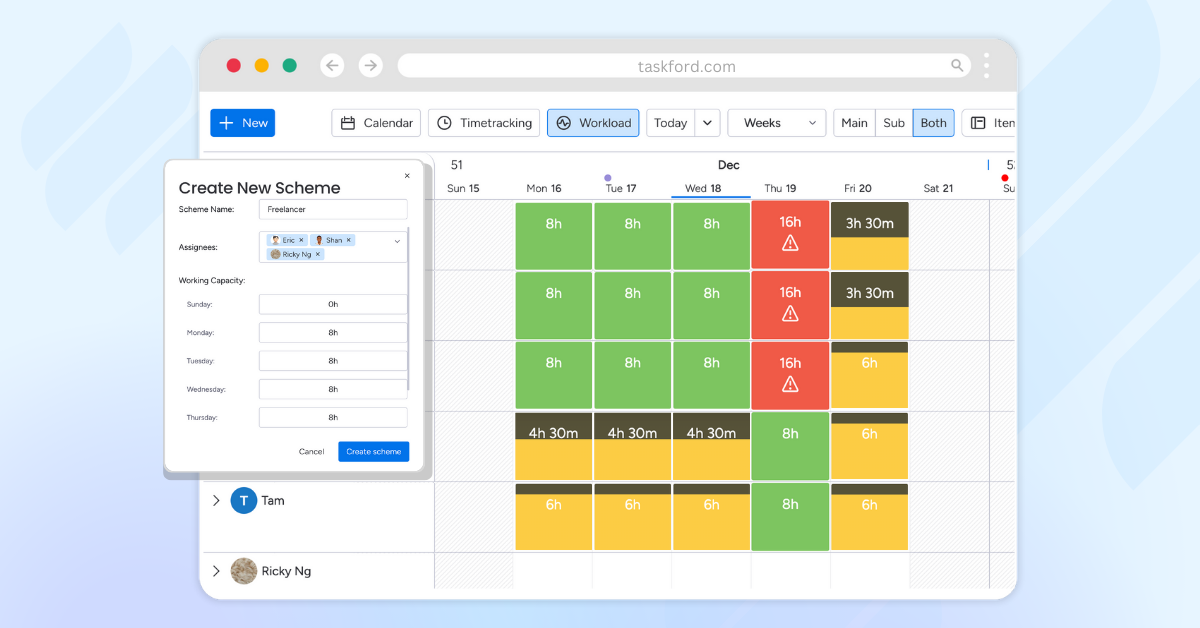
3. Visualize Capacity and Workload
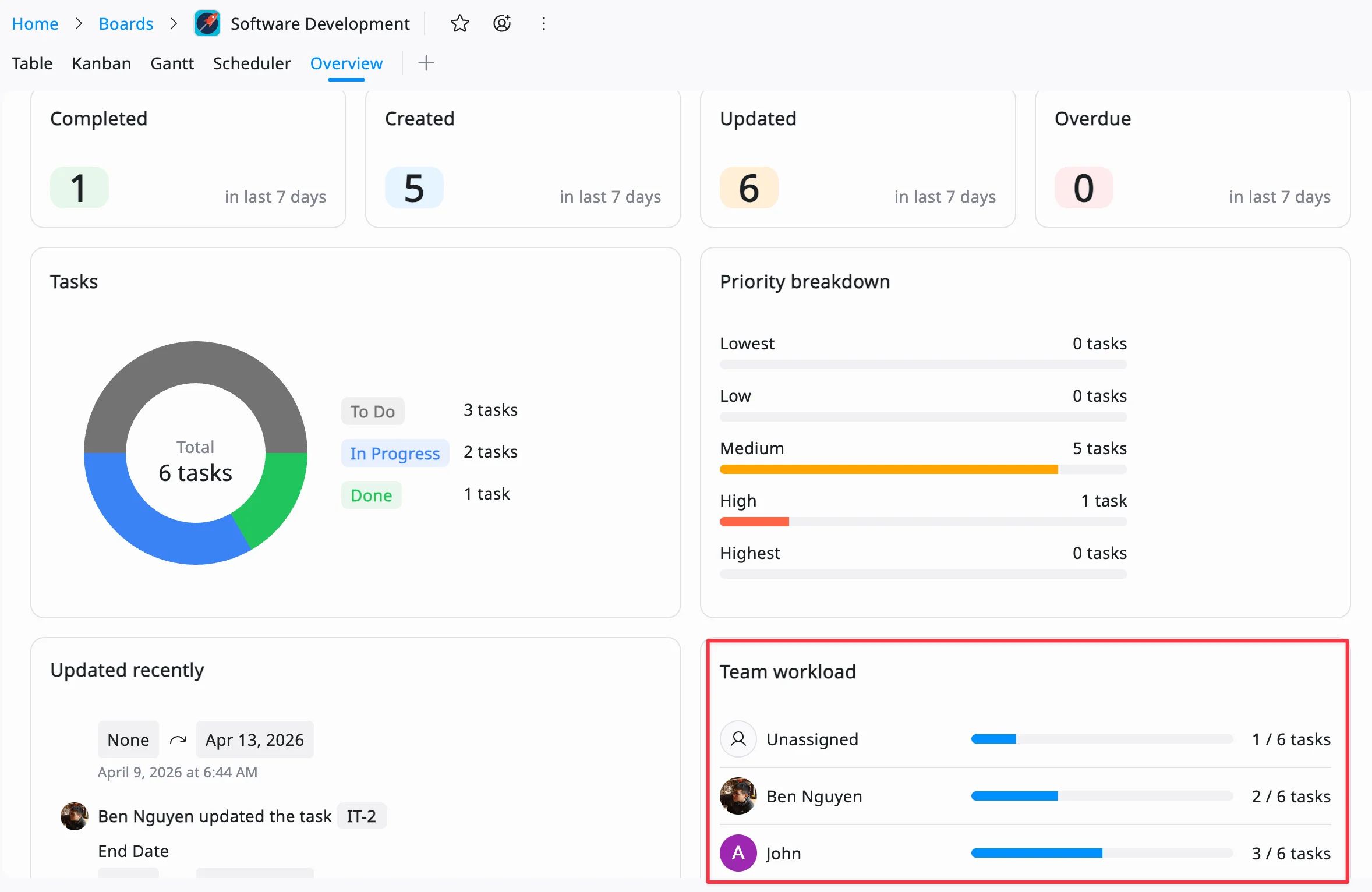
Use the rreporting dashboard to see each team member’s availability, and current assignments in real time. This helps you quickly identify:
- Who is available for new work
- Who is overbooked
- Where adjustments are needed
4. Adjust and Rebalance in Real Time
As plans change, you can easily reassign tasks, shift timelines, or redistribute workloads. TaskFord updates everything instantly, so your team always works with the latest plan.
5. Track Time and Monitor Performance
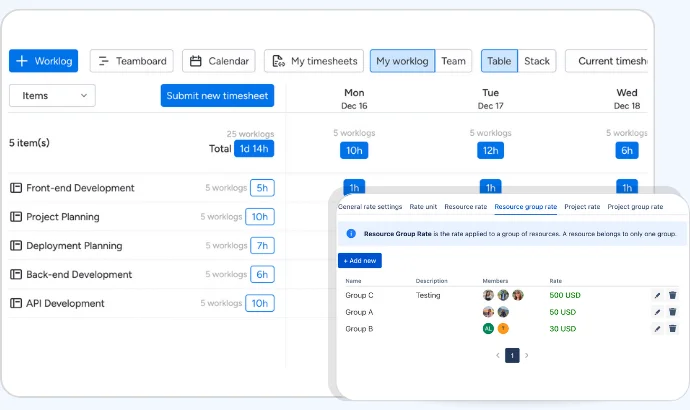
Track how much time is actually spent on tasks to compare against estimates. This helps you:
- Improve future planning accuracy
- Identify bottlenecks
- Ensure projects stay on schedule
Conclusion
Resource planning is more than just assigning tasks, it’s about ensuring every resource, from people to budgets, is used effectively to achieve project goals. A well-designed resource planning template gives you structure, visibility, and control, helping you stay on top of schedules, costs, and capacity. Whether you choose a simple spreadsheet template or invest in professional software, the key is to find a system that fits your team’s needs and scales with your projects.
Related Articles


































































![What is an Effective Resource Management Plan Template [Free Download]](/marketing/blog/resource-management-plan-template.webp)


Subscribe for Expert Tips
Unlock expert insights and stay ahead with TaskFord. Sign up now to receive valuable tips, strategies, and updates directly in your inbox.