Unlocking Success in 2026 with the Right Resource Allocation Software
Discover the best resource allocation software of 2026 to optimize time, budget, and talent for successful project delivery and competitive resource management.
In resource management, effective resource allocation has become a key player in deciding the success of a project. Time, budget, or your team’s talent, making sure everything is allocated efficiently is crucial to always being competitive. And now, here comes a game changer - resource allocation software, aiming to optimize businesses’ operations and deliver projects on time.
What Is Resource Allocation Software?
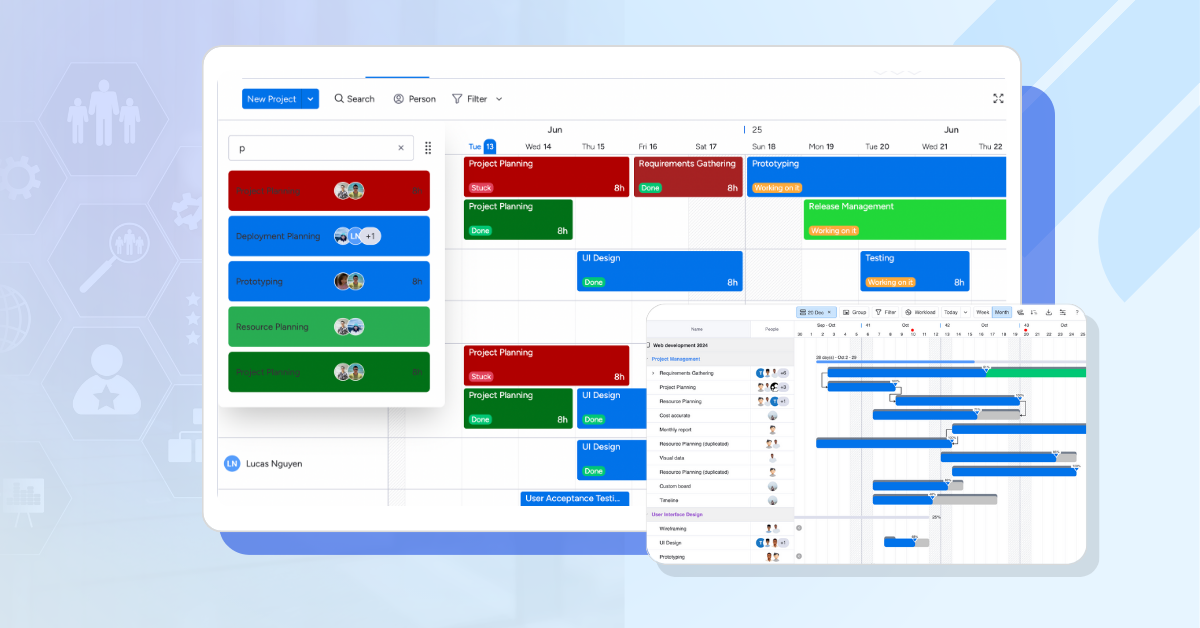
Resource allocation software is a tool designed to help businesses distribute their resources like time, money and people in the most effective way possible to meet project goals. It ensures the right team members with the right skills are assigned to the right tasks at the right time, minimizing waste and maximizing productivity. From tracking project budgets to scheduling staff, this software provides a clear view of resource availability and needs, making it easier to avoid overstaffing, understaffing, or missed deadlines.
Think of it as a digital conductor orchestrating your business’s symphony of tasks and talent. By aligning supply (your resources) with demand (your projects), it helps teams stay on track and deliver results. For any kind of industry that usually juggles multiple projects like marketing or IT, using resource allocation software is your ticket to smoother operations.
Why Use Resource Allocation Software?
The benefits of using tools for resource allocation are hard to ignore. Based on insights from industry experts and real-world applications, here’s why businesses are turning to these tools:
- Optimized Resource Utilization: No more idle team members or overstretched staff. The software ensures resources are used to their fullest potential without burnout, reducing downtime and boosting efficiency.
- Increased Profitability: By aligning resources with high-priority projects, businesses can enhance productivity and revenue. Proper allocation often leads to better project outcomes, which can translate to higher profits.
- Greater Agility: Markets change, and so do project demands. Resource allocation software helps businesses pivot quickly, reallocating resources to meet new challenges or client needs.
- Smarter Decision-Making: With data-driven insights, managers can make informed choices about staffing, budgeting, and project prioritization, reducing risks and costly mistakes.
- Enhanced Team Collaboration: Clear resource assignments and schedules foster better communication, ensuring everyone’s on the same page and working toward shared goals.
- Cost Efficiency: By minimizing waste and underutilization, businesses can cut unnecessary expenses, from overtime costs to unused subscriptions.
- Improved Project Delivery: Properly staffed projects with well-matched skills are more likely to finish on time and within budget, keeping clients happy and reputations intact.
While these benefits sound promising, their impact depends on how well the software is implemented and whether it fits your organization’s needs. Let’s explore the top tools that can help you unlock these advantages.
How We Evaluate the Best Resource Allocation Software
Not every resource allocation tool is built the same. Some focus heavily on scheduling, while others prioritize project management, reporting, or team collaboration. To identify the best resource allocation software, we evaluated each platform based on the features and capabilities that have the greatest impact on resource planning and project delivery. We looked for:
-
Ease of use: Resource planning should simplify work, not add complexity. We prioritized platforms with intuitive interfaces and short learning curves.
-
Resource scheduling and capacity planning: The ability to assign work effectively, monitor availability, and prevent overbooking is essential.
-
Workload visibility: The best tools provide clear insights into team capacity, helping managers balance workloads and avoid burnout.
-
Project management capabilities: Features such as Gantt charts, timelines, task management, and dependencies help connect resource planning with project execution.
-
Time tracking: Built-in time tracking helps teams compare estimated versus actual hours and improve future planning.
-
Reporting and analytics: Utilization reports, performance metrics, and forecasting tools support better decision-making.
-
Collaboration features: Shared dashboards, comments, notifications, and team communication tools keep everyone aligned.
-
Customization and flexibility: Different teams have different workflows, so adaptability was an important factor.
-
Integrations: Strong integrations with tools like Slack, Microsoft Teams, Google Workspace, and other business applications improve productivity.
-
Value for money: Pricing, scalability, and the availability of free plans or trials were considered to ensure each solution delivers strong value.
Top 6 Resource Allocation Softwares in 2026
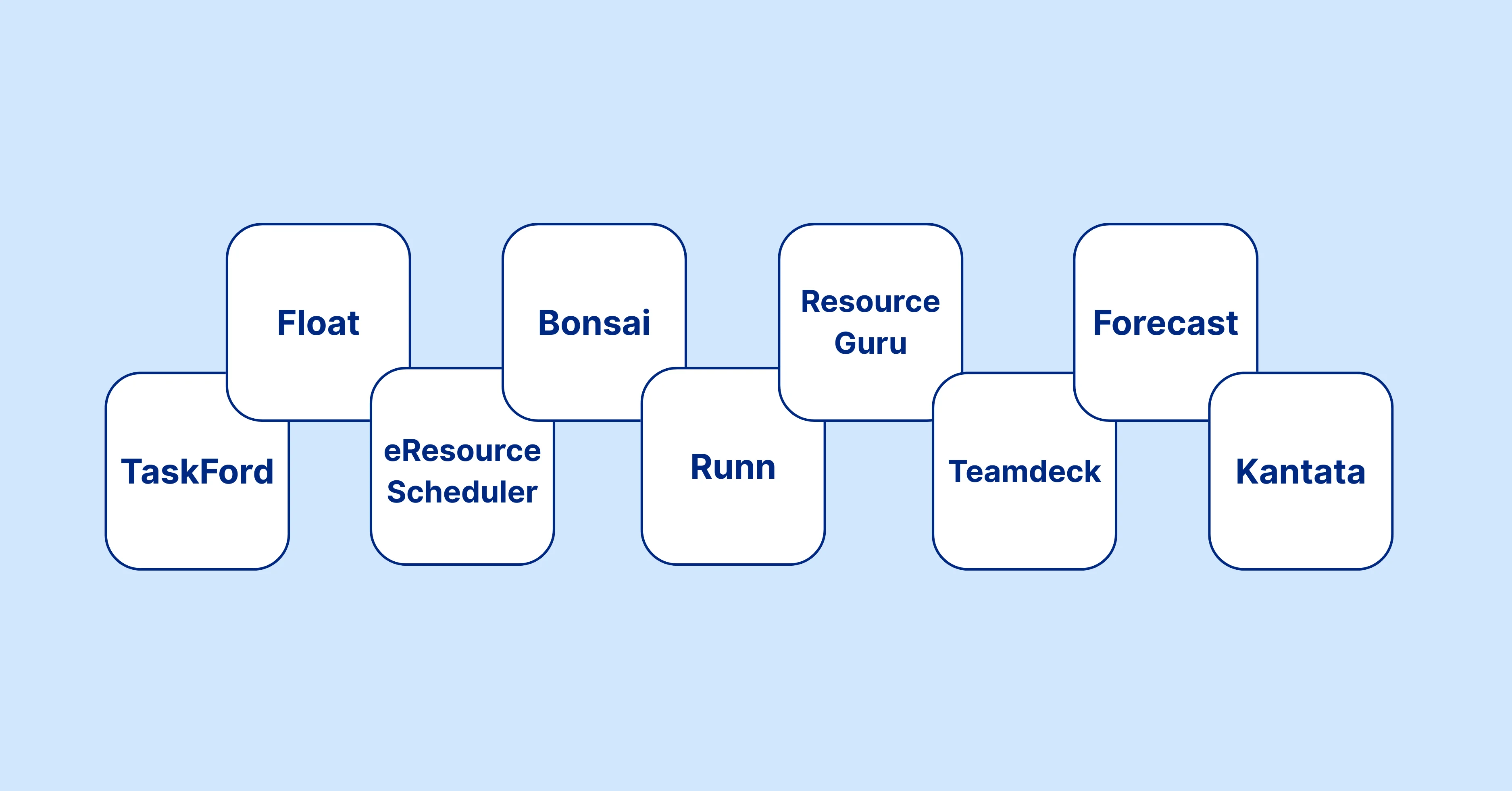
To help you choose the right tool for resource management, we’ve picked the top six resource allocation softwares. Each offers unique features, pricing, and strengths to suit various business needs, from small startups to large enterprises.
1. TaskFord
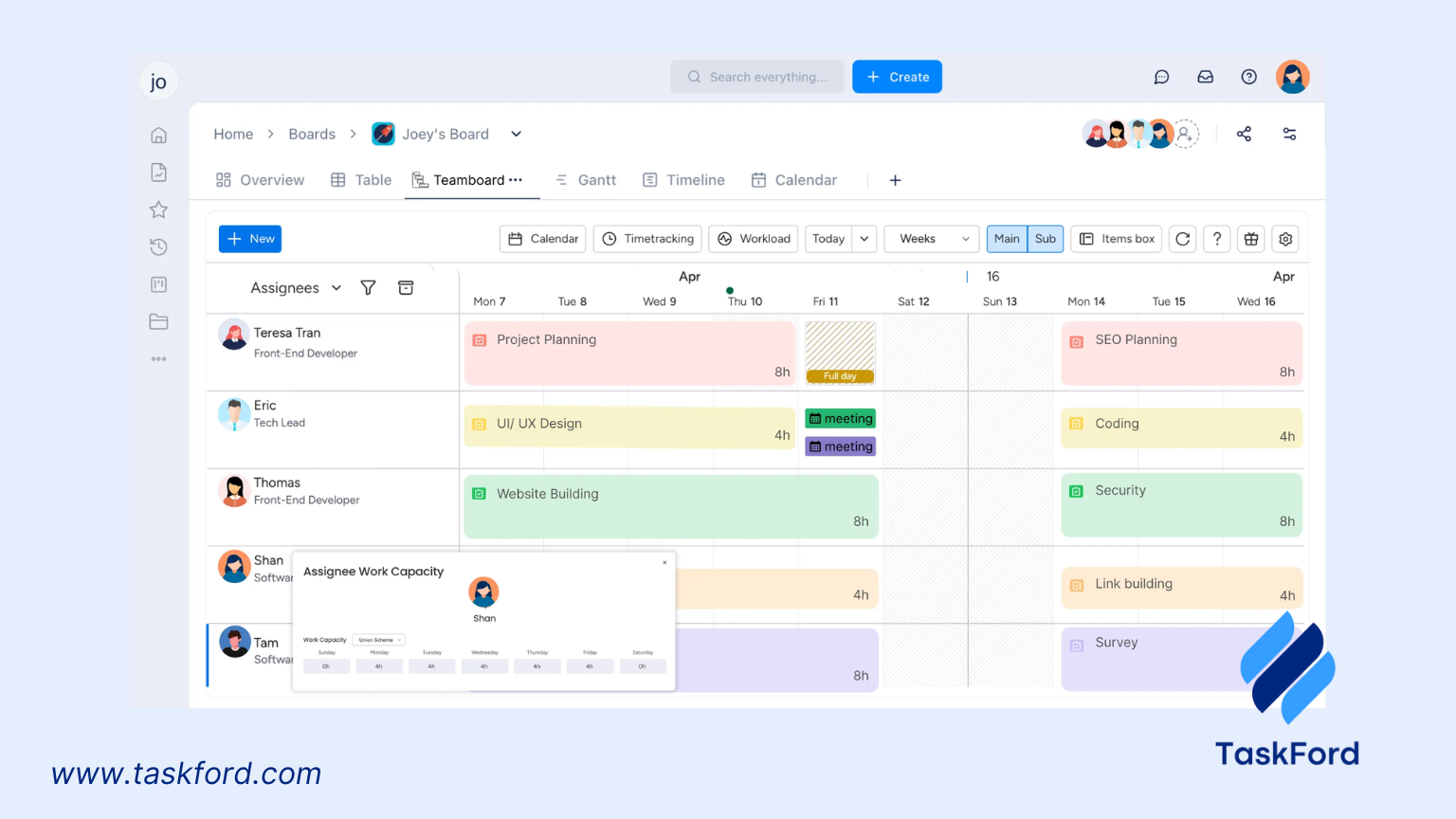
Overview: TaskFord is an integrated work delivery platform that combines task tracking and resource allocation into a smooth and easy-to-use experience. Its innovative interface and robust features make it a favorite for teams looking to simplify workflows.
Key Features:
- Task tracking and project management with Gantt charts
- Resource planning and time tracking
- Cost management and customizable dashboards
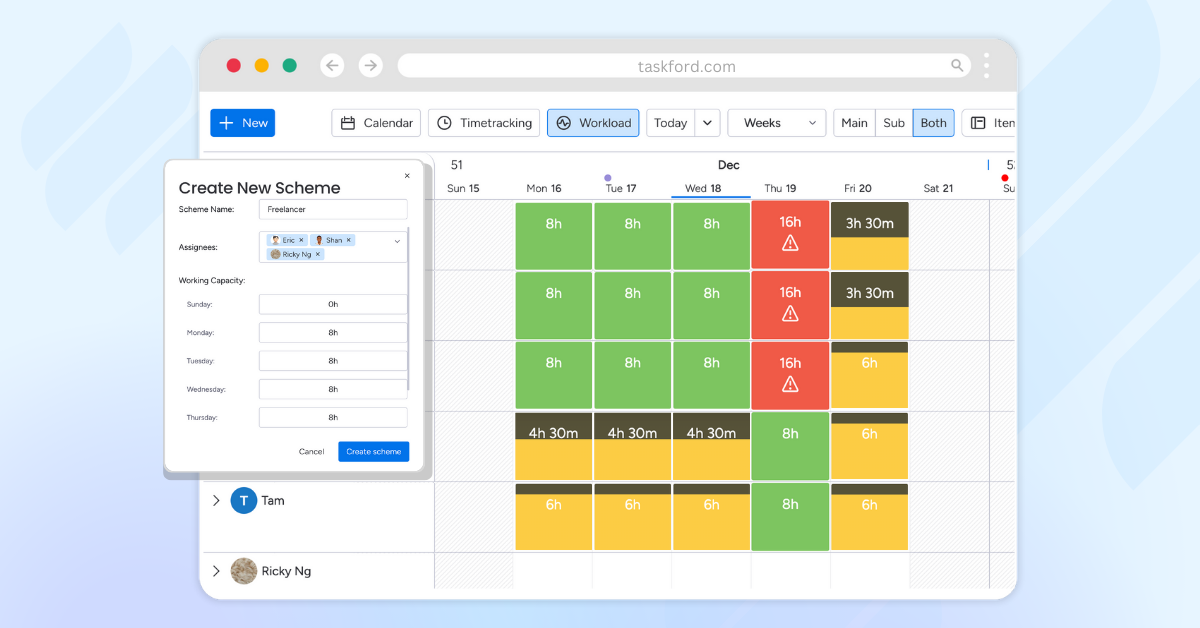
- Real-time insights into resource availability and workload
- Multiple project views, including Table, Kanban, Gantt and Reporting views
Pricing: Contact TaskFord for custom pricing details based on your team’s needs.
What Sets It Apart: TaskFord combines project management and resource planning in a single platform, giving teams visibility into workloads, task progress, and resource availability without relying on multiple tools. Features such as multiple project views, Gantt charts, time tracking, and customizable dashboards help teams plan work, monitor capacity, and adjust priorities as projects evolve.
Its focus on bringing tasks, resources, and project timelines together makes it particularly useful for teams looking to improve visibility and coordination across projects while keeping resource allocation simple and accessible.
2. Asana
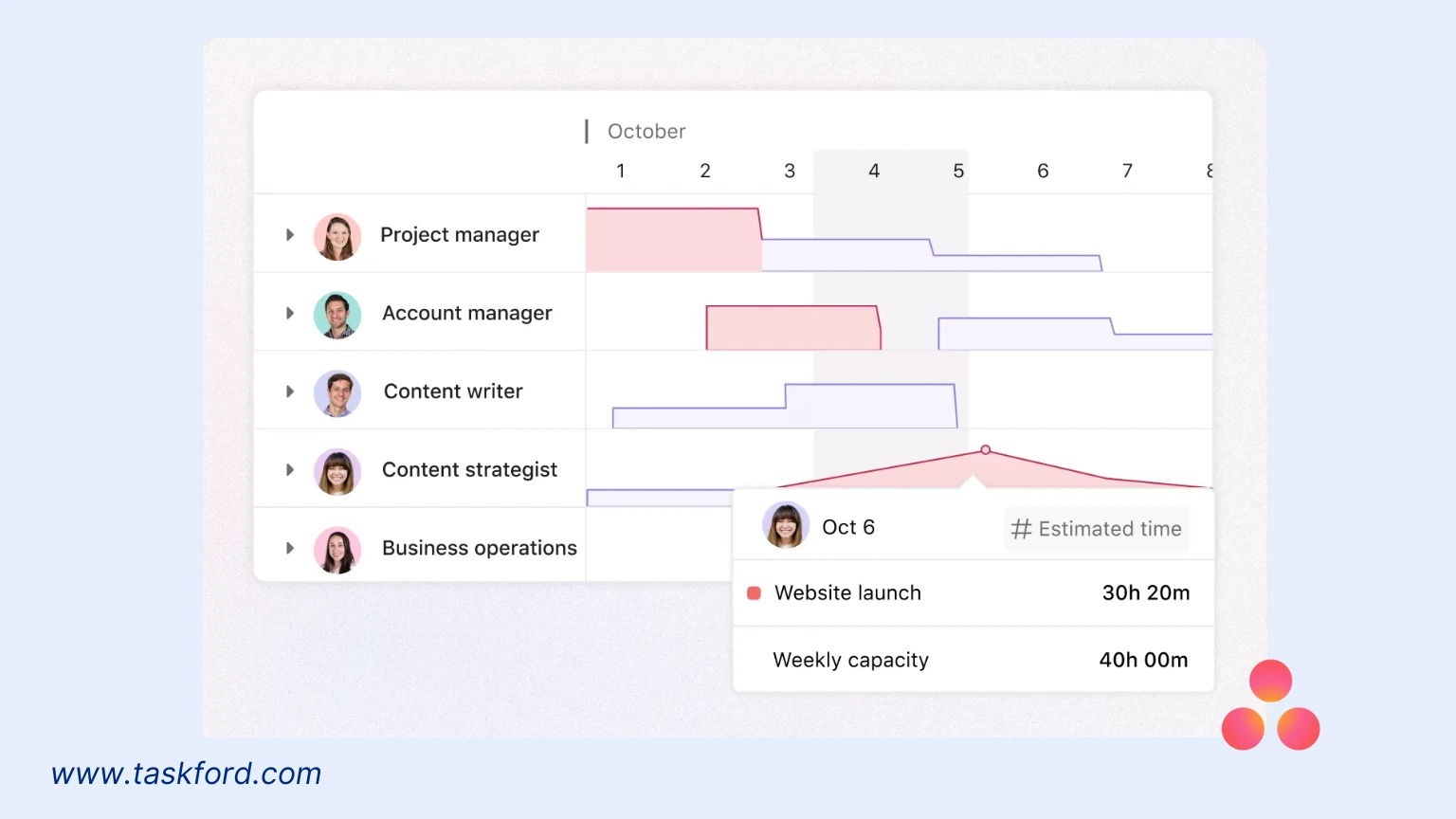
Overview: Asana is a widely used work management platform that excels in task coordination and resource allocation, offering tools to balance team workloads and track project progress. It’s a favorite for teams seeking clarity and collaboration.
Key Features:
- Workload view to monitor team capacity and allocate tasks
- Task management with timeline and board views
- Time tracking and progress reporting
- Resource utilization insights to prevent burnout
Pricing: Free plan available; paid plans start at $10.99/user/month (billed annually) with a 30-day free trial.
What Sets It Apart: Asana’s workload view and straightforward design make it a go-to for resource planning, helping teams balance tasks and avoid overcommitment. Its integrations and focus on collaboration suit businesses of all sizes. For teams looking for a practical platform with strong resource management capabilities, Asana is a compelling option.
3. Bonsai
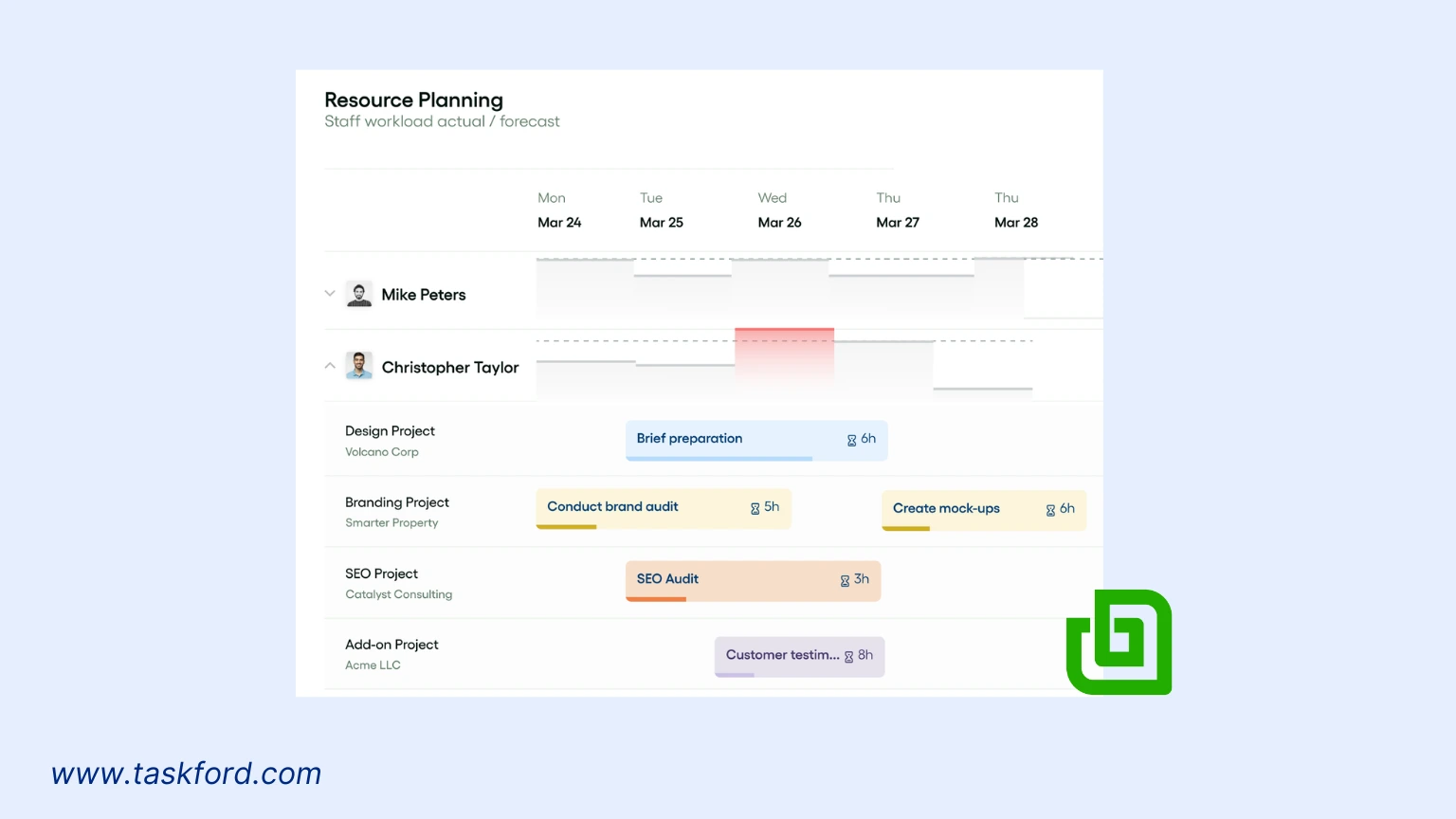
Overview: Bonsai is a resource planning platform built for agencies and consultancies. It offers a clear, visual way to schedule team members, balance workloads, and monitor capacity in real time. With features like built-in time tracking and automatic leave handling, Bonsai helps distributed teams stay on track and plan ahead with confidence.
Key Features:
- Drag-and-drop planner with real-time availability across time zones
- Automatic adjustments for custom work hours, vacations, and public holidays
- Built-in time tracking connected to utilization and profitability insights
- Live capacity reporting to support staffing decisions and project planning
Pricing: Pricing starts at around $15 per user per month, with discounts for annual billing. A free trial is available. Advanced features for resource planning, such as profitability views and deeper utilization metrics, are only included in the Premium tier.
What Sets It Apart: Bonsai stands out for its ability to unify scheduling, time tracking, and resource insights in a single tool. Teams appreciate how it automatically factors in availability and time off, providing a clear view of who can take on new work. For midsize agencies and consultancies, Bonsai offers a strong balance of simplicity and functionality, helping teams avoid overbooking and make smarter staffing decisions.
4. Float
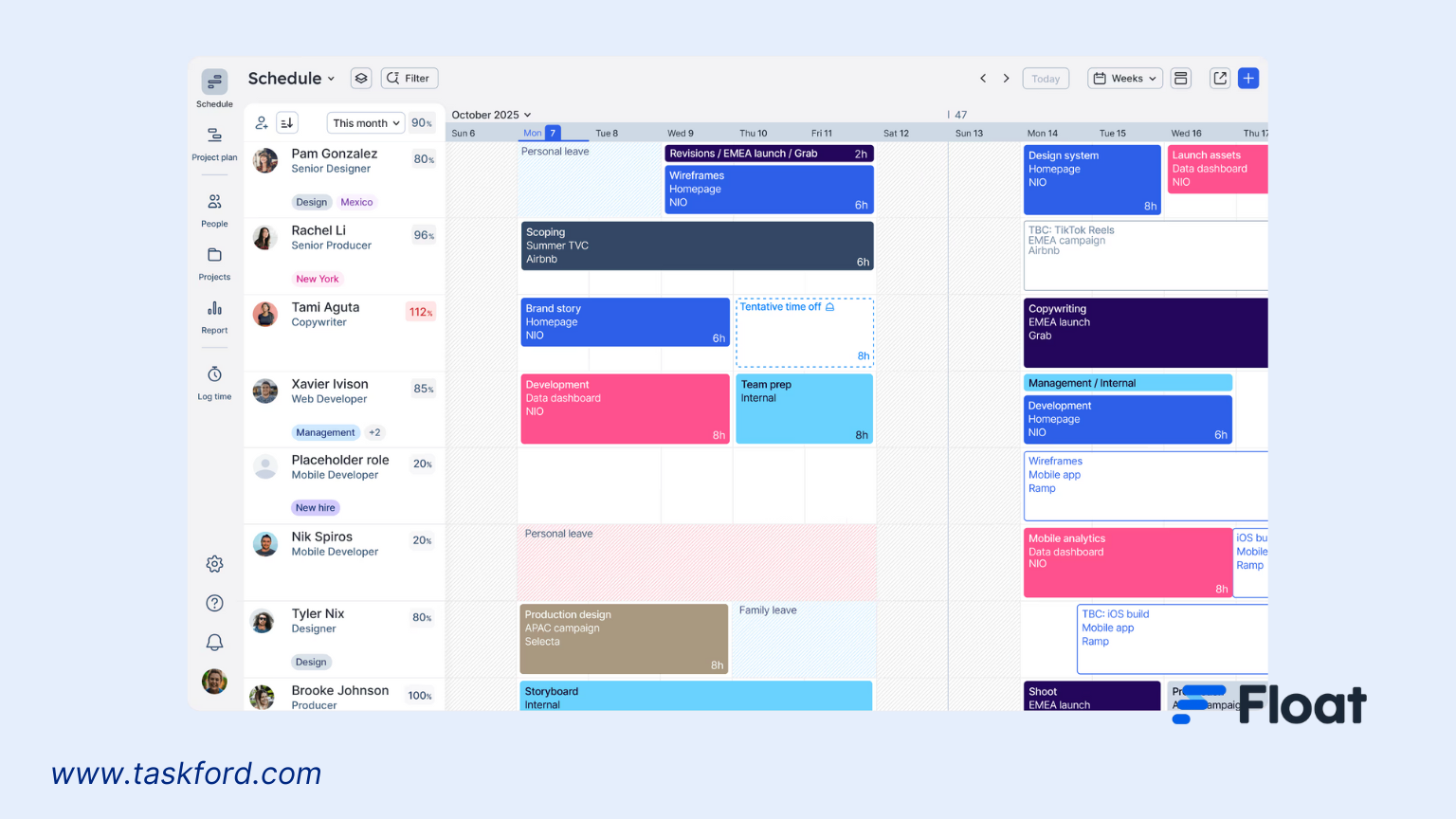
Overview: Float is a resource scheduling powerhouse with a user-friendly drag-and-drop interface, perfect for professional services teams managing multiple projects.
Key Features:
- Resource scheduling and capacity reporting
- Time tracking and mobile access
- Estimates vs. actuals tracking
- Custom contracts and SLAs
Pricing: Resource Planning at $6/user/month (billed annually) or $7.50 monthly; Time Tracking at $10/user/month (billed annually) or $12.50 monthly. Includes a 30-day free trial.
What Sets It Apart: Float’s simplicity and real-time insights make it a favorite for dynamic project management. Its drag-and-drop scheduling is innovative, allowing managers to adjust resources on the fly. For teams in creative or consulting industries, Float’s flexibility is a major draw.
5. Monday.com
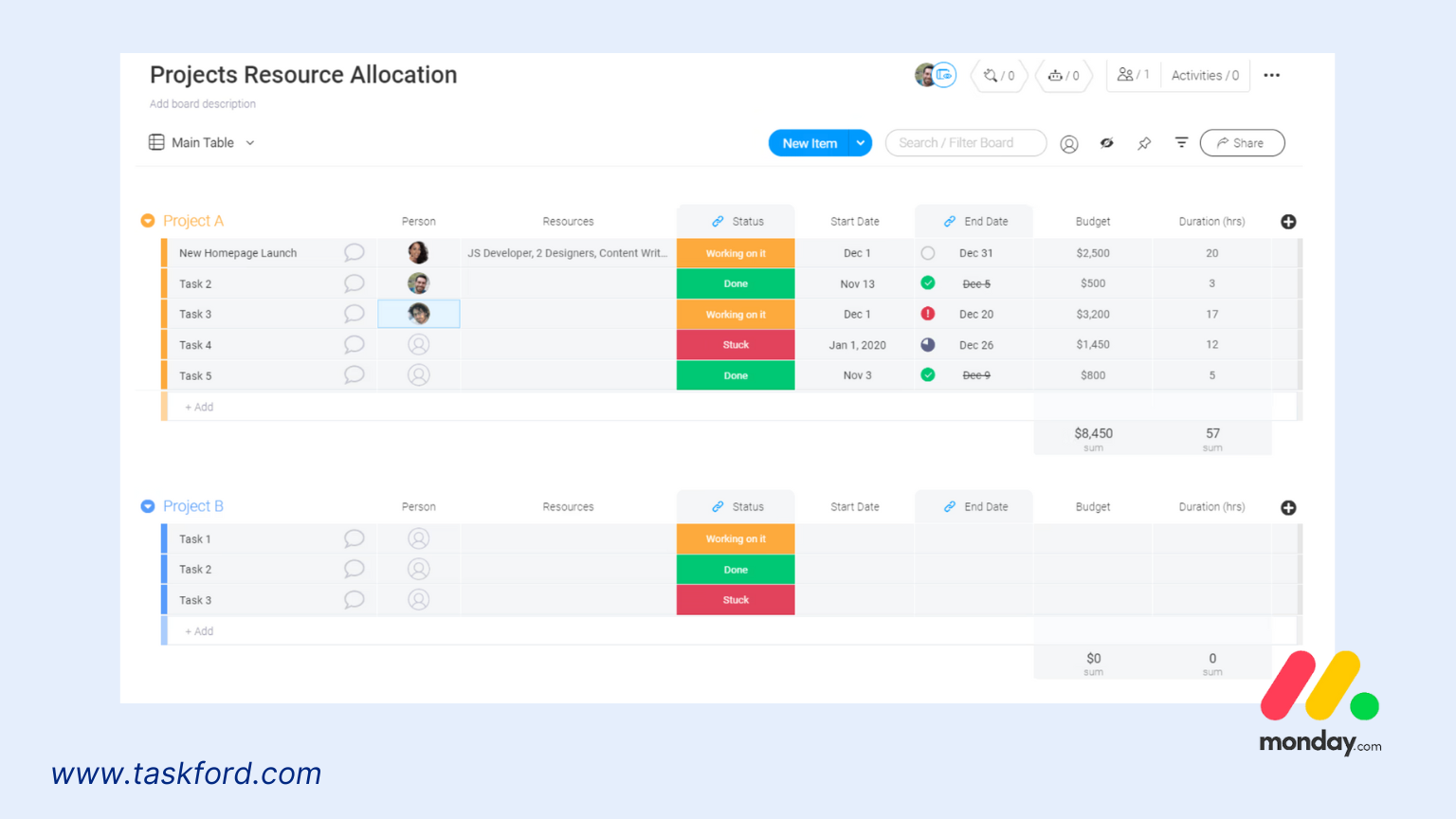
Overview: Monday.com is a highly customizable work management platform that excels in resource allocation, task tracking, and team collaboration. Its AI-driven workflows and sleek interface make it a top pick for large teams.
Key Features:
- Task tracking with time estimates and workload view
- Customizable dashboards for resource monitoring
- AI-driven workflows for automation
- Resource allocation tools to balance team workloads
- Integrations with tools like Slack, Zoom, and Microsoft Teams
Pricing: Contact Monday.com sales for pricing details tailored to your organization.
What Sets It Apart: Monday.com’s strength lies in its flexibility and AI-powered features. Its workload view helps managers ensure no one’s overstretched, while customizable dashboards provide a clear picture of resource allocation. Ideal for large teams or enterprises, Monday.com combines user-friendliness with powerful functionality, making it a versatile choice for complex projects.
6. ClickUp
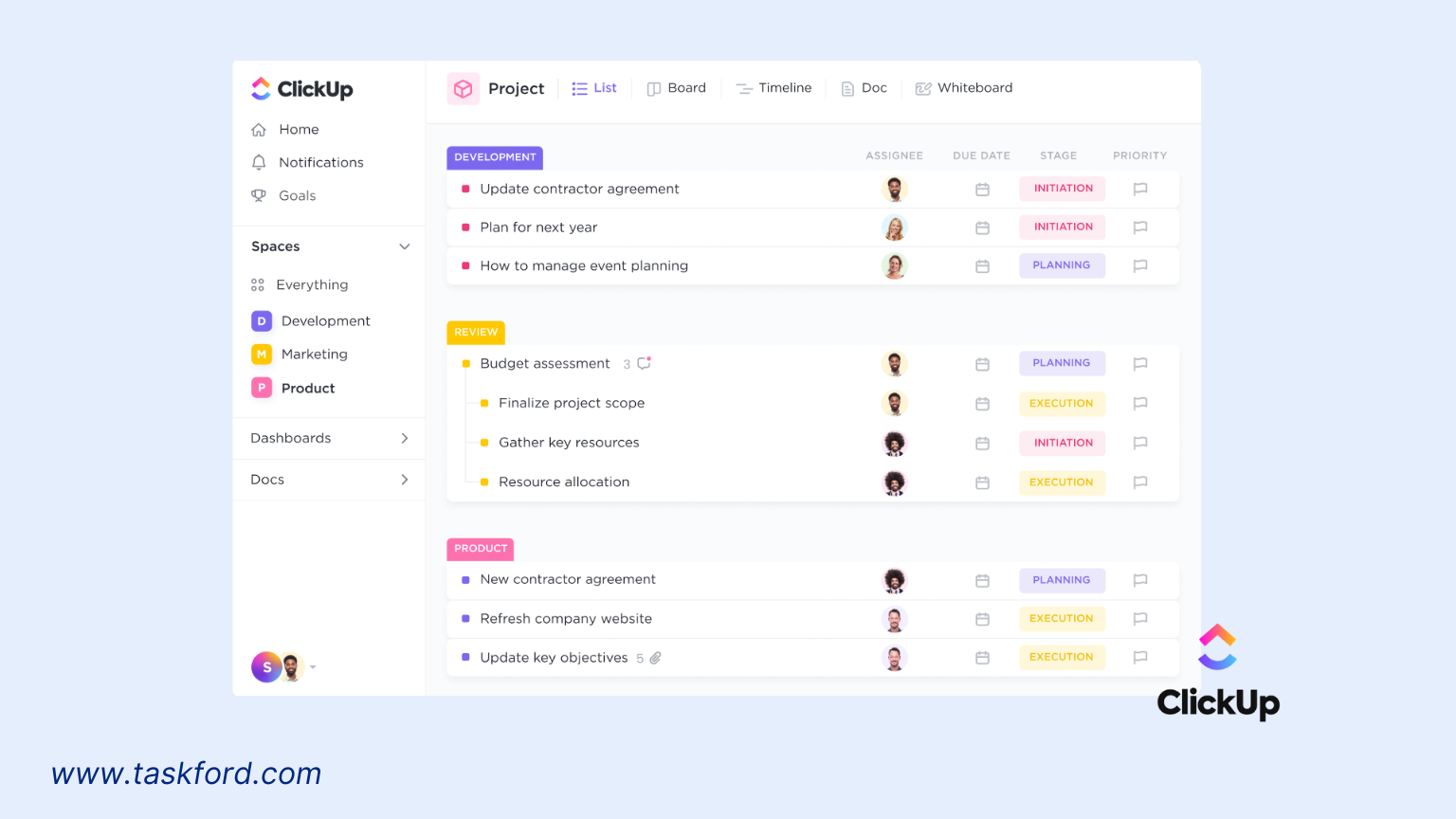
Overview: ClickUp is a versatile productivity platform that offers powerful resource allocation features alongside task management and time tracking. Its affordability and scalability make it a great fit for teams of all sizes.
Key Features:
- Workload view for resource allocation and capacity planning
- Time tracking and multiple project views (Gantt, Board, Calendar)
- Resource optimization tools to balance team schedules
- Over 1,000 integrations, including Slack, Zapier, and Google Drive
- Customizable dashboards and reporting
Pricing: Free Forever plan available; paid plans start at $7/user/month (billed annually).
What Sets It Apart: ClickUp’s free plan and low-cost paid options make it accessible for startups and small businesses, while its comprehensive features scale for larger teams. The Workload view provides detailed insights into team capacity, and its extensive integrations ensure uninterrupted workflows. If you’re after an affordable, all-in-one solution with strong resource management, ClickUp delivers.
Resource Allocation Software Comparison Table
| Software | Best For | Starting Price | Free Plan | Gantt Charts | Time Tracking | Workload View | Our Score |
|---|---|---|---|---|---|---|---|
| TaskFord | All-in-one resource management | Contact TaskFord | ✅ | ✅ | ✅ | ✅ | ⭐ 4.9/5 |
| Asana | Team collaboration | $10.99/user/month | ✅ | ✅ | Limited | ✅ | ⭐ 4.5/5 |
| Bonsai | Agencies and consultancies | $15/user/month | ❌ | Limited | ✅ | ✅ | ⭐ 4.5/5 |
| Float | Resource scheduling | $6/user/month | ❌ | Limited | Add-on | ✅ | ⭐ 4/5 |
| Monday.com | Enterprise teams | Custom pricing | Limited | ✅ | ✅ | ✅ | ⭐ 4/5 |
| ClickUp | Small businesses and startups | $7/user/month | ✅ | ✅ | ✅ | ✅ | ⭐ 4/5 |
Choosing the Right Resource Allocation Software
The best resource allocation software ultimately depends on how your team works. Before making a decision, here are a few things worth considering:
-
Team size: Smaller teams often benefit from affordable, easy-to-use tools, while larger organizations may need more advanced features and greater flexibility.
-
Project complexity: If you’re managing multiple projects, deadlines, and dependencies, look for software that offers stronger planning and scheduling capabilities.
-
Budget: Consider both your current budget and the long-term value the software provides as your business grows.
-
Ease of use: A platform should simplify resource planning, not make it more complicated. An intuitive interface can help teams adopt the software faster.
-
Scalability: Your resource management needs may change over time, so it’s important to choose software that can grow alongside your team.
-
Free trials and demos: Whenever possible, test the software before committing. Exploring the platform firsthand is often the best way to determine whether it fits your workflow.
Taking the time to evaluate these factors can help you choose a solution that not only meets your current needs but also supports your team as it grows.
Conclusion
As businesses face increasing pressure to deliver projects faster and more efficiently, a resource allocation software is becoming a must-have. These tools not only save time and money but also empower teams to work smarter, not harder. Whether you’re a startup juggling limited resources or an enterprise managing global teams, the right software can transform how you operate.
In 2026, expect these platforms to evolve further, with more AI-driven features, deeper integrations, and enhanced mobile access. Tools like Taskford, Asana, Float, Monday.com, and ClickUp are leading the charge, each offering unique strengths to help you stay ahead.
Ready to optimize your resources and supercharge your projects? Check out these tools, starting with TaskFord, and find the one that’s right for you. Your next successful project could be just a few clicks away!
Frequently Asked Questions
1. What is resource allocation software?
Resource allocation software helps businesses assign people, budgets, time, and other resources to projects more effectively. It provides visibility into team availability, workloads, and project demands to improve planning and productivity.
2. Why is resource allocation important?
Effective resource allocation ensures the right people are working on the right tasks at the right time. It helps prevent burnout, reduces idle time, improves productivity, and keeps projects on schedule and within budget.
3. What features should resource allocation software have?
The most important features include resource scheduling, workload management, capacity planning, time tracking, reporting, project timelines, integrations, and real-time visibility into team availability.
4. Can small businesses benefit from resource allocation software?
Yes. Small businesses can use resource allocation software to improve productivity, manage limited resources more efficiently, and gain better visibility into team workloads. Many platforms also offer affordable plans or free versions.
5. How do I choose the right resource allocation software?
Consider factors such as team size, project complexity, budget, integrations, reporting capabilities, and ease of use. Testing free trials or demos can also help you determine which solution best fits your workflow.
6. What is the best resource allocation software?
The best resource allocation software depends on your team’s needs. TaskFord is a strong choice for teams looking for an all-in-one project and resource management platform, while Asana excels at collaboration, Float specializes in scheduling, and ClickUp offers excellent value for growing teams.
Learn more
-
Resource Smoothing vs. Resource Leveling: Key Differences Project Managers Should Know
-
Resource Distribution vs. Resource Allocation: Key Differences Explained
Related Articles



































































![What is an Effective Resource Management Plan Template [Free Download]](/marketing/blog/resource-management-plan-template.webp)



Subscribe for Expert Tips
Unlock expert insights and stay ahead with TaskFord. Sign up now to receive valuable tips, strategies, and updates directly in your inbox.