Microsoft Project vs Monday for Project Management - A Full Comparison 2026
Compare Microsoft Project vs Monday for project management. Learn their key features, pricing, and best use cases to pick the ideal tool for your team.
Selecting the right project management tool is critical for ensuring your team delivers projects efficiently and meets deadlines without exceeding budgets. In 2026, Microsoft Project vs Monday stand out as leading options, each tailored to distinct project management needs. Microsoft Project is a powerhouse for detailed planning and resource management, ideal for complex, structured projects. Monday, by contrast, offers a user-friendly, collaborative platform that adapts to diverse workflows.
This in-depth comparison explores their features, usability, pricing, and real-world applications to guide you, whether you’re a startup founder, a project manager in a large enterprise, or leading a remote team, in choosing the best tool for your needs.
Overview of Microsoft Project vs. Monday
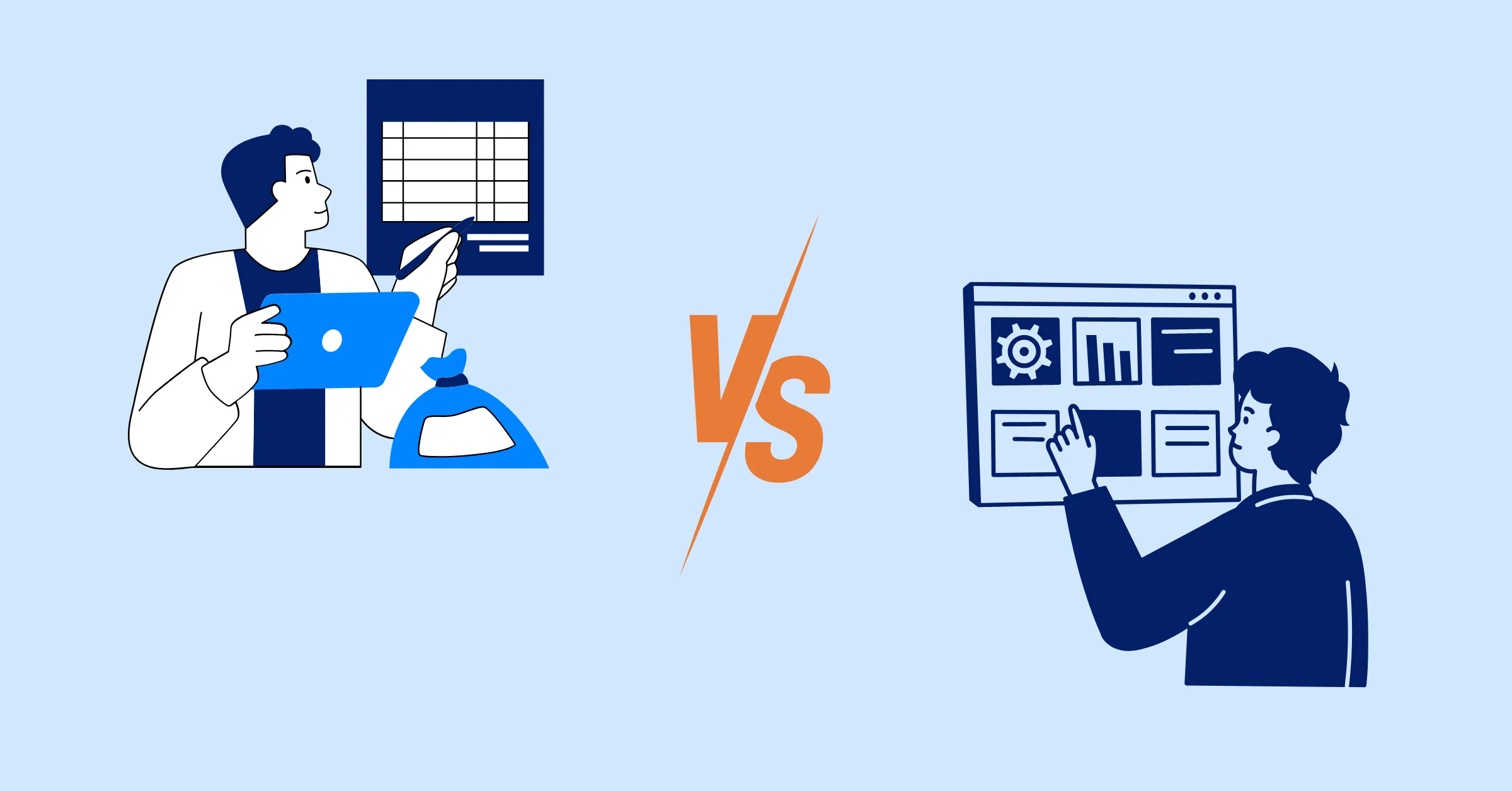
Microsoft Project and Monday.com take very different approaches to project management – one rooted in structured, traditional planning, the other in flexible, modern collaboration. This overview highlights their core philosophies, helping you understand how each tool supports different workflows and team needs.
What is Microsoft Project?
Microsoft Project is a long-standing project management tool designed for detailed planning and resource management. First launched in 1984, it has evolved from a desktop application to include cloud-based options, integrating seamlessly with Microsoft 365. It’s a go-to choice for experienced project managers handling complex projects, especially in industries like construction, engineering, or IT, where precise scheduling and budgeting are critical.
What is Monday?
Monday is a cloud-based Work Operating System (Work OS) launched in 2014, focusing on flexibility and collaboration. It’s designed for teams of all sizes across various industries, from marketing to software development. With its colorful and intuitive interface, Monday enables teams to customize workflows, track tasks, and collaborate in real-time, making it ideal for dynamic, remote, or creative teams.
Key Difference: MS Project vs. Monday
Microsoft Project excels in traditional project management with advanced tools for scheduling, resource allocation, and analytics, best suited for Waterfall methodologies. Monday prioritizes ease of use, flexibility, and collaboration, supporting Agile and hybrid approaches. If you need deep control over complex projects, Microsoft Project is your tool; if you want a simple, adaptable platform, Monday is the better fit.
Core Features Comparison
To choose the right project management software, it’s essential to understand what each platform offers in terms of functionality. This section breaks down the core features of Microsoft Project and Monday.com, covering everything from task management to collaboration, so you can see how they stack up in practical, day-to-day use.
1. Task & Project Management
1.1 Task Creation, Assignment, and Tracking:
- Microsoft Project: Offers detailed task management with support for Work Breakdown Structures (WBS), task dependencies, and milestones. You can assign tasks with specific durations, costs, and predecessors, making it ideal for structured projects. However, it can feel rigid for simpler workflows.
- Monday: Uses a spreadsheet-like board system for task creation, allowing drag-and-drop assignment, subtasks, and status updates. It’s intuitive for tracking progress but less granular for complex task hierarchies.
1.2 Gantt charts, Kanban boards, Calendars:
- Microsoft Project: Features industry-leading Gantt charts with critical path analysis, task dependencies, and timeline adjustments. It also supports Kanban boards and basic calendar views, though these are less emphasized.
- Monday: Offers a Timeline view (Gantt-like) on higher tiers, which is simpler but effective for visualizing deadlines and dependencies. Its Kanban boards and calendar views are robust and user-friendly, catering to Agile teams.
1.3 Templates:
- Microsoft Project: Provides a limited set of templates, often requiring users to build projects from scratch, which can be time-consuming for beginners.
- Monday: Offers over 200 customizable templates for various industries (e.g., project management, marketing campaigns, software sprints), enabling quick setup.
➡️ Verdict: Microsoft Project is better for complex scheduling. Monday is better for flexibility and multiple visual planning options.
2. Resource Management
- Microsoft Project: Excels with comprehensive resource management, allowing you to allocate resources, track costs, and manage capacity. Features like resource leveling help balance workloads, making it ideal for projects with tight budgets or multiple teams.
- Monday: Provides a workload view to monitor team capacity and prevent burnout. It’s less detailed, focusing on people rather than financial or material resources, and lacks advanced budgeting tools.
➡️ Verdict: Microsoft Project is the clear winner for resource-intensive projects. Monday suits teams needing basic workload balancing.
3. Time Tracking
- Microsoft Project: Includes built-in time tracking for tasks, with detailed reporting on hours spent versus planned. It integrates with Microsoft 365 tools like Excel for further analysis, but requires manual input for most tracking.
- Monday: Offers native time tracking on Pro and Enterprise plans, allowing team members to log hours directly on tasks. It’s more user-friendly and integrates with third-party tools for advanced tracking.
➡️ Verdict: Monday simplifies team-based time tracking with an intuitive interface. Microsoft Project provides deeper reporting but requires more manual effort.
4. Automation & Workflow Customization
- Microsoft Project: Has limited automation, relying on Microsoft Power Automate for advanced workflows, which may require additional setup and cost. Customization is strong for project plans but less flexible for non-project workflows.
- Monday: Shines with no-code automation (e.g., task triggers, notifications, status updates) on Standard and higher plans. Its boards are highly customizable, supporting diverse workflows like CRM or marketing funnels.
➡️ Verdict: Monday leads for automation and workflow flexibility. Microsoft Project is less adaptable outside traditional project management.
5. Dashboards & Reporting
- Microsoft Project: Offers advanced reporting with customizable dashboards, earned value analysis, and AI-powered insights. Integration with Power BI enhances analytics for large organizations.
- Monday: Provides customizable dashboards with multiple views (e.g., charts, workload, progress). Reporting is solid but less sophisticated, focusing on visual summaries over deep analytics.
➡️ Verdict: Microsoft Project is better for complex reporting needs. Monday is sufficient for most teams, but lacks advanced analytics.
6. Collaboration Tools
- Microsoft Project: Integrates with Microsoft Teams for chat, file sharing, and meetings, but in-app collaboration is limited, focusing more on planning than team interaction.
- Monday: Built for collaboration, with in-app comments, real-time updates, and file sharing. It centralizes communication, reducing reliance on external tools.
➡️ Verdict: Monday is far superior for team collaboration and real-time interaction.
Integration
- Microsoft Project: Seamlessly integrates with Microsoft 365 apps (Teams, Outlook, SharePoint, Power BI) but has limited third-party integrations, making it best for Microsoft-centric organizations.
- Monday: Supports a wide range of integrations, including Slack, Zoom, Google Workspace, Jira, and Salesforce, plus an open API for custom connections. Its app marketplace extends functionality for diverse needs.
➡️ Verdict: Monday is more versatile for teams using varied software. Microsoft Project is ideal for Microsoft 365 ecosystems.
Ease of Use
- Microsoft Project: Has a steeper learning curve due to its complex interface and feature depth. It’s designed for experienced project managers, and new users may need training to master Gantt charts or resource tools.
- Monday: Features a colorful, intuitive interface with drag-and-drop functionality. Its spreadsheet-like boards are easy to learn, and extensive help resources (videos, guides) make onboarding smooth for all users.
➡️ Verdict: Monday is much easier to use, especially for beginners or non-technical teams. Microsoft Project requires more expertise.
Pricing Plans
Microsoft Project:
- No free plan, but a 30-day free trial is available (credit card required)
- Plan 1 - $10/user/month (web-based, basic features).
- Plan 3 - $30/user/month (adds desktop client and resource management).
- Plan 5: $55/user/month (advanced portfolio tools & enterprise resource management).
See more Microsoft Project pricing plans in details.
Monday
- Trial: Free trial for paid plans (no credit card required).
- Free: $0 for up to 2 users (3 boards, basic features).
- Basic: $12/user/month.
- Standard: $14/user/month (adds Timeline, automations).
- Pro: $24/user/month (advanced features like time tracking).
- Enterprise: Custom pricing.
See more Monday.com Pricing Plans in details.
Which one works for you?
Monday is more affordable and offers a free plan, making it accessible for small teams or startups. Microsoft Project is pricier but justifies its cost for enterprises with complex needs and Microsoft 365 integration.
Use Case Scenarios
Microsoft Project:
- Best for large-scale, complex projects (e.g., construction, IT infrastructure) requiring detailed scheduling, budgeting, and resource allocation.
- Ideal for organizations using Microsoft 365 and needing advanced analytics.
- Suit Waterfall methodologies or teams with dedicated project managers.
Monday:
- Great for small to medium teams, startups, or creative industries needing flexible workflows.
- Perfect for remote or cross-functional teams prioritizing collaboration.
- Supports Agile or hybrid methodologies with customizable boards.
Pros & Cons Summary
| Tool | Pros | Cons |
|---|---|---|
| Microsoft Project | - Advanced Gantt charts and resource tools - Strong Microsoft 365 integration - Robust analytics and reporting - Ideal for Waterfall projects |
- Steep learning curve - Expensive, no free plan - Limited third-party integrations - Dated interface |
| Monday.com | - User-friendly and intuitive - Flexible workflows and templates - Strong collaboration features - Affordable with free plan |
- Gantt charts less robust, tier-locked - Limited advanced analytics - Can feel cluttered for complex projects |
Final Verdict: Which Tool Is Right For You?
- Choose Microsoft Project if you manage large, resource-heavy projects requiring meticulous scheduling, budgeting, and analytics. It’s ideal for experienced project managers in Microsoft-centric organizations, particularly for Waterfall methodologies. For example, a construction firm or IT department will benefit from its precision and Power BI integration.
- Choose Monday if you need an easy-to-use, collaborative platform that adapts to diverse workflows. It’s perfect for small to medium teams, startups, or creative industries prioritizing flexibility and affordability. A marketing team or software startup will find its templates and real-time collaboration invaluable.
💡 Still exploring options? Check out our guides on Microsoft Project alternatives and Monday.com alternatives to find the best fit for your team.
The Alternative to Microsoft Project vs. Monday - Meet TaskFord!
If Microsoft Project feels too complex and Monday.com doesn’t offer the structure needed for managing large initiatives, modern teams are increasingly looking for solutions that balance power, clarity, and flexibility. One of those solutions is TaskFord.
TaskFord is the Integrated Work Delivery Platform built for teams that need predictable outcomes, not just task tracking. Instead of juggling separate tools for planning, scheduling, resources, and costs, TaskFord brings everything into one unified delivery ecosystem.
Whether Microsoft Project is rigid. Monday is for coordination. TaskFord is for delivery. When your team needs more than timelines and task boards, TaskFord gives you a unified way to plan, schedule, resource, and deliver work with discipline and predictability.
For organizations that need more than timelines and task boards, TaskFord provides a unified way to plan, schedule, allocate resources, and deliver work with confidence.
Key Features of TaskFord
-
Strategy-to-execution alignment TaskFord connects organizational goals with initiatives, projects, and tasks, ensuring that daily work stays aligned with strategic priorities.
-
Integrated planning and execution TaskFord brings planning and delivery together in one platform, allowing teams to plan initiatives, manage projects, and track progress without switching between multiple tools.
-
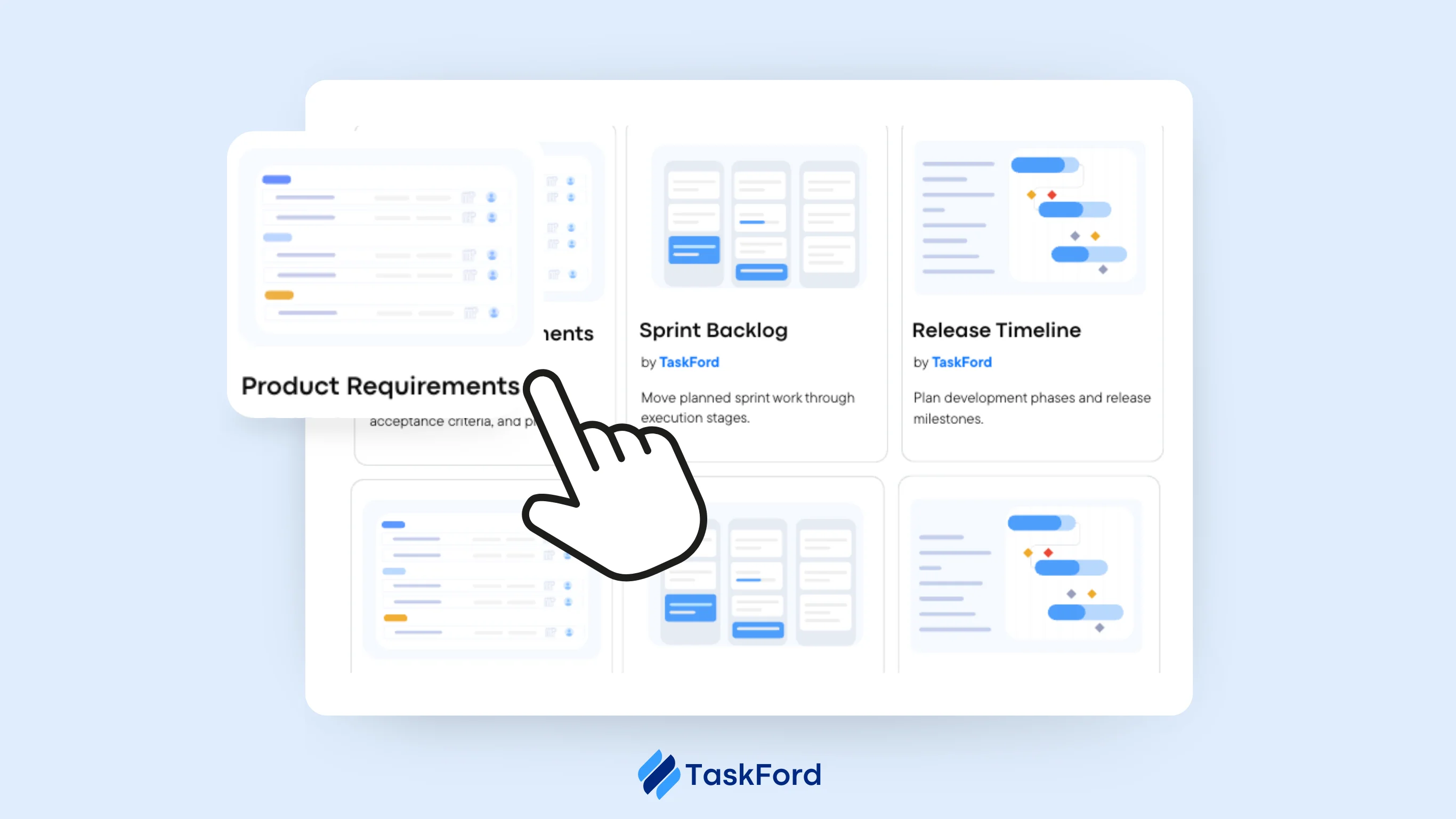
Flexible project views TaskFord supports multiple work views, including Table, Kanban, Gantt, and Overview, enabling teams to organize and manage projects in the way that best fits their workflow.
-
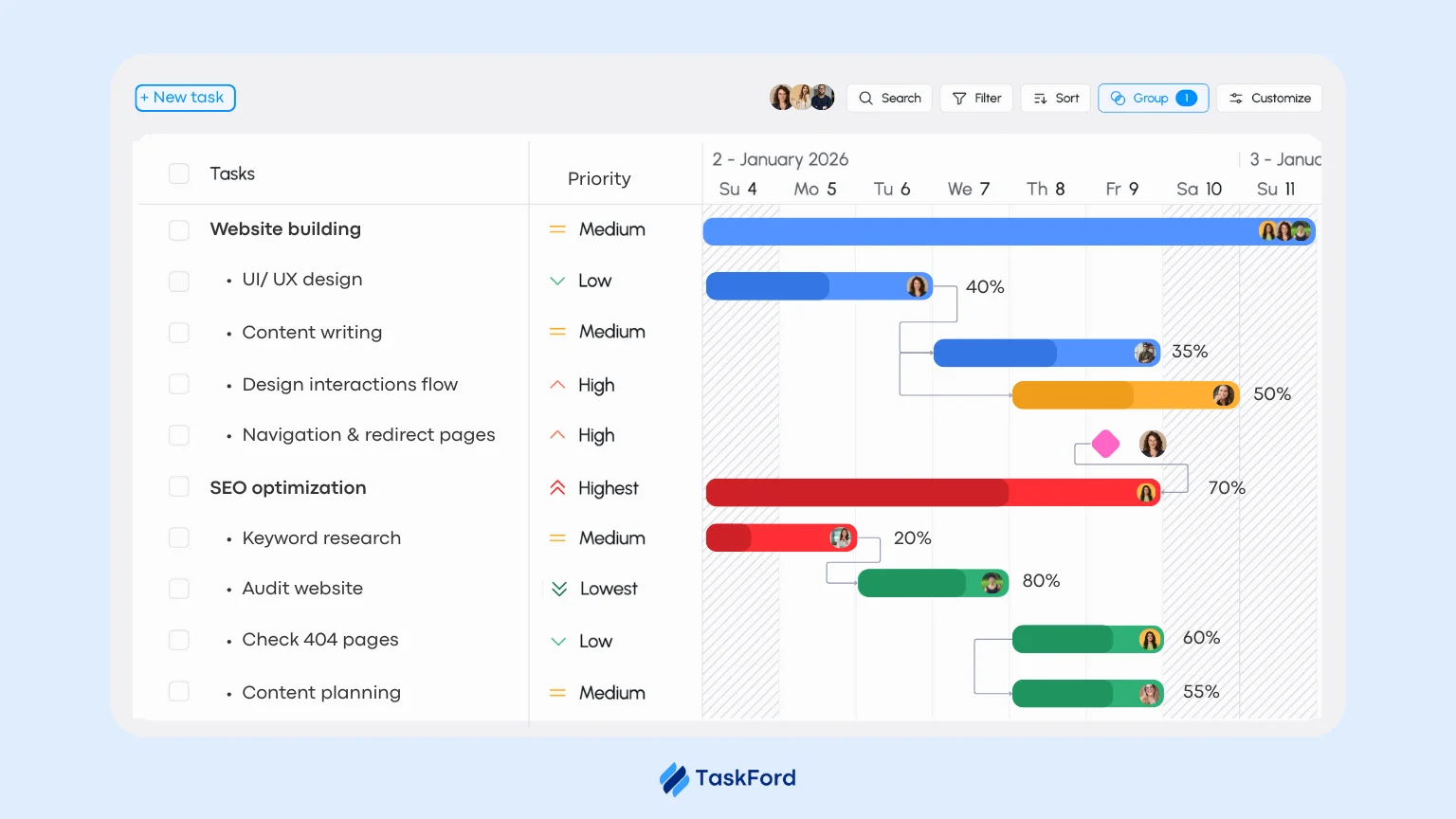
Dependency and scheduling management TaskFord allows teams to link tasks with dependencies and automatically maintain the correct schedule when project timelines change.
-
Portfolio and initiative visibility TaskFord provides clear visibility across projects and initiatives, helping leaders monitor progress, identify risks, and keep teams aligned.
-
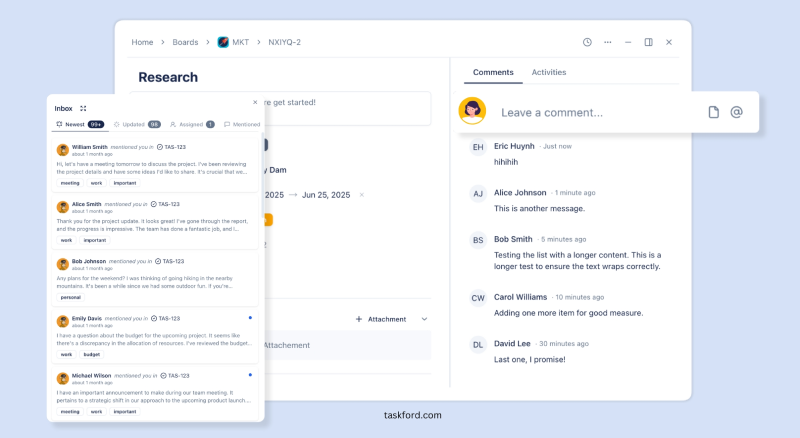
Collaboration and shared context TaskFord centralizes project information, discussions, and updates so teams can collaborate effectively without scattered communication.
-
Designed for predictable delivery By combining planning, execution, and visibility in one system, TaskFord helps organizations deliver projects with greater consistency and confidence.
Why Choose TaskFord as an Alternative to Microsoft Project and Monday?
While Microsoft Project and Monday.com are popular tools for managing projects, some teams look for a solution that more seamlessly connects planning, execution, and delivery. TaskFord is designed to bring these elements together in a clear and structured platform.
✅ Connect strategy with execution: TaskFord links goals, initiatives, projects, and tasks so teams can understand how daily work supports organizational priorities.
✅ Unified work management: TaskFord combines planning, scheduling, project management, and collaboration in one platform, reducing the need for multiple tools.
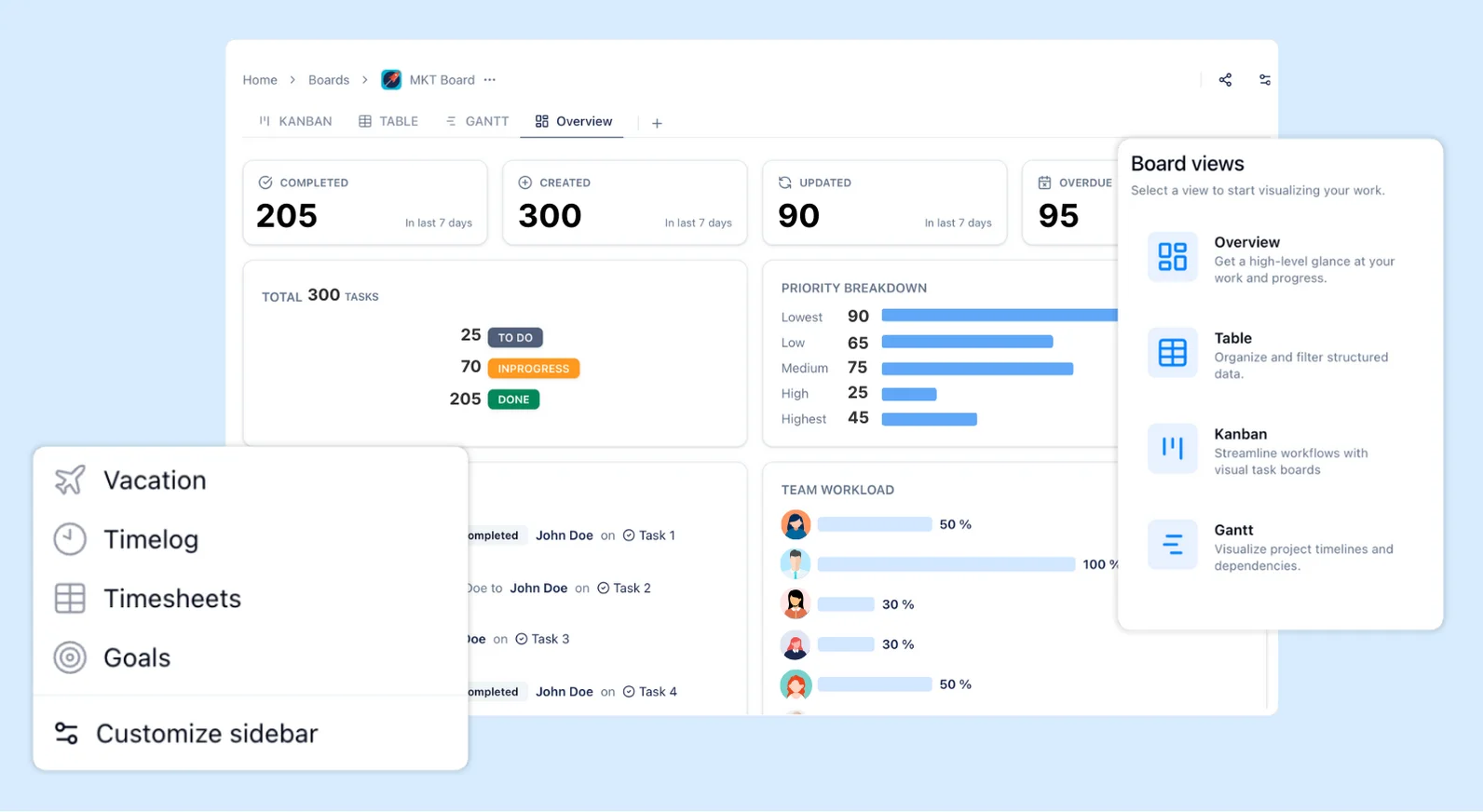
✅ Flexible project views: With views such as Table, Kanban, Gantt, Schedule and Overview, TaskFord allows teams to manage work in the format that best fits their workflow.
✅ Clear visibility across projects: TaskFord provides real-time insights into project and initiative progress, helping teams stay aligned and make informed decisions.
✅ Built for predictable delivery: By connecting strategy, planning, and execution, TaskFord helps organizations deliver projects with greater clarity and confidence.
Choose TaskFord if you seek a user-friendly platform that combines structured planning, flexible workflows, and clear visibility to help teams plan, execute, and deliver projects with confidence.
Conclusion
In 2026, Microsoft Project and Monday.com continue to serve different project management needs. Microsoft Project is often preferred for complex, highly structured projects, offering advanced capabilities for scheduling, resource planning, and detailed project control. Monday.com, on the other hand, focuses on flexibility, collaboration, and ease of use, making it well suited for teams that value visual workflows and adaptable project management.
Choosing between the two depends on factors such as team size, project complexity, workflow style, budget, and the tools already used in your organization. By understanding how each platform supports planning, collaboration, and project delivery, teams can select the solution that best aligns with their needs.
For teams seeking a more balanced approach that connects planning, execution, and delivery, modern platforms such as TaskFord offer an alternative designed to help organizations manage projects with greater clarity and predictability.
Related Resources:
- Asana or ClickUp: Who Wins the Task Management Crown?
- Jira vs Clickup: Feature-by-Feature Battle for Modern Teams
- ClickUp Competitors: 5 Project Management Tools Your Team Will Love
- Best MS Project Alternatives You Should Try in 2026 (Free & Paid)
Related Articles















How to Build and Manage a Product Roadmap with TaskFord












How to Build a Connected Project Timeline in TaskFord










What Are the Best Jira Alternatives for Scrum Teams?























How WBS Reveals Delivery Breakdown Before It’s Too Late










![How To Conduct a Profound Stakeholder Analysis [+ Free Template]](/marketing/blog/stakeholder-analysis.webp)

















What to Look for in Scrum Tools (Beyond Kanban Boards)

![Project Management Calendar for Teams and Managers [Free Templates]](/marketing/blog/project-management-calendar.webp)






How to Define Project Deliverables: A Step-by-Step Guide








![RACI Chart in Project Management: Rules & Examples [Free Download]](/marketing/blog/raci-chart.webp)

















![7 Must-Have Project Management Documents Every PO Should Know [Free Templates]](/marketing/blog/project-management-documents.webp)











![How to Create a Winning Project Plan for IT Projects [10 Steps Included]](/marketing/blog/how-to-create-a-project-plan.webp)




![Daily Standup Best Practices: Apply AI to Organize Meetings Successfully [2026 Trends]](/marketing/blog/daily-standup.webp)





![How to Create a Project Communication Plan: Step-by-Step Guide [+Free Template]](/marketing/blog/project-communication-plan.png)


![Master Project Procurement Management in 5 Steps [Download a free plan template]](/marketing/blog/project-procurement-management.webp)



































Subscribe for Expert Tips
Unlock expert insights and stay ahead with TaskFord. Sign up now to receive valuable tips, strategies, and updates directly in your inbox.