5 Free Project Report Templates to Download
Discover 5 free project report templates to simplify reporting. Download weekly, monthly, risk, budget, and project closure templates to save time and stay organized.
Project reporting is a critical component of successful project management. Clear, concise, and well-structured reports keep stakeholders informed, ensure alignment, and help teams address risks early. For project managers, having access to reliable report templates saves time and standardizes communication across projects. This article provides five free, downloadable project report templates designed to meet various project needs, along with insights on how to use them effectively. These templates are tailored for professionals searching for practical tools to streamline their reporting process.
What Are Project Report Templates?
Project report templates are pre-designed documents that help project managers organize and present project information in a consistent format. They typically include sections for project progress, milestones, risks, budget, issues, and next steps.
Using a project report template saves time, ensures important details are not missed, and makes it easier for stakeholders to understand project status. Templates can also be customized to suit different reporting needs, such as weekly updates, budget tracking, risk management, or project closure.
Why Project Report Templates Matter
Project report templates help project managers:
- Keep reports consistent: Use a clear, standardized format to ensure important information is included.
- Improve stakeholder communication: Provide a clear snapshot of project progress, challenges, and next steps.
- Save time: Spend less time formatting reports and more time on analysis and decision-making.
- Improve efficiency: Standardize reporting across teams and projects for easier management.
- Compare project performance: Use a consistent structure to identify trends and compare results across projects.
Reference: For deeper insights into project management, refer to our comprehensive project management guide. This resource clarifies the definition of a project, outlines key components such as scope, resources, and stakeholders, details the project lifecycle from initiation to closure, and explores methodologies like Agile, Scrum.
Key Elements of Effective Project Reports
Before diving into the templates, let’s review the core components of a strong project report. These elements ensure your reports are actionable and relevant:
- Executive Summary: A brief overview of the project’s status, key achievements, and major issues.
- Progress Update: Details on completed tasks, milestones, and alignment with the project schedule.
- Risks and Issues: Identification of potential or existing problems, along with mitigation plans.
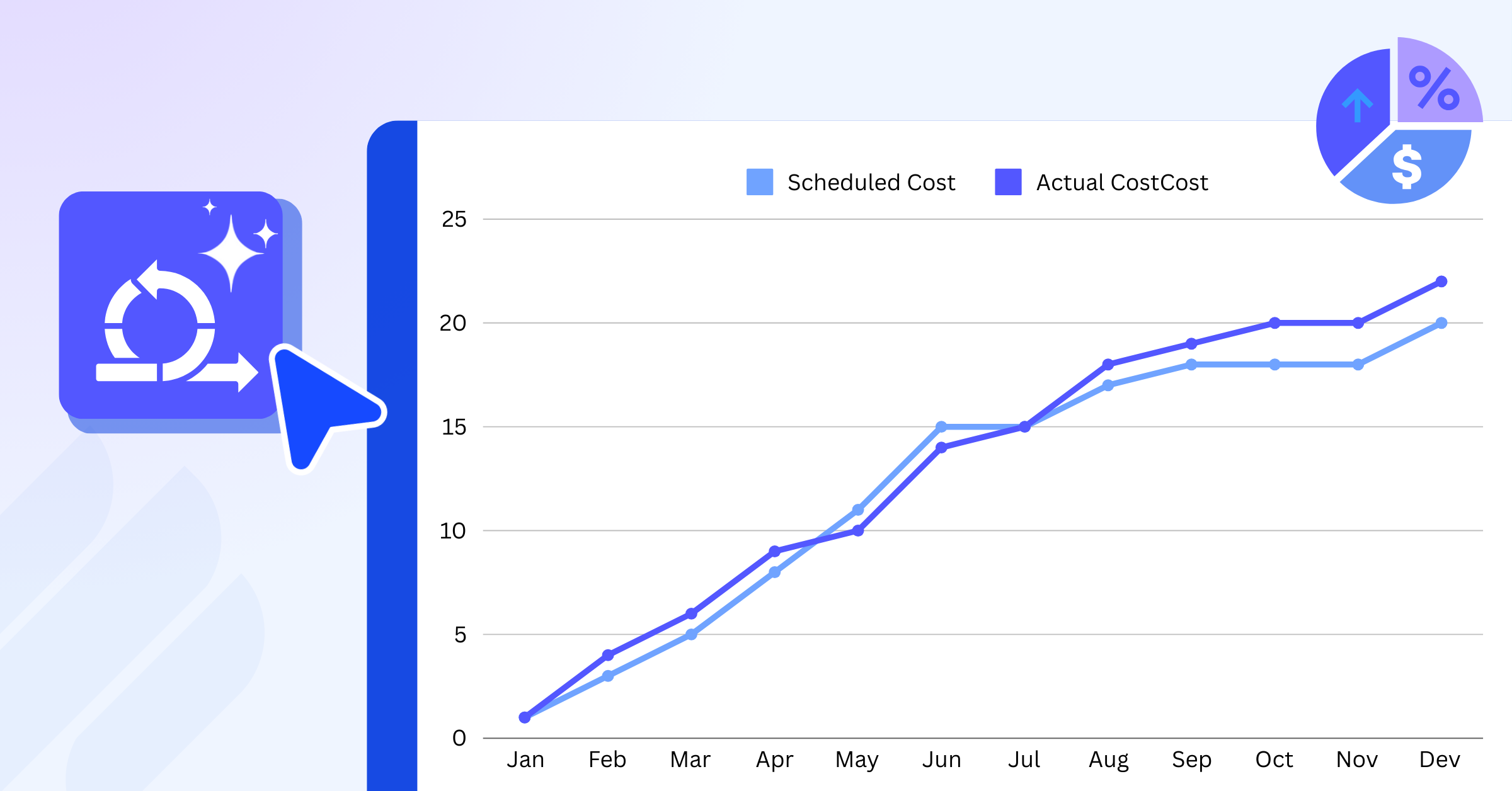
- Budget Status: A summary of financial performance, including actual vs. planned expenditures.
- Next Steps: Clear action items and upcoming milestones.
Each template below incorporates these elements, tailored to specific use cases. You can download them directly and customize them to fit your project’s needs.
5 Free Project Report Templates to Download
1. Weekly Status Report Template
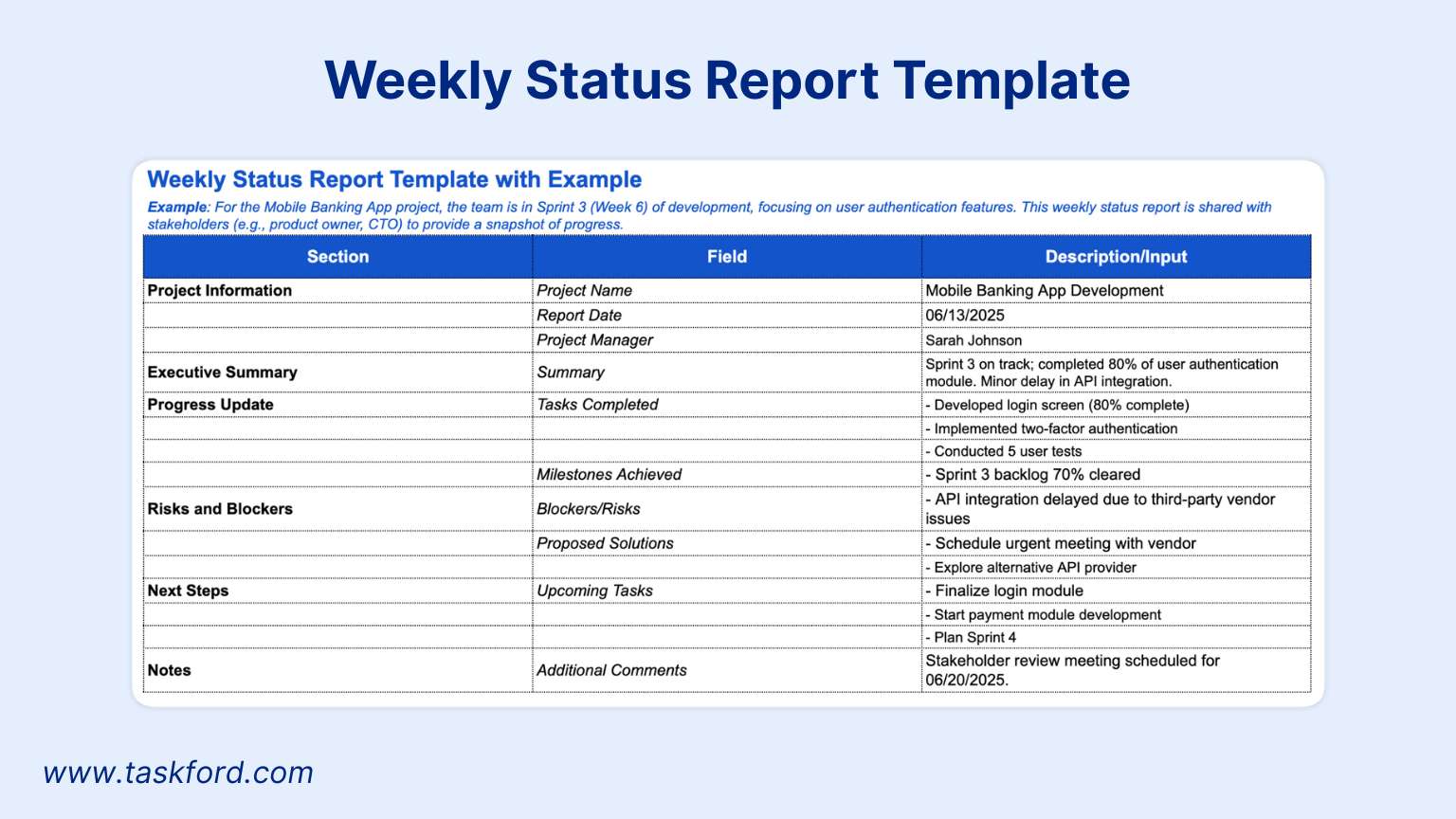
The weekly status report is ideal for projects requiring frequent updates, such as agile or fast-paced initiatives. It provides a concise snapshot of progress, keeping stakeholders informed without overwhelming them with details.
Key Features:
- Summary of tasks completed during the week.
- Highlight of key achievements and milestones.
- Identification of blockers or risks with proposed solutions.
- Upcoming tasks for the next week.
Best For: Agile teams, short-term projects, or projects with weekly stakeholder meetings.
How to Use: Fill in the sections with concise bullet points. Focus on measurable outcomes, such as “Completed 80% of user interface design” rather than vague updates like “Worked on design.” Share the report at the end of each week to maintain transparency.
Pro Tip: Link this report to a centralized project dashboard to provide stakeholders with real-time data alongside your updates. TaskFord dashboards offer customizable views that complement weekly reports, ensuring stakeholders have both narrative and visual insights.
2. Monthly Project Progress Report Template
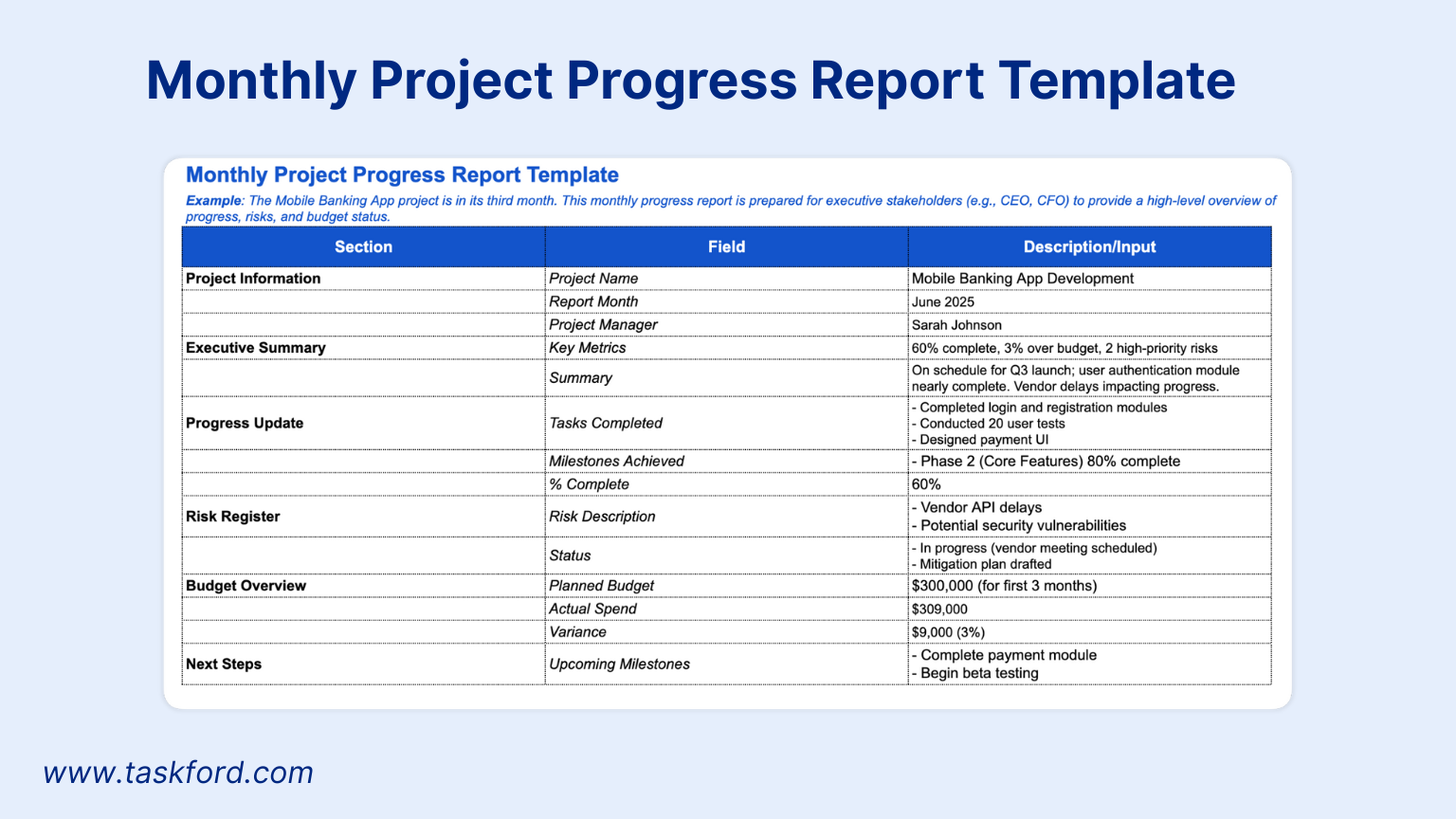
The monthly progress report offers a broader view of project performance, suitable for long-term or complex projects. It balances high-level insights with detailed updates, making it perfect for executive stakeholders.
Key Features:
- Executive summary with key metrics (e.g., percentage complete, budget variance).
- Detailed progress against the project plan.
- Risk register with status updates on mitigation efforts.
- Budget overview with visuals like charts or tables.
Best For: Large-scale projects, cross-functional teams, or initiatives with monthly review cycles.
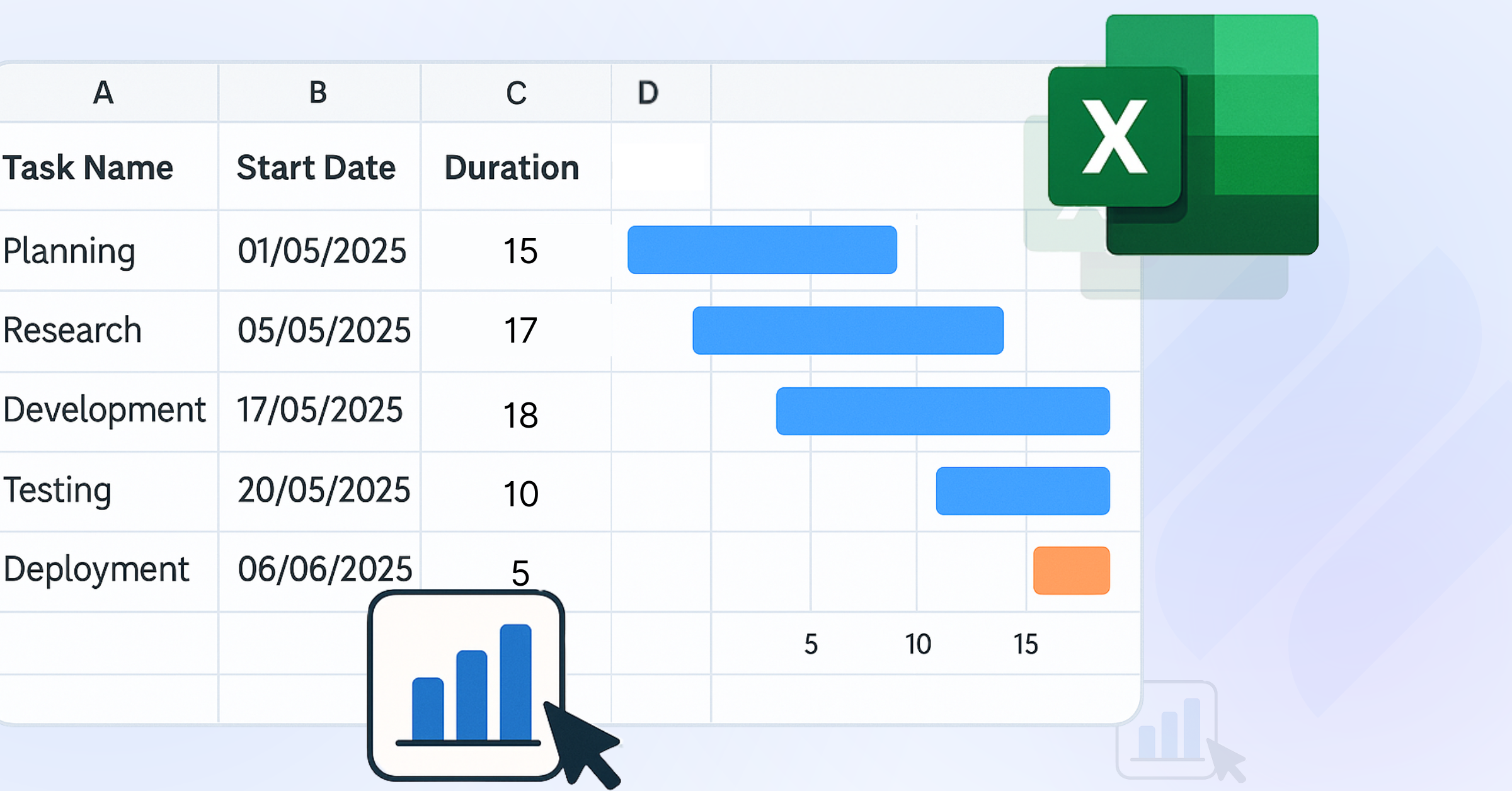
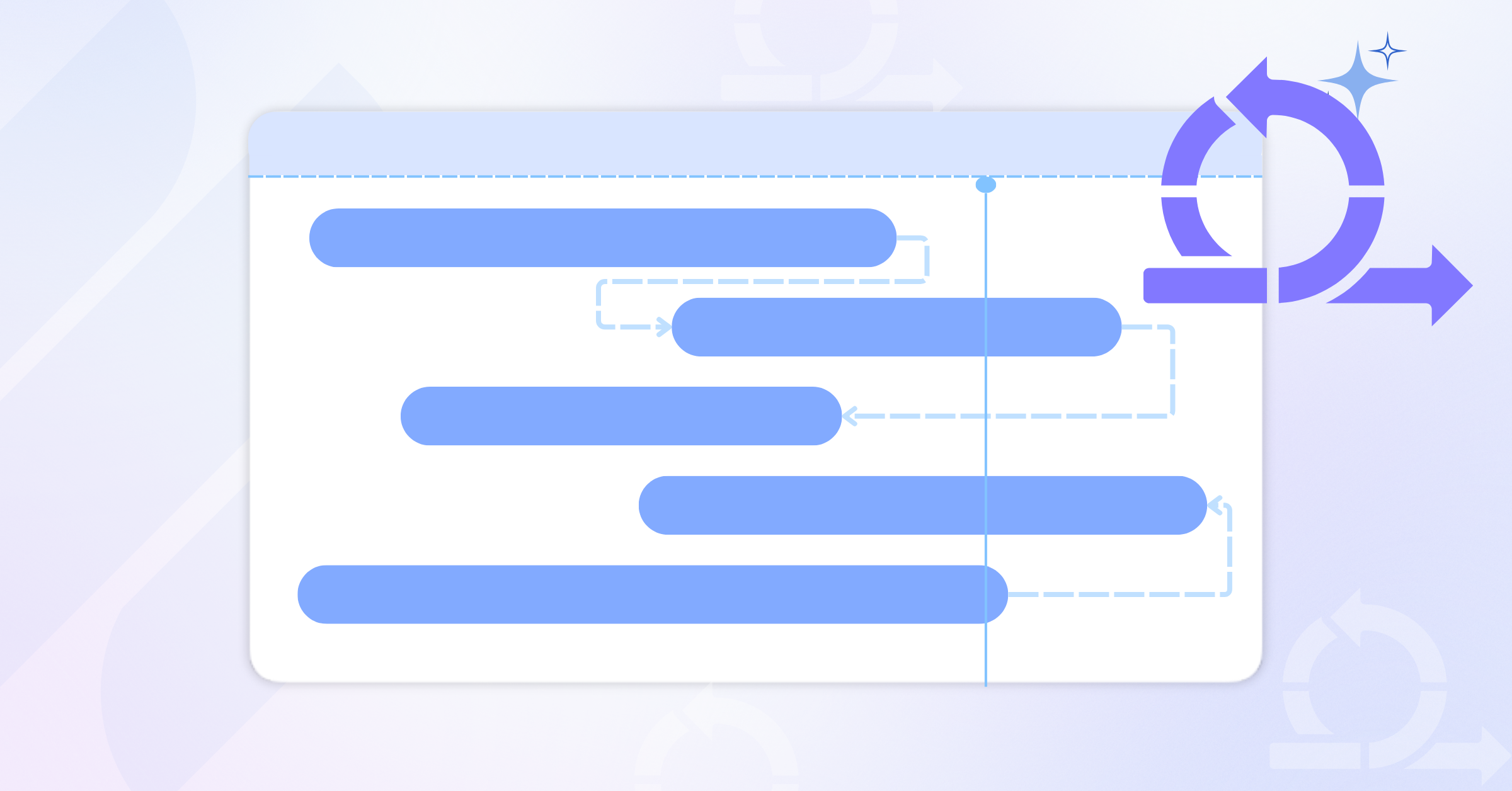
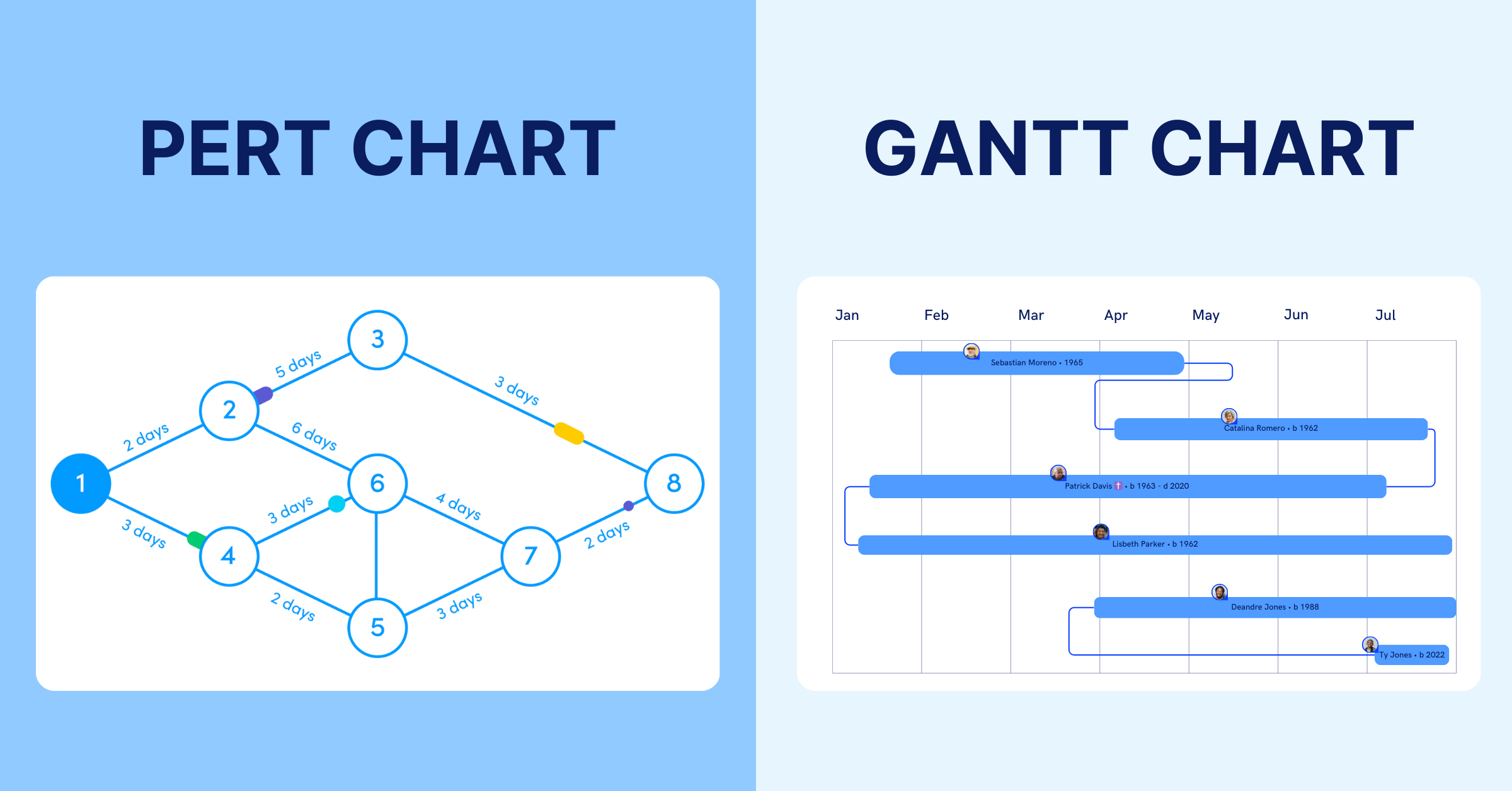
How to Use: Use visuals to summarize data, such as a Gantt Chart for timeline progress or a pie chart for budget allocation. Include a narrative section to explain variances or risks. This template works well when paired with tools like TaskFord, which provides detailed project reports to support your analysis.
Tip: A monthly timesheet can also provide a record of hours worked to support project cost and resource reporting. Include a narrative section to explain variances or risks.
3. Risk and Issue Report Template
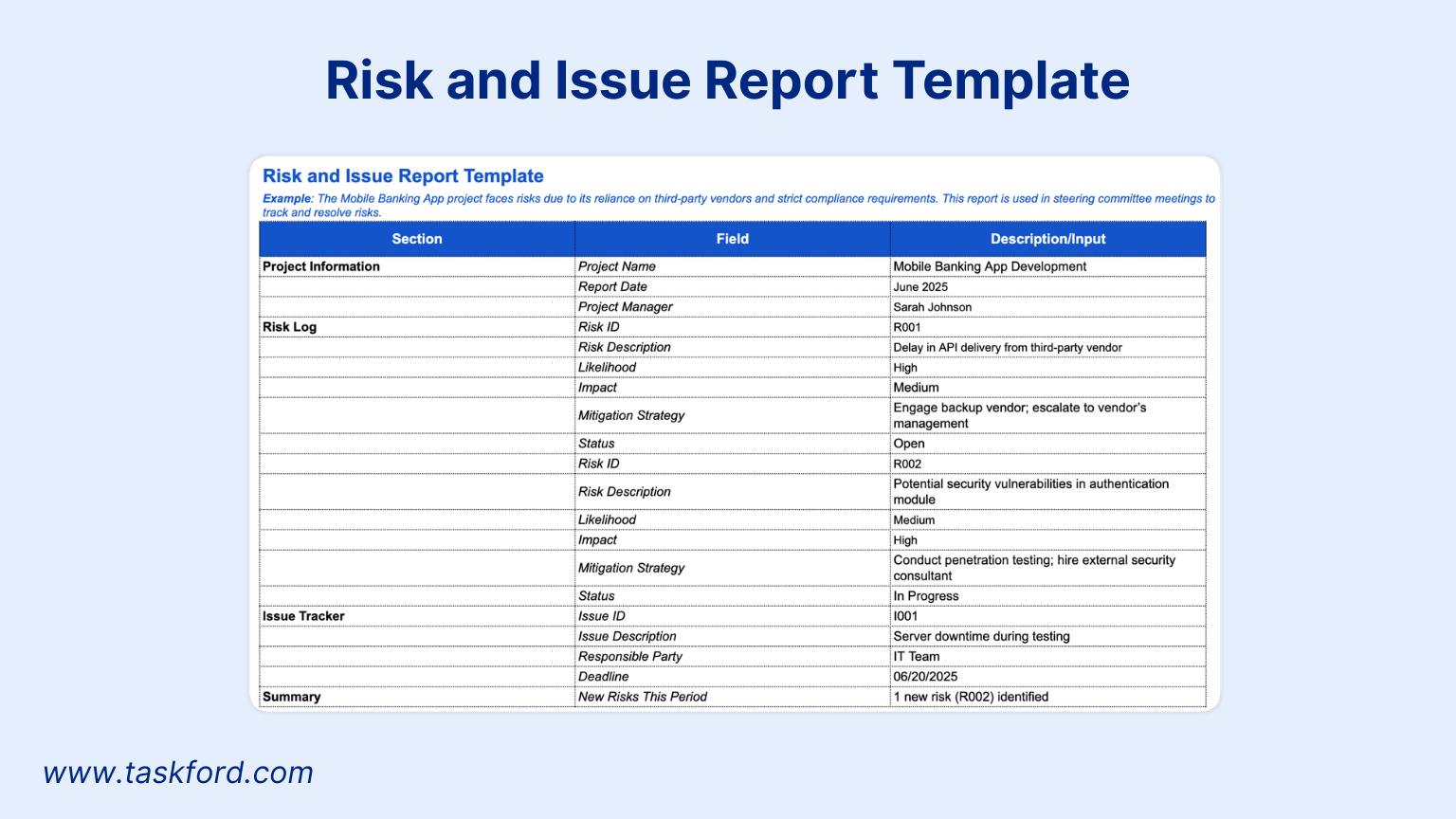
Risks and issues can derail even the best-planned projects. This template focuses on identifying, tracking, and resolving risks, ensuring proactive communication with stakeholders.
Key Features:
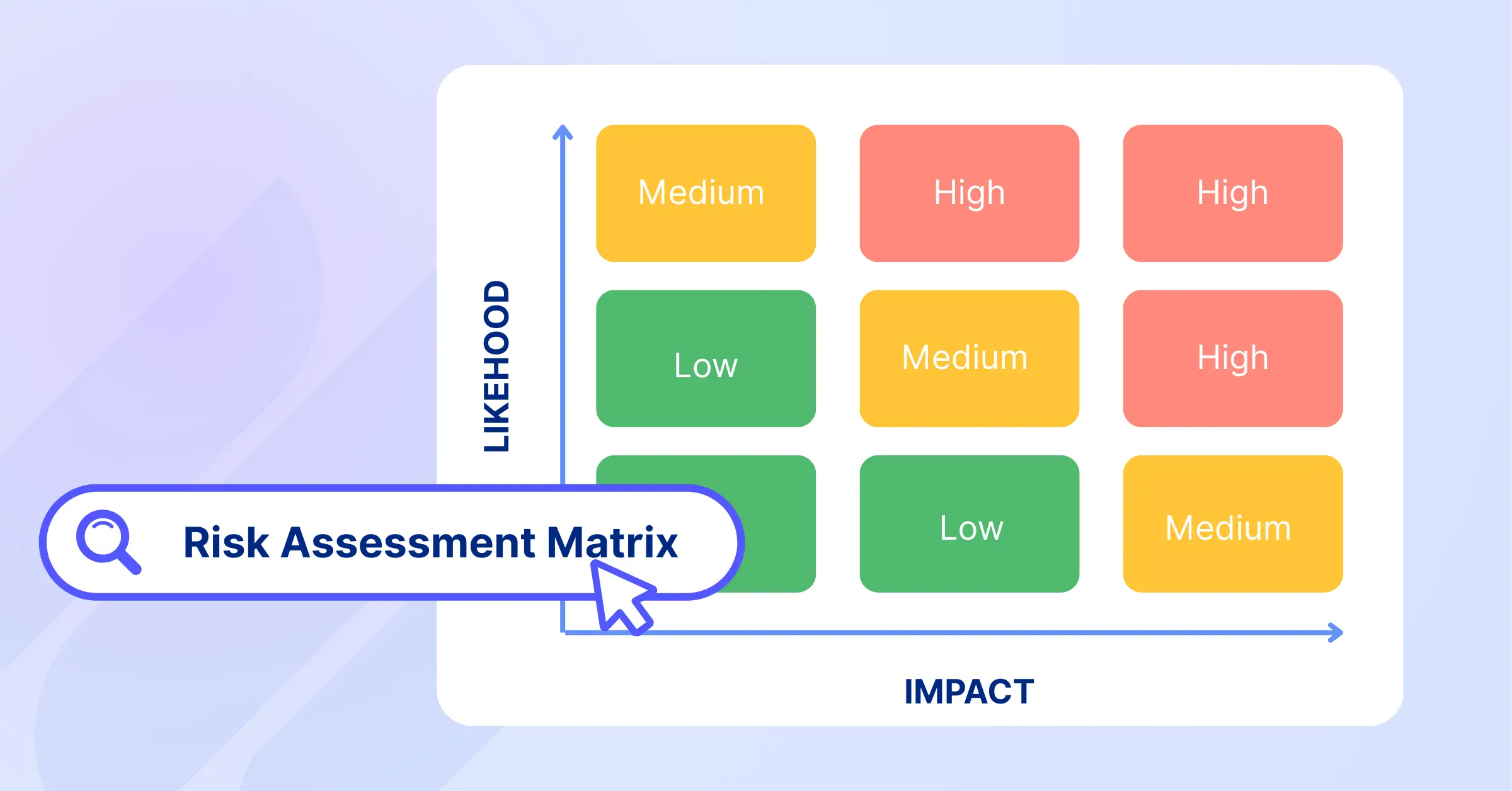
- Risk log with descriptions, likelihood, impact, and mitigation strategies.
- Issue tracker with status updates and responsible parties.
- Summary of new risks identified since the last report.
- Visual risk matrix for quick stakeholder understanding.
Best For: High-risk projects, compliance-driven initiatives, or projects in volatile environments.
How to Use: Update the risk log weekly or as new risks emerge. Use the issue tracker to assign ownership and deadlines. Present the risk report during project steering committee meetings to drive discussions on critical challenges.
4. Budget Tracking Report Template
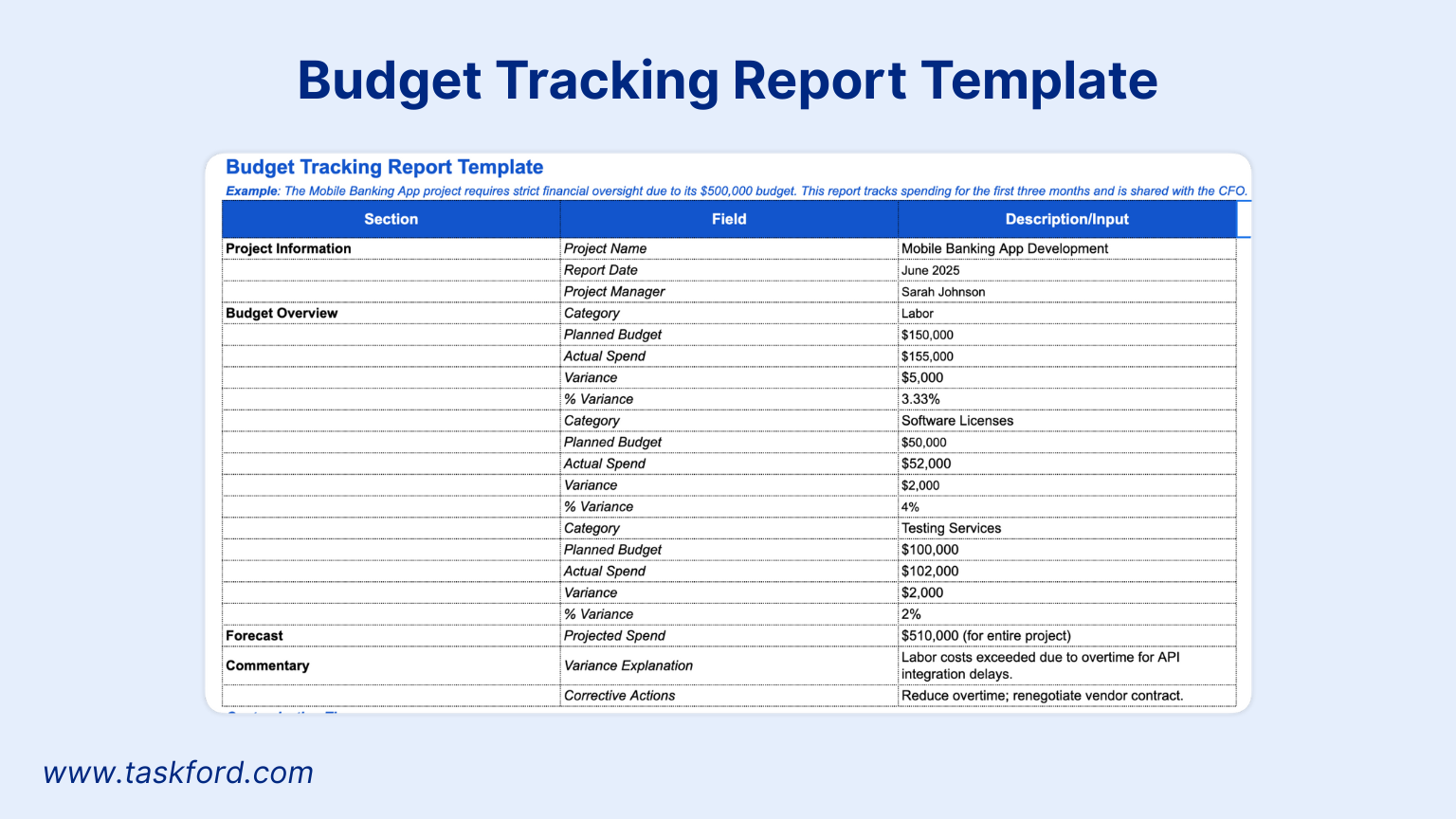
The budget tracking report is essential for projects where financial oversight is a priority. It provides a clear view of spending, variances, and forecasts, ensuring alignment with financial goals.
Key Features:
- Breakdown of planned vs. actual expenses.
- Forecast of future spending based on current trends.
- Commentary on cost variances and corrective actions.
- Visual representation of budget status (e.g., bar charts).
Best For: Capital-intensive projects, grant-funded initiatives, or projects with strict financial controls.
How to Use: Update the report monthly or after significant expenditures. Highlight any variances exceeding 5% and explain their causes. Pair this template with TaskFord’s cost management features for real-time financial insights, allowing stakeholders to drill down into specific cost categories.
5. Project Closure Report Template
The project’s end is as important as its start. The closure report summarizes outcomes, lessons learned, and stakeholder feedback, providing a foundation for future projects.
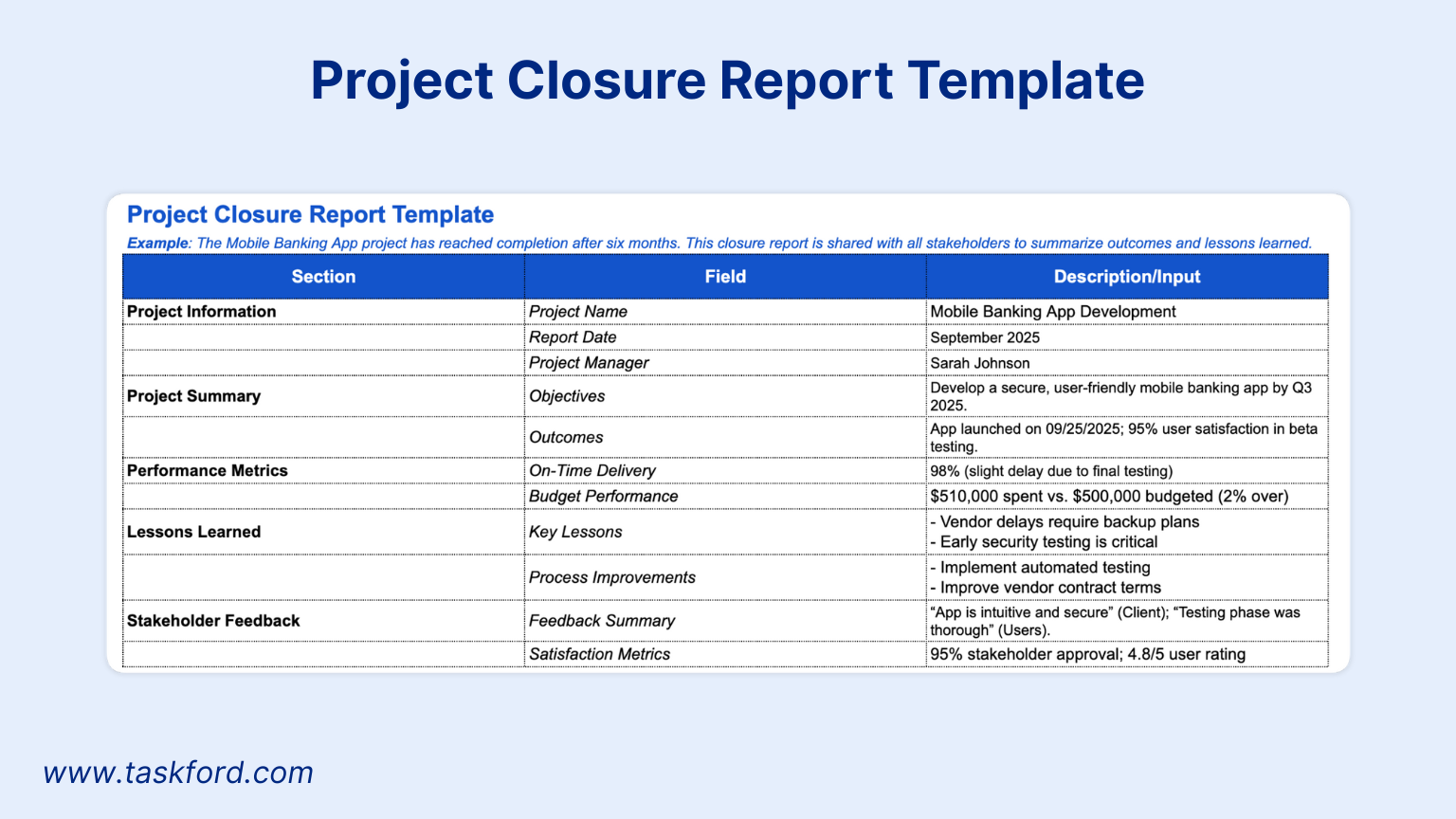
Key Features:
- Summary of project objectives and final outcomes.
- Lessons learned section for process improvements.
- Stakeholder feedback and satisfaction metrics.
- Final budget and timeline performance.
Best For: All projects, especially those transitioning to operations or requiring post-project evaluation.
How to Use: Gather input from the team and stakeholders to complete the lessons learned section. Use metrics like on-time delivery or client satisfaction scores to quantify success. Share the report with all stakeholders to close out the project formally.
Benefits of Using Standardized Report Templates Across Projects
Standardized project report templates not only streamline individual project communication but also enable consistency across multiple projects, which is critical for organizations managing complex portfolios. By adopting a uniform reporting structure, teams can quickly identify trends, compare project performance, and allocate resources more effectively. This approach fosters accountability and ensures that all projects align with organizational goals.
According to a study by the International Journal of Project Management, consistent reporting practices improve project success rates by enhancing stakeholder trust and reducing miscommunication. Integrating these templates with platforms like TaskFord allows project managers to centralize data, automate updates, and provide stakeholders with a unified view of portfolio performance.
How to Customize These Project Report Templates for Your Team
While these templates are ready to use, tailoring them to your organization enhances their value. Here are practical tips for customization:
- Align with Stakeholder Needs: Adjust the level of detail based on your audience. Executives may prefer high-level summaries, while team members may need granular data.
- Incorporate Branding: Add your company’s logo and colors to create a professional look.
- Integrate with Tools: Use project management software to pull data directly into reports, reducing manual effort.
- Add Metrics: Include project-specific KPIs, such as defect rates for software projects or safety incidents for construction projects.
Customization ensures your reports are not only functional but also aligned with your team’s workflow. For more on optimizing project workflows, check out our article on effective project planning.
Maximizing Impact with TaskFord’s Reporting Tools
While templates provide a strong starting point, combining them with modern project management tools elevates their effectiveness. TaskFord offers a suite of dashboards and reports that complement these templates, providing real-time insights into project performance. From risk tracking to budget analysis, TaskFord’s tools help project managers deliver reports that drive action.
For example:
- Real-time Dashboards: Visualize progress with Gantt charts, burn-down graphs, or cost reports.
- Automated Reporting: Generate weekly or monthly reports with pre-populated data, saving hours of manual work.
- Stakeholder Access: Share secure, interactive reports with stakeholders via TaskFord’s platform.
Conclusion
Effective project reporting is about more than just delivering data; it’s about providing clarity and actionable insights. These five free Project Reports templates, Weekly Status, Monthly Progress, Risk and Issue, Budget Tracking, and Project Closure, offer a practical solution for project managers looking to standardize and enhance their reporting process. By downloading these templates, you’ll save time, improve communication, and keep your projects on track.
Ready to take your reporting to the next level? Download the templates today and explore TaskFord’s project management solutions for real-time, data-driven insights.
Related Articles














How to Build and Manage a Product Roadmap with TaskFord















How to Build a Connected Project Timeline in TaskFord











What Are the Best Jira Alternatives for Scrum Teams?























How WBS Reveals Delivery Breakdown Before It’s Too Late








![How To Conduct a Profound Stakeholder Analysis [+ Free Template]](/marketing/blog/stakeholder-analysis.webp)


















What to Look for in Scrum Tools (Beyond Kanban Boards)


![Project Management Calendar for Teams and Managers [Free Templates]](/marketing/blog/project-management-calendar.webp)






How to Define Project Deliverables: A Step-by-Step Guide









![RACI Chart in Project Management: Rules & Examples [Free Download]](/marketing/blog/raci-chart.webp)
















![7 Must-Have Project Management Documents Every PO Should Know [Free Templates]](/marketing/blog/project-management-documents.webp)









![How to Create a Winning Project Plan for IT Projects [10 Steps Included]](/marketing/blog/how-to-create-a-project-plan.webp)




![Daily Standup Best Practices: Apply AI to Organize Meetings Successfully [2026 Trends]](/marketing/blog/daily-standup.webp)





![How to Create a Project Communication Plan: Step-by-Step Guide [+Free Template]](/marketing/blog/project-communication-plan.png)


![Master Project Procurement Management in 5 Steps [Download a free plan template]](/marketing/blog/project-procurement-management.webp)

































Subscribe for Expert Tips
Unlock expert insights and stay ahead with TaskFord. Sign up now to receive valuable tips, strategies, and updates directly in your inbox.