Top 5 Free Microsoft Project Roadmap Templates to Download
Discover and download these free Microsoft project roadmap templates to transform your project management with clear, customizable plans for project success.
A project roadmap plays a key role in effective project management by providing a clear visual view of project phases, milestones, and major deliverables. It helps teams stay aligned, communicate progress with stakeholders, and monitor work over time.
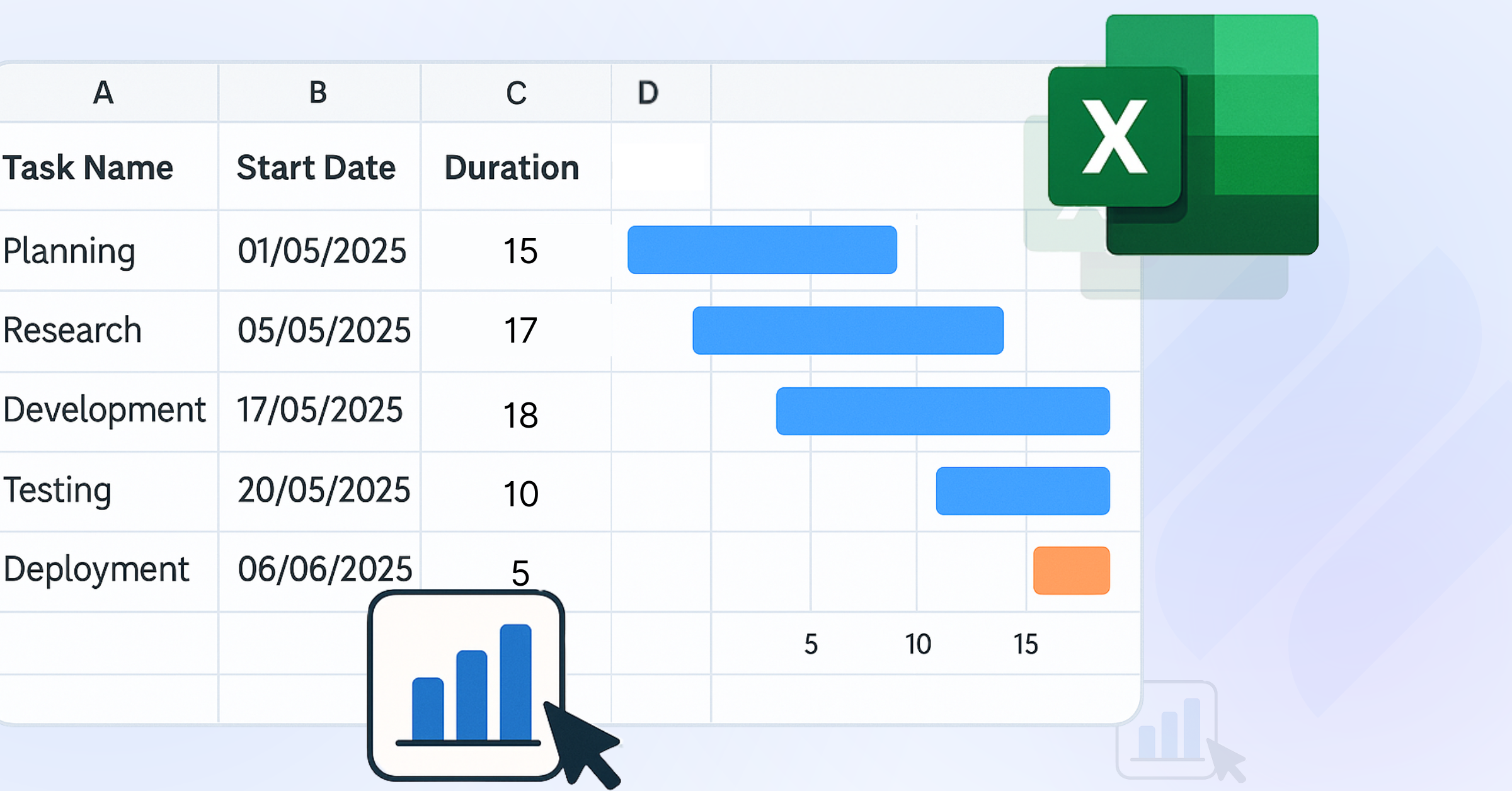
Free Microsoft Project roadmap templates make it easier to build these roadmaps in Excel, using a familiar and flexible format for planning and updates.
In this guide, we’ll explore five Excel-based roadmap templates designed for different types of projects. Each template is explained with its structure, features, and ideal use cases, making it easy to choose the right one for your needs. We’ll also share tips to help you make the most of these templates, ensuring they align with your project goals.
What is a Project Roadmap?
A project roadmap is a high-level visual summary of a project’s goals, timeline, major milestones, and key deliverables. It shows what needs to happen and when, without going into detailed task-level planning.
Project roadmaps are used to align teams, communicate direction to stakeholders, and track progress over time. Unlike detailed project schedules, a roadmap focuses on the big picture—helping everyone understand priorities, dependencies, and how the project moves from start to finish.
Why Do You Need Free Microsoft Project Roadmap Templates?
- Cost-Free Access: These templates are available without extra software costs, making them a practical choice for startups or teams working with limited budgets. You can start planning immediately without investing in new tools.
- Customizable Design: Excel templates are flexible and easy to adjust. You can modify timelines, add or remove columns, and tailor the layout to match your project’s structure, whether you’re tracking phases, tasks, or milestones.
- Data-Driven Functionality: With built-in formulas and charts, Excel allows you to update progress and visualize data quickly. This makes it easier to track timelines, monitor completion, and keep your roadmap up to date.
- Universal Compatibility: Since Excel is widely used, most team members can open, edit, and share the roadmap without needing special training or additional software. This reduces friction when collaborating across teams.
- Versatile Applications: These templates can be used across different industries, from software development and marketing to construction and operations. They adapt well to different types of projects and workflows.
These templates are particularly valuable for visualizing project timelines, aligning cross-functional teams, and communicating progress to stakeholders. By leveraging Excel’s familiar interface, they enable project managers to focus on project management execution rather than design, ensuring clarity and efficiency.
Five Free Microsoft Project Roadmap Templates
These five Excel-based templates are optimized for specific project management scenarios. Each includes a detailed description, features, and use cases to help you select the right template for your project.
1. Agile Project Roadmap Template
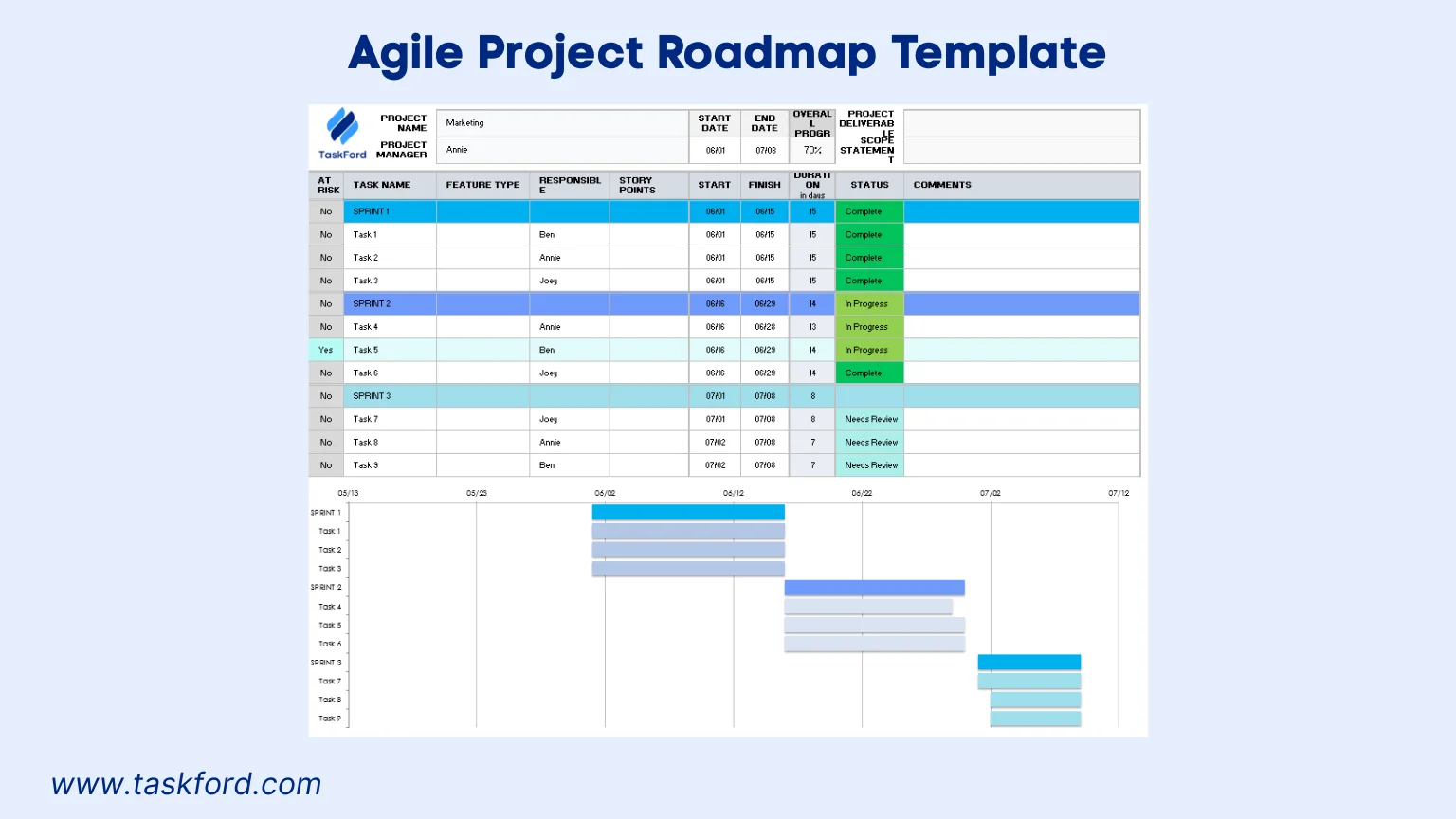
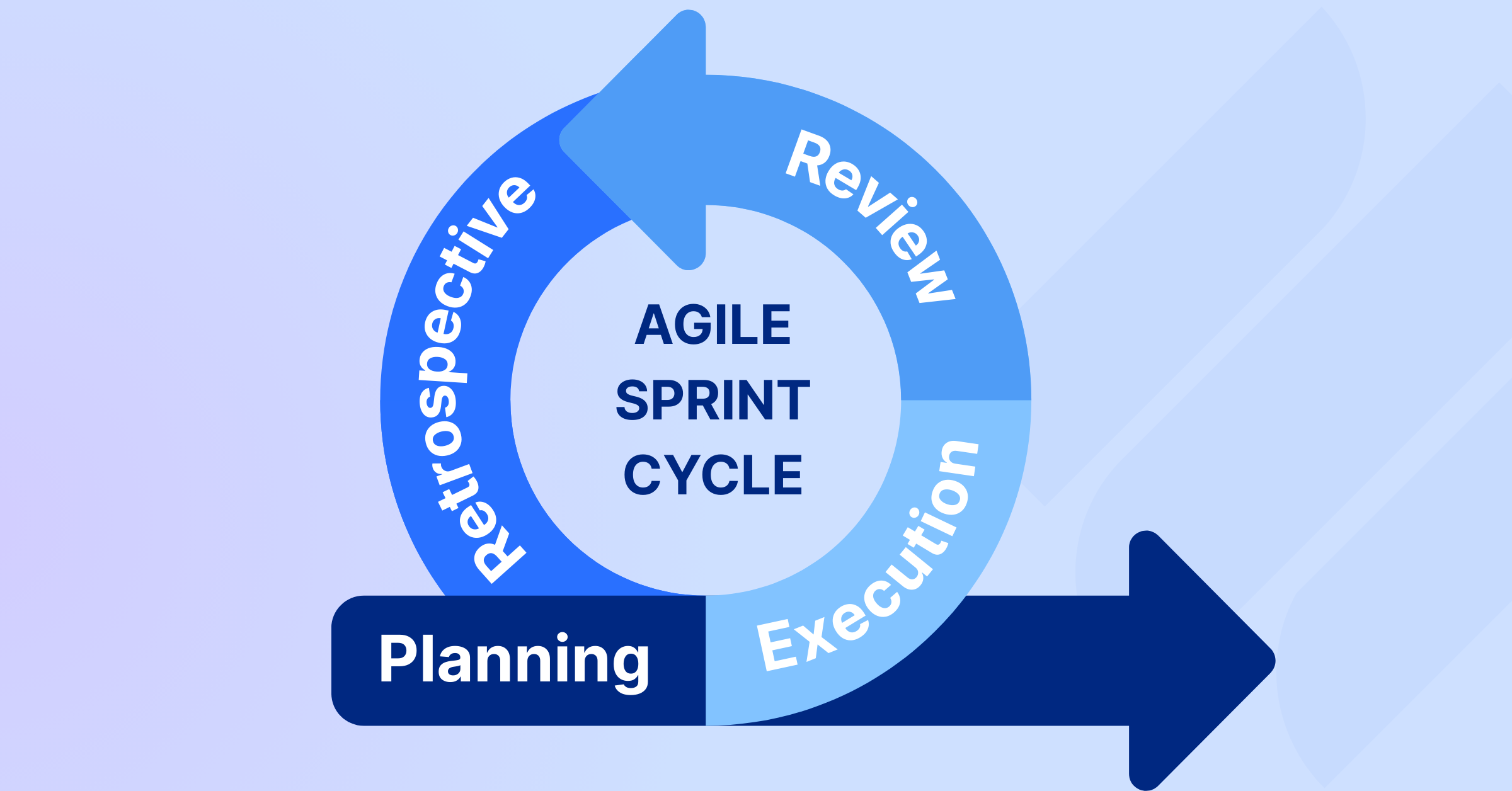
Designed for Agile project management, this template organizes tasks into sprints or iterations, emphasizing flexibility and iterative progress. It’s ideal for software development or product teams using agile methodologies, focusing on epics, features, and sprint milestones. The template provides a clear visual of short-term goals within a broader project timeline, ensuring alignment with agile principles.
Key Features:
- Sprint-Based Timeline: Divides the project into sprints (e.g., 2-week cycles) with defined start and end dates for each iteration.
- Epic and Feature Tracking: Groups tasks under epics or features, with columns for priority (e.g., high, medium, low) and status (e.g., not started, in progress, completed).
- Milestone Markers: Highlights critical events like sprint reviews, product releases, or demos with distinct symbols for easy identification.
- Team Assignments: Includes fields for assigning tasks to specific team members, fostering accountability.
- Progress Indicators: Uses conditional formatting to visually represent task completion (e.g., green for done, yellow for in progress, red for not started).
Use Case: A software development team can use this template to plan a mobile app project, tracking sprints for user interface design, backend development, testing, and deployment. It ensures the team stays focused on iterative deliverables while aligning with the overall product vision.
2. IT Project Roadmap Template
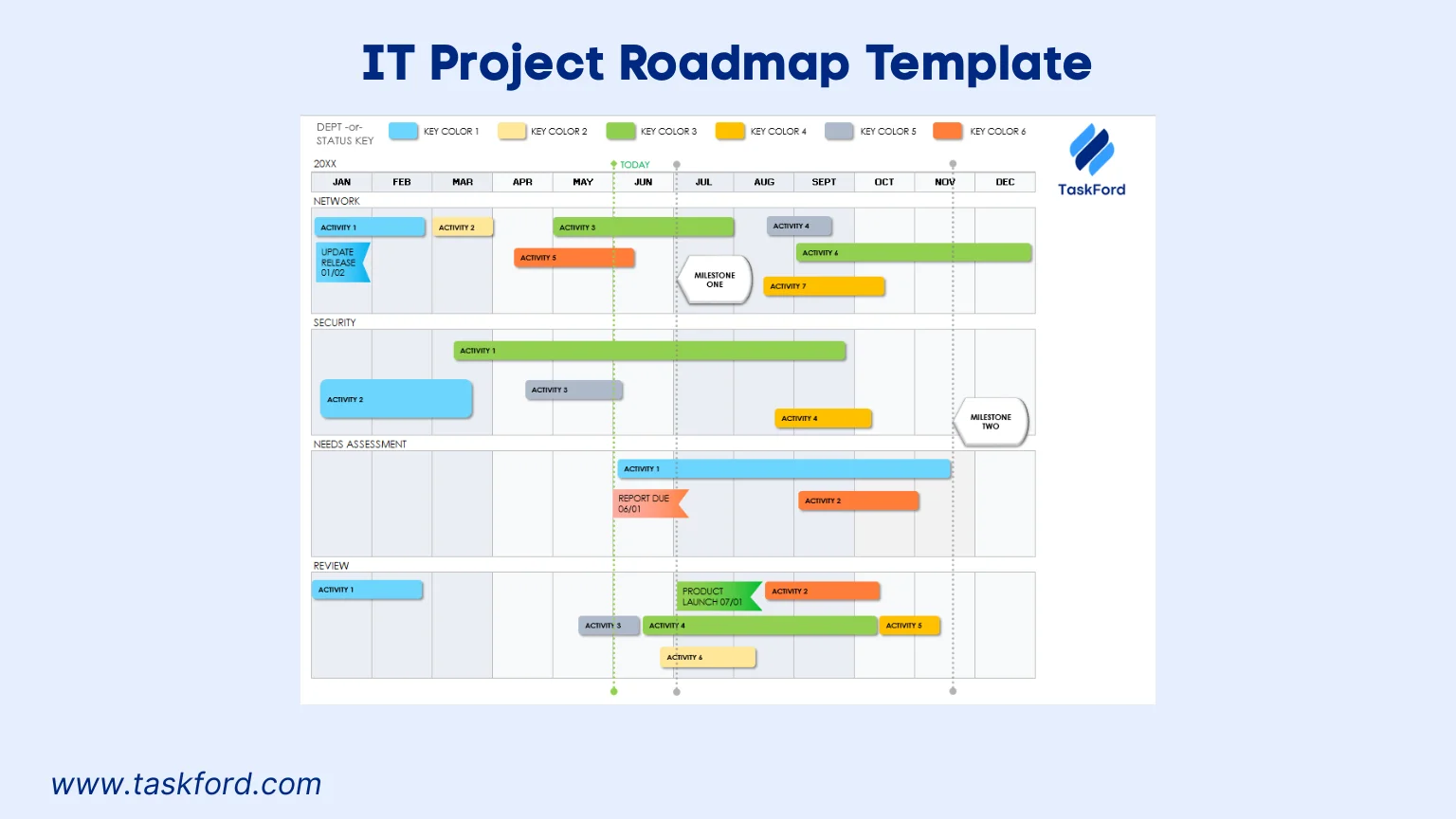
Tailored for IT initiatives, such as system upgrades, software implementations, or cybersecurity projects, this template provides a structured timeline for technical tasks, dependencies, and milestones. It balances high-level planning with detailed task tracking, ensuring alignment with IT projects’ objectives and organizational goals.
Key Features:
- Phase-Based Structure: Organizes tasks into phases like planning, implementation, testing, and deployment for a clear project progression.
- Dependency Mapping: Highlights task relationships to ensure proper sequencing and avoid bottlenecks.
- Resource Allocation: Includes columns for specifying hardware, software, or personnel needs, aiding resource planning.
- Risk Indicators: Flags high-risk tasks with color-coding or icons to prioritize mitigation efforts.
- Milestone Focus: Marks critical events, such as system go-live, audit completion, or user acceptance testing, for stakeholder visibility.
Use Case: An IT team upgrading a company’s server infrastructure can use this template to track hardware procurement, installation, testing, and migration phases, ensuring technical milestones are met on schedule.
3. Construction Project Roadmap Template
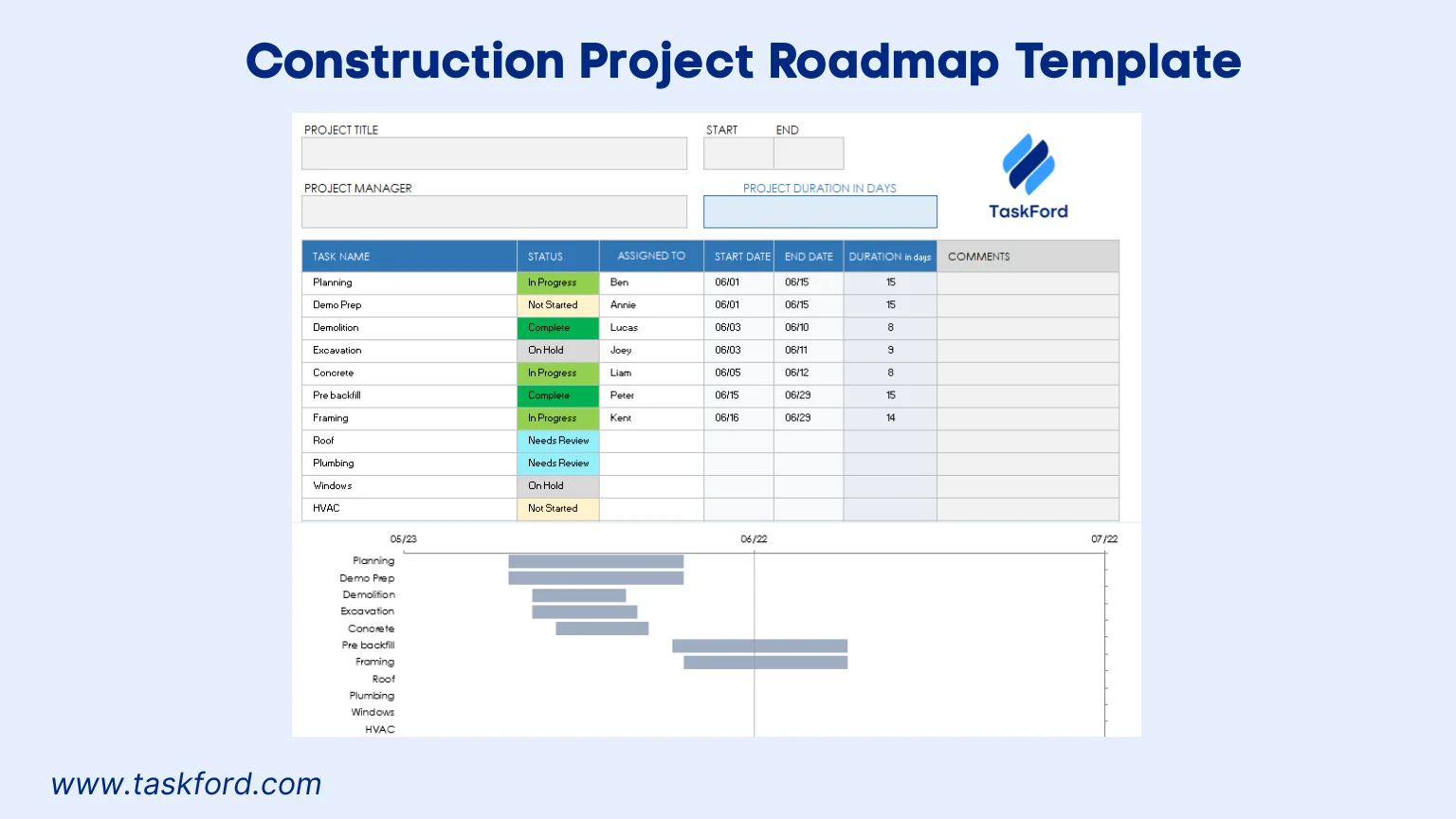
Designed for construction projects, this template maps out phases like permitting, foundation work, and inspections. It emphasizes clear timelines and stakeholder communication, making it ideal for presenting to clients, contractors, or regulatory bodies. The template ensures all parties understand the project’s progression and critical deadlines.
Key Features:
- Phase-Driven Timeline: Breaks the project into stages, such as design, construction, and closeout, for structured planning.
- Milestone Emphasis: Highlights critical events like permit approval, structural completion, or project handover with clear markers.
- Budget Tracking: Includes columns for cost estimates per phase or task, supporting financial oversight.
- Stakeholder Notes: Provides space for client or contractor comments, facilitating collaboration and feedback.
- Visual Clarity: Uses bold colors and shapes to differentiate phases and milestones, ensuring easy interpretation.
Use Case: A construction manager can use this template to plan a commercial building project, tracking design approvals, structural work, and final inspections, while keeping clients informed of progress.
4. Marketing Campaign Roadmap Template
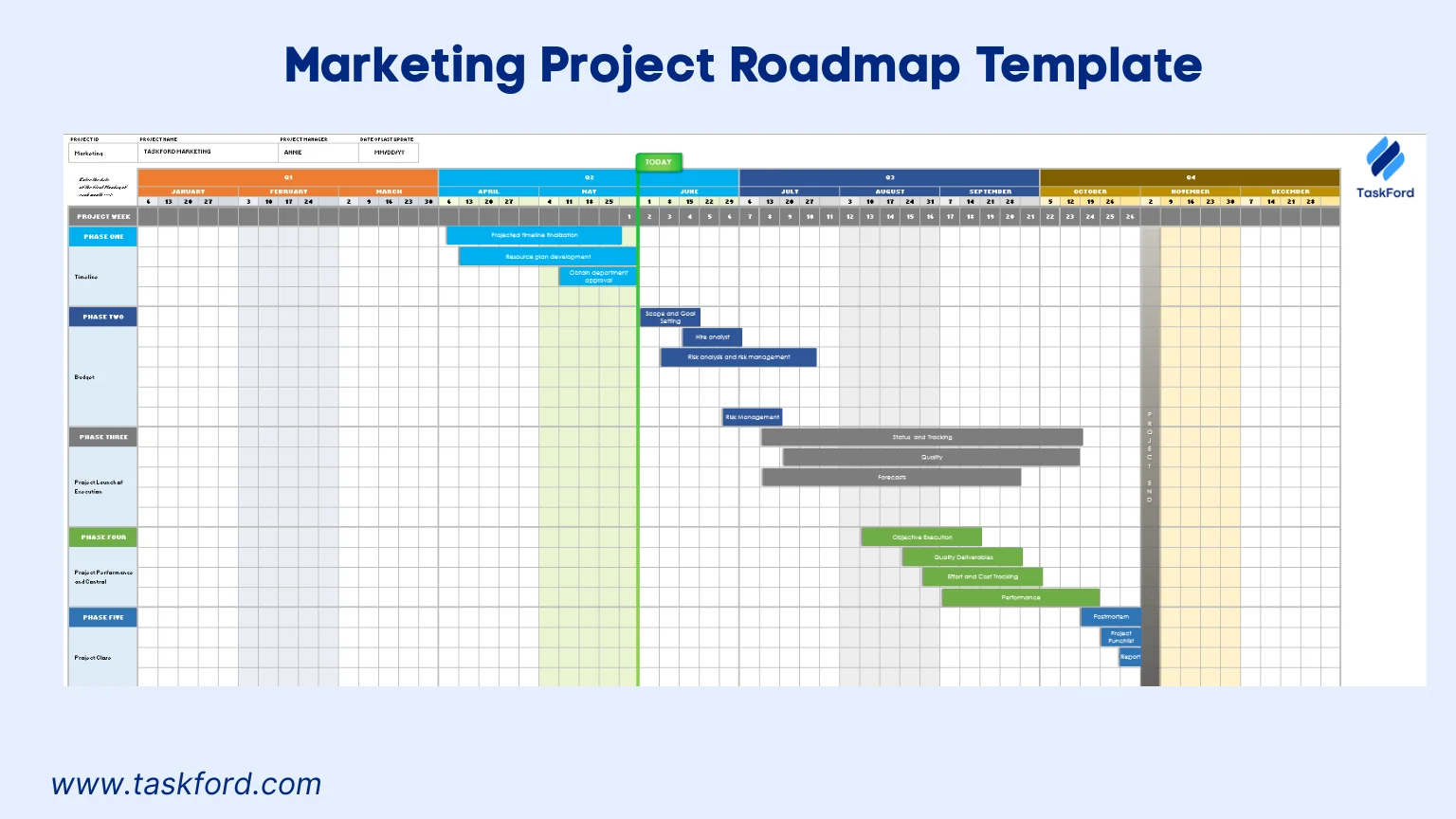
Crafted for marketing teams, this template organizes campaigns into phases like strategy, content creation, and launch. It focuses on aligning creative tasks with deadlines, making it ideal for product launches, promotional campaigns, or brand initiatives. The template ensures marketing efforts are coordinated and measurable.
Key Features:
- Campaign Phases: Divides tasks into stages like strategy development, content production, media outreach, and launch.
- Content Tracking: Includes fields for content types (e.g., blogs, social posts, videos) and distribution channels (e.g., Instagram, email).
- Milestone Markers: Highlights key dates, such as campaign kickoff, content publication, or performance reviews.
- Team Collaboration: Assigns tasks to creative, media, or analytics teams for clear role delineation.
- Progress Monitoring: Tracks task completion with percentage-based indicators for real-time updates.
Use Case: A marketing manager can use this template to plan a product launch campaign, tracking content creation, media outreach, and post-launch analysis, ensuring alignment with brand goals.
5. Multiple Project Roadmap Template
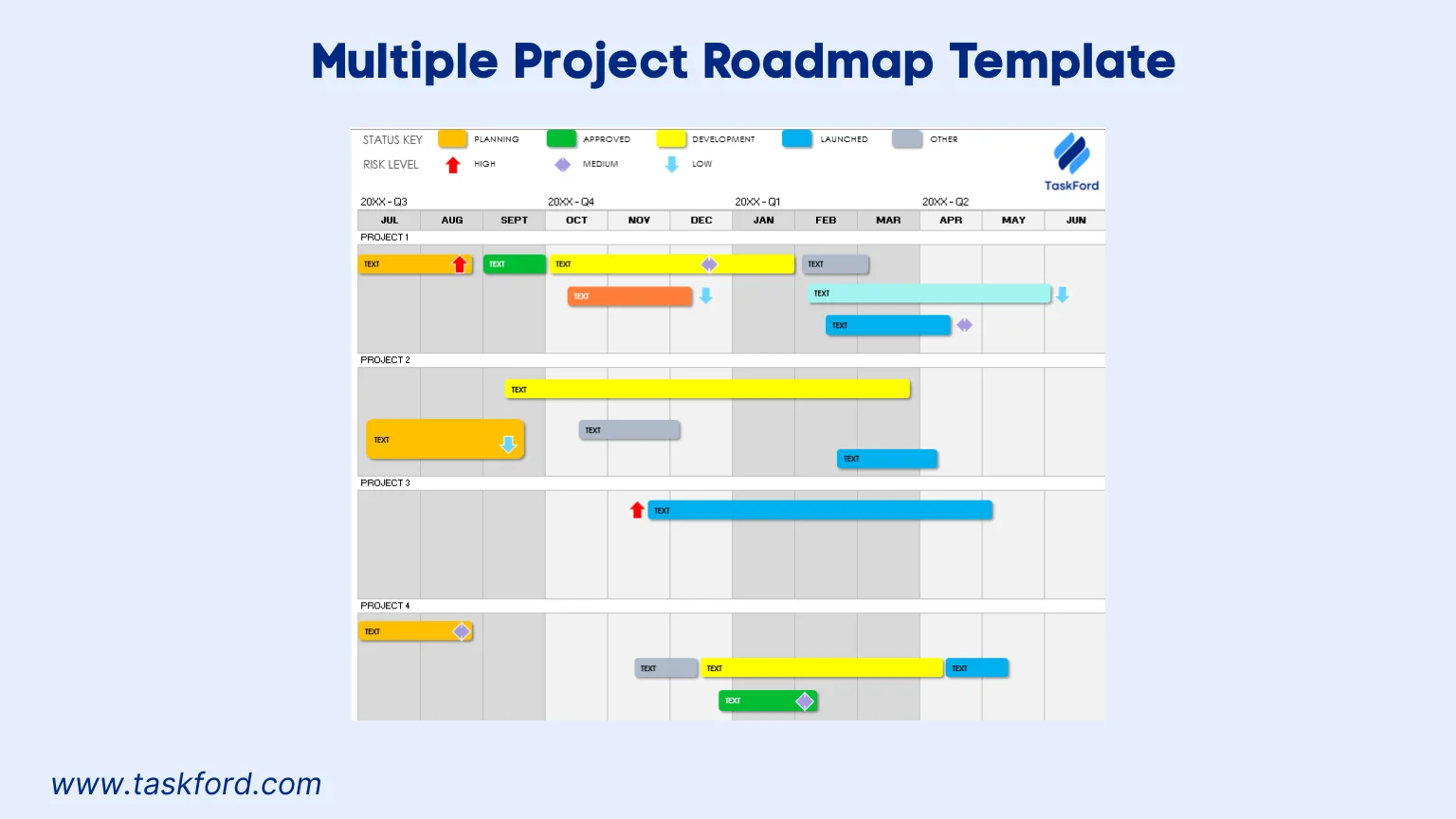
Ideal for program managers overseeing multiple projects, this template consolidates several project timelines into a single roadmap. It provides a high-level view of milestones and phases across projects, ensuring alignment with organizational goals and efficient resource allocation.
Key Features:
- Multi-Project View: Combines timelines from multiple projects into one chart for a cohesive overview.
- Cross-Project Milestones: Highlights shared deadlines or dependencies across projects, such as joint reviews or resource constraints.
- Project Grouping: Organizes tasks by project name or department for clarity and focus.
- Resource Overview: Tracks resource allocation across projects to prevent overallocation or conflicts.
- Simplified Layout: Focuses on key milestones for executive reporting, ensuring clarity for senior stakeholders.
Use Case: A program manager can use this template to oversee a digital transformation initiative, tracking software upgrades, hardware installations, and training programs, while ensuring resources are balanced across projects.
Limitations of Microsoft Project Roadmap Templates
Microsoft Roadmap templates are effective for planning and visualization, but they can become harder to manage as projects and teams grow. Updates often require manual effort, collaboration can be limited, and maintaining a single source of truth across multiple roadmaps can be challenging.
Project roadmap templates in Excel have some constraints that project managers should be aware of:
- Manual Updates: Data entry is required unless linked to external sources, which can be time-consuming for large or dynamic projects.
- Collaboration: Excel’s real-time collaboration is limited without OneDrive or Microsoft 365, potentially slowing team updates.
- Scalability: Large or complex projects may overwhelm Excel’s capacity for detailed dependency tracking or resource management.
As a next step, teams managing more complex or cross-functional work often look for ways to centralize roadmaps, improve visibility, and reduce manual maintenance. Exploring a dedicated roadmap or work management app can help support this transition while building on the same planning principles.
Managing Roadmaps More Effectively with TaskFord
As projects expand and priorities shift, managing roadmaps can require more than static templates. Teams often need better visibility across initiatives, easier updates, and a shared view that stays current as plans evolve.
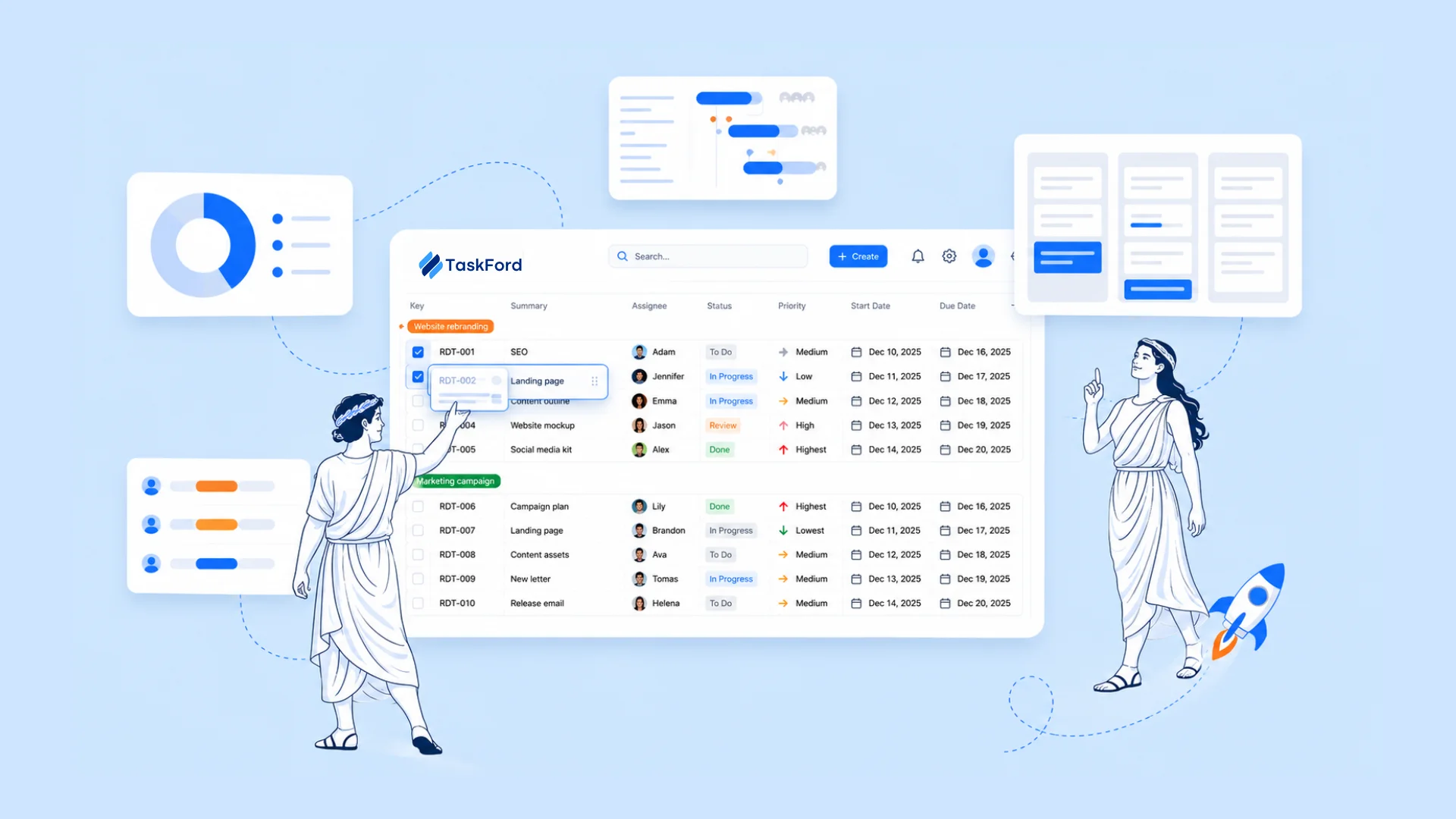
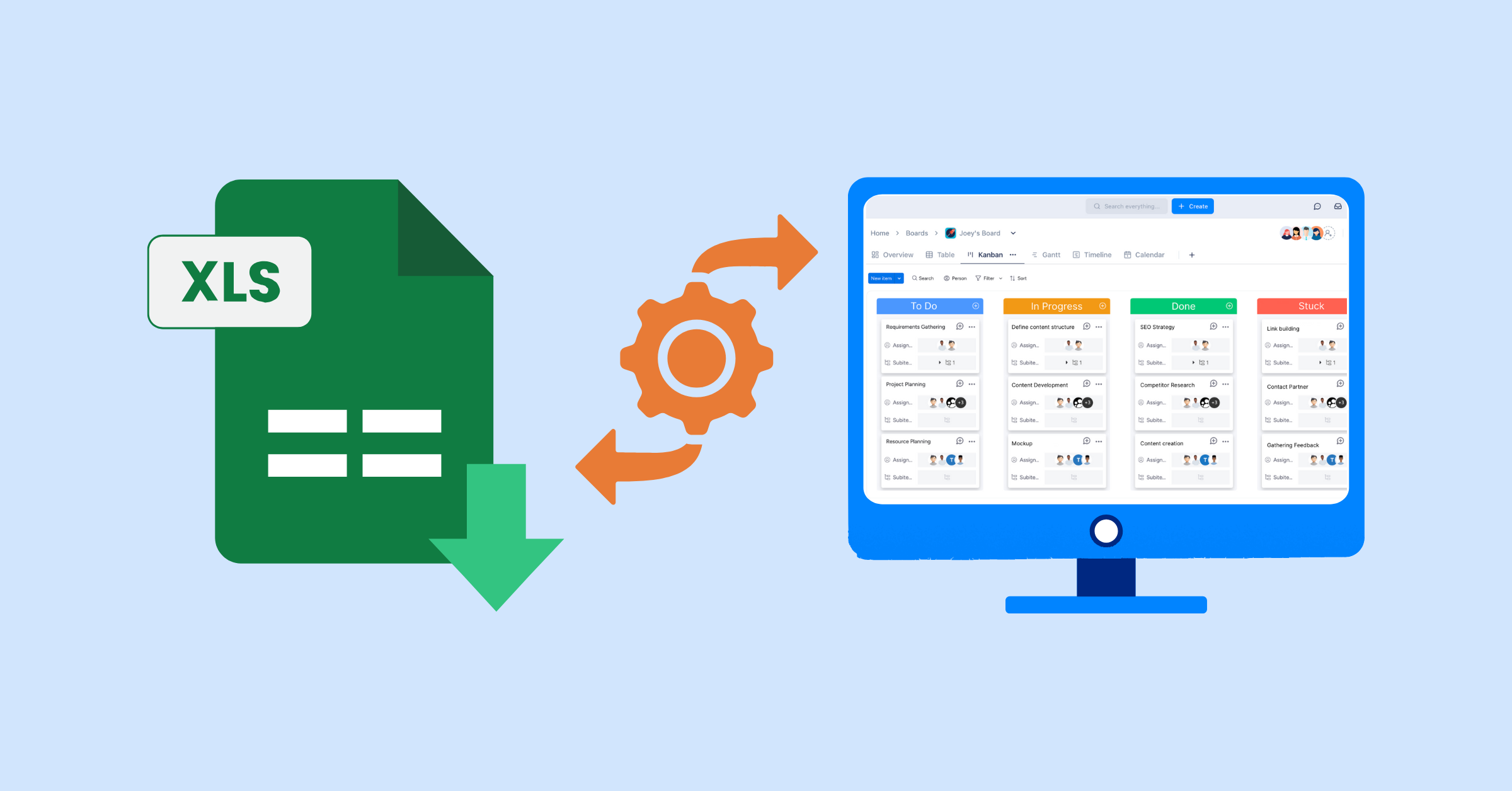
TaskFord, an integrated work delivery platform, centralizes timelines, milestones, and progress while also supporting day-to-day task management and execution. TaskFord helps you turn your roadmap into a live, trackable system .
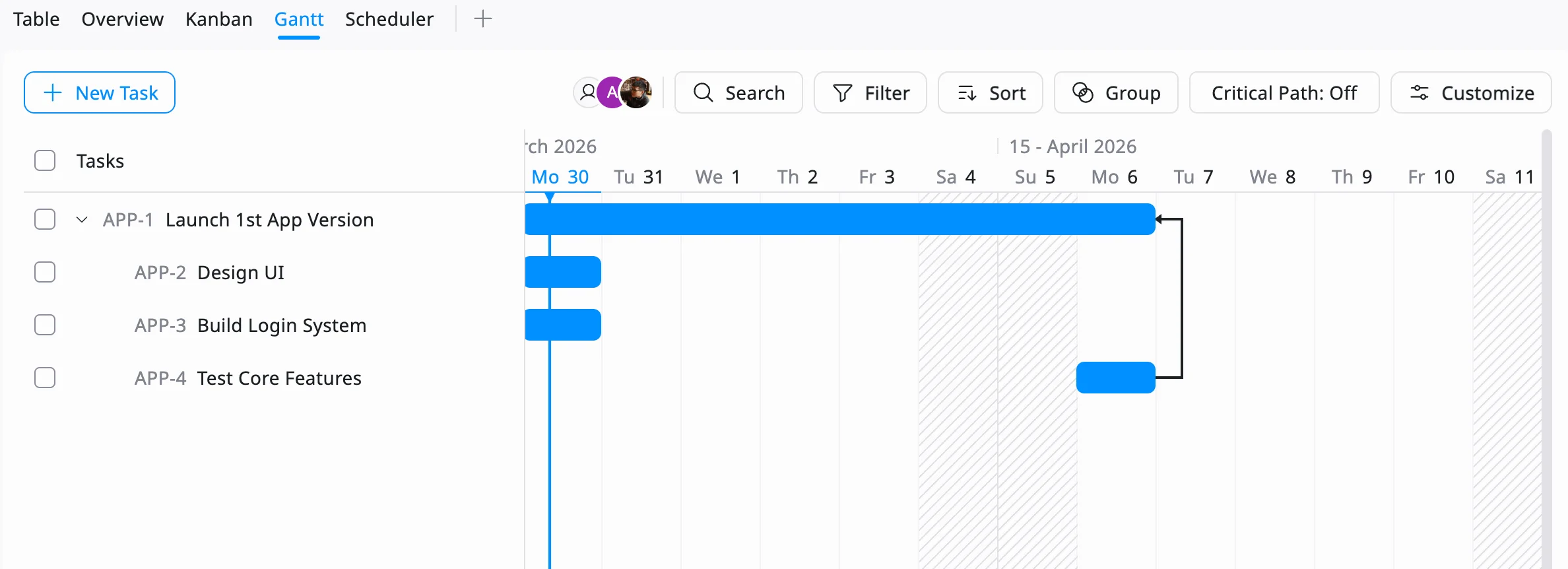
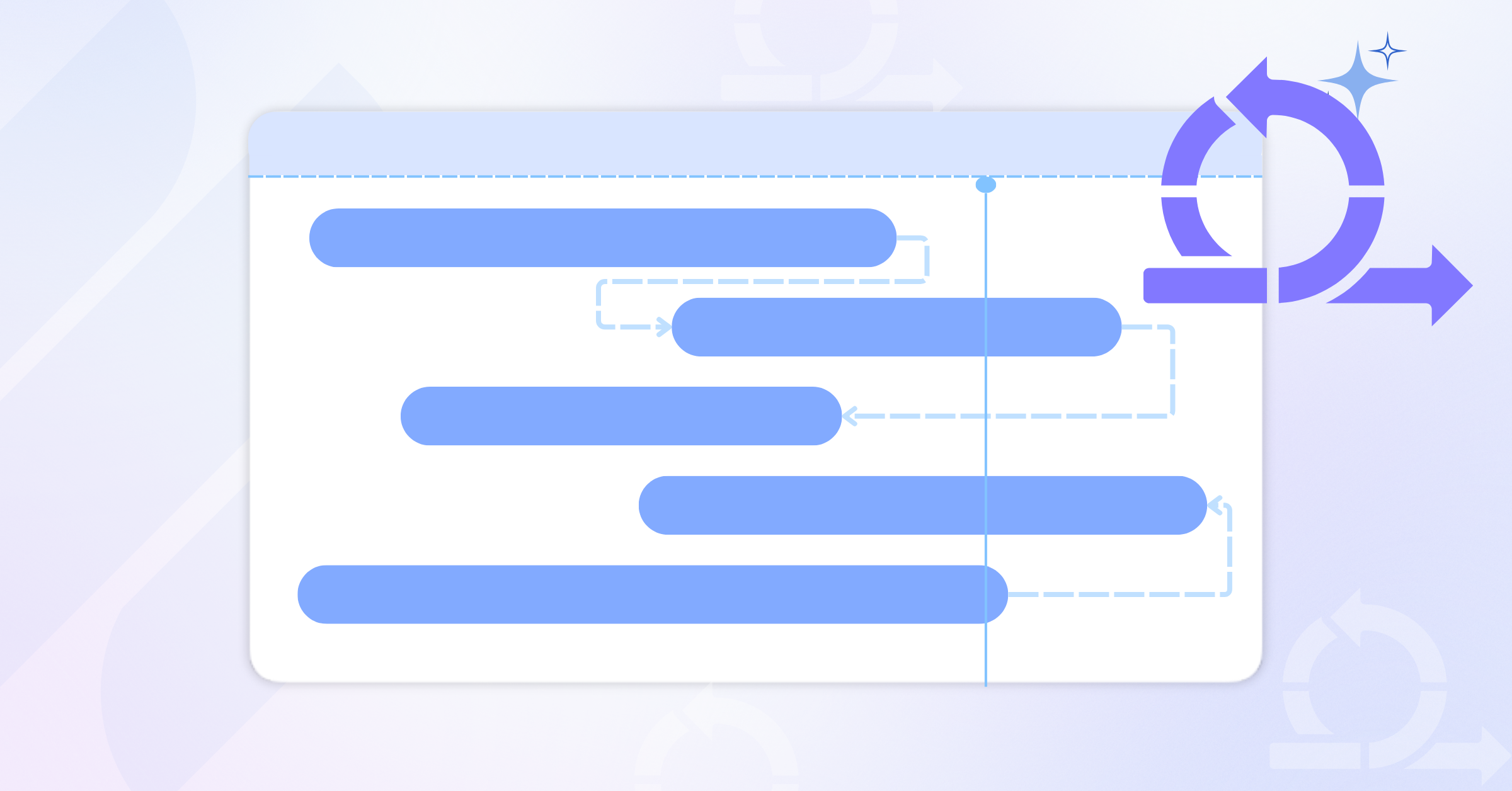
- Build your own roadmap: With Gantt Chart, you can out phases, milestones, and key deliverables visually, similar to an Excel roadmap, but with real-time updates as work progresses.
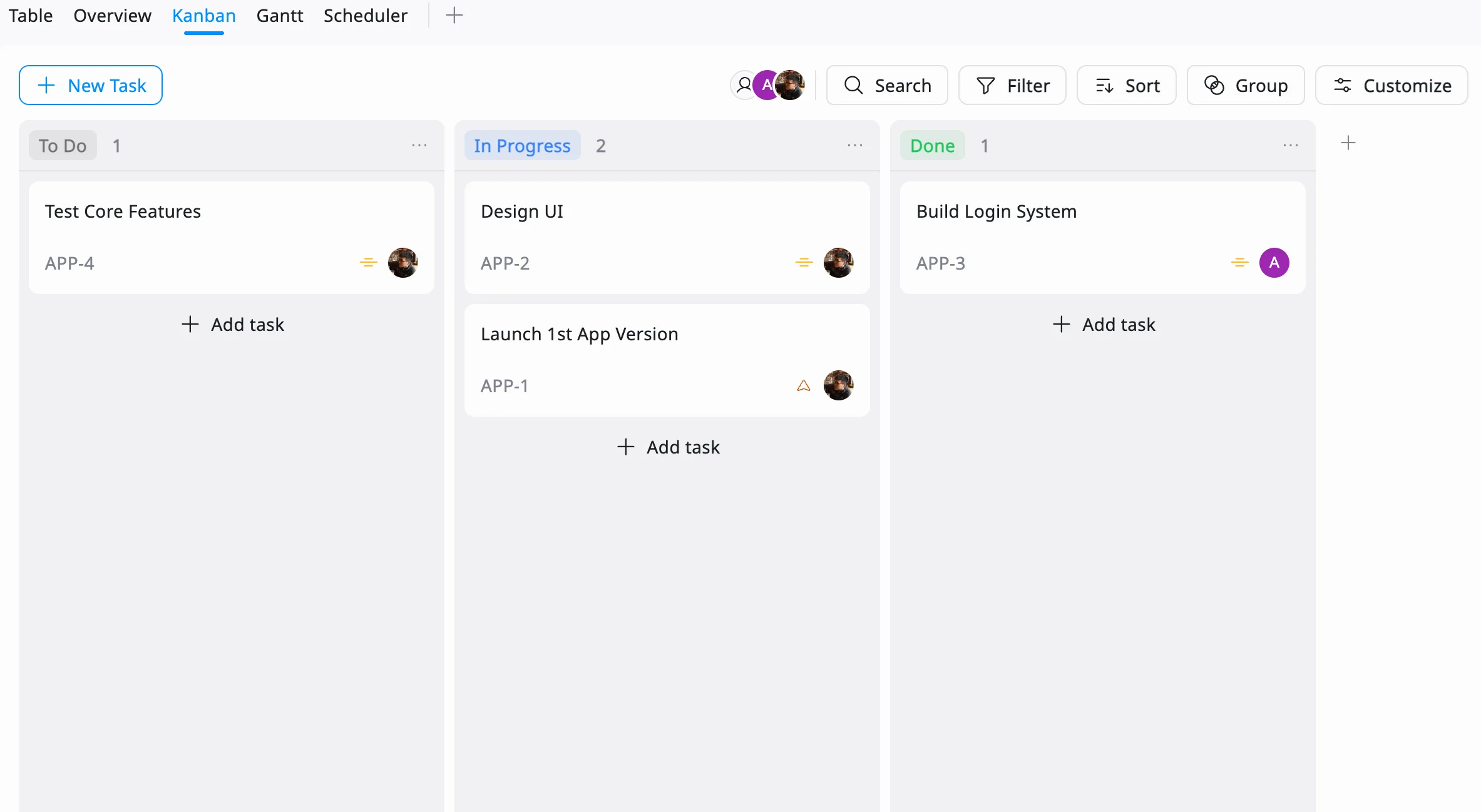
- Track progress without manual updates: As tasks move across Kanban (To Do → In Progress → Done), your roadmap reflects real progress automatically, removing the need for constant edits.
- Improve collaboration and visibility: Teams can update tasks, add comments, and track changes in one place, ensuring everyone works from the same source of truth.
- Track results with reports: Customizable reports in TaskFord allow project managers to analyze performance data such as tasks completed, supporting data-driven decisions.
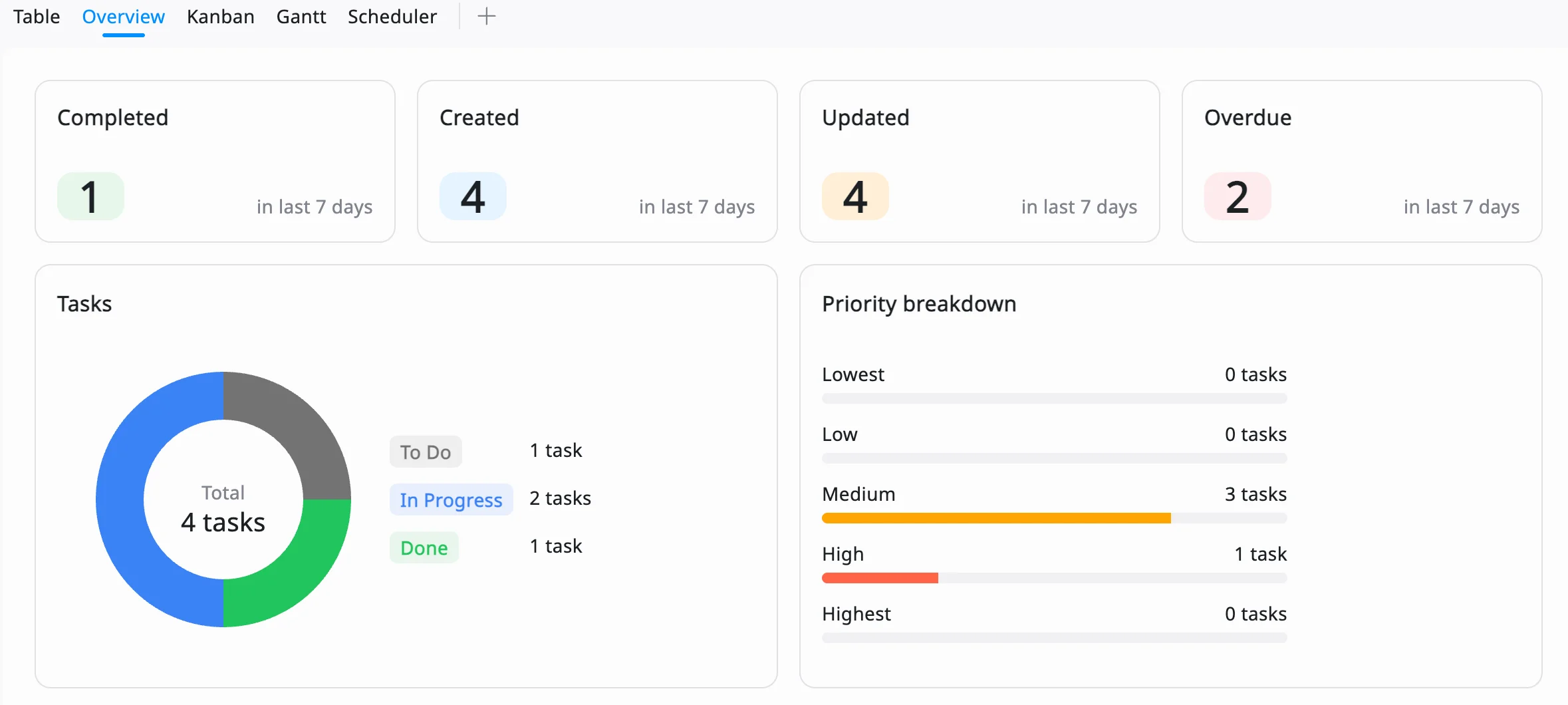
If Excel templates help you plan your roadmap, TaskFord helps you manage and execute it as the project evolves.
Best Practices for Using Project Roadmap Templates
To maximize the value of these templates, consider these best practices, inspired by TaskFord’s strategic roadmap principles:
- Focus on Key Milestones: Avoid overcrowding your roadmap with too many details. Highlight only the most important deliverables, such as product releases, approvals, or major project phases. This keeps the roadmap easy to read and helps stakeholders quickly understand what matters most.
- Customize for Your Audience: Different stakeholders need different levels of detail. Use clear labels, colors, or simplified views depending on who you’re presenting to. For example, executives may only need milestones, while project teams may need more detailed timelines and task breakdowns.
- Track Dependencies: Identify which tasks rely on others and make those relationships visible. You can use Excel shapes, arrows, or notes to show dependencies. This helps prevent delays by making it clear what needs to be completed first before moving forward.
- Update Regularly: A roadmap is only useful if it reflects reality. Set a routine to update progress, adjust timelines, and reflect any scope changes. Even small updates help keep the roadmap accurate and prevent misalignment over time.
- Collaborate Effectively: Share your roadmap with the team and encourage input early. Using shared tools like OneDrive helps teams stay aligned, but it’s important to ensure everyone is working on the latest version and understands any updates or changes.
- Keep It High-Level: Remember that a roadmap is not a detailed task plan. Avoid turning it into a full project schedule. Focus on direction, phases, and outcomes, while leaving detailed execution to task-level tools.
Frequently Asked Questions (FAQs)
1. Who should use project roadmap templates?
Project managers, team leads, and program managers across industries such as IT, marketing, and construction can use roadmap templates to plan and communicate project progress.
2. What is the difference between a project roadmap and a project plan?
A roadmap provides a high-level overview of goals, milestones, and timelines, while a project plan includes detailed tasks, schedules, and resource assignments.
3. Are Excel roadmap templates suitable for large projects?
They can be used for large projects, but may become difficult to manage as complexity grows. In such cases, dedicated project management apps may be more effective.
4. How often should a project roadmap be updated?
Project roadmaps should be updated regularly, typically weekly or at key milestones to reflect progress, changes, and new priorities.
5. Can multiple teams collaborate on the same roadmap template?
Yes, especially when using cloud tools like OneDrive or Microsoft 365, which allow real-time collaboration and shared access.
Conclusion
Free Microsoft project roadmap templates are essential for project managers aiming to create clear, actionable plans that drive success. The Agile, IT, Construction, Marketing Campaign, and Multiple Project Roadmap templates offer tailored solutions for diverse project types, from software sprints to program oversight.
By combining TaskFord’s features, these templates become powerful tools for aligning teams, mitigating risks, and achieving organizational goals. Download these templates now to excel in project management.
Related Articles












How to Build and Manage a Product Roadmap with TaskFord











How to Build a Connected Project Timeline in TaskFord









What Are the Best Jira Alternatives for Scrum Teams?




















How WBS Reveals Delivery Breakdown Before It’s Too Late







![How To Conduct a Profound Stakeholder Analysis [+ Free Template]](/marketing/blog/stakeholder-analysis.webp)












What to Look for in Scrum Tools (Beyond Kanban Boards)

![Project Management Calendar for Teams and Managers [Free Templates]](/marketing/blog/project-management-calendar.webp)




How to Define Project Deliverables: A Step-by-Step Guide






![RACI Chart in Project Management: Rules & Examples [Free Download]](/marketing/blog/raci-chart.webp)











![7 Must-Have Project Management Documents Every PO Should Know [Free Templates]](/marketing/blog/project-management-documents.webp)






![How to Create a Winning Project Plan for IT Projects [10 Steps Included]](/marketing/blog/how-to-create-a-project-plan.webp)


![Daily Standup Best Practices: Apply AI to Organize Meetings Successfully [2026 Trends]](/marketing/blog/daily-standup.webp)





![How to Create a Project Communication Plan: Step-by-Step Guide [+Free Template]](/marketing/blog/project-communication-plan.png)


![Master Project Procurement Management in 5 Steps [Download a free plan template]](/marketing/blog/project-procurement-management.webp)



























Subscribe for Expert Tips
Unlock expert insights and stay ahead with TaskFord. Sign up now to receive valuable tips, strategies, and updates directly in your inbox.